2INC0 Operating Systems
- Area: Computer Engineering
- Topics: Caches and Memory Hierarchy · Processes, Threads and Synchronization
- Related courses: Computation II - 5EIB0
Prior-knowledge
microcontroller.pdf
RTS.CS-prior-knowledge.pdf
Introduction to operating systems
Slides
Info
Slide Pics and Book Pages
1.1 to 1.5 + 1.10.6. and 2.1.
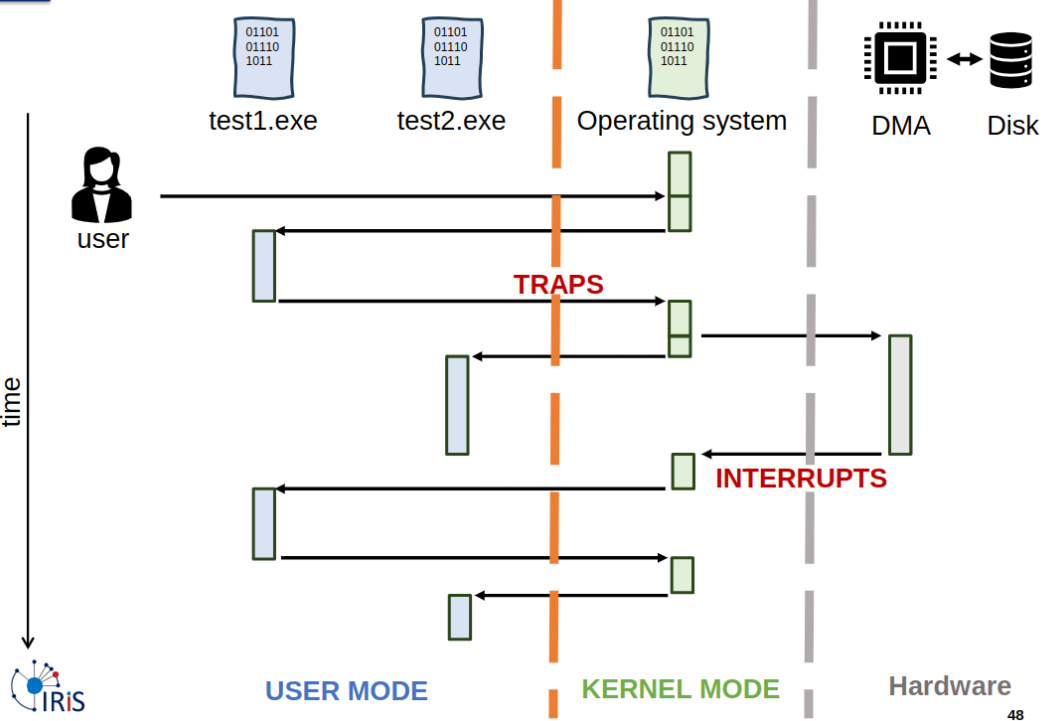
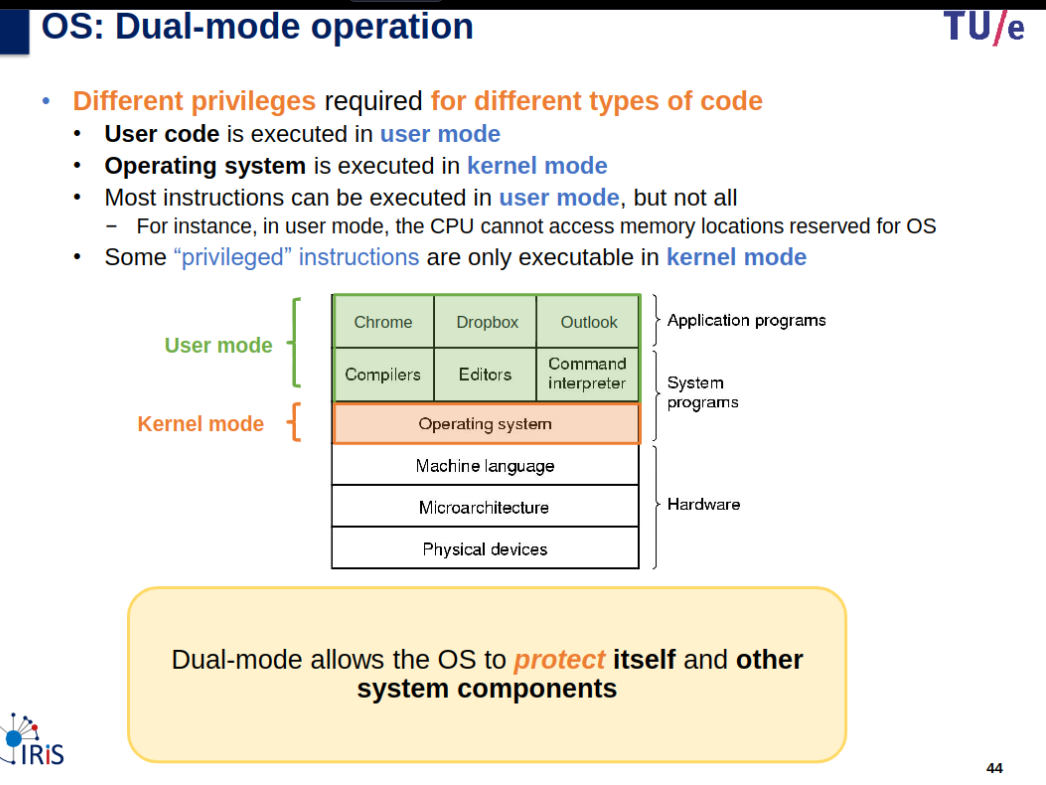
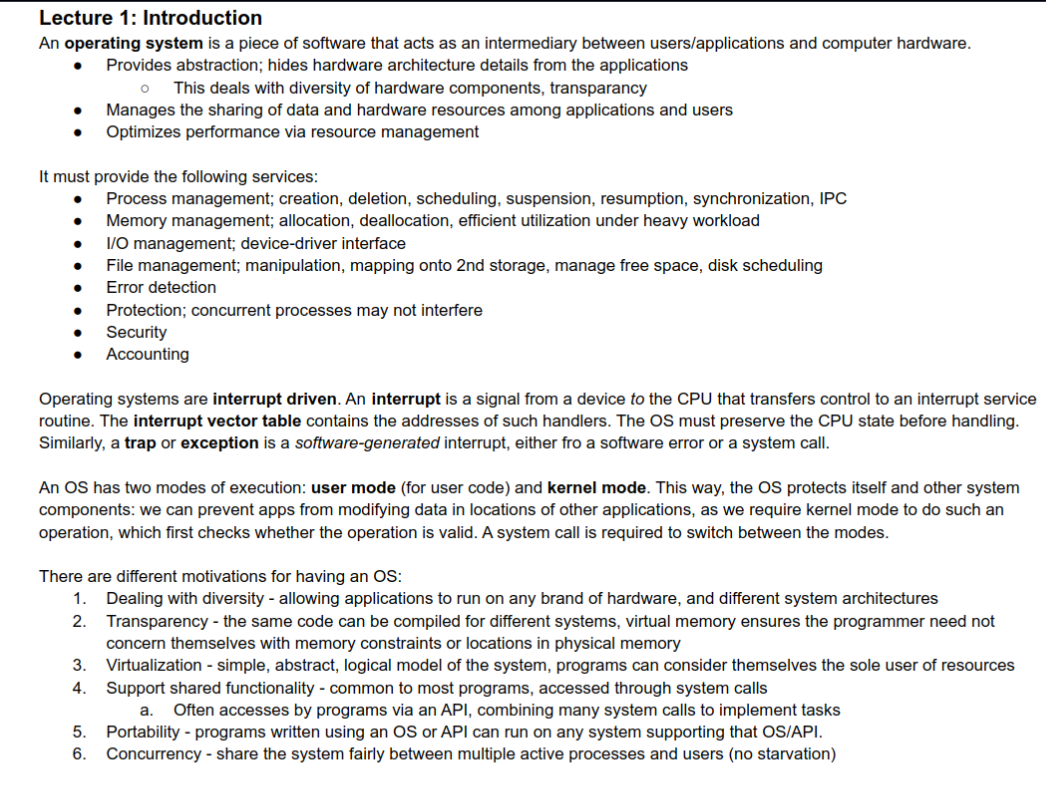
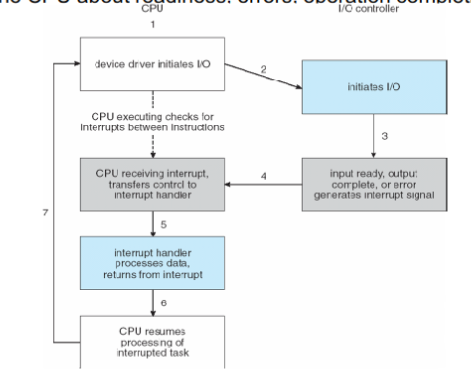
Trap/Interrupt and System Call
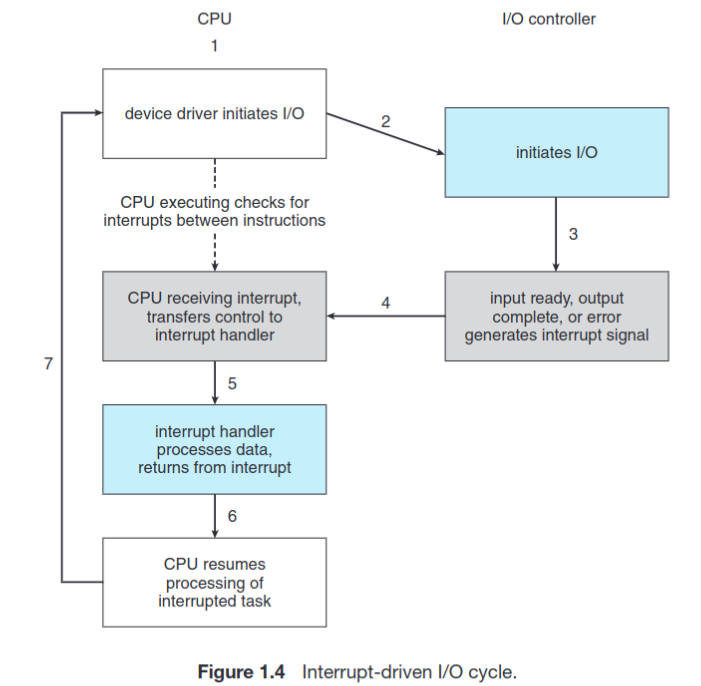
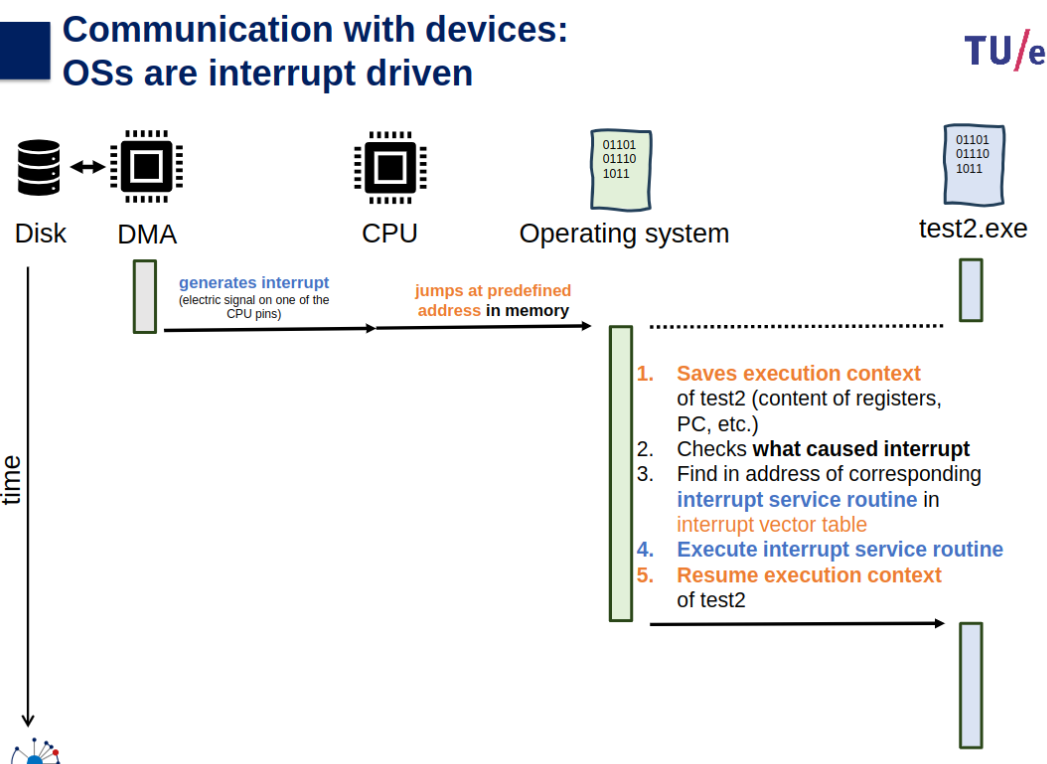
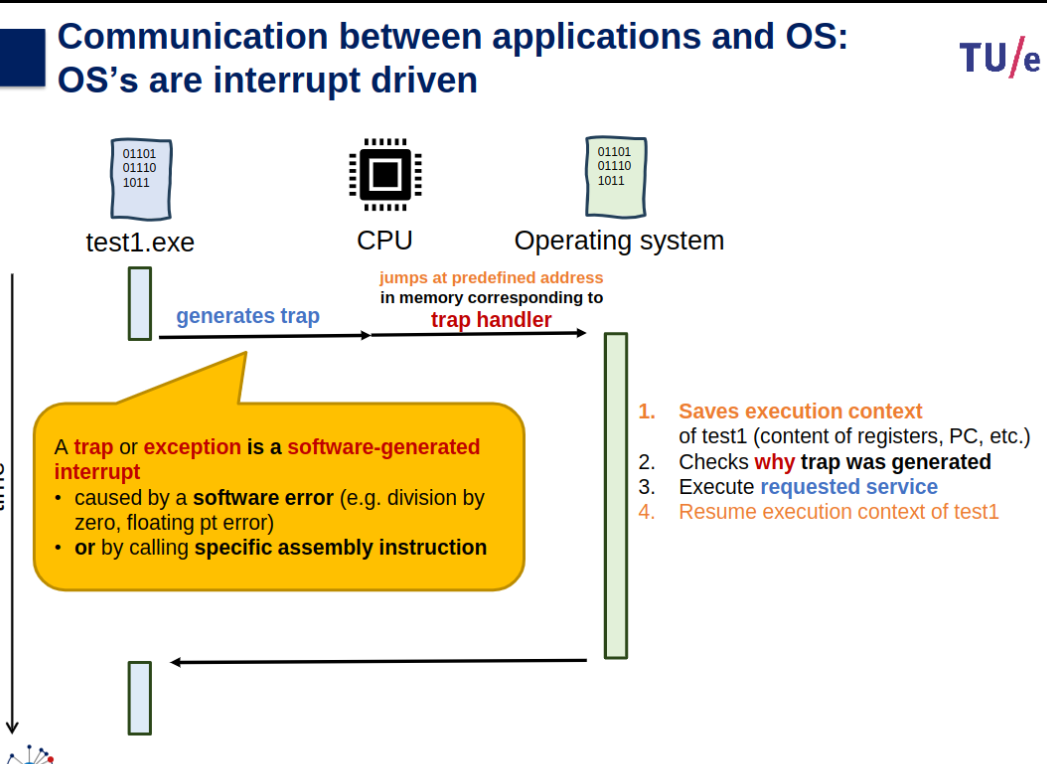
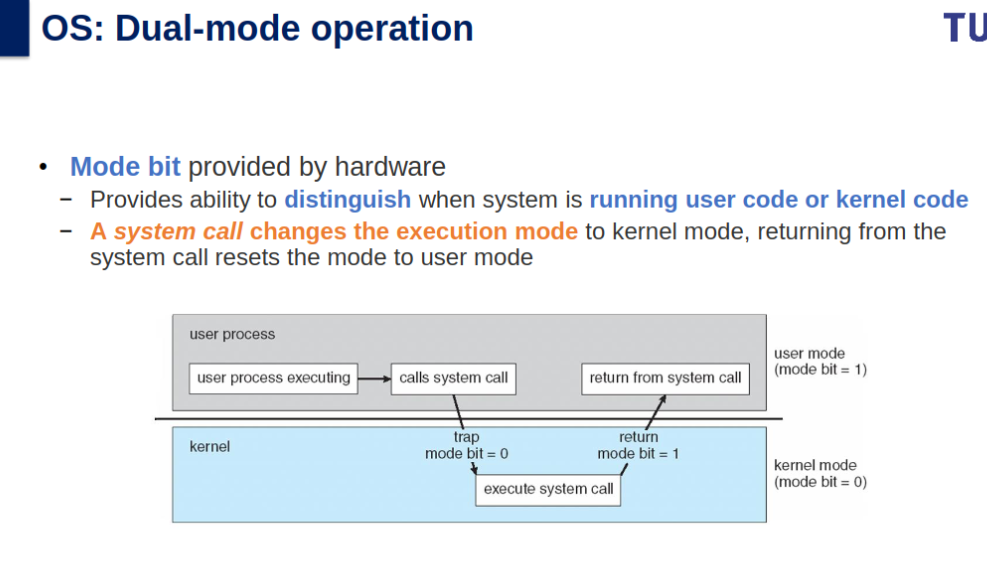
A trap is an exception in a user process. It’s caused by division by zero or invalid memory access. It’s also the usual way to invoke a kernel routine (a system call) because those run with a higher priority than user code. Handling is synchronous (so the user code is suspended and continues afterwards). In a sense they are “active” - most of the time, the code expects the trap to happen and relies on this fact.
An interrupt is something generated by the hardware (devices like the hard disk, graphics card, I/O ports, etc). These are asynchronous (i.e. they don’t happen at predictable places in the user code) or “passive” since the interrupt handler has to wait for them to happen eventually. Called to deal with the cause of interrupt.
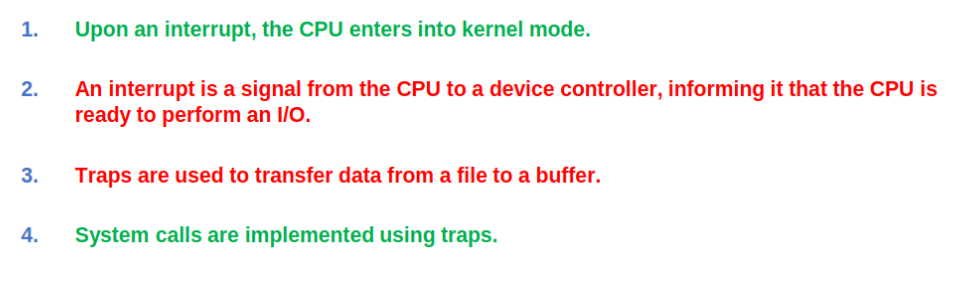
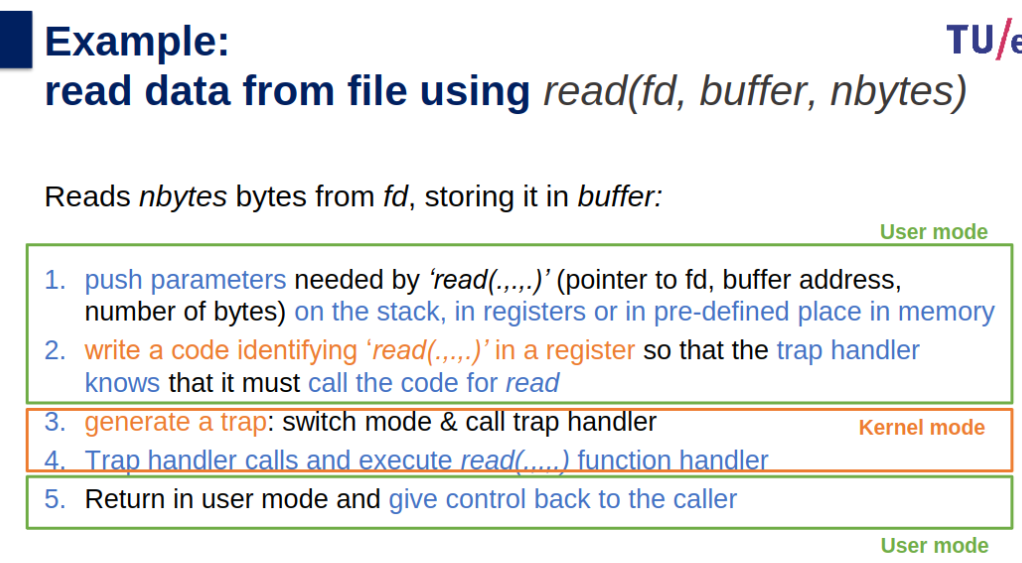
Steps in Processing a System Call
- Push parameters.
- Call library function.
- Set up system call code in a register.
- Trap to kernel.
- Handler executes action.
- Return to user mode.
Further Notes (DMA, Memory, Other Concepts)
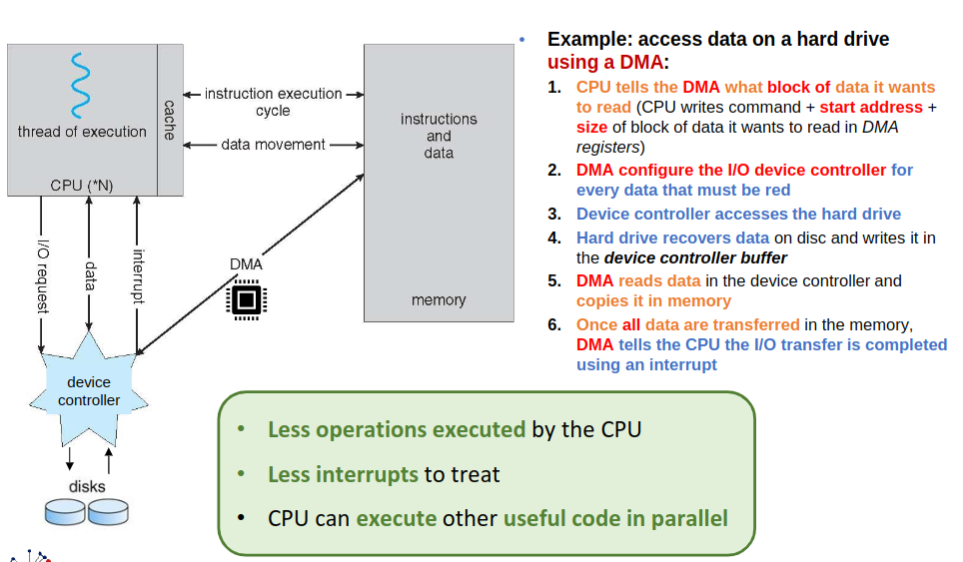
- How CPU interface with device to coordinate transfer to avoid increasing load on CPU processing?: CPU can initiate DMA by writing special registers that can be accessed by device directly.
- When device completes operation?: It generates an interrupt (hardware generated), to indicate completion of operation
- Device(DMA) and CPU can access memory simultaneously but compete for memory bus to access memory.
- A DMA may impact negatively the execution time of a program
Three general methods for passing parameters to the operating system:
- Pass parameters in registers: Parameters are directly passed using CPU registers, which is fast and efficient for small data.
- Registers pass starting addresses of blocks of parameters: Instead of directly passing all parameters, a register can store the starting address of a memory block that contains the parameters.
- Parameters pushed onto the stack: The program places (or pushes) parameters onto the stack, and the operating system retrieves them by popping the stack.
Mechanism and policy should be separate to ensure systems are easier to modify. No two system installations are identical, so each installation might need to tune the operating system to meet specific needs. By separating mechanism and policy:
- Policies can be changed as needed without altering the underlying mechanism.
- Mechanisms remain constant, simplifying system flexibility and maintenance.
Policy define what you want system to do, and Mechanism how to do it
Tight Coupling in System Components
- Example: Virtual memory subsystem & storage subsystem.
- Reasons for Tight Coupling:
- Files mapped into virtual memory space.
- Virtual memory uses storage as a backing store for non-resident pages.
- File system updates buffered in memory before flushing to disk.
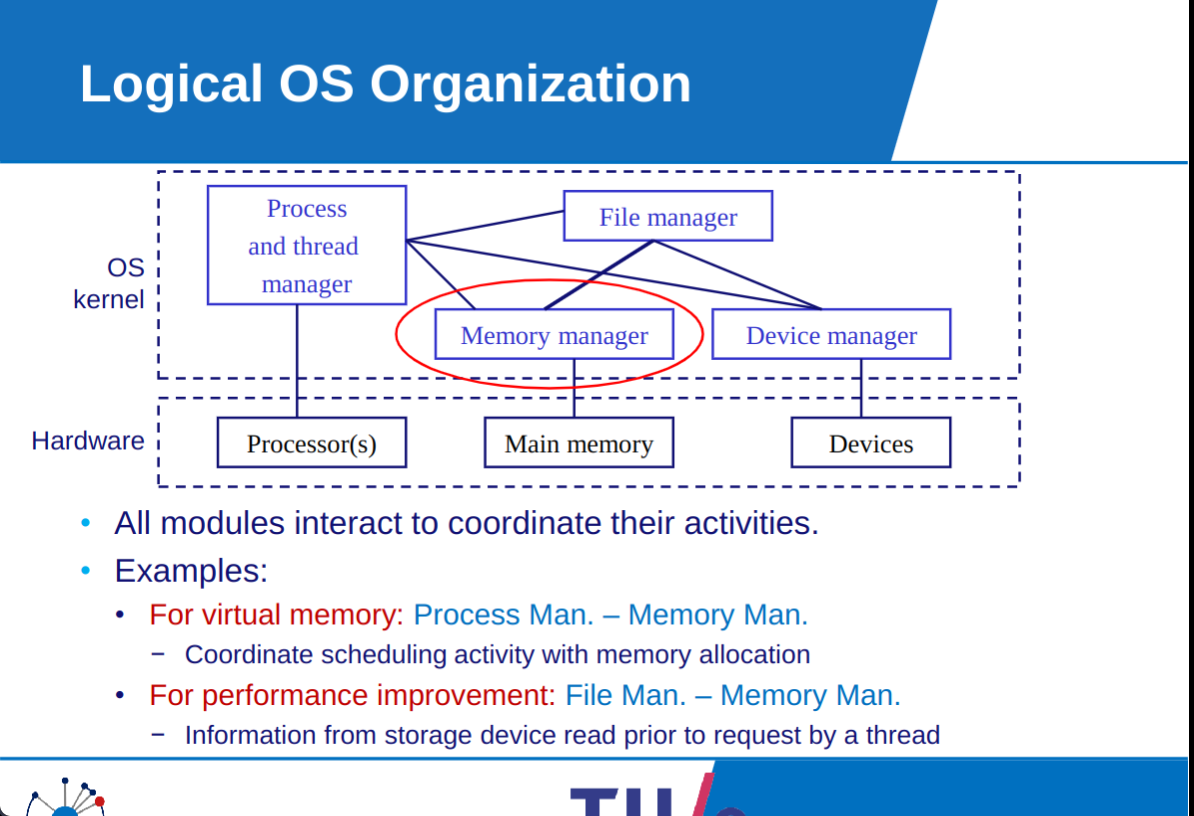
- Challenge: Requires careful coordination for memory and storage usage, making layered design difficult.
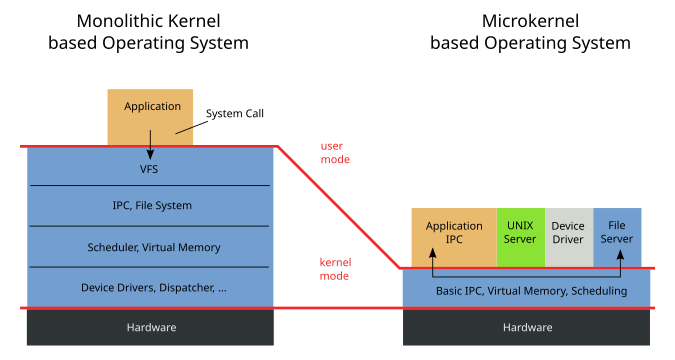
Mikrokernel more secure due to as more operations are done in the application layer or user mode, but relies on more IPC, which could be good but hard to control at scale.
Why use OS
- Improves portability.
- Manages concurrency
- Provides a simplified view of the execution platform
- Provides support for shared functionality
Processes, threads and scheduling
Topic: Processes, Threads and Synchronization
Processes
Slides
OS-02-process.pdf
OS-02-Process-Preparation-2021.pdf
OS-04-Scheduling-intro.pdf
Info
Slide & Book Pics
3.1-3.3
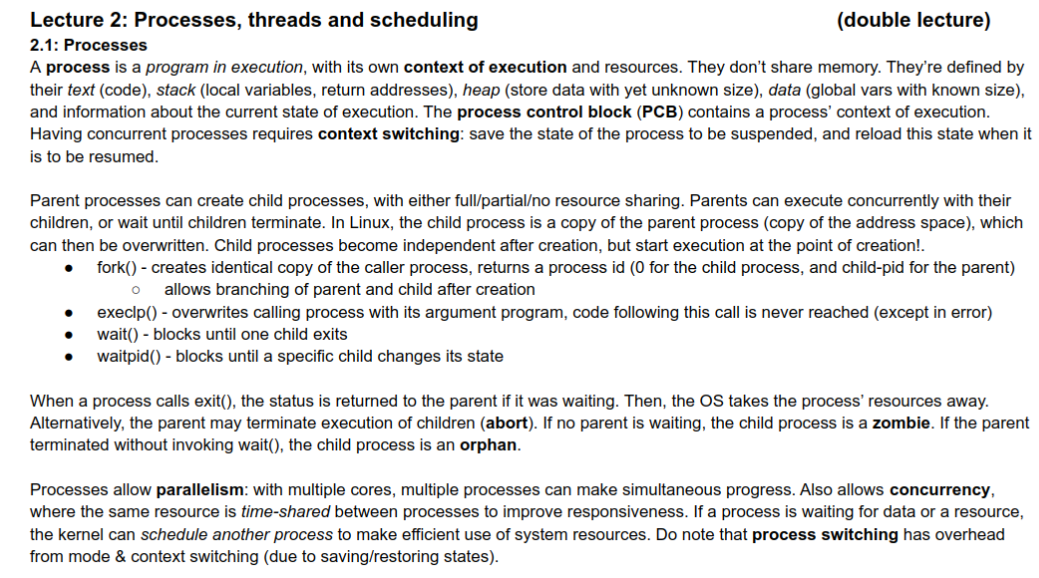
Active Process Scheduling/Creation/Termination
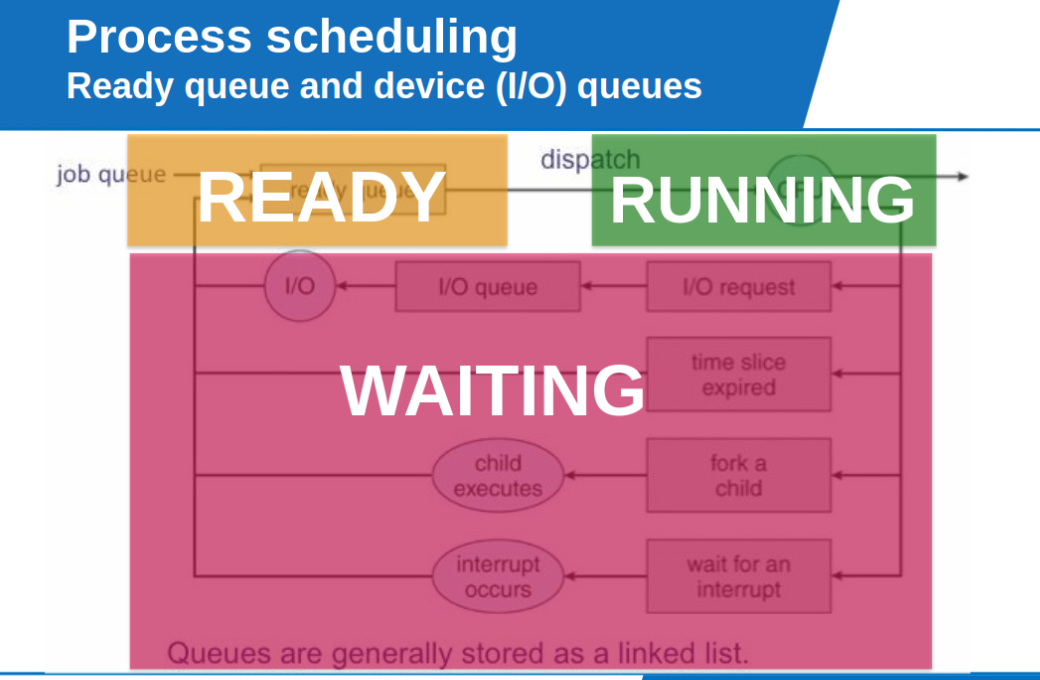
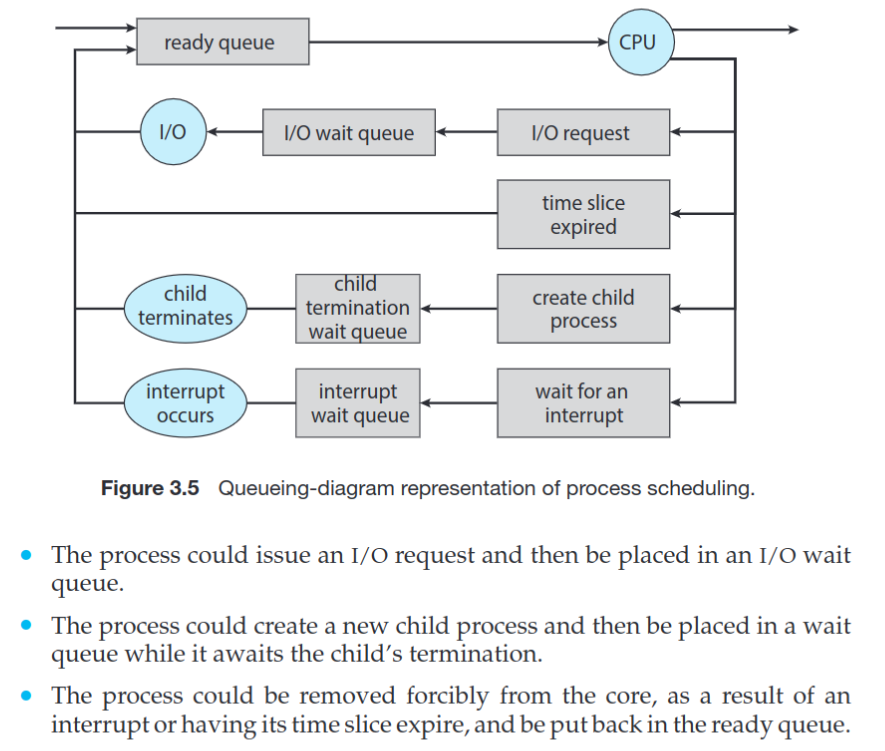
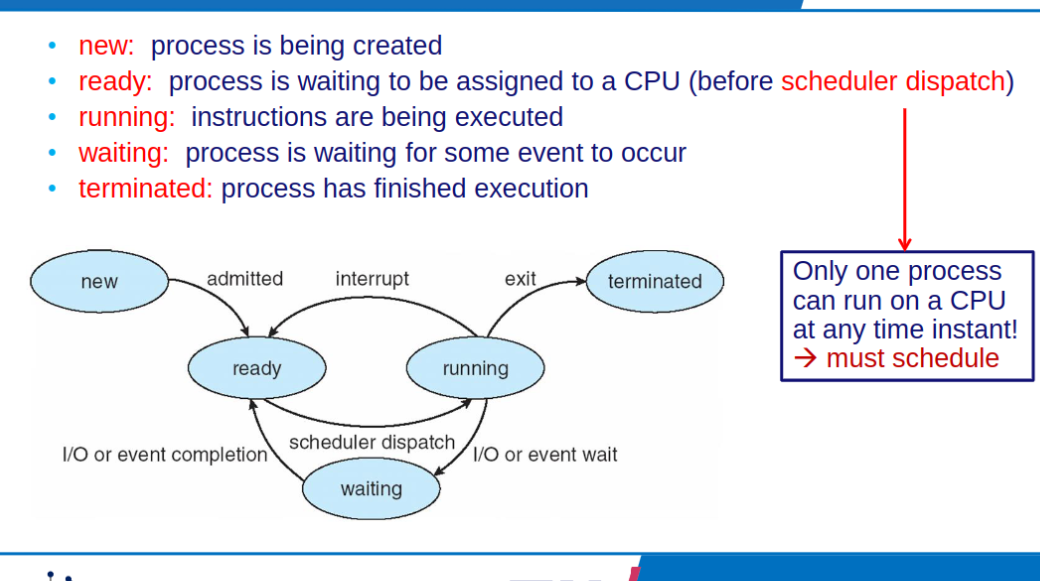
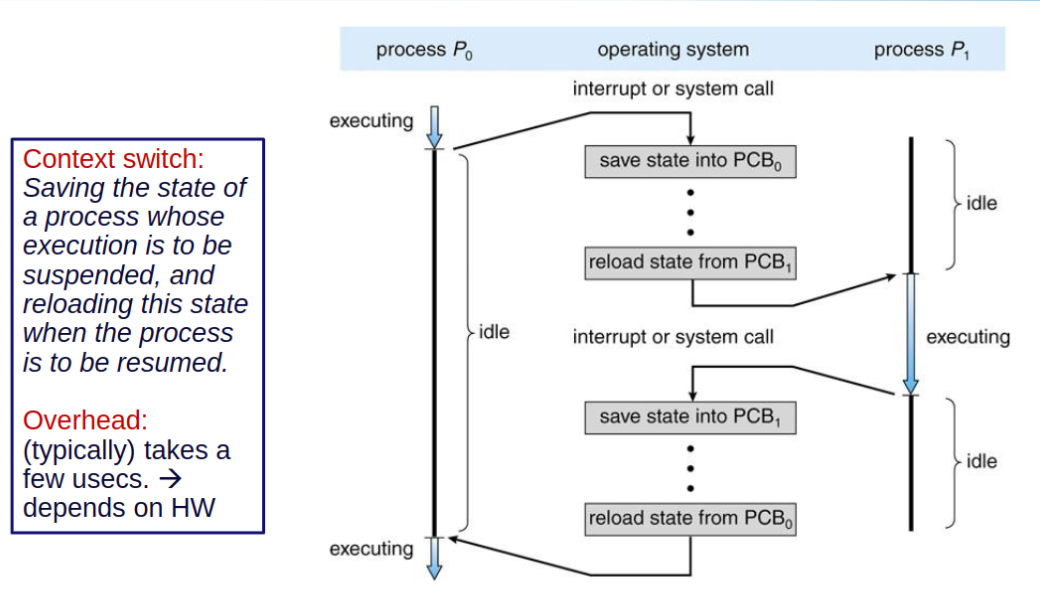
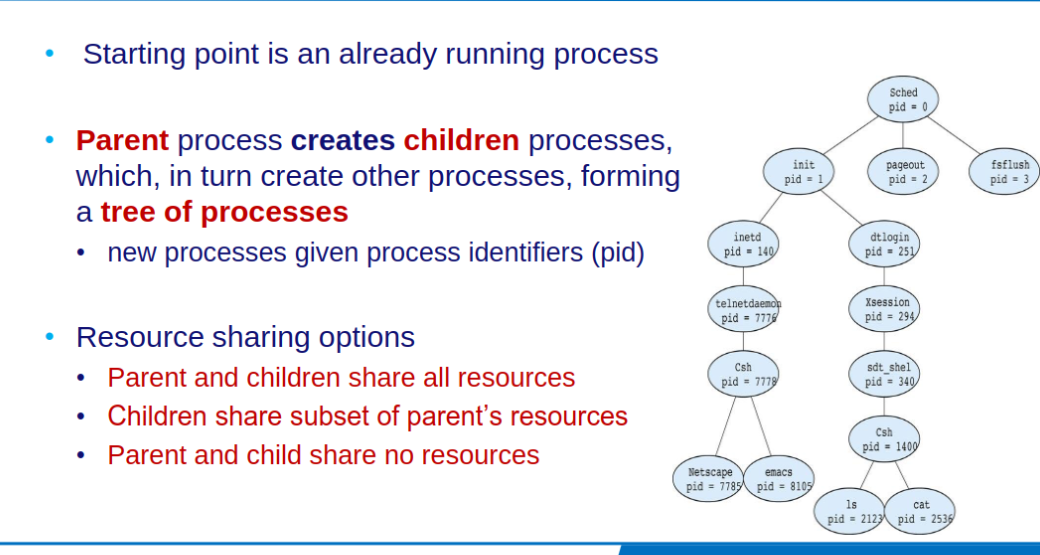
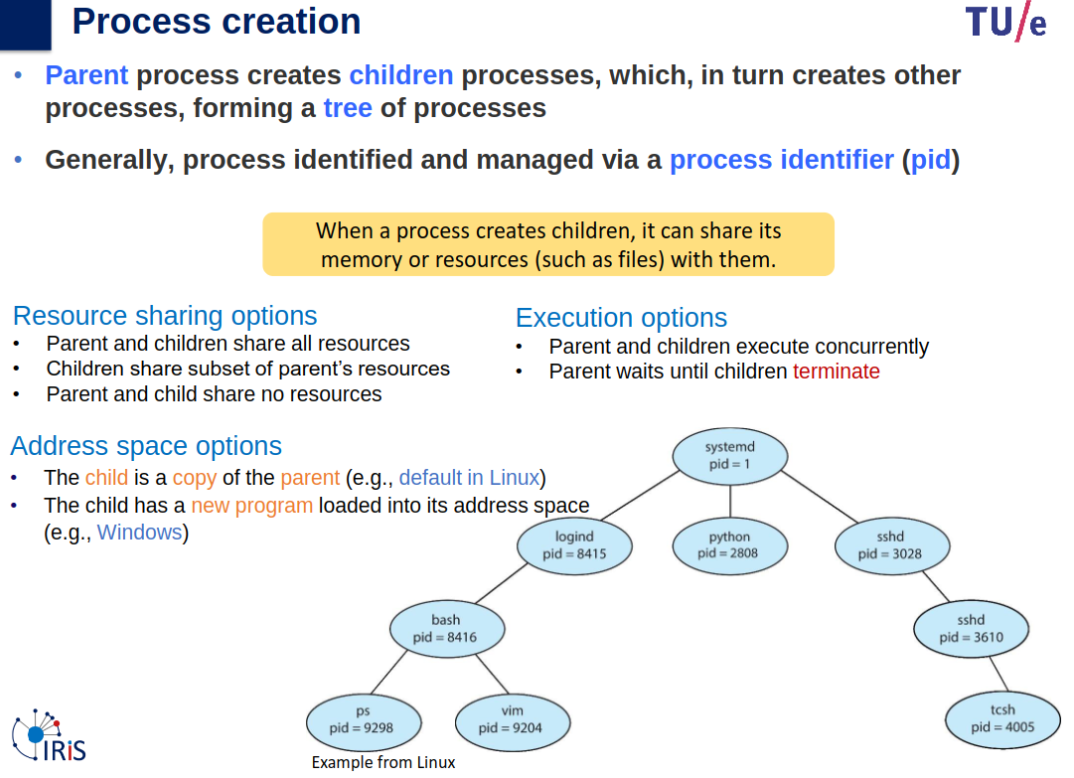
Process Creation - Cont
Parent and children execute concurrently, parent awaits child’s termination.
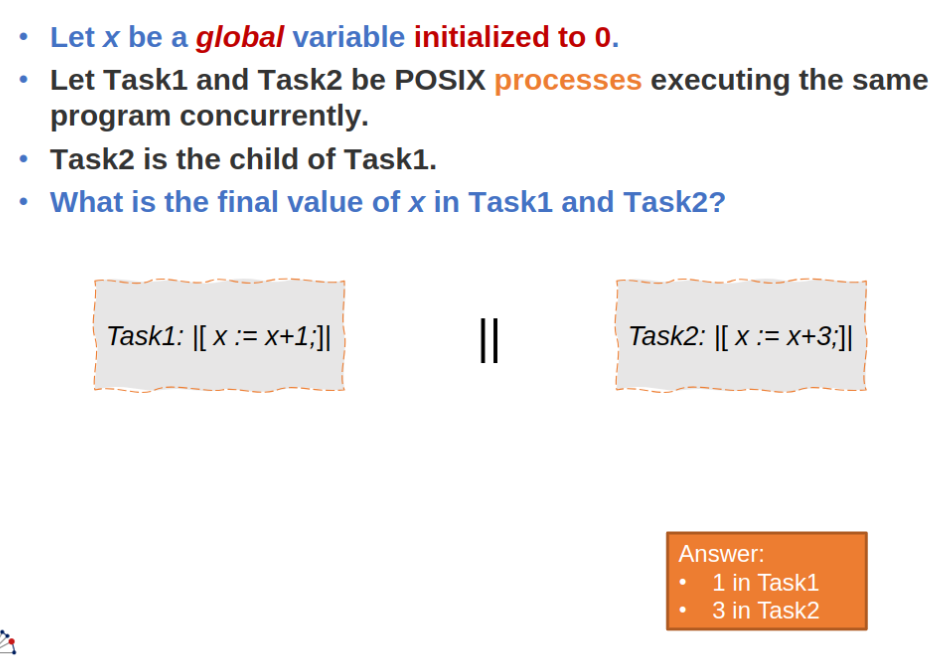
Address space: Linux (child a copy of parent), Windows (new program loaded into its address space).Process creation example: Slides Process: 24
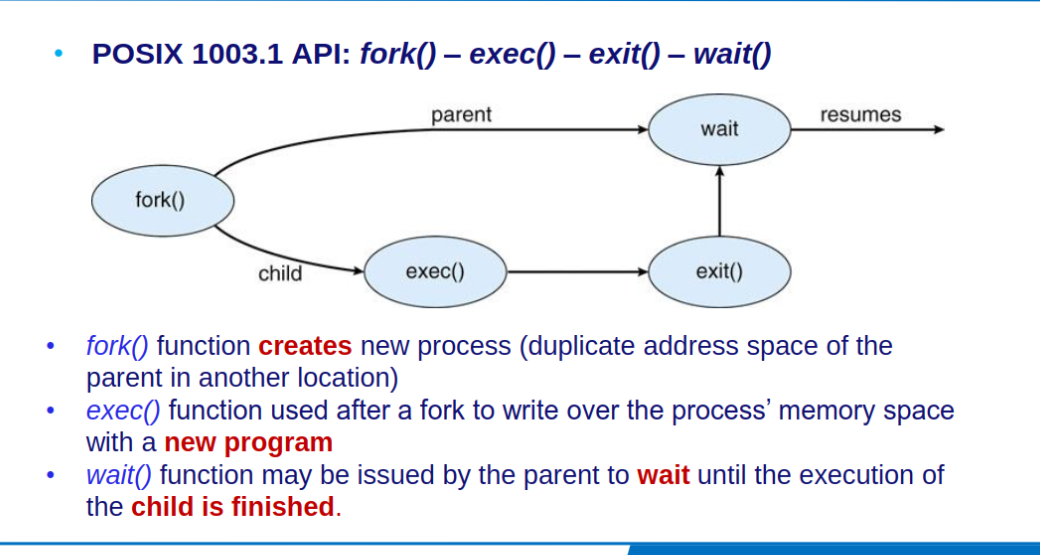
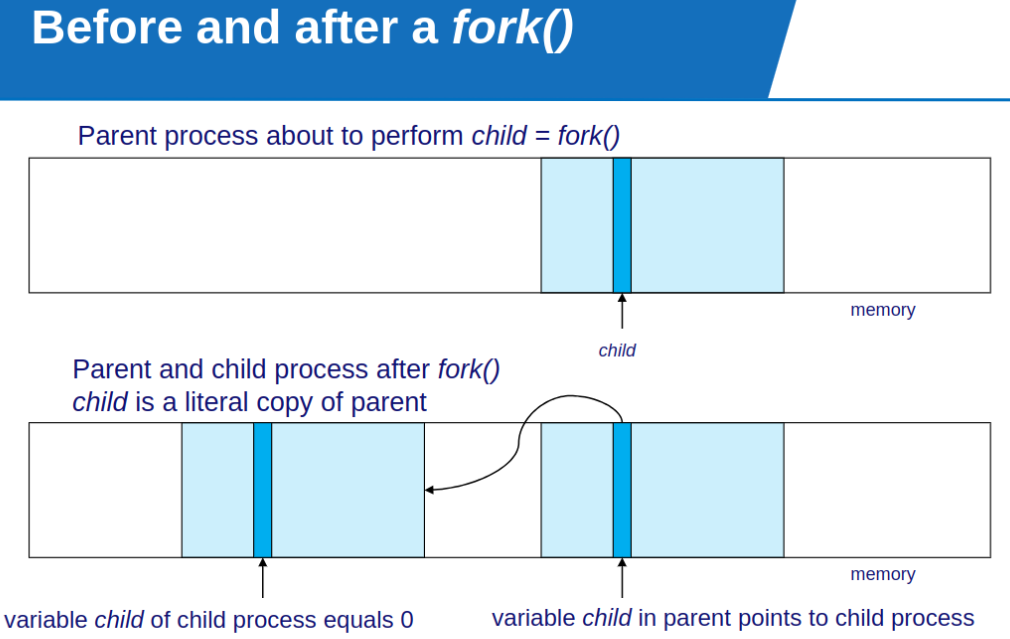
Portable Operating System Interface (POSIX) API for process creation / termination
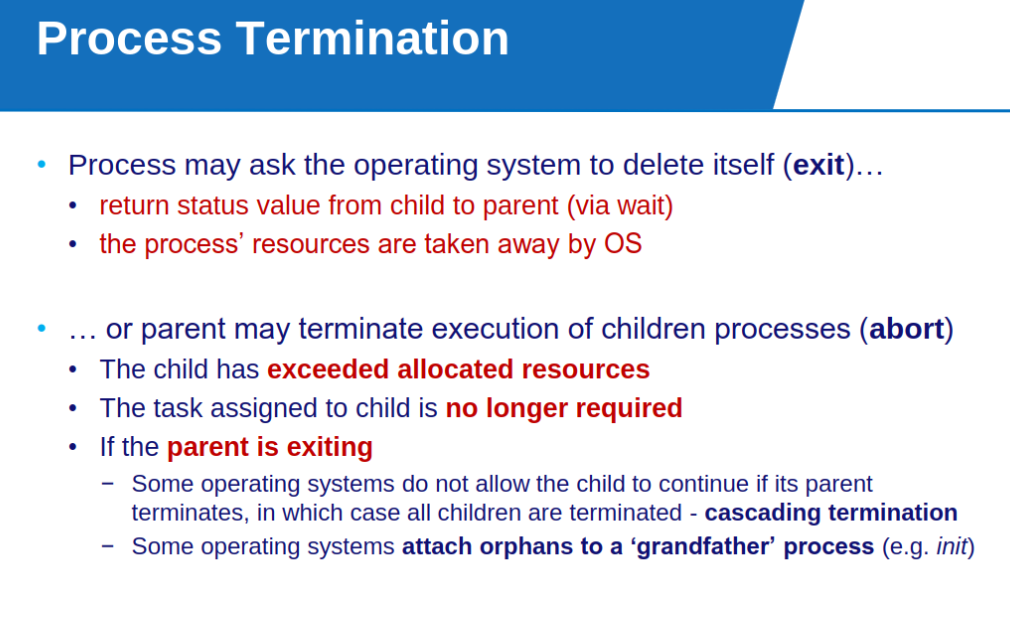
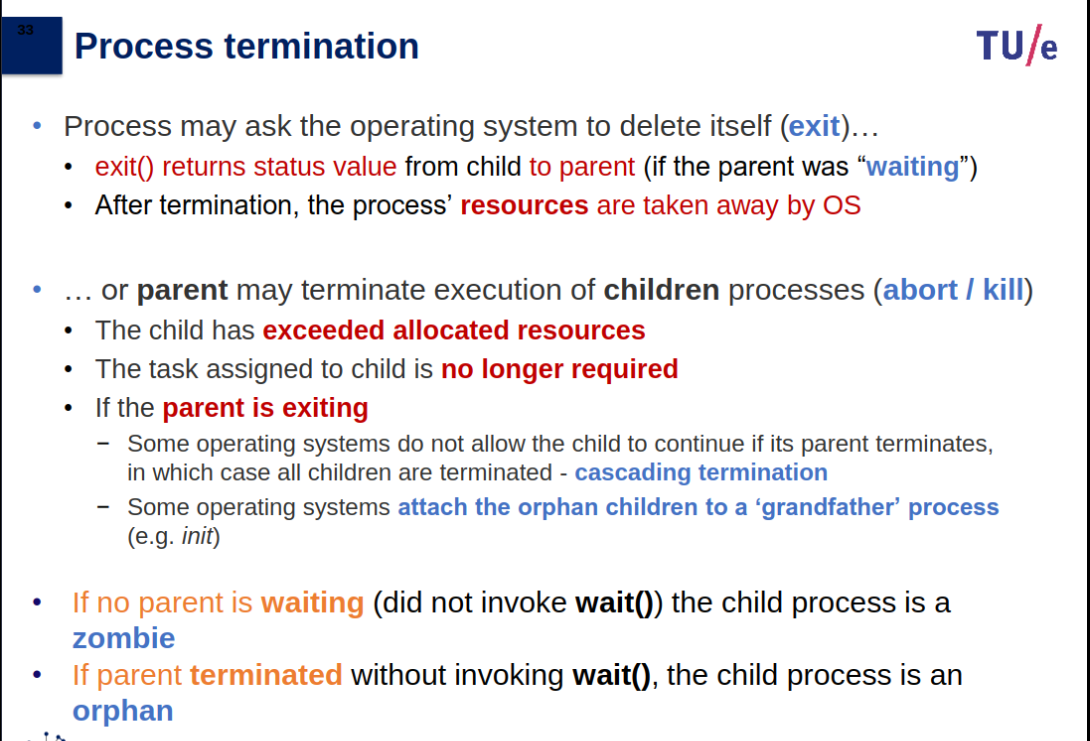
Parent Exiting
If the parent is exiting
- Some operating systems do not allow the child to continue if its parent terminates, in which case all children are terminated
- cascading termination − Some operating systems attach orphans to a ‘grandfather’ process (e.g. init)
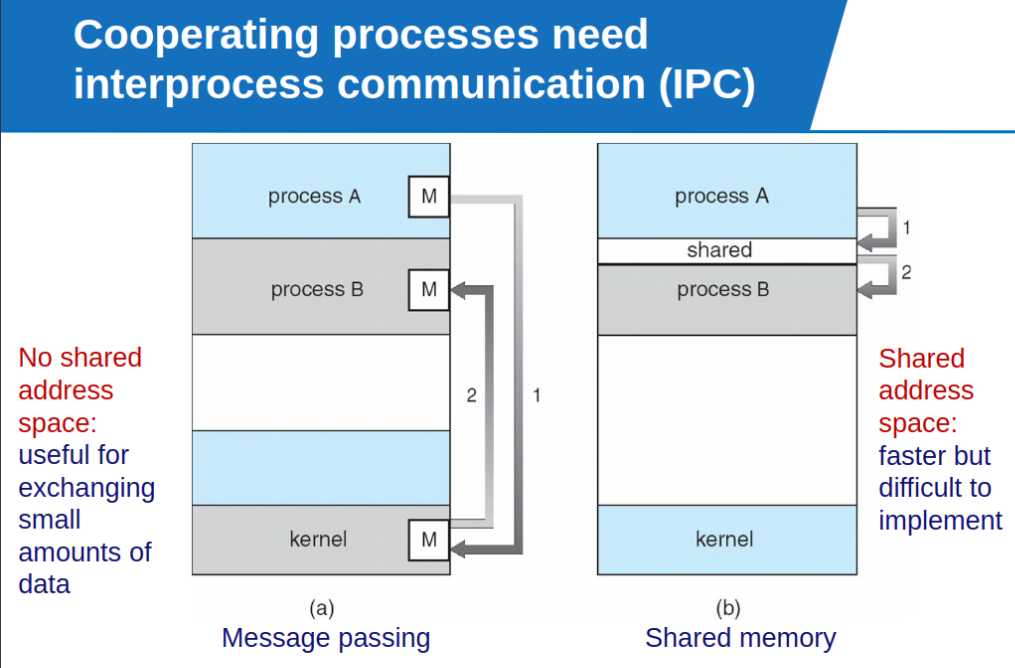
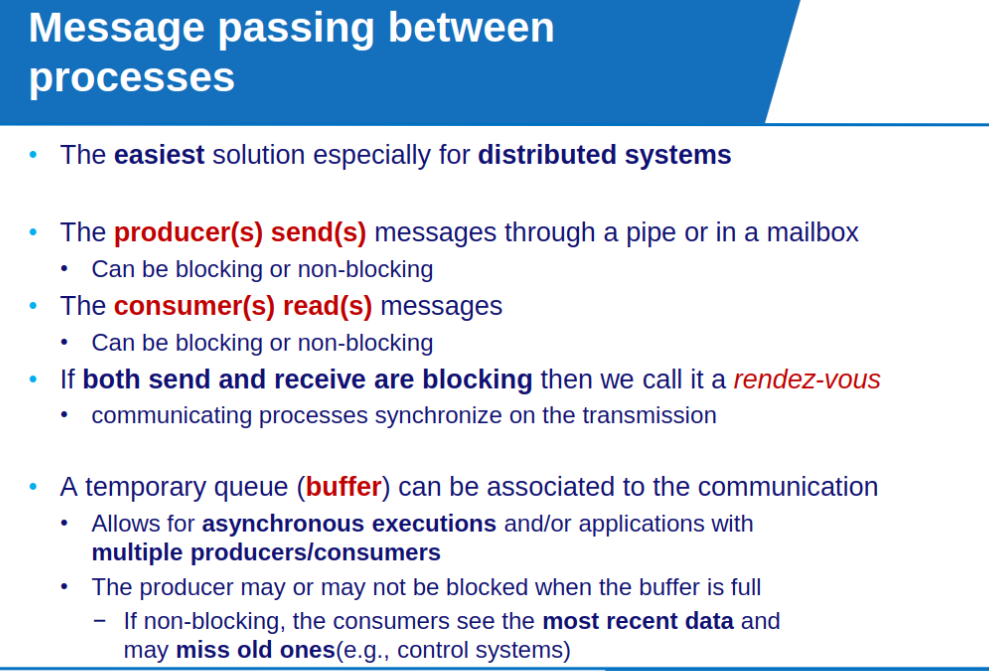
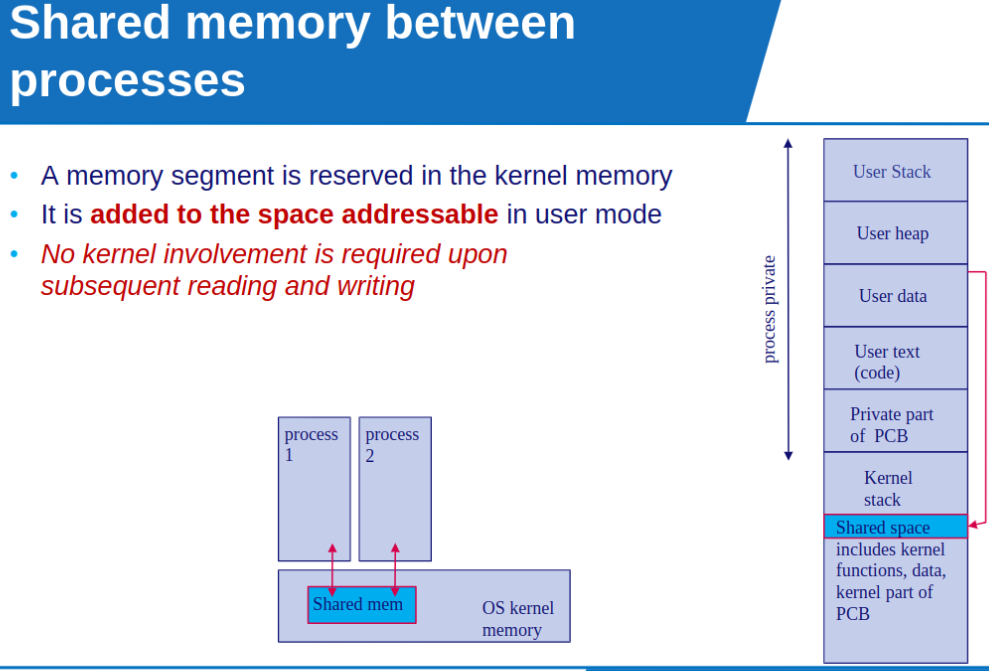
Interprocess Communication (IPC)
Preliminary info on Scheduling
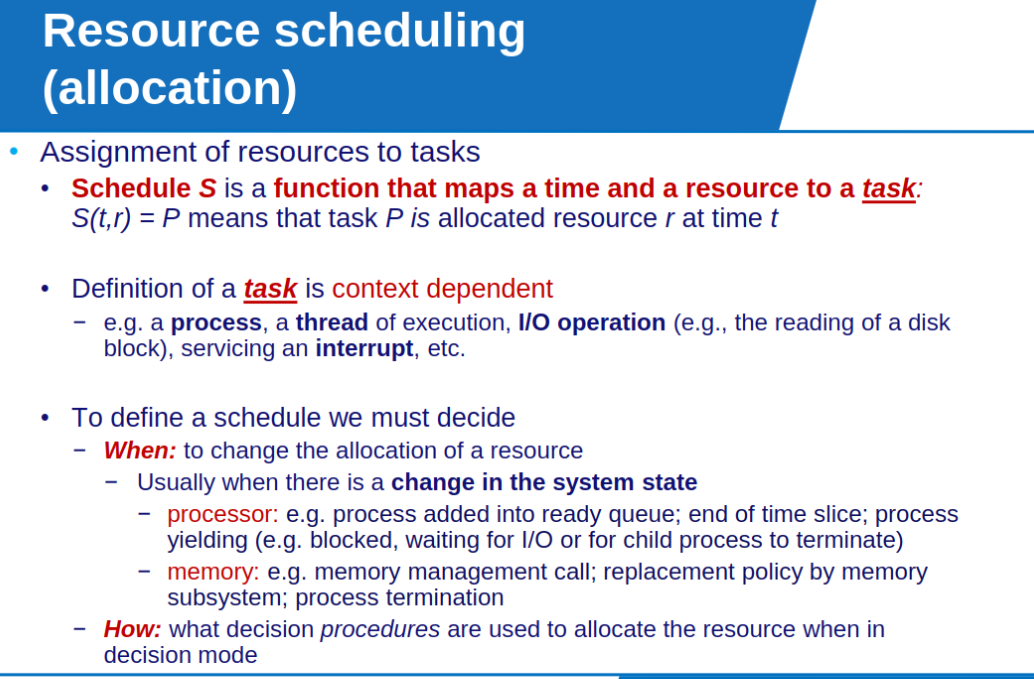
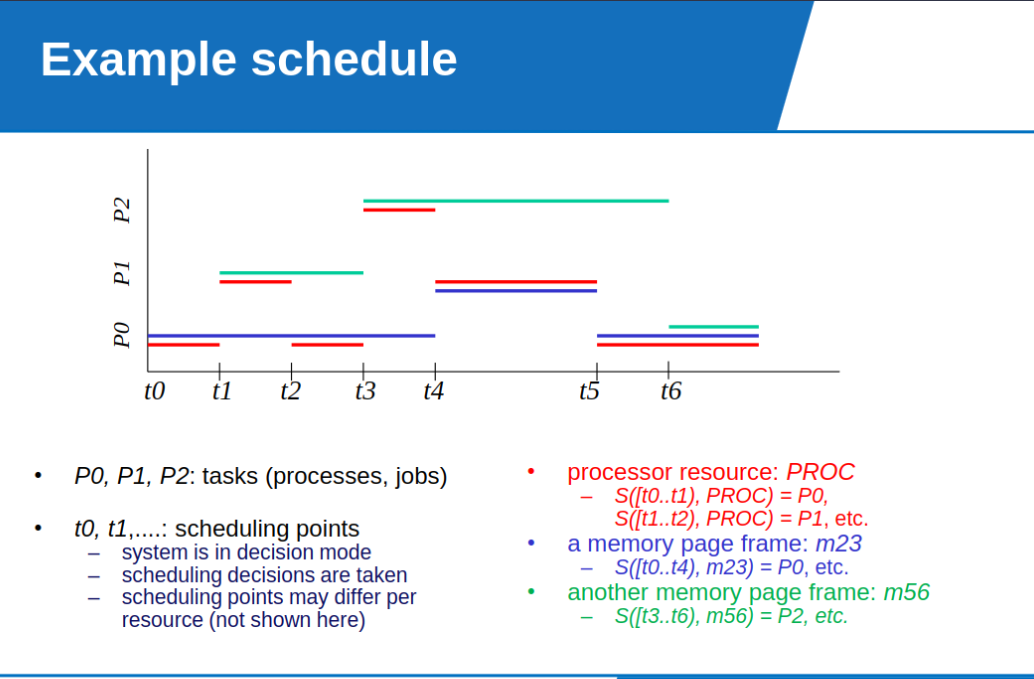
- A process may have multiple tasks, if we have one thread, then only one task can use the resource at a time.
- One task does not use a resource constantly so scheduling must occur so threads can be reassigned to different tasks during process execution.
Scheduling Policy
A scheduling policy represents strategy for allocating a resource to a task.
Decision based: Scheduling criteria:
- (task attribute: [deadline, response time])
- (current state: [ready processes, available/required resources])
- pre-computed lookup table
Important Info from CPU Scheduling
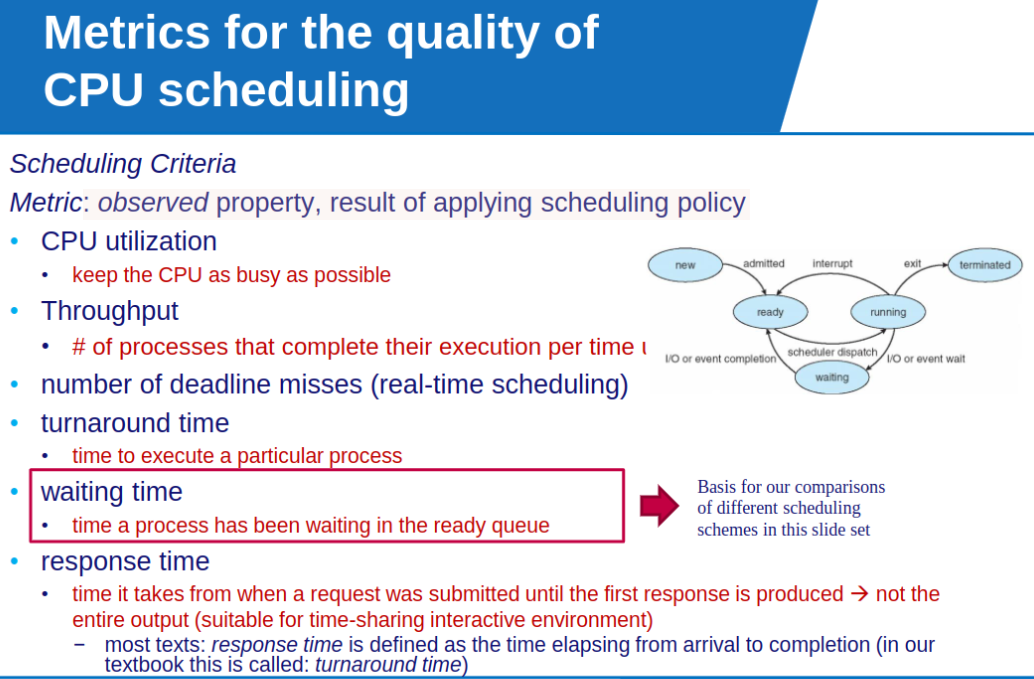
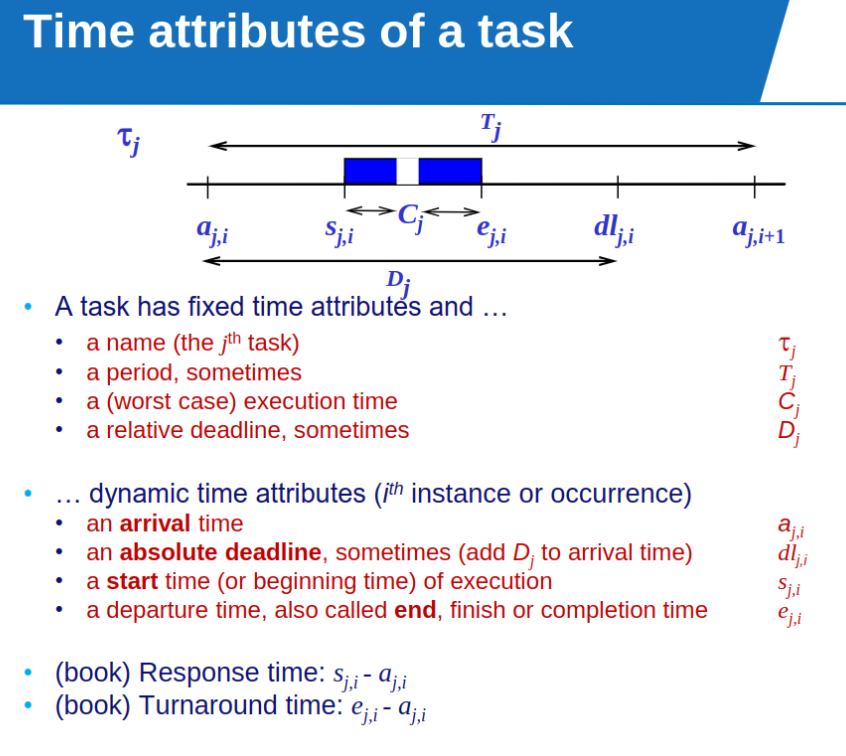
- response time: time it takes when request submitted until response, not entire output.
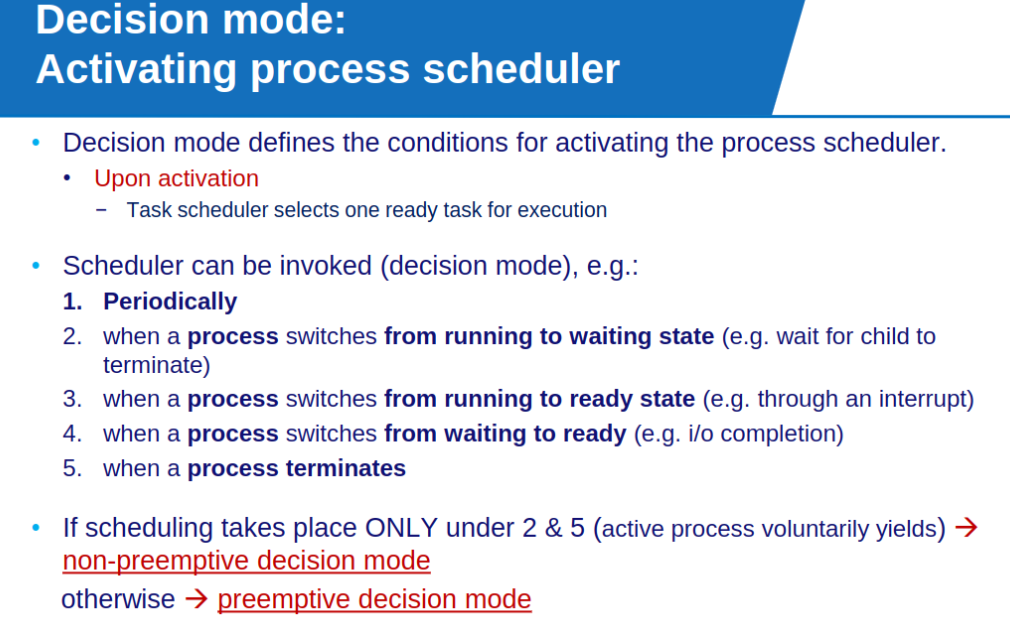
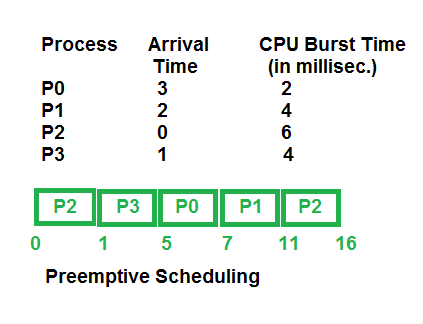
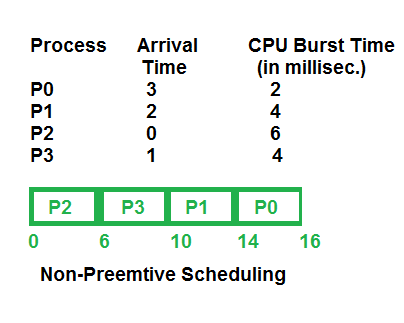
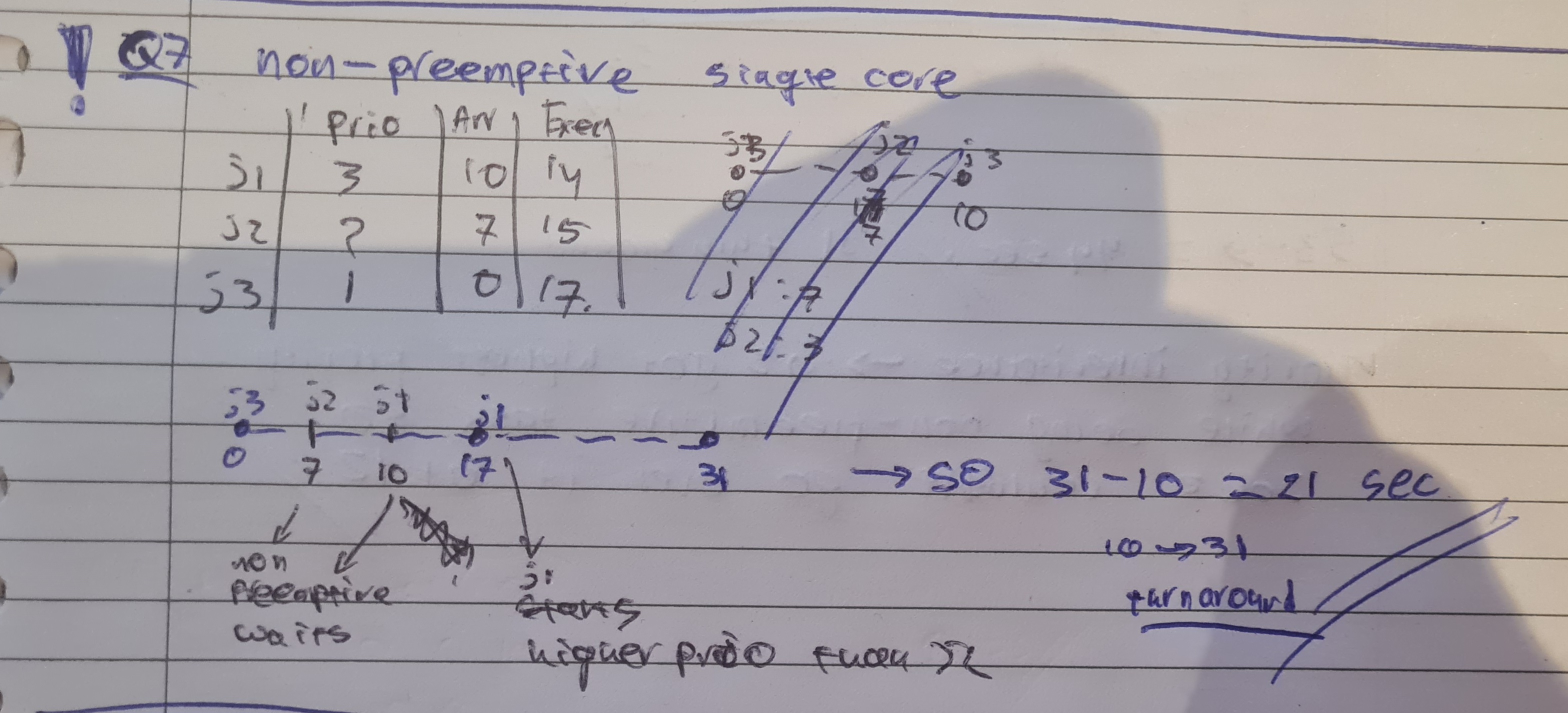
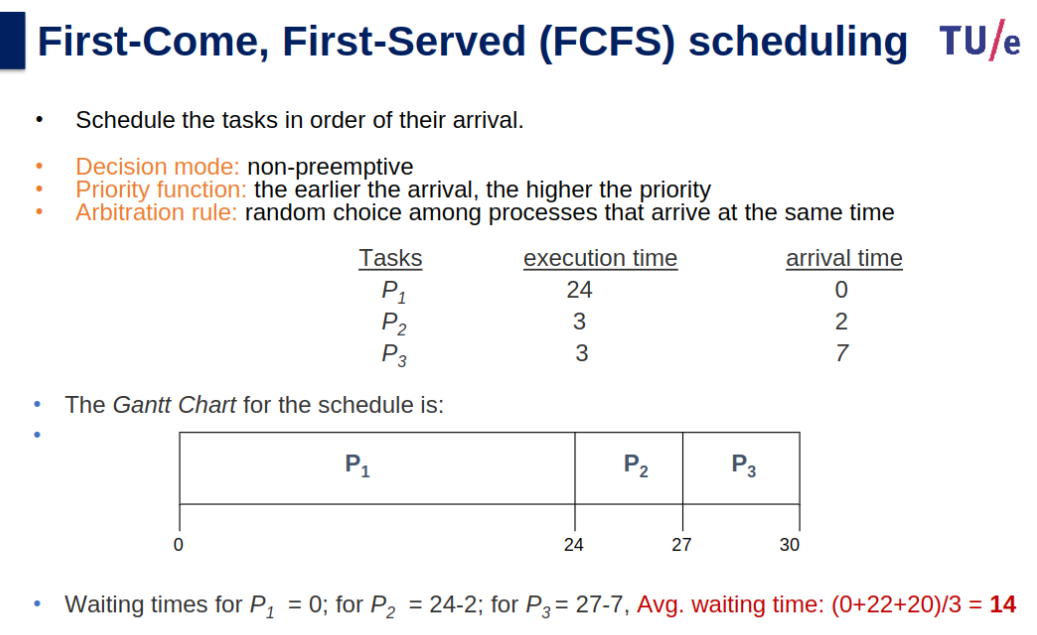
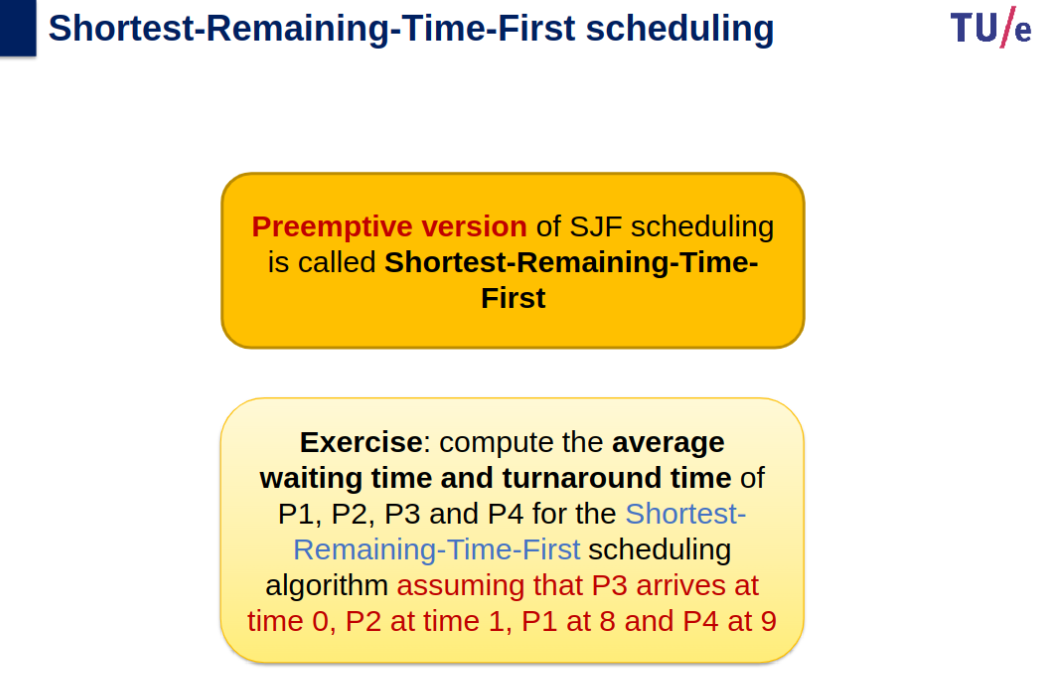
- Preemptive scheduling allows a running process to be interrupted by a high priority process, whereas in non-preemptive scheduling, any new process has to wait until the running process finishes its CPU cycle.
- Preemptive and Non-Preemptive Scheduling - GeeksforGeeks
Process & Threads
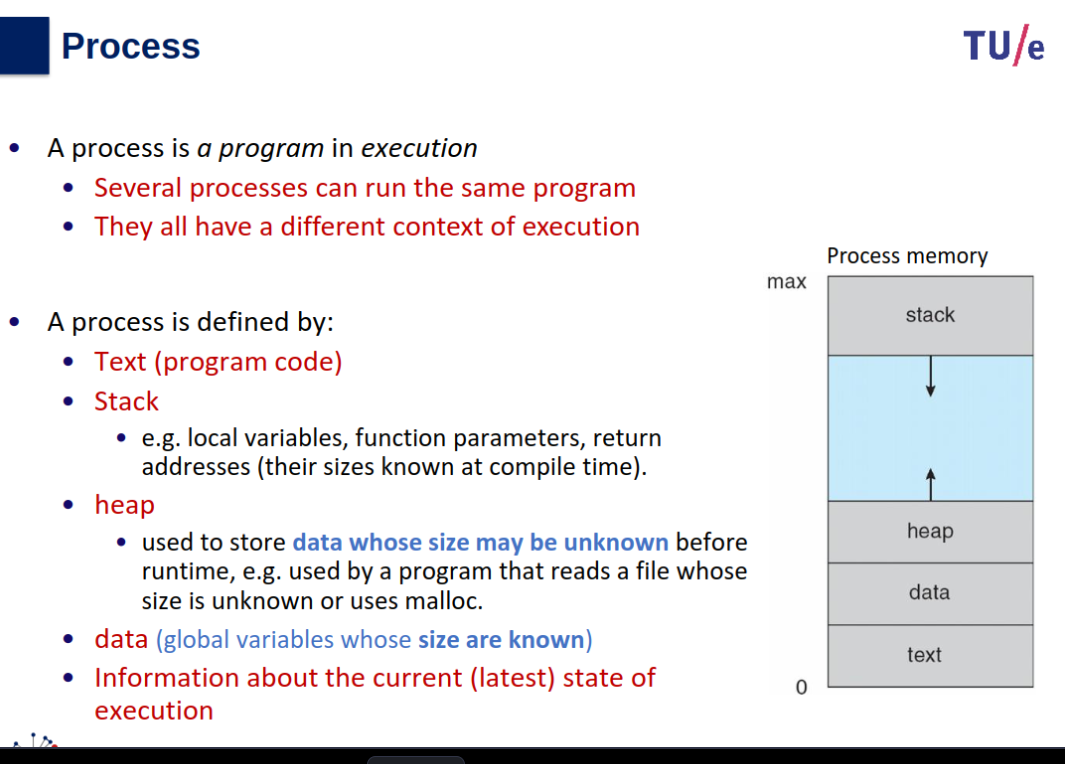
Heap vs Stack
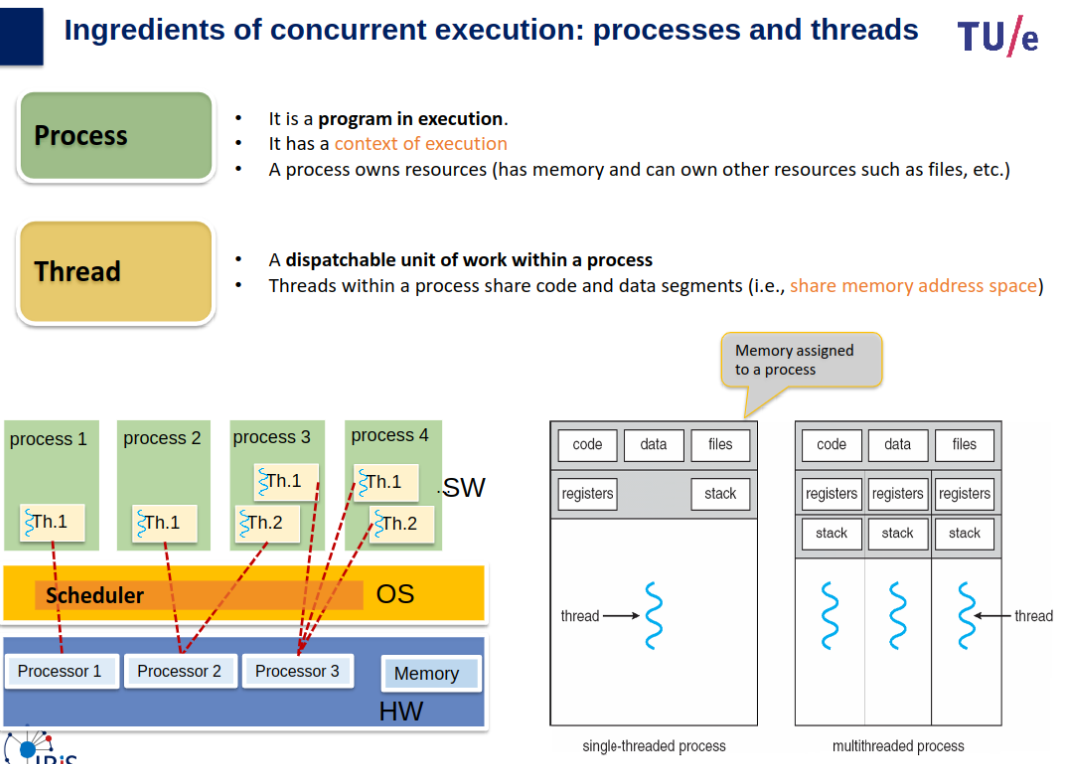
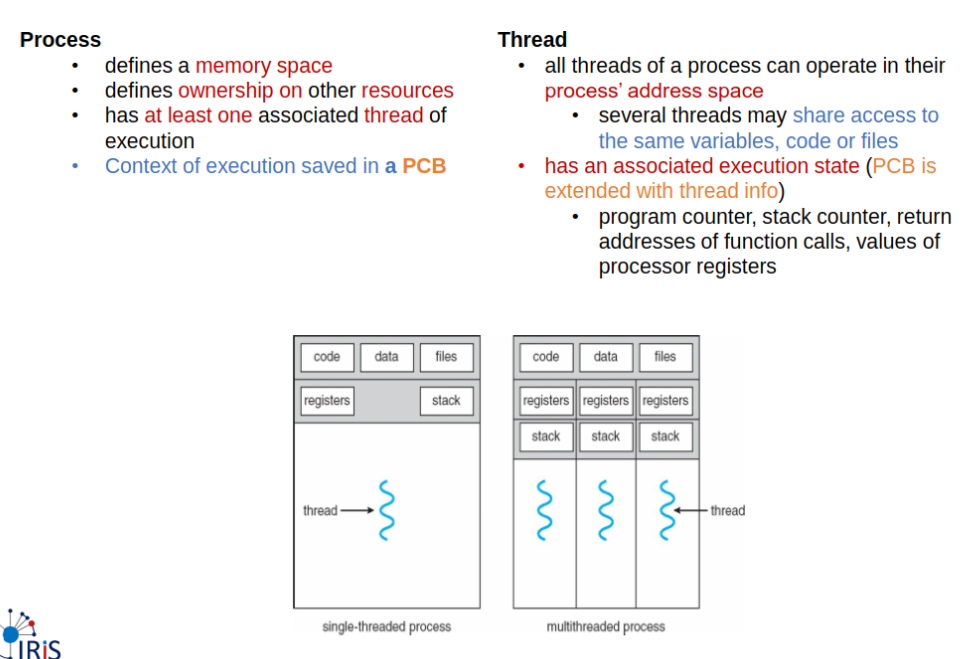
Heap memory is used by all the parts of the application whereas stack memory is used only by one thread of execution. Whenever an object is created, it’s always stored in the Heap space and stack memory contains the reference to it.
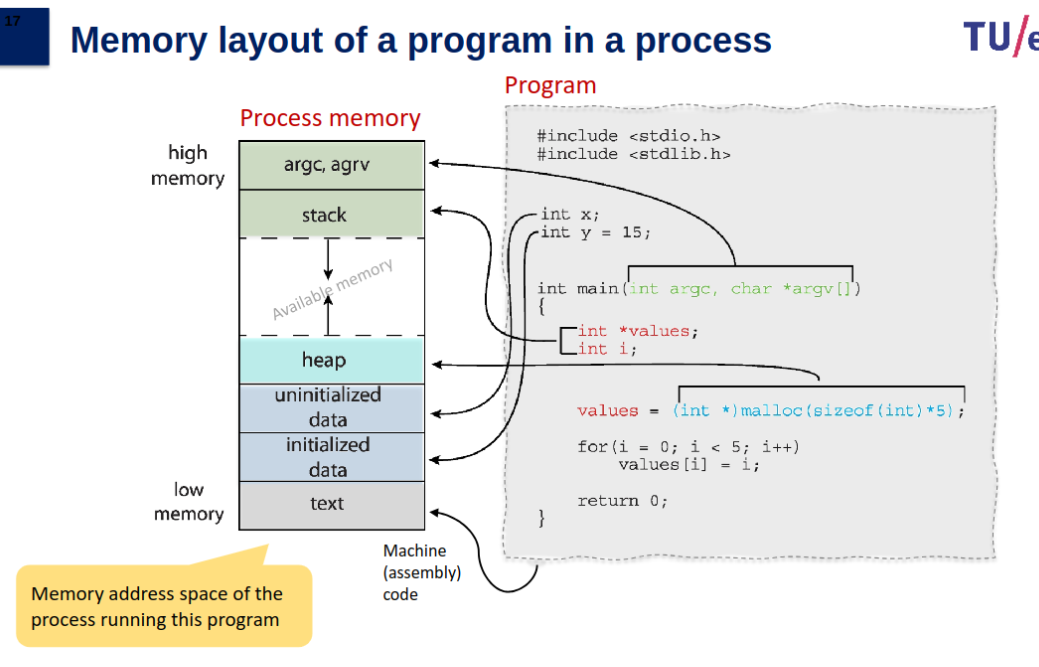
Text section: the executable code
Data section: global variables (static data size)
Heap section: memory that is dynamically allocated during program run time
Stack section: temporary data storage when invoking functions (function parameters, return addresses, local variables)
Process & Concurrency
Parallelism: if the processor has more than one core, two or more different process can make simultaneous progress.
Concurrency: The same resource (e.g., a core or network driver) can be time shared between processes → improve responsiveness.
If a process is waiting (e.g., to get access to a resource, or to receive data from another process), then the kernel can schedule another process → more efficient use of the system resource.
Example: Create New Processes
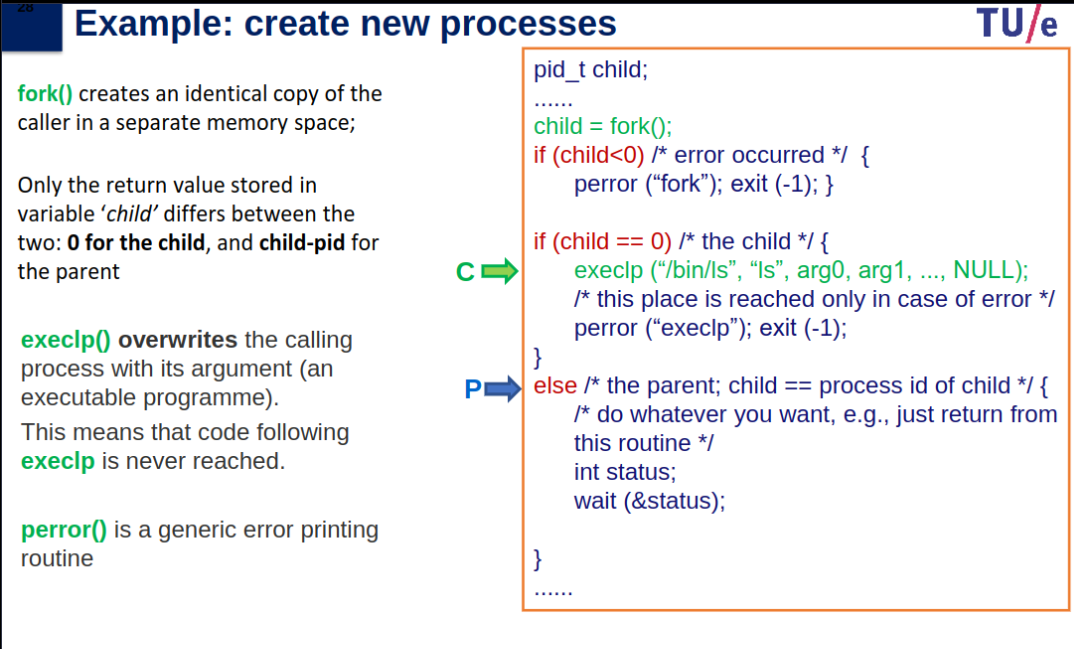
fork():
Creates a new process (child) that is an identical copy of the parent process in a separate memory space.
Only the return value differs:
0for the child process.child-pidfor the parent process.- Negative value (
< 0) if an error occurs.exec():
Overwrites the calling process (child) with the specified executable program (e.g.,
/bin/ls).If successful, no code after
exec()is executed.If
exec()fails, an error is printed usingperror()and the process exits.Parent and Child Process Behavior:
Child process (
if (child == 0)):
- Executes the
lscommand usingexeclp("/bin/ls", "ls", arg0, arg1, ..., NULL).- If
execlp()fails, an error message is printed, and the process exits.Parent process (
else):
- Waits for the child process to complete using
wait(&status).- Handles its own logic (e.g., returning from the routine).
Error Handling:
If
fork()fails:
- Prints an error message using
perror("fork")and exits the parent process.If
exec()fails:
- Prints an error message using
perror("execlp")and exits the child process.
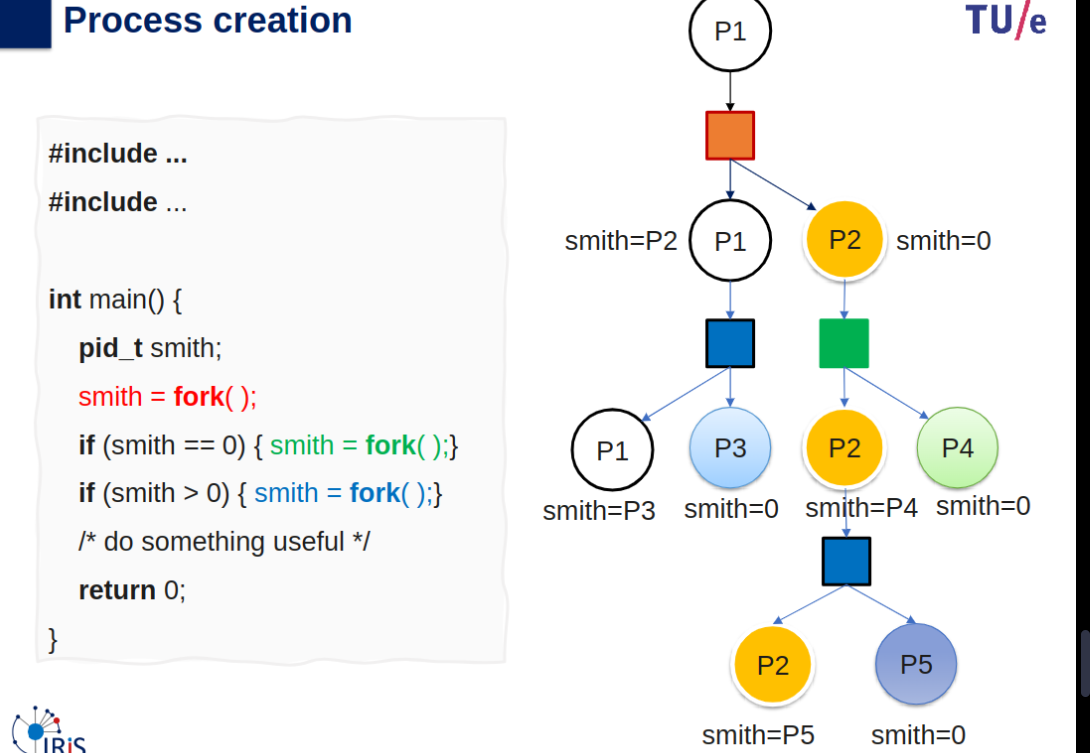
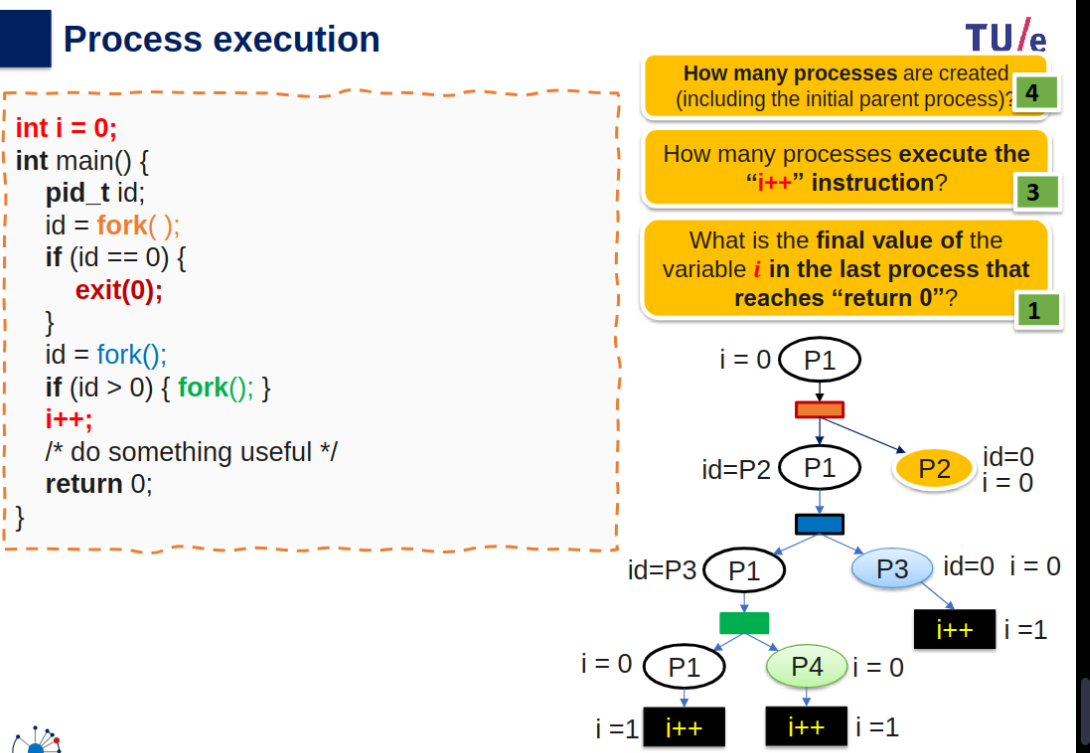
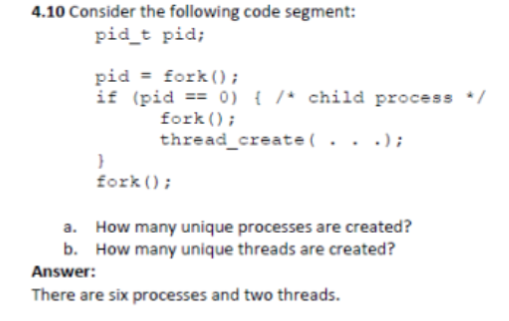
Process Creation Exercises (Fork Analysis)
exec() system call: When a child process calls exec(), it replaces its own memory space with a new program, effectively becoming a new process. However, this doesn’t affect the parent’s ability to wait for the child, but in certain cases (like daemonized processes), the parent may choose not to wait.
smith > 0 (parent processes).
smith == 0 (child processes).
Key Concepts
fork()basics:- Each call to
fork()doubles the number of processes. - Parent continues where
fork()was called; child starts executing the same code from that point.
- Each call to
- Parent vs Child:
- Parent:
fork()returns child PID (> 0). - Child:
fork()returns 0.
- Parent:
Step-by-Step Guide
1. Analyze Initial State
- Start with 1 process (parent).
2. Identify fork() Calls
- Count direct
fork()calls. - Check conditions (
if) to determine which processes execute thefork().
3. Loop Handling
- For each loop:
- Count how many processes enter the loop.
- Track new processes created in each iteration.
4. Total Processes
- Sum initial process + all new processes from
fork().
Example Walkthrough
Code: 13 Processes at end
smith = fork();               // 1 new process
for (int j = 0; j < 3; j++) {
    if (smith == 0) { smith = fork(); }
}                             // 3 new processes (child only)
for (int k = 0; k < 2; k++) {
    if (smith > 0) { smith = fork(); }
}                             // 2 new processes (parent only)
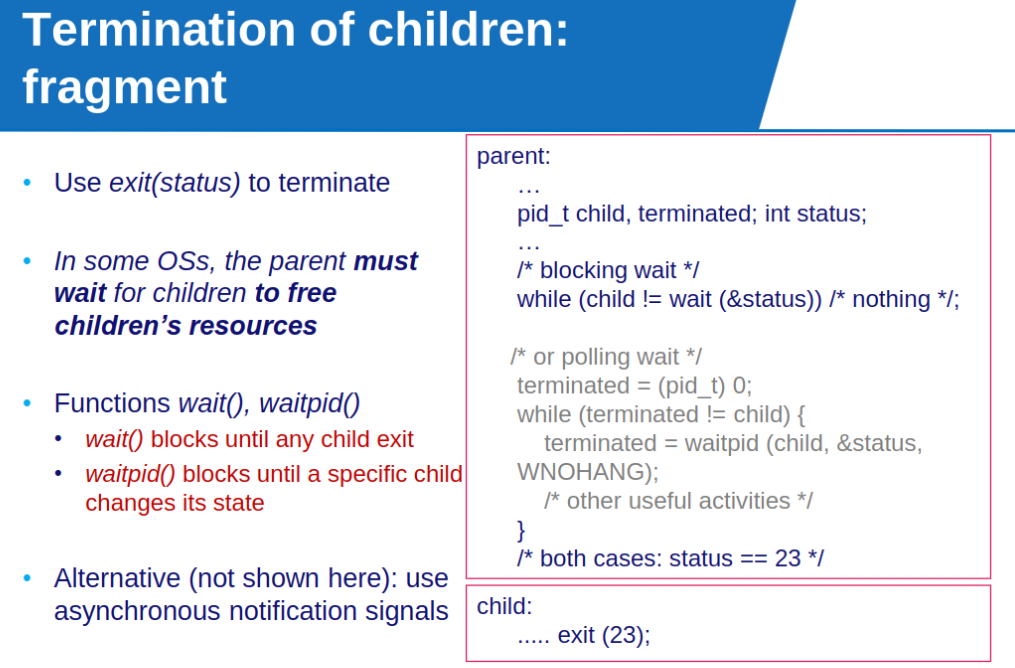
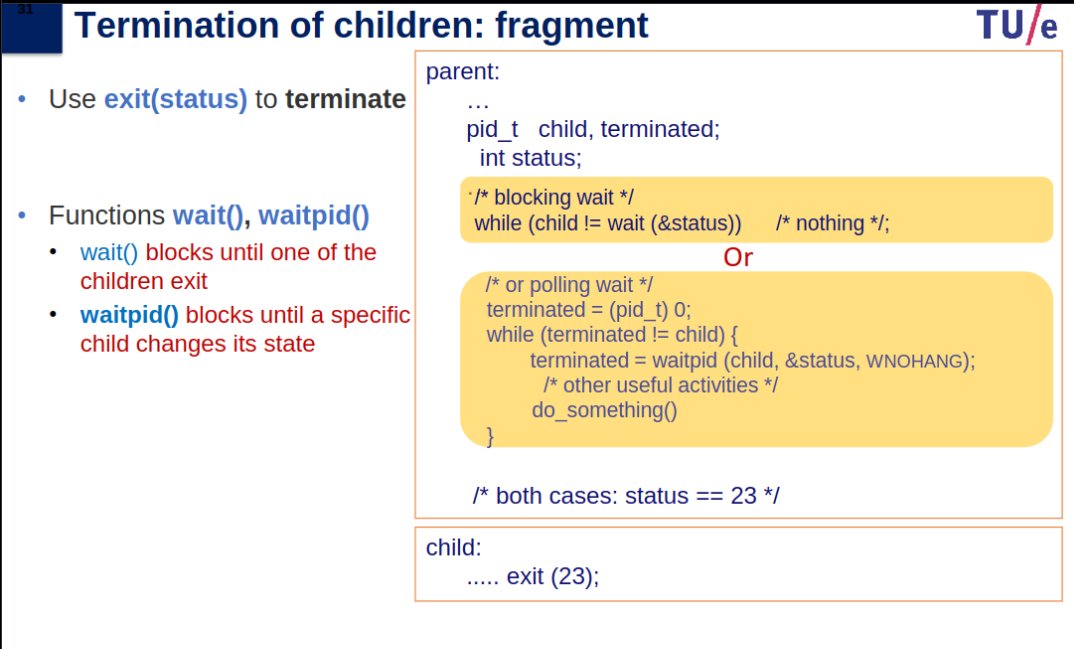
When a process calls exit(), the status is returned to the parent if it was waiting. Then, the OS takes the process’ resources away. Alternatively, the parent may terminate execution of children (abort). If no parent is waiting, the child process is a zombie. If the parent terminated without invoking wait(), the child process is an orphan.
Processes Summary
- Definition: A program in execution with its own memory context (text, stack, heap, data).
- Key Components:
- Text: Code.
- Stack: Local vars, function params, return addresses.
- Heap: Dynamically allocated data.
- Data: Global variables.
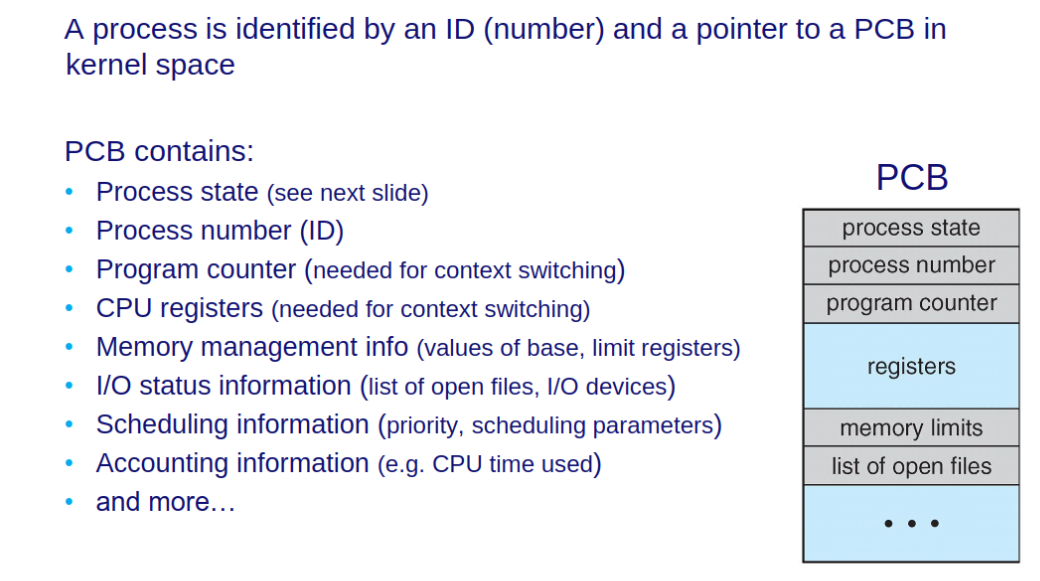
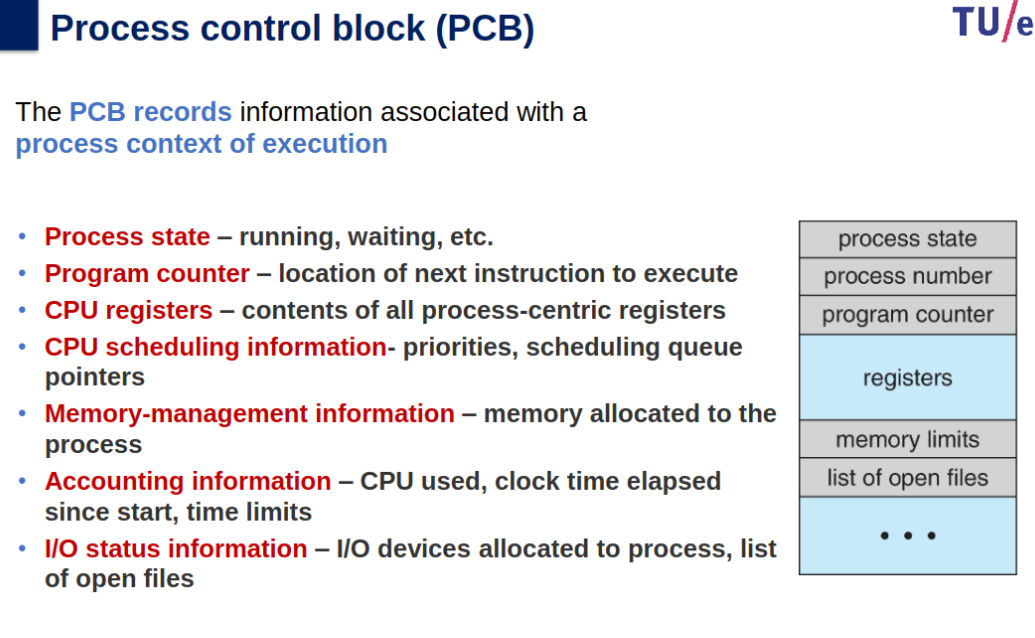
- Process Control Block (PCB): Contains process state, program counter, registers, scheduling info, and more.
- States:
- New: Being created.
- Ready: Awaiting CPU.
- Running: Executing.
- Waiting: Awaiting an event.
- Terminated: Finished.
- Process Creation:
- Parent creates children via
fork(). - Options: Full/partial/no resource sharing, concurrent/sequential execution.
exec()replaces process memory with a new program.wait()/waitpid(): Parent waits for child termination.
- Parent creates children via
- Key System Calls:
fork(): Duplicate process.exec(): Replace process with a new program.exit(): Terminate process.wait(): Block until child exits.
- Parallelism vs Concurrency:
- Parallelism: Multiple cores, simultaneous progress.
- Concurrency: Time-sharing a single resource.
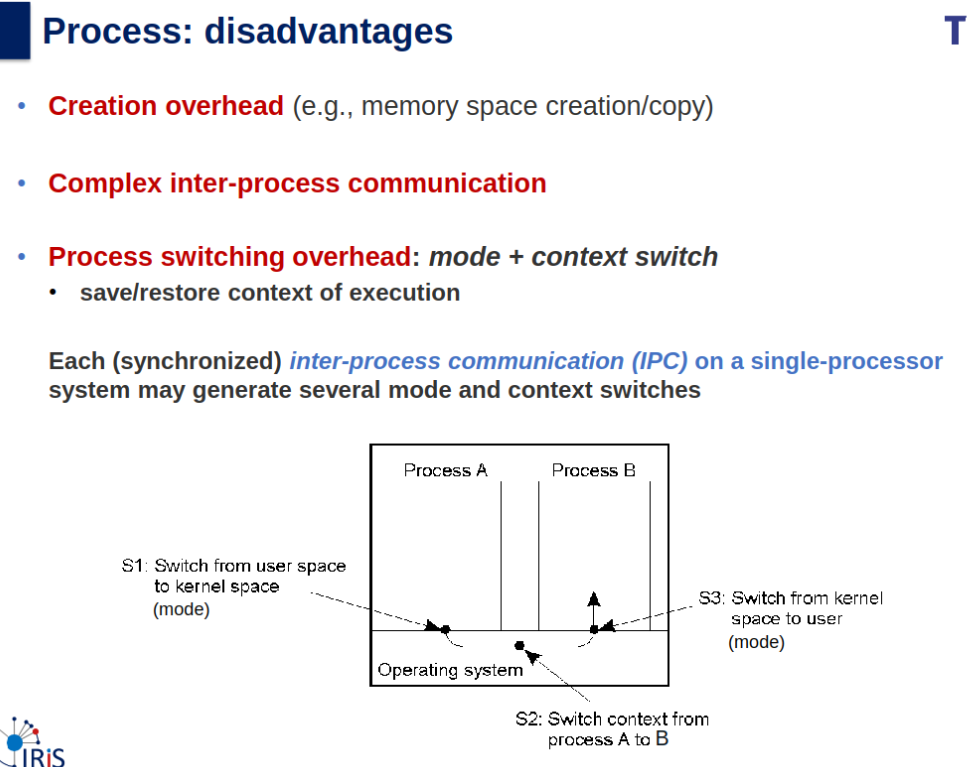
- Overhead: Context switching (save/reload state).
Threads and Scheduling
Slides
Info
Slides & Book
4.1-4.3 + 4.6.5
Threads
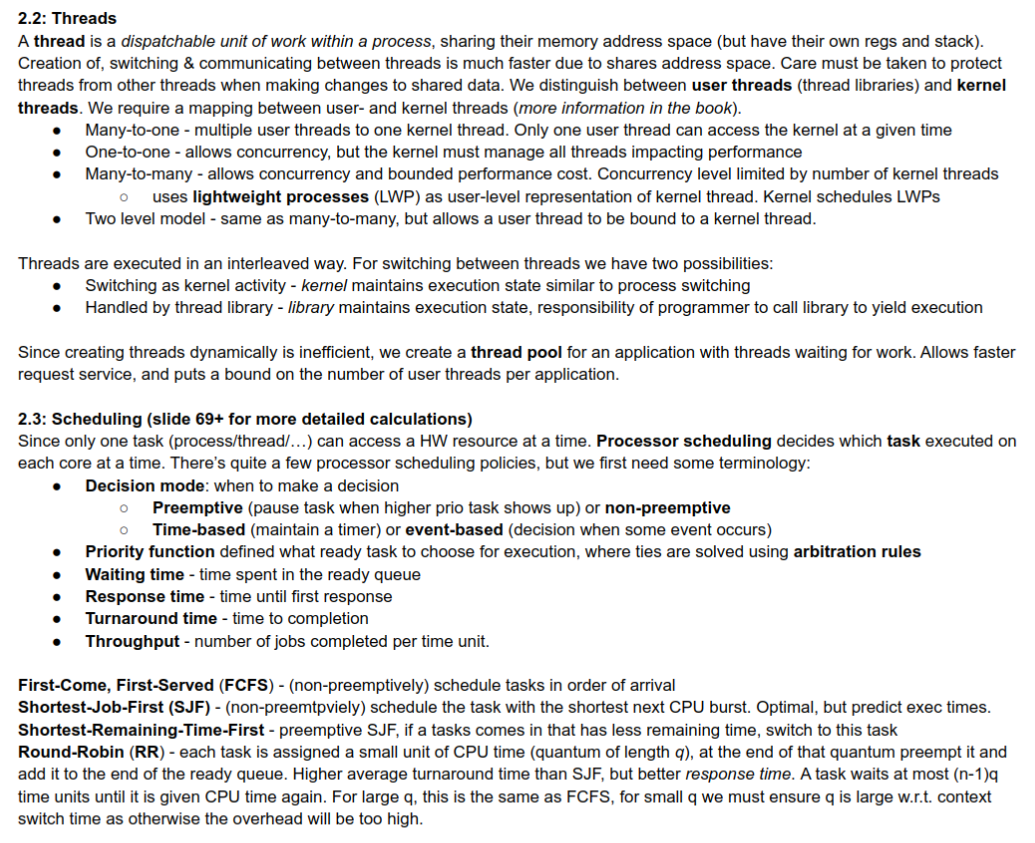
Threads are Faster than Processes
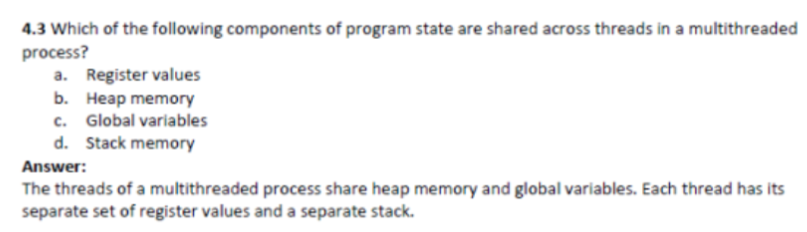
- Thread creation and termination is much faster (no memory address space copy needed).
- Context switching between threads of the same process is much faster (no need to switch the whole address space, only swap cpu registers content).
- Communication between threads is faster and more at the programmer’s hand than between processes (shared address space).
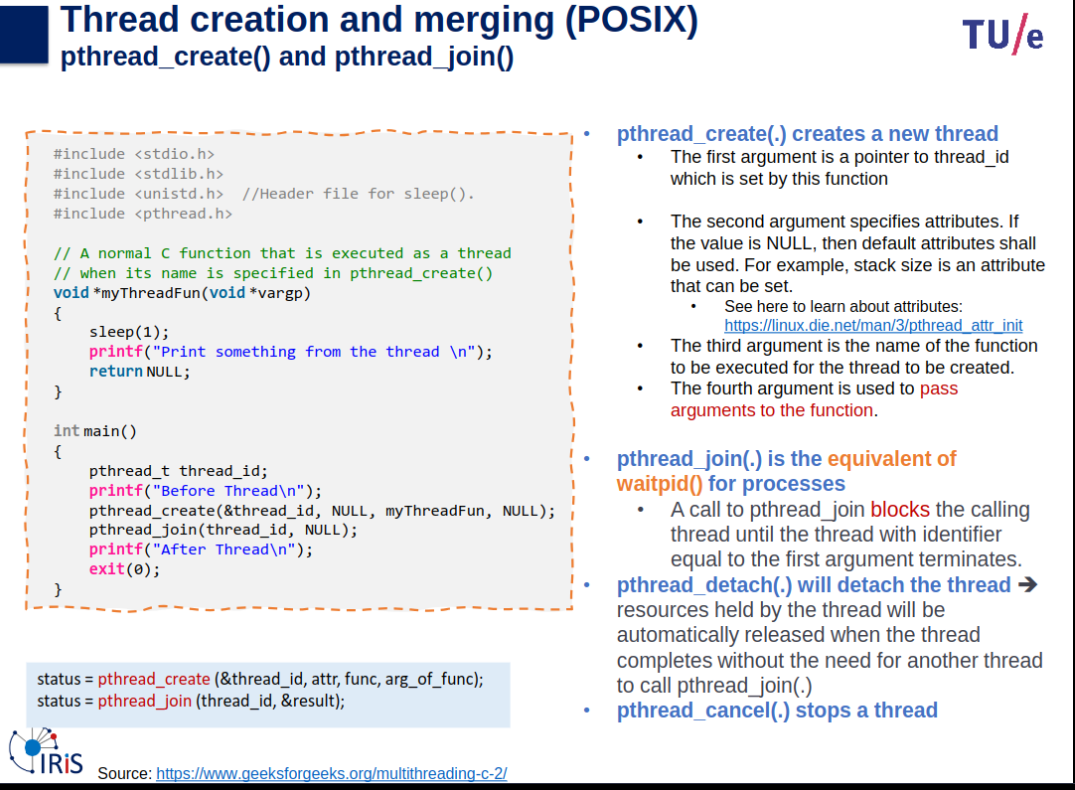
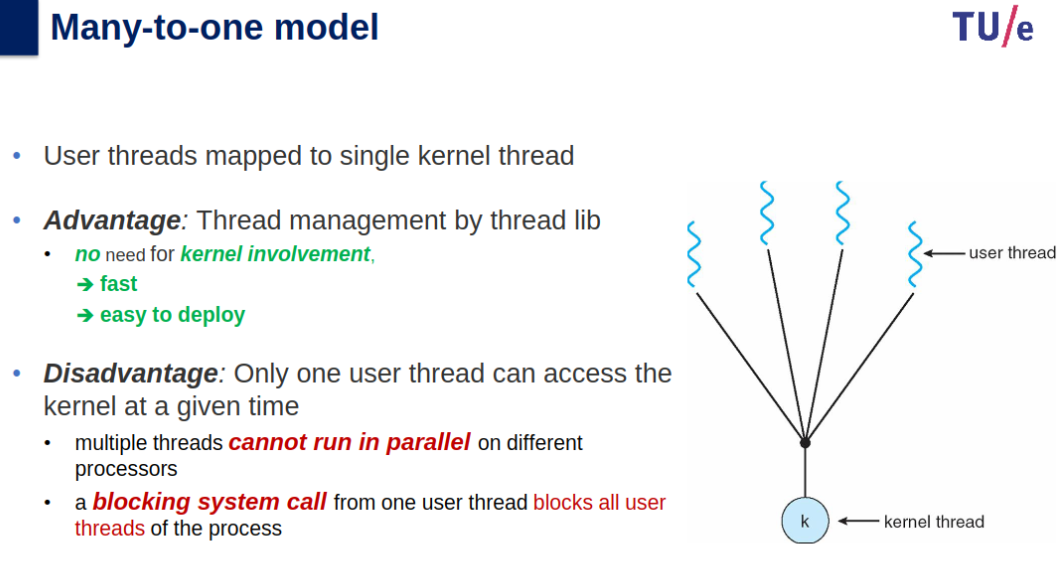
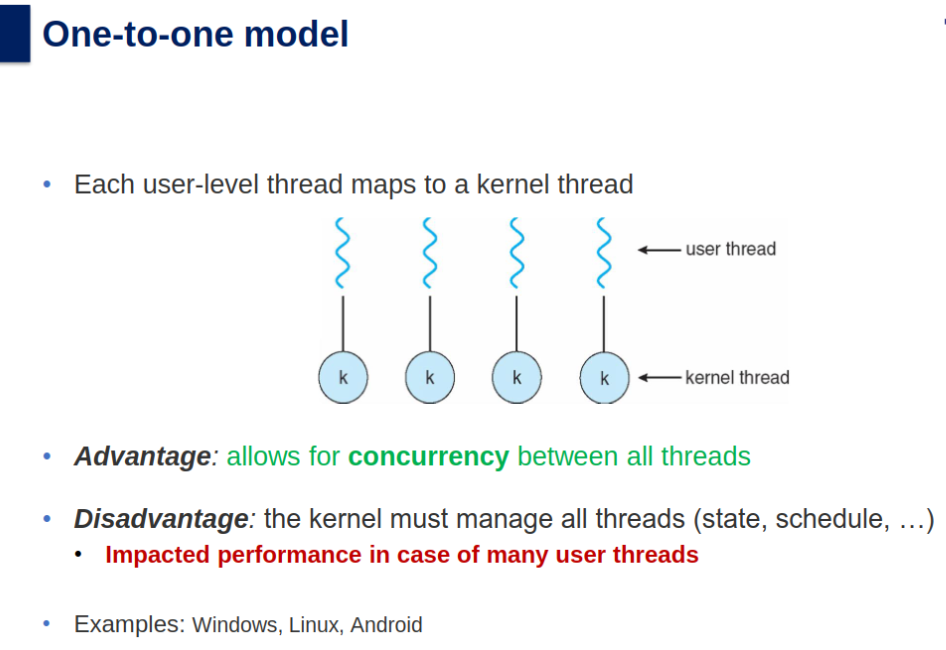
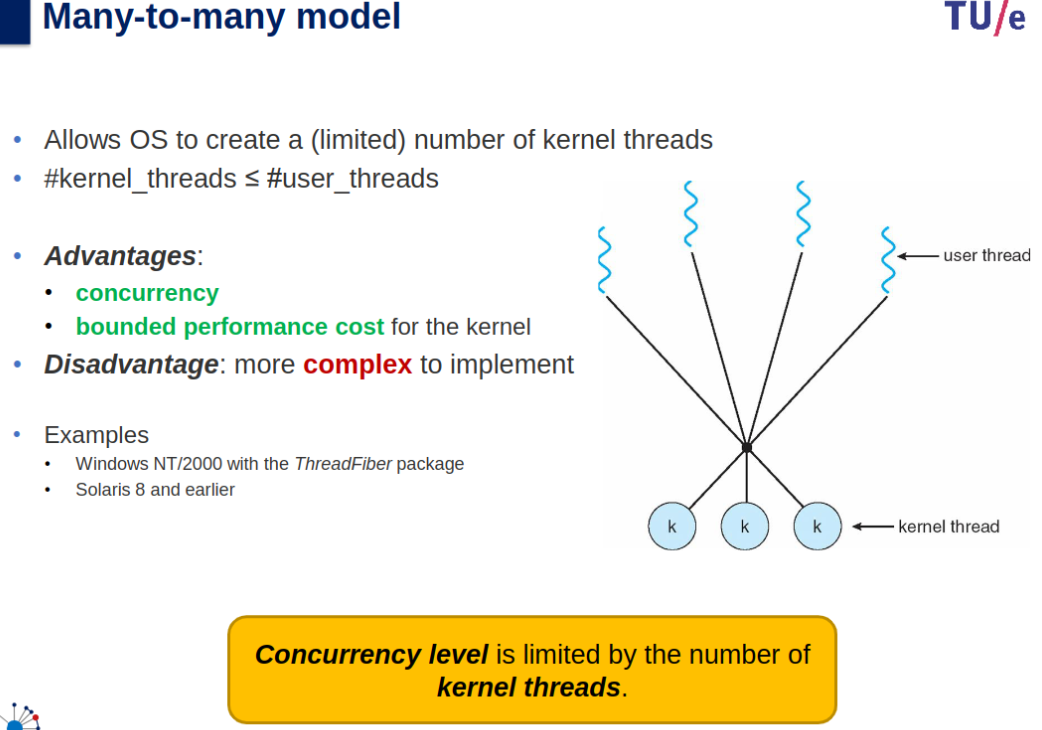
Managing User and Kernel Threads
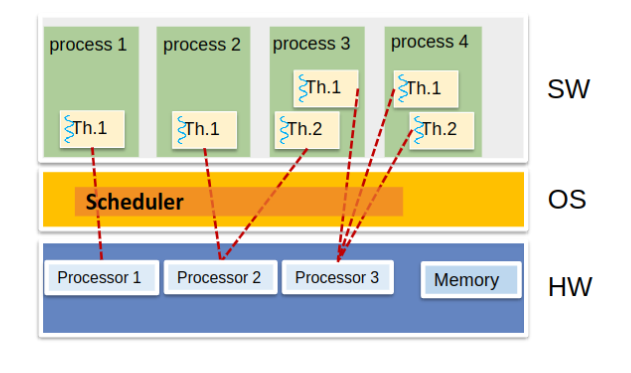
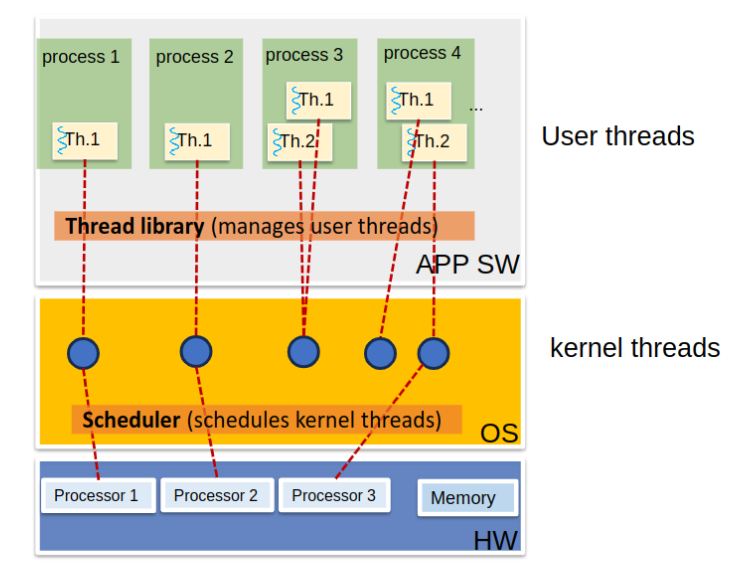
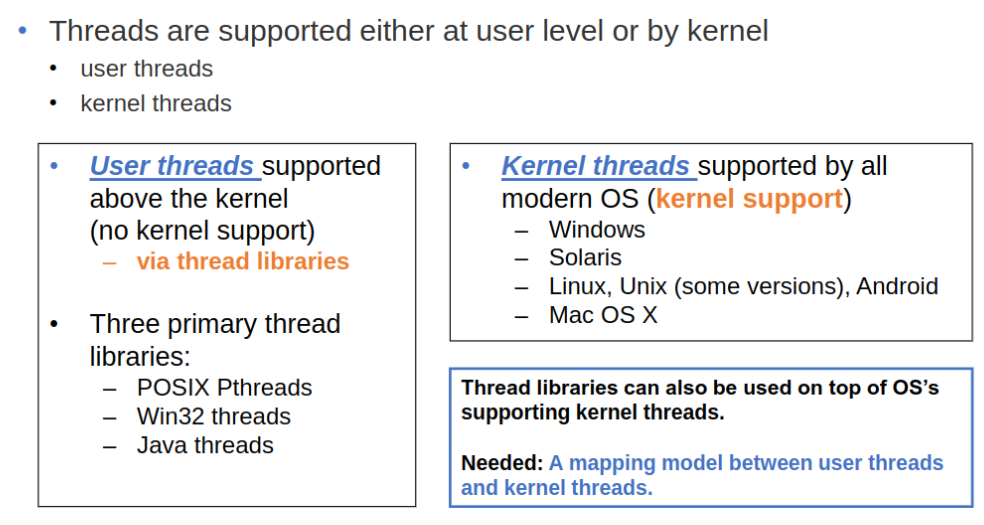
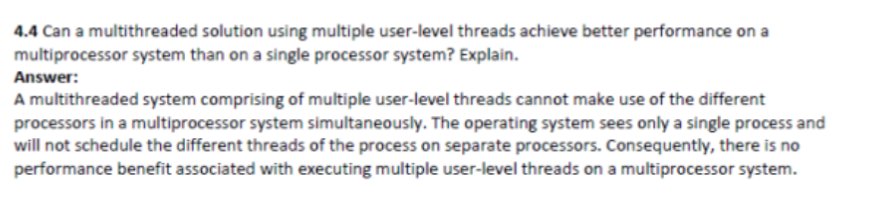
Having tabs as separate processes instead of threads make it so if chrome crashes tabs are unaffected since only the visual interface of the browser crashes, if it were separate threads they would of crashed as they are in same process.
Multithreading
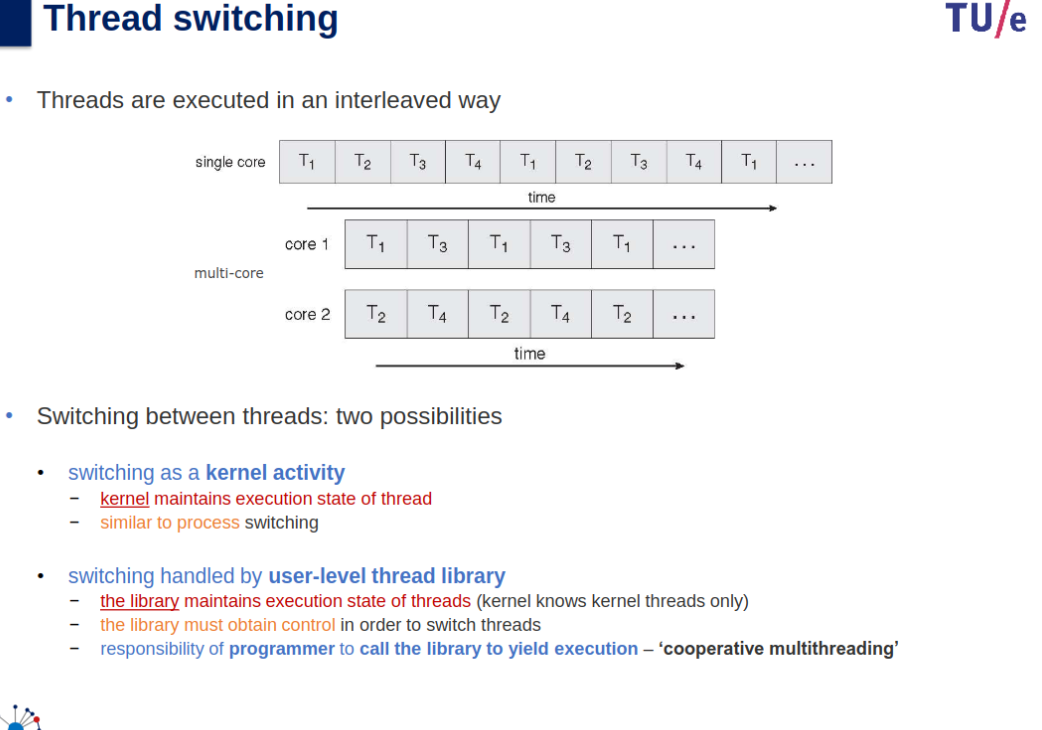
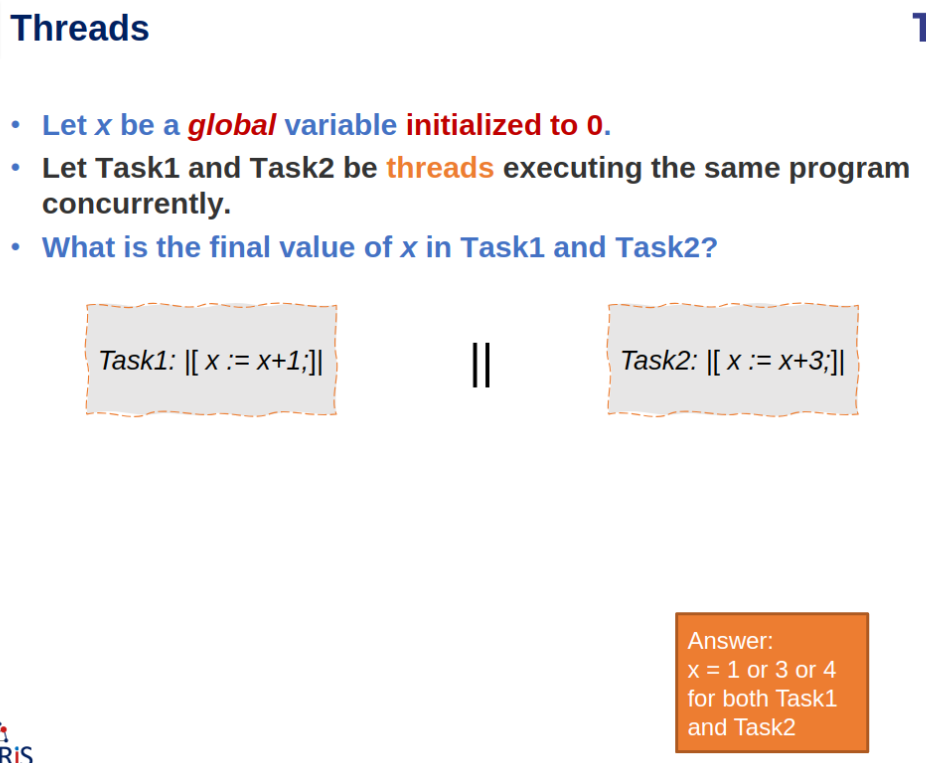
A concurrent system supports more than one task by allowing all the tasks to make progress. In contrast, a parallel system can perform more than one task simultaneously.
Single core systems can only be concurrent as inside 1 processor, all threads COULD be made to work together as they share resources. But only with multi core or multi processor systems parallel systems are possible to execute actual processes at same time.
Scheduler Activations and LWPs in Multithreaded Programs
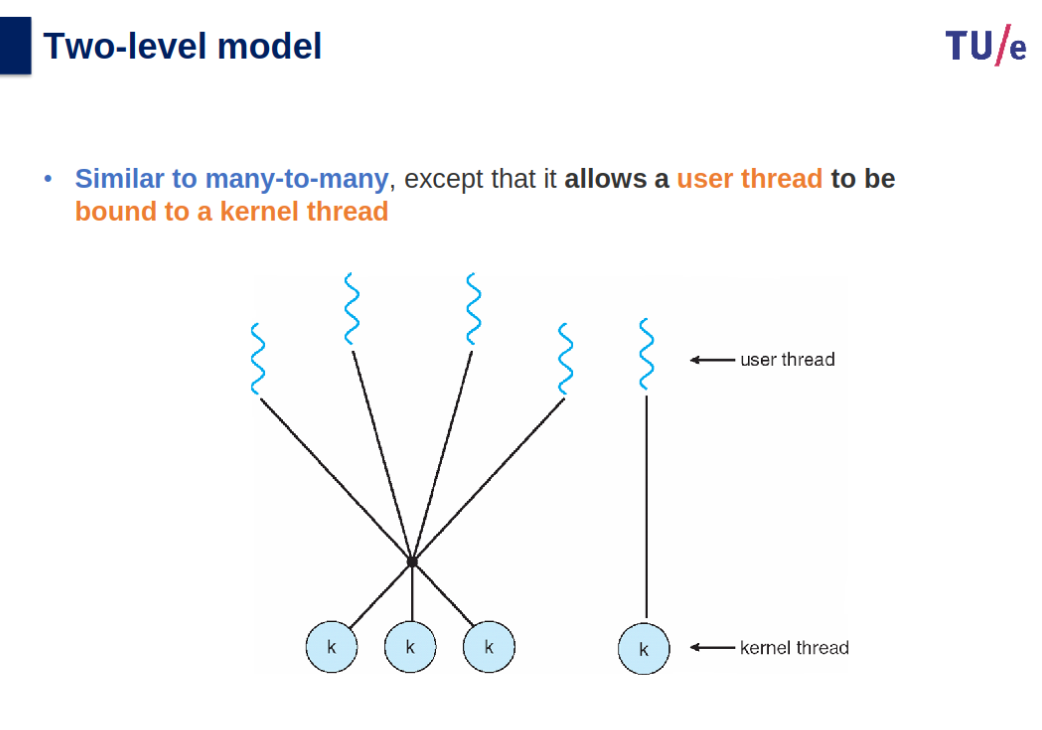
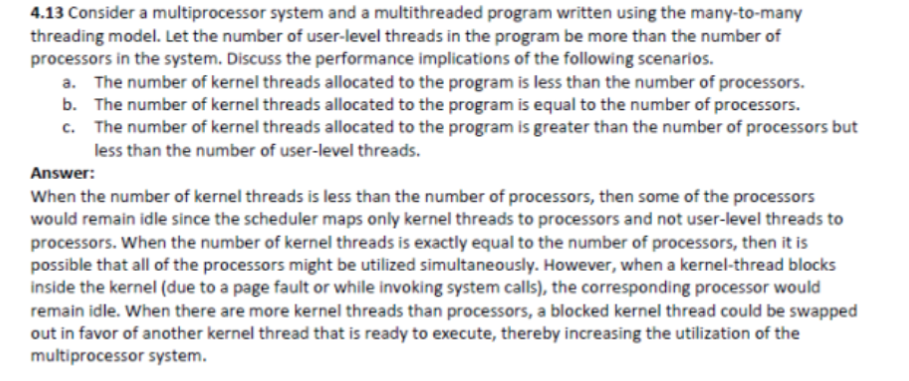
Multithreaded programs using the many-to-many or two-level models require communication between the kernel and the thread library to dynamically adjust the number of kernel threads for optimal performance. This coordination is facilitated by lightweight processes (LWPs), which act as virtual processors connecting user threads to kernel threads.
Key Points:
- LWP Structure:
- LWPs appear as virtual processors to the user-thread library.
- Each LWP is linked to a kernel thread, which the OS schedules on physical processors.
- Blocking behavior propagates up the chain:
- If a kernel thread blocks (e.g., waiting for I/O), the associated LWP and user thread also block.
- Efficiency Considerations:
- A CPU-bound application on a single processor needs only one LWP.
- I/O-intensive applications may require multiple LWPs, especially for concurrent blocking system calls.
- For example, five simultaneous file-read requests require five LWPs; otherwise, requests exceeding the available LWPs must wait.
- Scheduler Activation:
- The kernel provides virtual processors (LWPs) to applications, allowing user threads to schedule on available virtual processors.
- Upcalls:
- The kernel informs the application of events through upcalls, which are handled by an upcall handler running on a virtual processor.
- Example event: When a thread is about to block:
- The kernel makes an upcall identifying the blocking thread.
- A new virtual processor is allocated to handle the upcall.
- The upcall handler saves the state of the blocking thread and schedules another eligible thread.
- When the blocking event resolves:
- Another upcall informs the thread library, marking the previously blocked thread as eligible to run.
- The application schedules an eligible thread on an available virtual processor.
Context vs Model Switch
- mode switch: kernel ←> user mode. Takes very little time.
- context switch: happens for process switch - stores the state of a process while restoring the state of another process (costs time).
Threads Summary
- Definition: Dispatchable unit within a process sharing the same address space.
- Advantages:
- Faster creation, switching, and communication than processes.
- Shared memory space reduces IPC overhead.
- Models:
- Many-to-One: Single kernel thread for multiple user threads (no concurrency).
- One-to-One: Each user thread maps to a kernel thread (higher overhead).
- Many-to-Many: Multiple user threads map to a limited number of kernel threads.
- Two-Level: Many-to-Many with optional user-thread-to-kernel-thread binding.
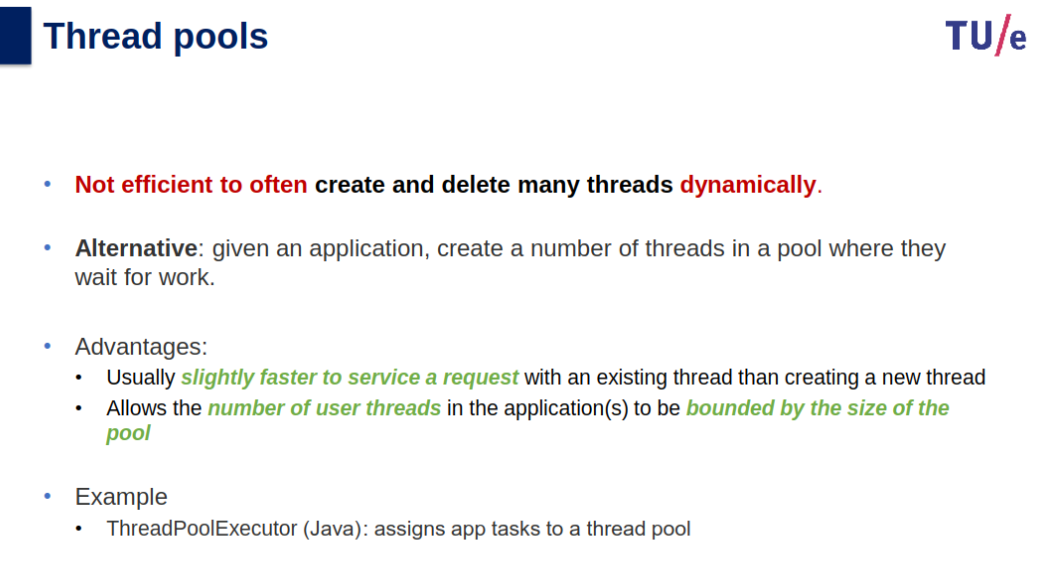
- Thread Pool: Pre-created threads waiting for tasks improve performance.
- Execution:
- Kernel-managed: Kernel handles state.
- Library-managed: Requires manual yielding.
- Multithreading Advantages:
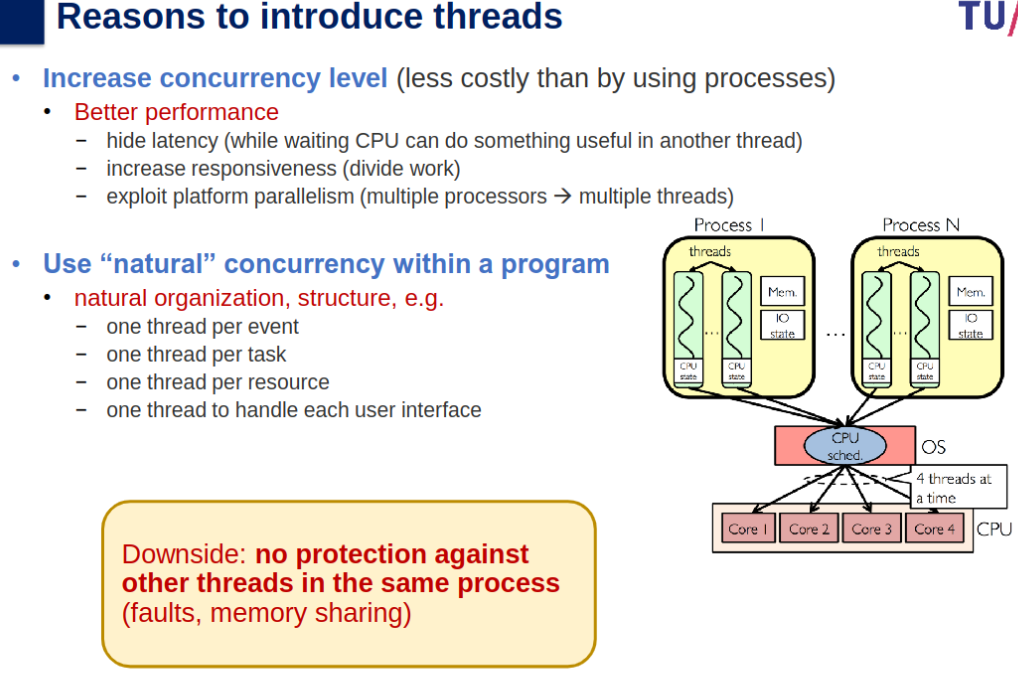
- Increases concurrency and responsiveness.
- Exploits multi-core systems.
Scheduling
Types of Scheduling
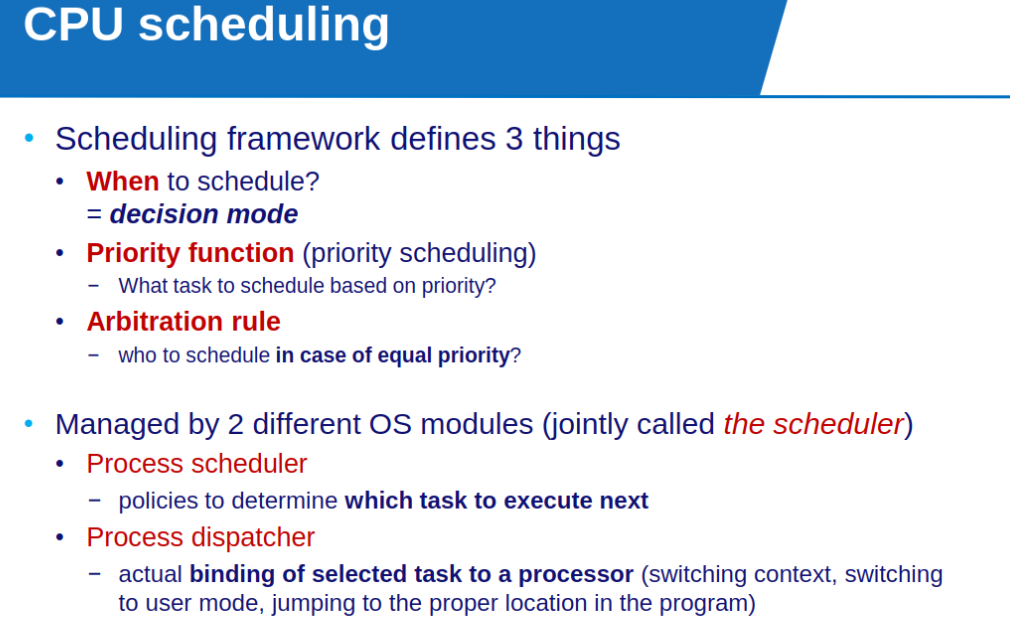
Processor scheduling: decide which task (thread/process) executes on each core at every given time. (Policy Implemented in Kernel Thread area)
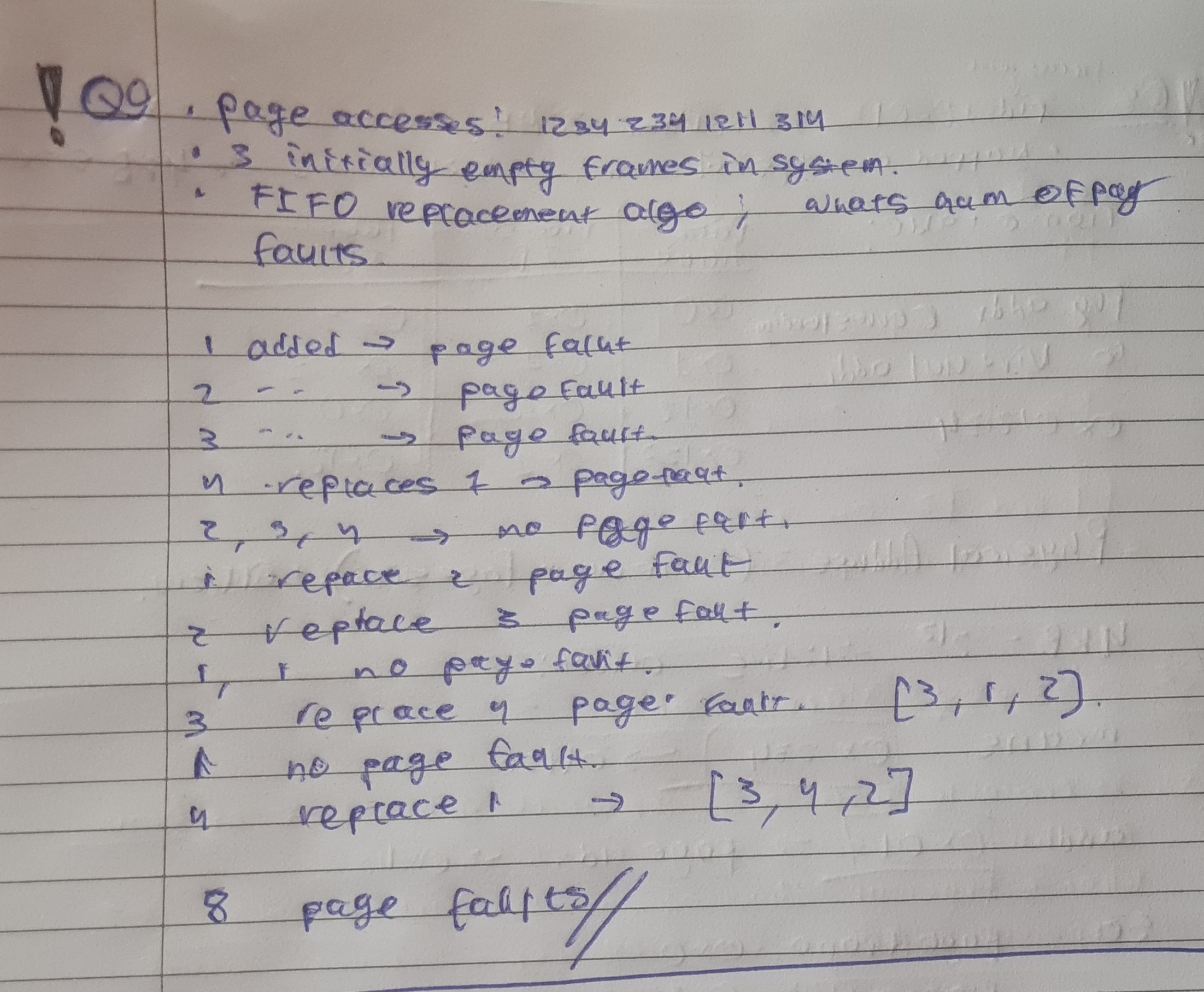
Memory scheduling: decide which memory page of a process is loaded in each page frame of the main memory at every given time.
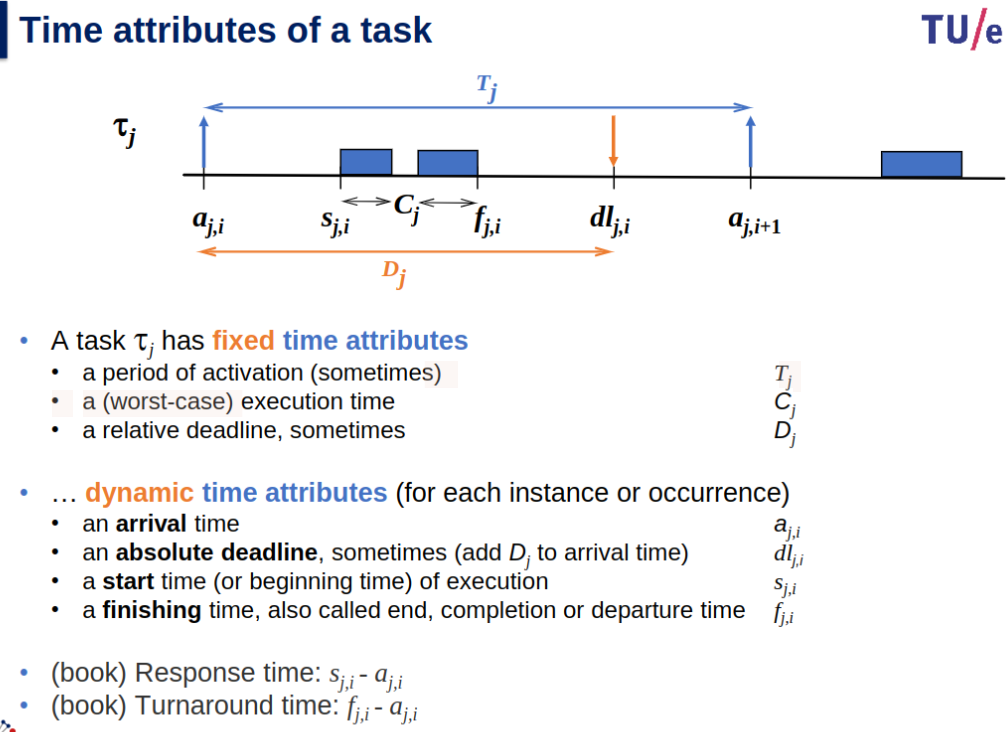
1st one → dual core, 2nd one → single core
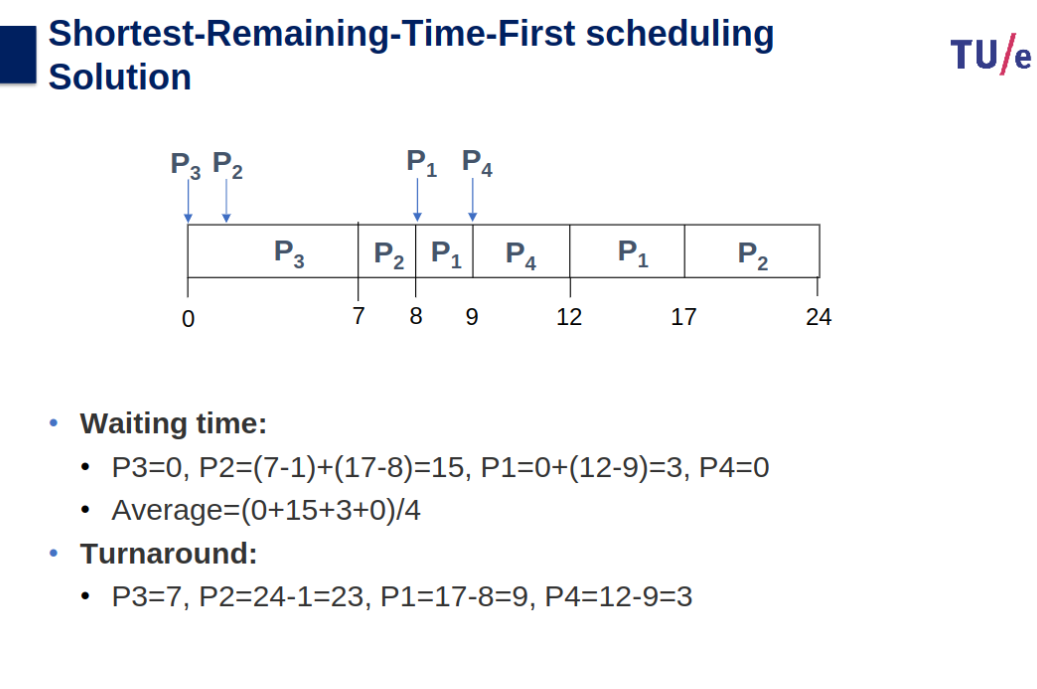
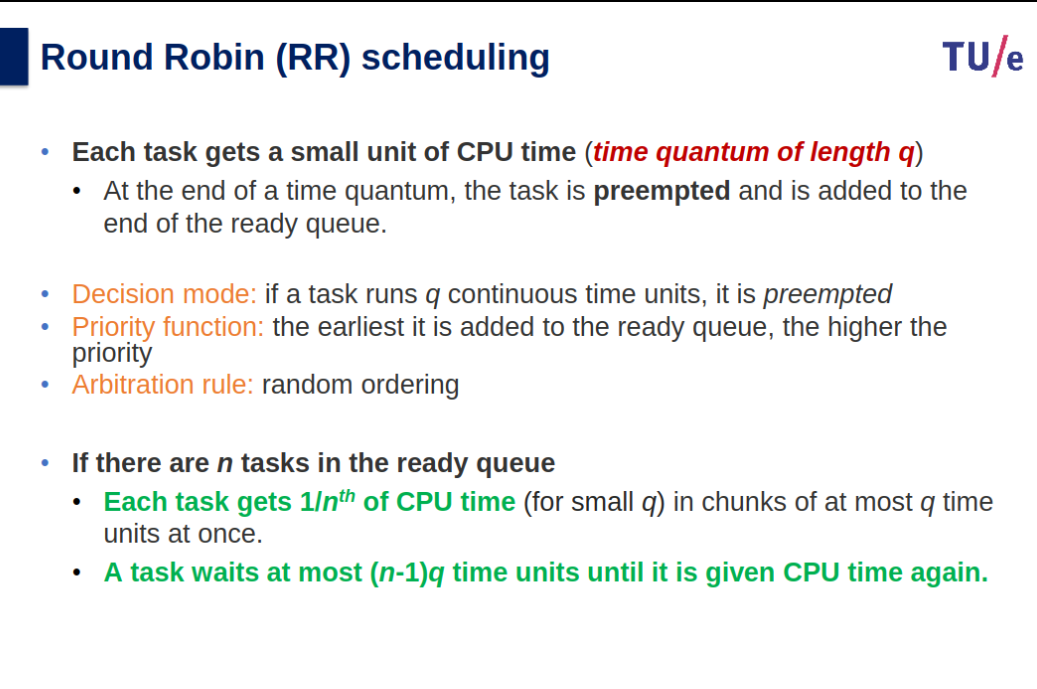
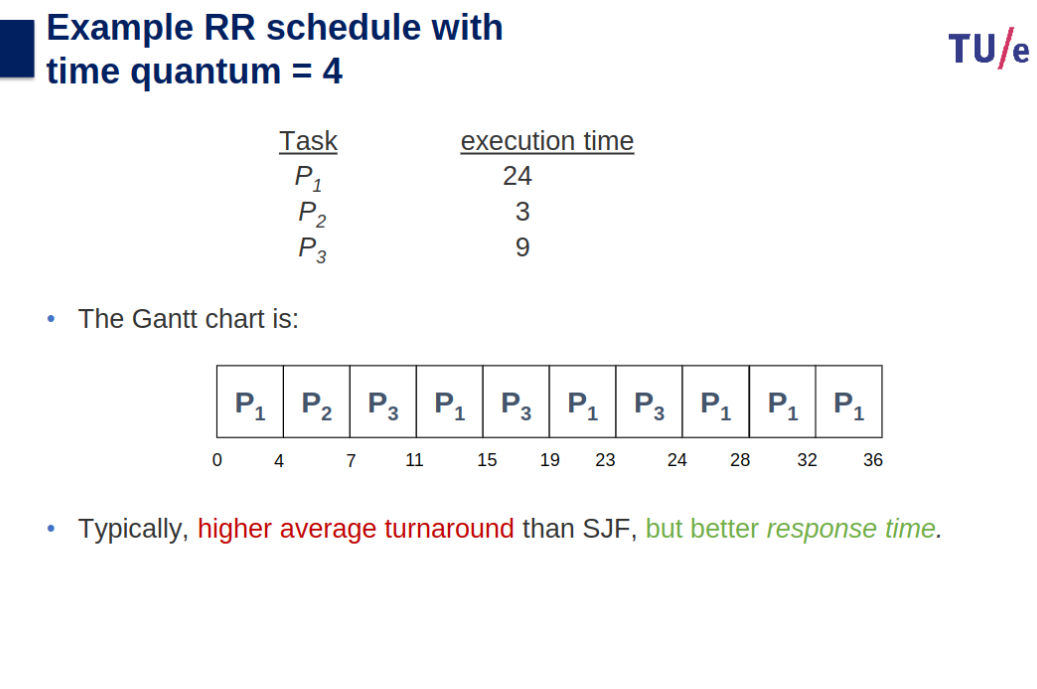
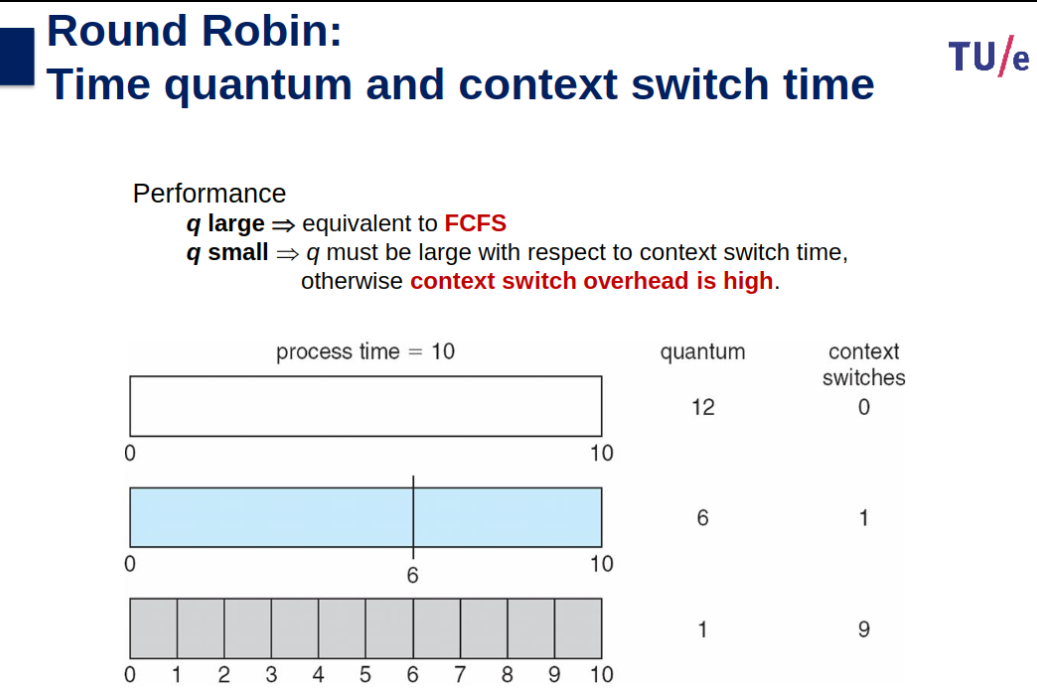
Round Robin Algorithm Tutorial (CPU Scheduling) - YouTube
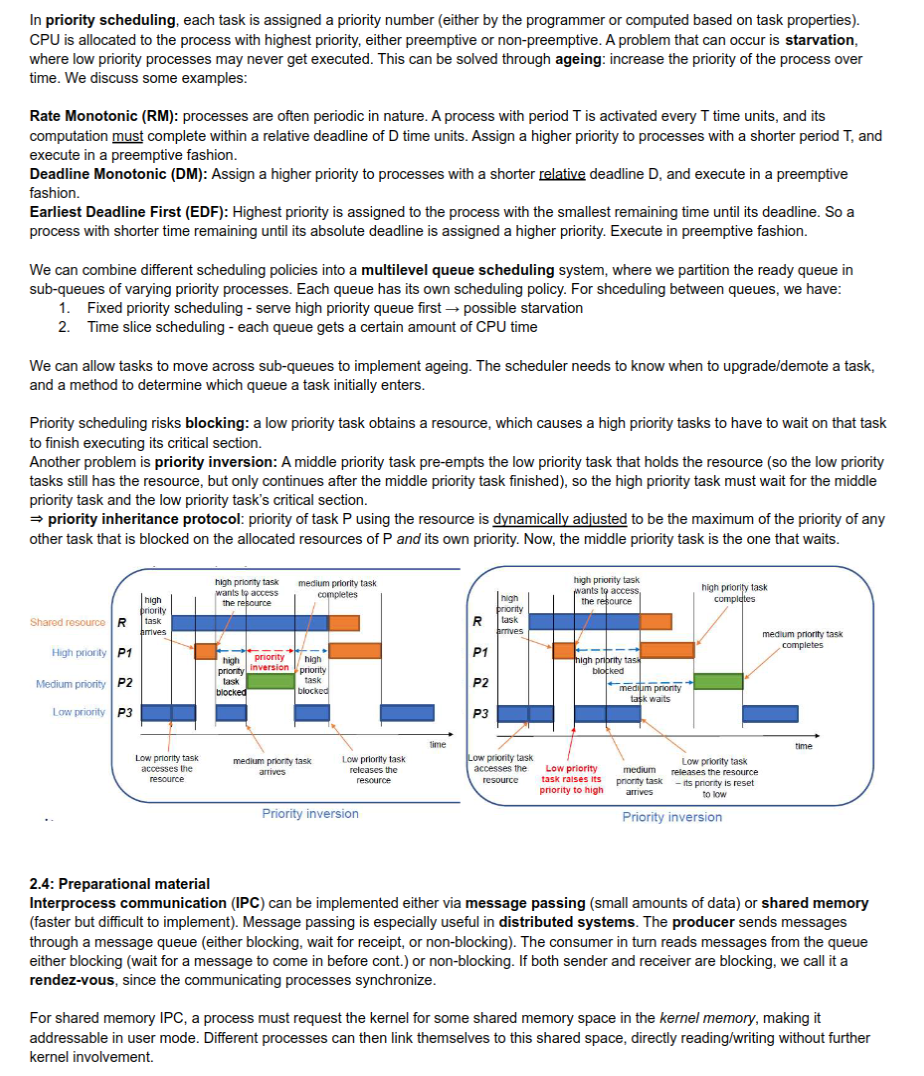
Priority Inversion
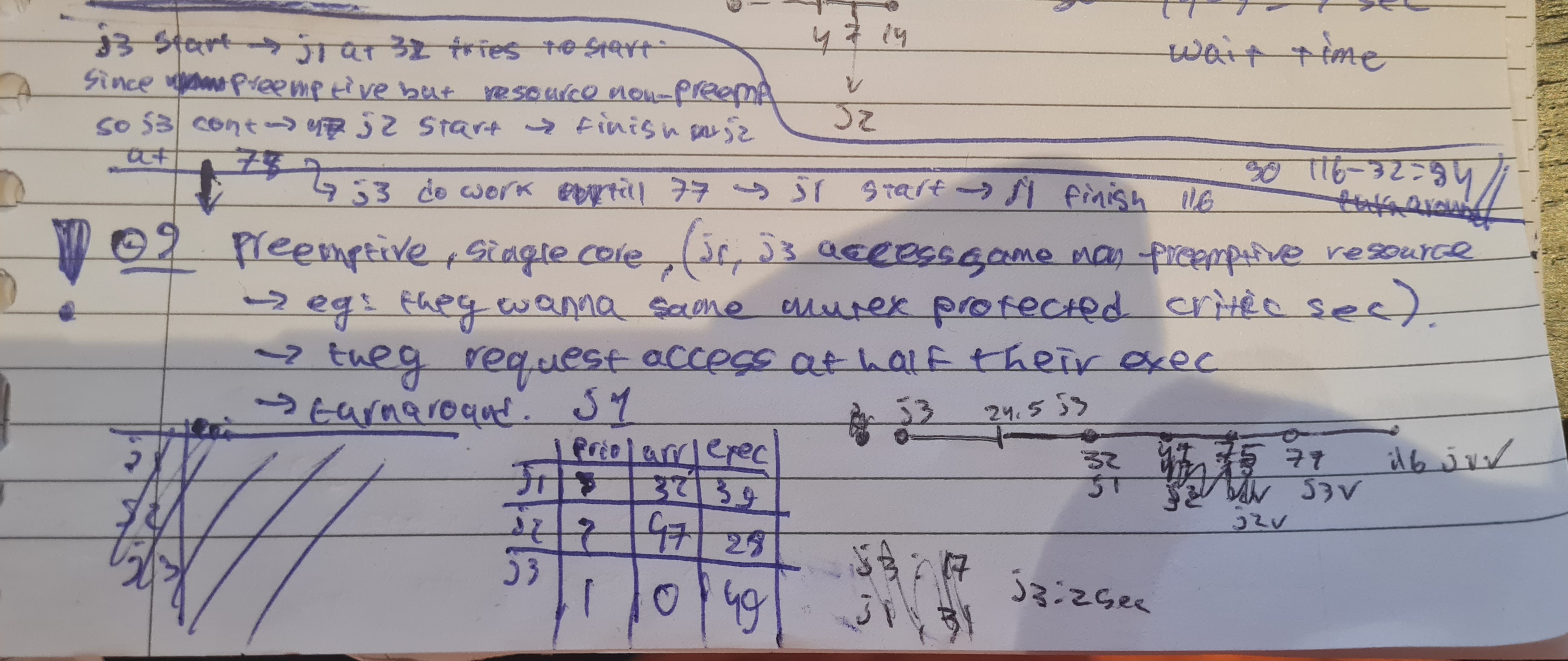
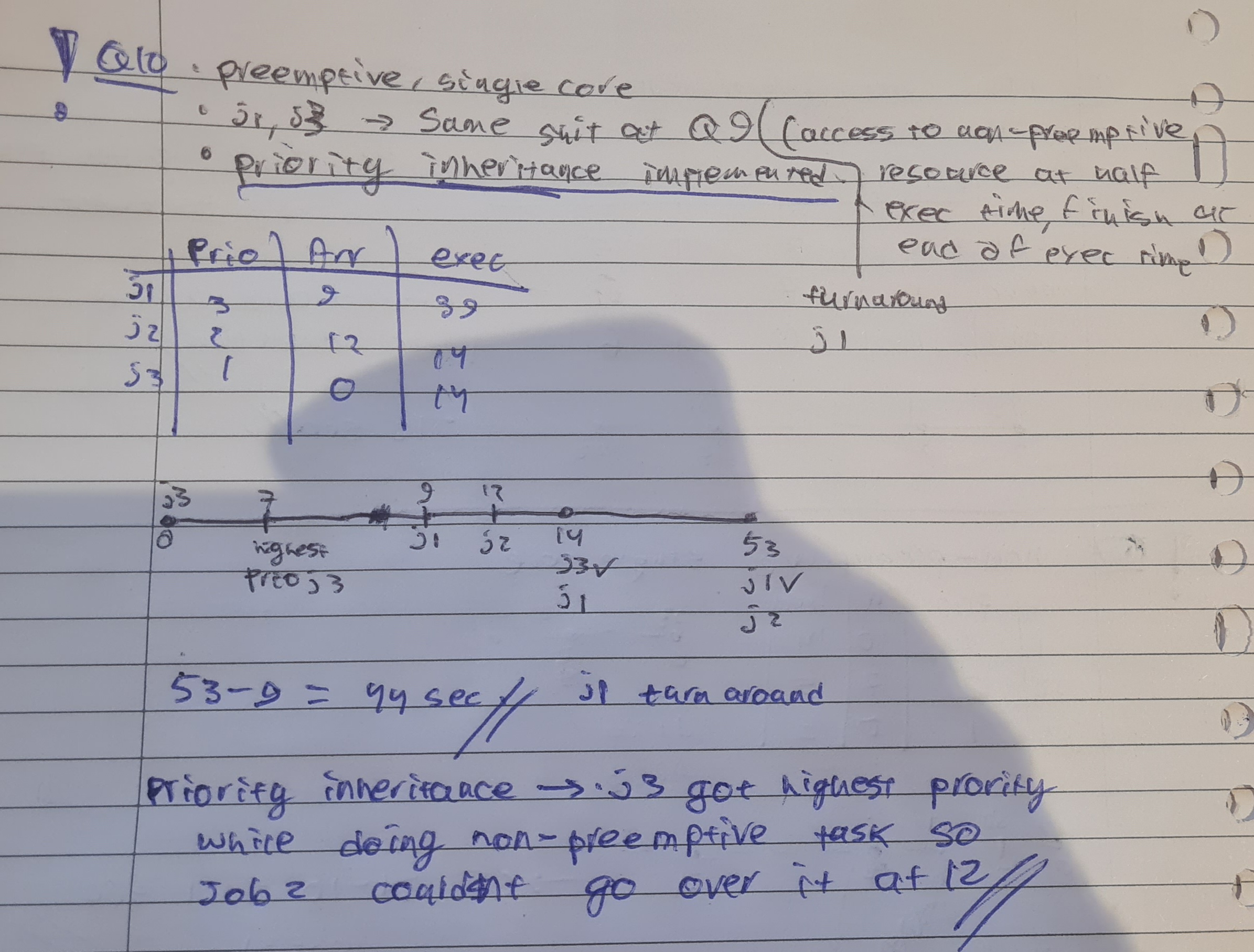
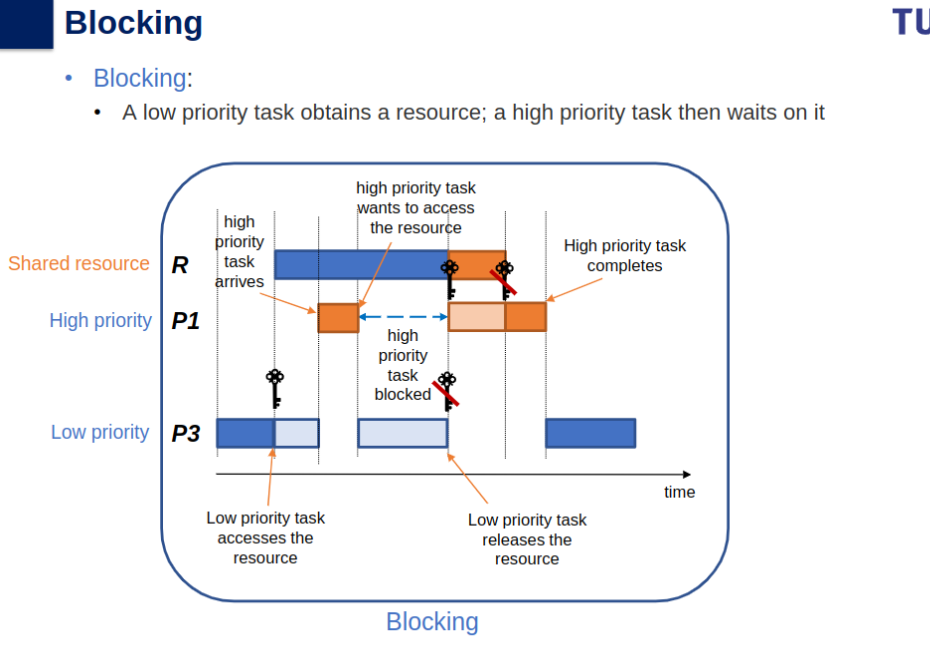
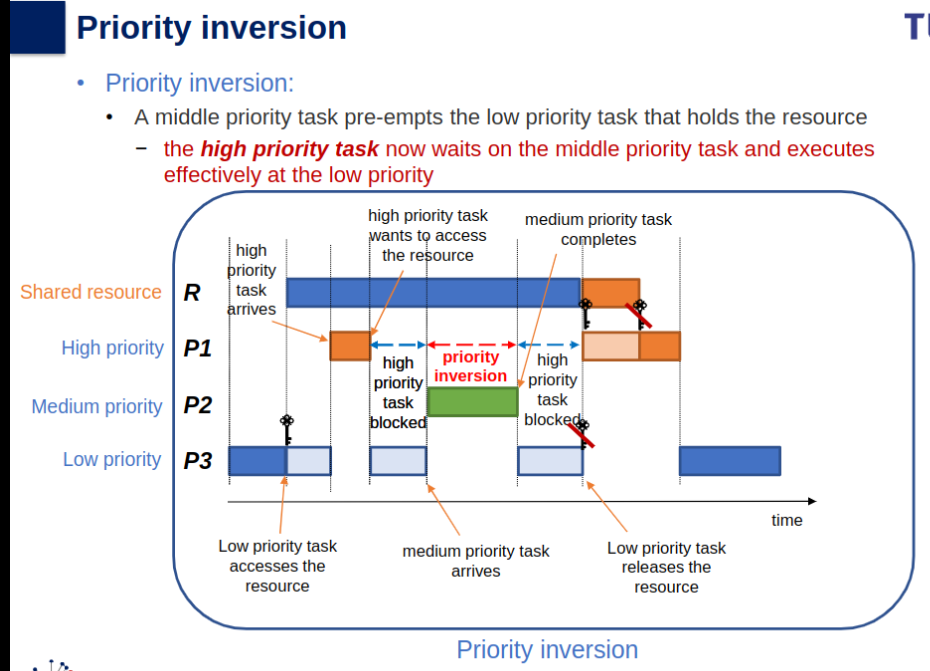
The situation in scheduling that a high priority process is blocked by a process of middle priority, through blocking on a resource shared between this high and a (third) low priority process. During this blocking, arbitrary processes of middle priority can overtake. An example is found on the slides.
Scheduling Summary
- Terminology:
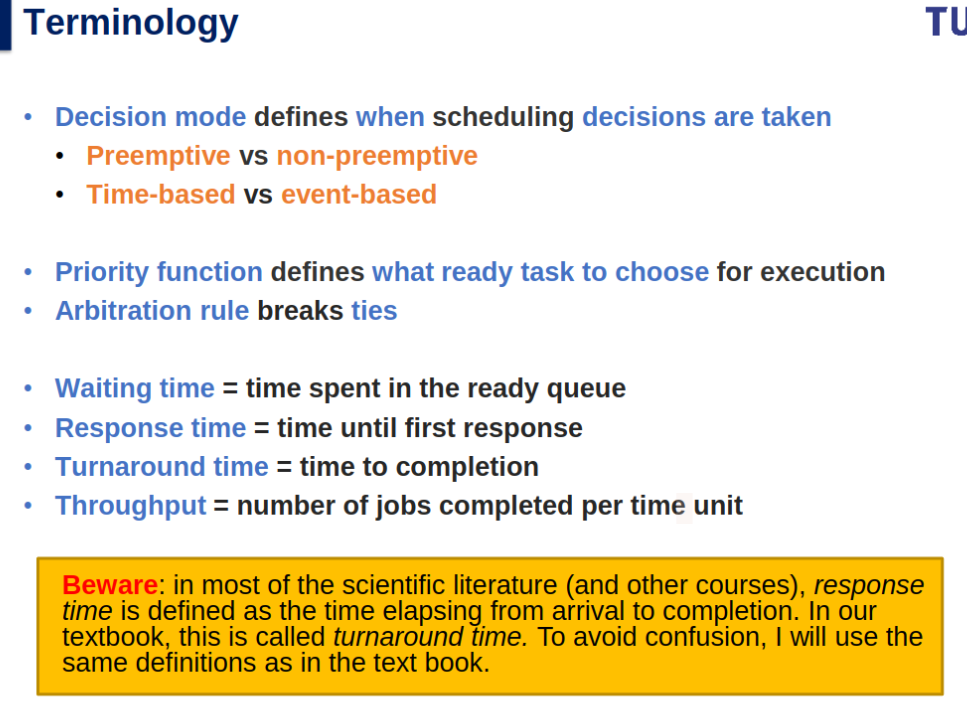
- Decision Modes: Preemptive (interrupt-driven) vs Non-preemptive (voluntary).
- Preemptive and Non-Preemptive Scheduling - GeeksforGeeks
- non-preemptive scheduling is rigid as the current process continues to access the CPU even if other processes enter the queue.
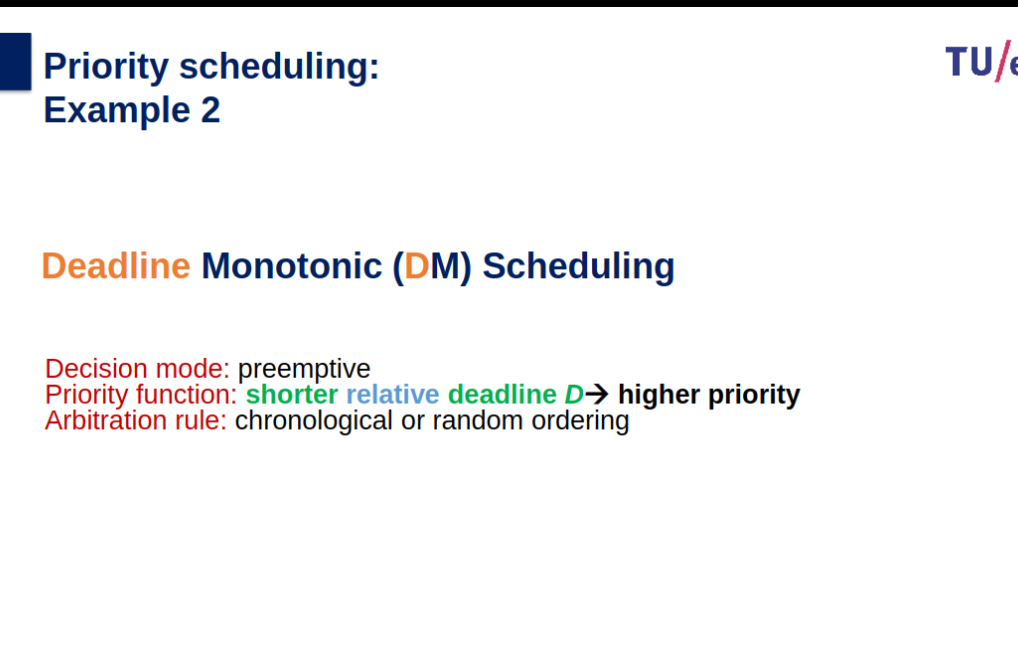
- Priority Function: Determines next task.
- Metrics: Waiting time, response time, turnaround time, throughput.
- Decision Modes: Preemptive (interrupt-driven) vs Non-preemptive (voluntary).
- Scheduling Algorithms:
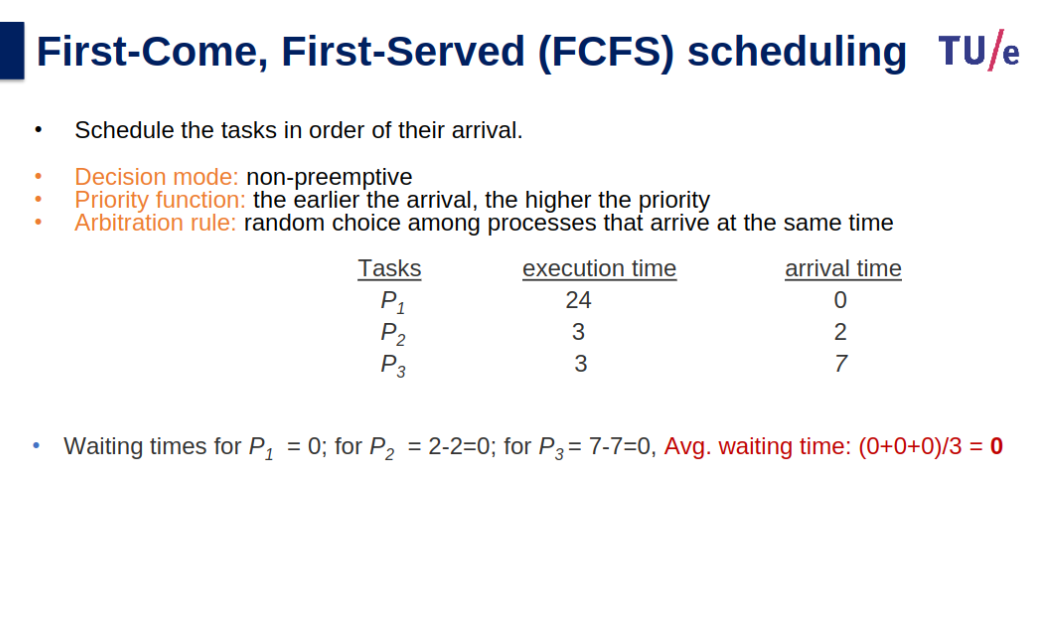
- FCFS: First come, first served; non-preemptive.
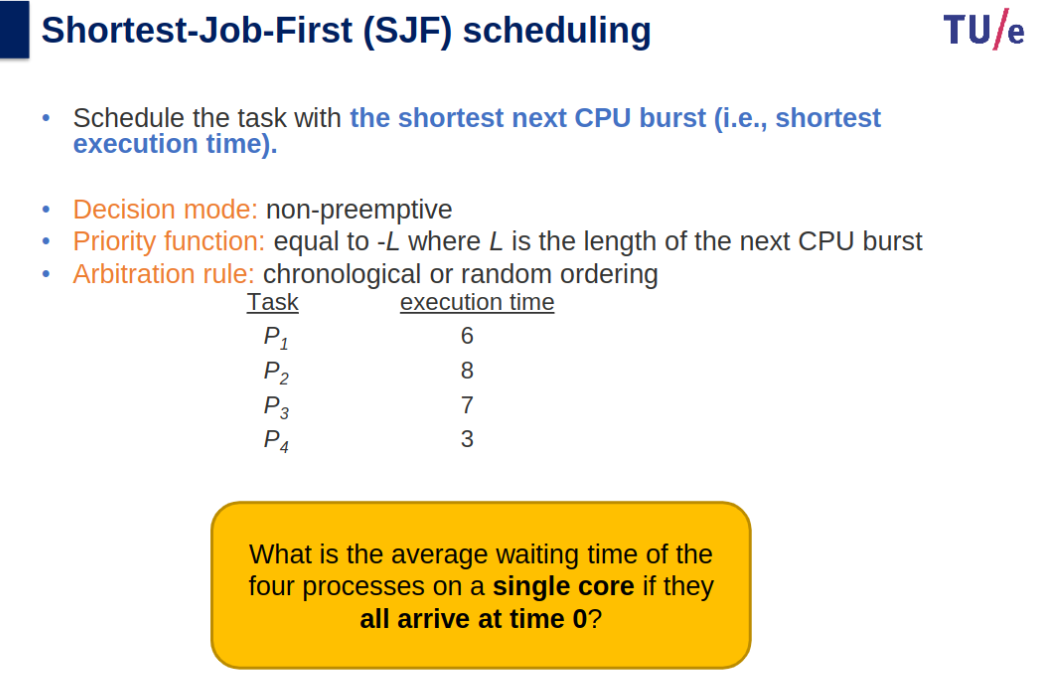
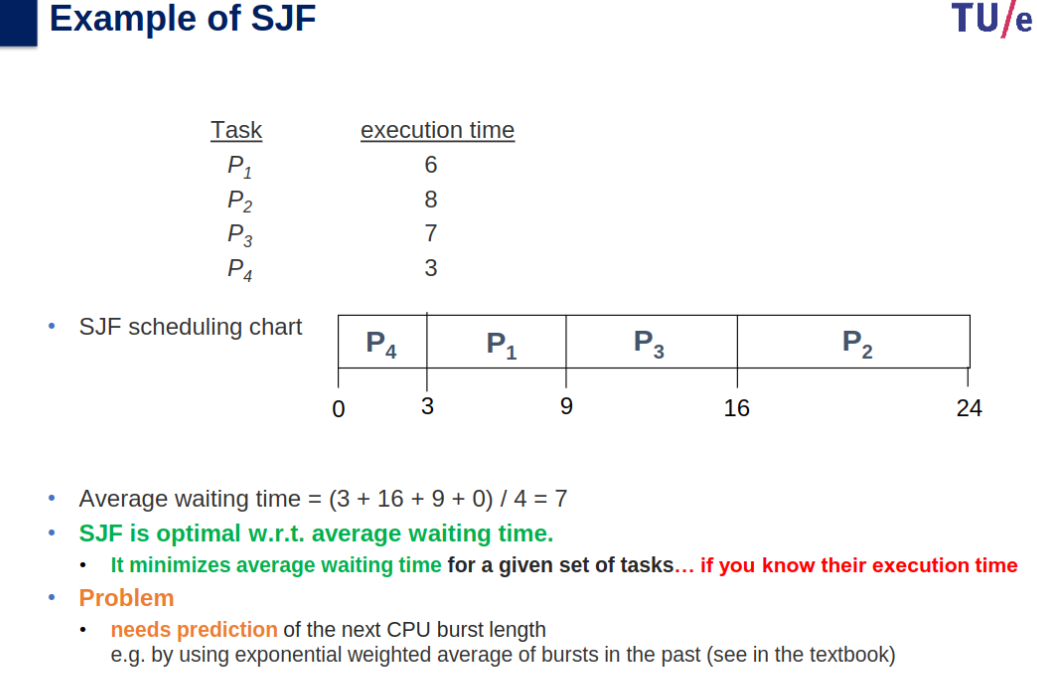
- SJF: Shortest job first; optimal waiting time but requires burst prediction.
- RR: Round Robin; equal time slices, good for responsiveness.
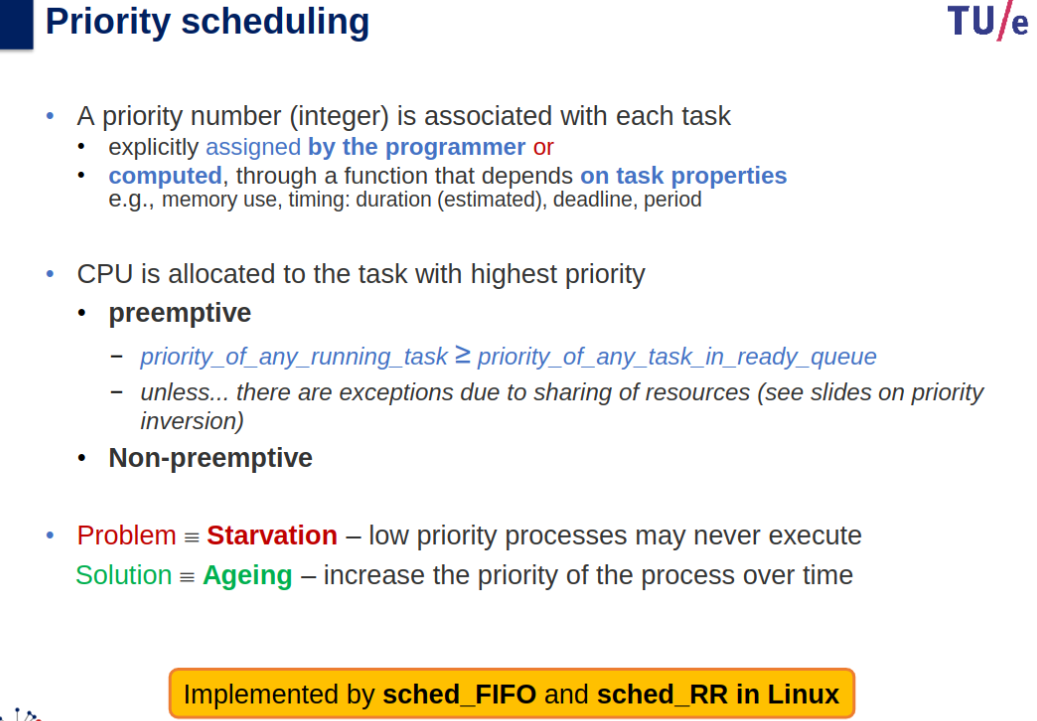
- Priority Scheduling: High-priority tasks first; may cause starvation (solved by aging).
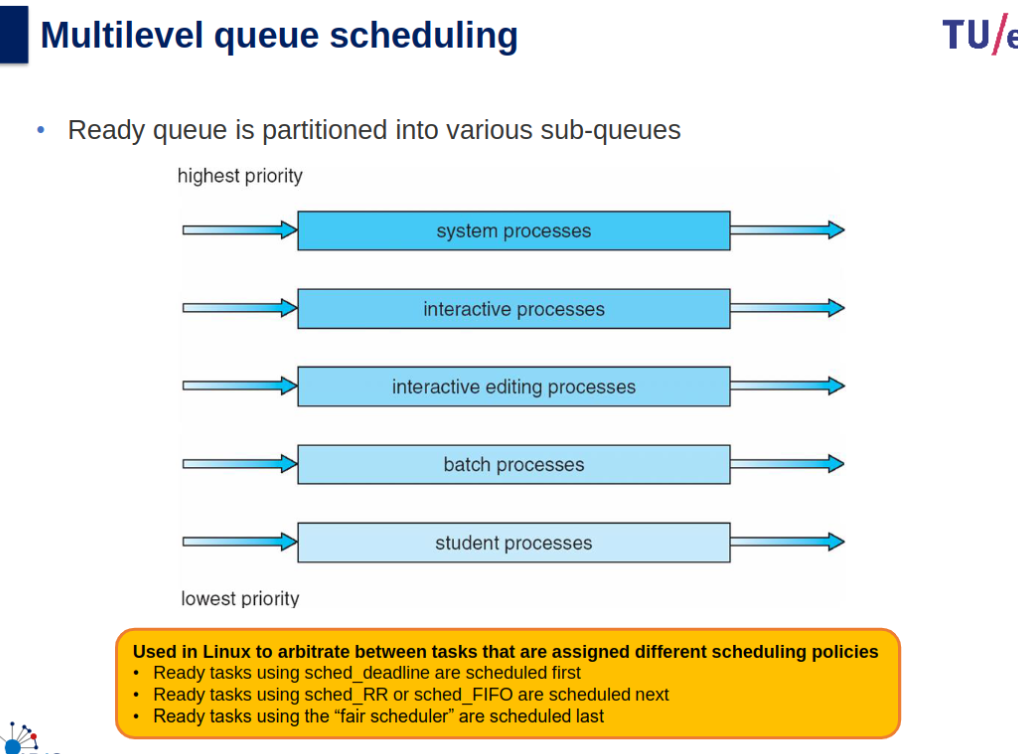
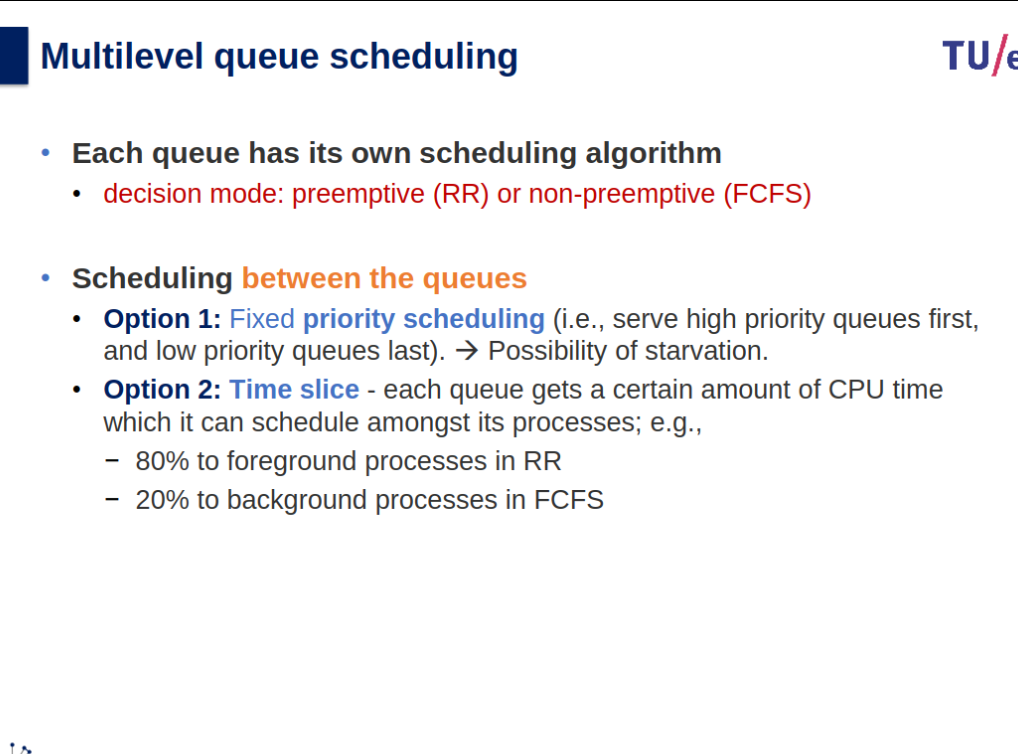
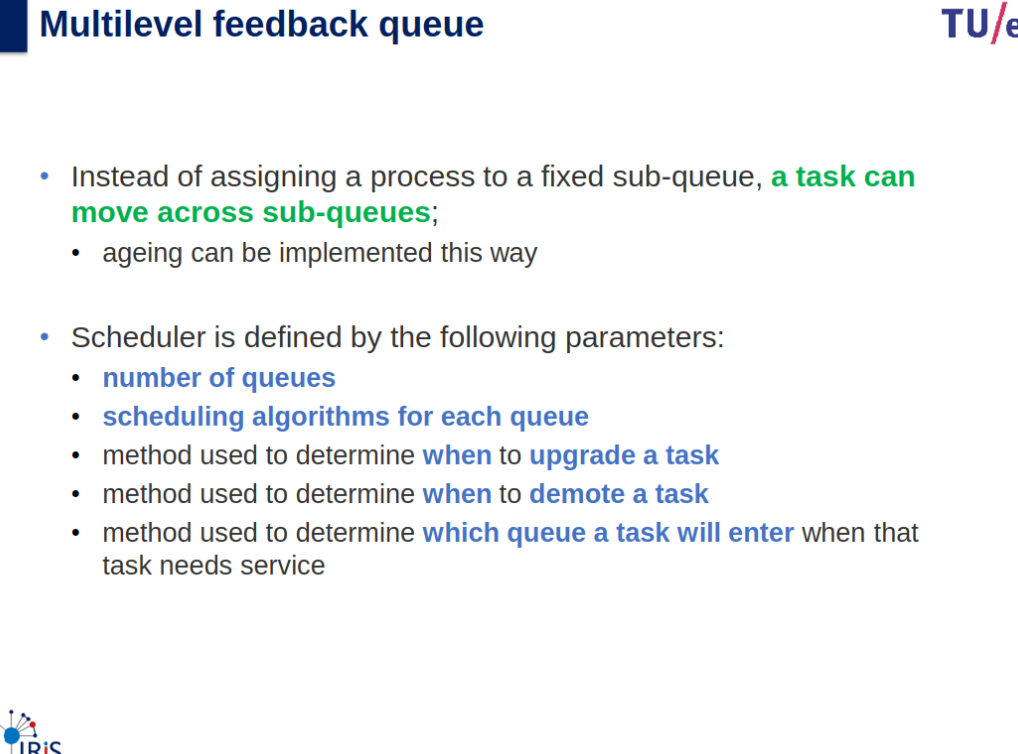
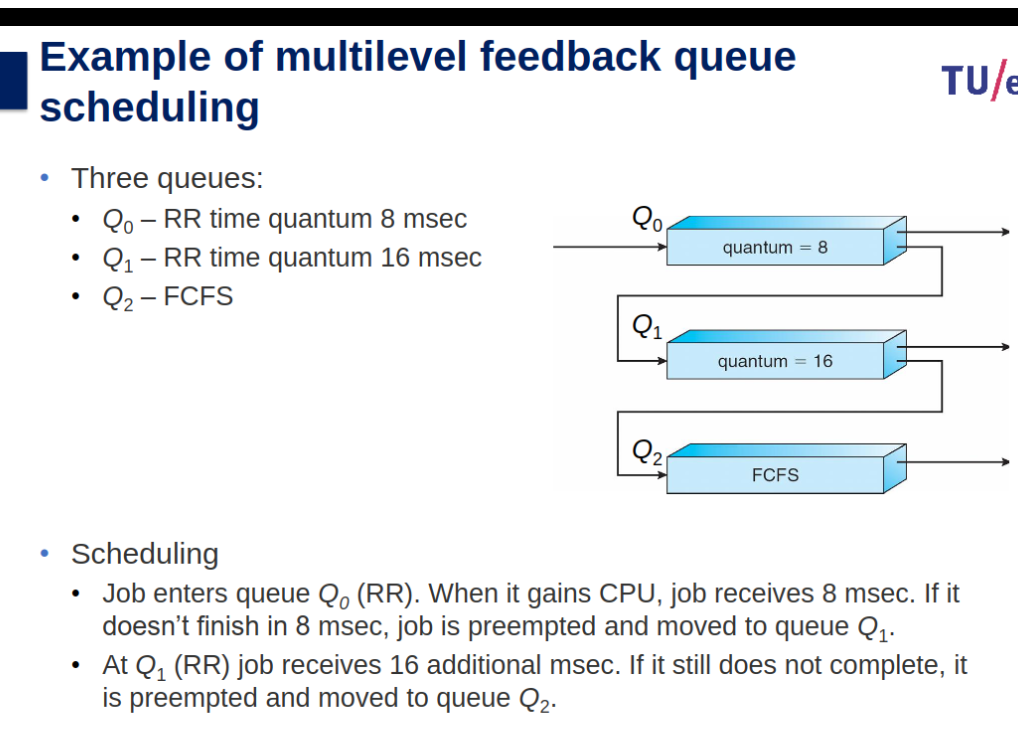
- Multilevel Queue: Partition ready queue with different policies per queue.
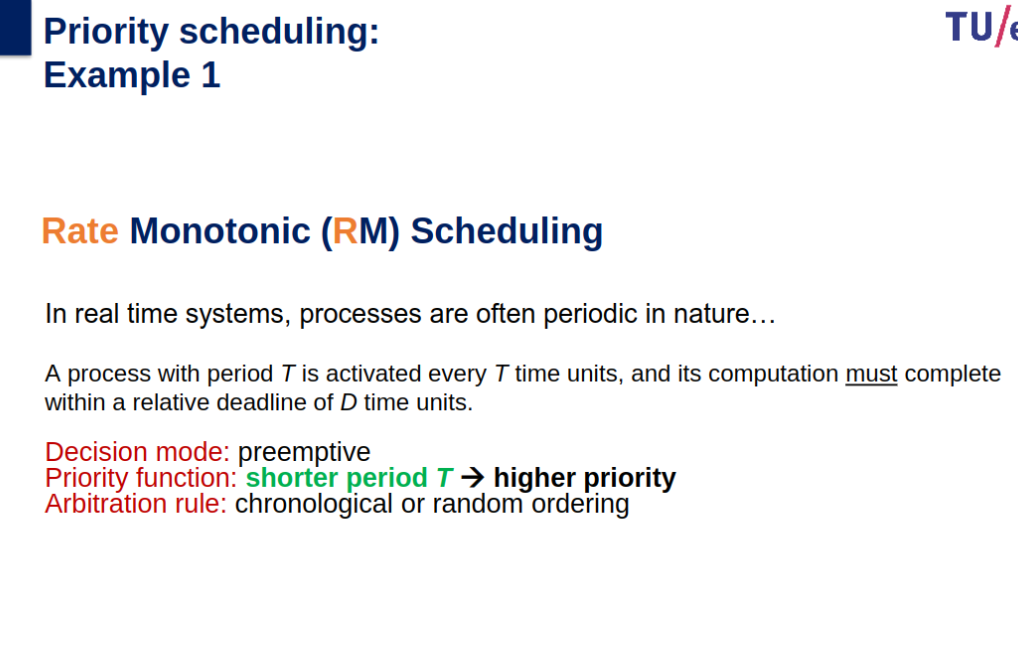
- Rate Monotonic (RM): Higher priority for shorter periods; real-time systems.
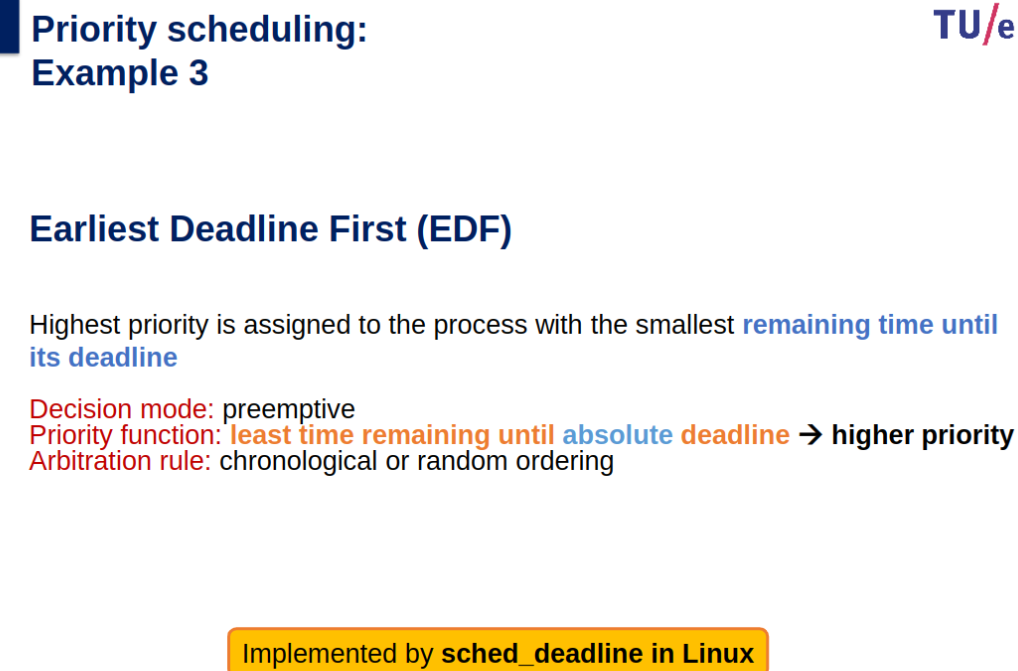
- Earliest Deadline First (EDF): Priority for tasks nearing deadlines.
- Issues:
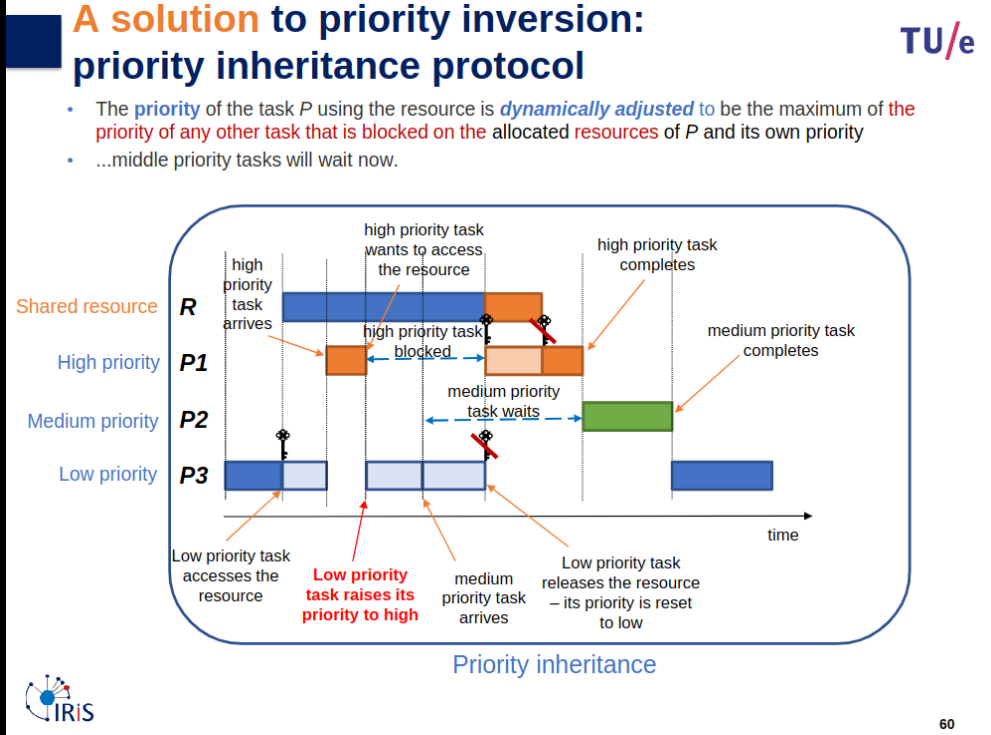
- Priority Inversion: Resolved by priority inheritance (adjust task priority dynamically).
Other
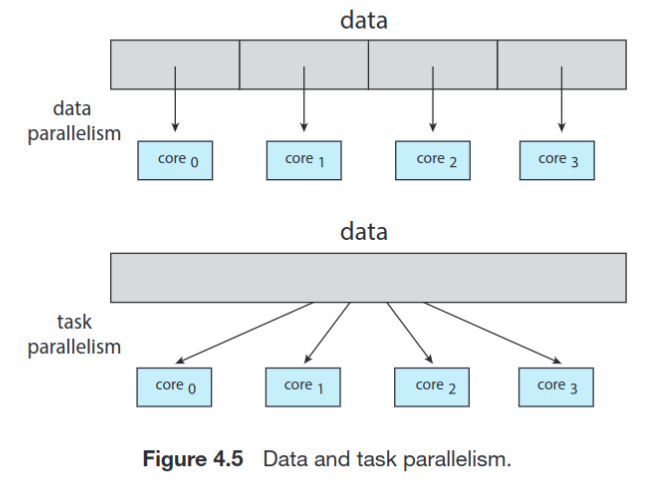
A concurrent system supports more than one task by allowing all the tasks to make progress. In contrast, a parallel system can perform more than one task simultaneously.
- With LWP: A user thread performing a file read blocks its associated LWP, but other user threads can continue running on their LWPs.
- Without LWP: A user thread performing a file read blocks, and since there’s no LWP to isolate the blocking, all user threads in the application are stalled.
Fundamentally, then, data parallelism involves the distribution of data across multiple cores, and task parallelism involves the distribution of tasks across multiple cores
Inter-Process Communication (IPC)
- Message Passing: Small data exchange, suitable for distributed systems.
- Blocking: Waits for synchronization.
- Non-blocking: Continues execution.
- Shared Memory: Kernel-allocated space accessible by processes.
- Faster but prone to interference (requires synchronization).
Miscellaneous
- Context Switch: Switching processes involves saving/restoring states (time-consuming).
- Mode Switch: Switching between user and kernel modes (minimal overhead).
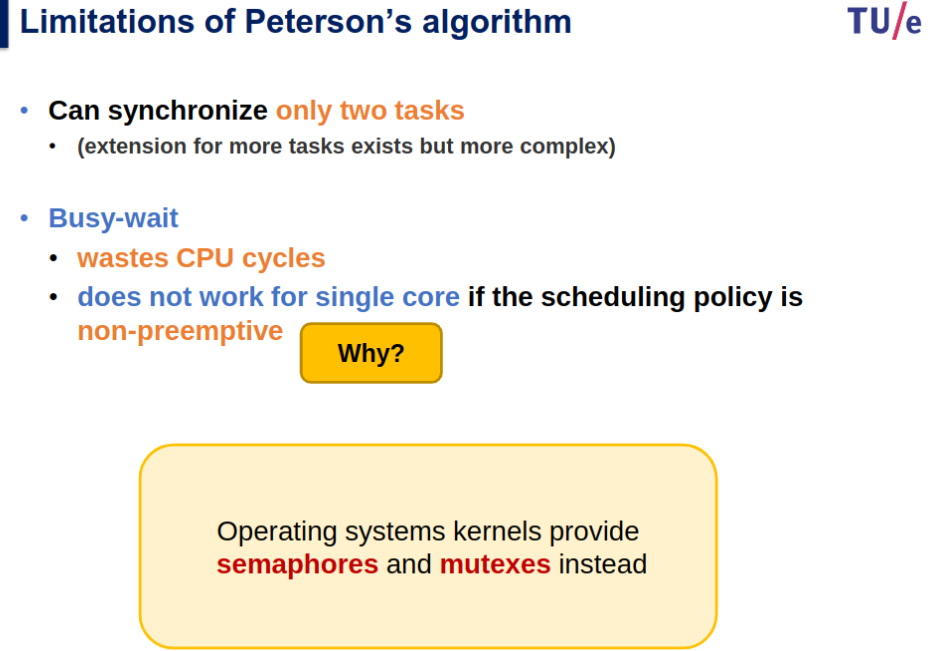
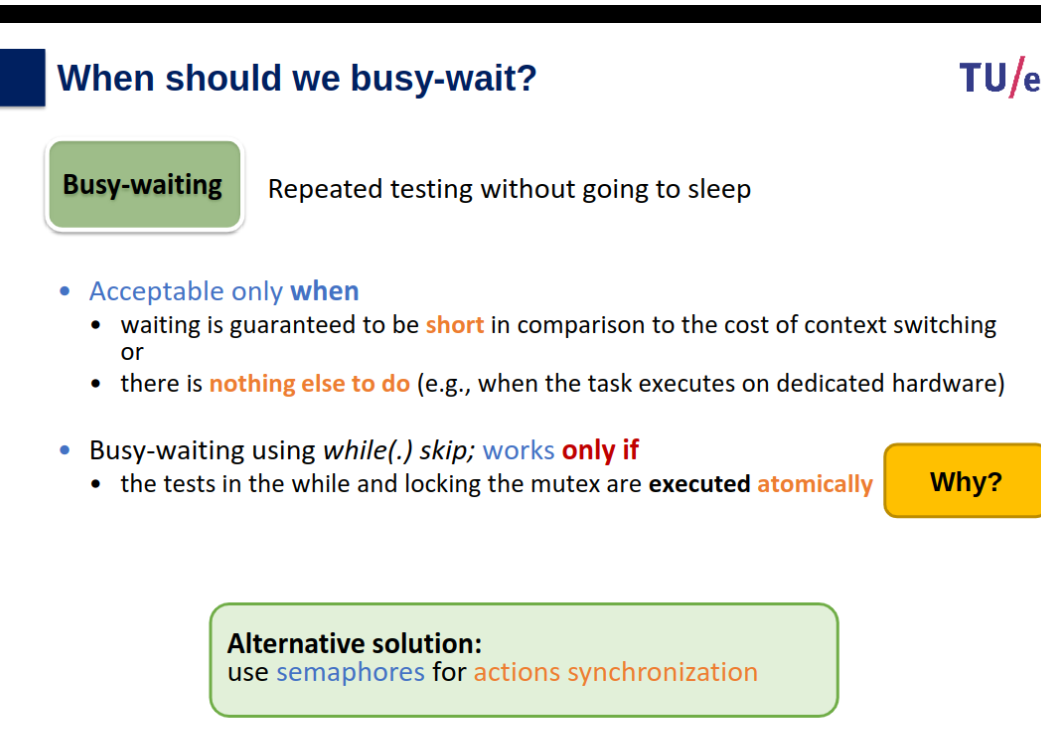
- Busy Waiting: Acceptable when short or the only option for synchronization.
Race Condition and Deadlock | CloudxLab Blog
Fixed-priority pre-emptive scheduling - Wikipedia
for a non-preemptive the time is the decider or what completes first, not flexible on priority.
Concurrency and Synchronization
Topic: Processes, Threads and Synchronization
Atomicity and Interference, Traces and Mutual Exclusion
Slides
OS-03-slides_preparation_videos.pdf
OS-03-atomicity_concurrency.pdf
Info
Slides & Book
6.1-6.6, 6.8.1
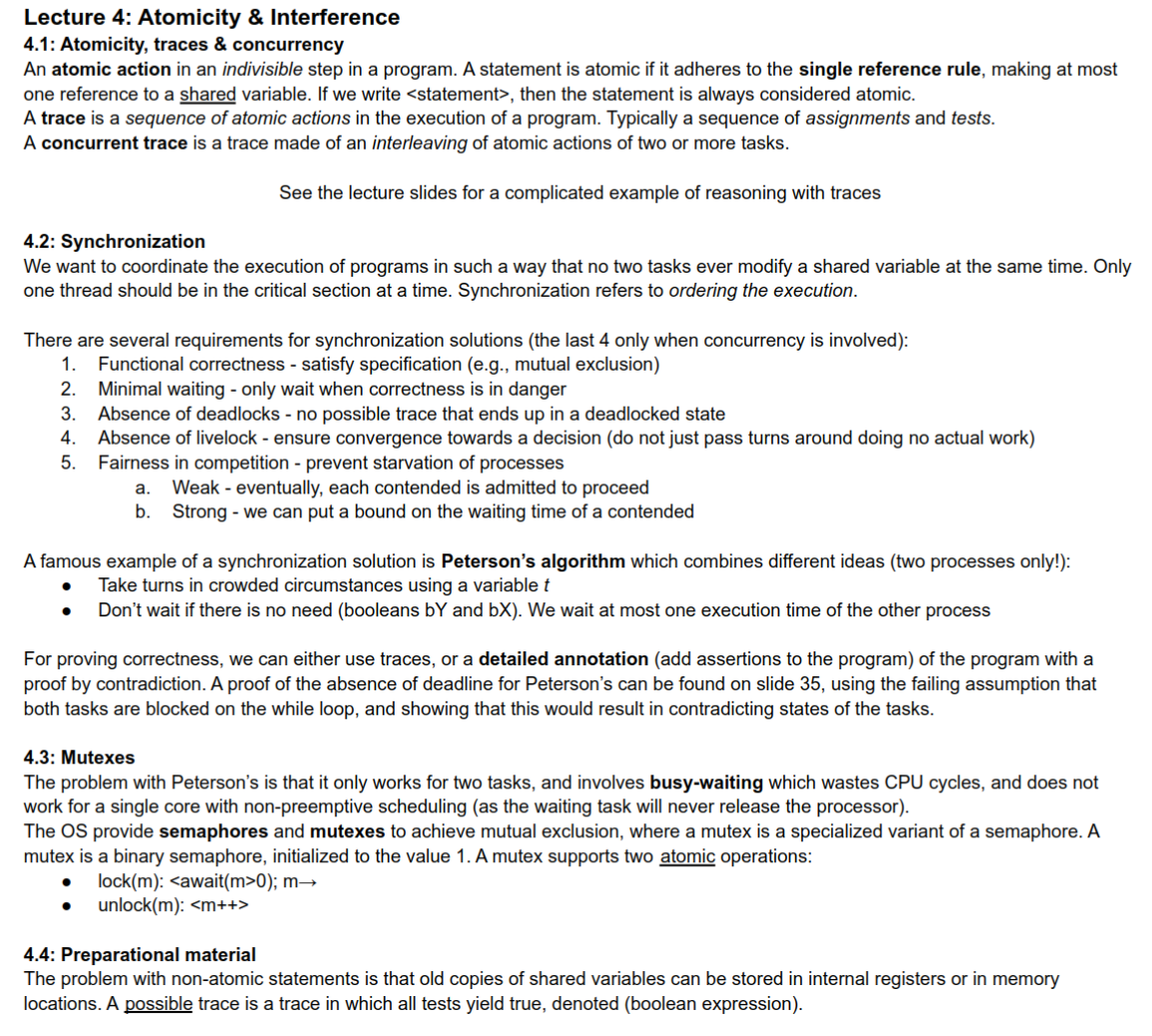
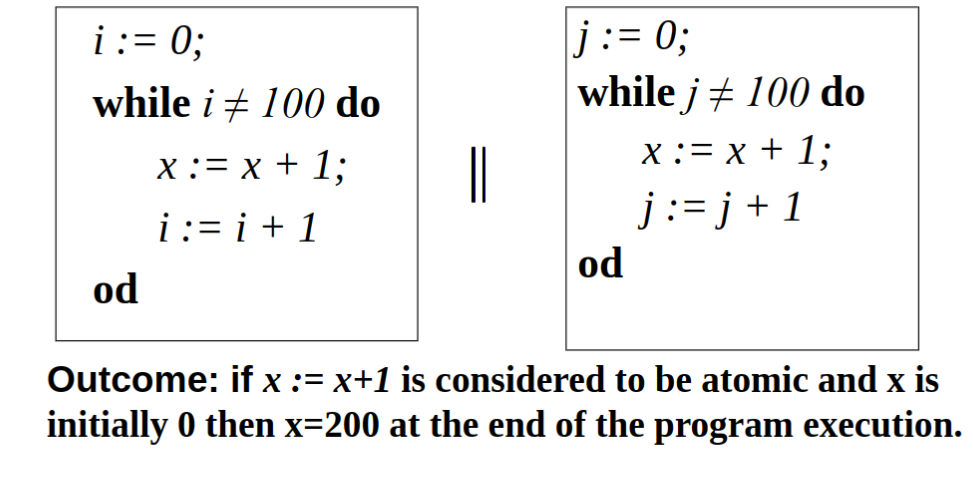
Atomicity, traces & Concurrency
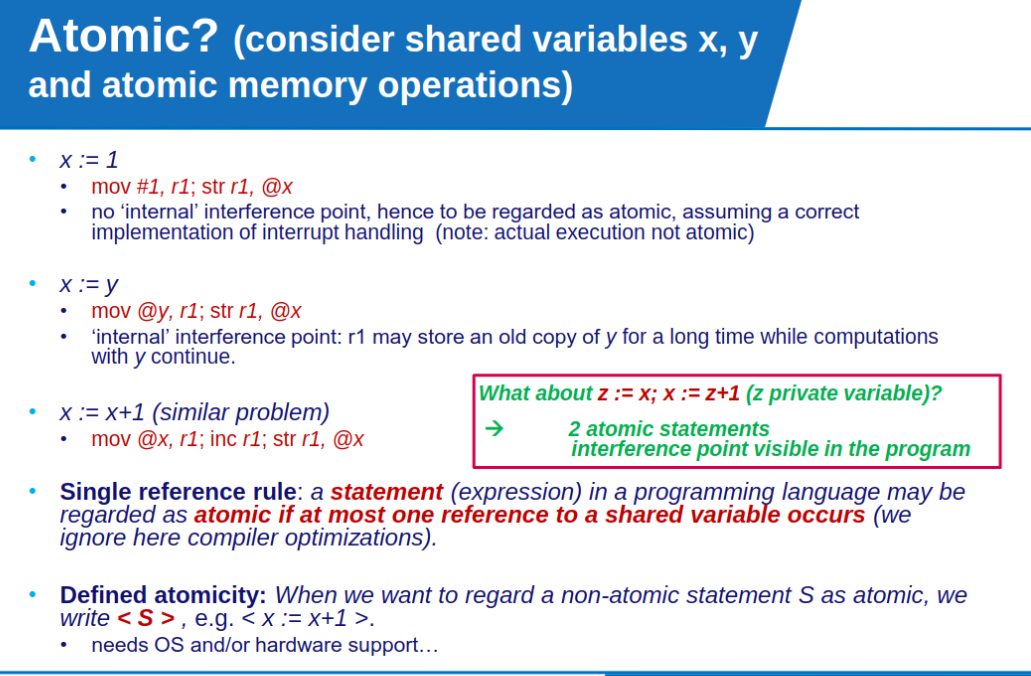
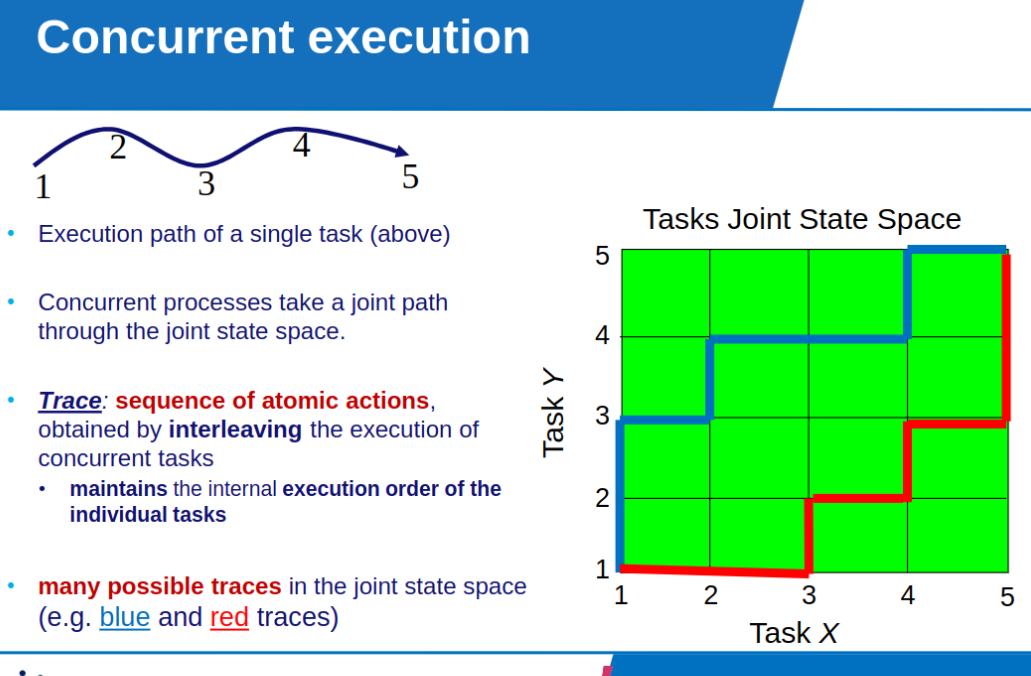
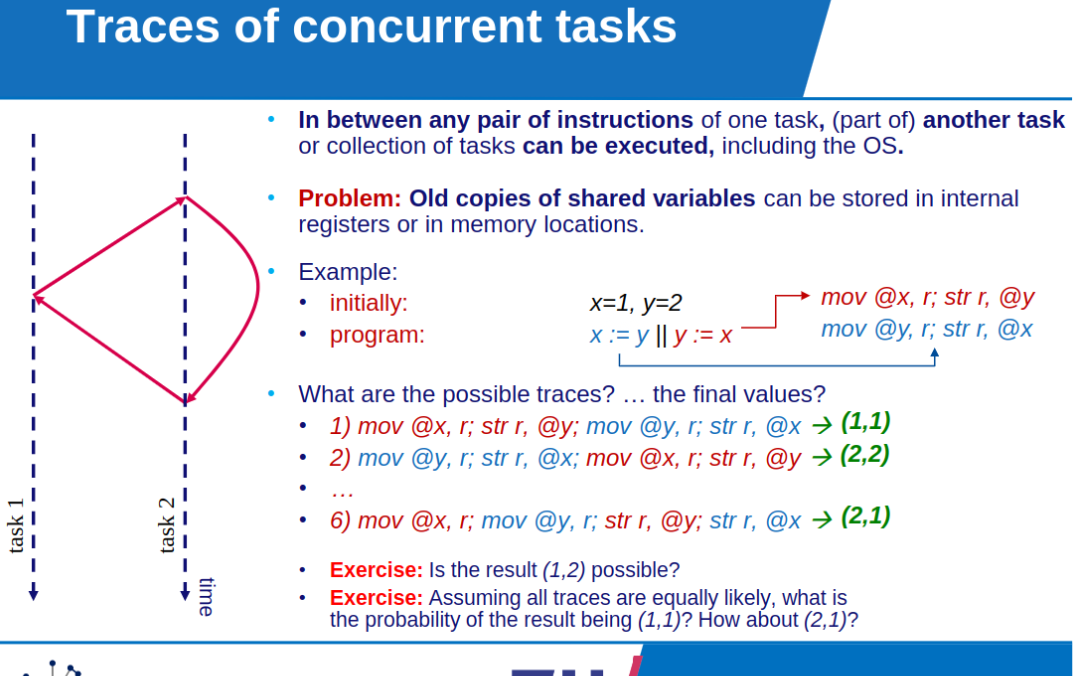
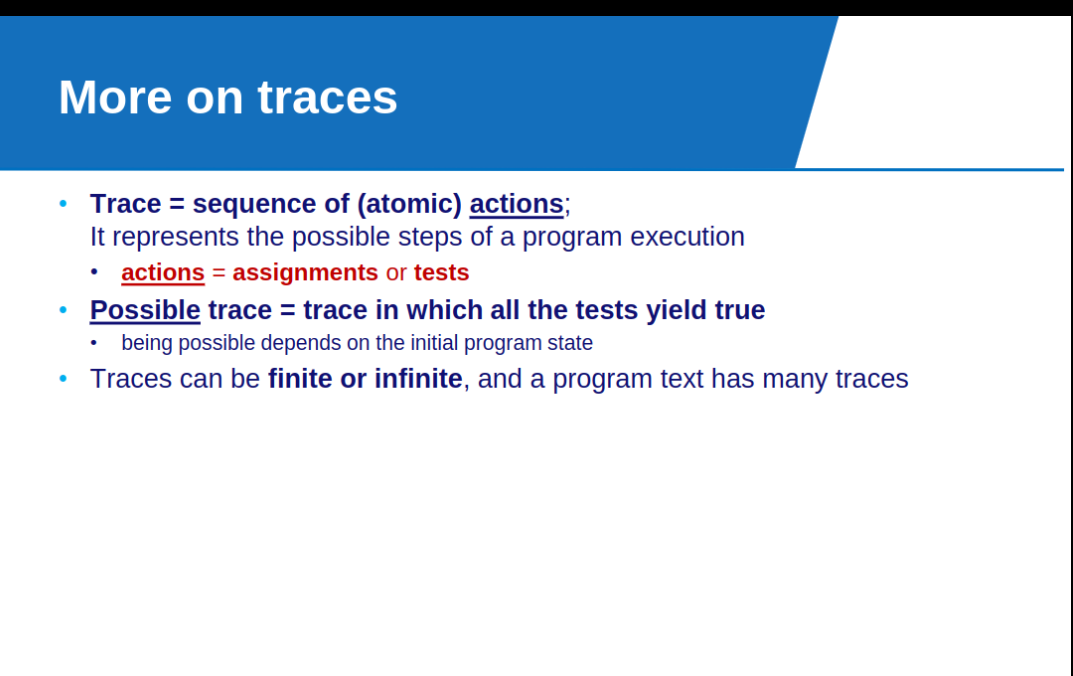
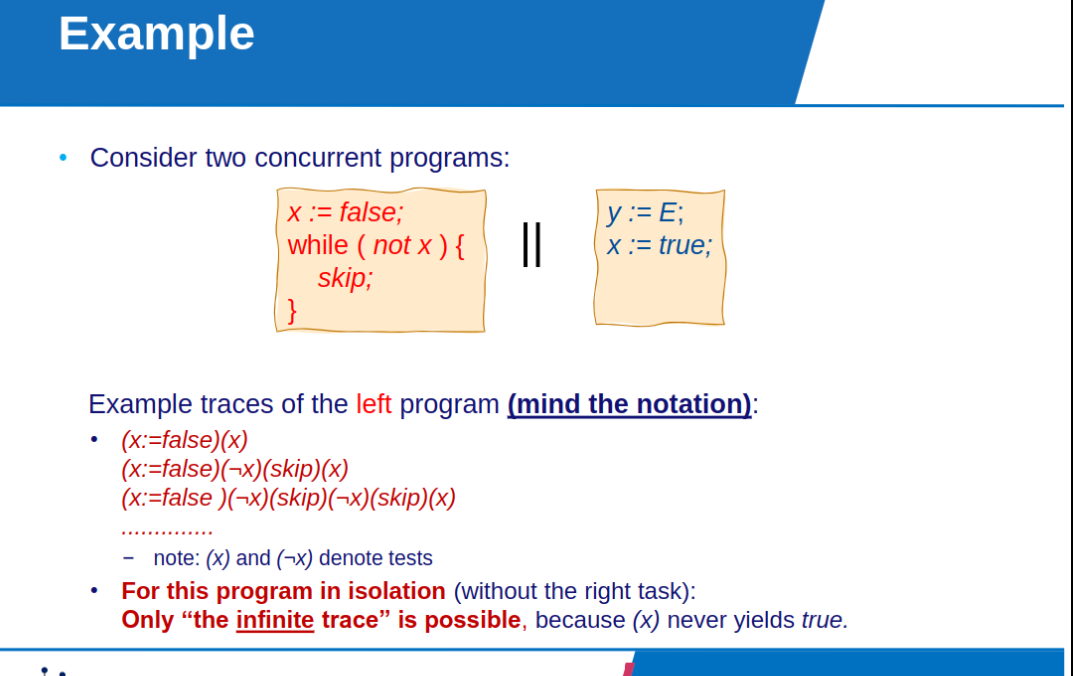
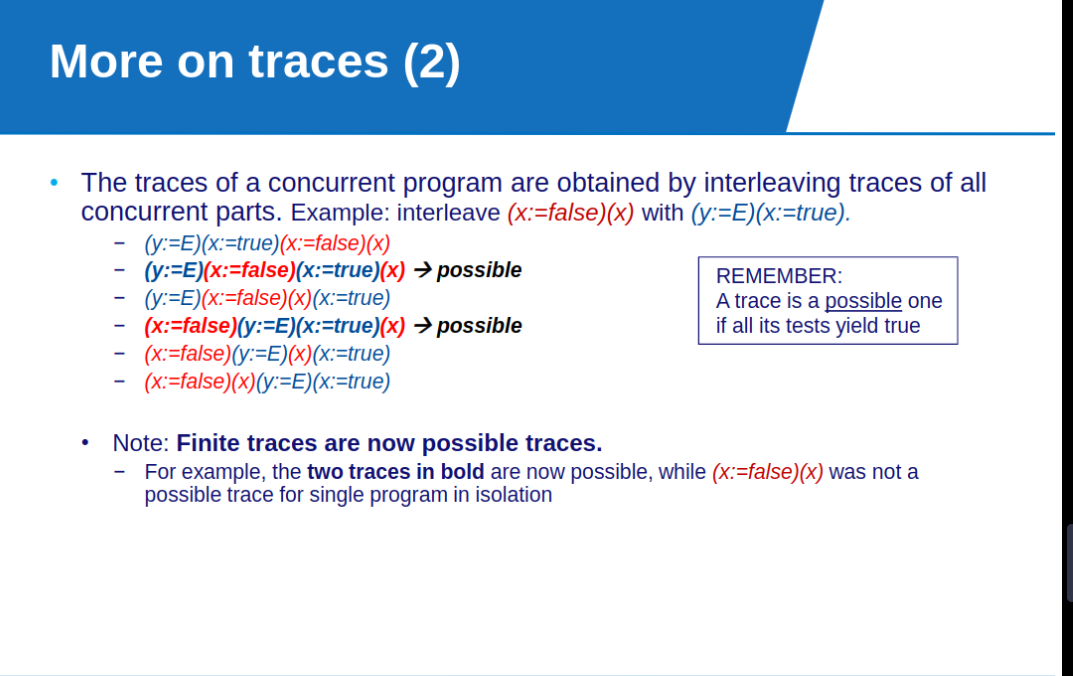
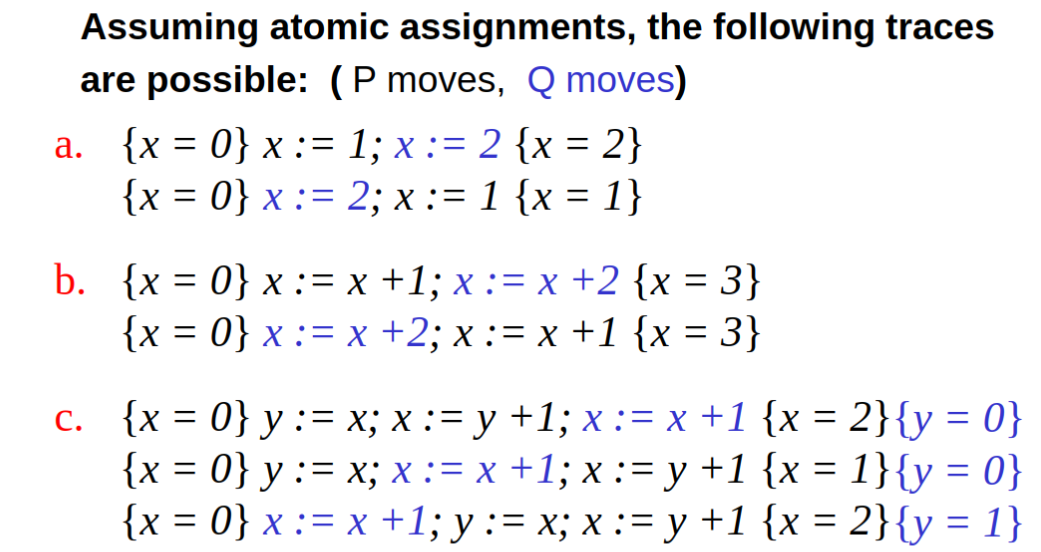
Summary of Atomicity, Traces and Concurrency
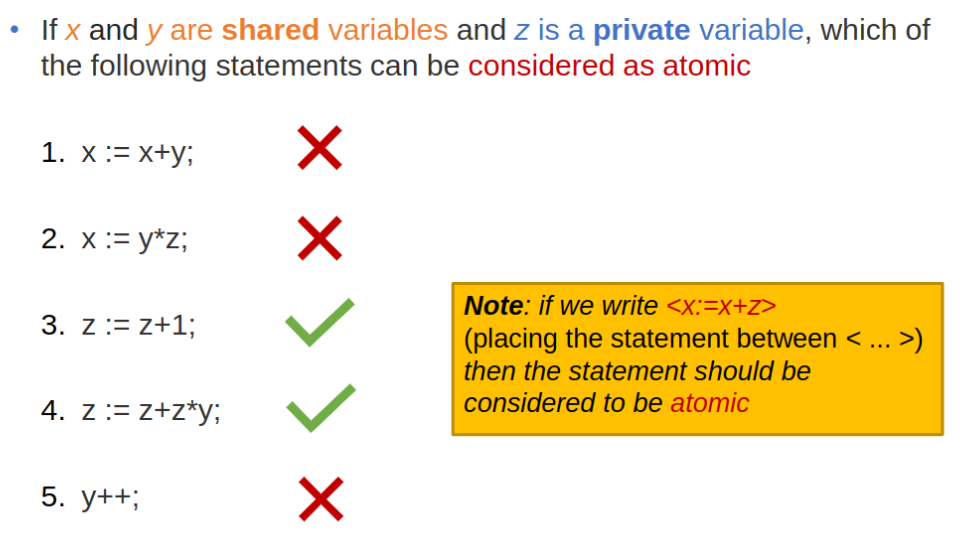
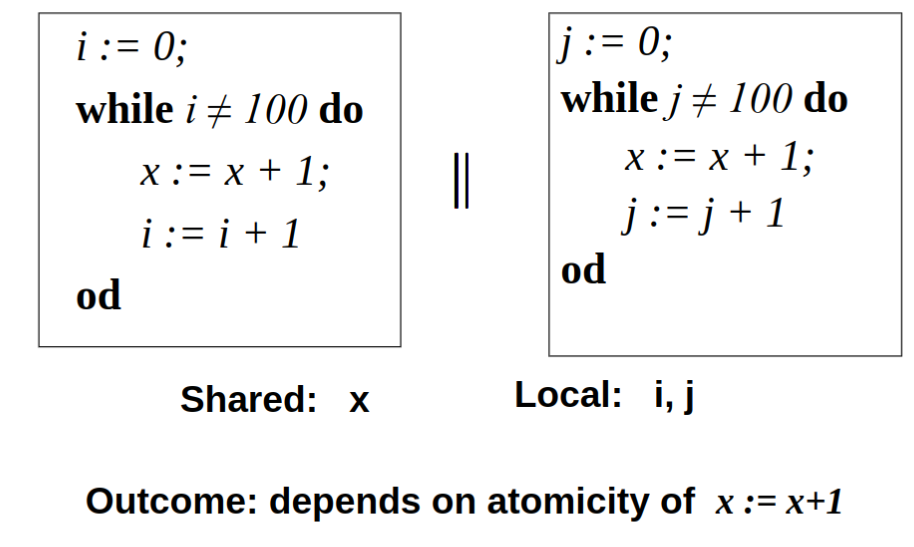
- Shared variables: accessible to several tasks (processes/threads).
.- Private variables: accessible only to a single task.
.- Atomic action: Indivisible step in the evolution of an executed program.
- typically, assignments and tests in a program.
- sufficient at program level: single reference to shared variables in statement.
- ignoring possible optimizations and reordering by compiler.
- (outcome only depends on system state when the action starts and not on what runs concurrently during the execution of the action).
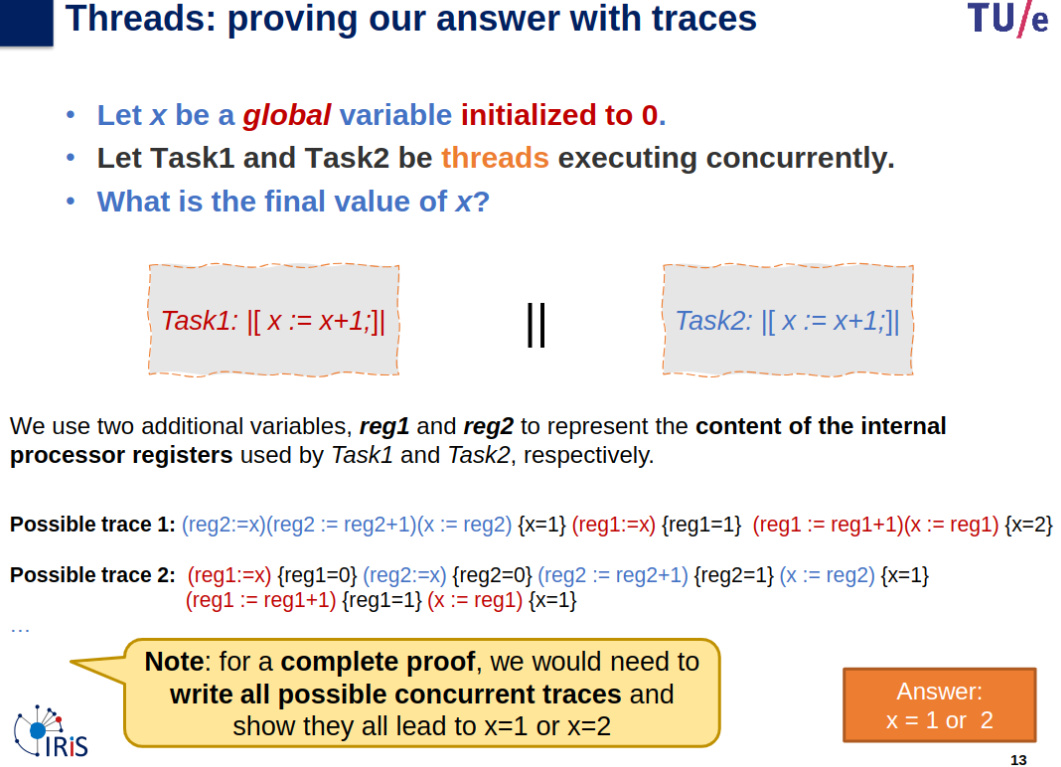
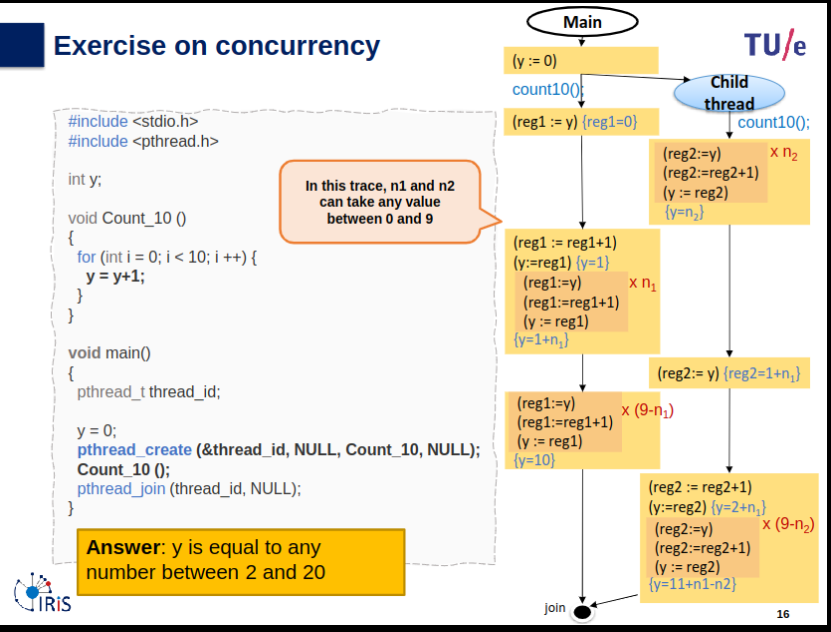
.- Concurrent execution: interleaving of atomic actions.
.- Interference: disturbing others’ assumptions about the state.
- usually caused by “bad” interleaving
- particularly with shared variables
.- Race conditions: situation in which correctness depends on execution order of concurrent activities (“bad interference”).
.- Trace: Sequence of atomic actions in the execution of a program, typically a sequence of assignments and tests.
.- Concurrent trace: Trace made of an interleaving of atomic actions of two or more tasks.
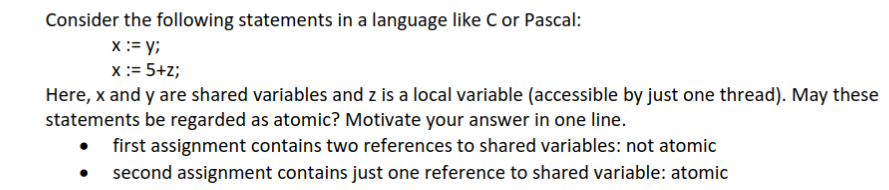
.- Single reference rule: Statement(expression) may be regarded as atomic if it makes at most one reference to a shared variable.
Synchronization
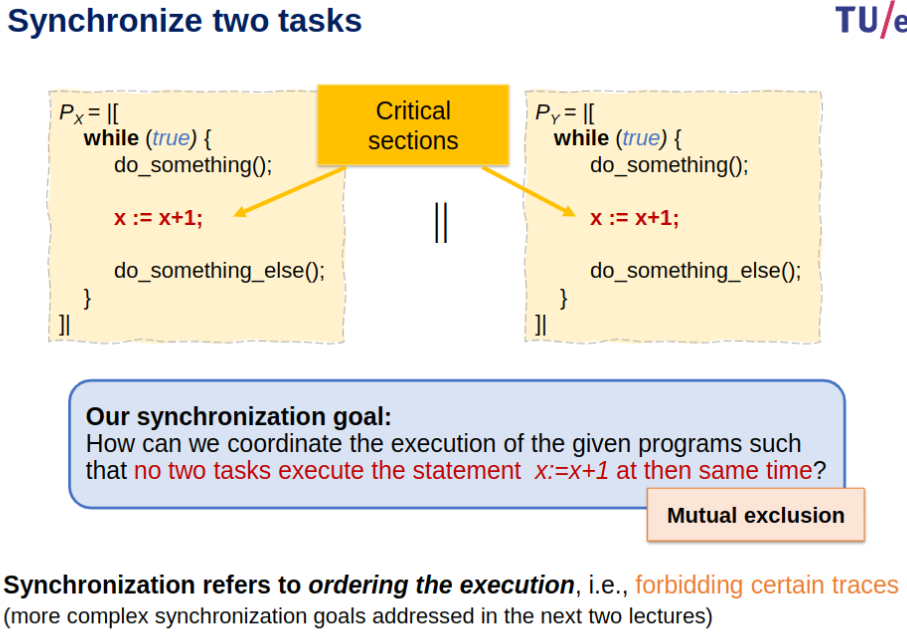
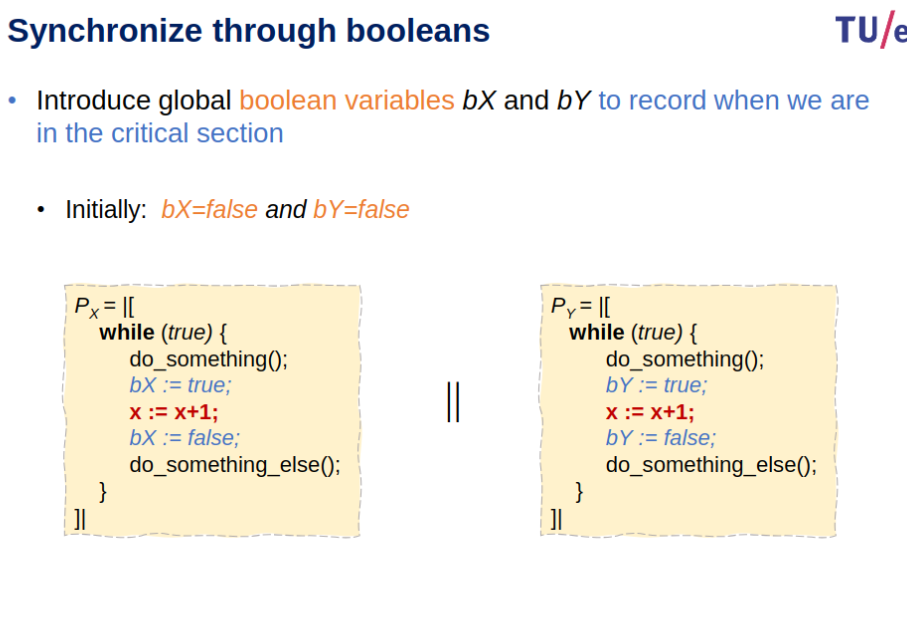
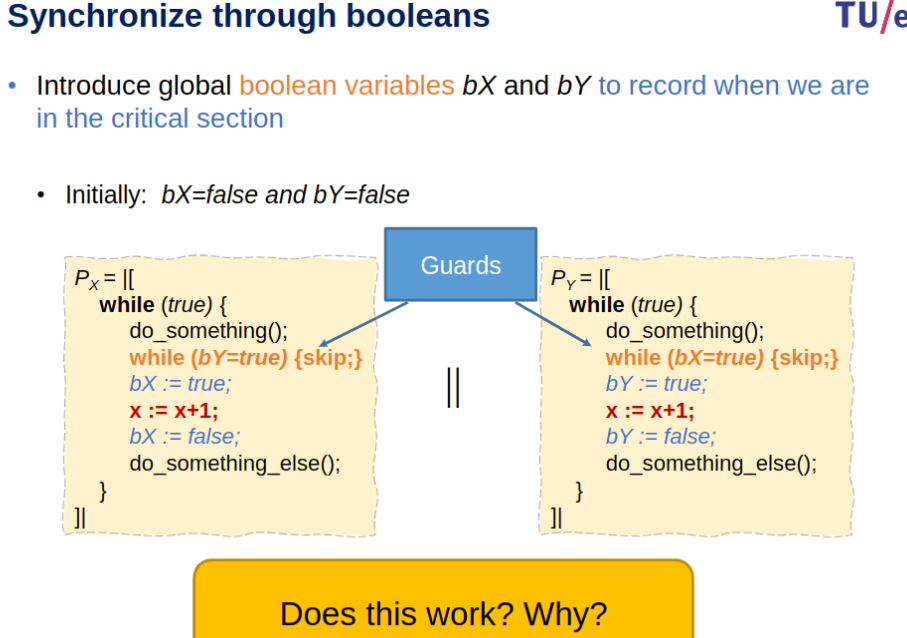
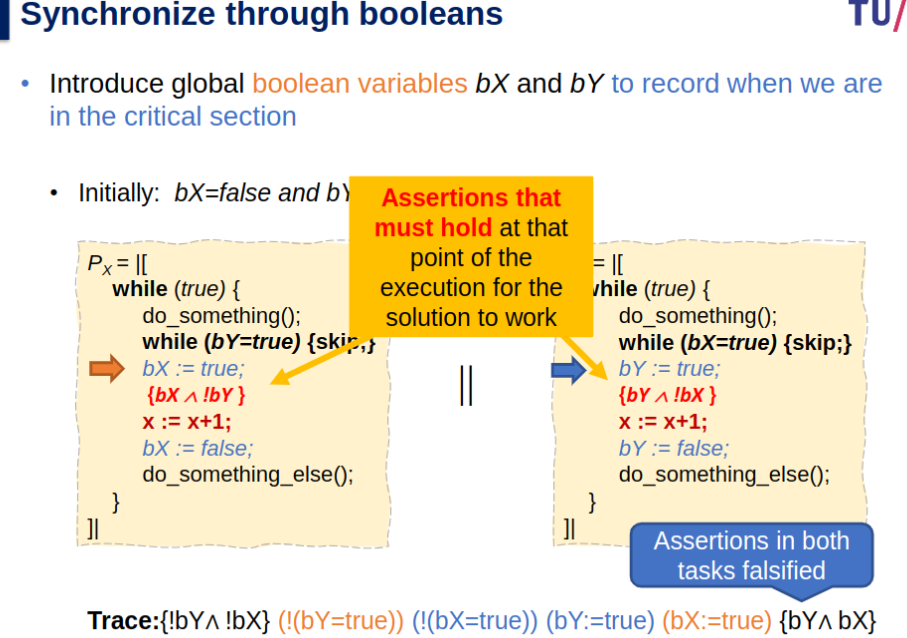
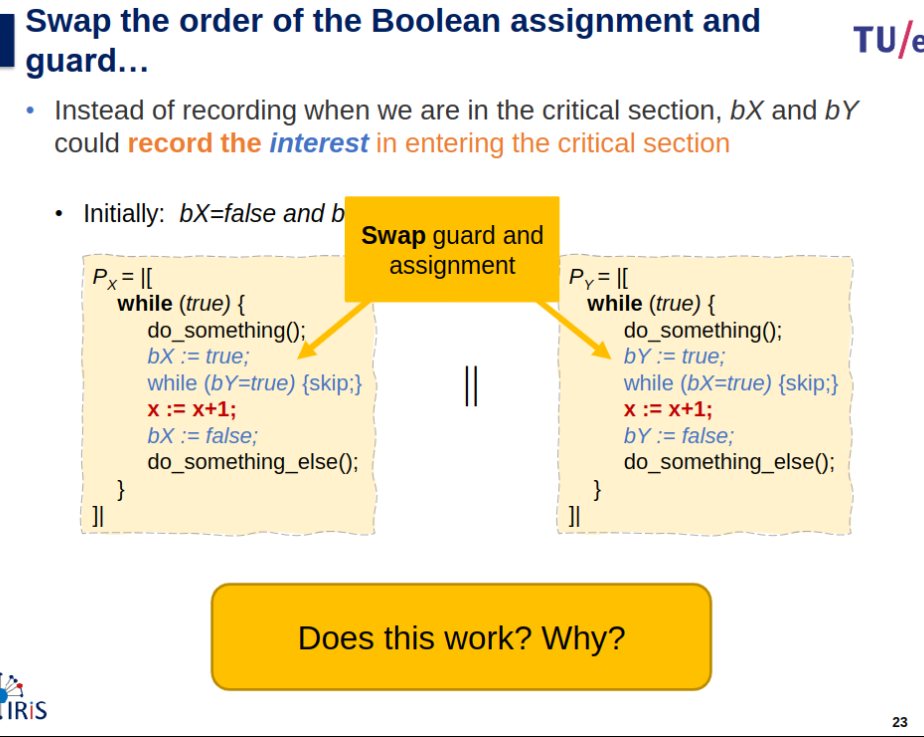
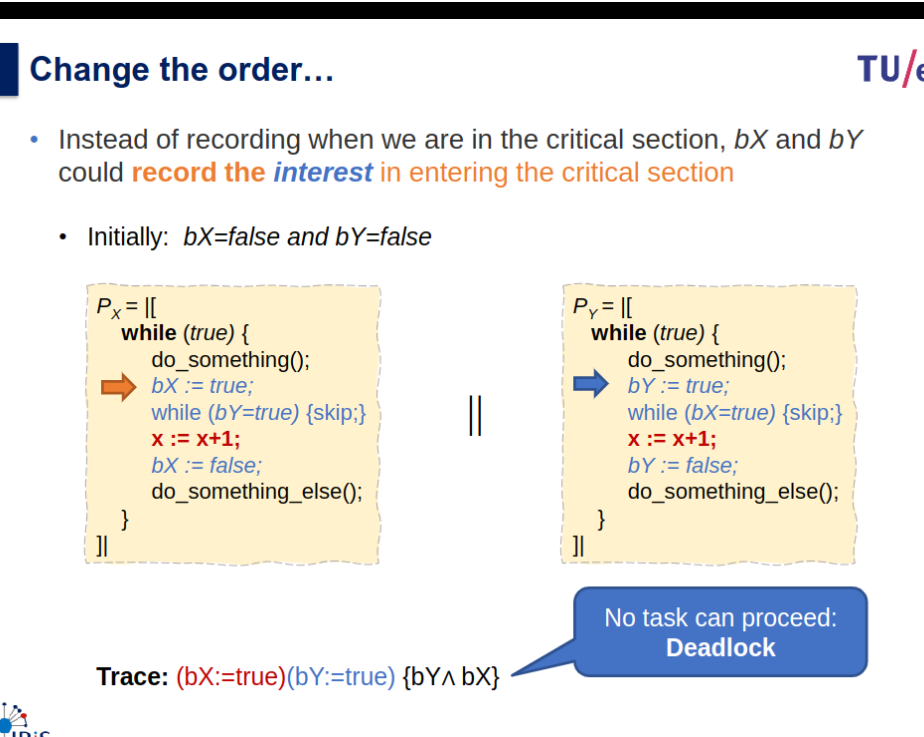
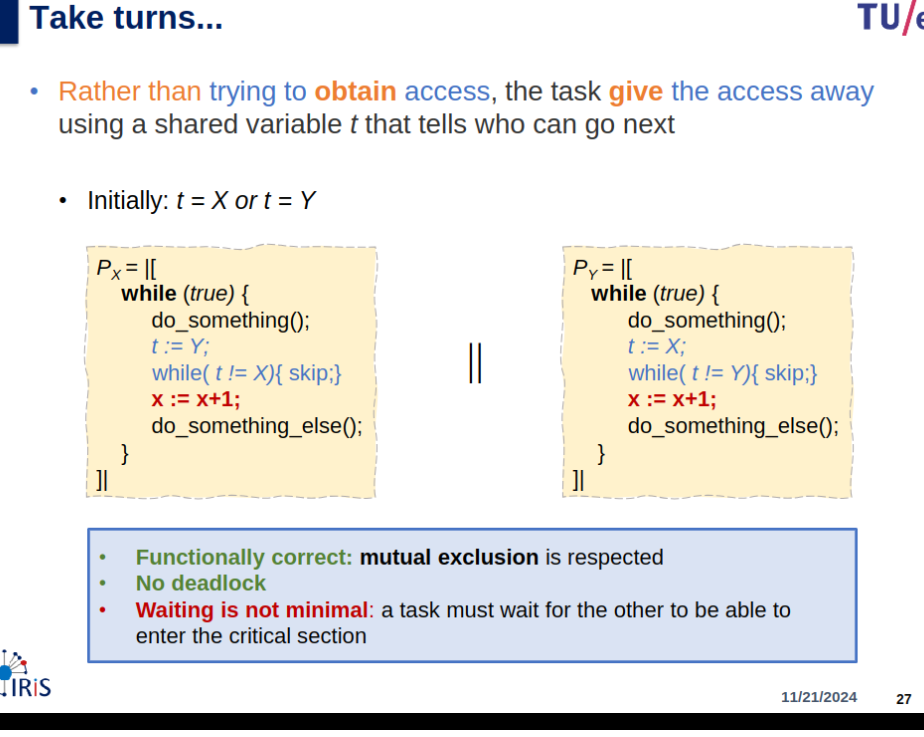
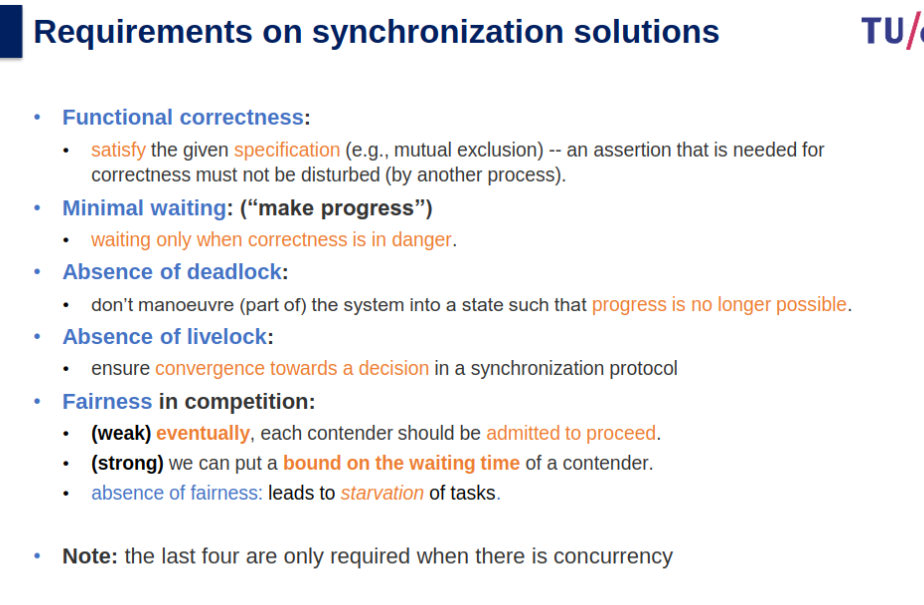
Critical Section Problem
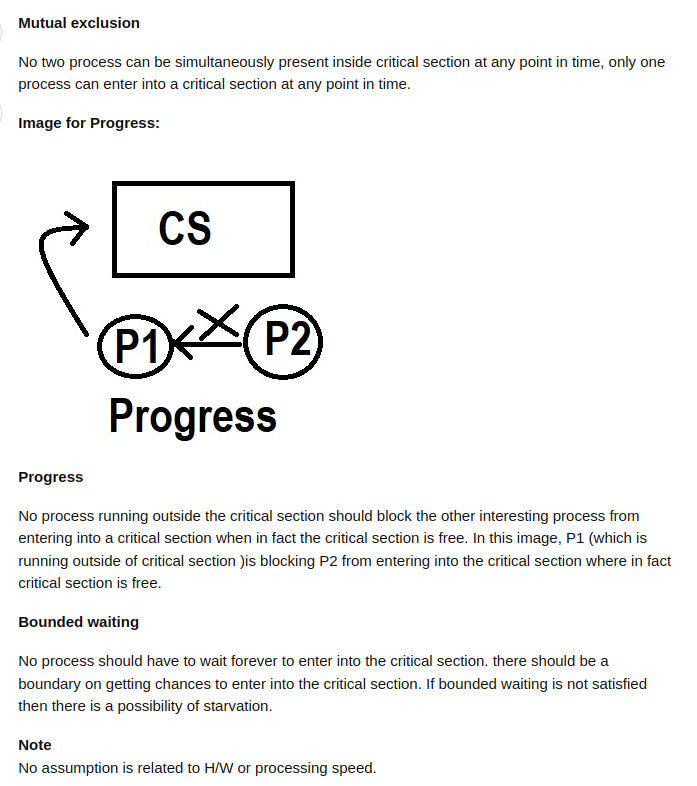
- Mutual exclusion: If process
executing in its critical section, then no other processes can be executing in their critical section. - Progress: If no process in its critical section, but some want to enter it. then only those not in the remainder sections can participate in deciding in who is next. (selection can’t be indefinite).
- Bounded waiting: There is a bound on number of times processes allowed to enter their critical section after process has made request to enter it, and before that request is granted.
preemptive kernels and nonpreemptive kernels used to handle critical sections in operating systems.
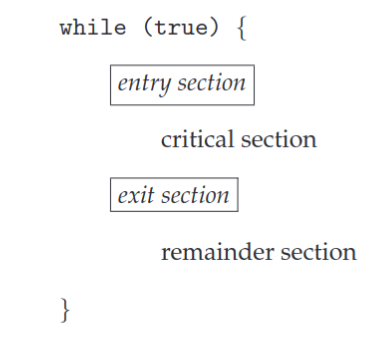
Peterson’s Algorithm
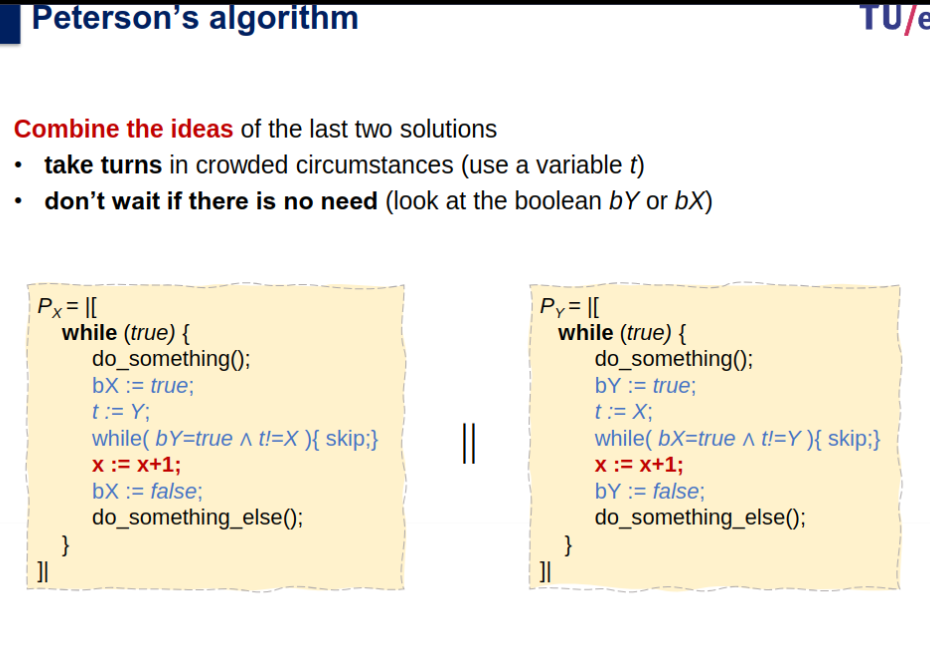
Check Correctness: mutual exclusion and absence of deadlock (using traces or better detailed annotation).
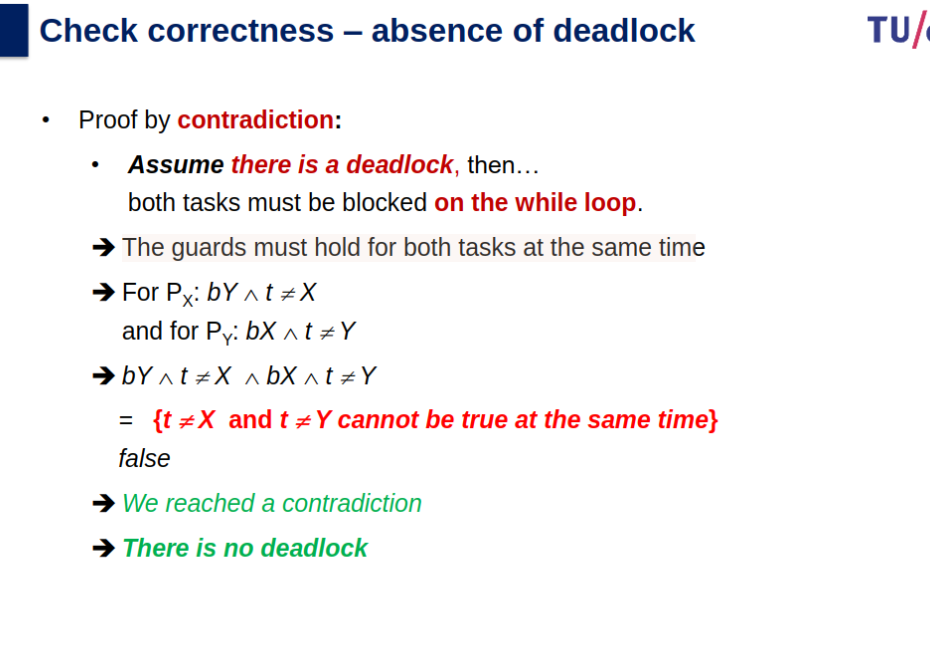
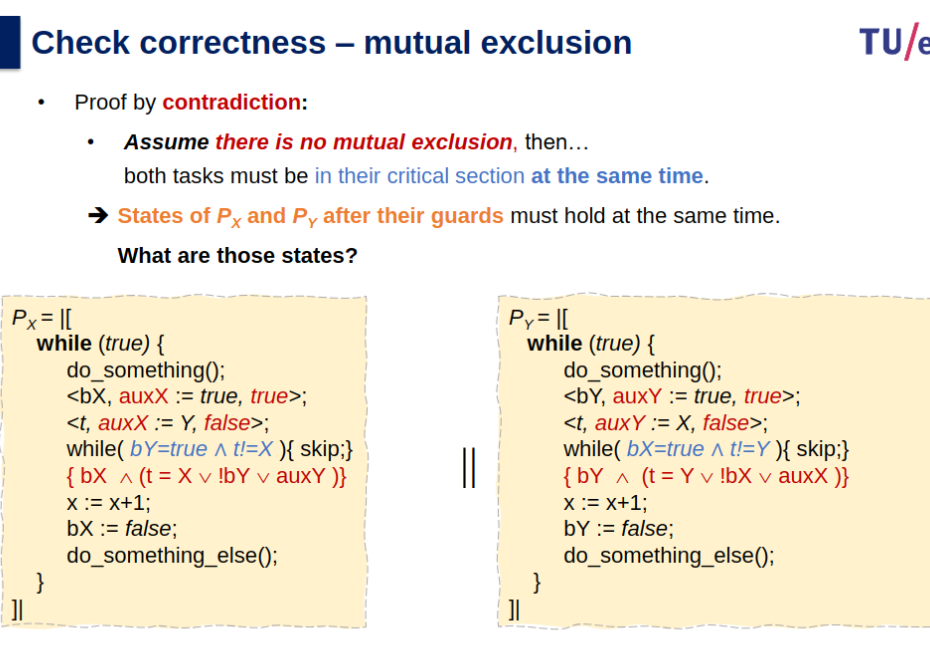
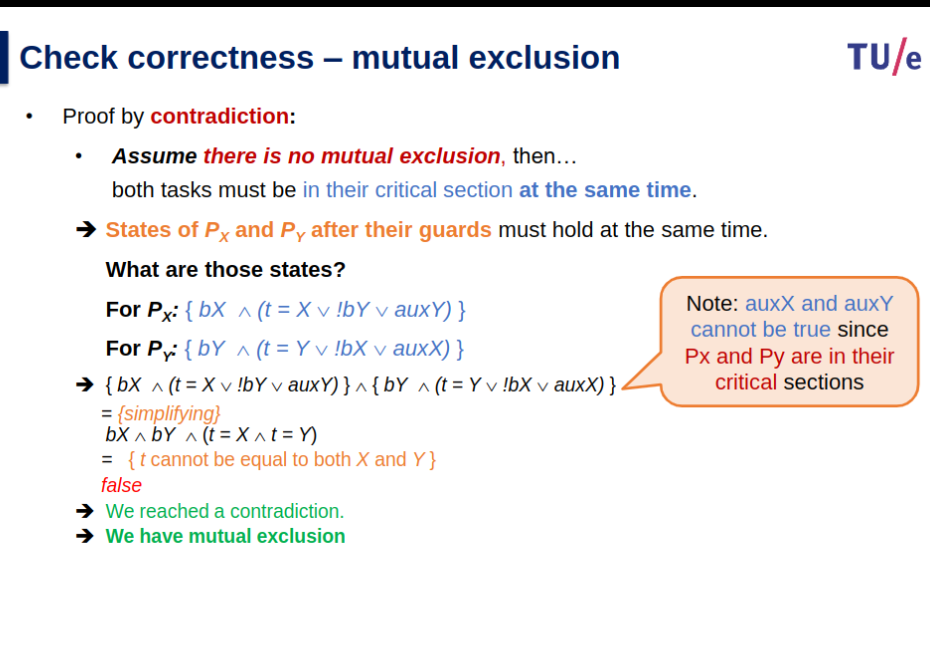
overall the goal is to prove that, mutual exclusion is preserved, progress requirements are met, bounded-waiting requirement is met.
Peterson's Solution: Overview and Key Concepts
- Purpose: A classic software-based solution to the critical-section problem for two processes.
- Key Assumptions: - Works for two processes,
P0andP1.
- Alternates execution between critical and remainder sections.
- Shared Variables:
int turn: Indicates whose turn it is to enter the critical section.boolean flag[2]: Indicates if a process is ready to enter its critical section (true).
Limitations on Modern Architectures
- Instruction Reordering:
- Modern CPUs and compilers may reorder instructions for optimization.
- Example: -
Thread 2: Assignsflag = true; x = 100;- Reordering may cause
flagto be true beforex = 100, leading to unexpected outputs (x = 0).- This undermines Peterson’s solution and allows simultaneous critical-section execution.
- Resolution: - Use hardware synchronization tools or high-level APIs to enforce correct execution order.
Correctness Proof of Peterson's Solution
- Mutual Exclusion:
- A process enters the critical section only if:
flag[j] == falseORturn == i.- If both processes attempt to enter, only one succeeds because
turncannot hold both0and1.
- Progress:
- A process is stuck in the
whileloop only if:
- The other process is ready (
flag[j] == true) AND- It is not its turn (
turn == j).- Ensures one process progresses if the other is not ready.
- Bounded Waiting:
- Once a process exits the critical section:
- It resets
flag[j] = false, allowing the waiting process to proceed.- A waiting process enters after at most one critical section execution by the other process.
Hardware Synchronization
- Instruction Reordering and Memory Barriers
- Instruction reordering can break software solutions like Peterson’s algorithm, leading to race conditions.
- Memory Barriers:
- Ensure all memory operations (loads/stores) are completed before subsequent operations.
- Types of memory models:
- Strongly Ordered: Immediate visibility of memory changes to all processors.
- Weakly Ordered: Delayed visibility of memory changes to other processors.
- Example Fix:
- Add a memory barrier to prevent reordering:
x = 100; memory barrier(); flag = true;
- Add a memory barrier to prevent reordering:
Atomic Instructions
Special hardware instructions executed as uninterruptible units.
Test-and-Set (TAS):
boolean test_and_set(boolean *target) {
	boolean rv = *target;
	*target = true;
	return rv;
}
Used for mutual exclusion:
while (test_and_set(&lock)) ;
// Critical Section
lock = false;
Compare-and-Swap (CAS):
int compare_and_swap(int *value, int expected, int new_value) {
	int temp = *value;
	if (*value == expected)
		*value = new_value;
	return temp;
}
Example for mutual exclusion:
while (compare_and_swap(&lock, 0, 1) != 0) ;
// Critical Section
lock = 0;
Bounded Waiting Using CAS
Ensures progress and bounded waiting:
waiting[i] = true;
key = 1;
while (waiting[i] && key == 1)
    key = compare_and_swap(&lock, 0, 1);
waiting[i] = false;
Atomic Variables
Provide atomic operations on basic data types like integers and booleans.
Example: Increment operation using CAS:
void increment(atomic_int *v) {
    int temp;
    do {
   	 temp = *v;
    } while (temp != compare_and_swap(v, temp, temp + 1));
}
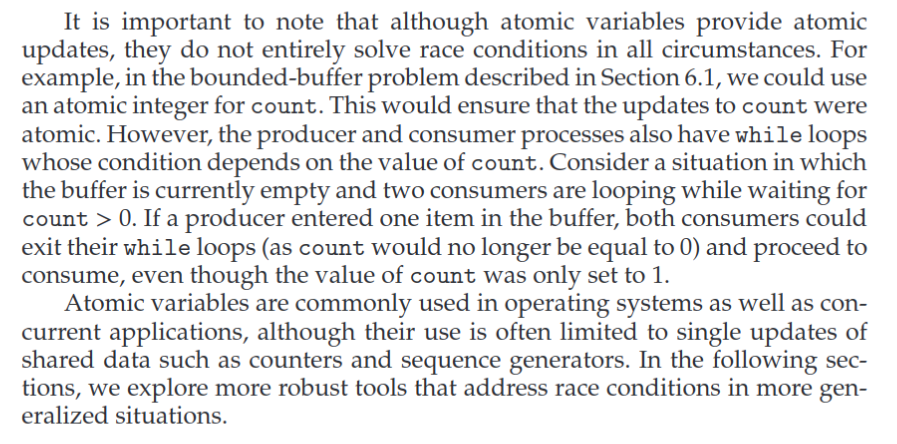
Limitations: Cannot solve complex race conditions (e.g., bounded-buffer problem with conditions based on a shared variable).
Summary of Critical Section Tools
| Tool | Feature | Example |
|---|---|---|
| Memory Barrier | Ensures memory consistency, prevents reordering | memory barrier(); |
| Test-and-Set (TAS) | Atomic lock setting | test_and_set(&lock) |
| Compare-and-Swap (CAS) | Atomic comparison and update | compare_and_swap(&lock, 0, 1) |
| Atomic Variables | Simplifies single-variable updates | increment(&sequence) |
Synchronization with mutexes
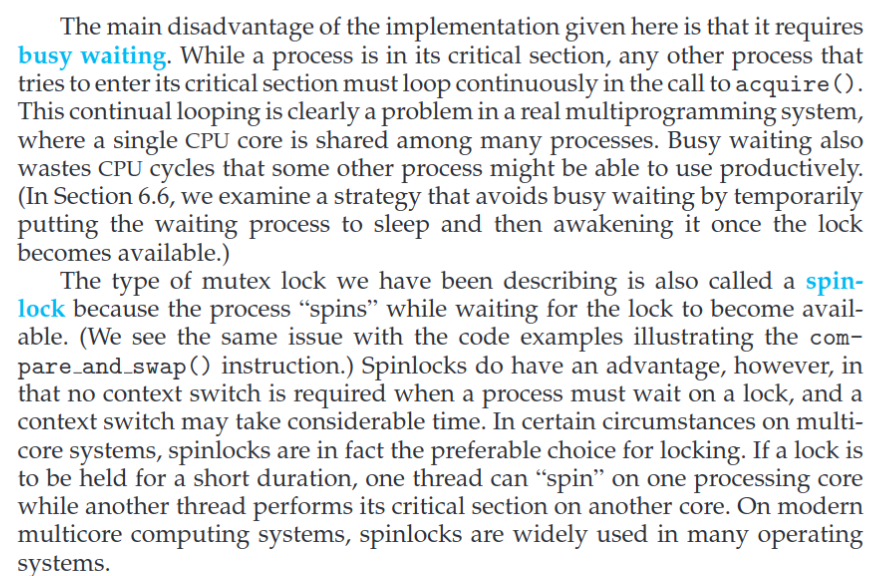
Lock Contention
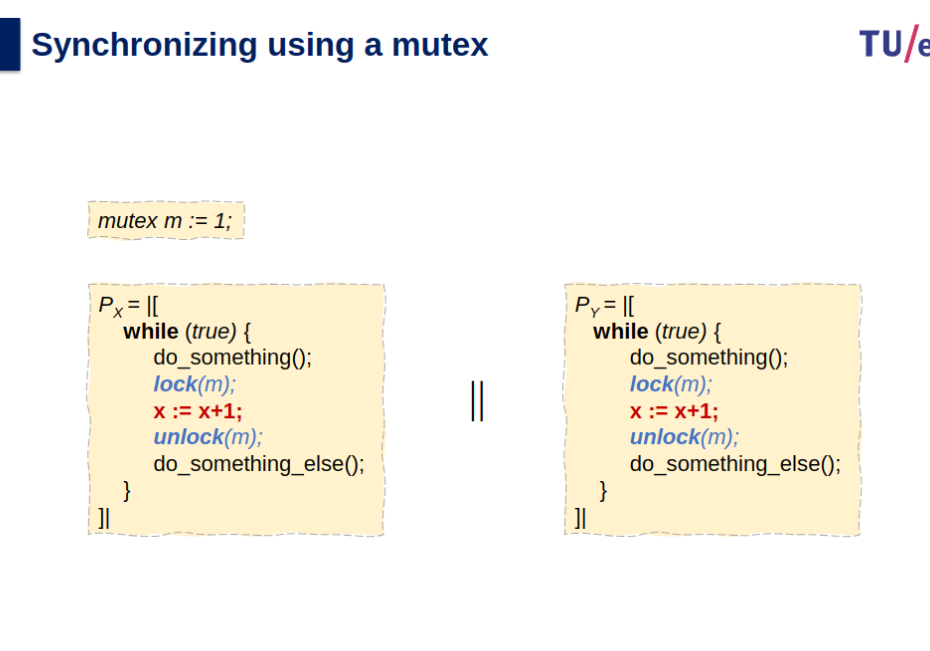
Locks are either contended or uncontended. A lock is considered contended if a thread blocks while trying to acquire the lock. If a lock is available when a thread attempts to acquire it, the lock is considered uncontended. Con- tended locks can experience either high contention (a relatively large number of threads attempting to acquire the lock) or low contention (a relatively small number of threads attempting to acquire the lock.) Unsurprisingly, highly contended locks tend to decrease overall performance of concurrent applications.
Challenges with priority scheduling when protecting shared resource accesses
Summary of Mutex
Peterson’s Solution - YouTube
Test and Set Lock - YouTube
Semaphores - YouTube
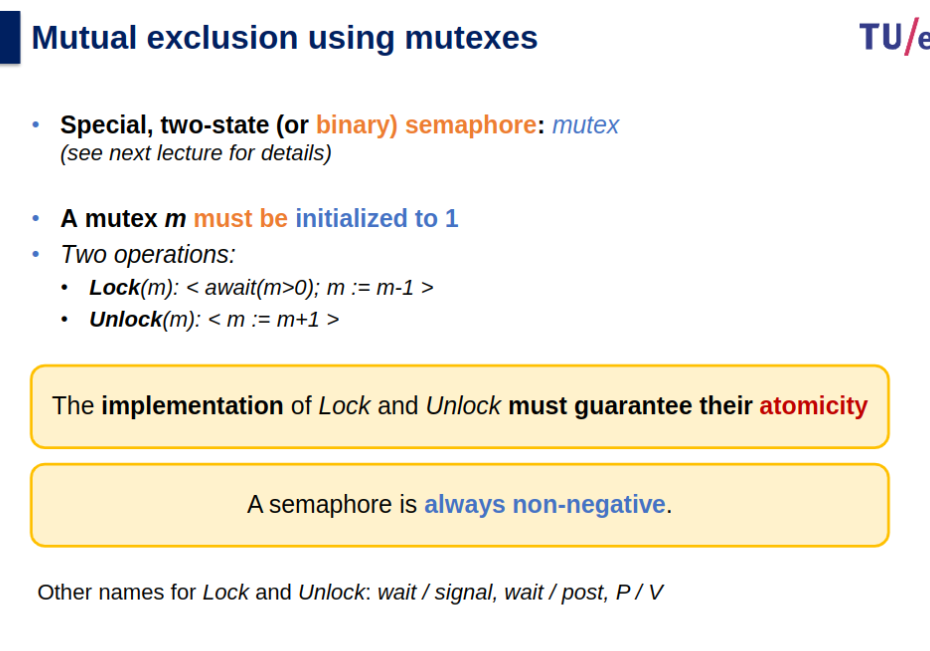
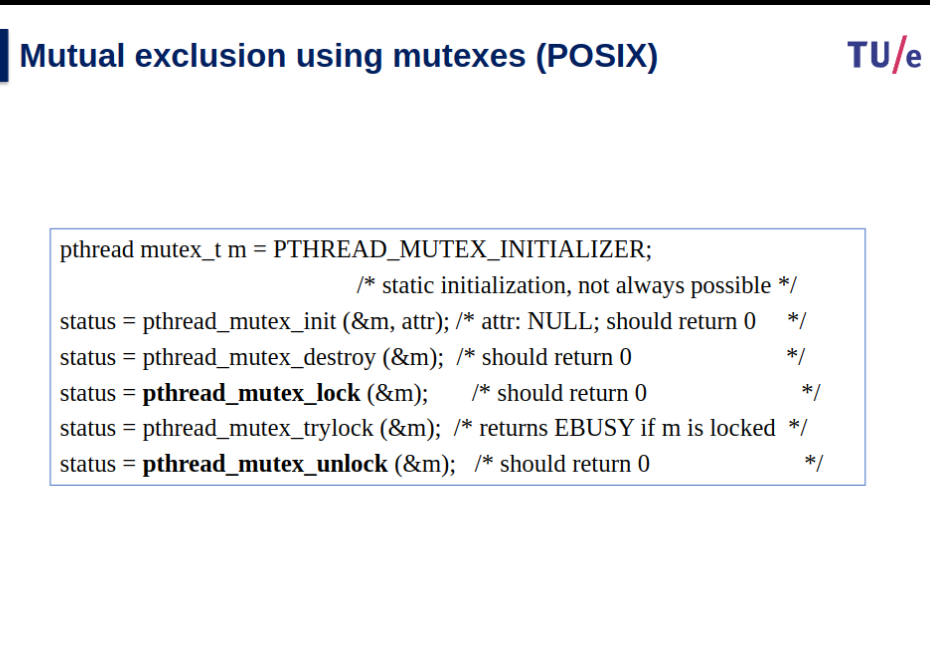
Mutexes protect the process’s critical resources, whereas spinlocks protect the interrupt request (IRQ) handler’s critical sections. Mutexes put contenders to sleep until the lock is acquired, whereas spinlocks infinitely spin in a loop (consuming CPU) until the lock is acquired.
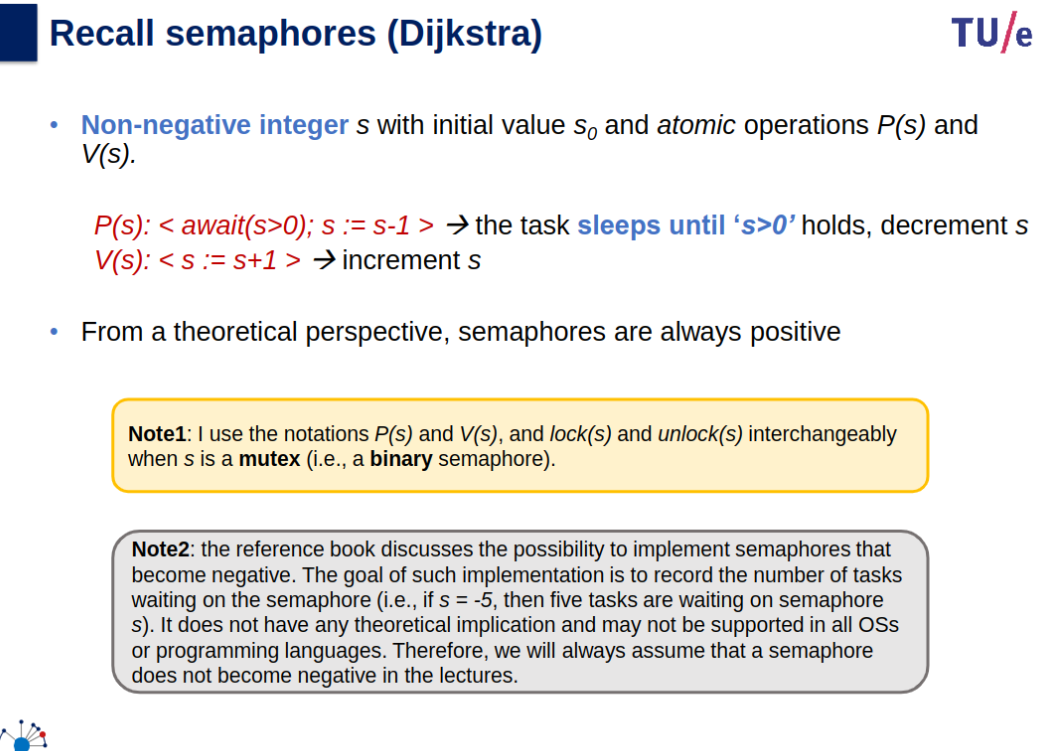
Binary semaphores where a semaphore can be either 0 or 1, can also be called a mutex lock.
atomic values mean there is always something that happens before something else (not at the same time even if it looks like it).
Semaphore
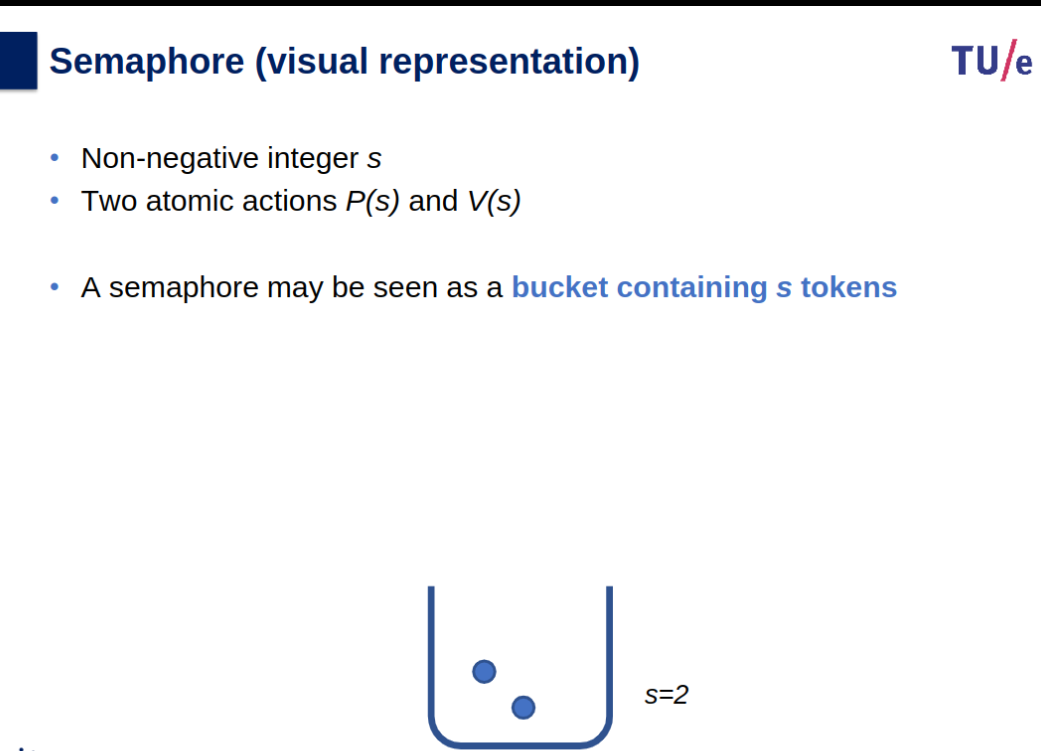
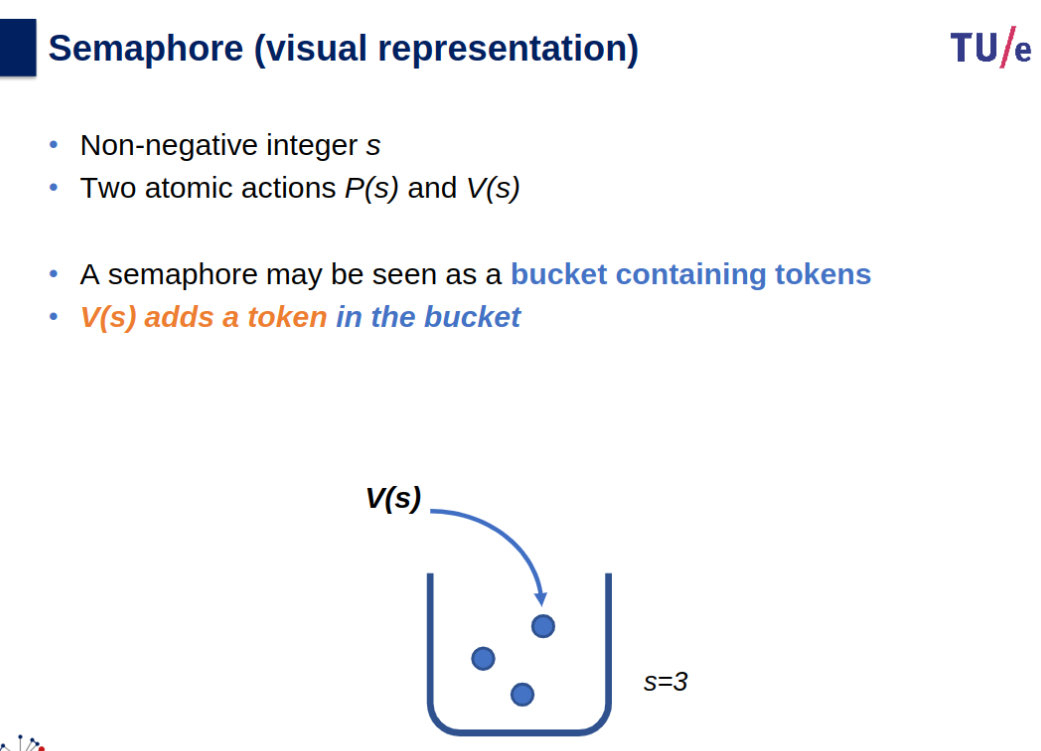
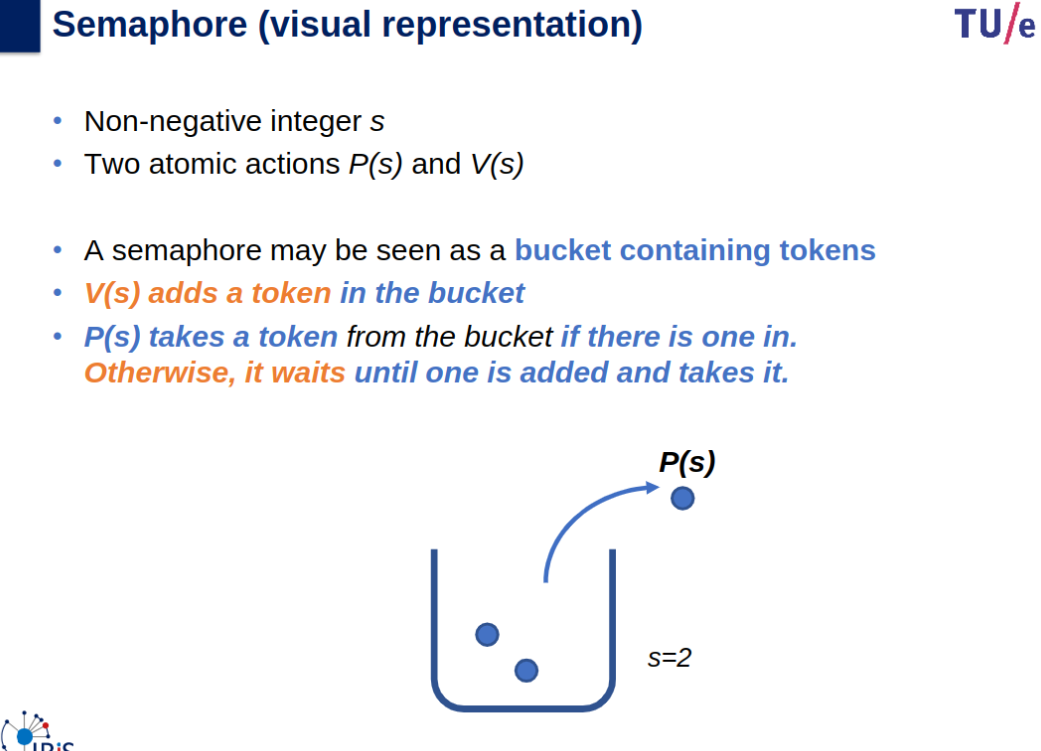
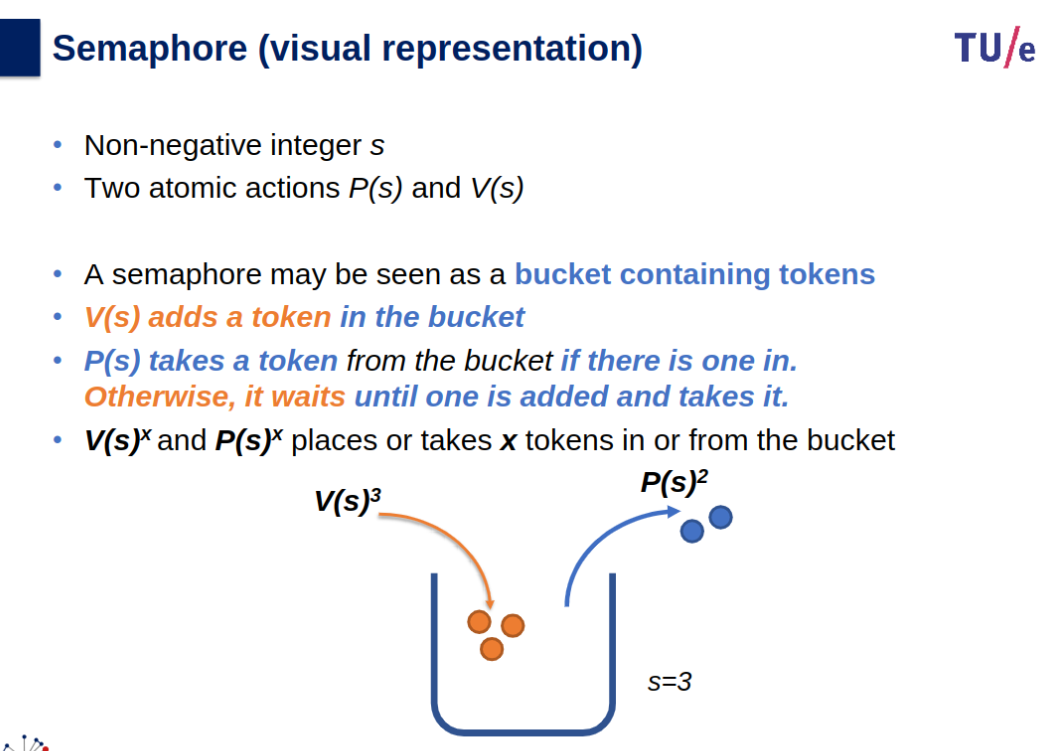
semaphore: S is an integer variable that is accessed only through two standard atomic operations: wait() and signal().
Semaphores in Process Synchronization - GeeksforGeeks
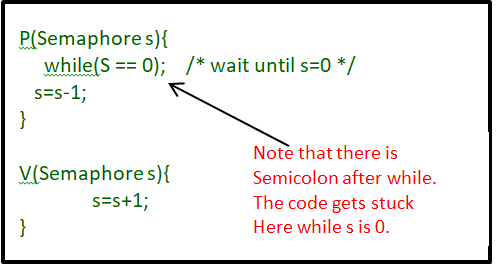
Semaphores Summary
- Definition: Integer variable for synchronization, modified only via atomic operations
wait()(P) andsignal()(V).
- wait(S): Decrements
S. IfS <= 0, process waits (busy-wait or suspends).- signal(S): Increments
S. IfS <= 0, wakes a process from the waiting queue.- Types:
- Counting Semaphore: Manages multiple resource instances (values >= 0).
- Binary Semaphore: Like a mutex lock; values 0 or 1.
- Synchronization Example: To ensure
S2executes afterS1:
- P1:
S1; signal(synch);- P2:
wait(synch); S2;- Avoid Busy Waiting:
- Replace busy wait with process suspension:
- Use a waiting queue in the semaphore structure.
wait(): Adds process to queue and suspends.signal(): Removes process from queue and wakes it.- Key Concepts:
- Atomicity: Operations must be uninterrupted.
- Single-core: Disable interrupts during
wait()/signal().- Multi-core: Use spinlocks or
compare_and_swap()for atomicity.- Semaphore Values:
- Positive: Available resources.
- Zero: All resources in use.
- Negative: Number of waiting processes.
- Advantages: Reduces inefficiency by minimizing busy waiting to short critical sections.
Liveness and Deadlock
- Liveness: Ensures processes make progress during execution.
- Failure: Indefinite waiting violates progress and bounded-waiting criteria.
- Example: Infinite loops or long busy-wait loops.
- Deadlock: A liveness failure where processes wait indefinitely for events caused only by each other.
- Occurs when processes hold resources and wait for others to release theirs.
- Example:
- Process P0:
wait(S); wait(Q); ... signal(Q); signal(S);- Process P1:
wait(Q); wait(S); ... signal(S); signal(Q);- Sequence:
P0executeswait(S).P1executeswait(Q).P0andP1then wait indefinitely forsignal()from the other, causing deadlock.- Key Issue: All processes in the deadlocked state are waiting for an event caused by another waiting process.
Actions Synchronization
Slides
OS-04-slides_preparation_videos.pdf
Info
Slides & Book
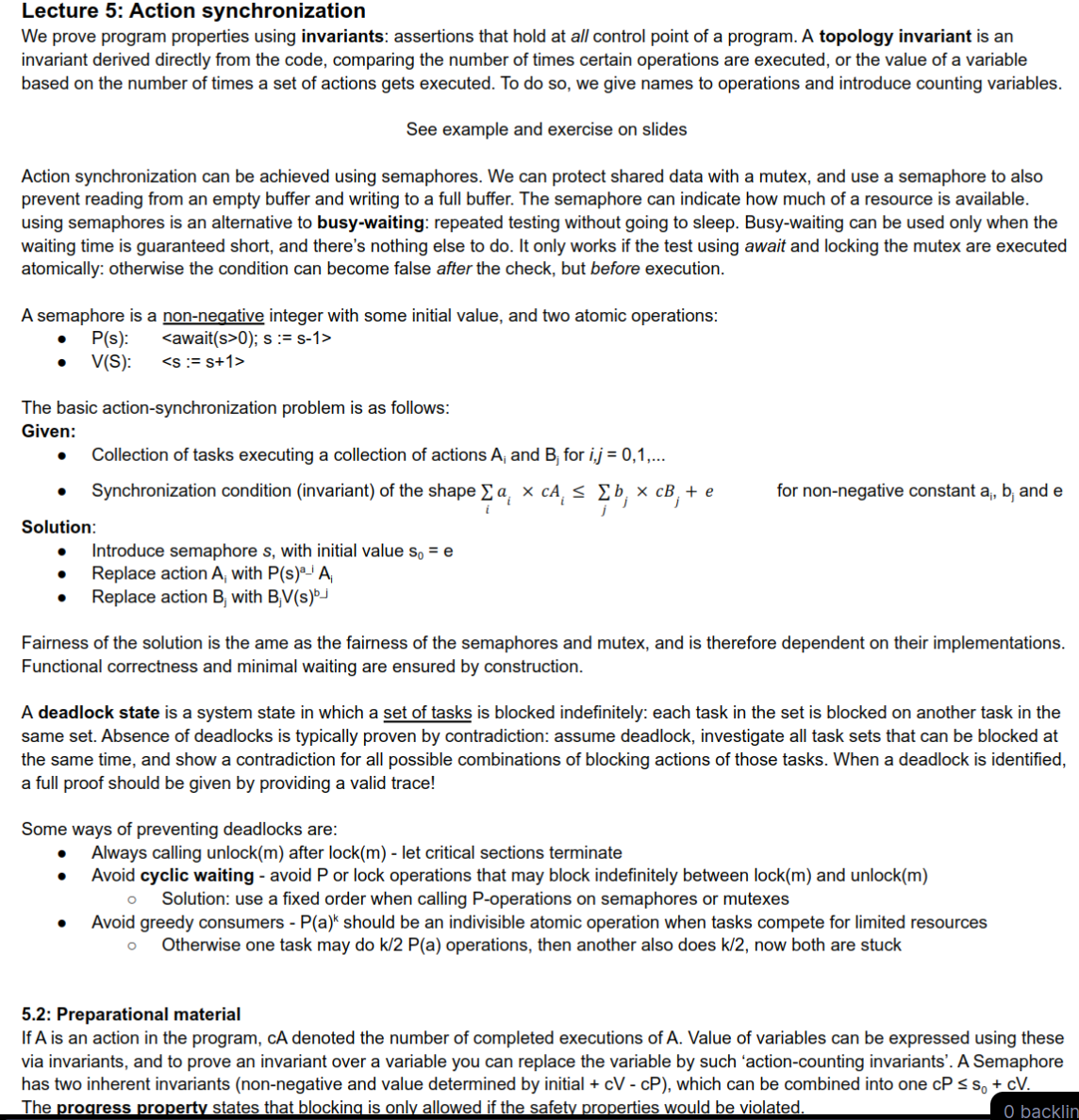
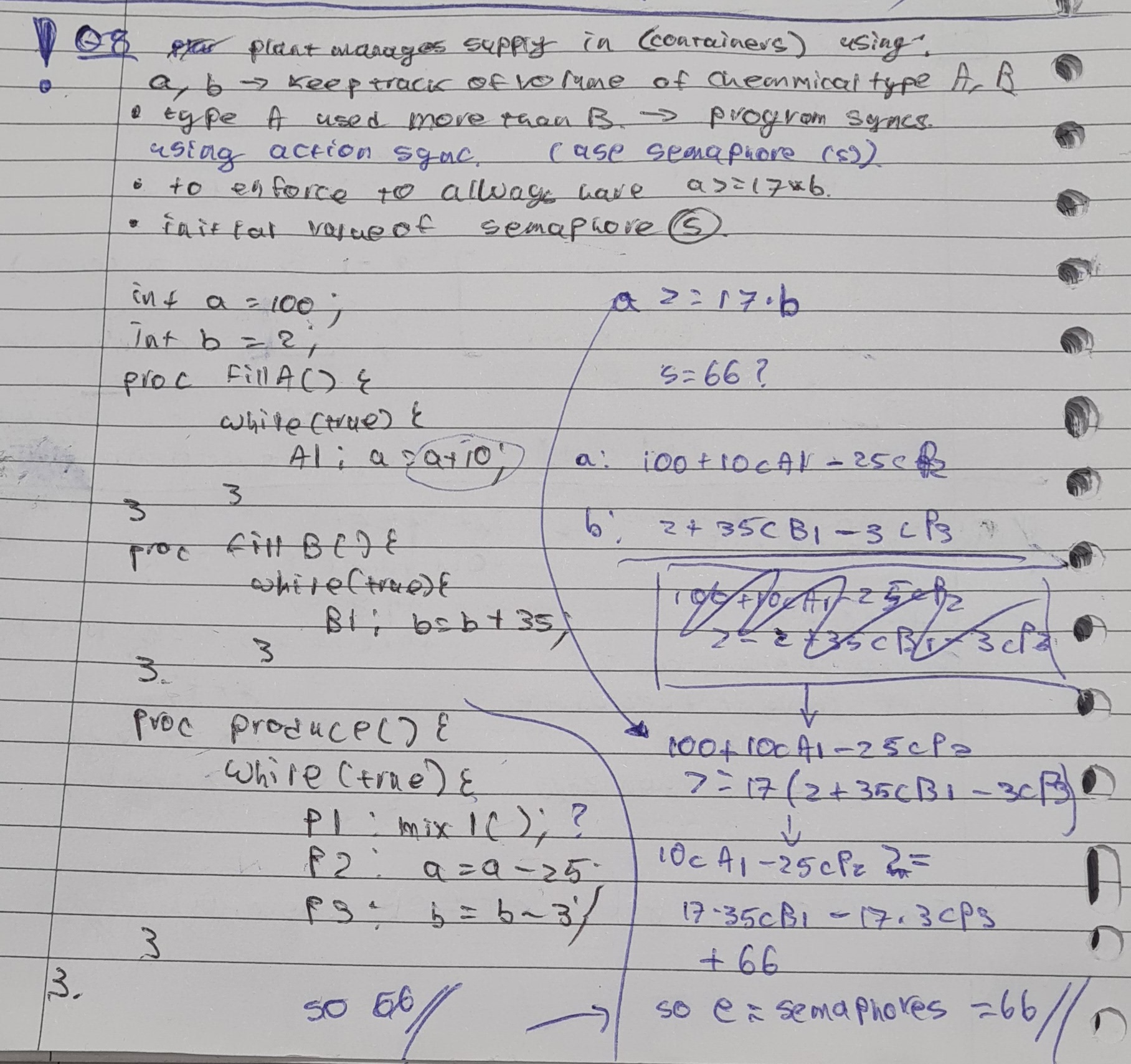
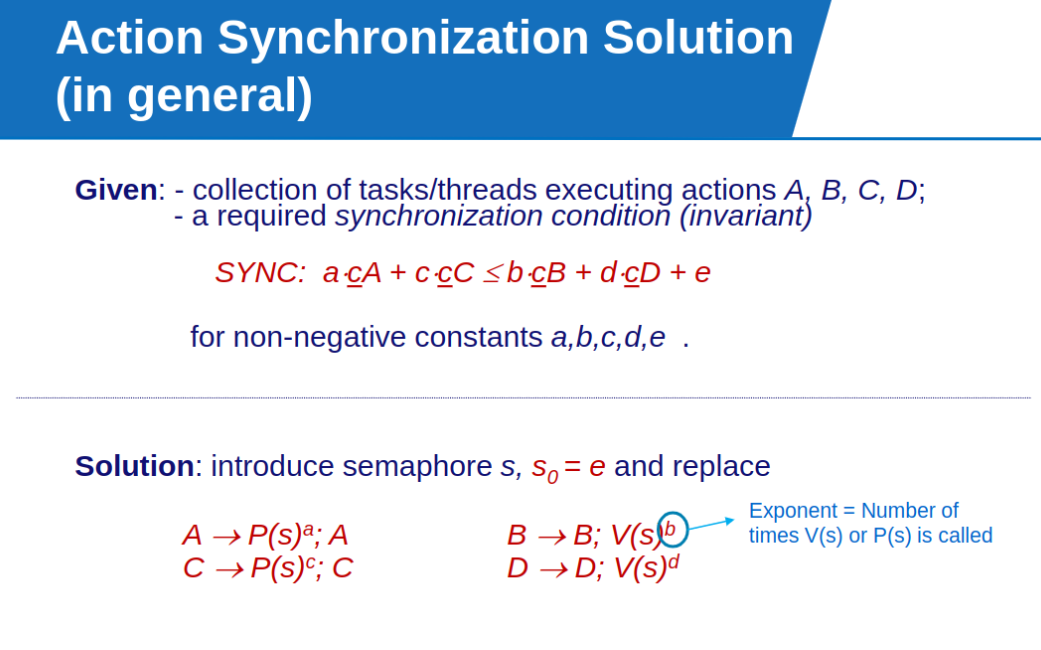
Invariants
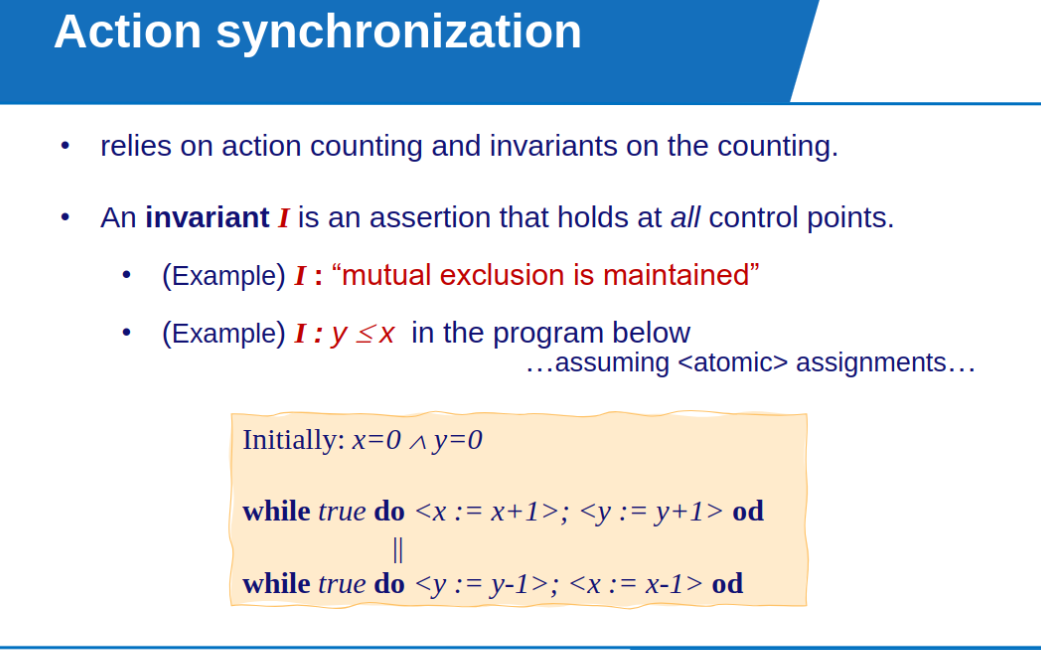
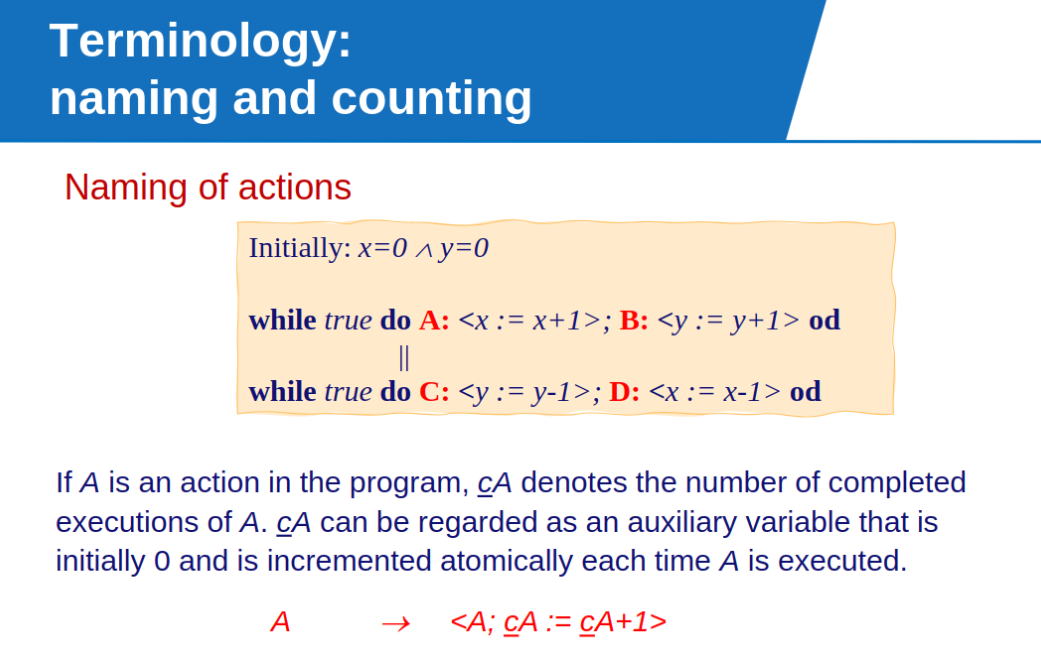
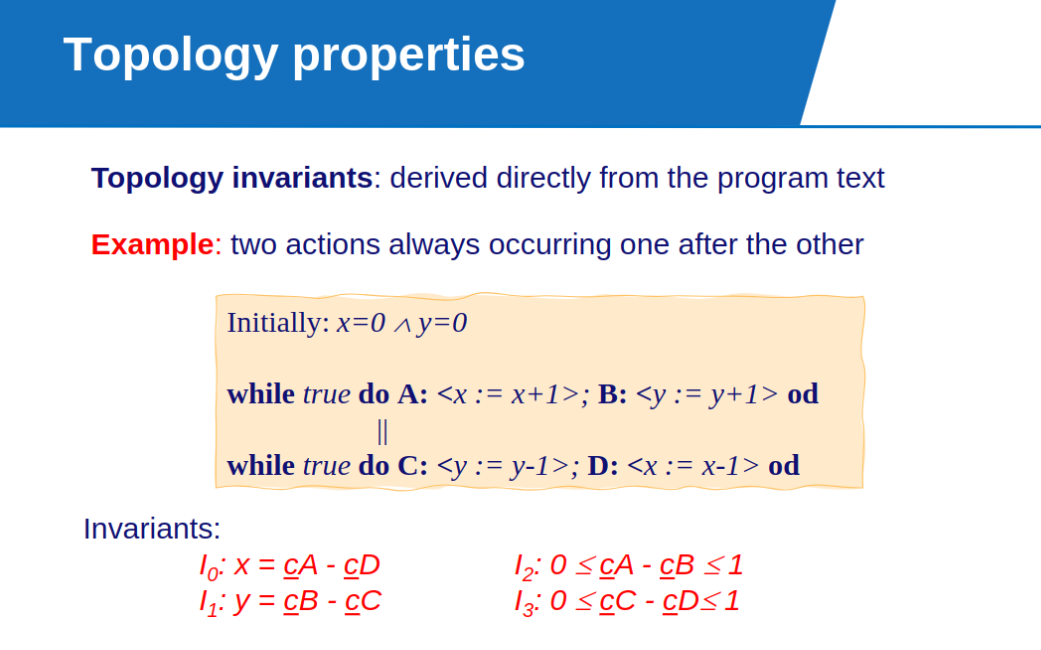
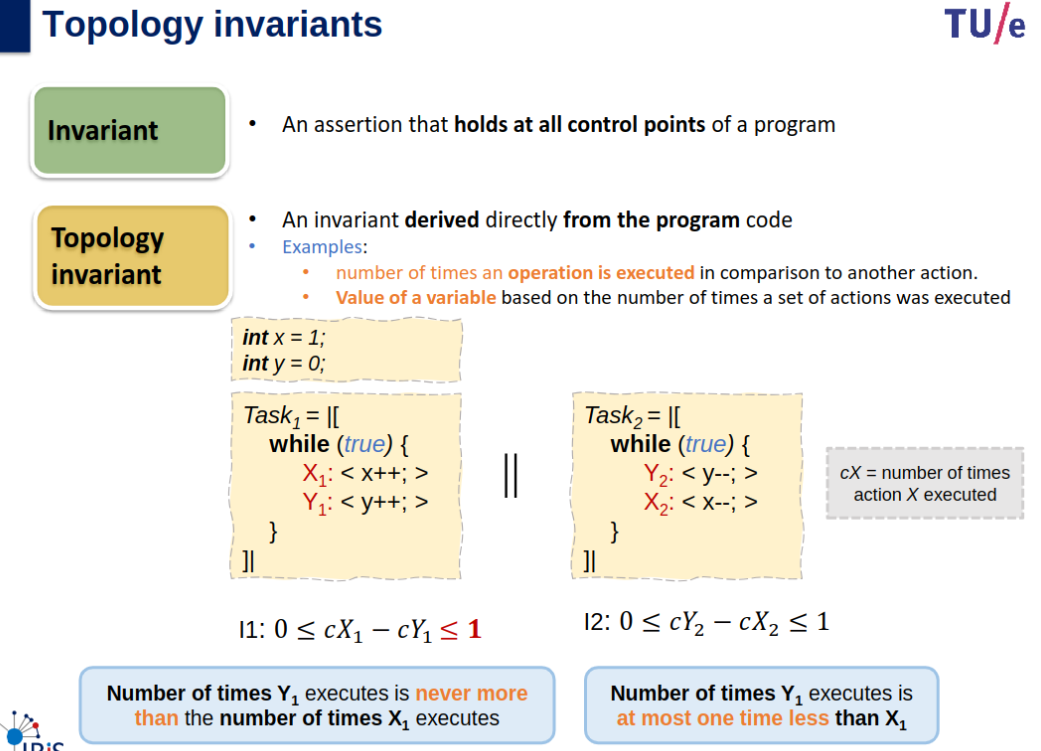
Topology Invariants: These are conditions that remain true throughout the program’s execution, derived directly from the program text.
Invariants describe the relationships between variables and the counts of how often actions A,B,C,D execute.
cA,cB,cC,cDc: These represent the counts of how many times actions A,B,C,D have been executed.
Invariance Expression
Semaphores
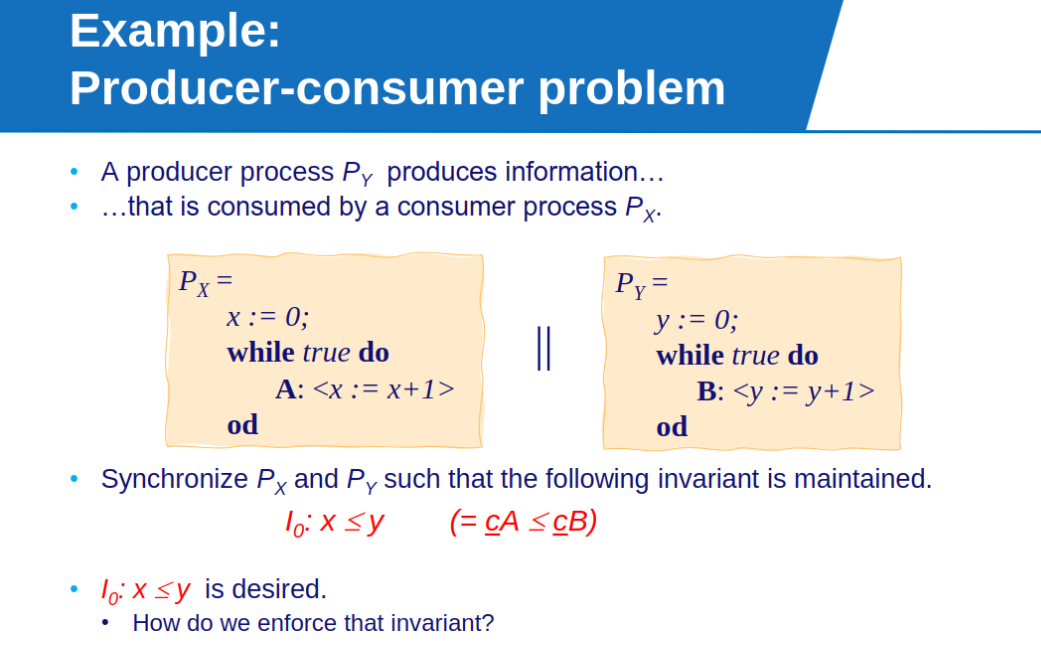
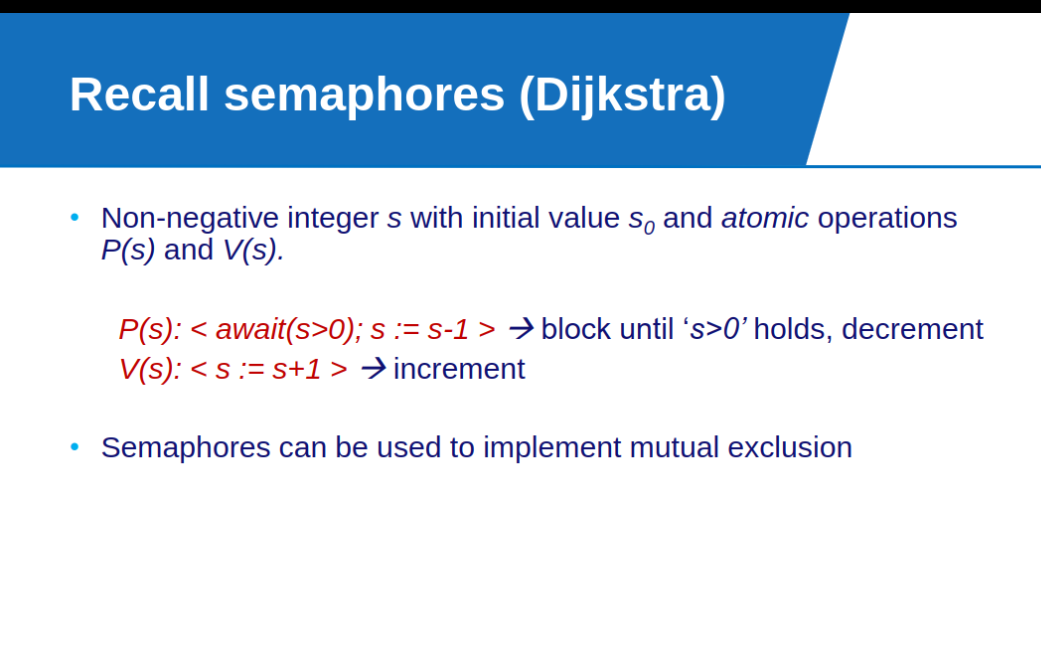
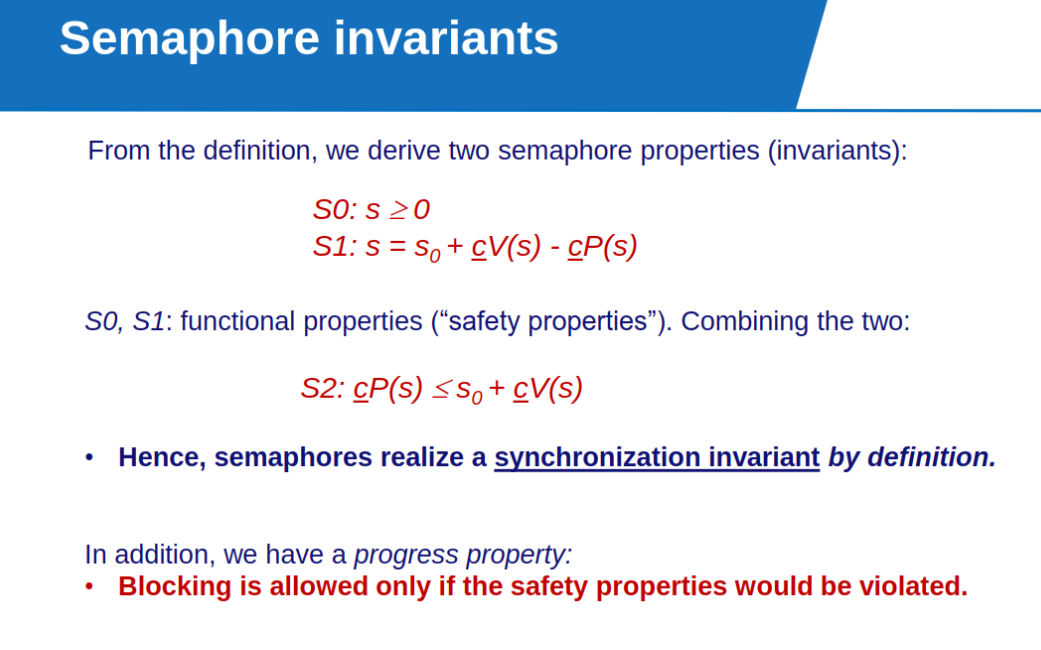
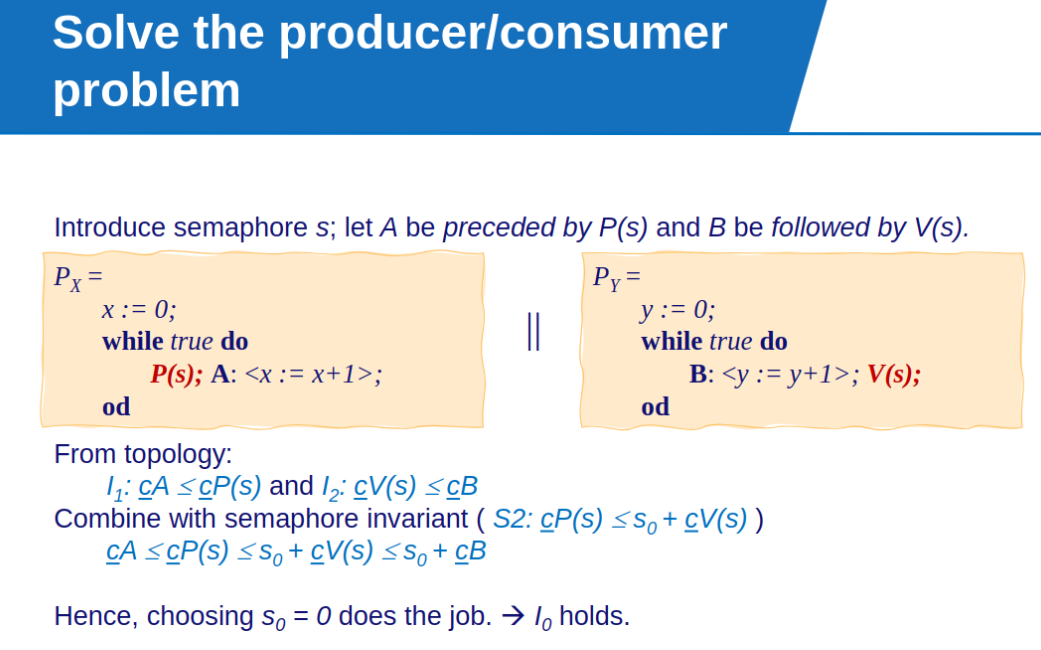
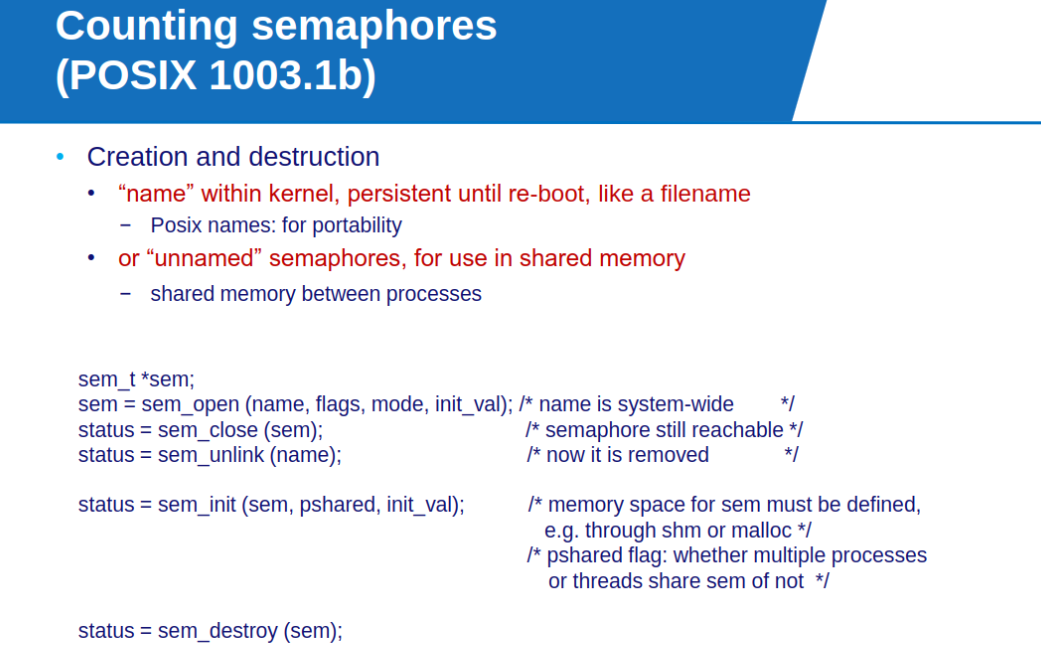
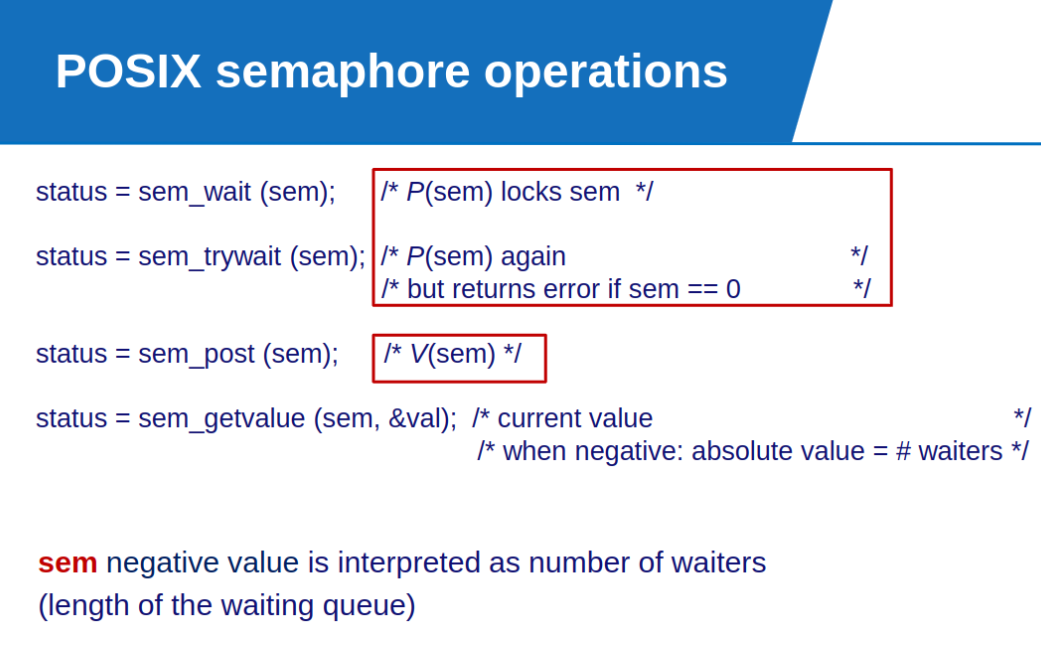
POSIX Semaphores
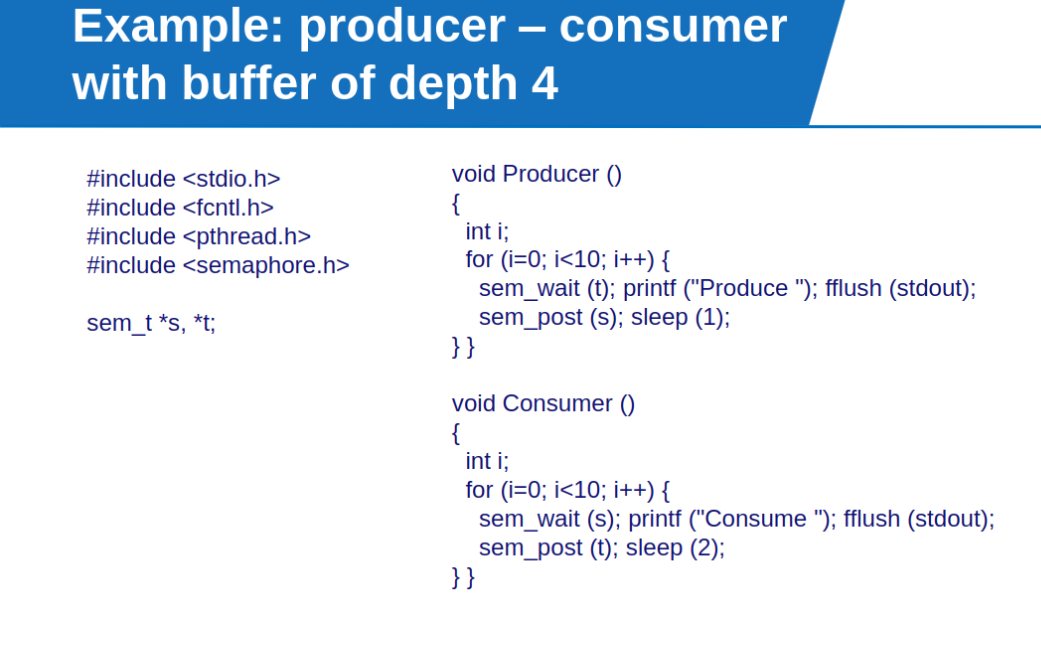
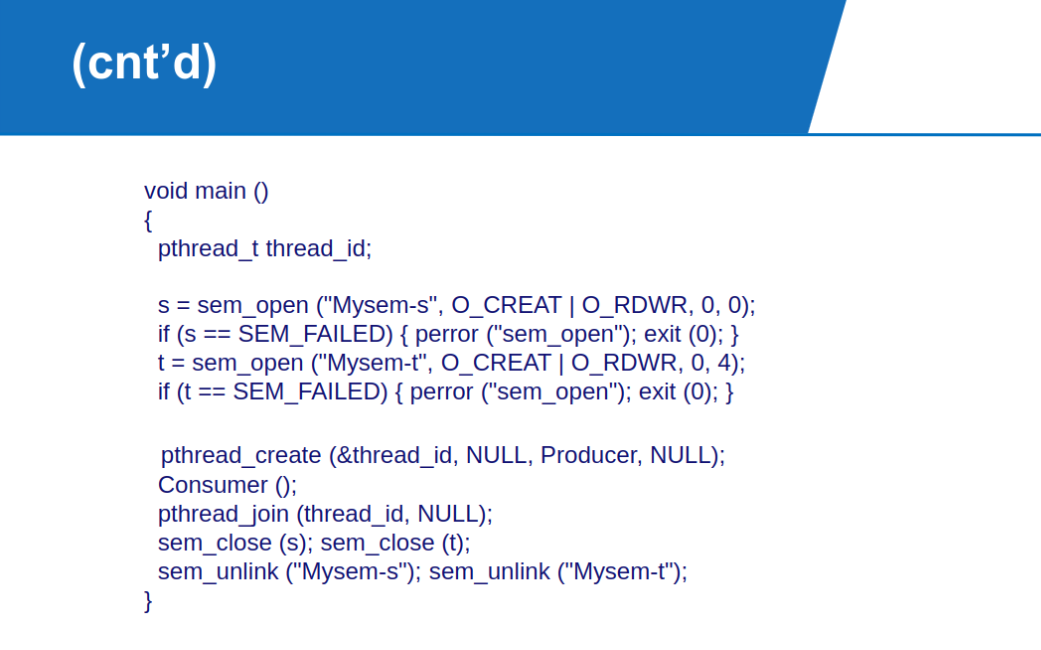
One execution example: Produce Consume Produce Consume Produce Produce Consume Produce Produce Consume Produce Produce Consume Produce Consume Produce Consume Consume Consume Consume
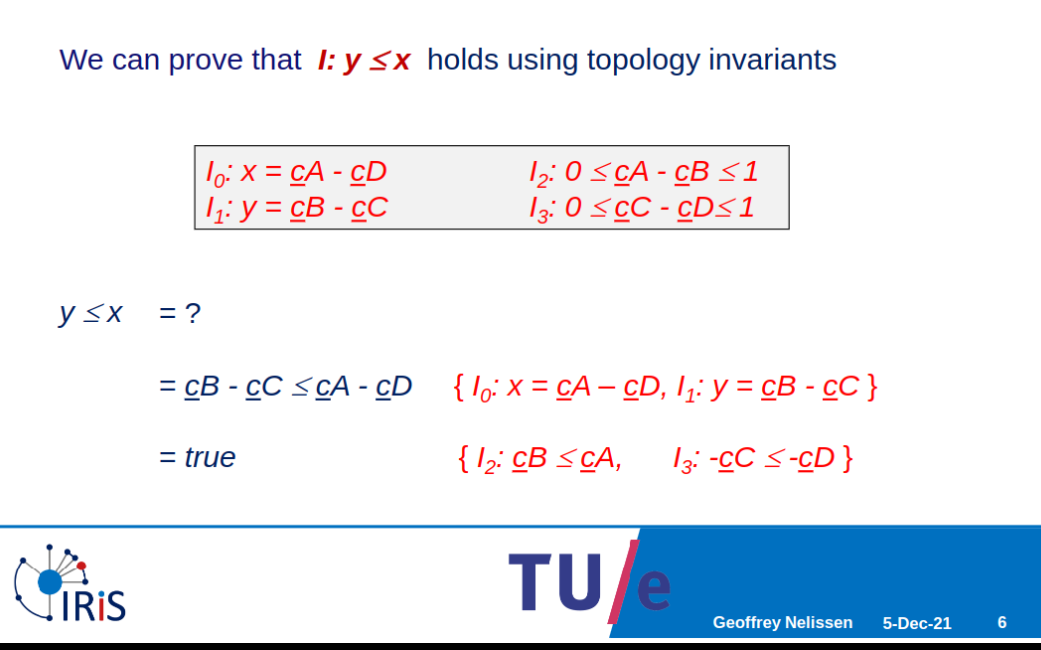
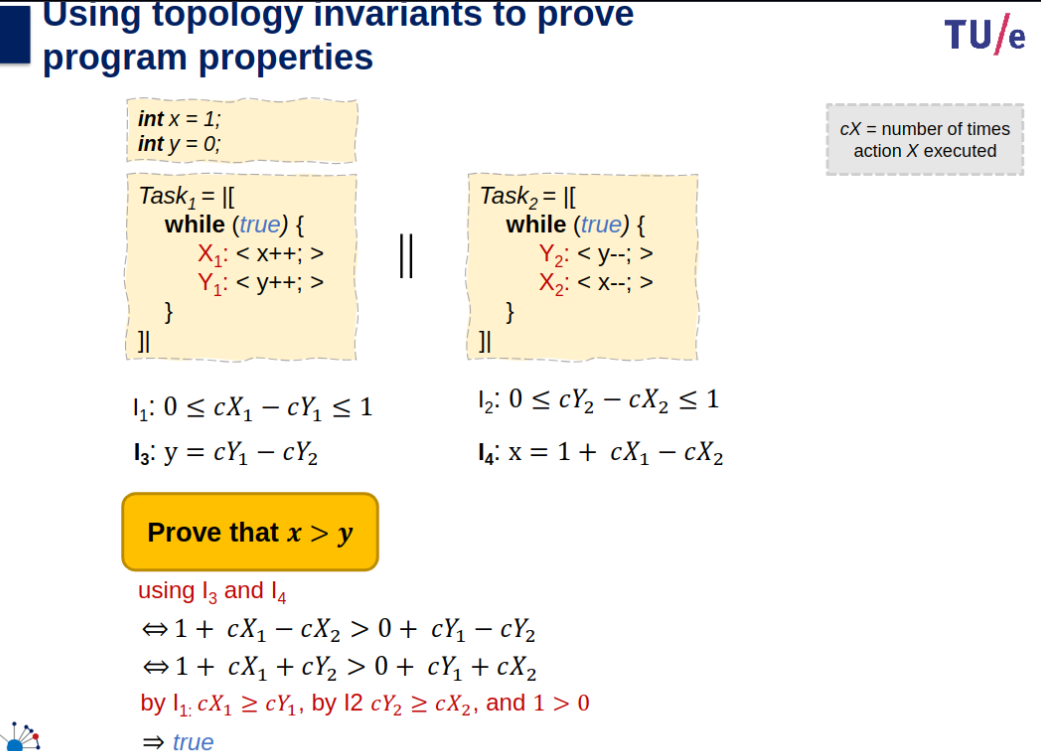
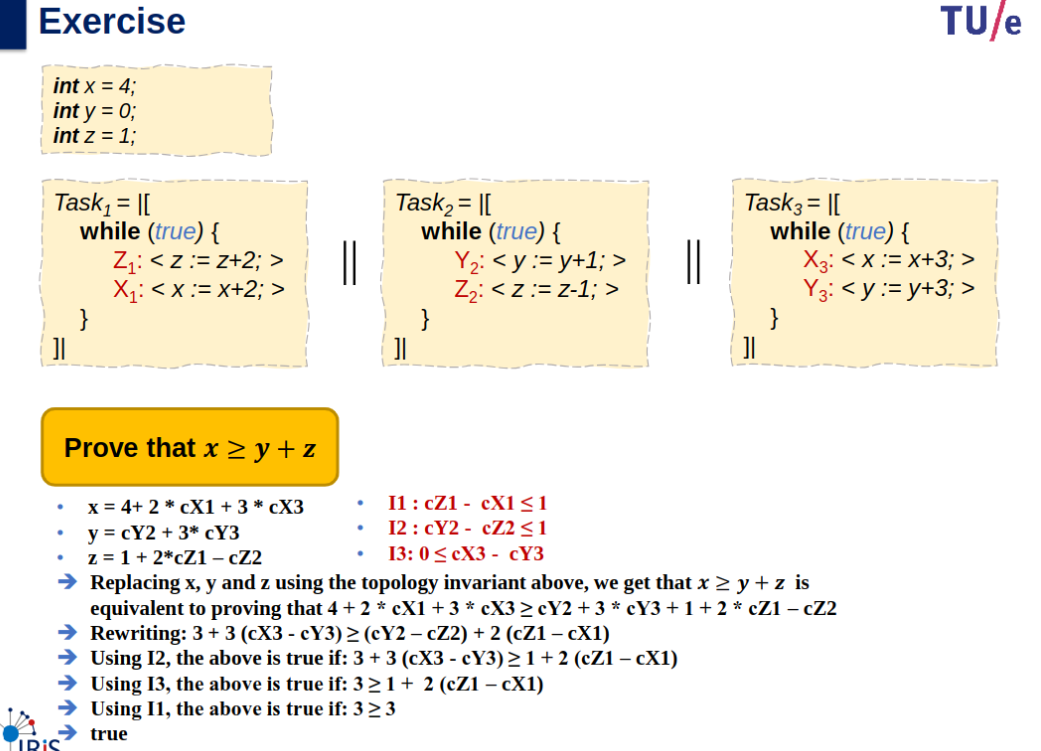
Proving Program Properties using Invariants
How can we check complex properties without checking all possible traces of a concurrent program.
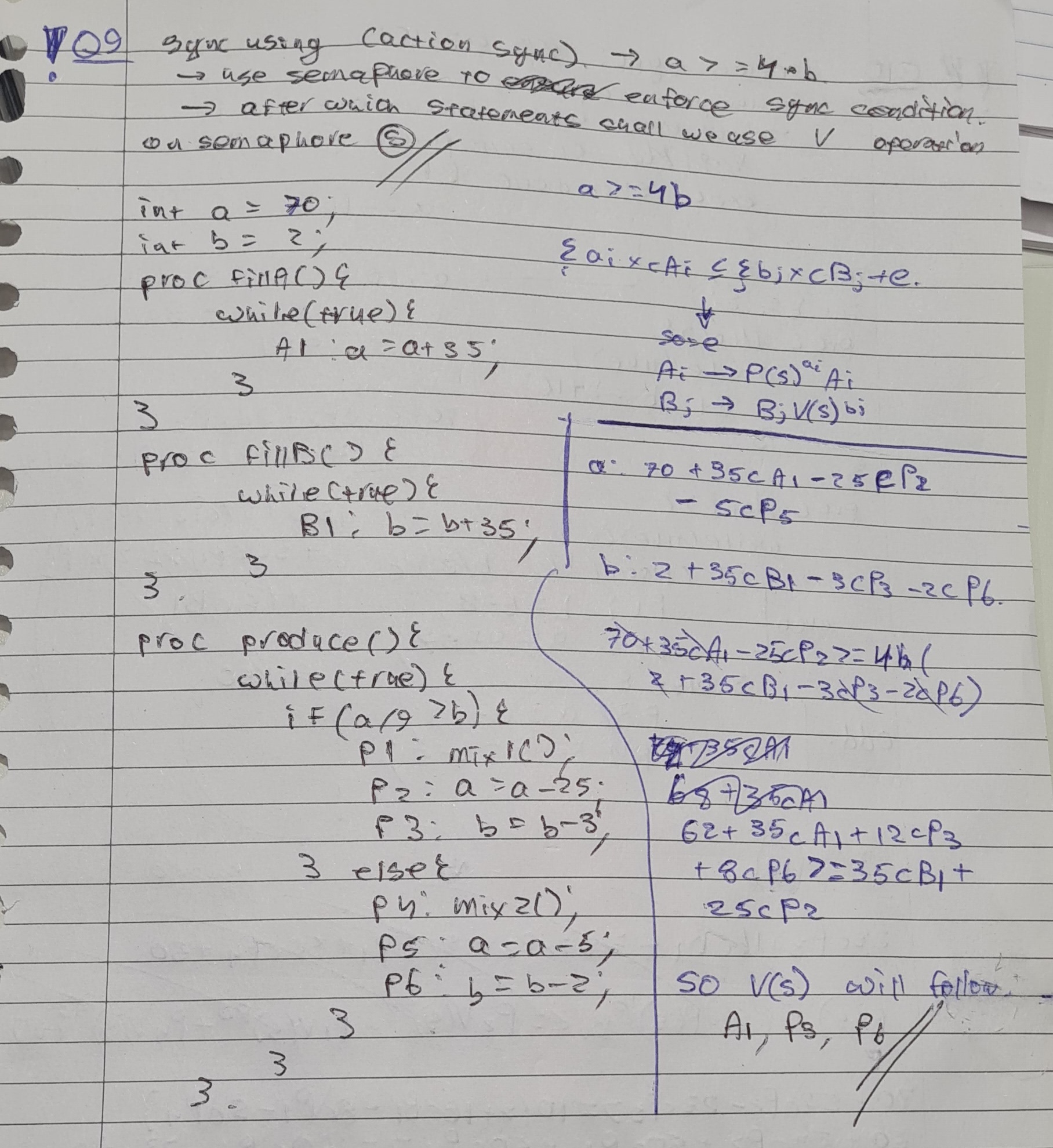
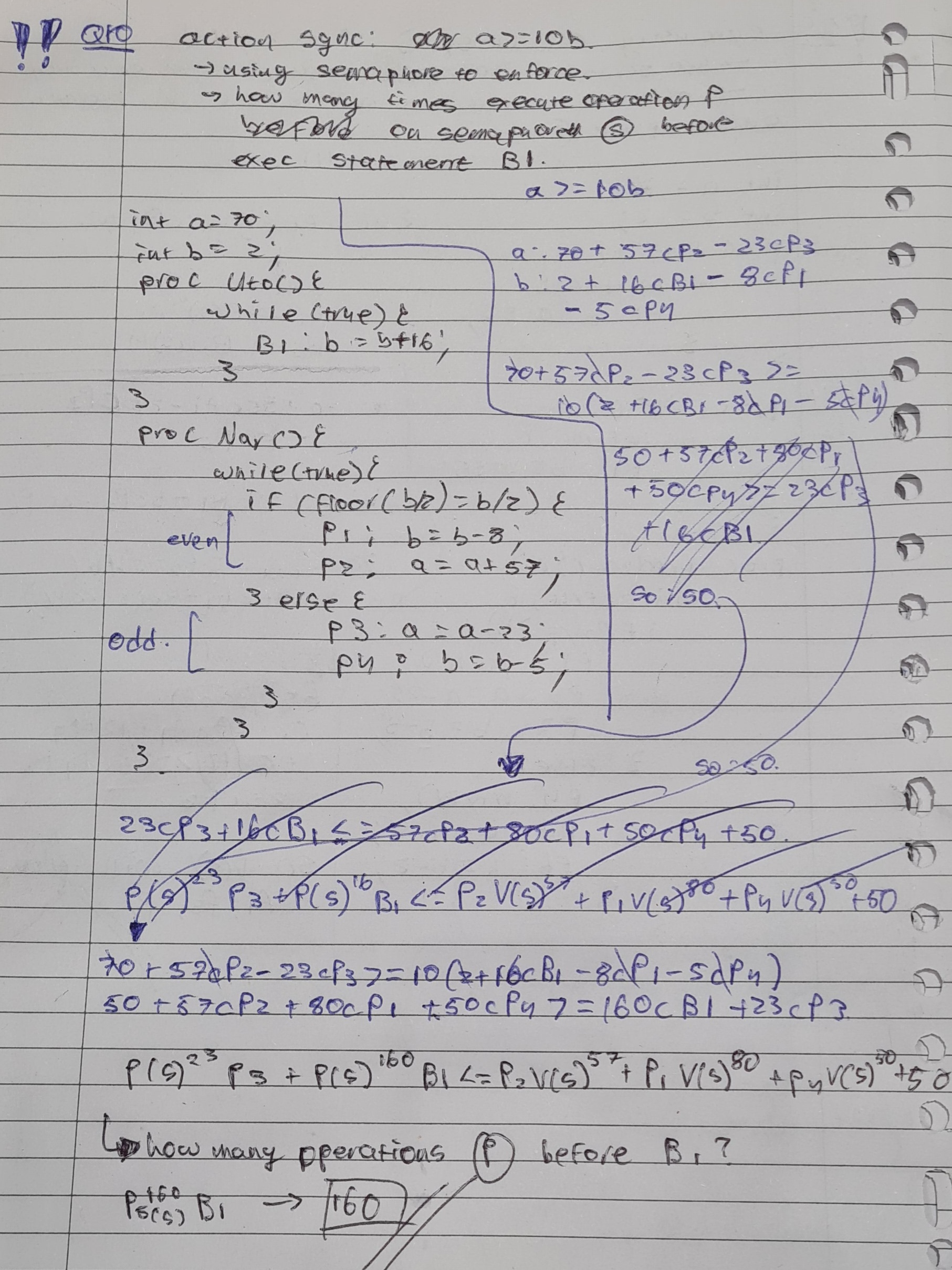
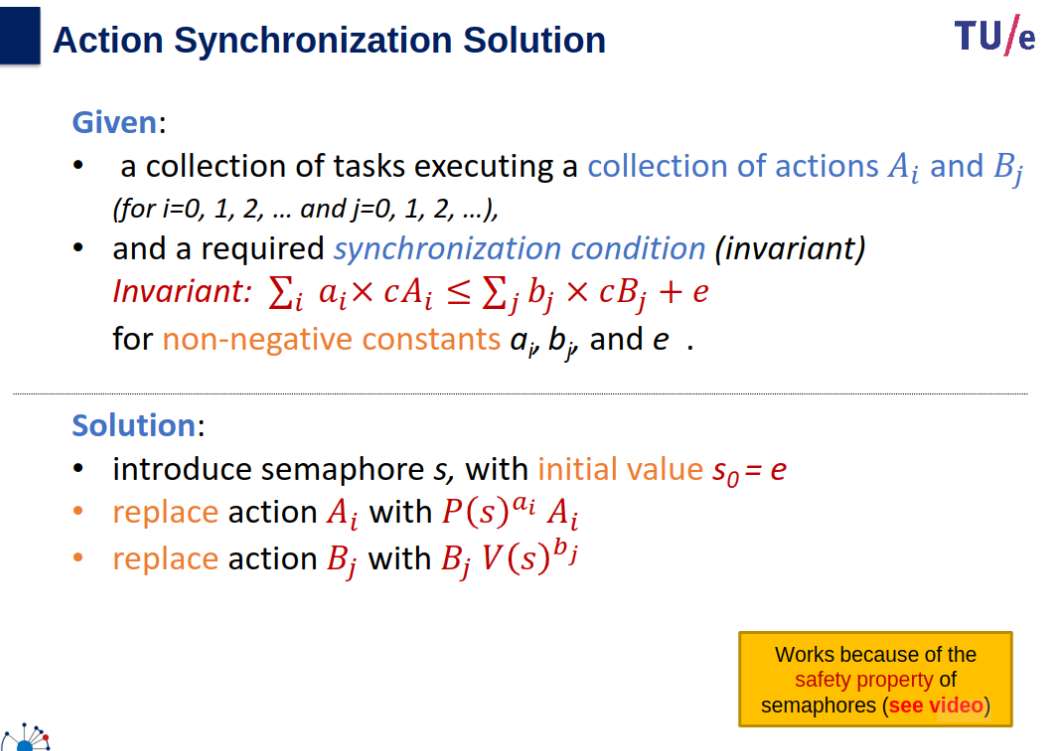
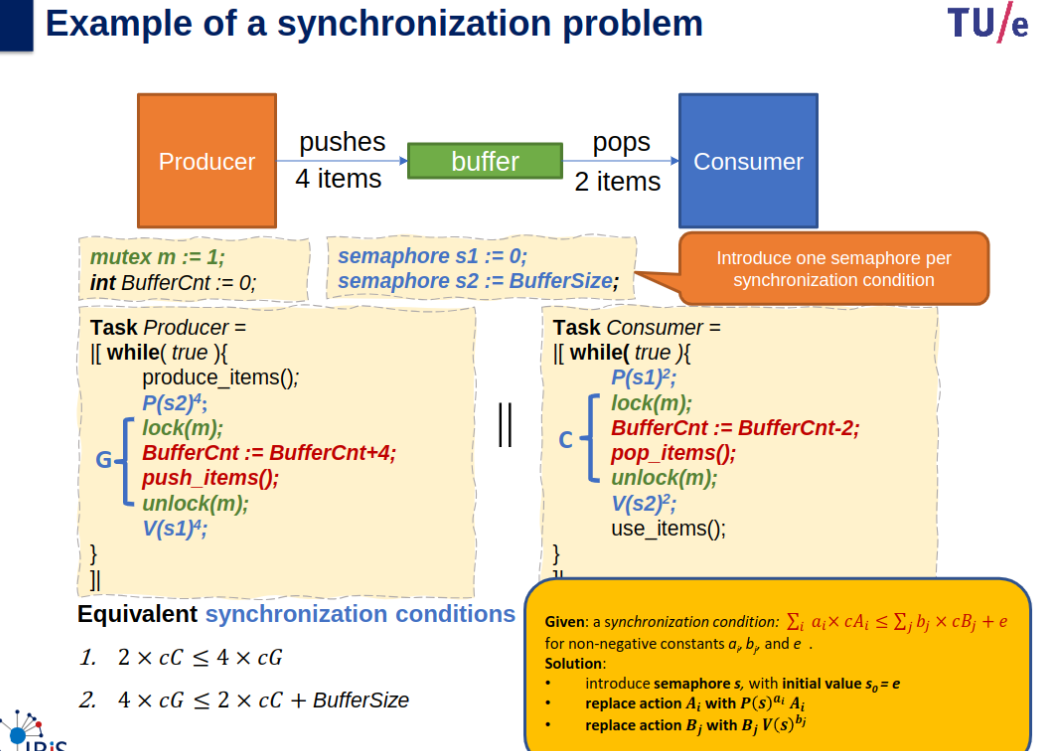
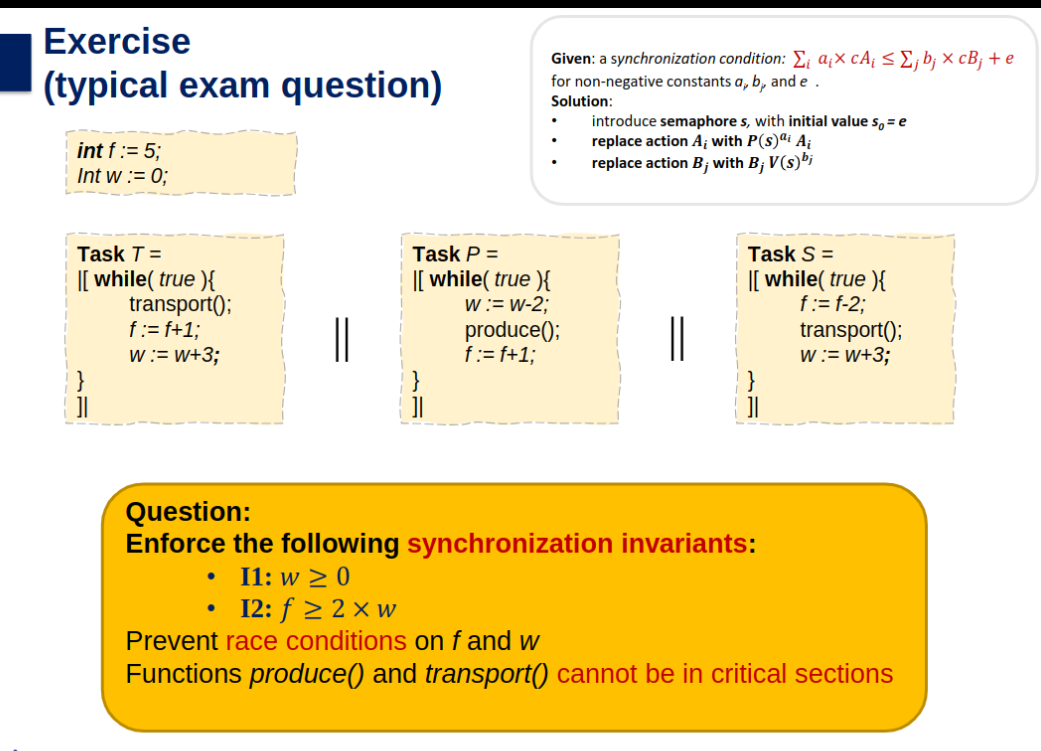
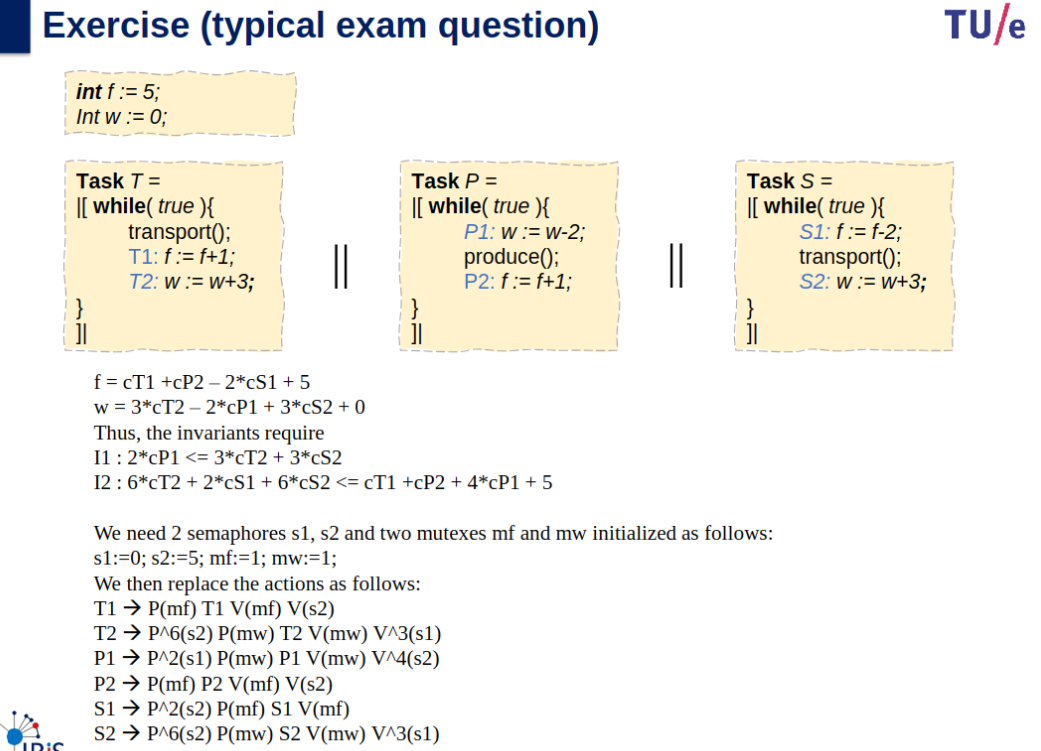
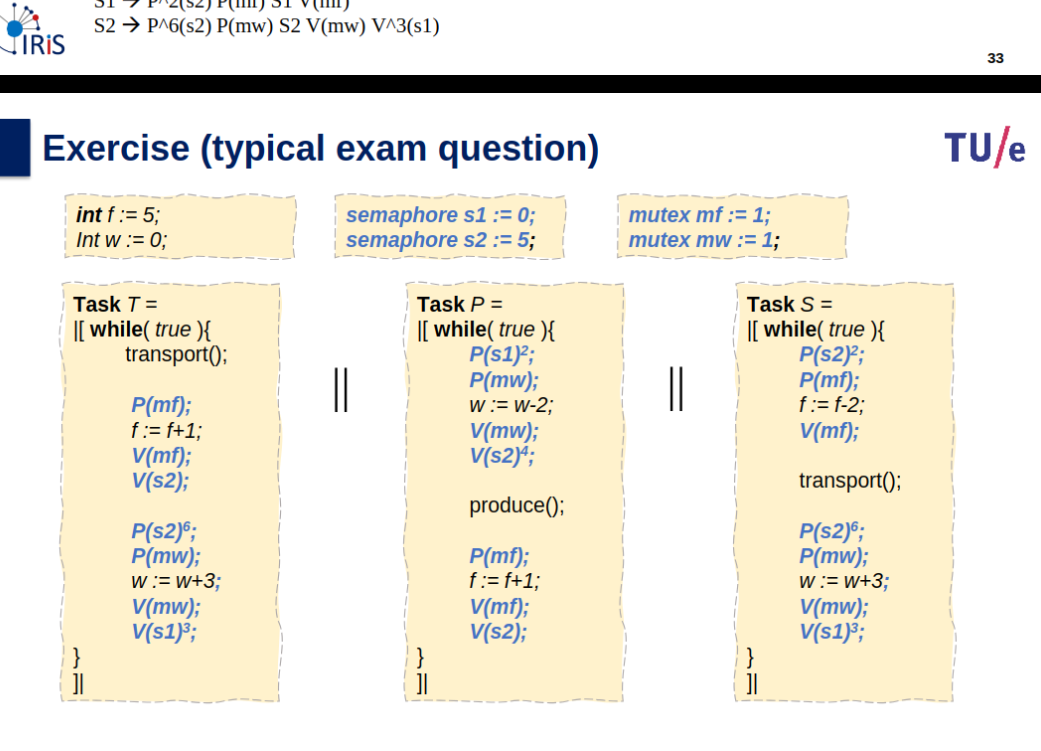
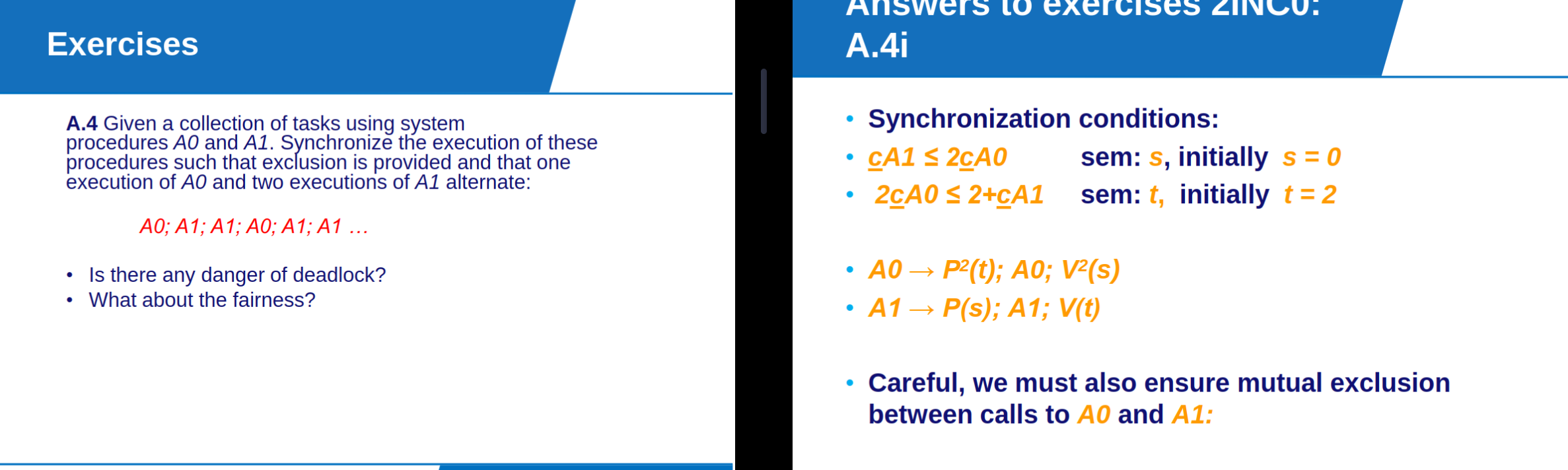
Actions Sync using Semaphores
How can we enforce properties during the program execution using semaphores.
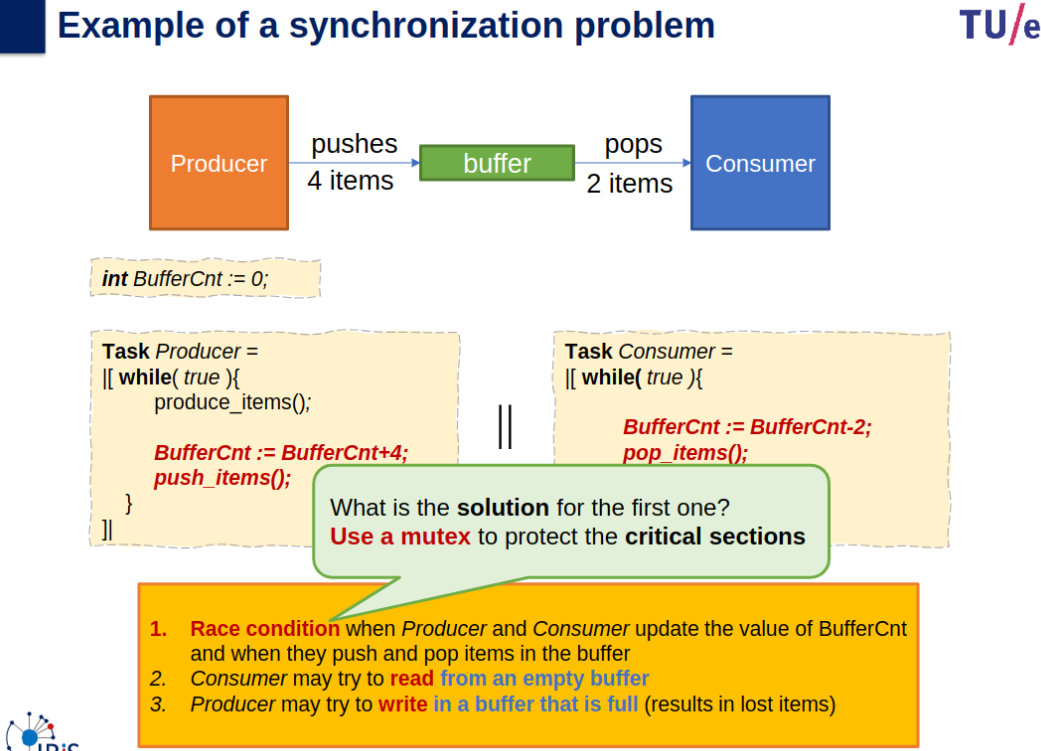
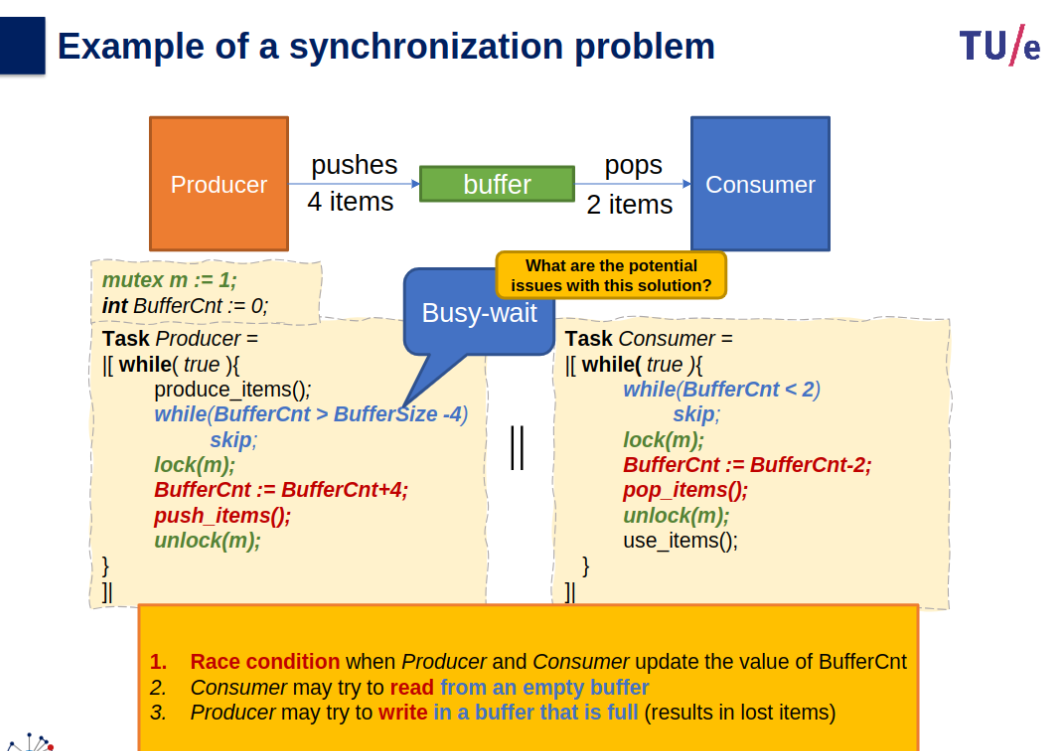
Race conditions
Read Write conditions
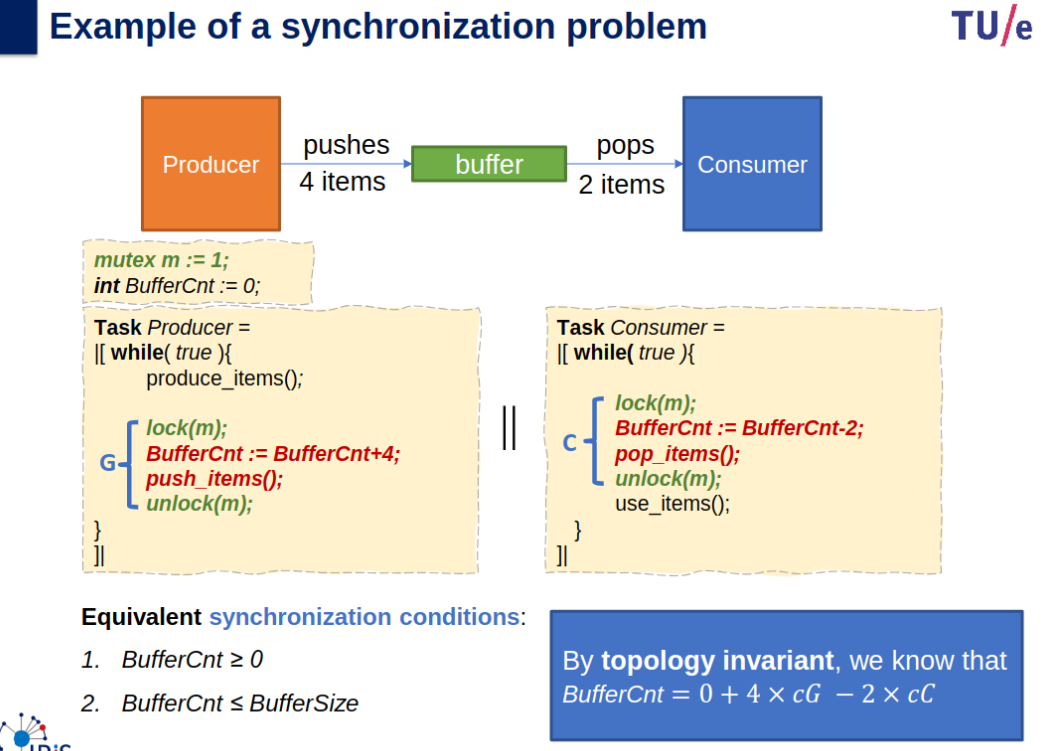
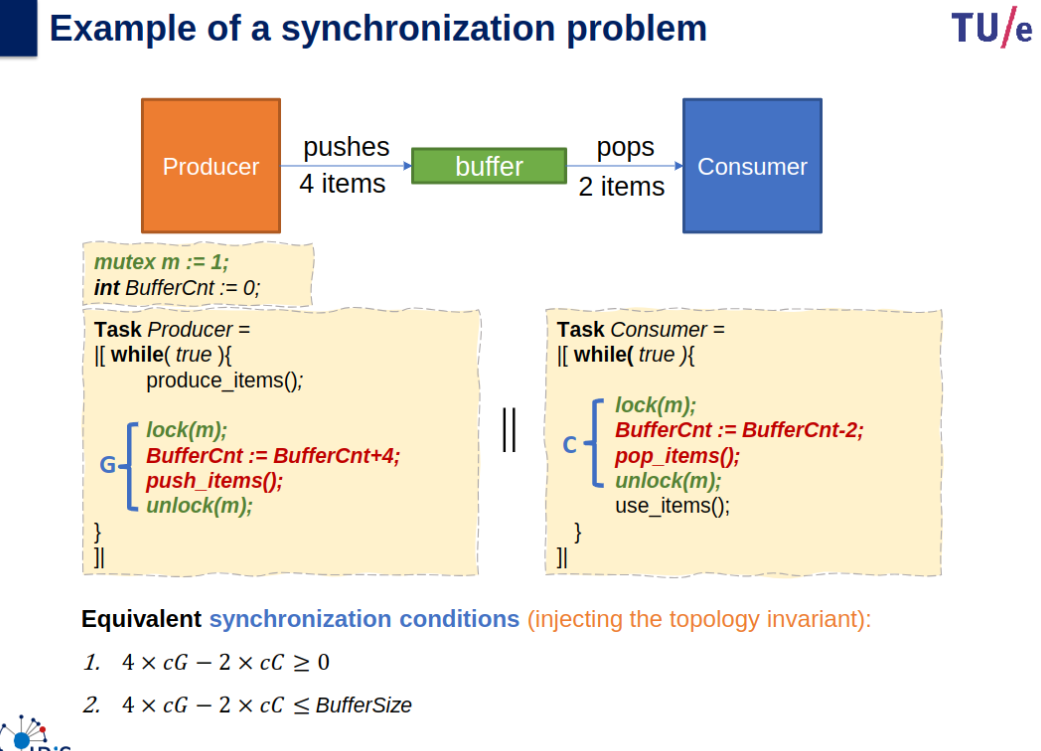
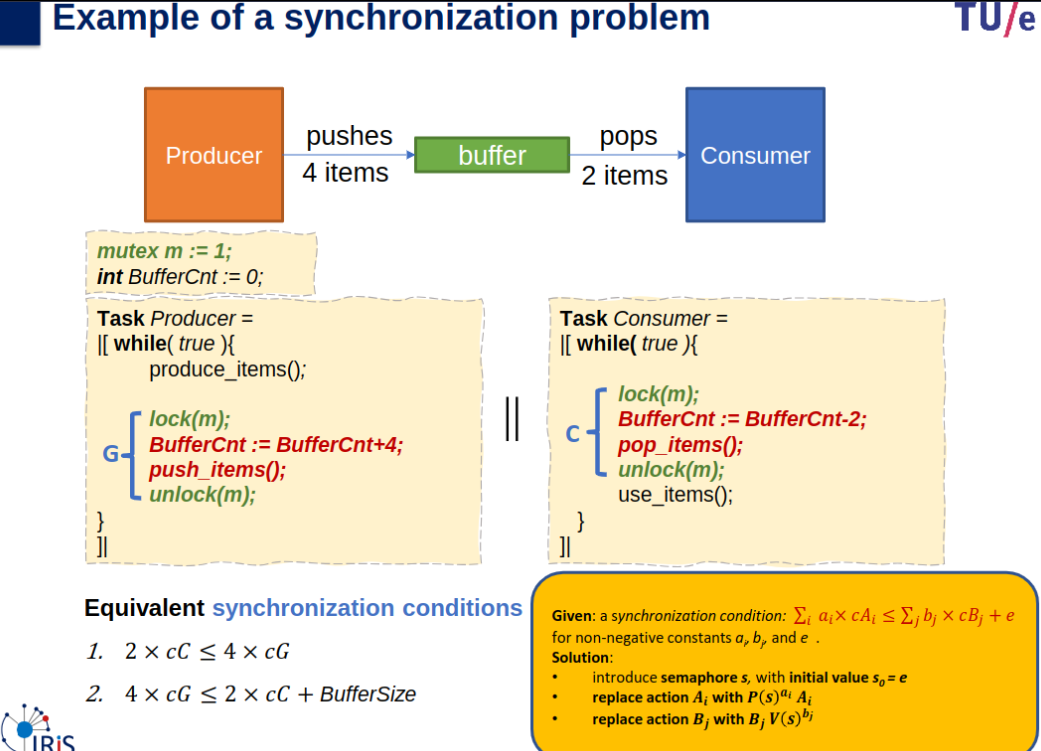
semaphores:
mutexes:
Mutex
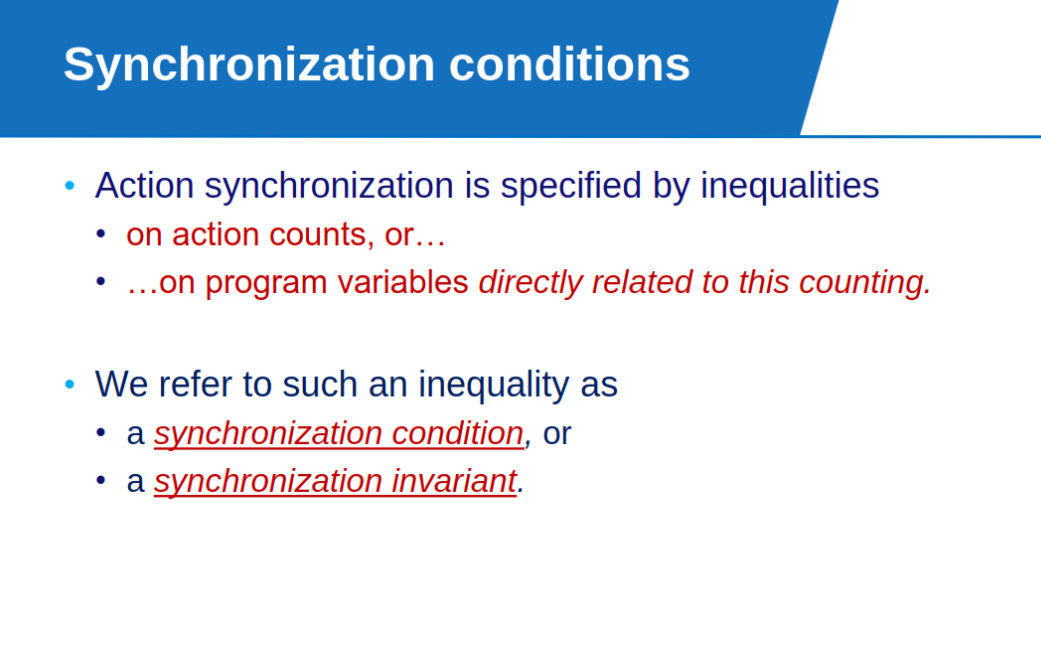
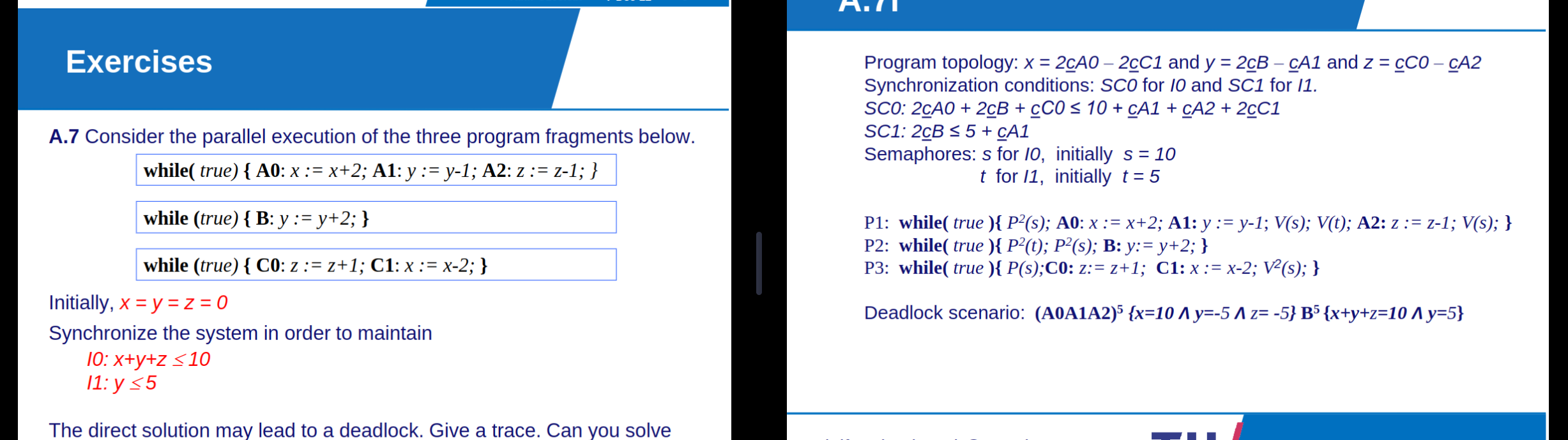
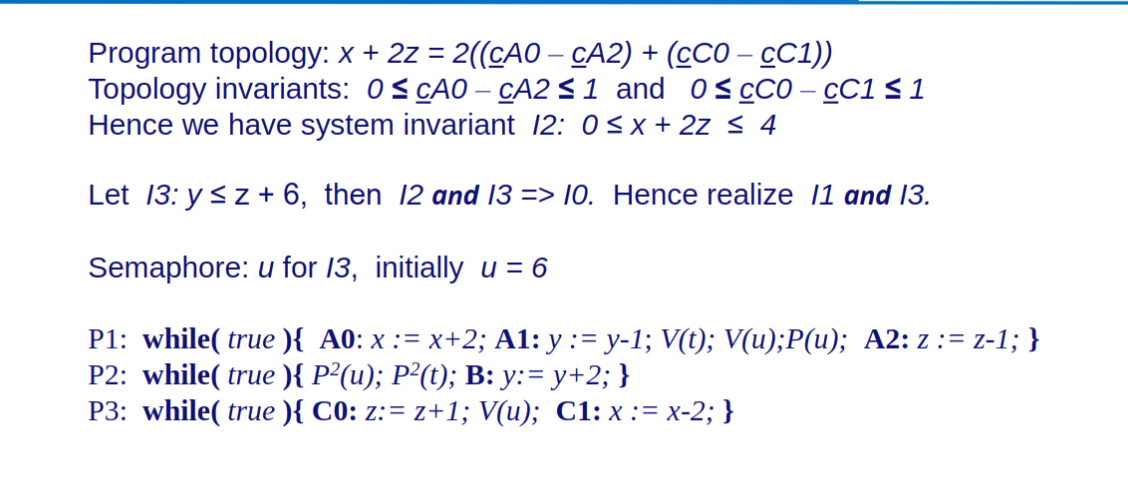
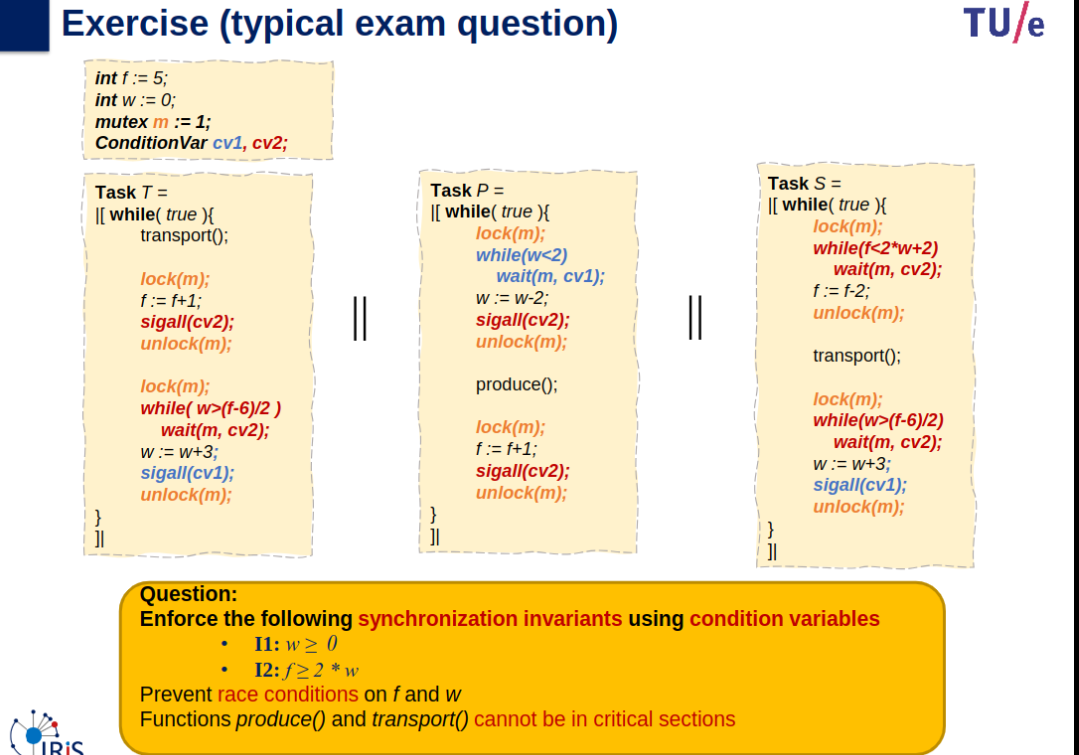
- Semaphores enforce the synchronization conditions, ensuring
and hold true. - Mutexes prevent race conditions by serializing access to
and . - Critical sections exclude
produce()andtransport()to minimize blocking and maintain system performance.
Preventing Deadlocks
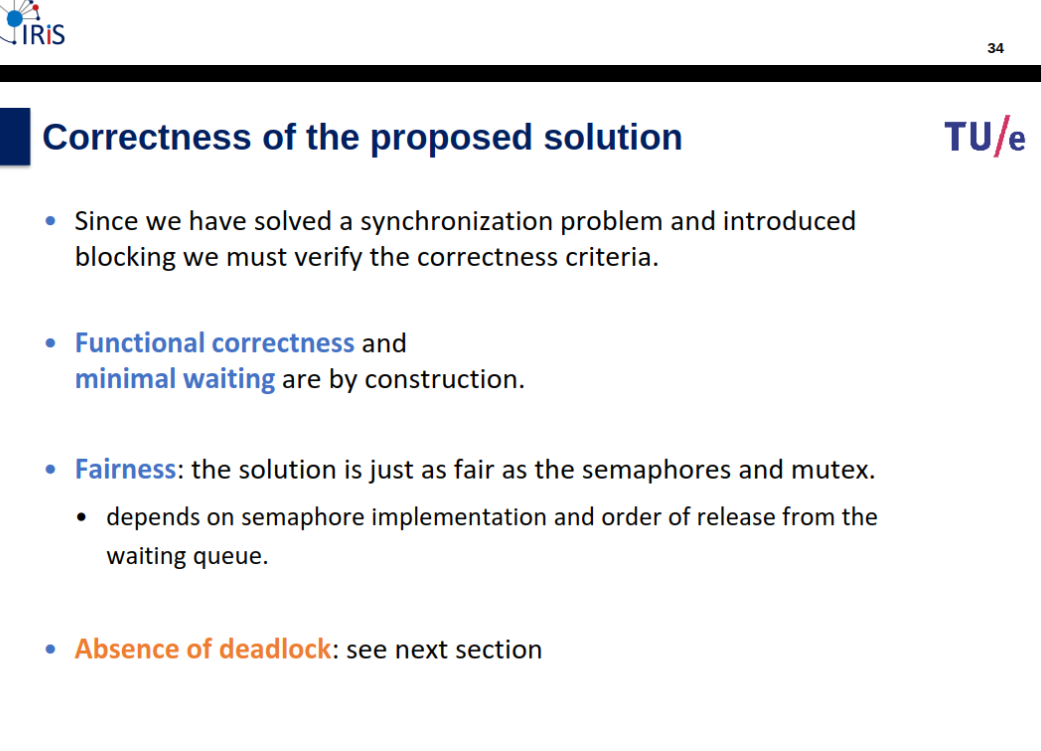
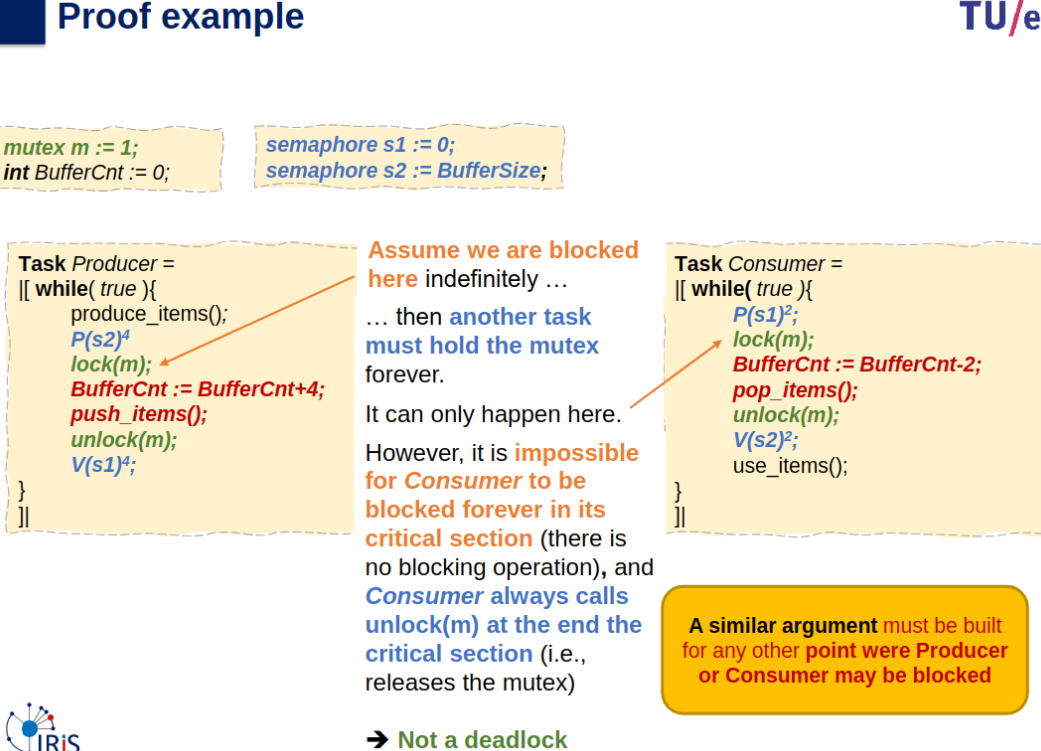
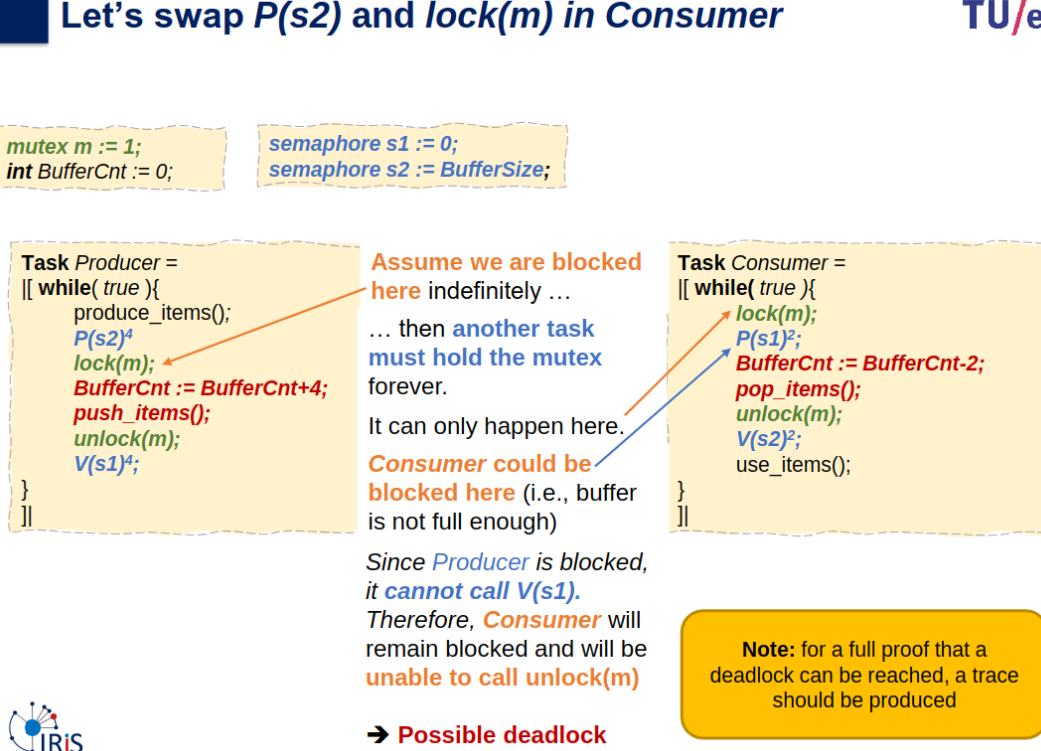
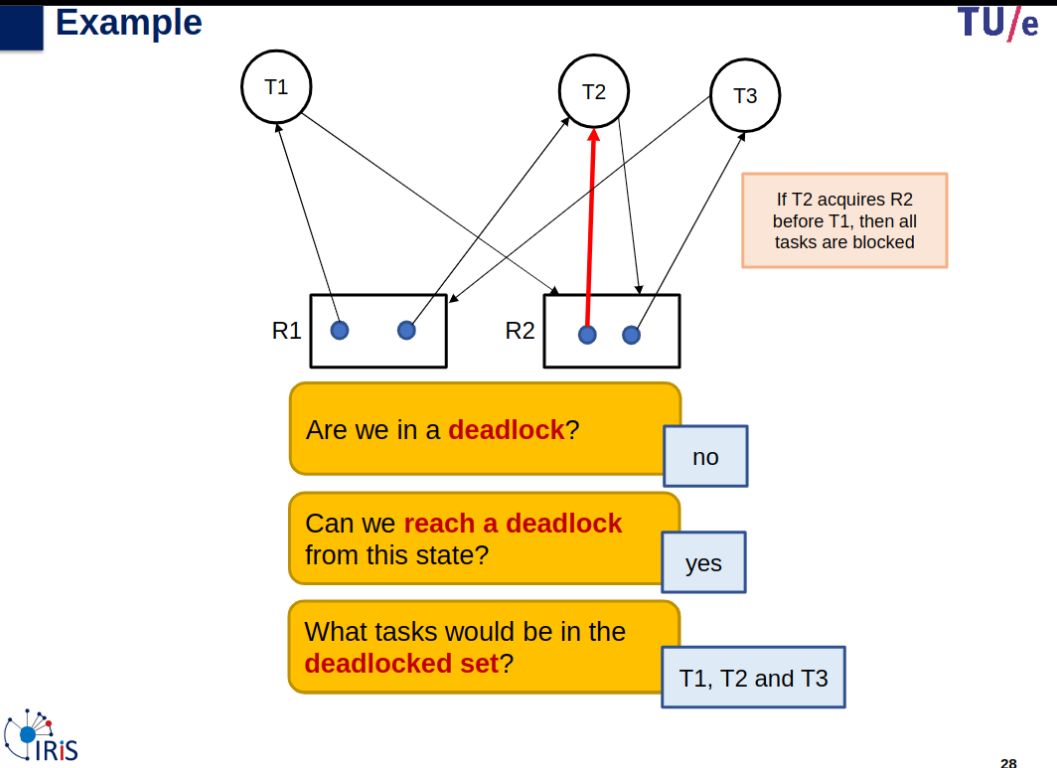
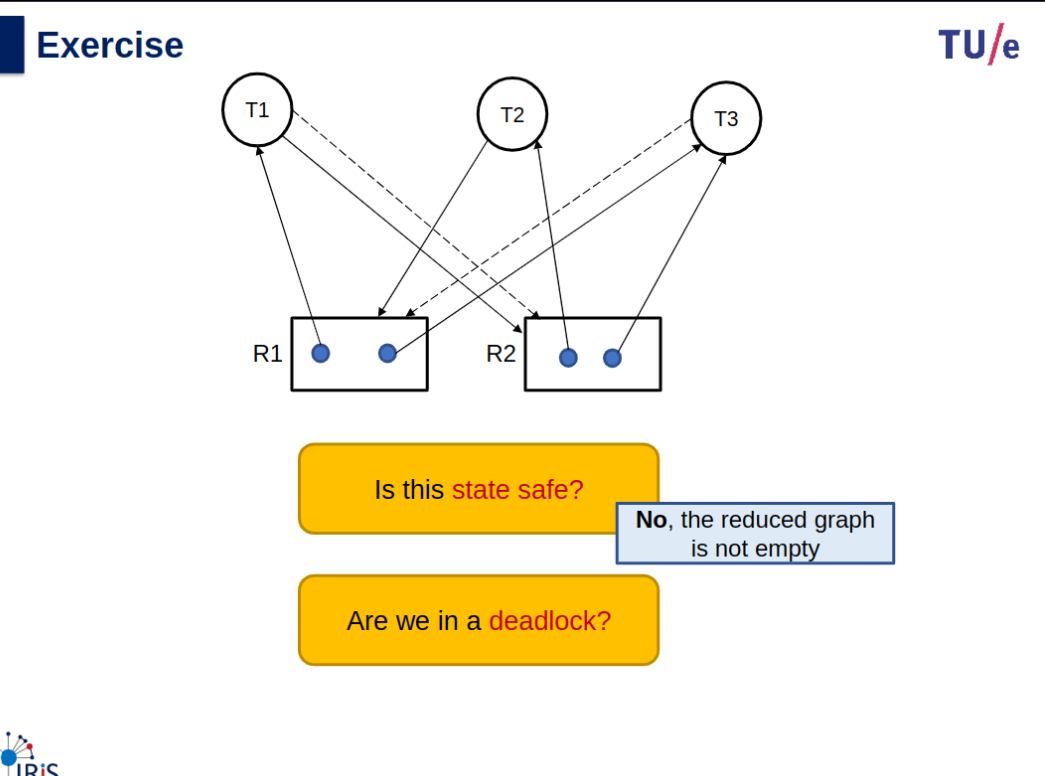
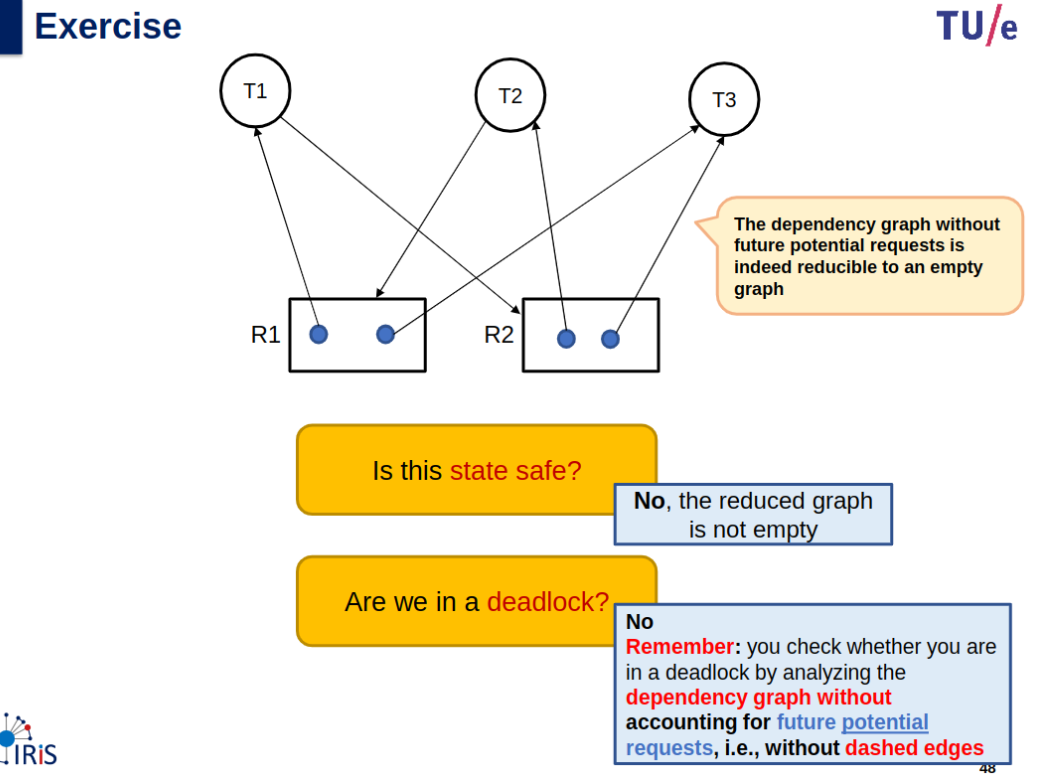
A deadlock state: is a system state in which a set of tasks is blocked indefinitely.
- each task is blocked on another task in the same set.
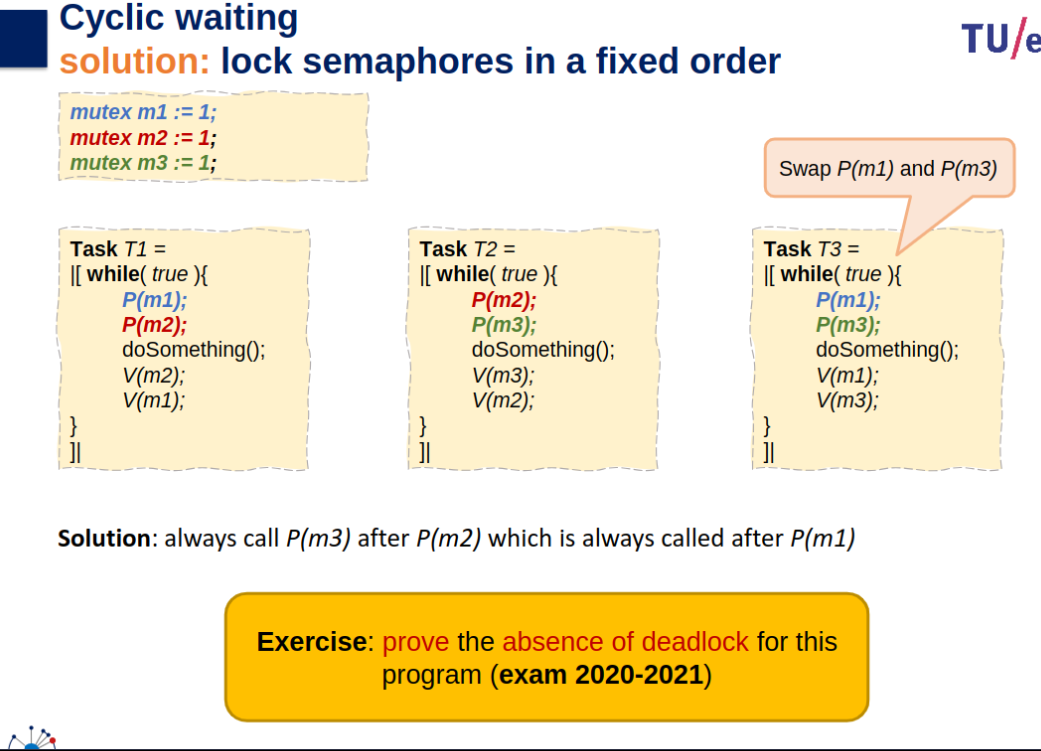
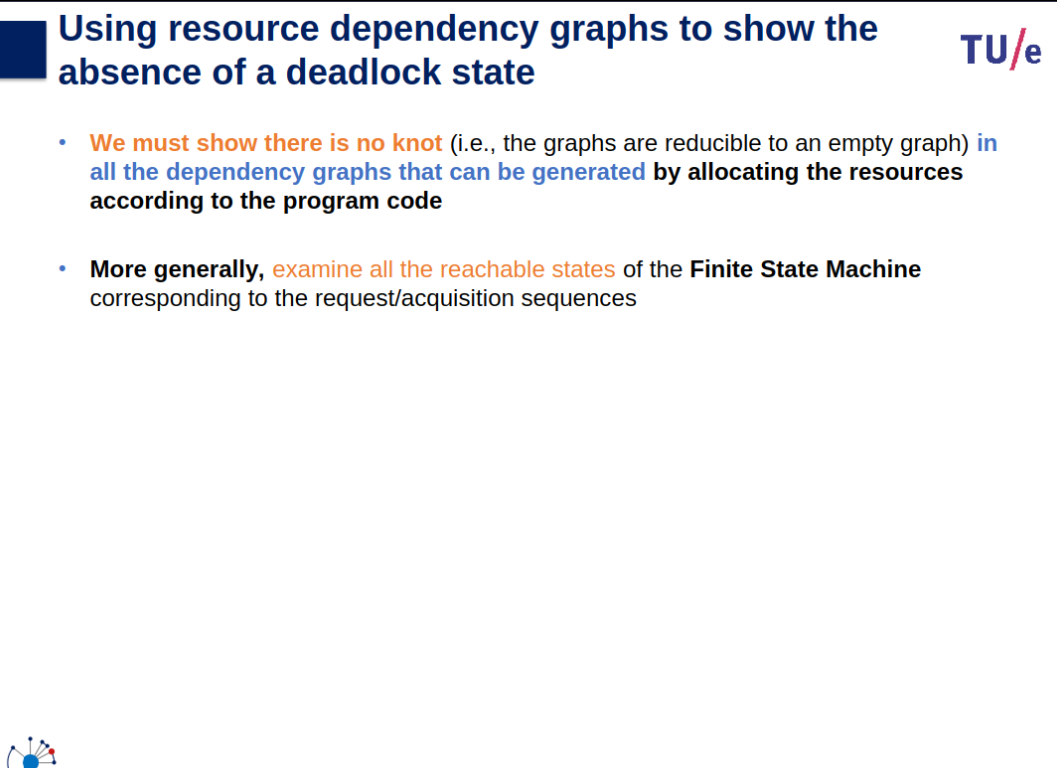
We typically prove the absence of deadlock by contradiction:
- assume deadlock occurs
- investigate all task sets that can be blocked at the same time (often: just 1)
- show a contradiction for all possible combinations of blocking actions of those tasks.
Preventing deadlock
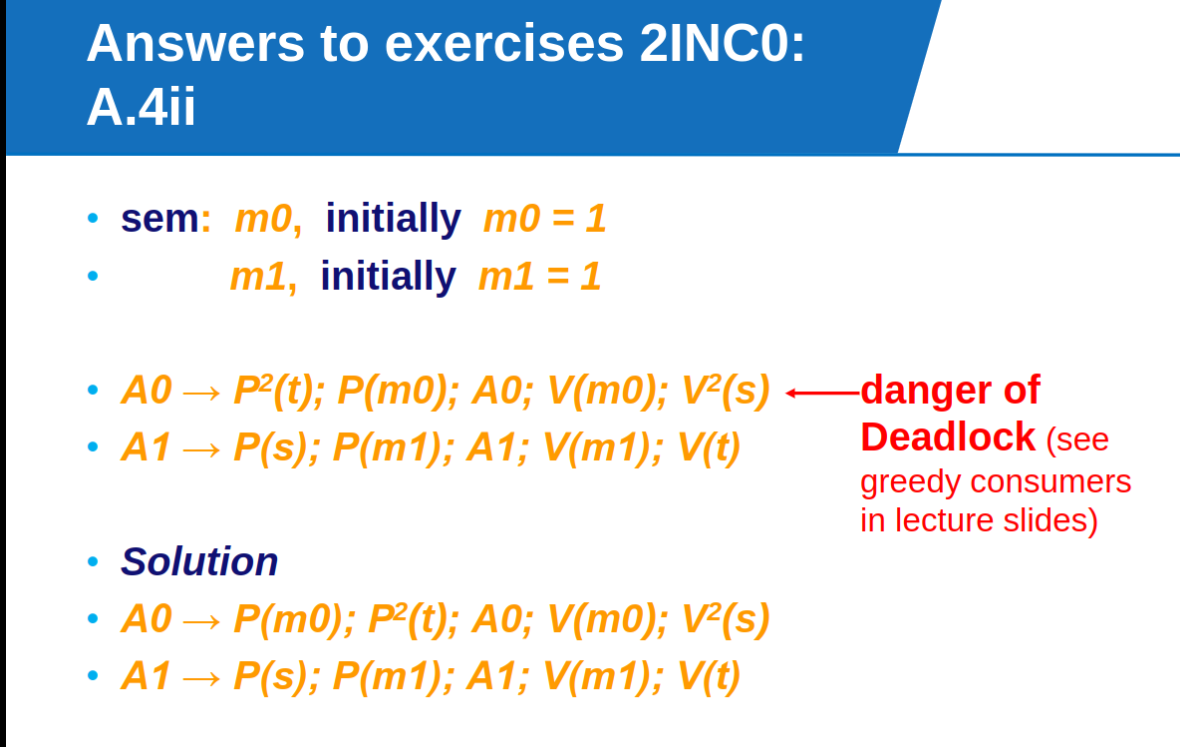
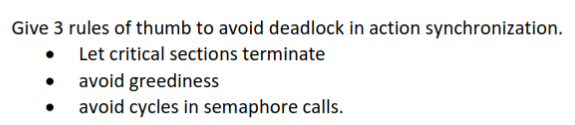
- Prevent deadlock: make sure critical sections terminate: call
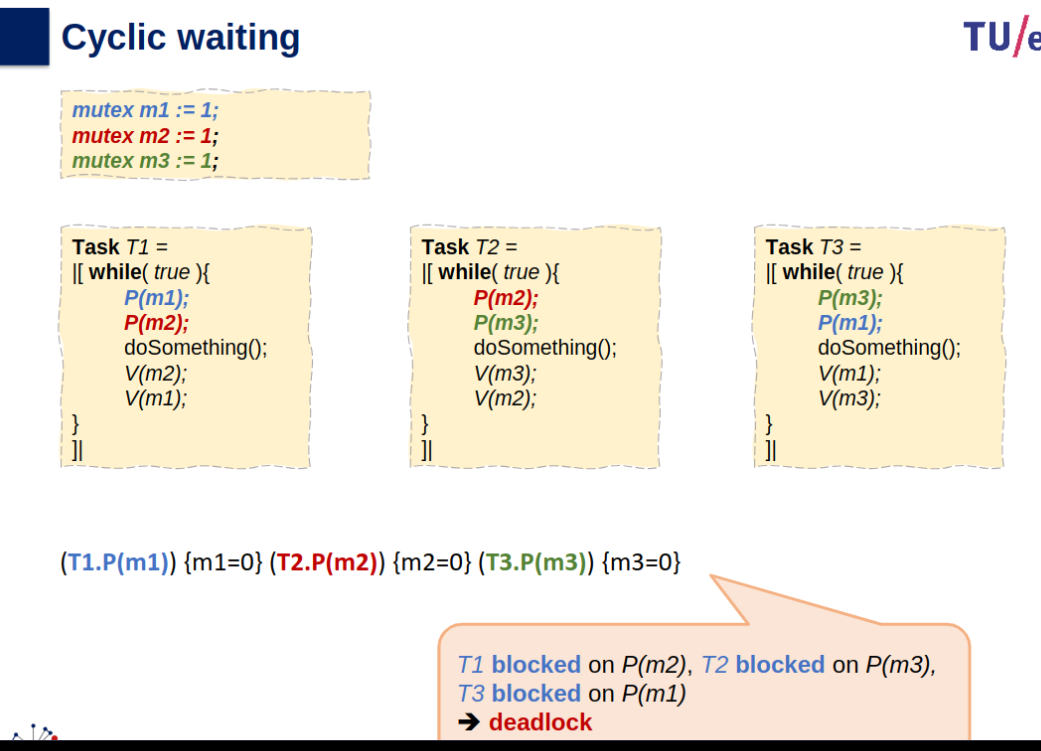
unlock(m)afterlock(m).- Avoid cyclic waiting: Avoid P or lock operations that block indefinitely between
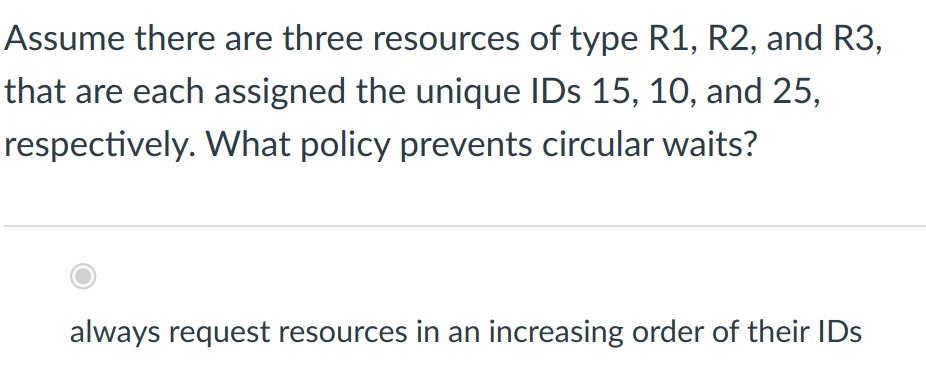
lock(m)andunlock(m).- Fixed order when calling P-operations on semaphores or mutexes
- P(m);P(n);… in one task may deadlock with P(n);P(m);… in another task
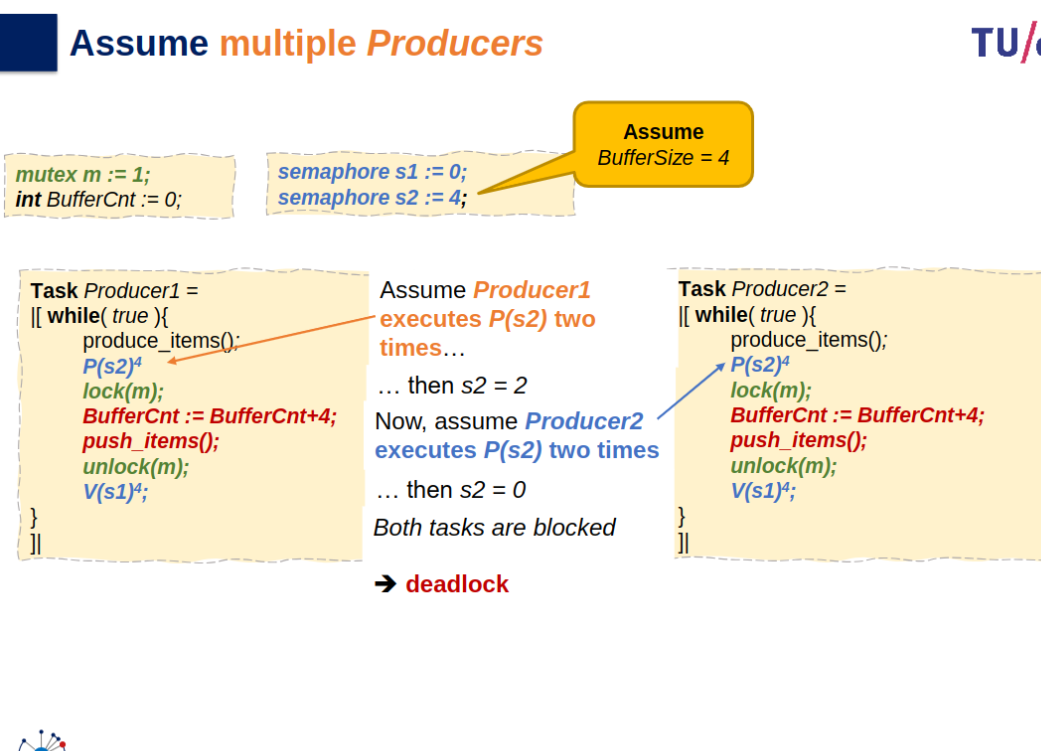
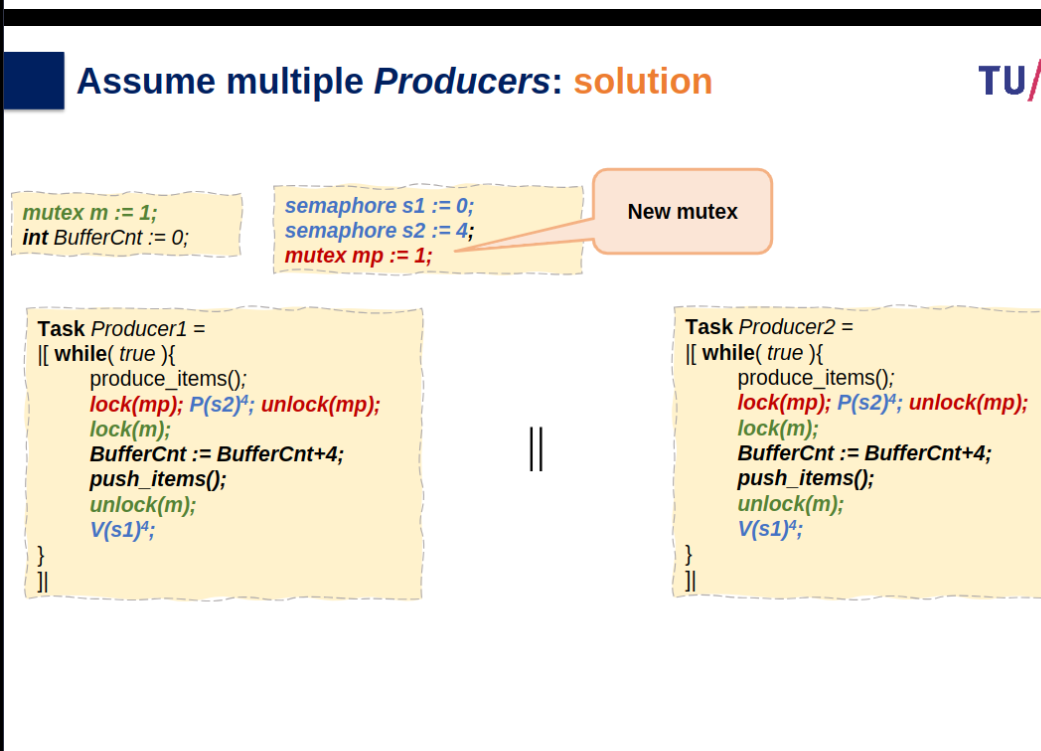
- Avoid greedy consumers
should be an indivisible atomic operation when tasks compete for limited resources.
Synchronization of Execution
Condition Synchronization
Slides
Info
Slides & Book
6.7
![[2INC0/attachments/20250121_2146272.jpg]]2.jpg]]
![[2INC0/attachments/20250121_214621
![[2INC0/attachments/20250121_2146142.jpg]]2.jpg]]
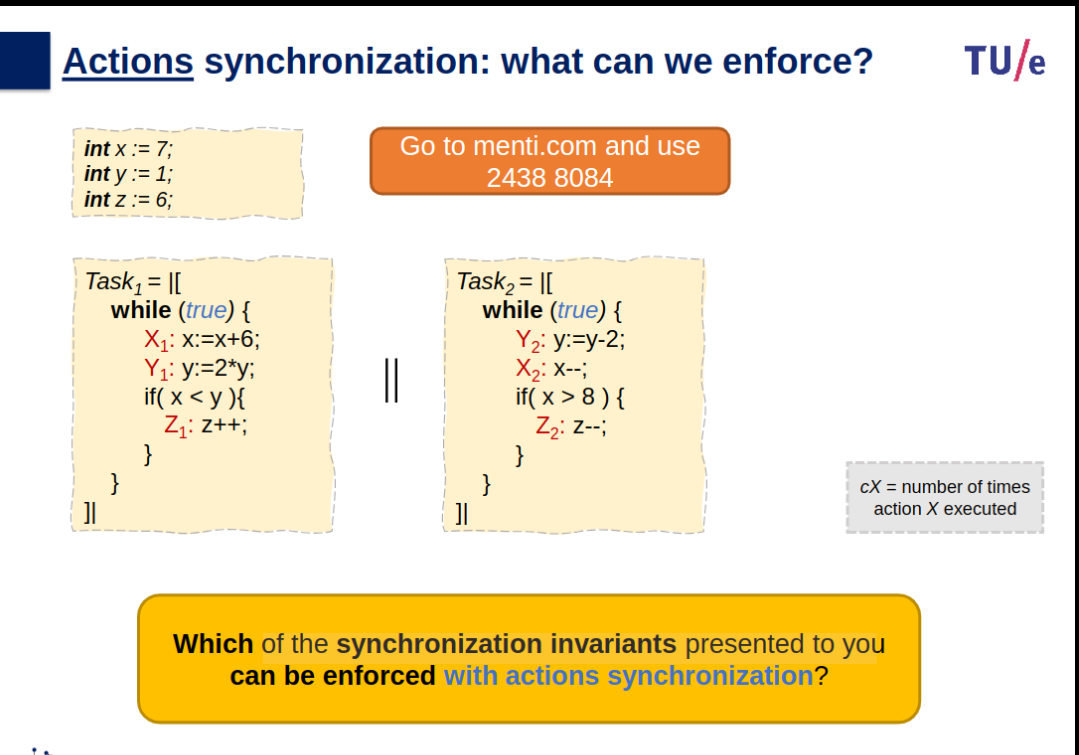
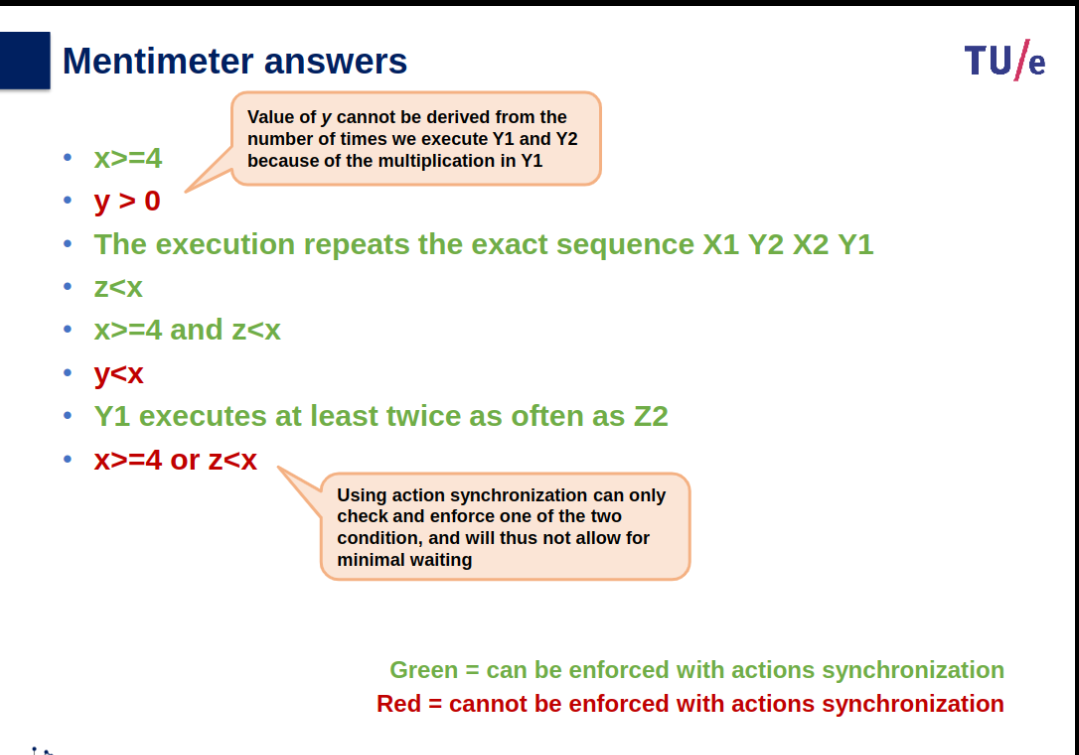
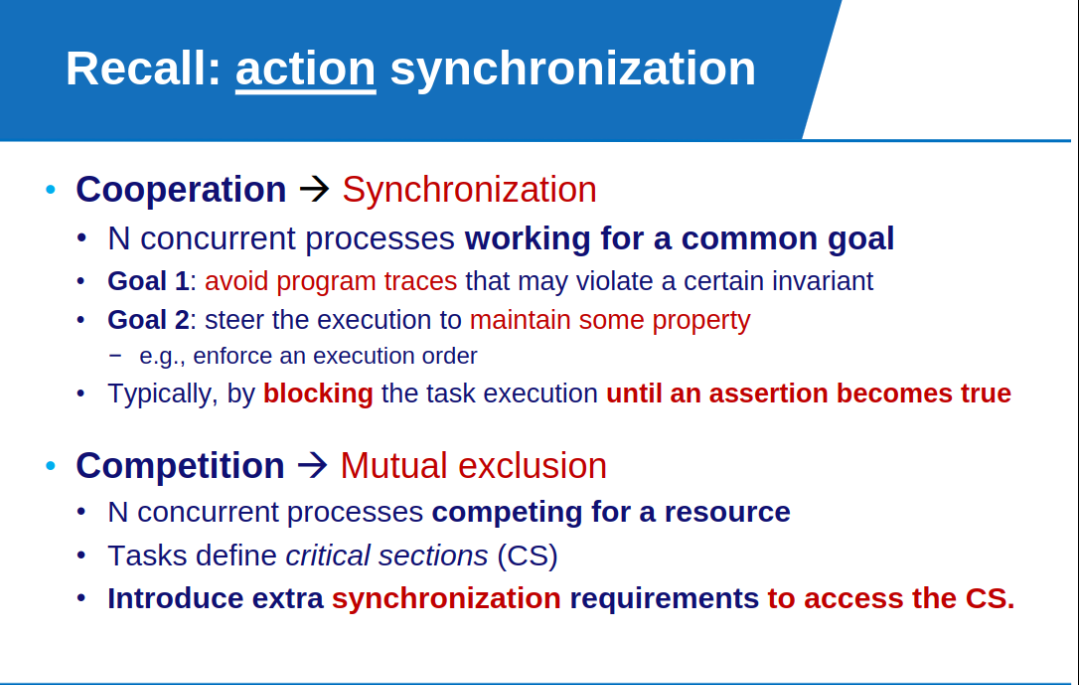
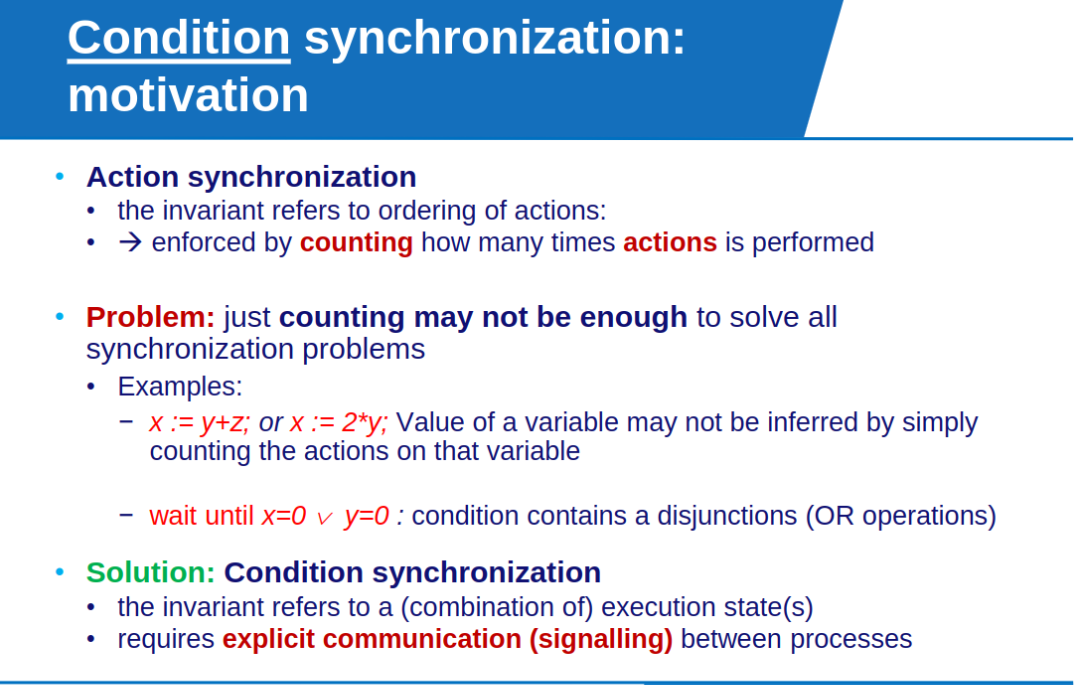
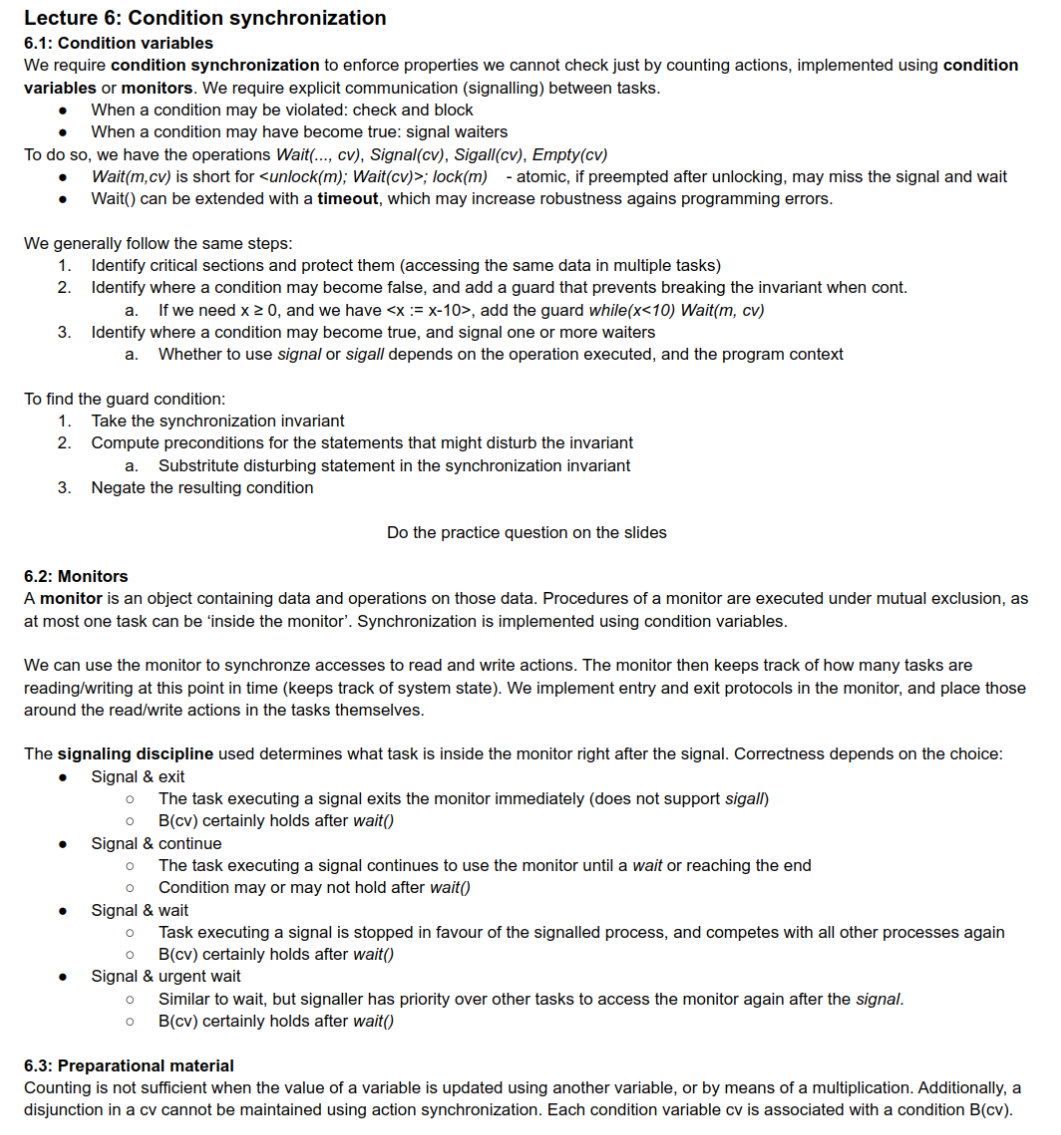
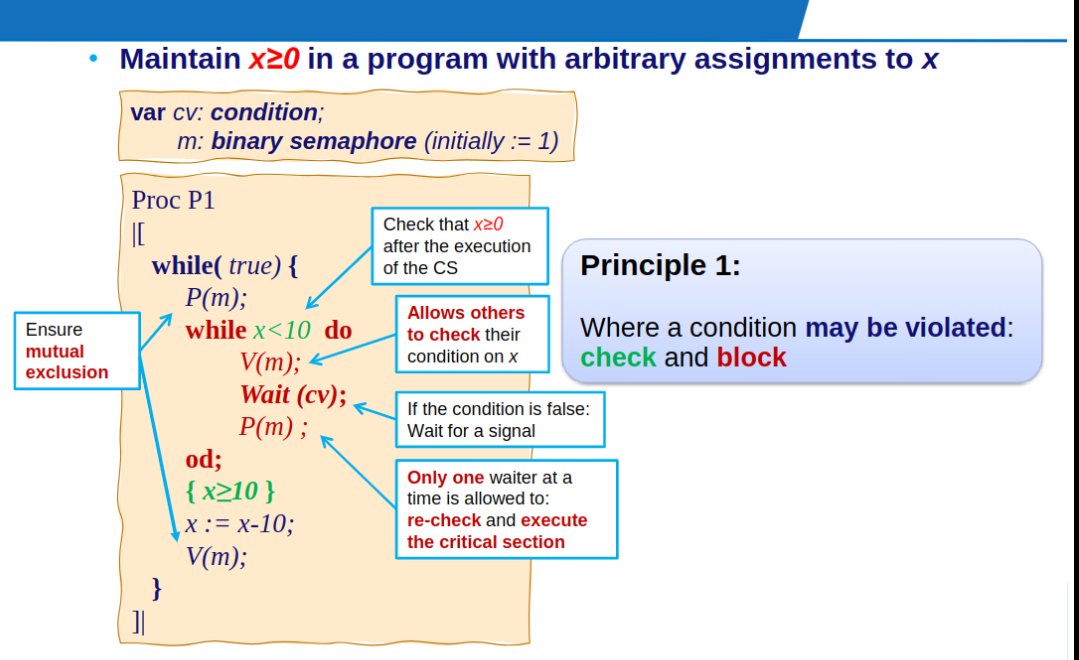
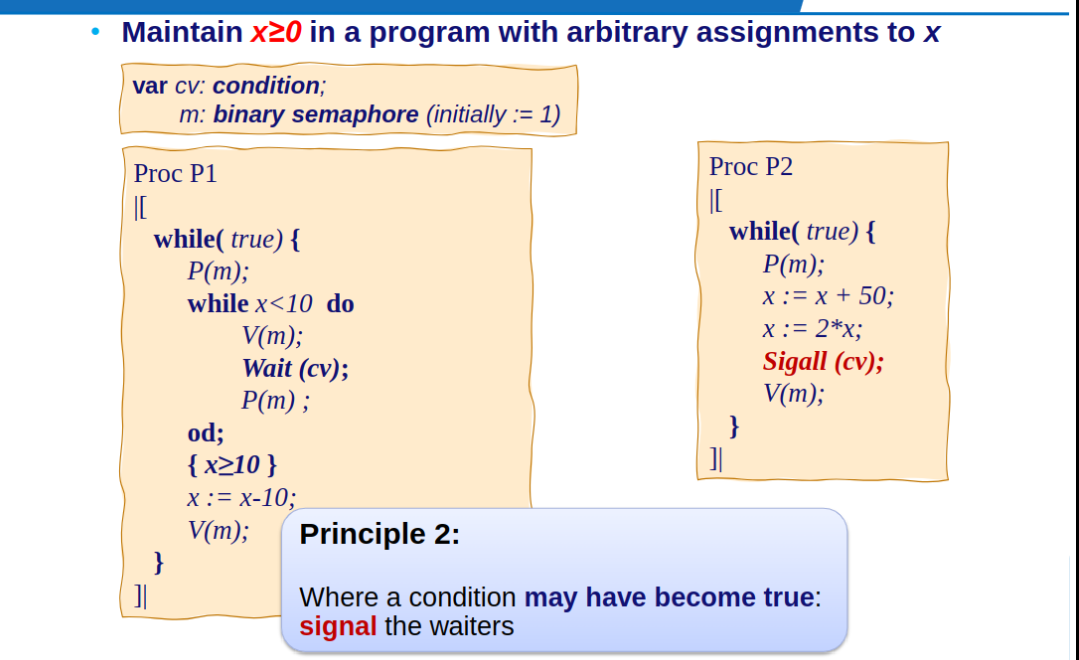
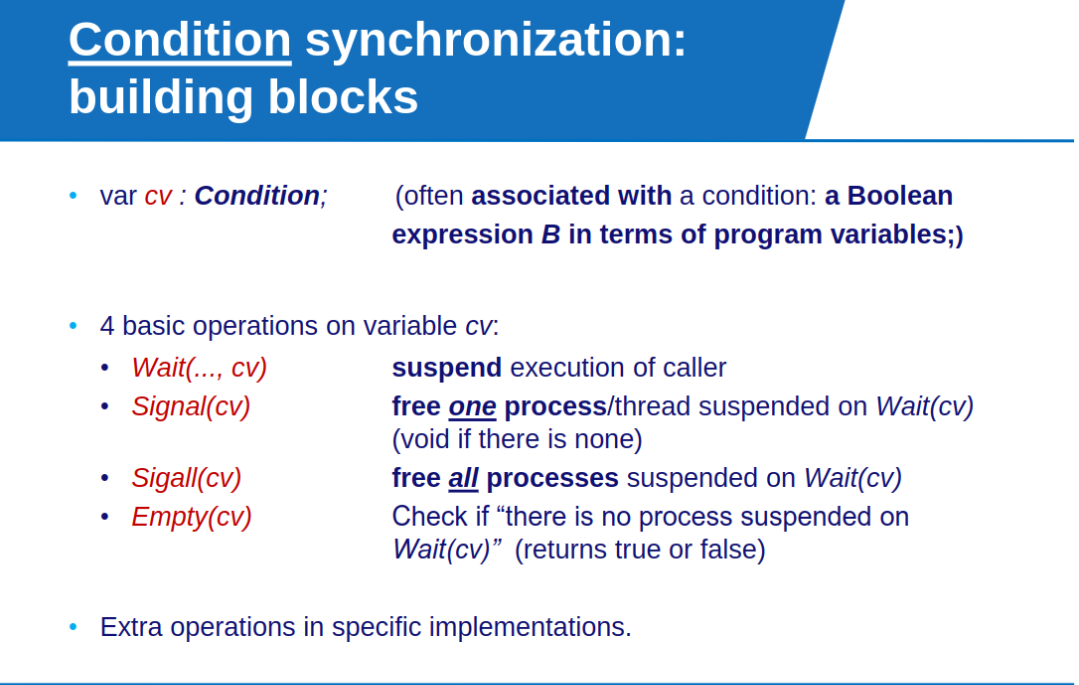
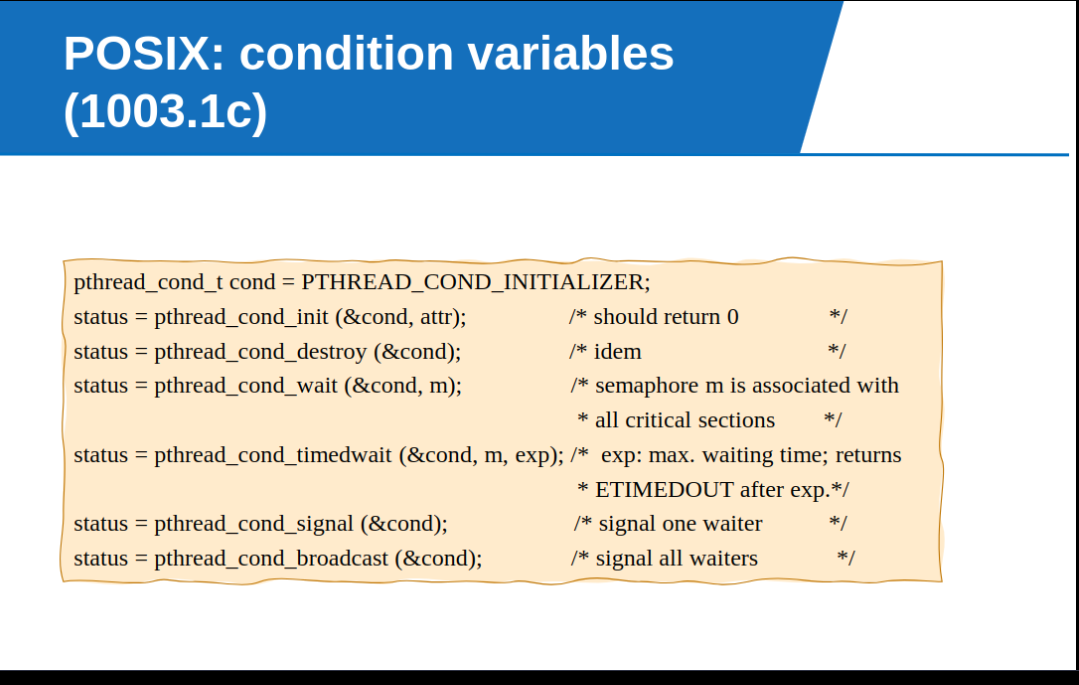
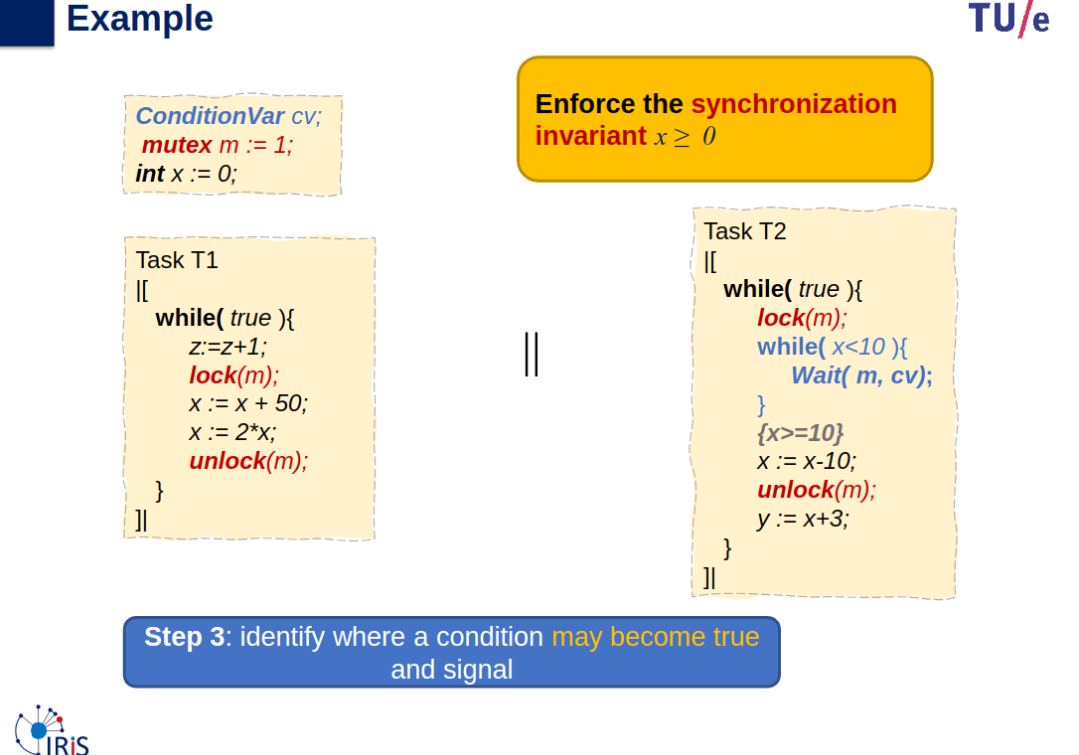
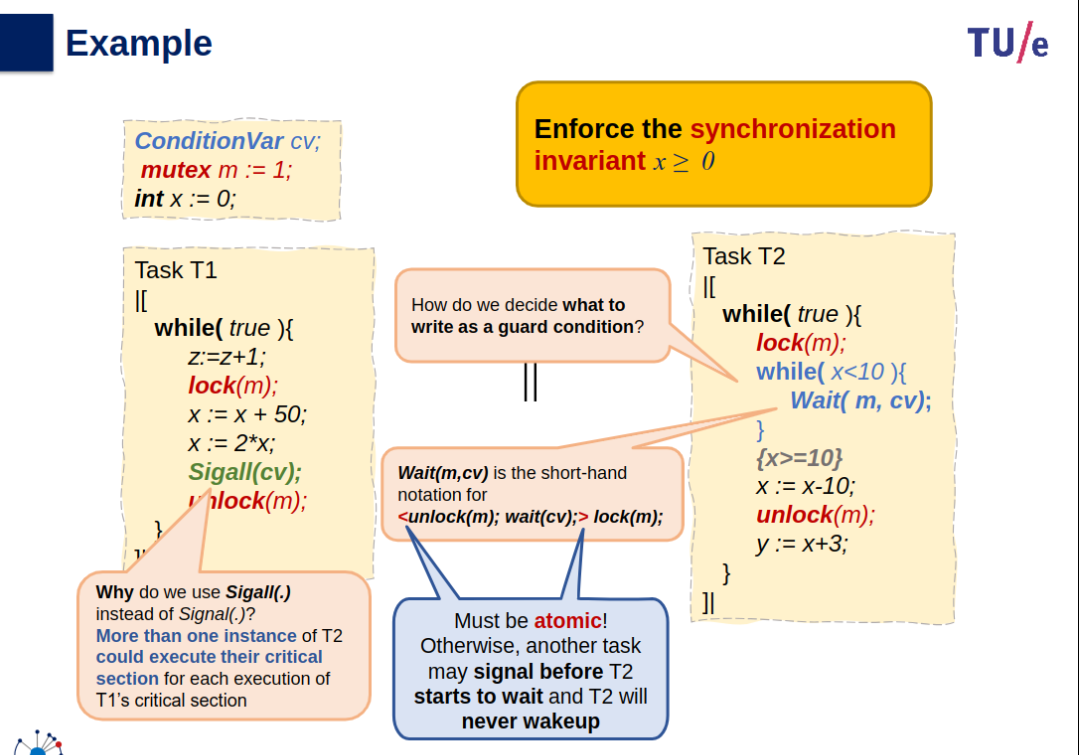
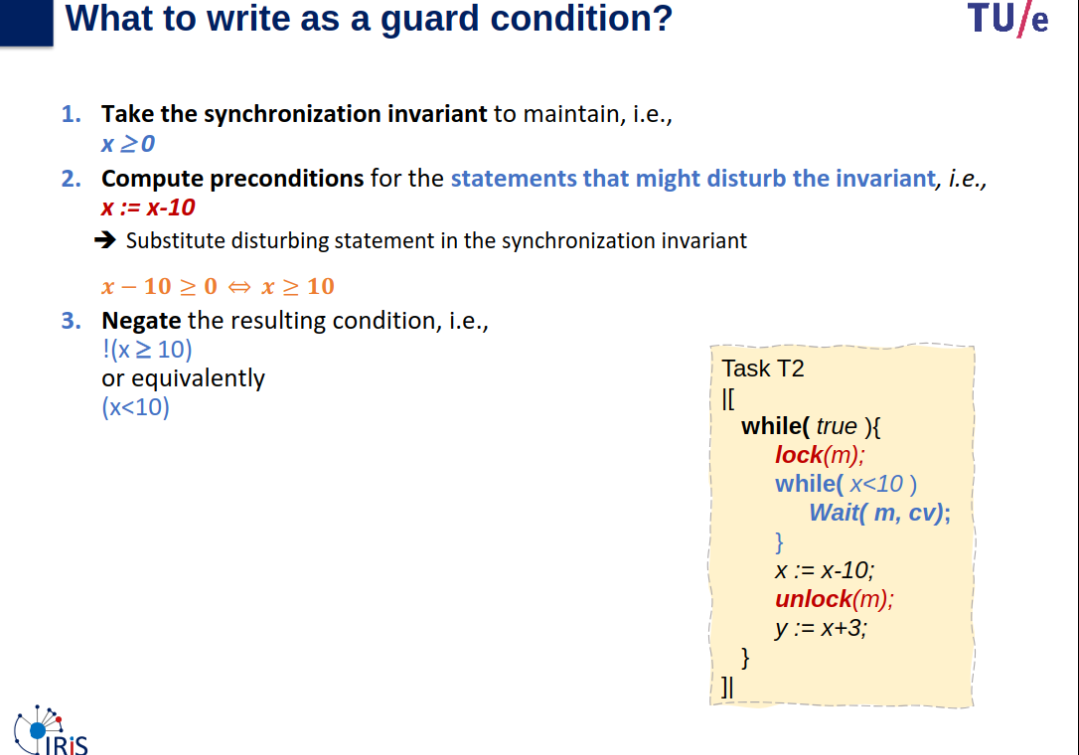
Two Principles of Condition Synchronization
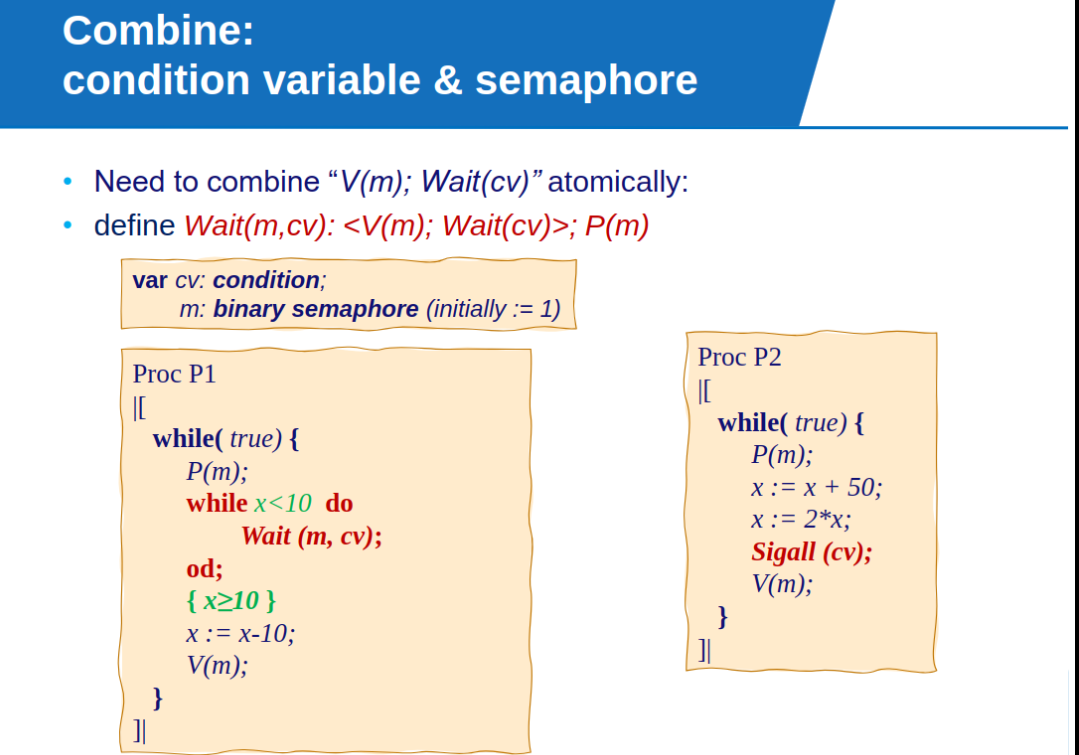
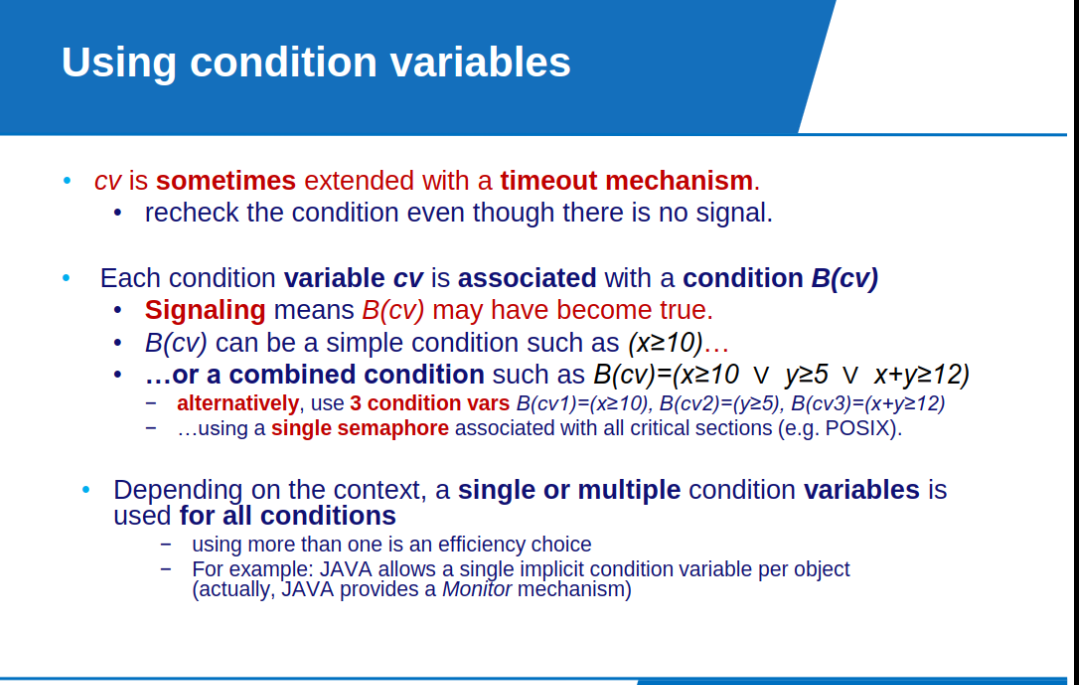
- Condition synchronization: explicit communication (signaling) between tasks.
- when just counting is not enough to solve synchronization problem.
- or to simplify otherwise complex sequences of semaphore operations: e.g: P(a);P(a);P(b);P(m);…V(a);V(b);
- Where a condition may be violated: check and block
- Where a condition may have become true: signal the waiters
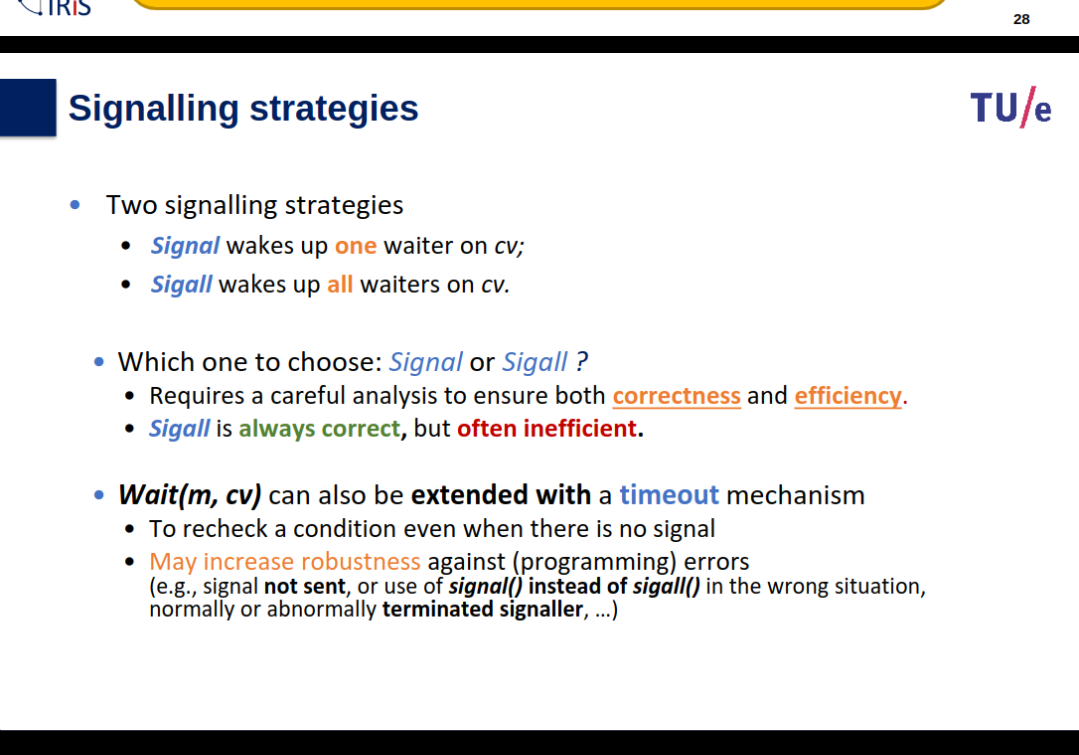
Sigall and Wait are not atomic so Sigall could be called earlier so P1 is never woken up…
Further Examples of Using Condition
Pasted image 20250104210312.png (not included in the repository)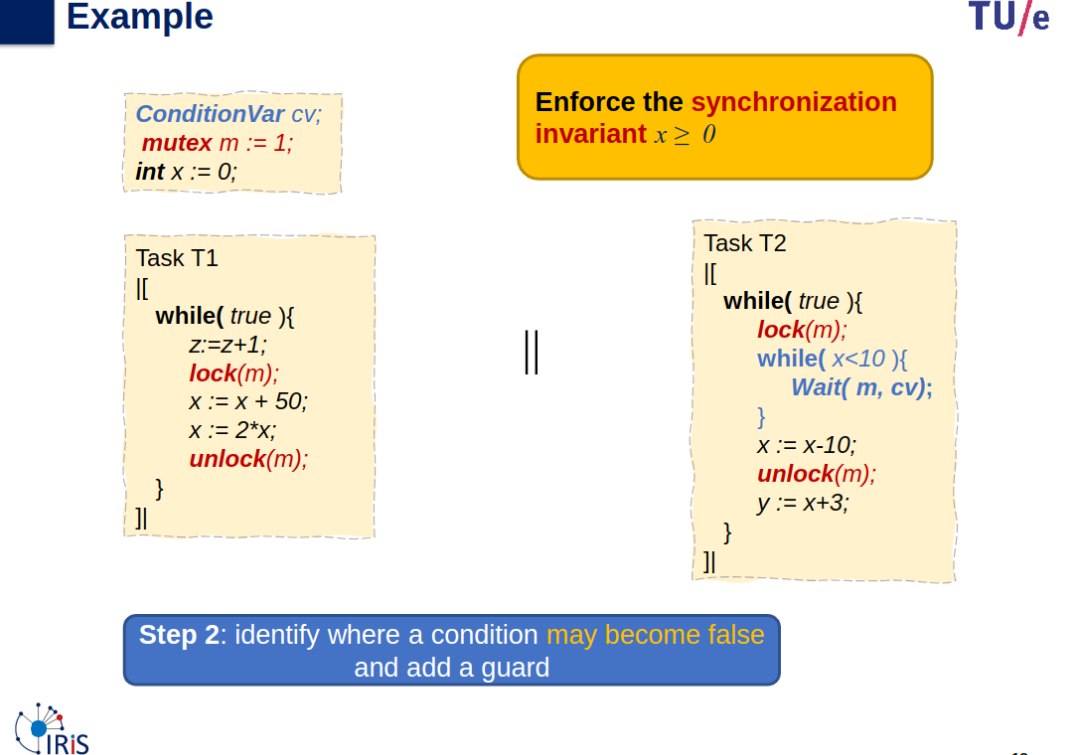
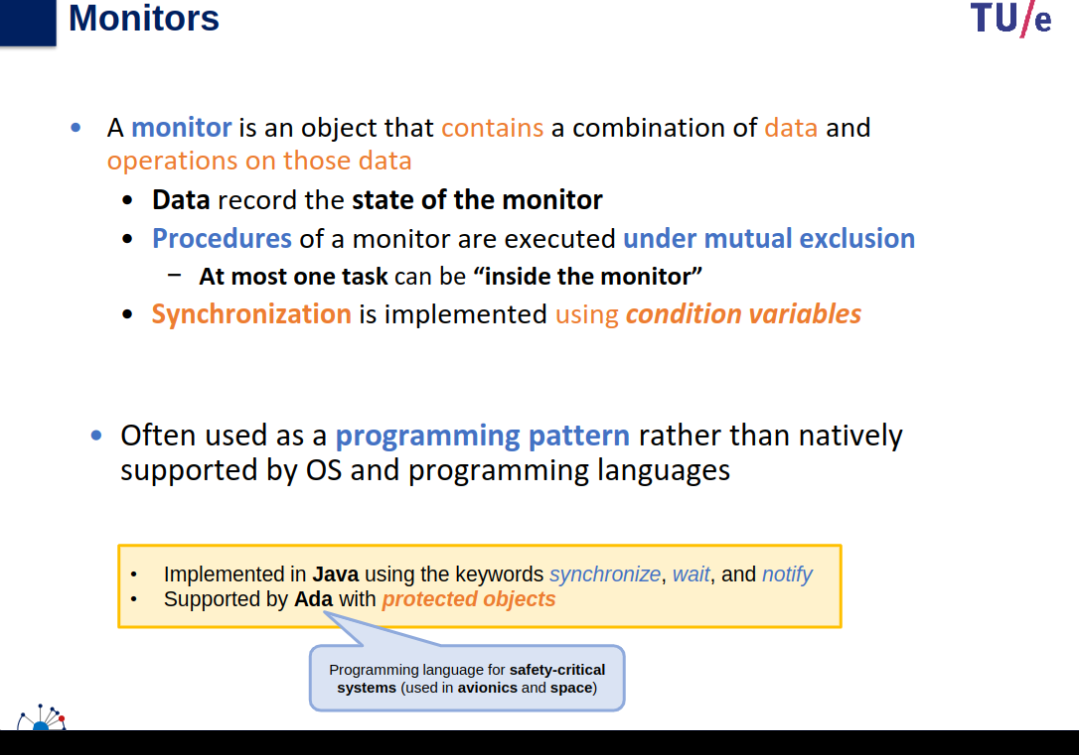
Monitors
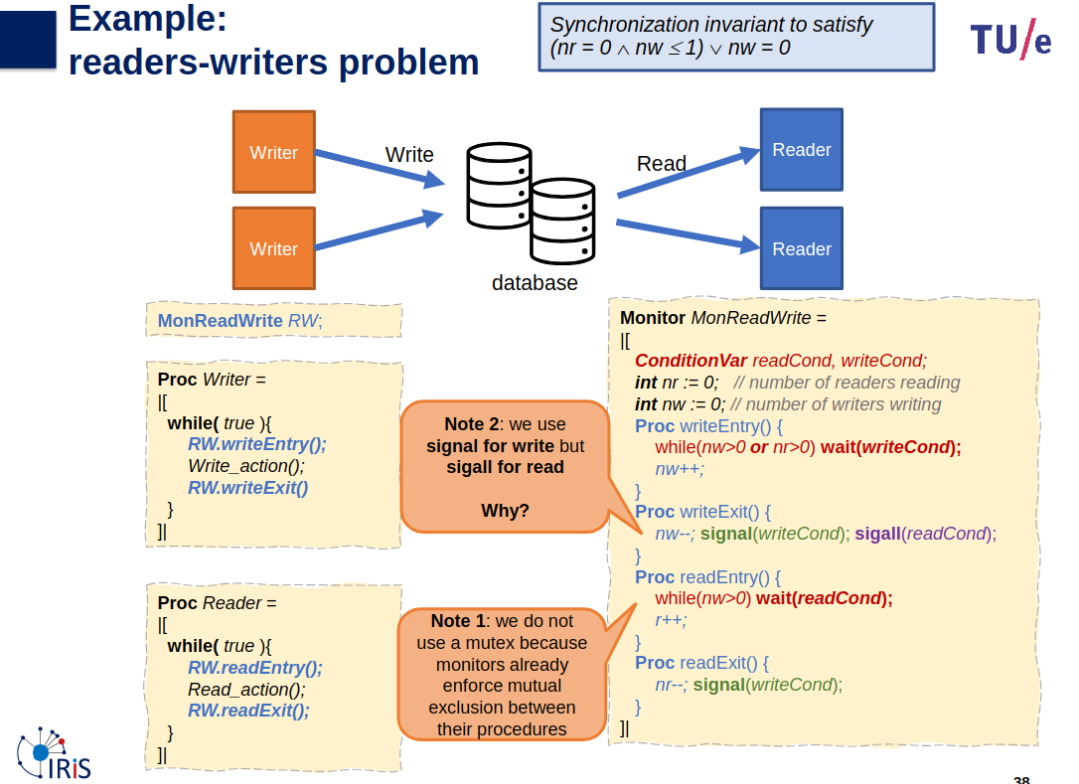
Readers Writers Problem Using Monitors
- At any given time, we can have several readers but no writers, or one writer and no readers… → why using mutexes or semaphores is not a good solution?.
- We use monitor to synchronize accesses to the read and write actions.
- Add entry and exit protocols around the read and write actions…
- Why did we not implement the Write_action() and Read_action() procedures in the monitor, instead of using Entry and Exit procedures?:
- Would limit the number of readers reading concurrently to one because the monitor procedures are mutually exclusive.
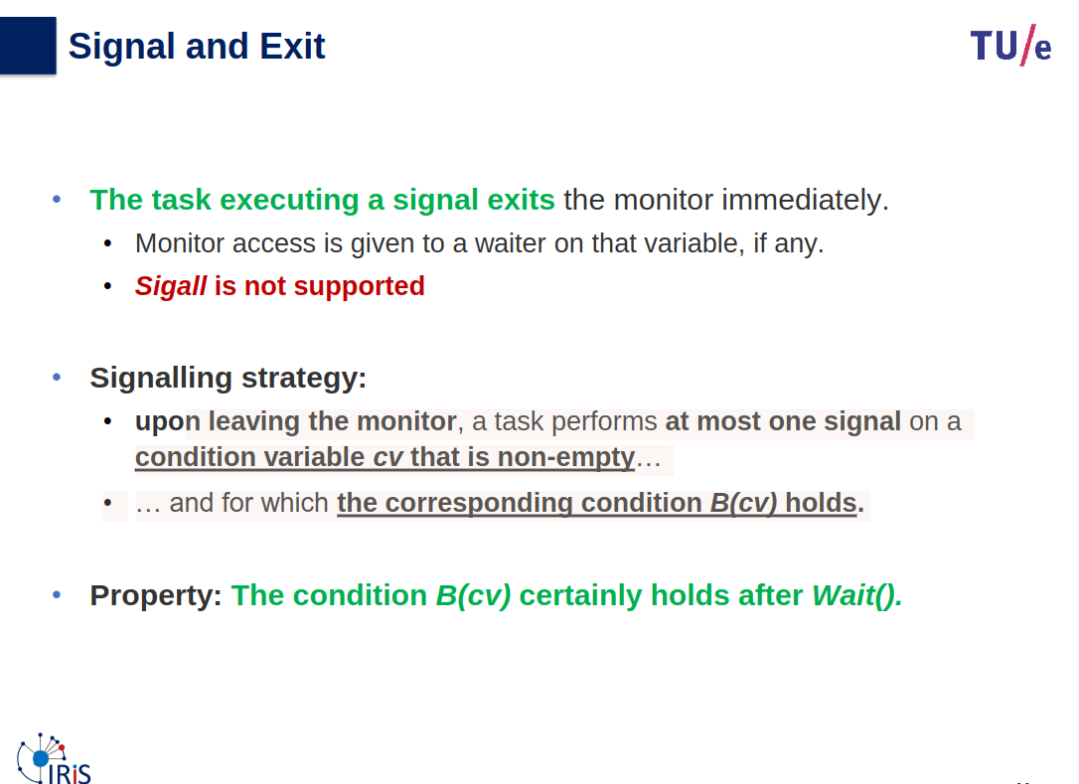
Signaling Disciplines
Structuring by Monitors
- A monitor:
- encapsulates relevant shared variables
- provides well-defined operations on the shared variables
- A monitor provides exclusion
- At most one task be inside the monitor at any given time
- Which task is inside the monitor right after the signal?
- Depends on signaling discipline (scheduling discipline)
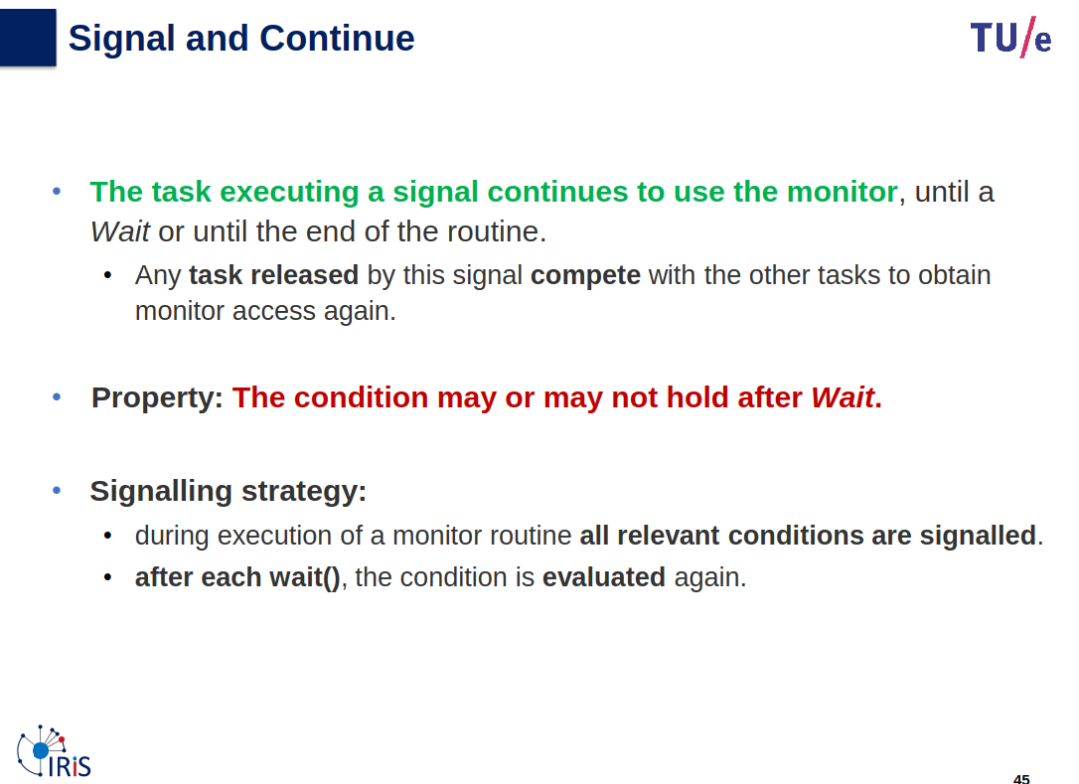
Scheduling/signaling Disciplines
The discipline defines what happens to the monitor upon a signal.
Four disciplines are used in various implementations
- signal & exit
- signal & continue
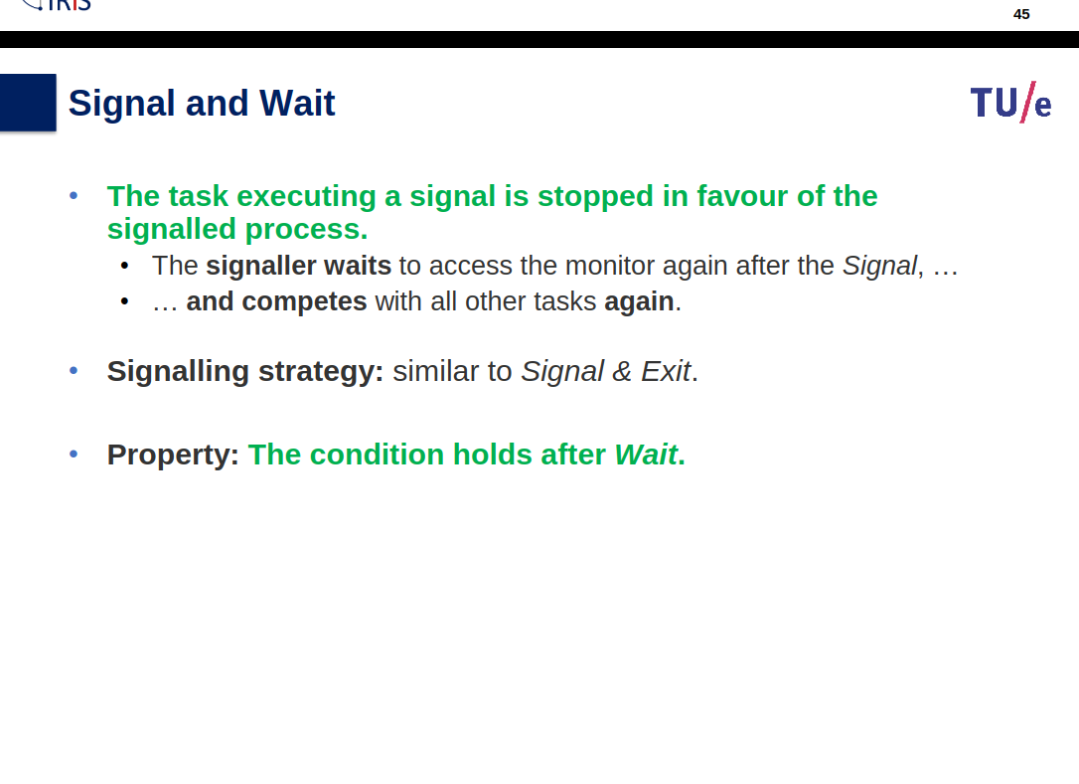
- signal & wait
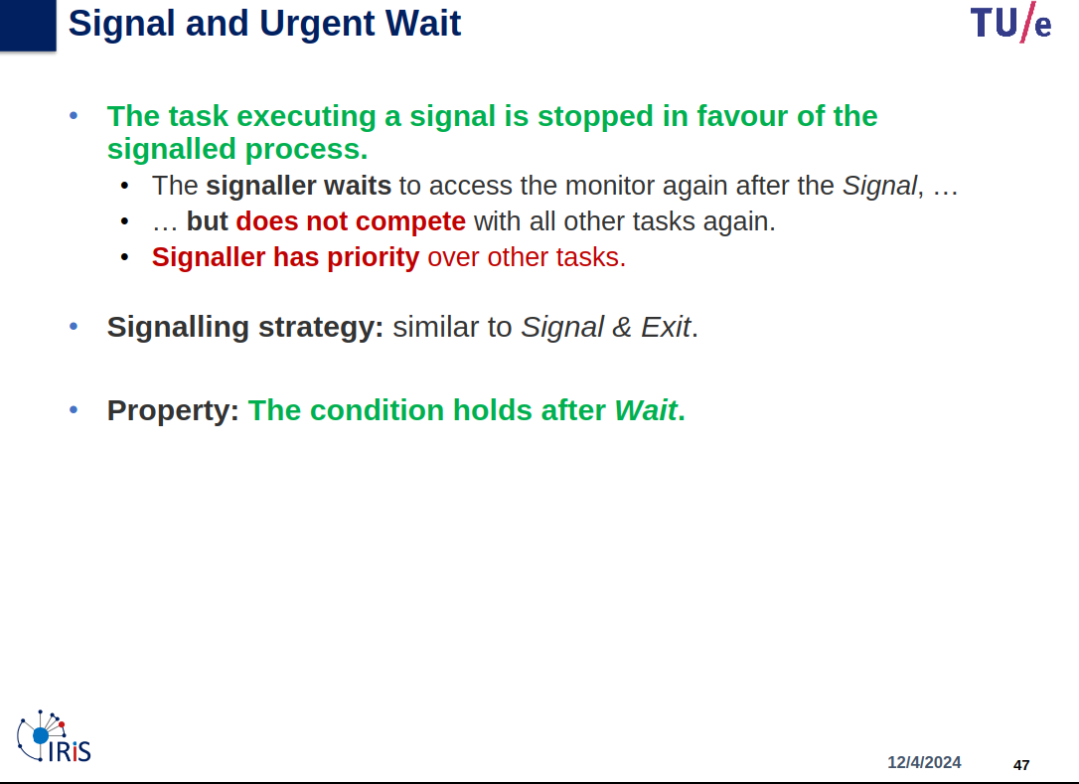
- signal & urgent wait
Correctness of solution depends on signalling discipline
Deadlocks
Topic: Processes, Threads and Synchronization
Slides
OS-06-slides_preparation_videos.pdf
Info
Slides & Book
Analysis of Deadlocks
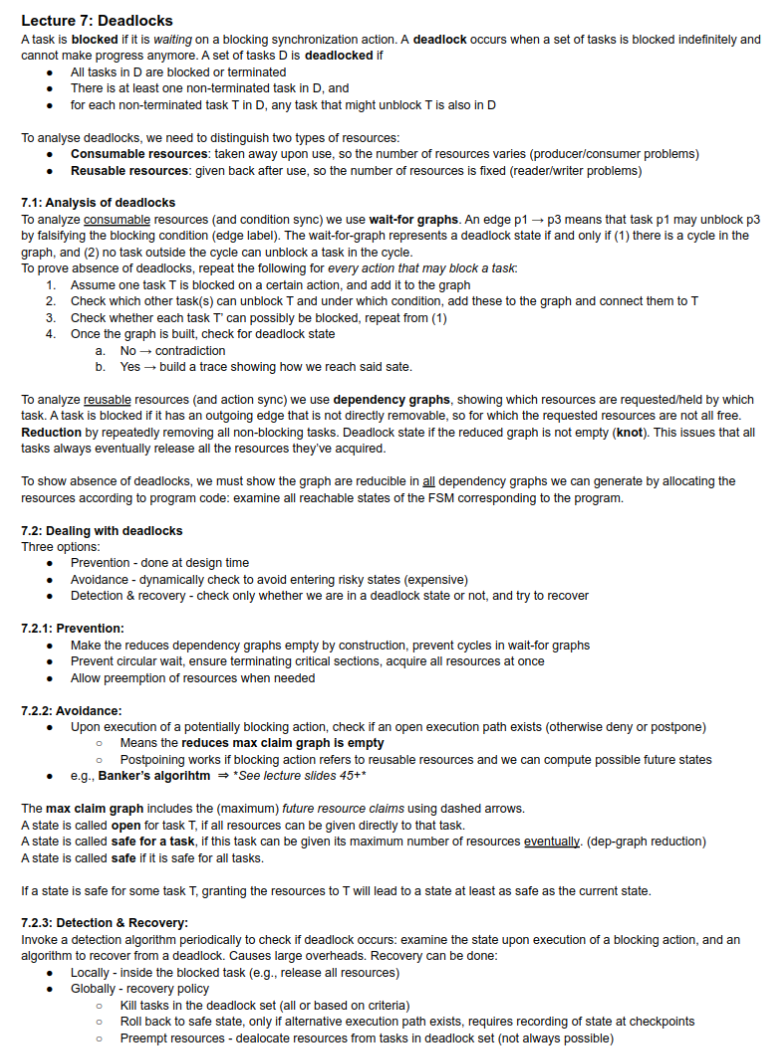
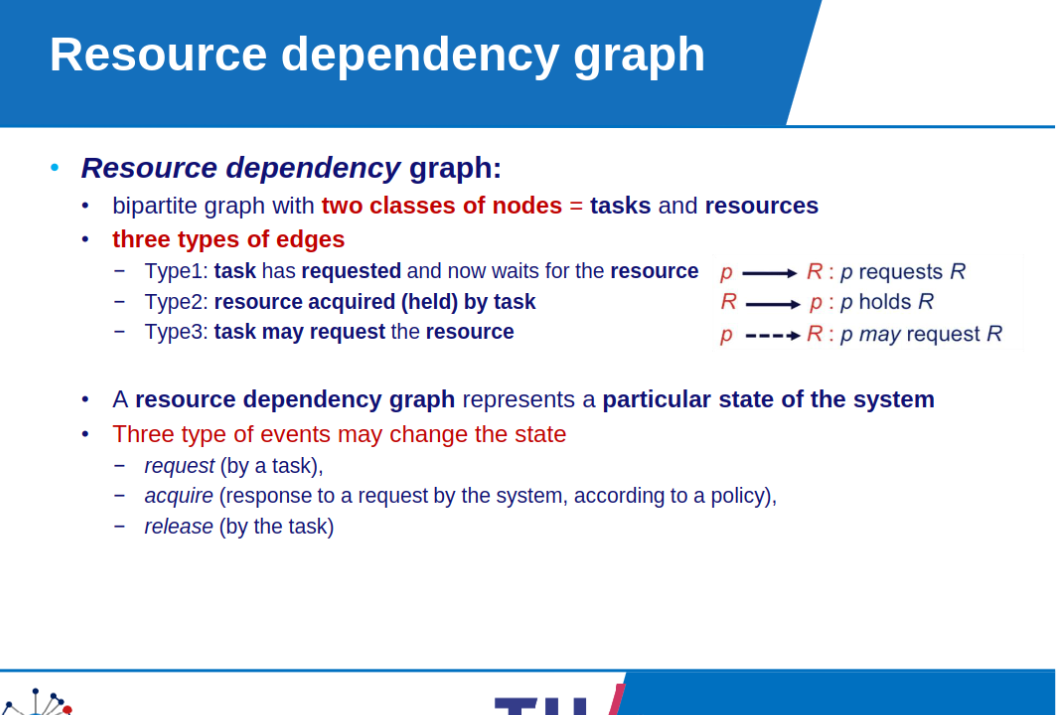
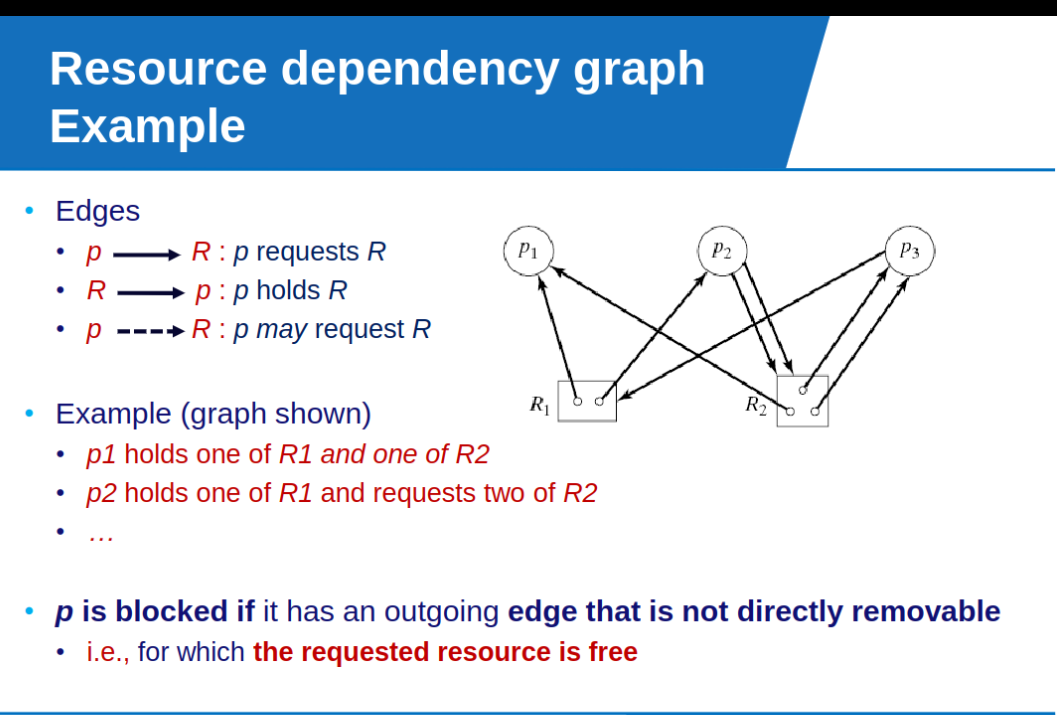
Task is blocked: it is waiting on a blocking synchronization action.
A set D of tasks is called deadlocked:
- all tasks in D are blocked or terminated (normally or abnormally).
- there is at least one non-terminated task in D, and,
- for each non-terminated task t in D, any task that might unblock t is also in D.
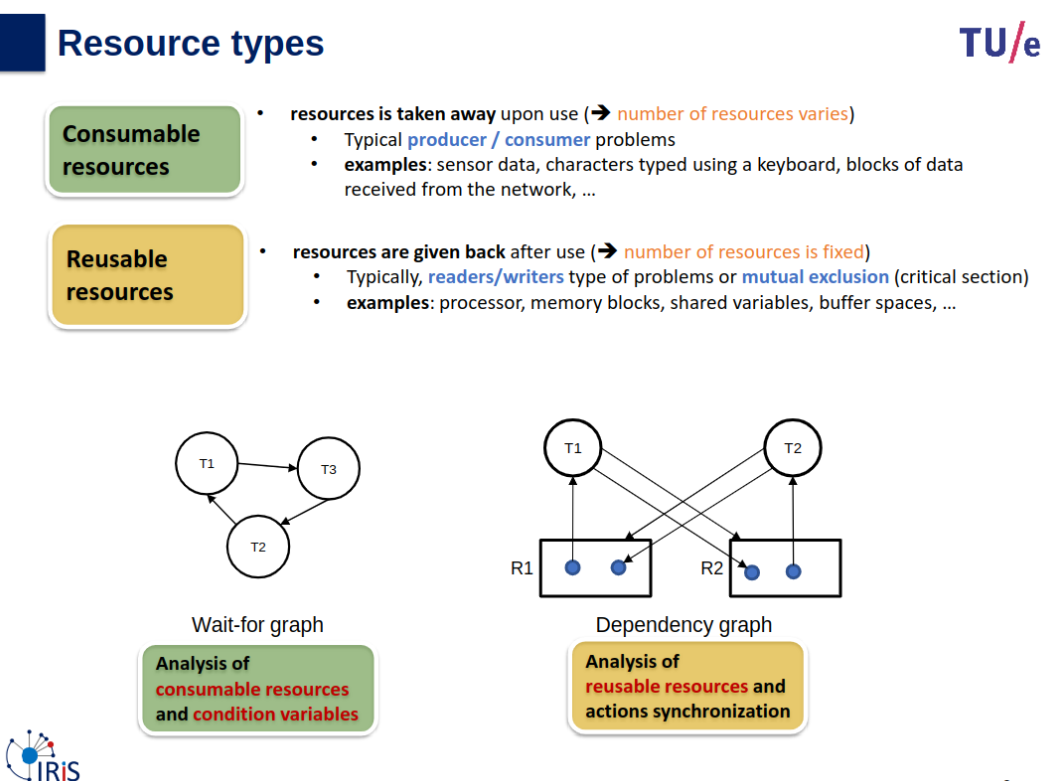
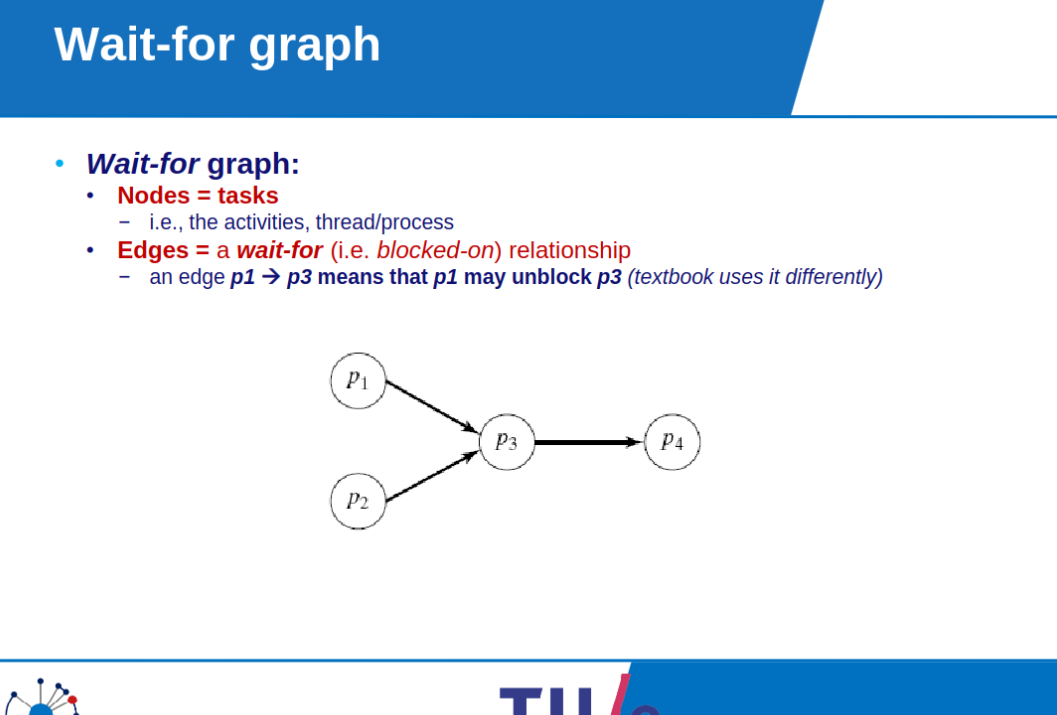
Wait-for graphs
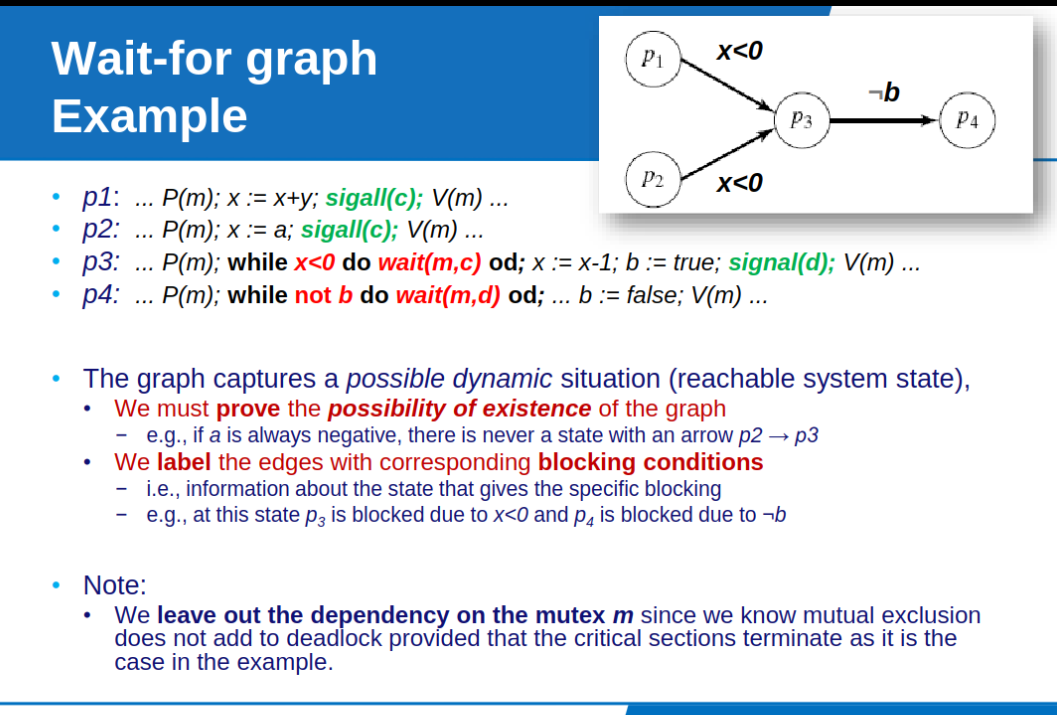
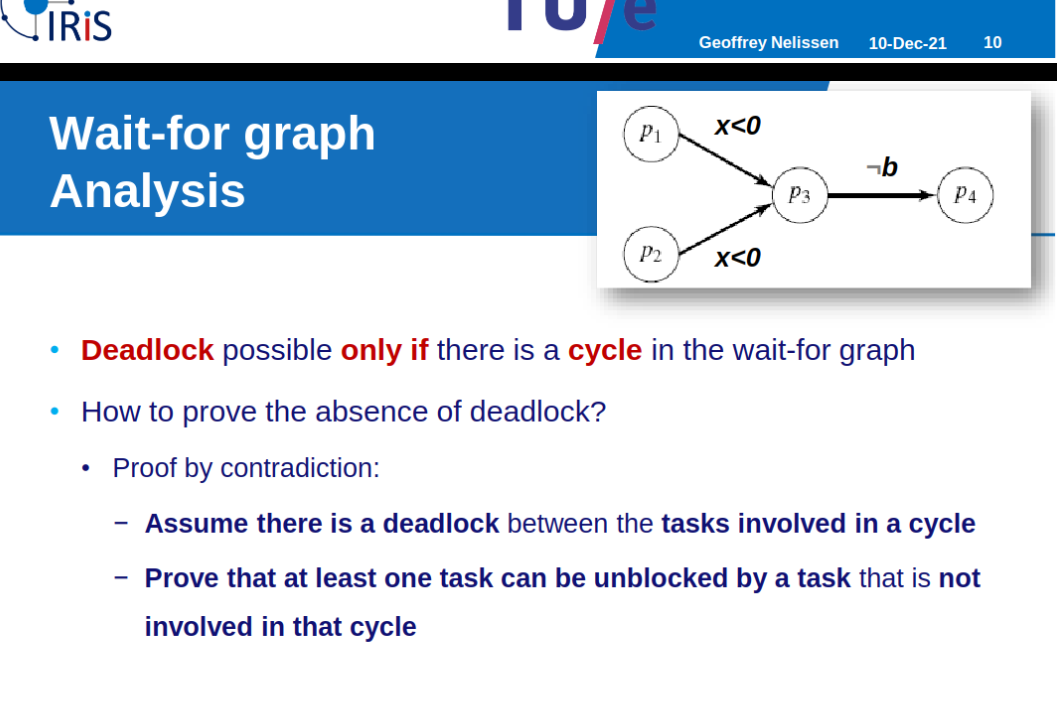
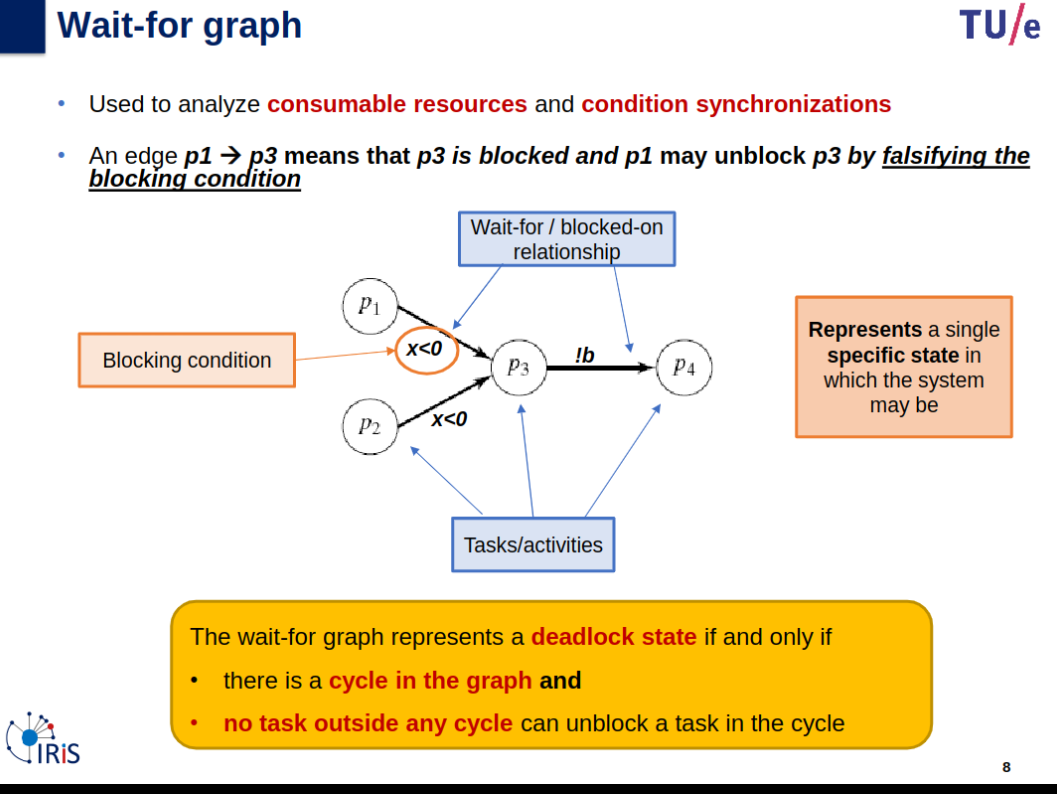
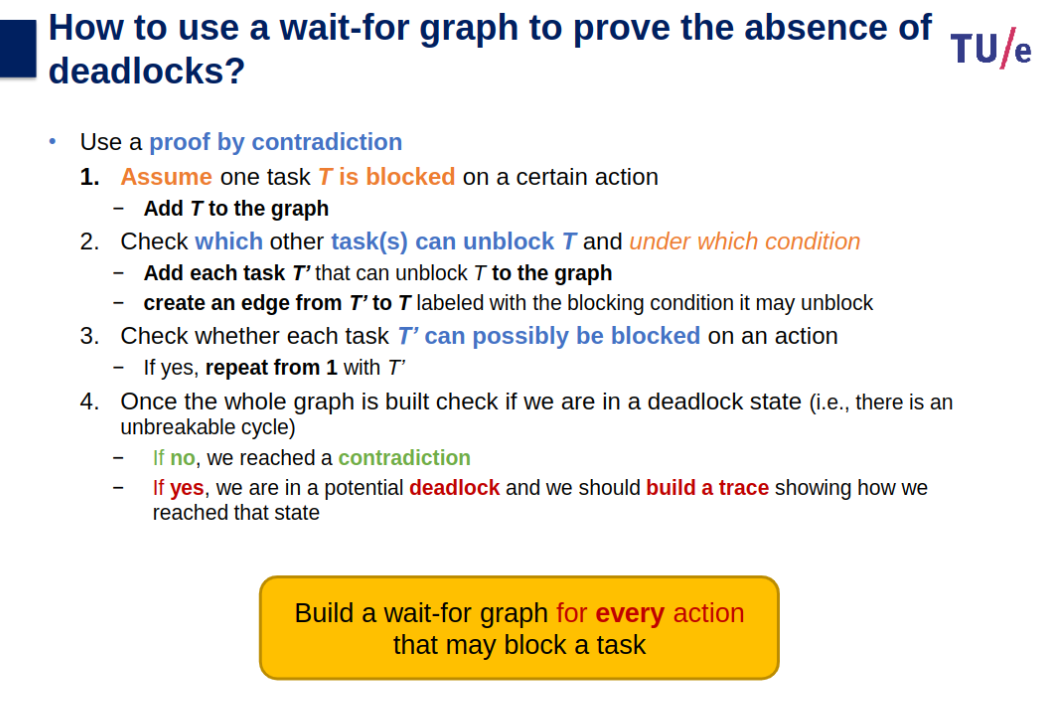
Resource dependency graphs
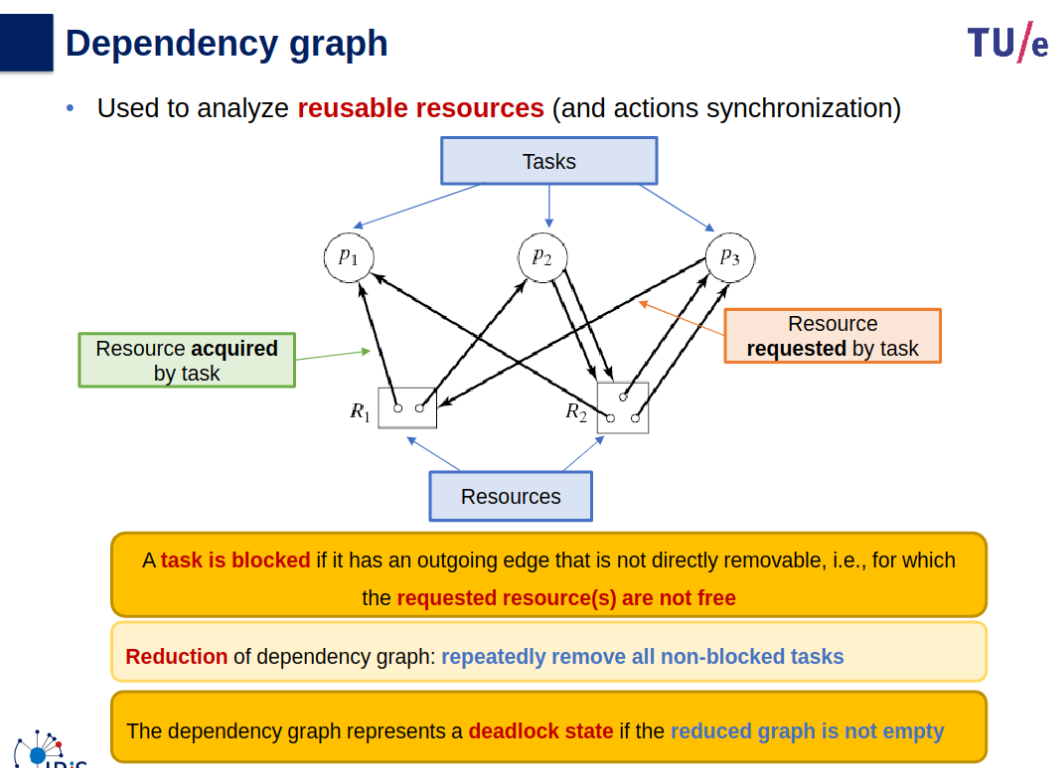
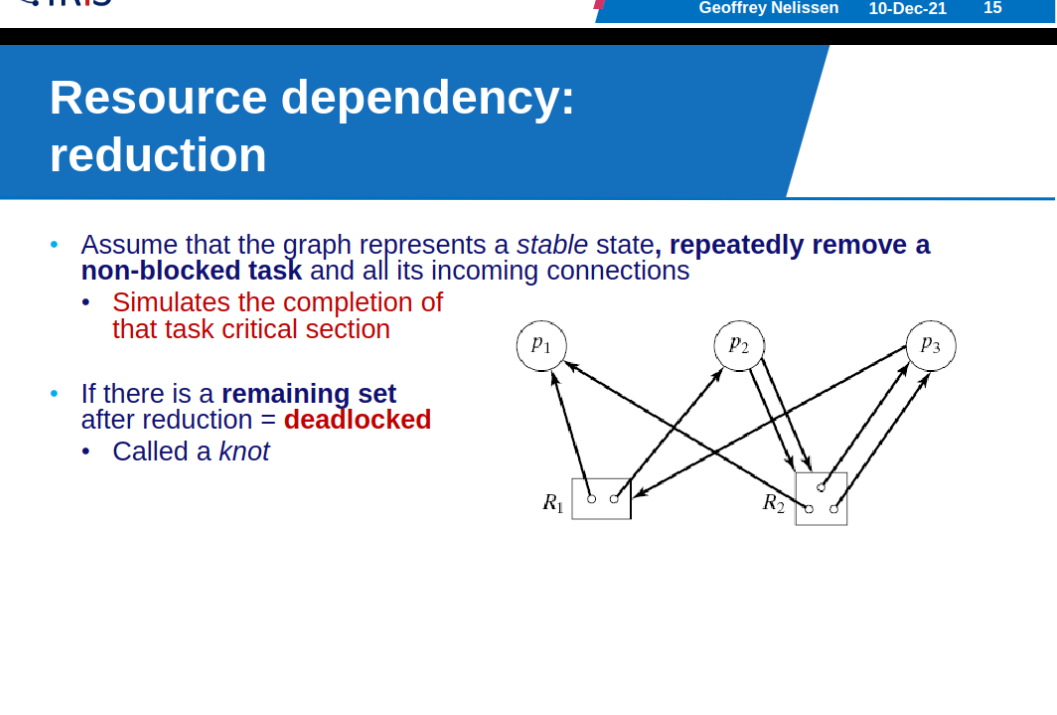
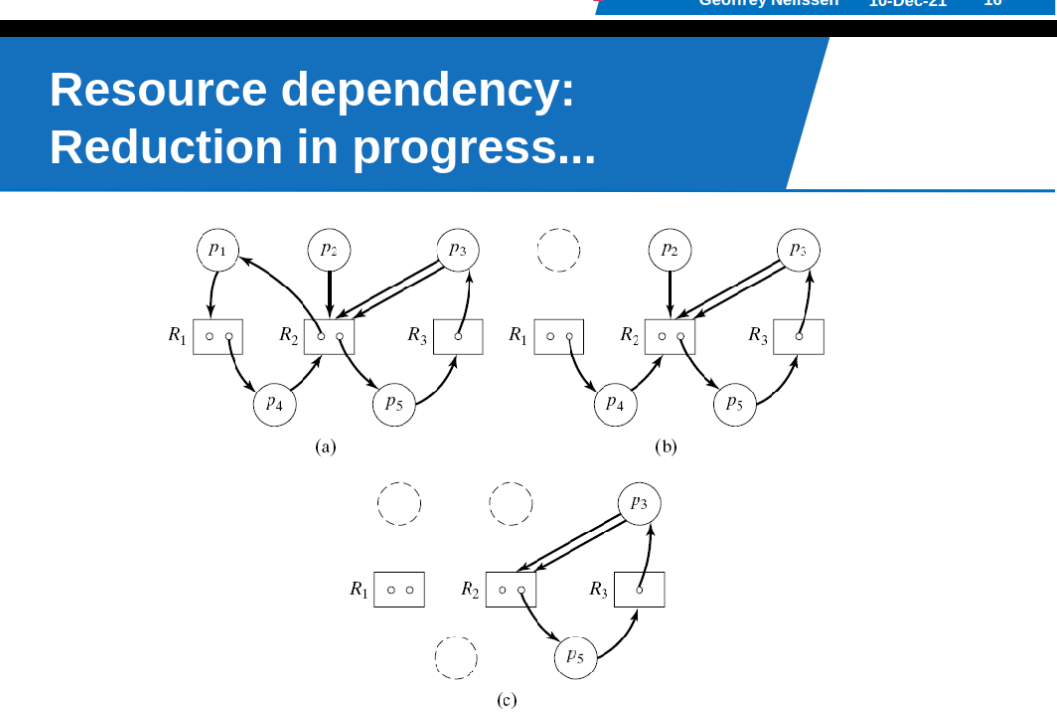
Finite state machines
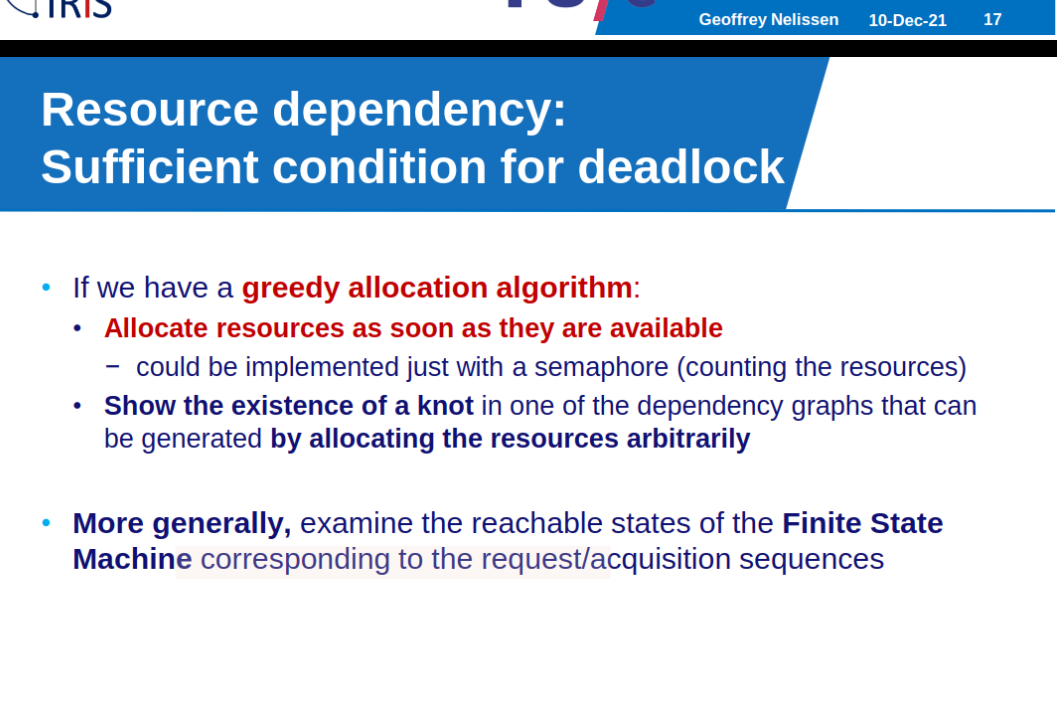
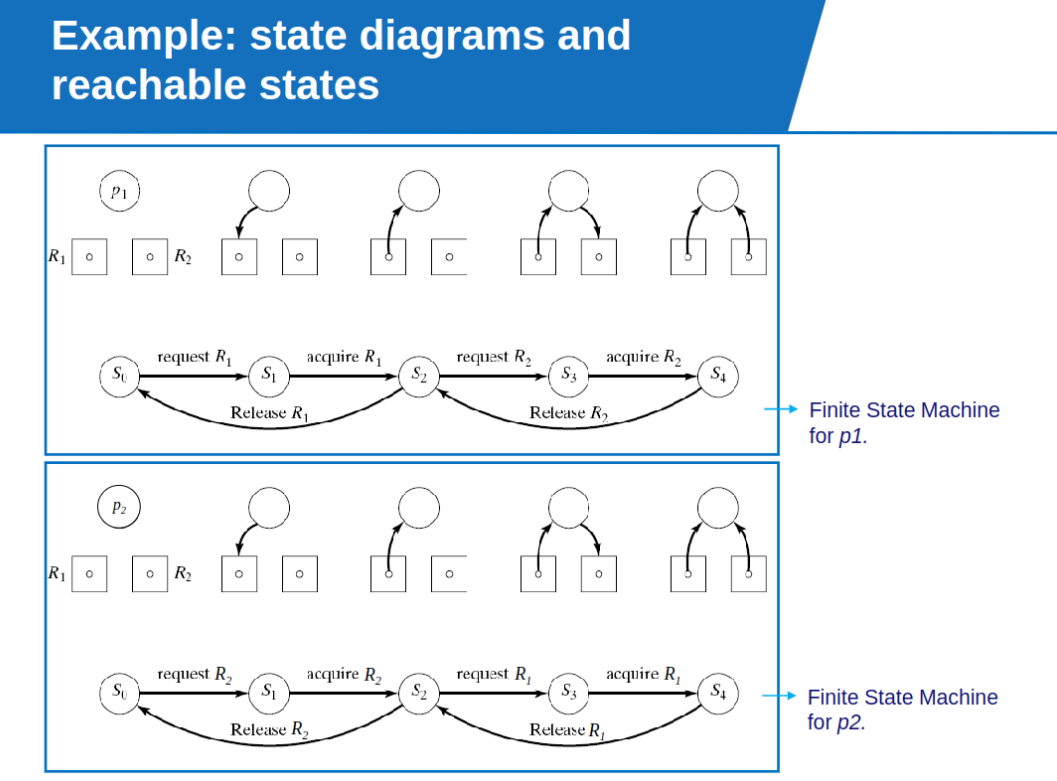
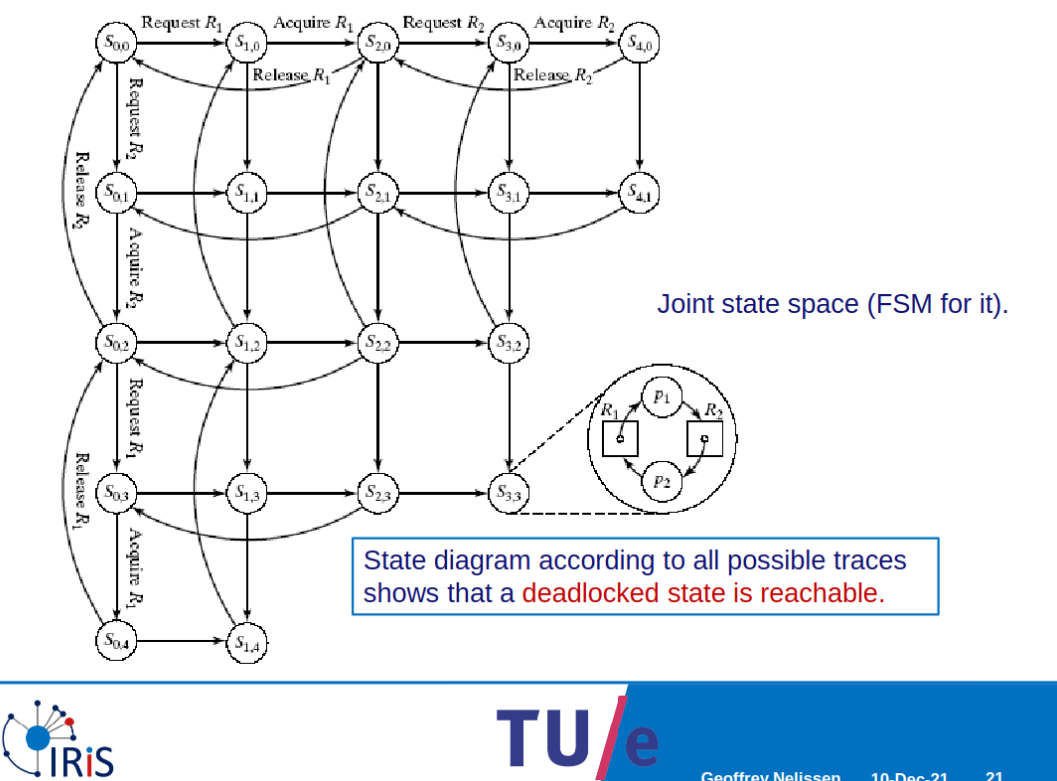
Examples
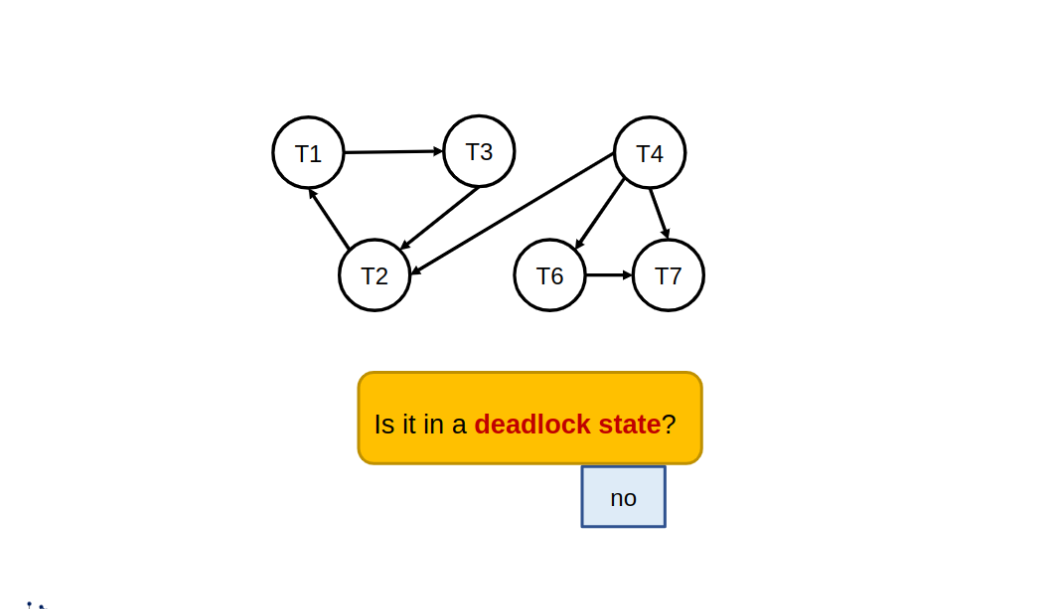
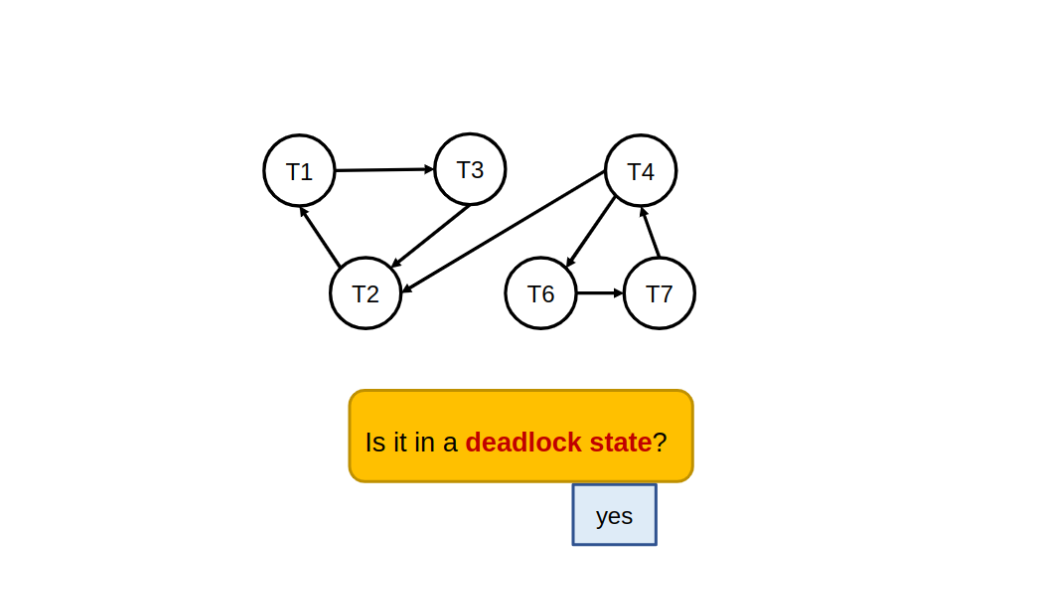
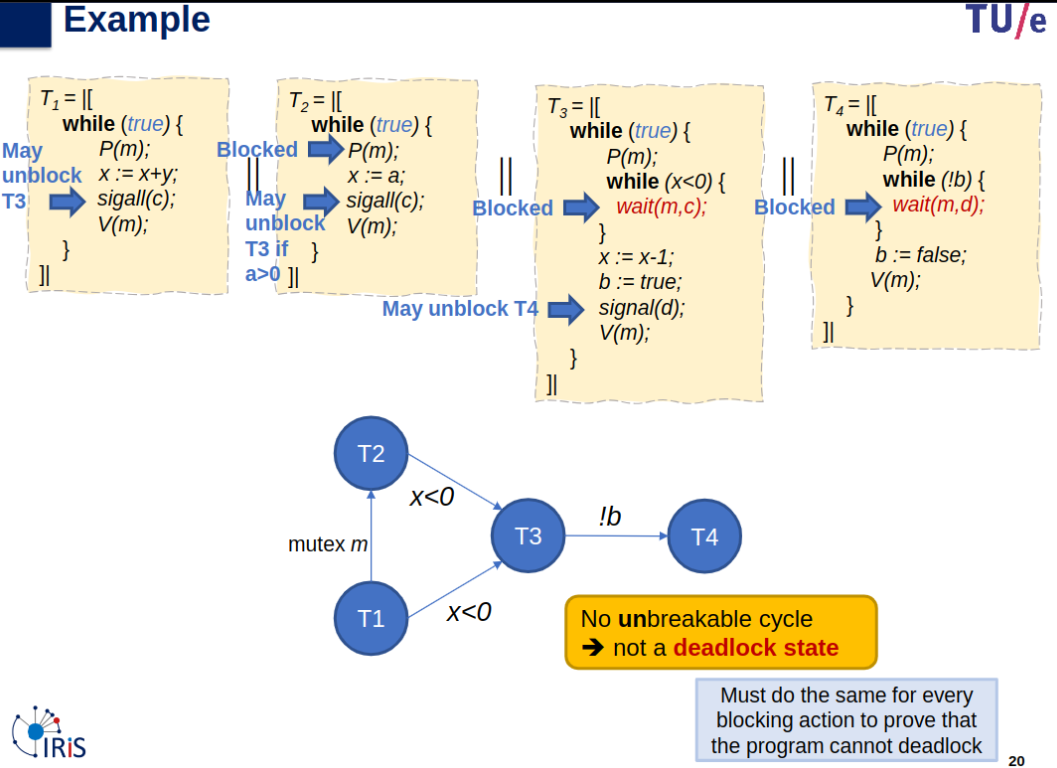
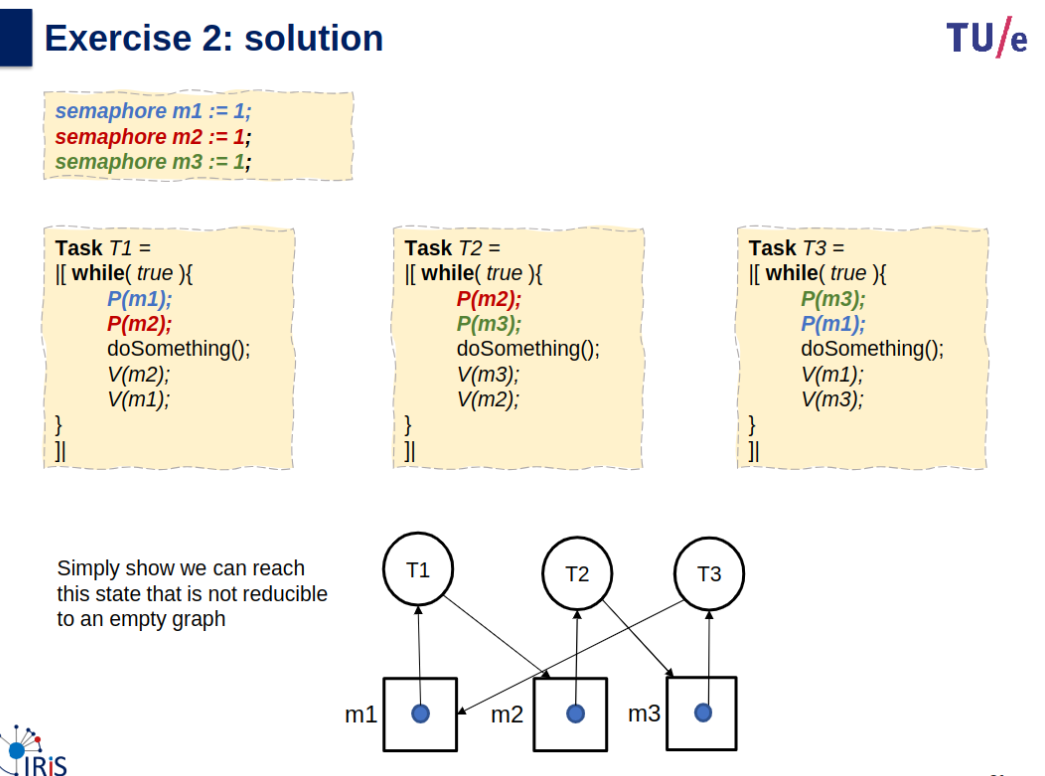
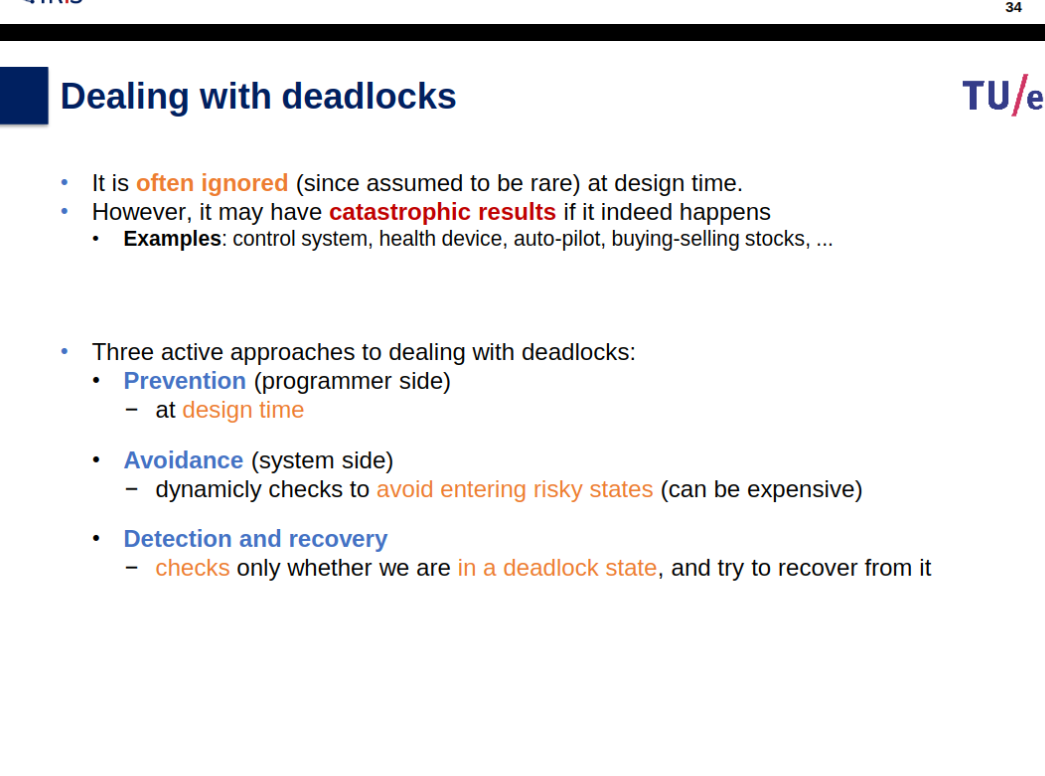
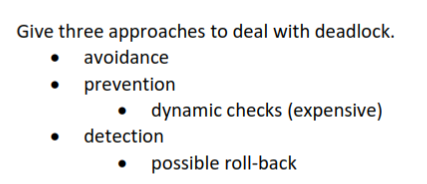
Dealing with Deadlocks
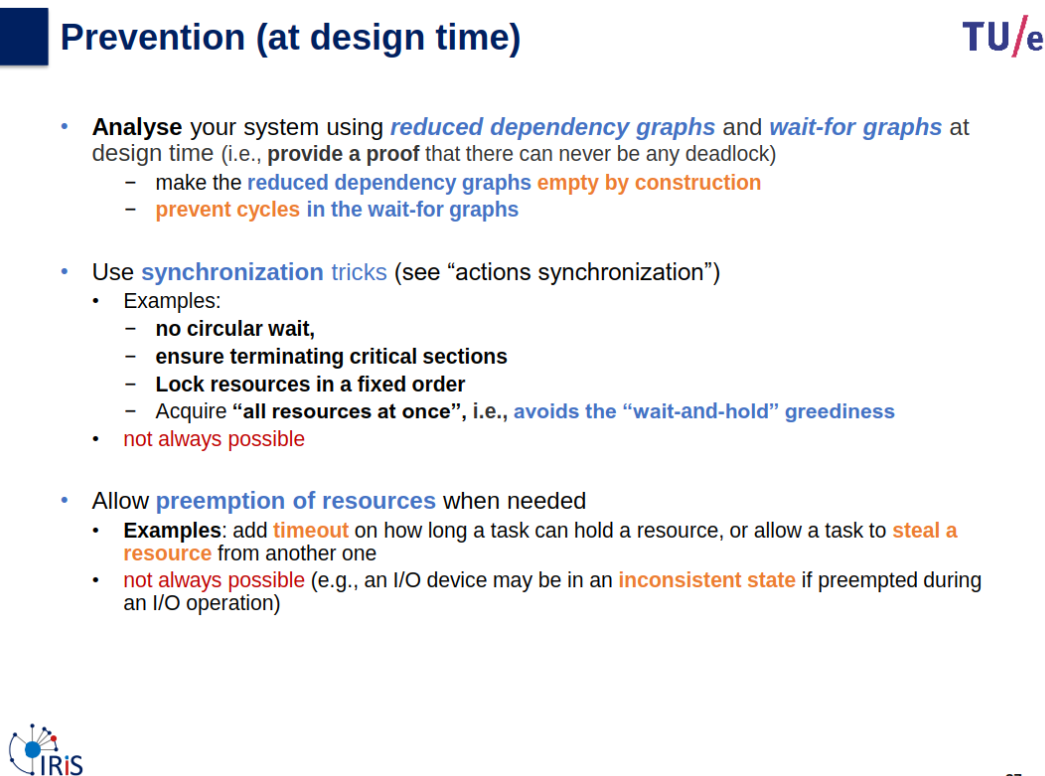
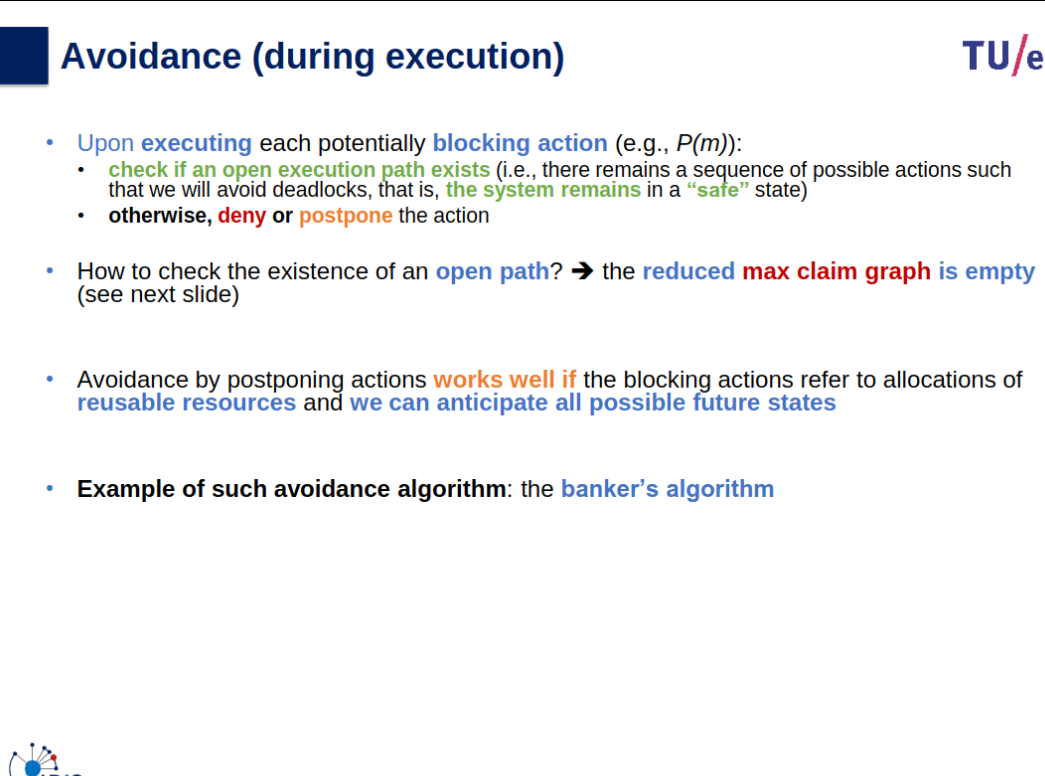
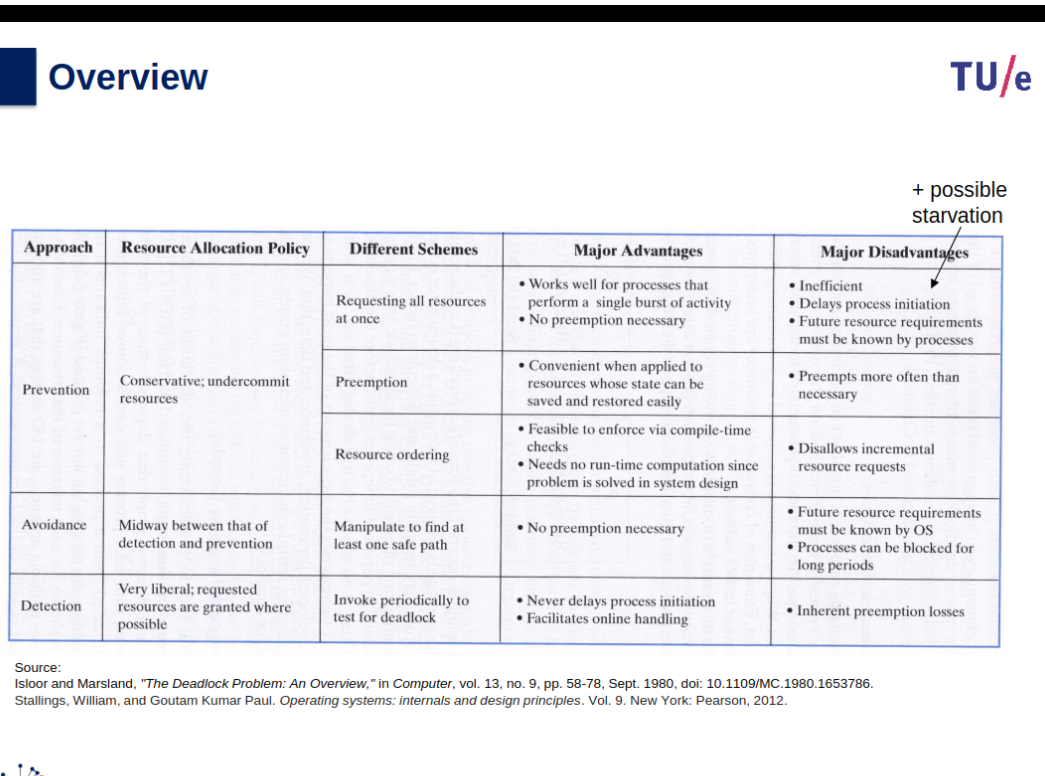
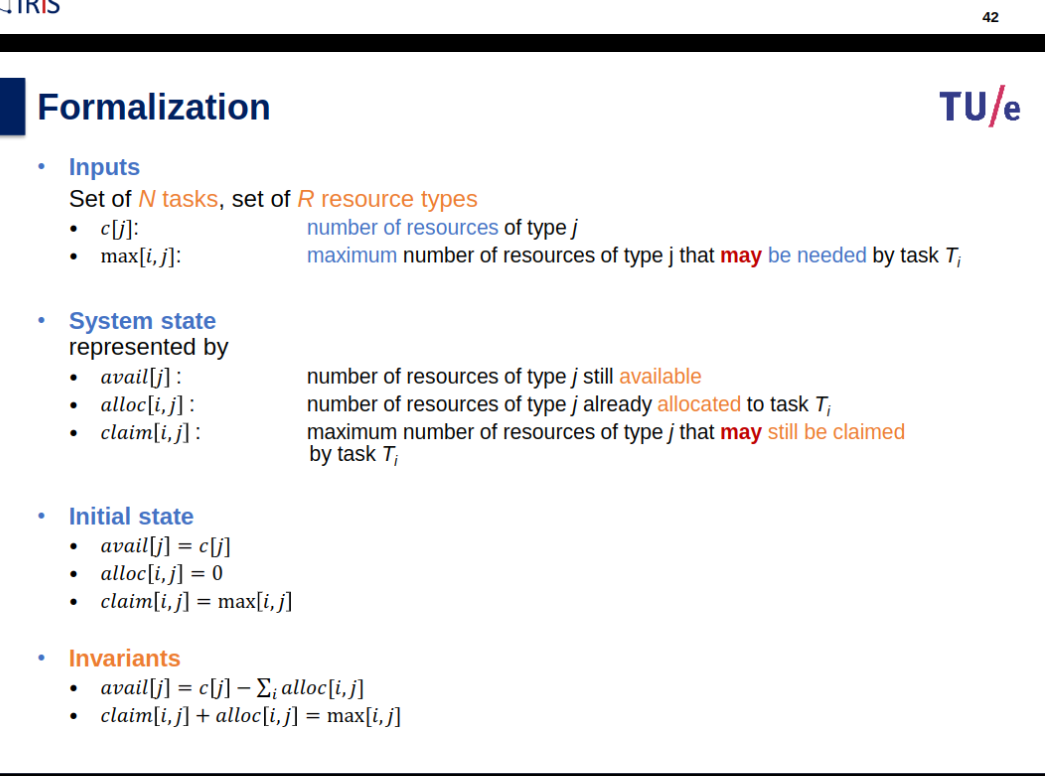
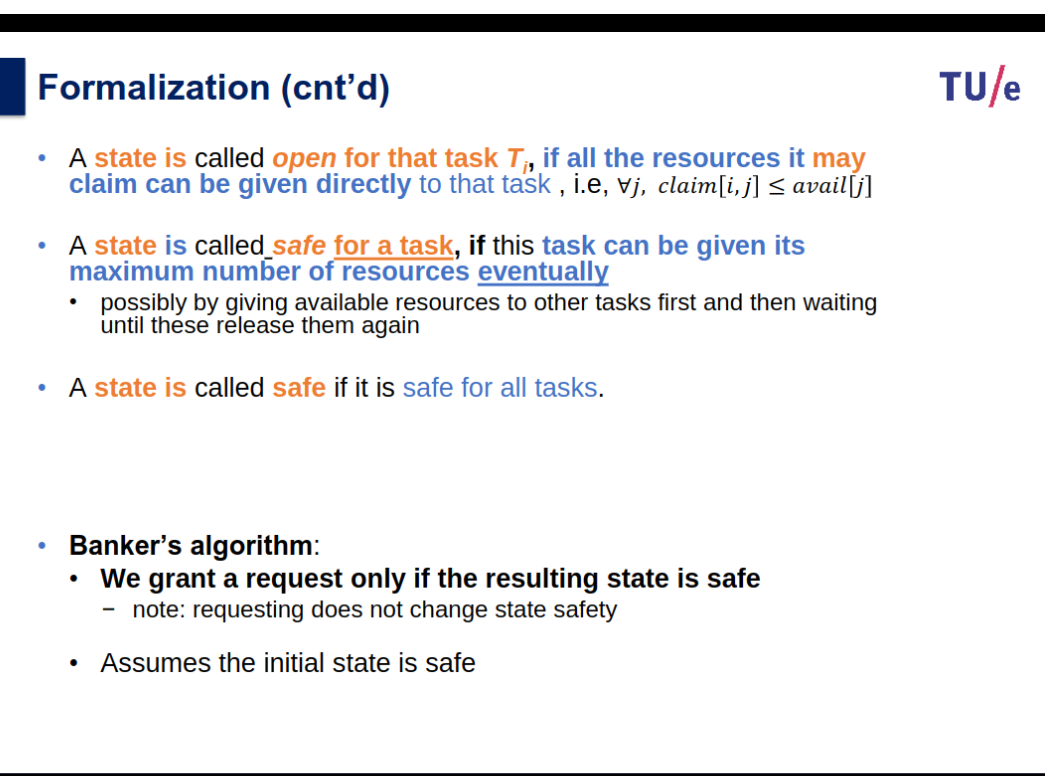
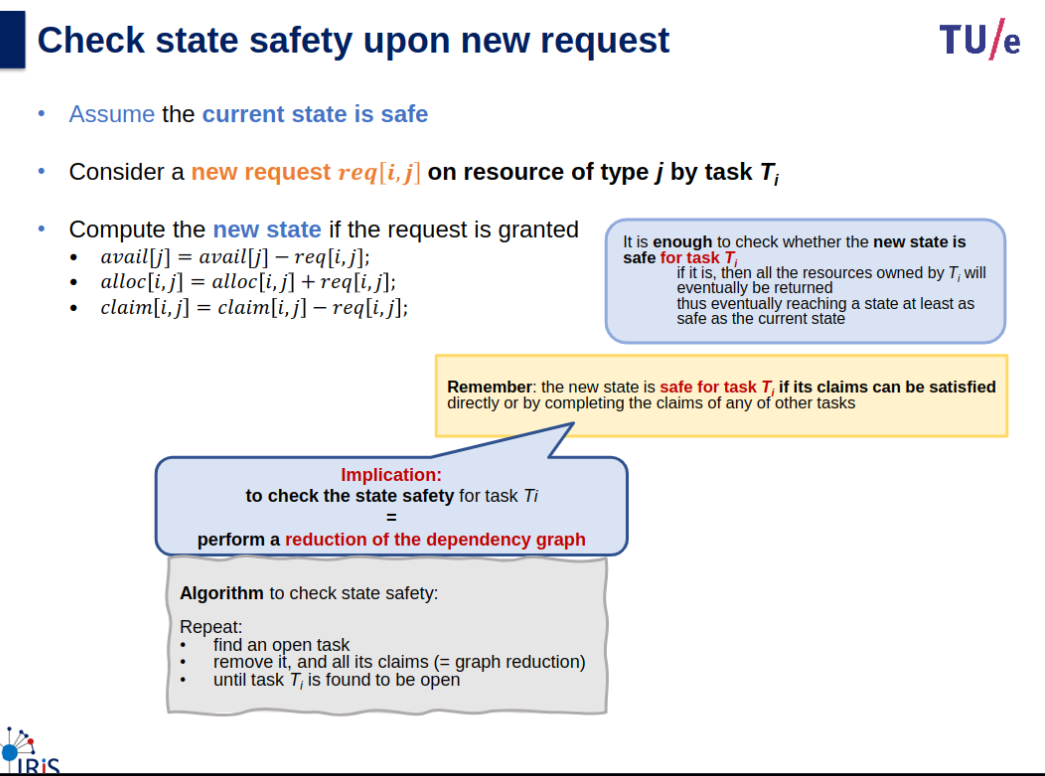
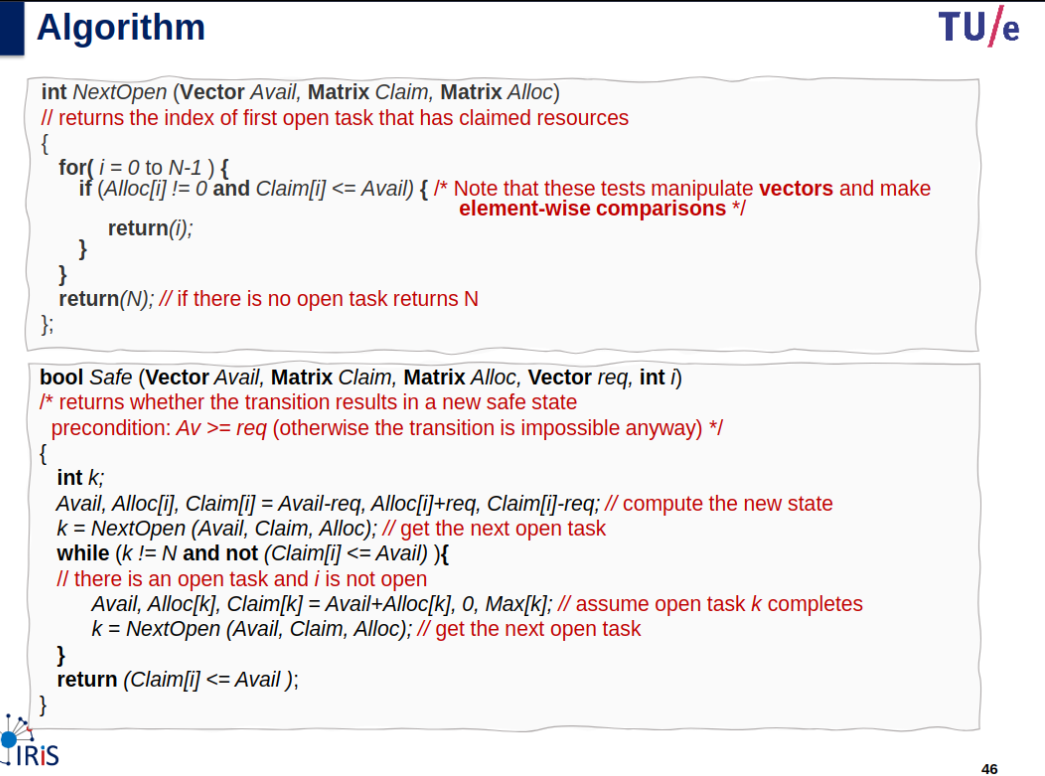
Avoidance
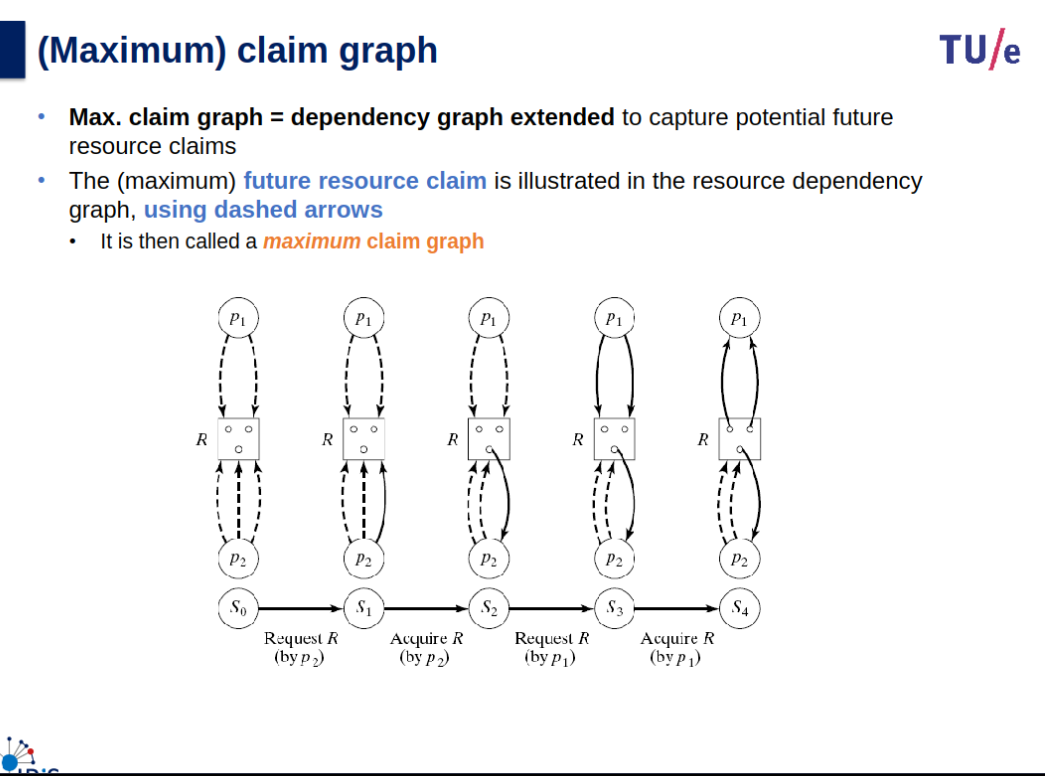
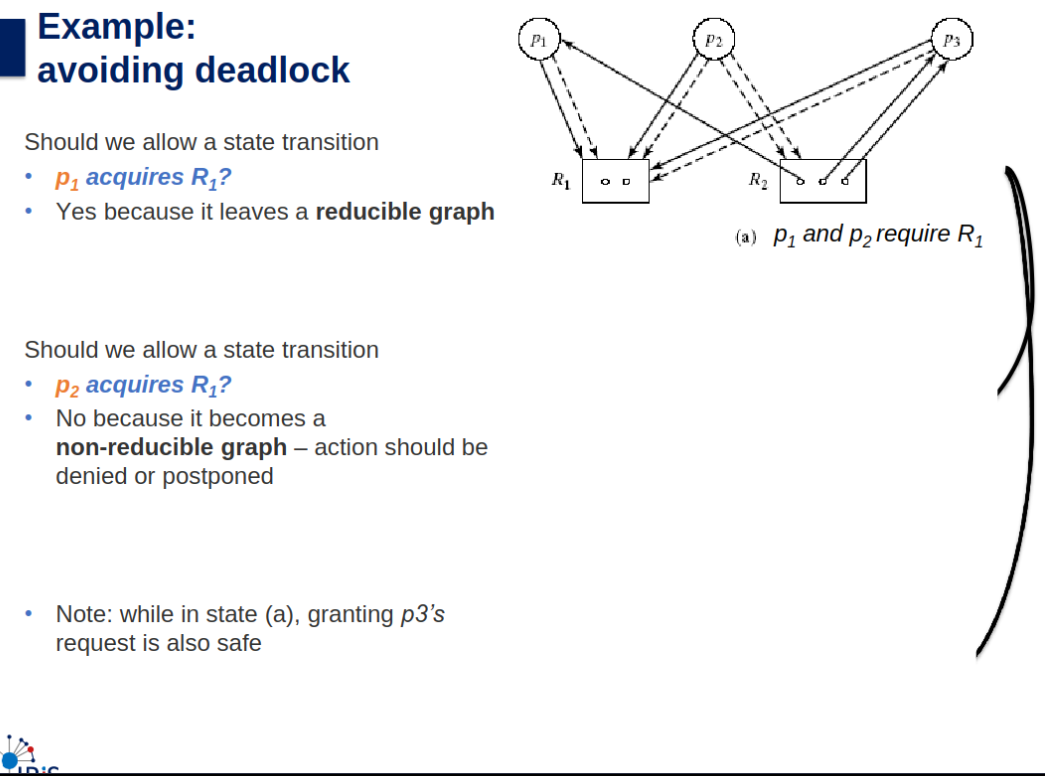
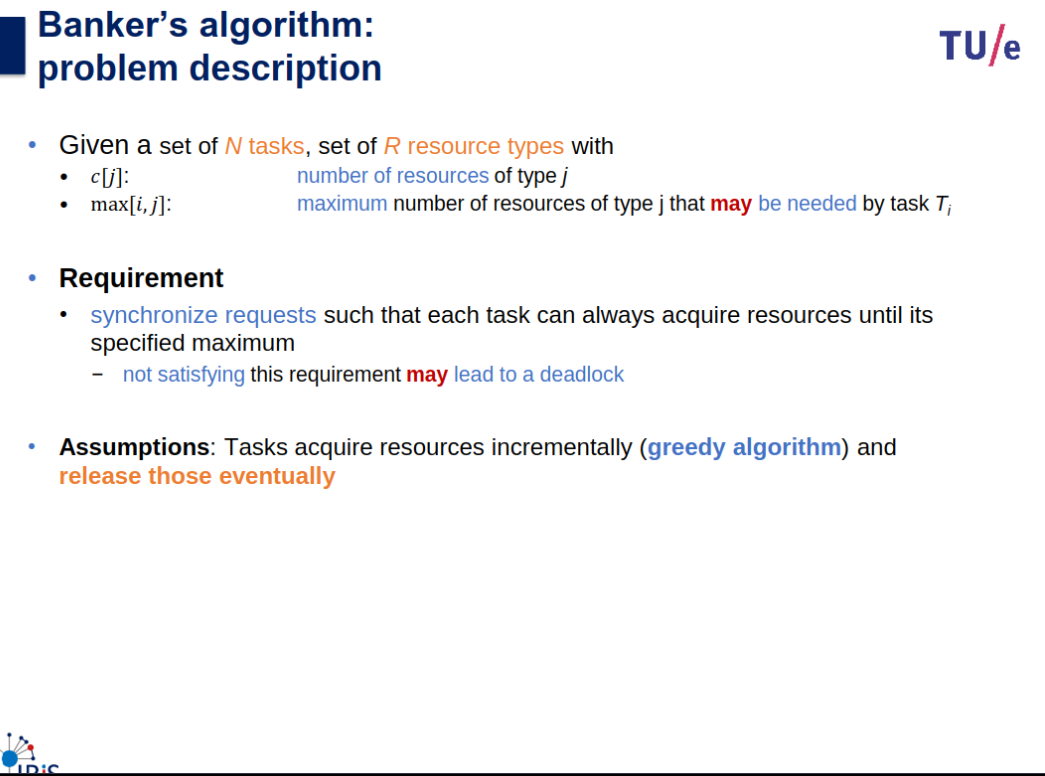
Exercises
Detection and Recovery
Other
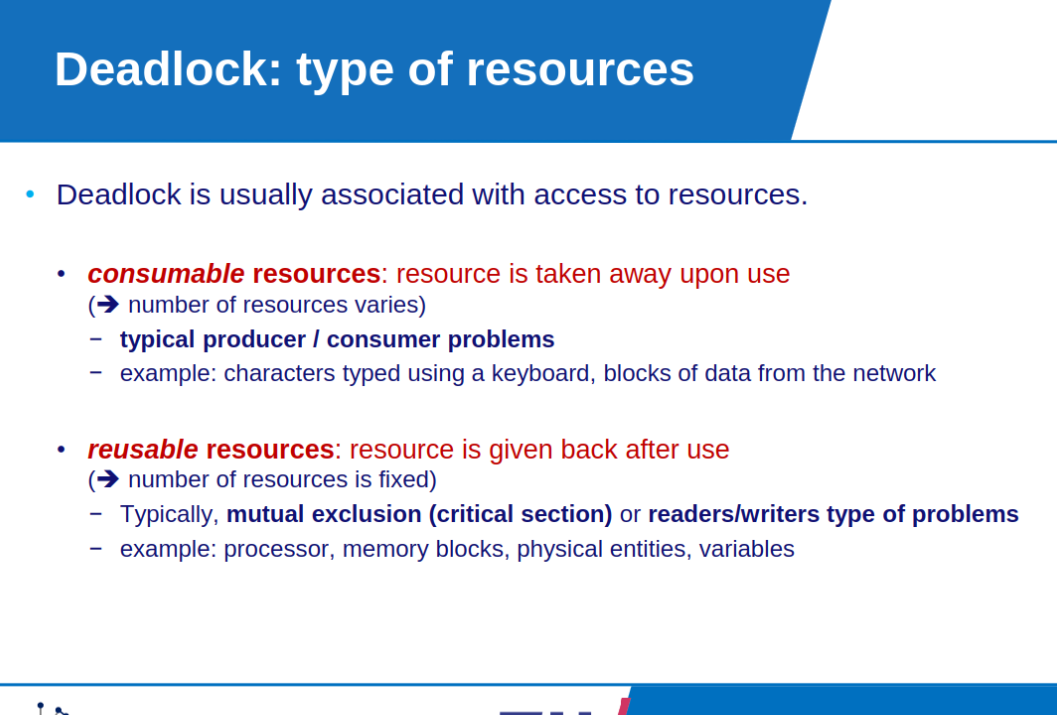
Starvation: can be the result of cooperation of several processes. Can also be the result of interference between scheduling and blocking.
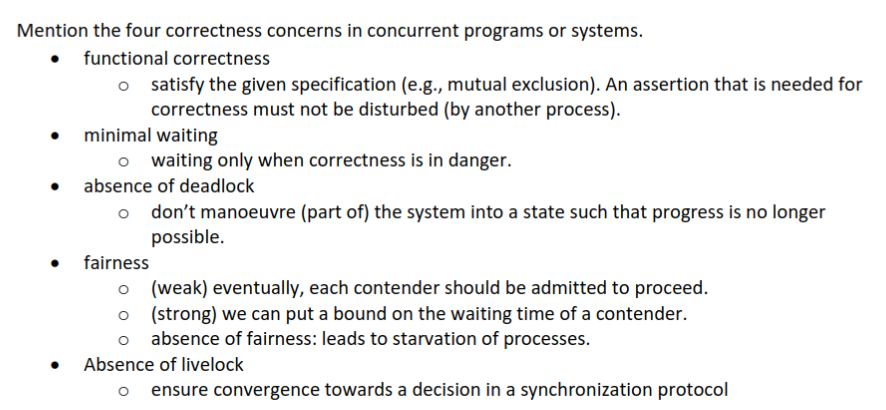
Livelock: try to pass a critical condition repeatedly, without making progress. Results functionally in starvation ordeadlock.
Deadlock: extreme case of starvation: continuation not possible.
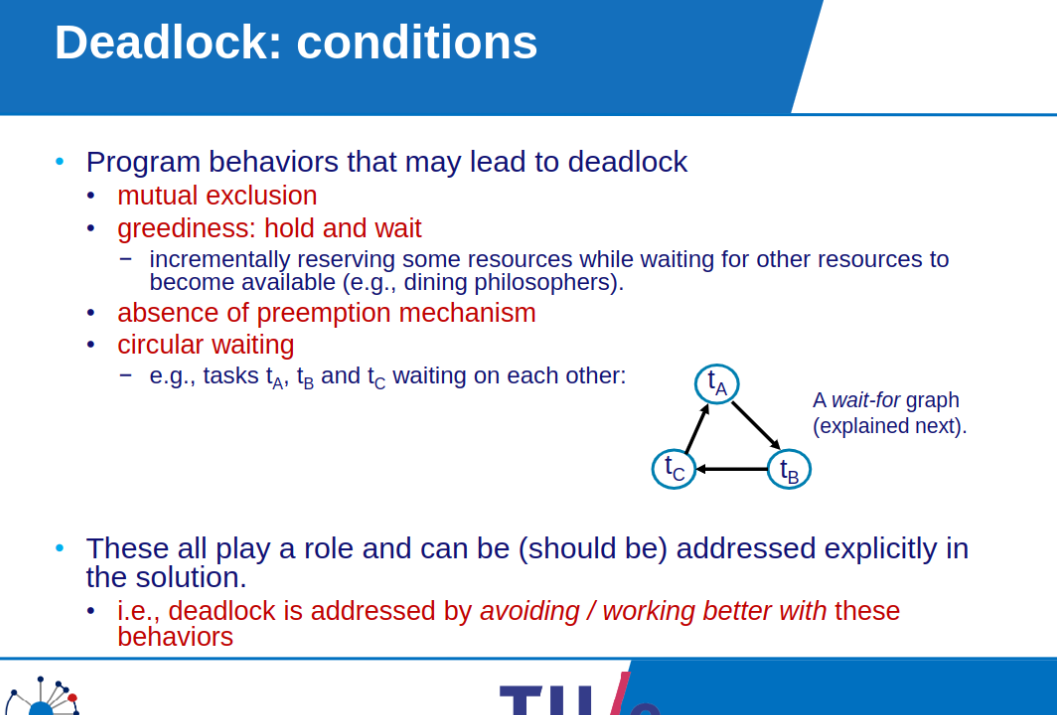
Program behaviours that may lead to deadlock:
- Mutual exclusion
- Greediness: hold and wait
- Absence of pre-emption mechanism - Circular waiting
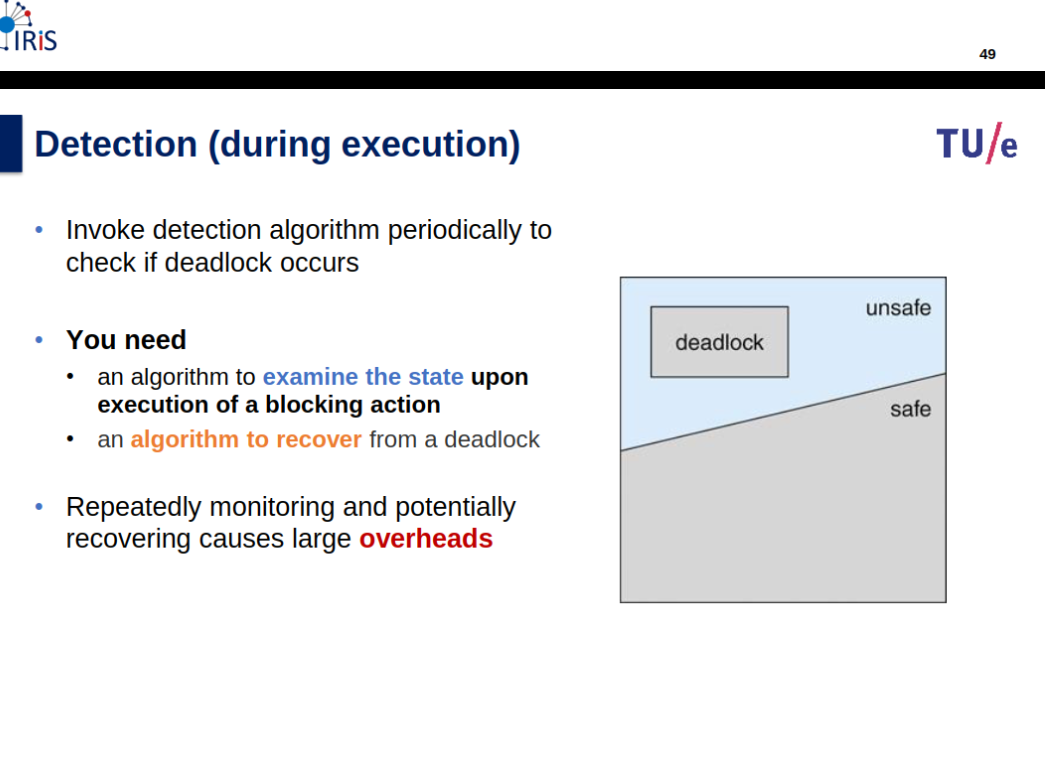
A system in unsafe state does not imply deadlock.”
Summary Questions
-
What is interference of concurrent programs?: The truth of an assertion that on local reasoning would be true is falsified.
-
What is meant by interference among concurrent threads?: Assumptions or knowledge that one thread has about the state are disturbed by actions of another thread.
-
Give the steps that make up a conditional critical region.:
- lock
- while not condition do wait od
- critical section
- possible signals
- unlock
-
A spinlock is a common approach to implementing mutual exclusion. What are its advantages and disadvantages, and where is it used:
- Advantage: work with multiprocessors.
- Disadvantage: busy waiting, cost time, doesnt work for single processor.
-
Give two motivations for making a program multi-threaded.:
- follow solution structure: natural concurrency
- take advantage of underlying platform concurrency
- hide latency
-
-
-
What are the two principles of condition synchronization?:
- At places where the truth of a condition is required: check and block.
- At places where a condition may have become true: signal waiters.
-
What is meant with the term ‘race condition’:
- The situation that correctness of a concurrent program depends on specific interleavings being chosen. For example, in a program that assumes that the state is not changed between a test and an action that depends on the result of this test.
-
What is the difference between the monitor signaling disciplines ‘signal-and-wait’ and ‘signal-and- continue’?:
- signal-and-wait: signaled process gets immediate access; signaler waits
- signal-and-continue: signaled process queues again for critical section access; signaler continues.
-
When can we call a set of tasks D a deadlocked set?:
- D is said to be deadlocked when D contains at least one not terminated task;
- all tasks in D are blocked
- for each non-terminated task t in D, any task that might unblock it is also in D.
-
-
-

File Systems
File Systems
Slides
Info
Book & Slides
Objectives of file system
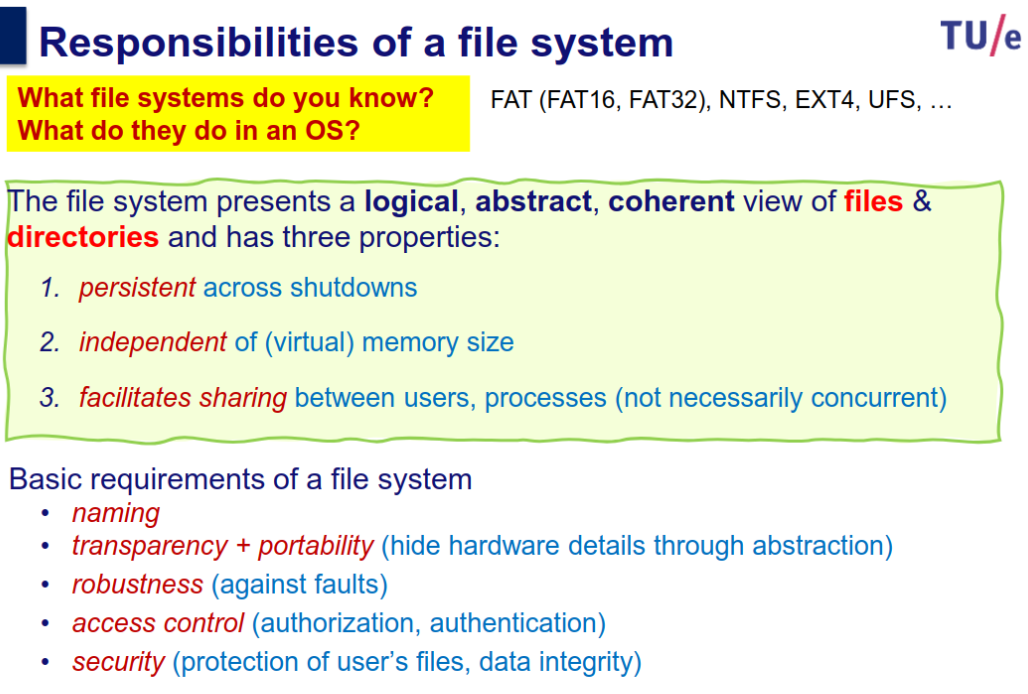
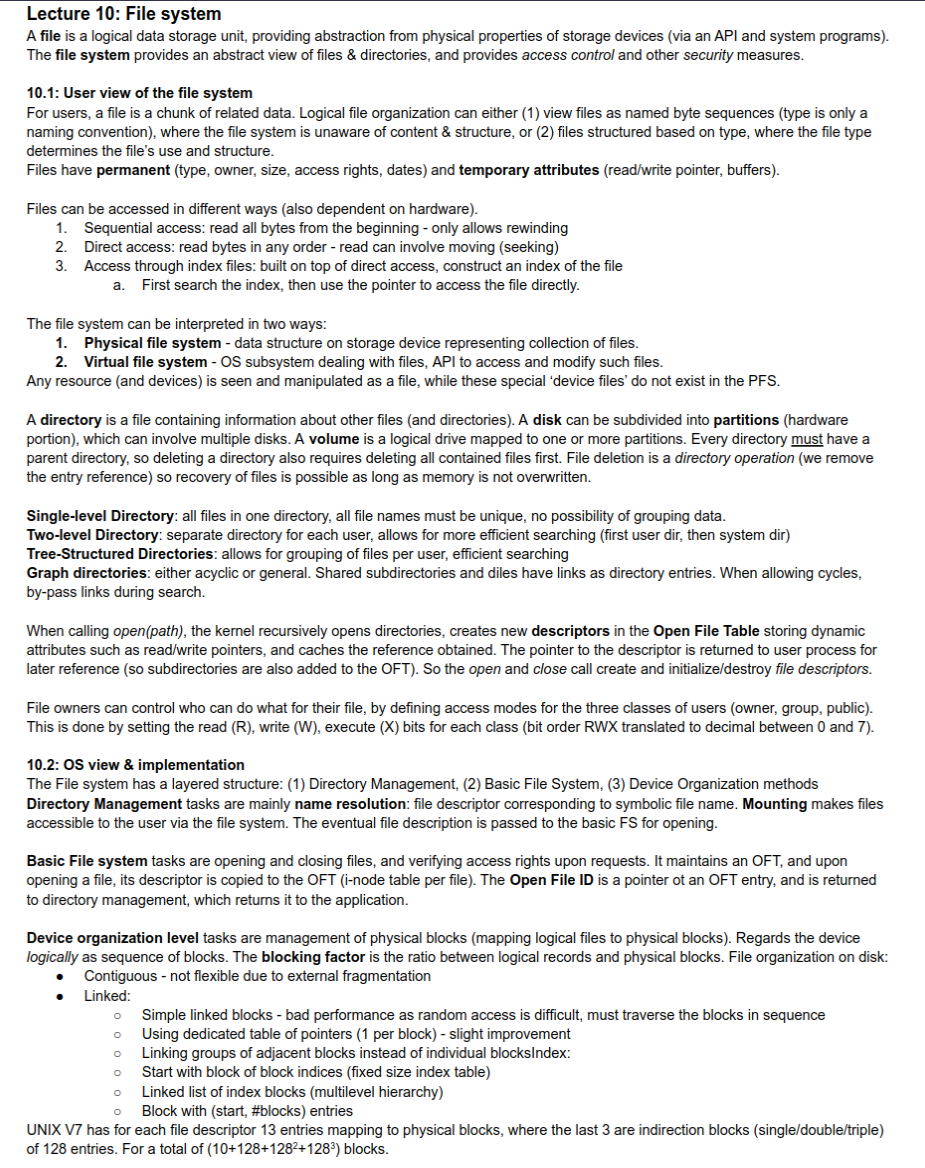
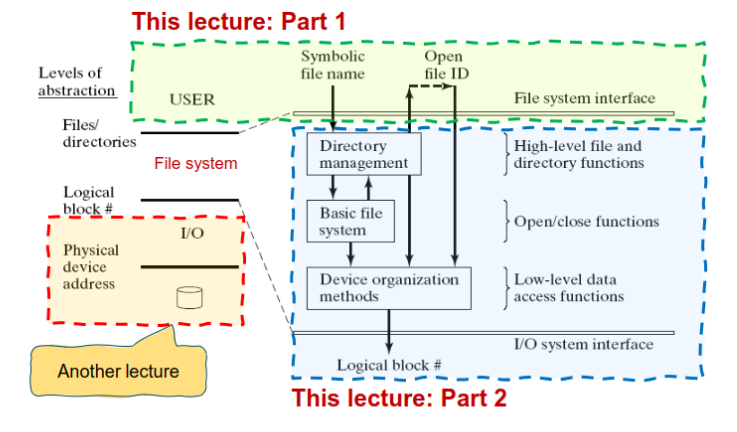
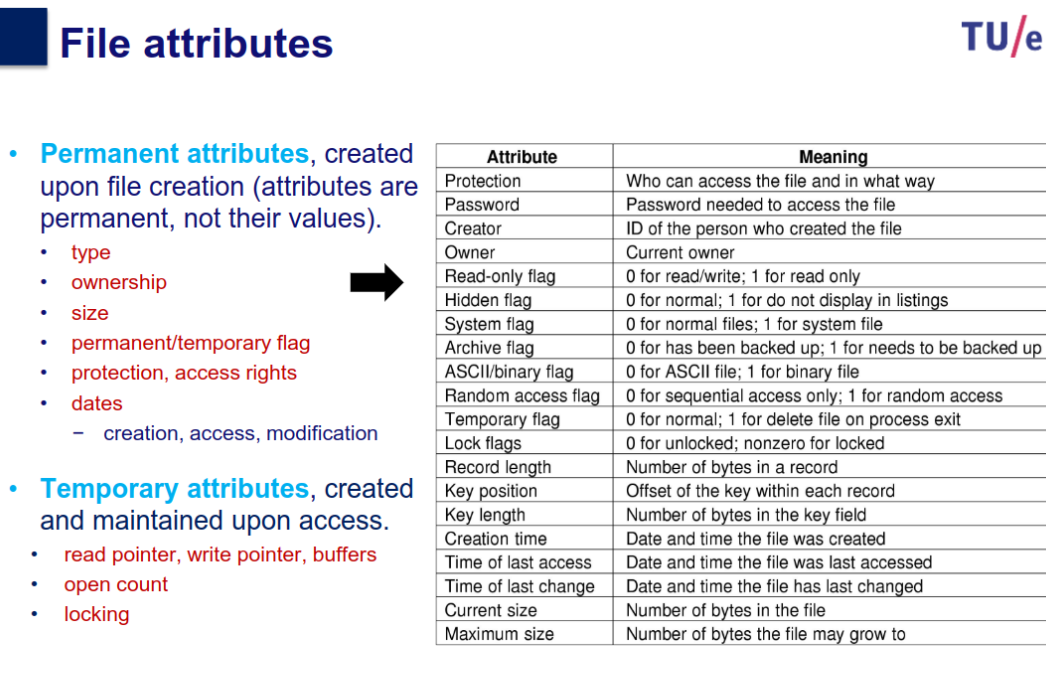
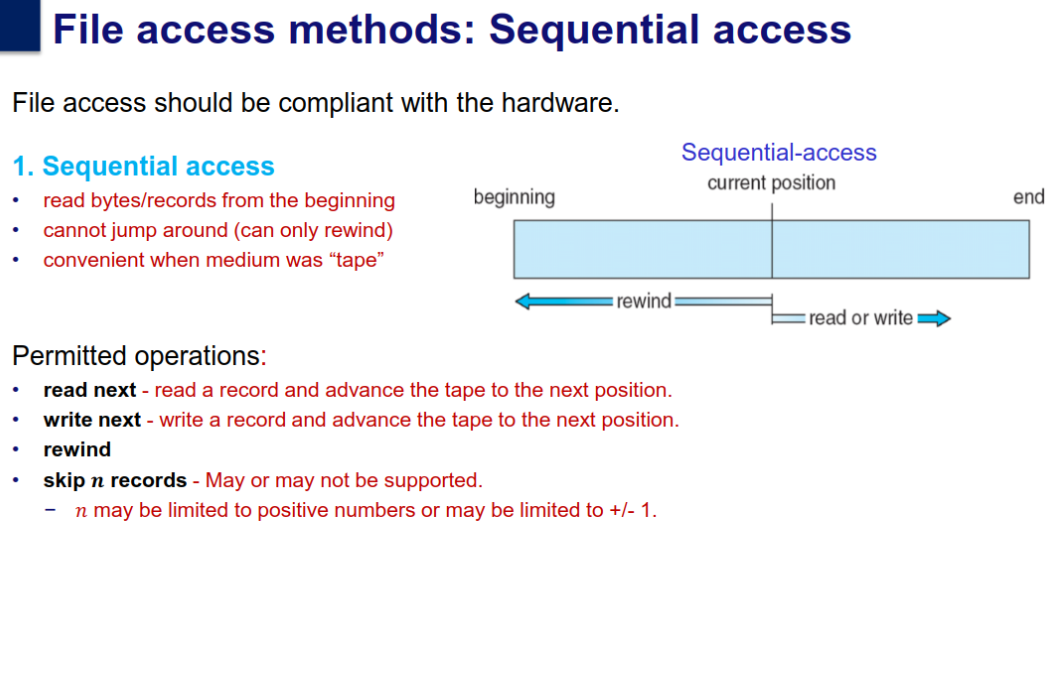
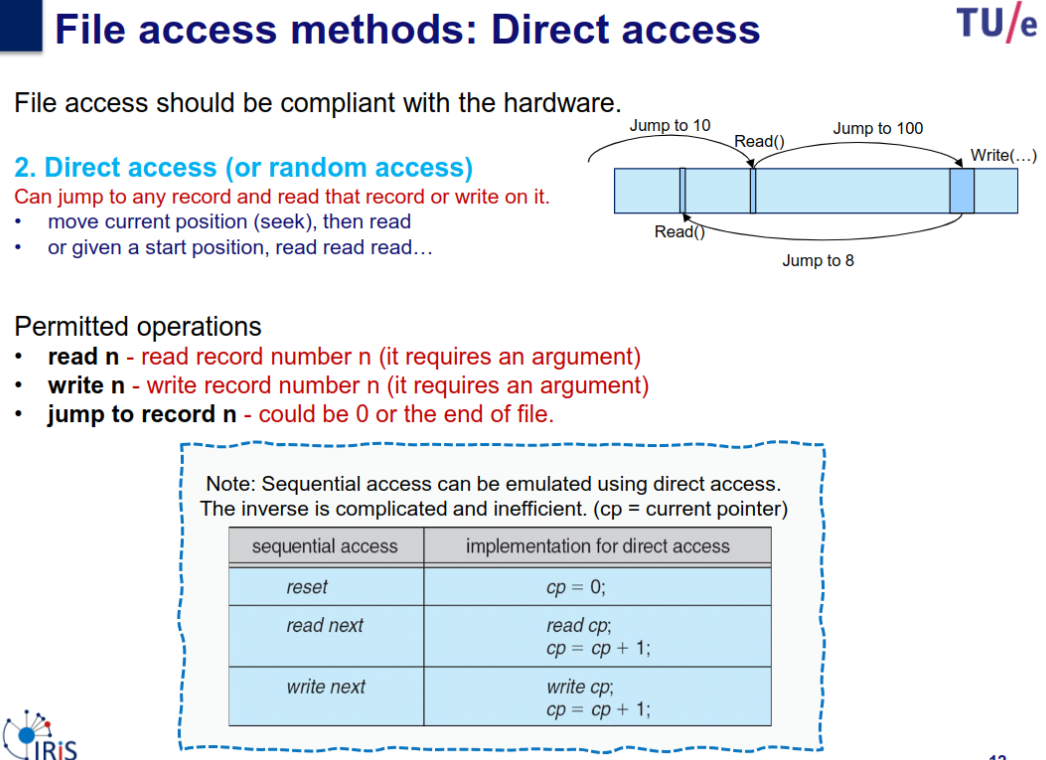
User view (file-system interface)
- what constitutes a file
- naming of files
- allowed operations on files
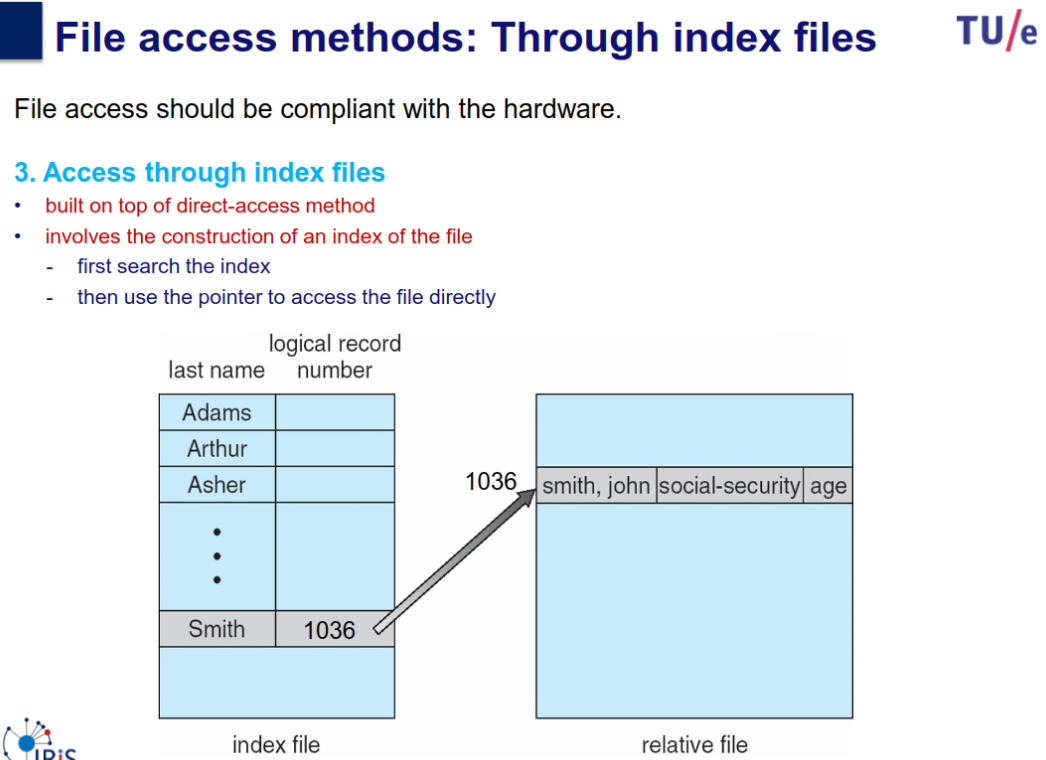
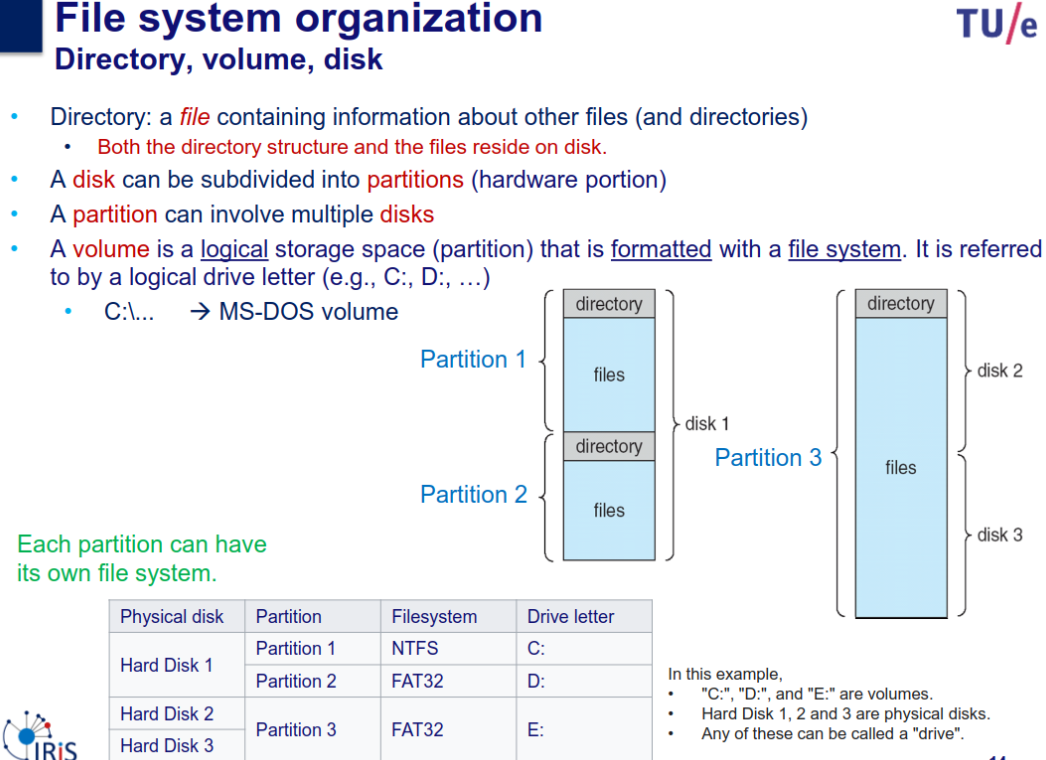
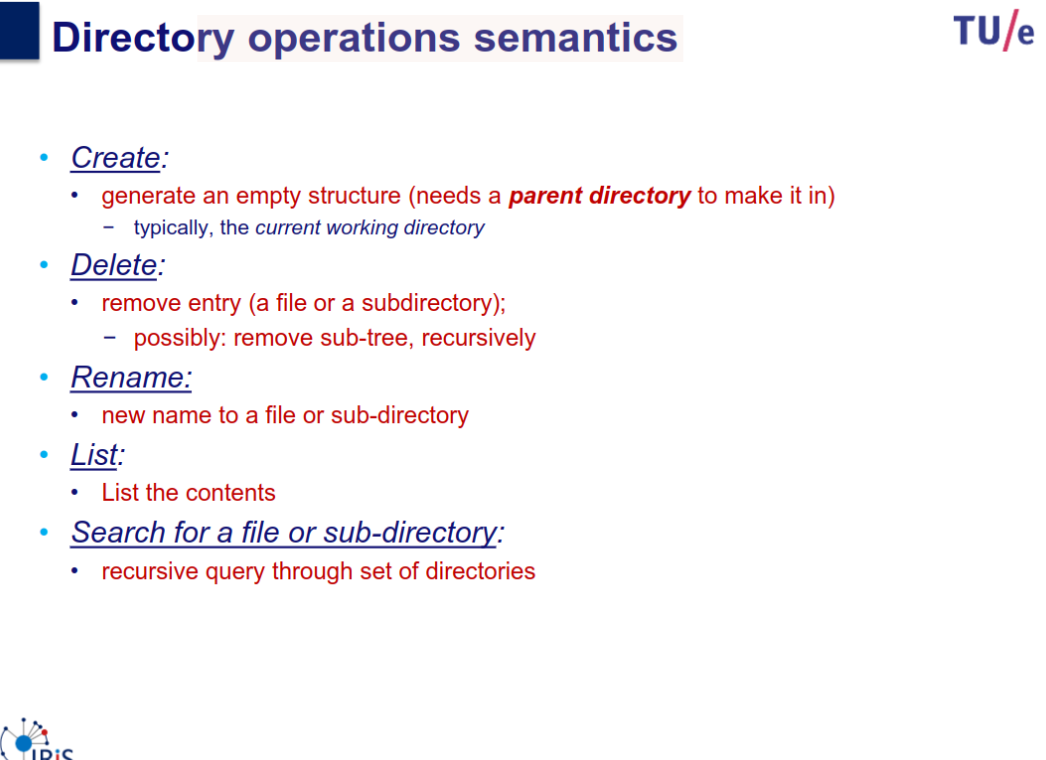
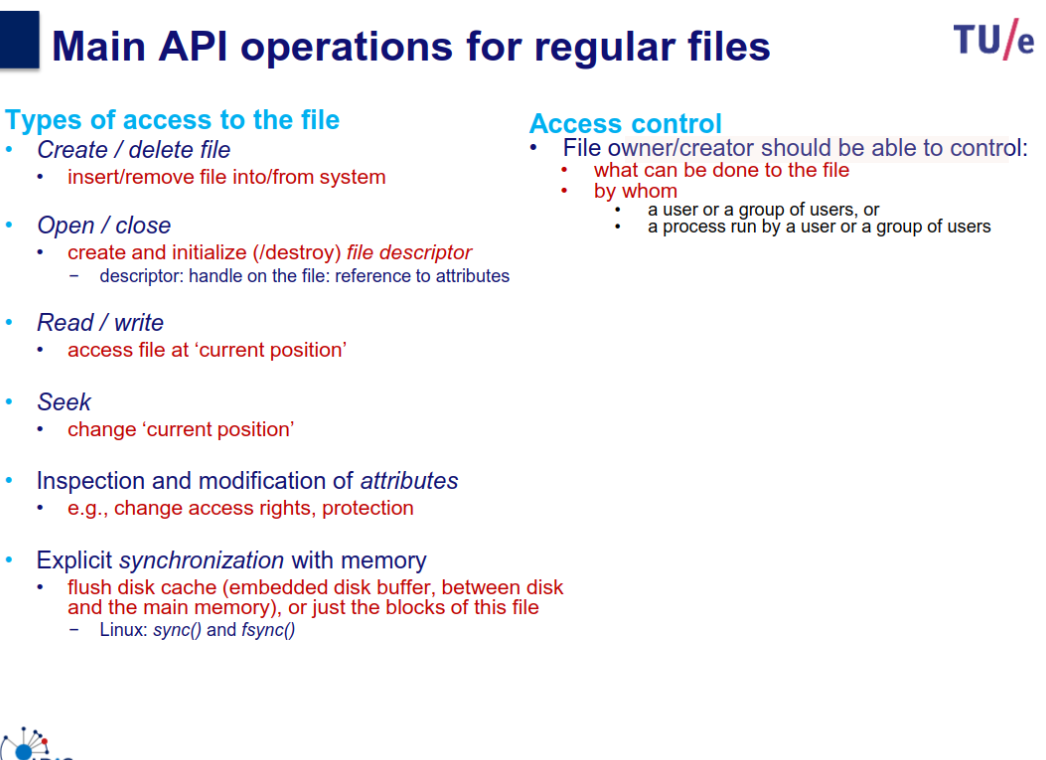
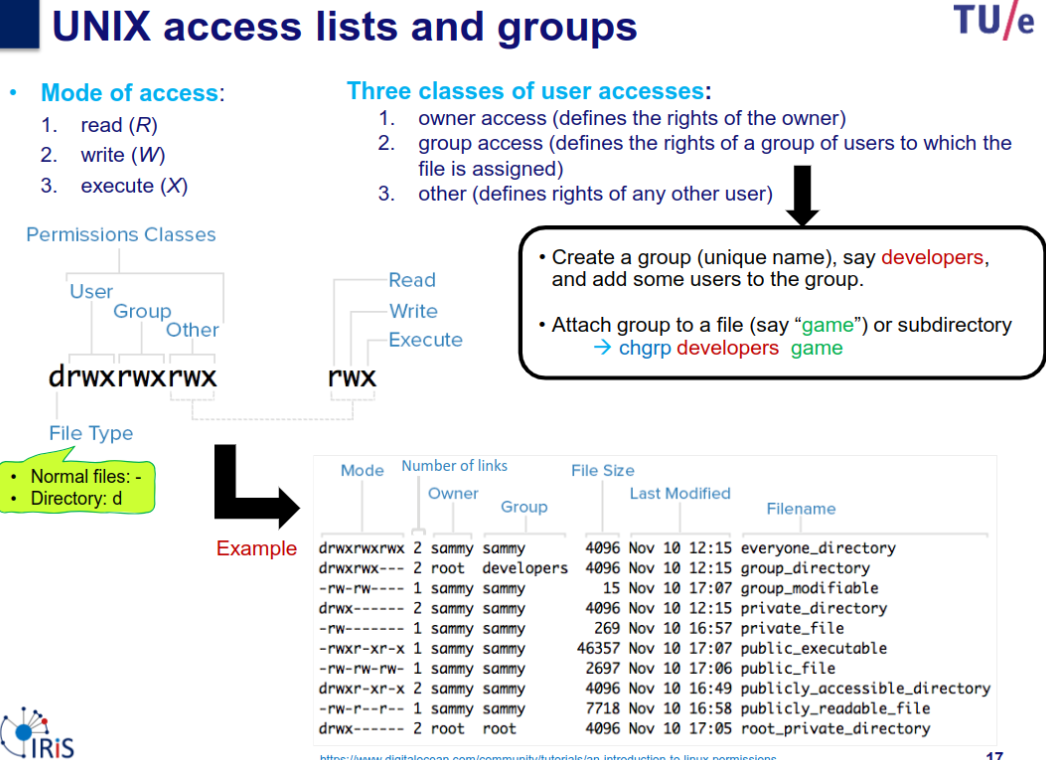
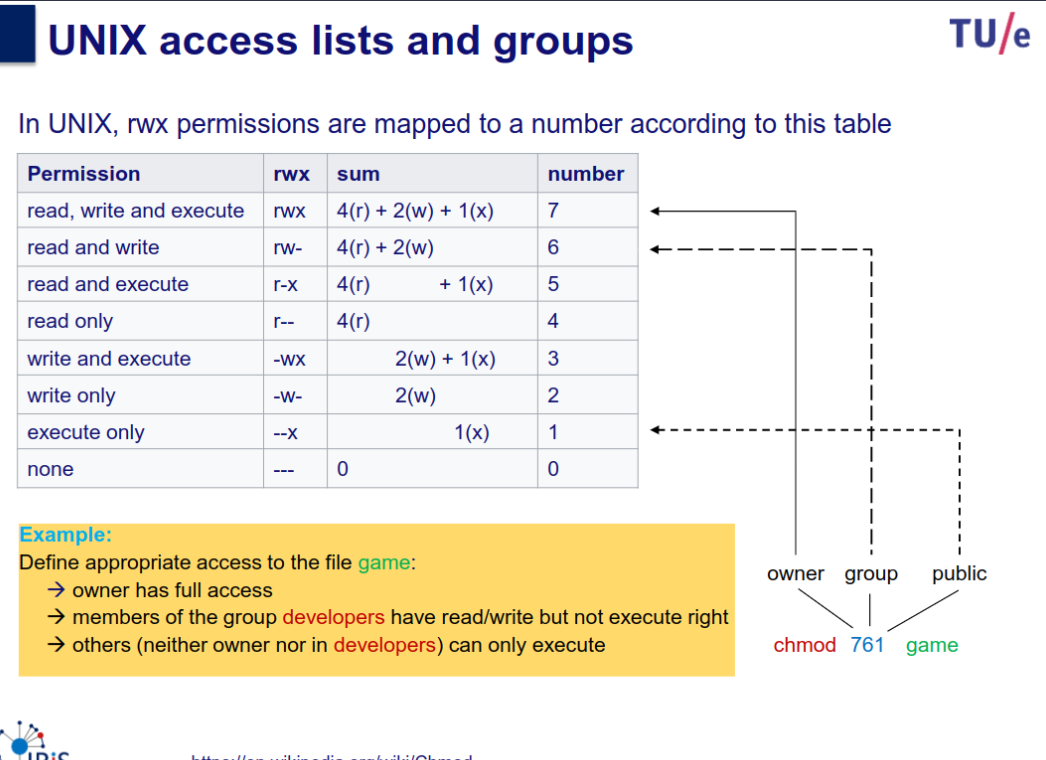
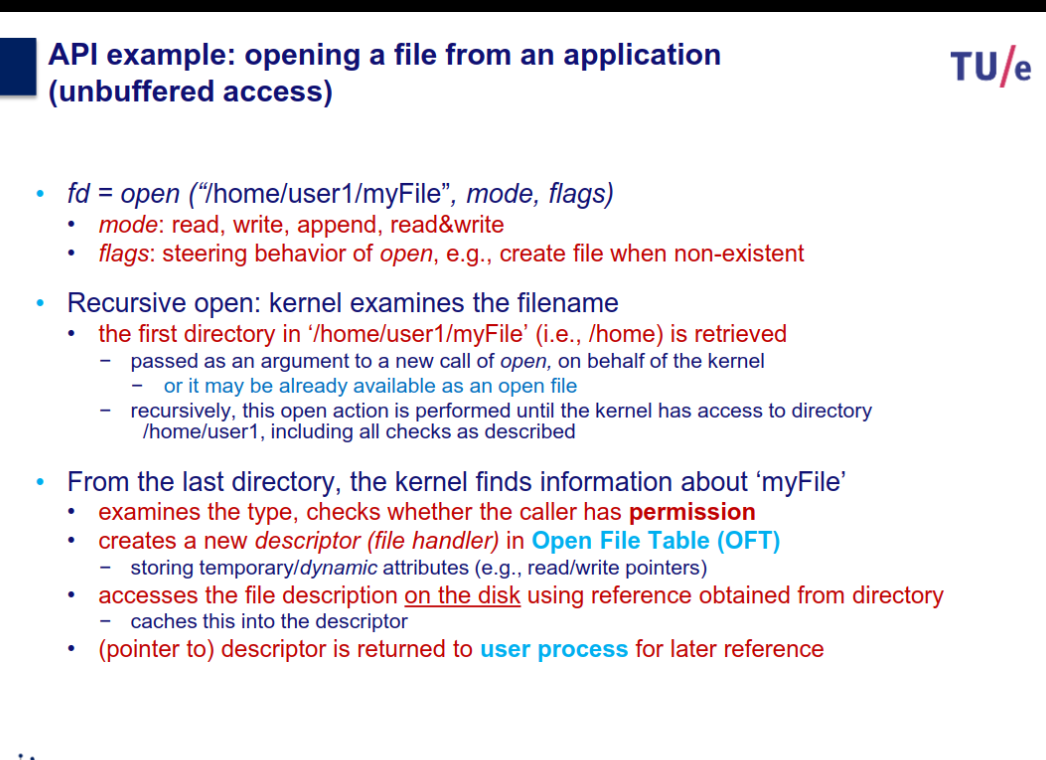
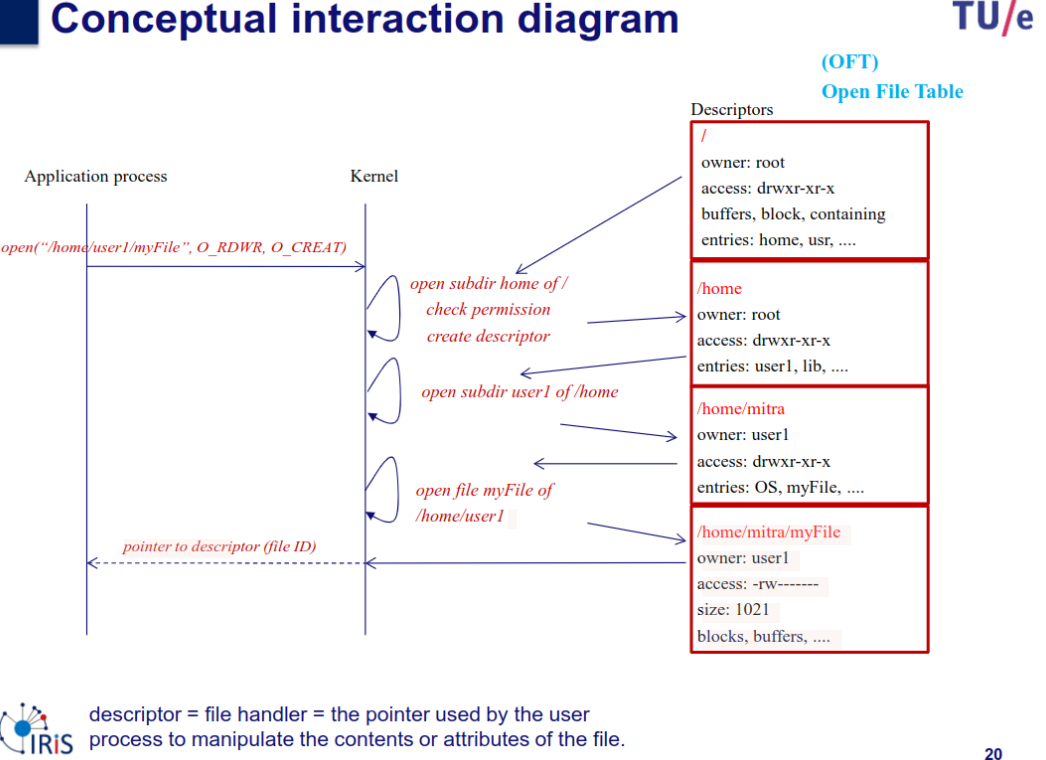
OS view (implementation of a file system)
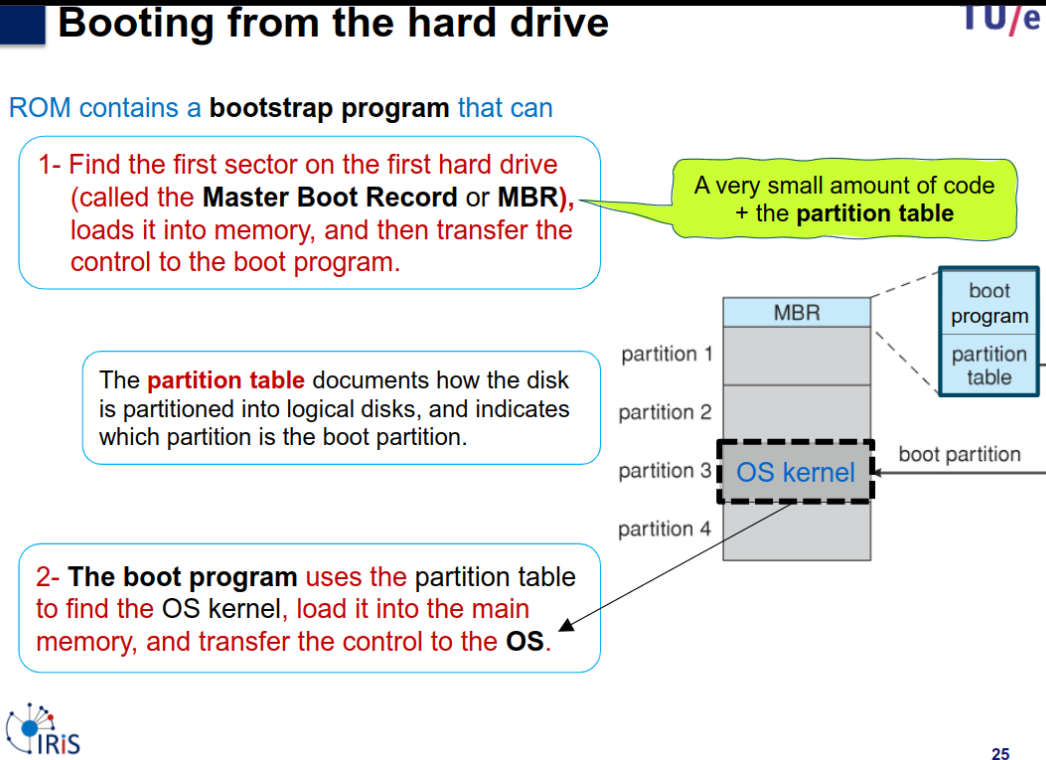
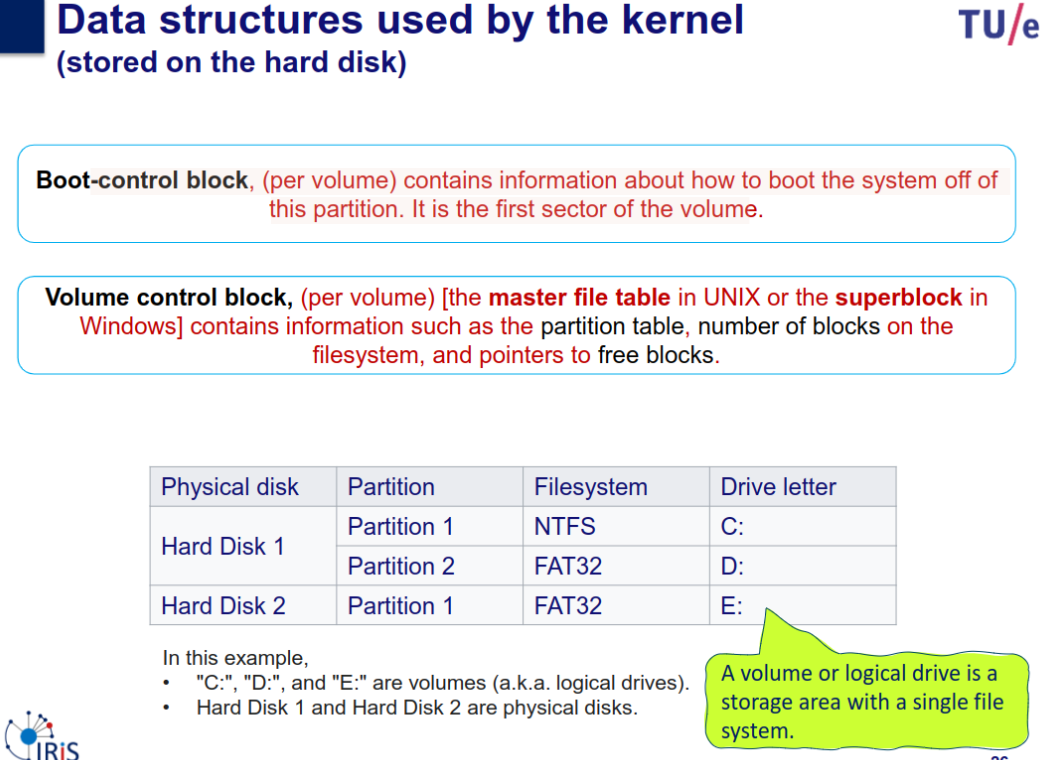
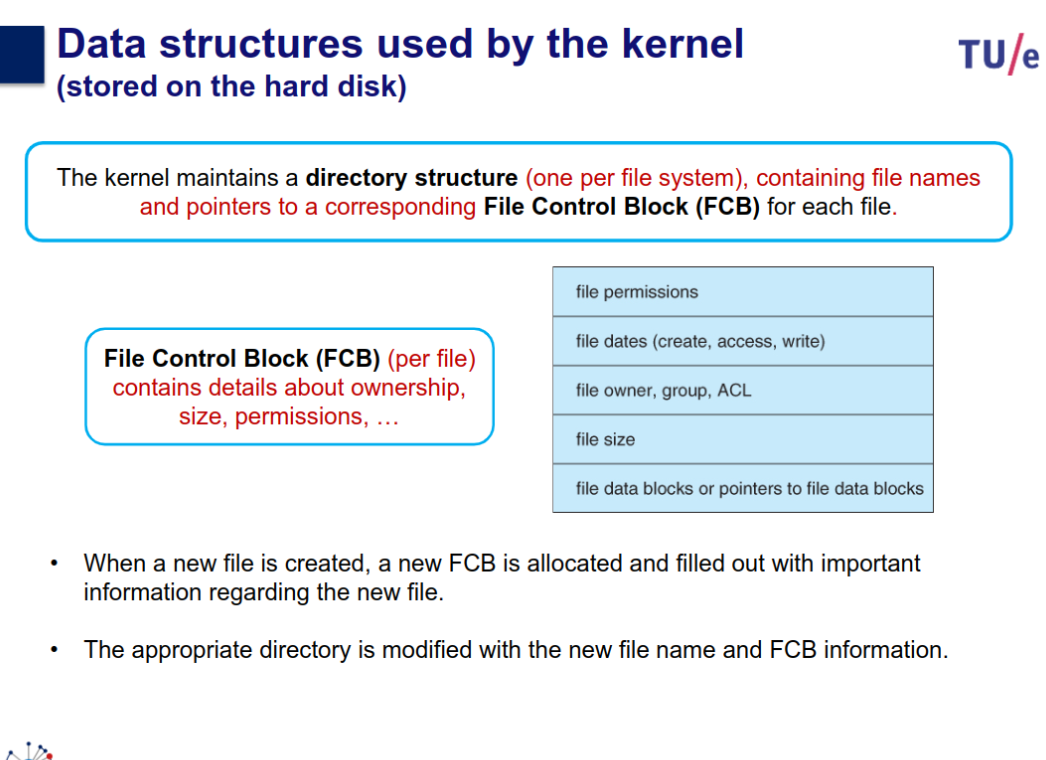
- how should logical blocks of the disk be assigned to files?
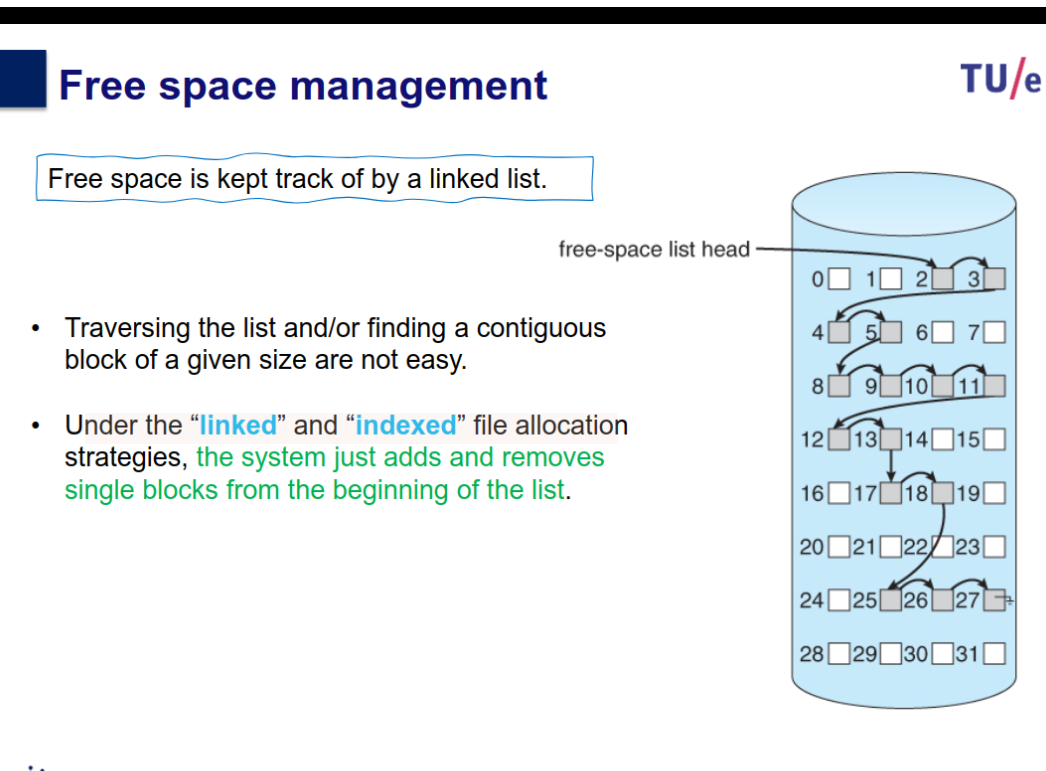
- how to keep track of free storage?
- how to assign new block from the disk to a growing file?
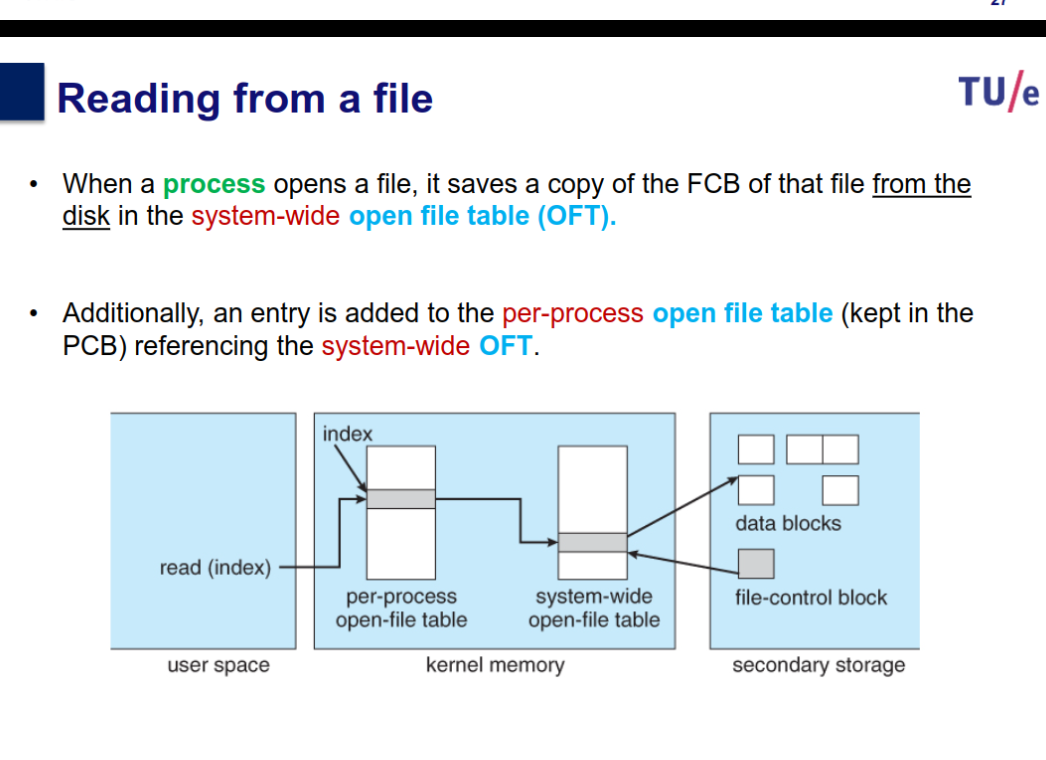
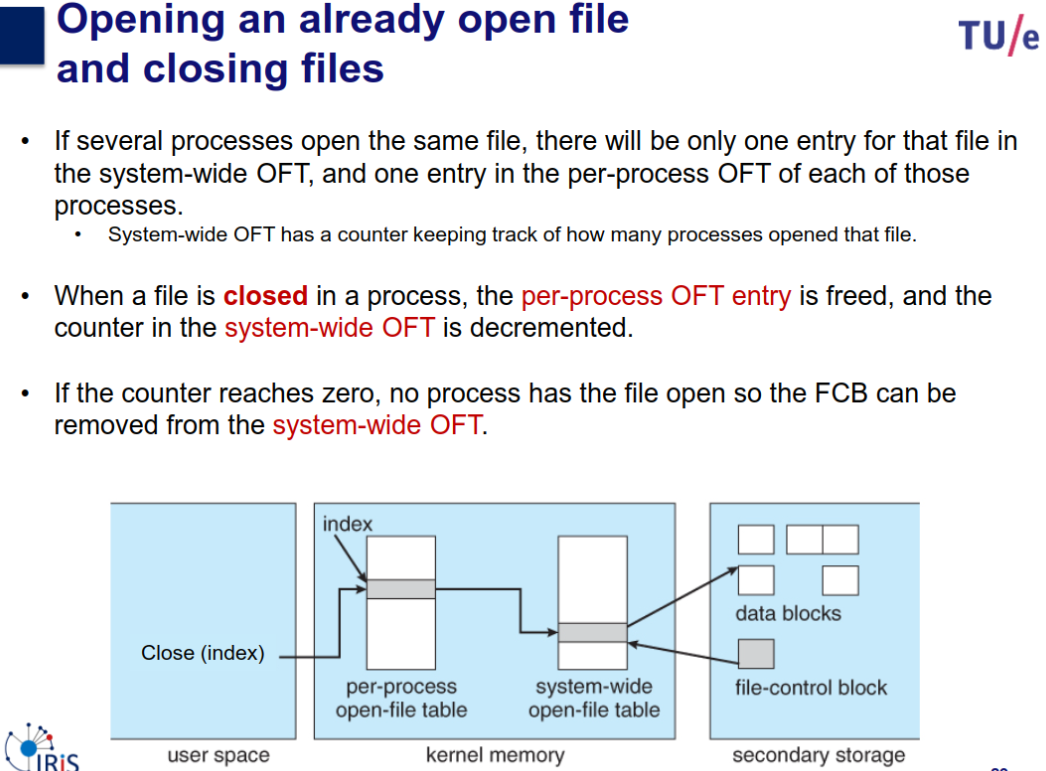
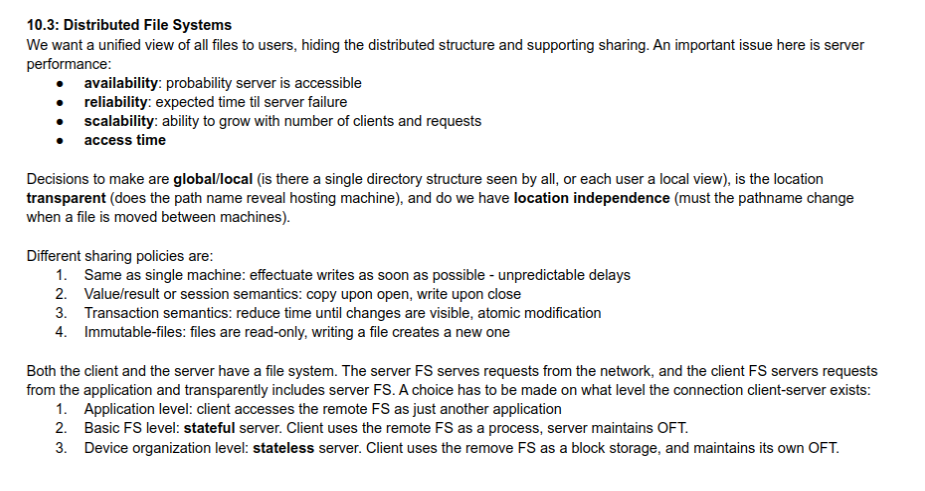
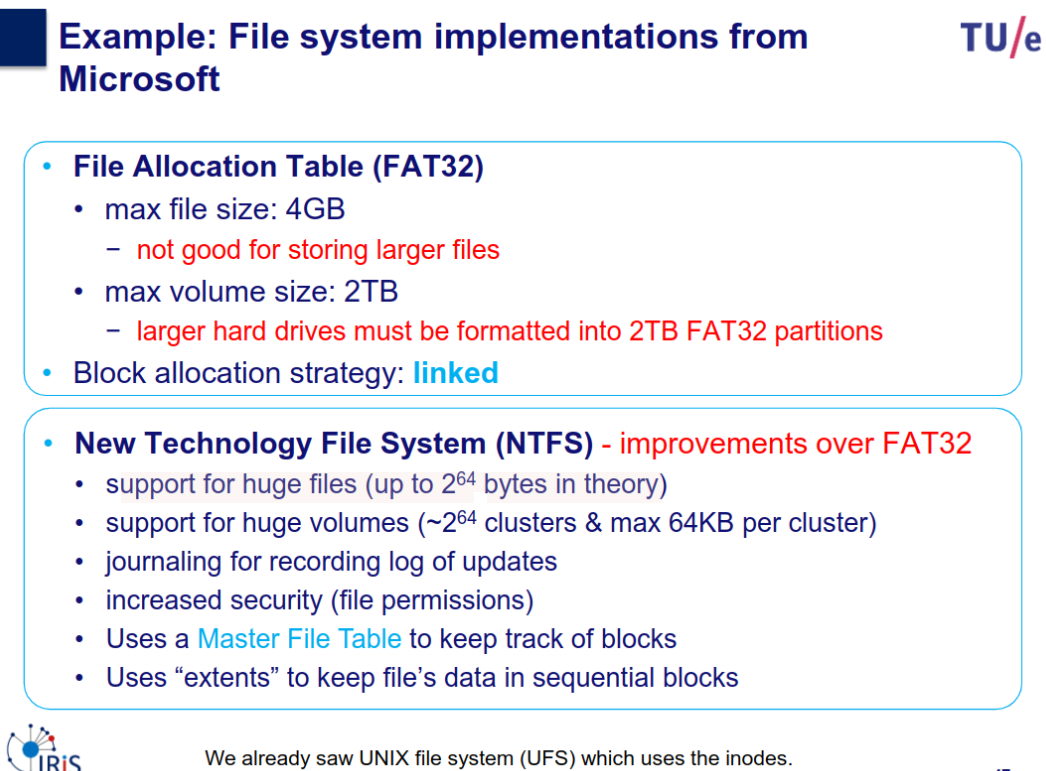
How to manage open files in operating systems
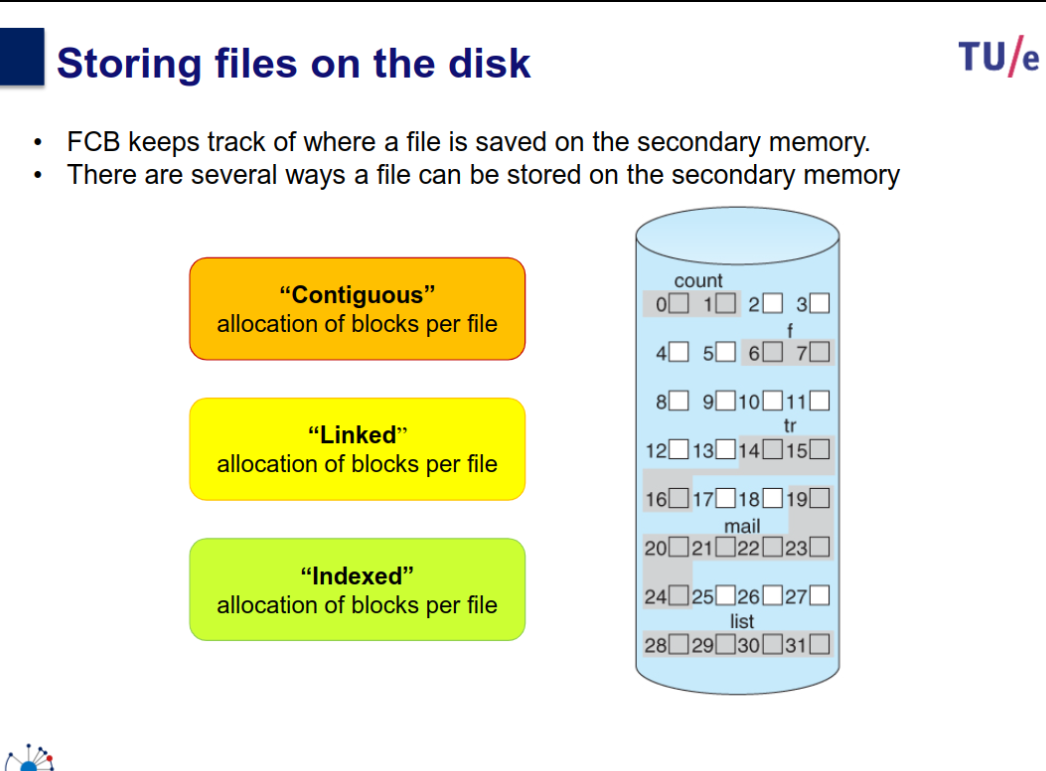
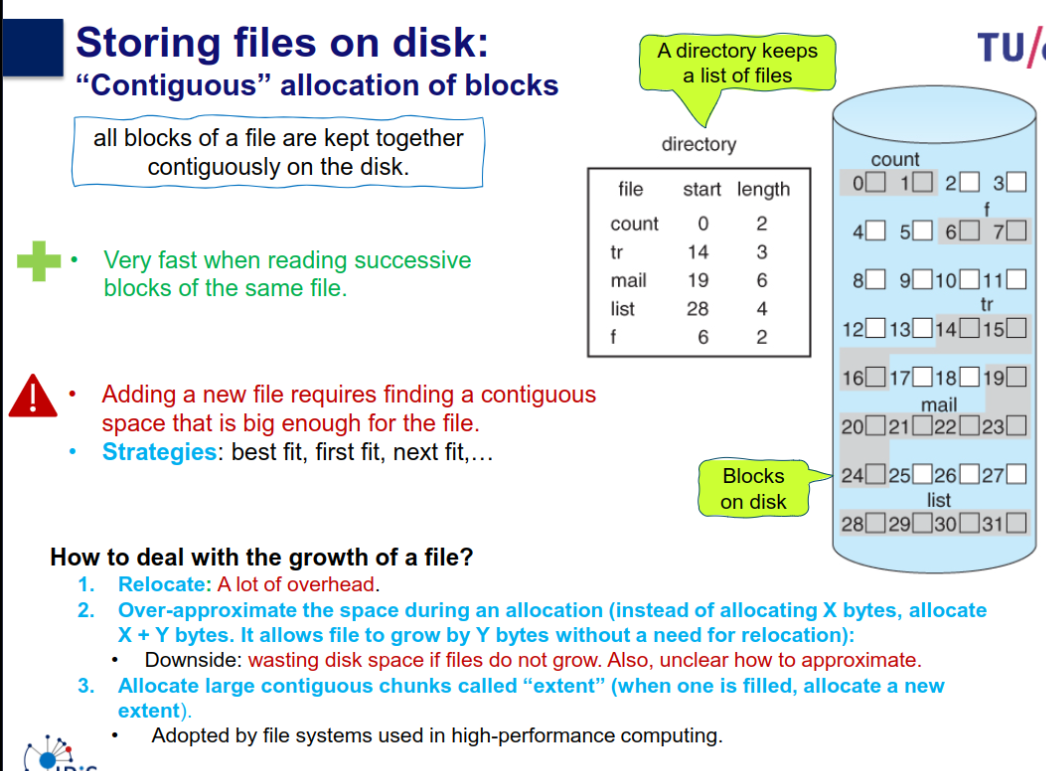
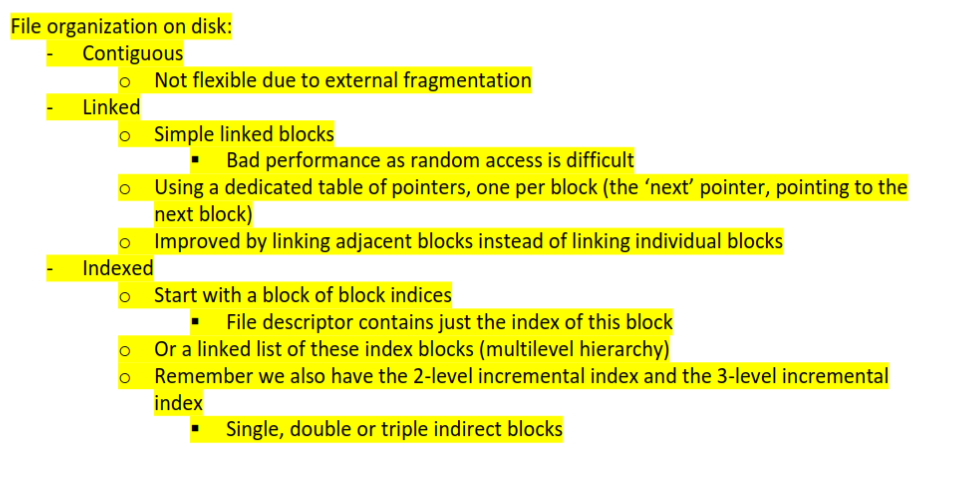
Contiguous allocaiton
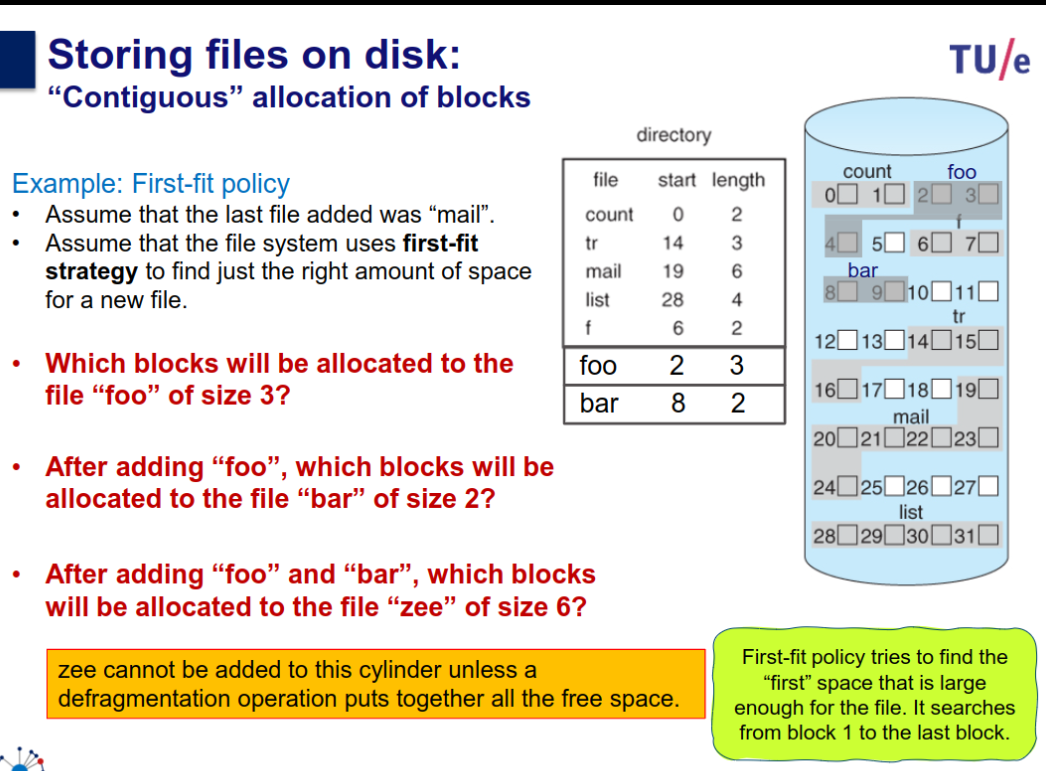
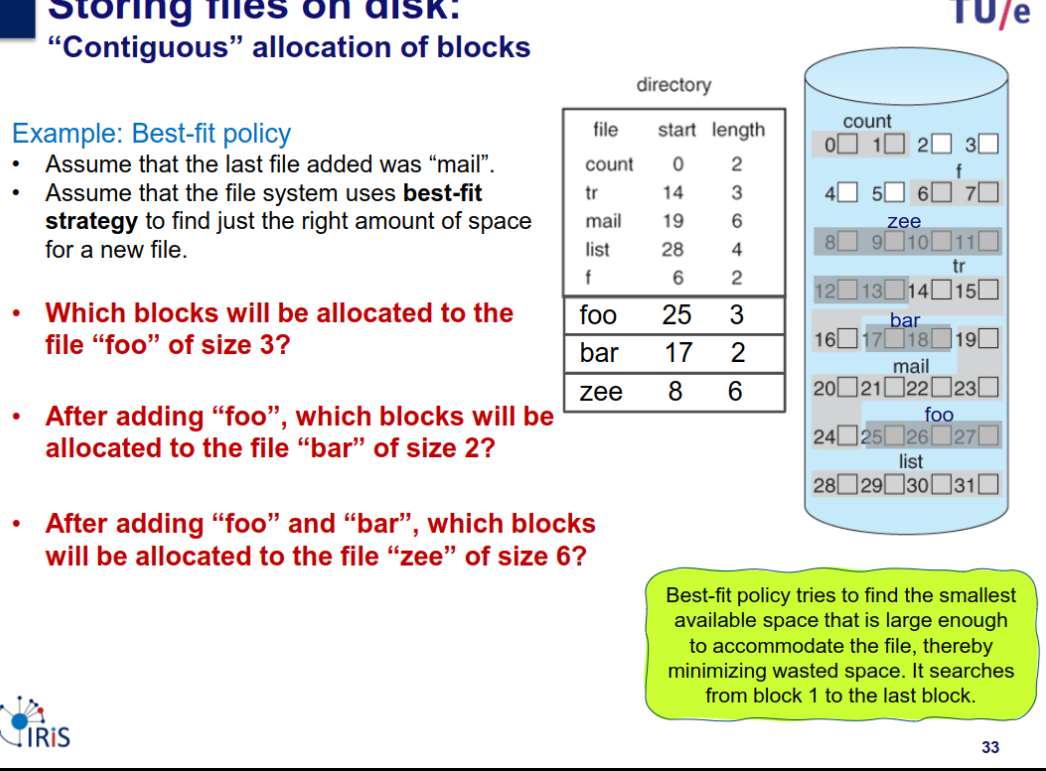
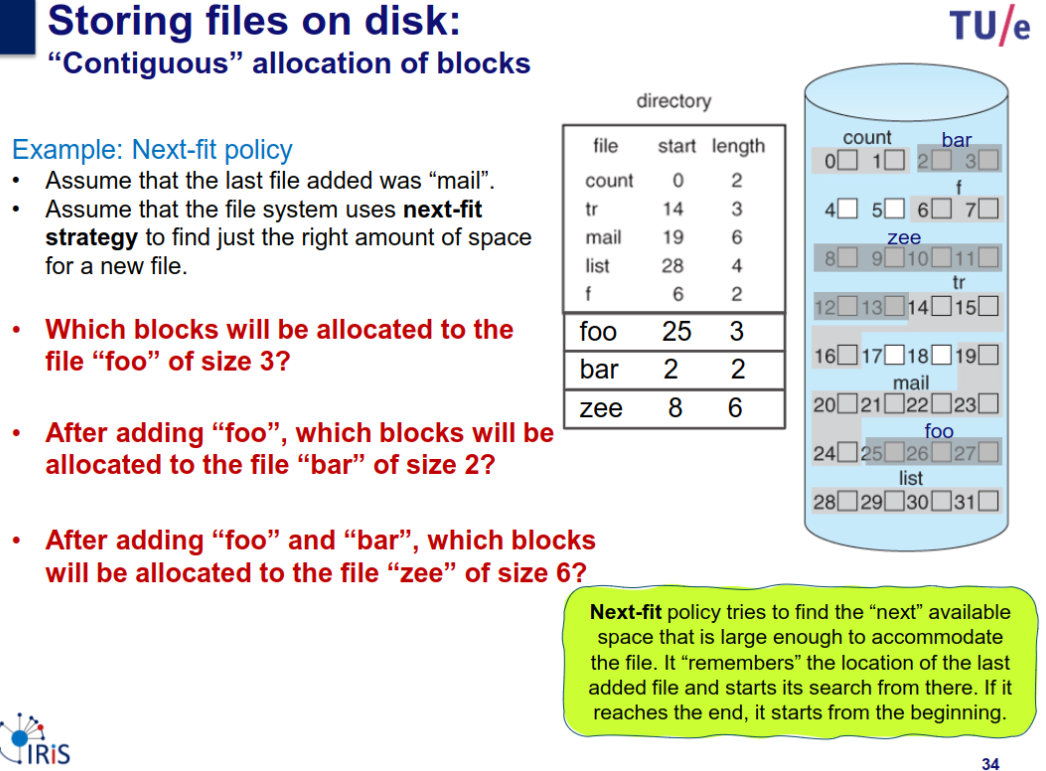
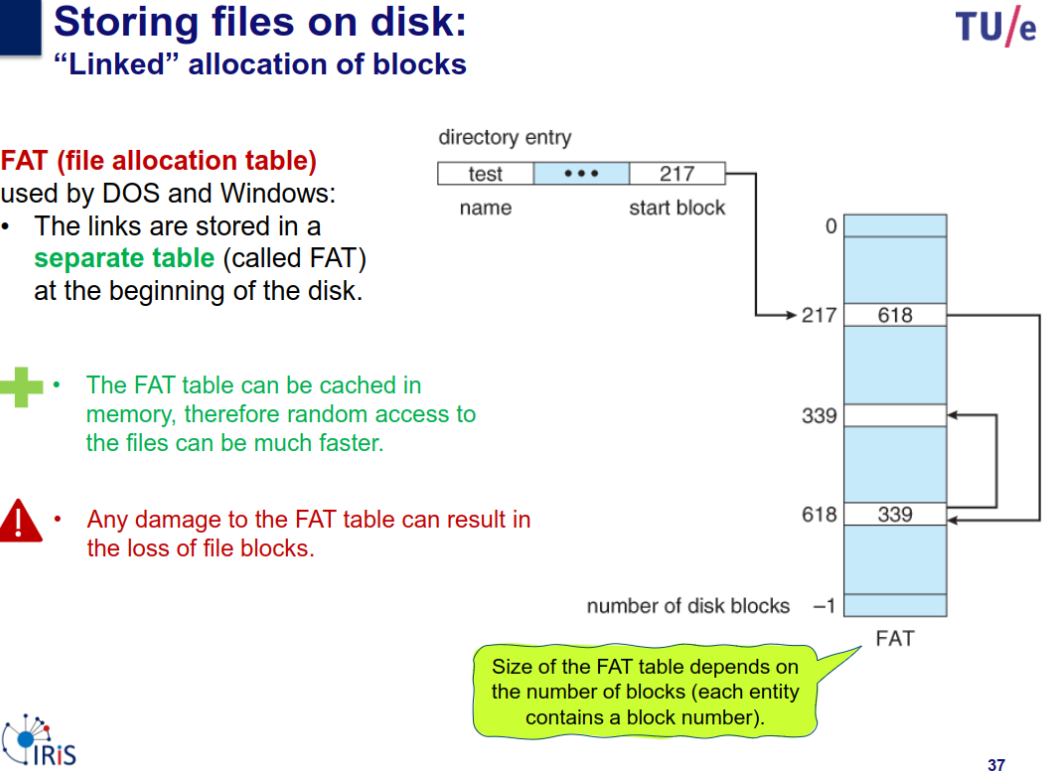
Linked allocation
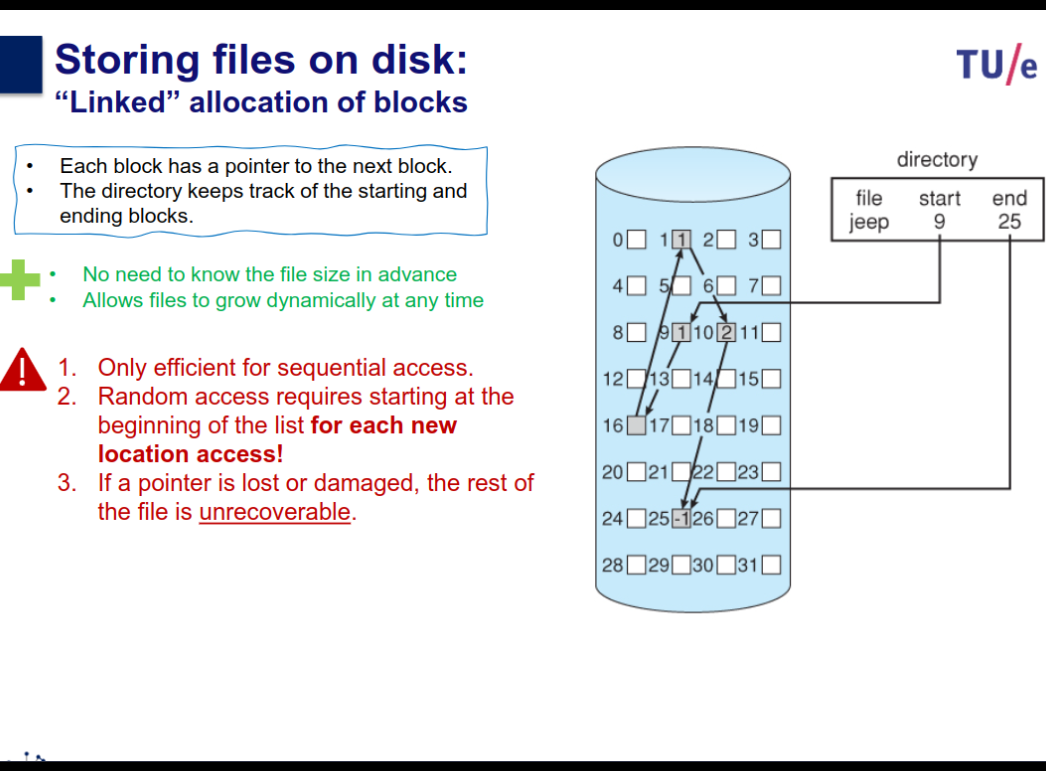
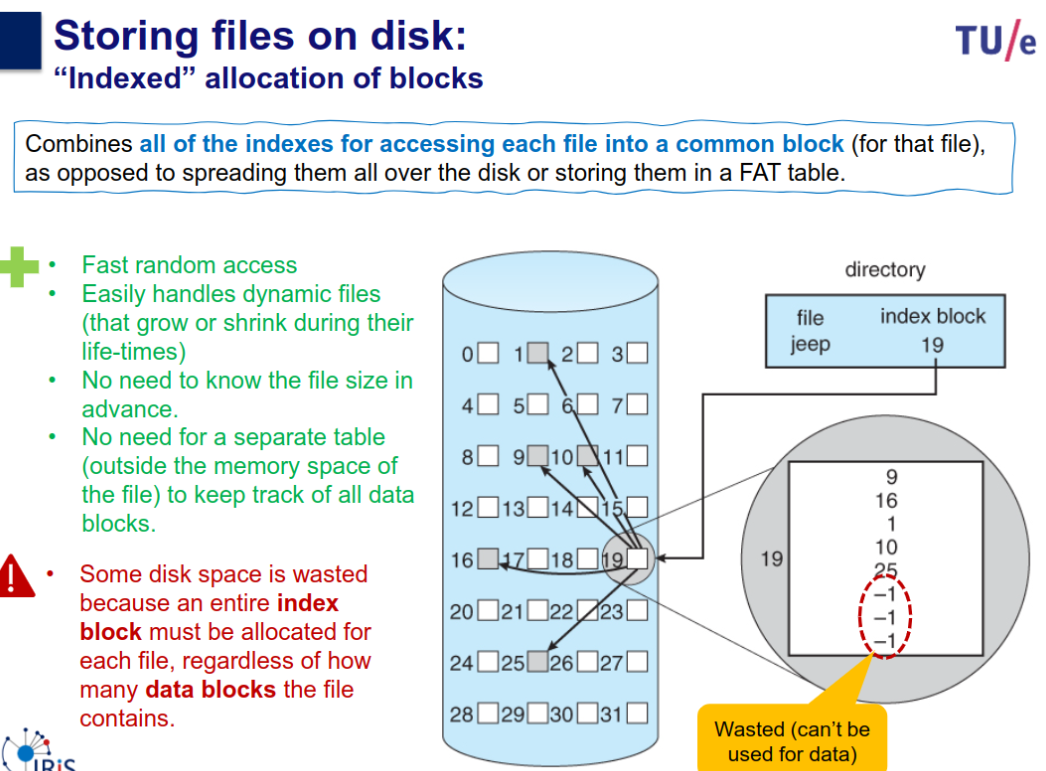
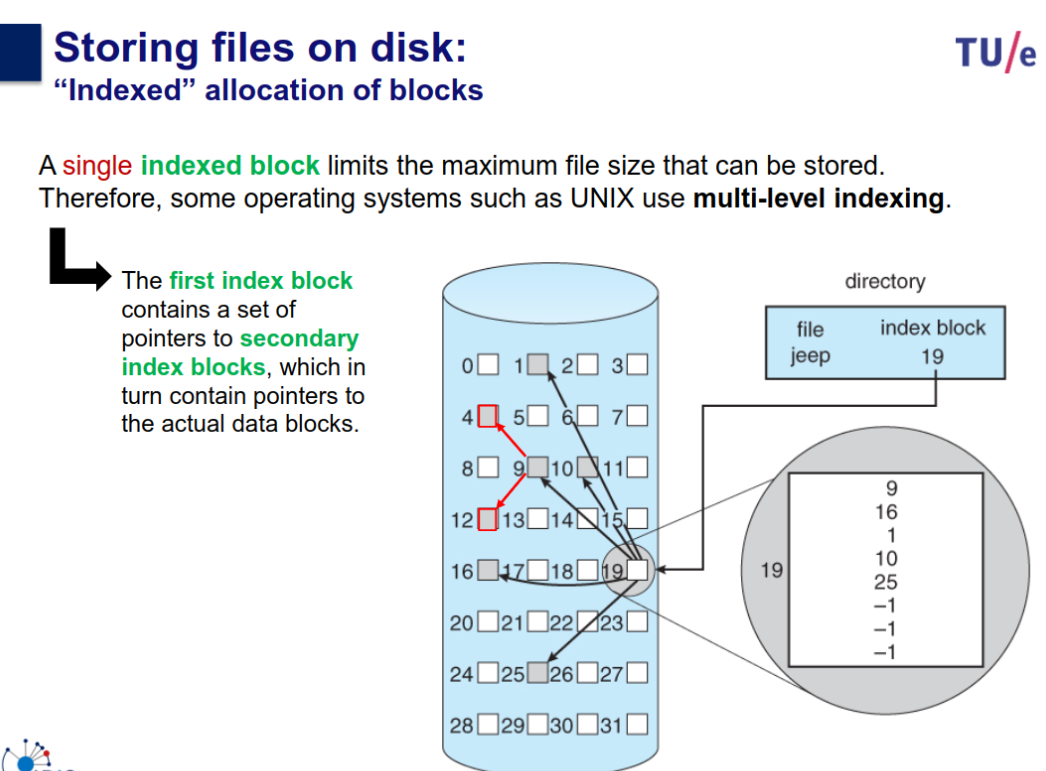
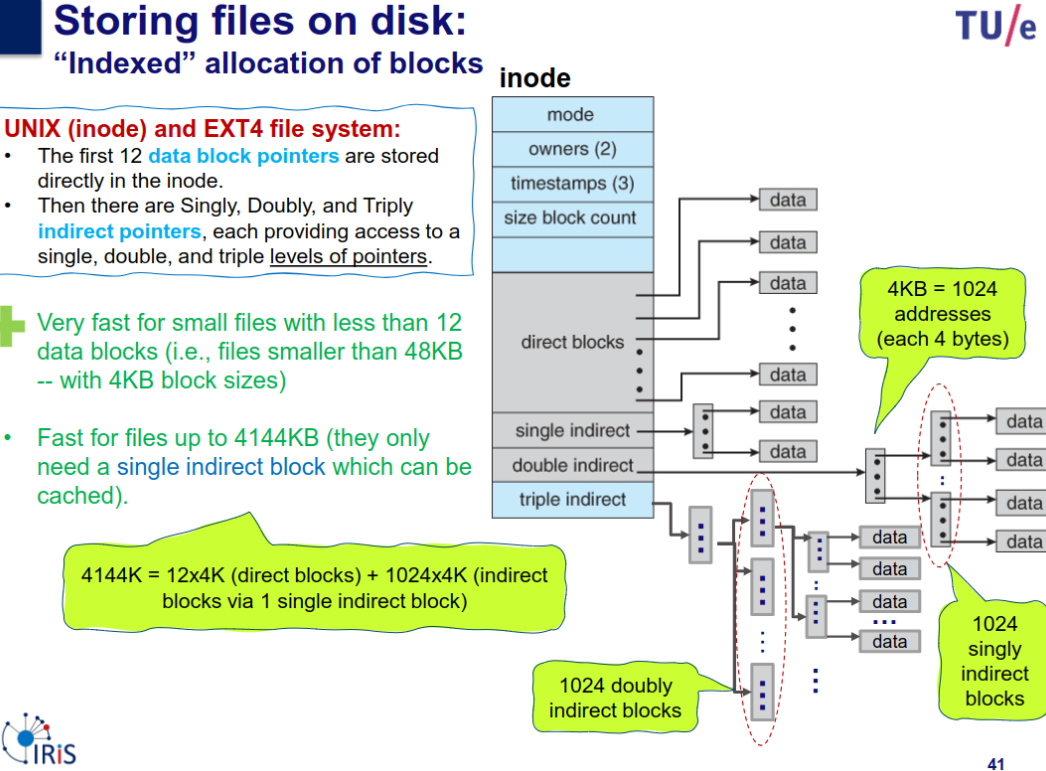
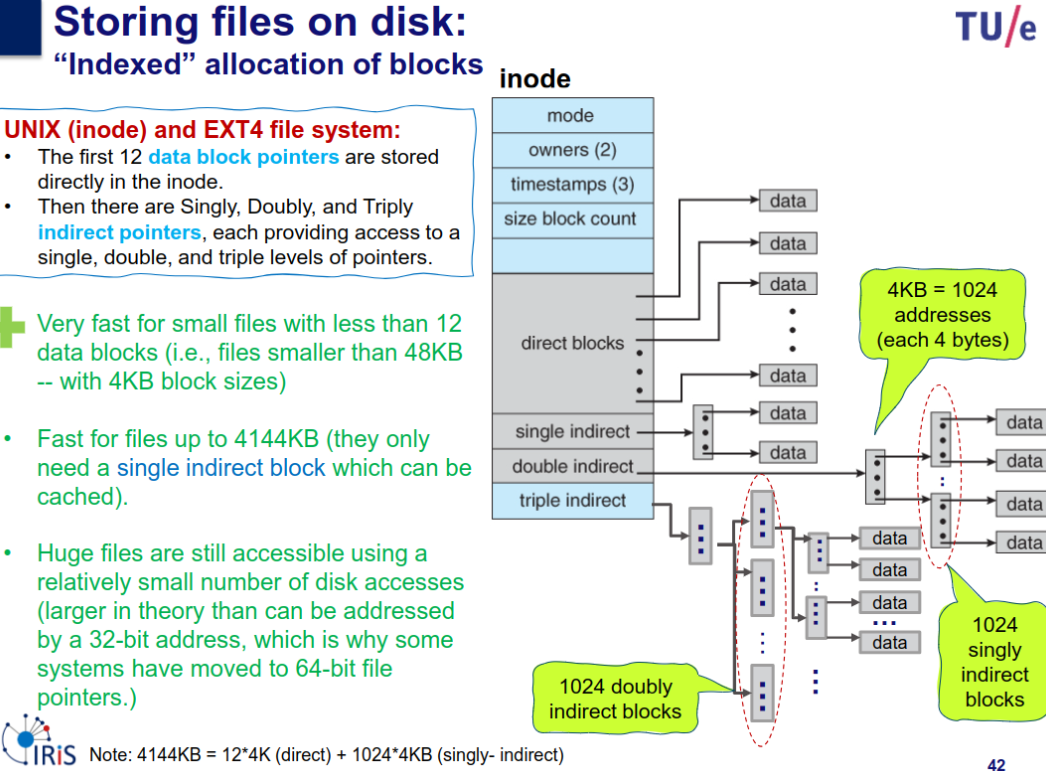
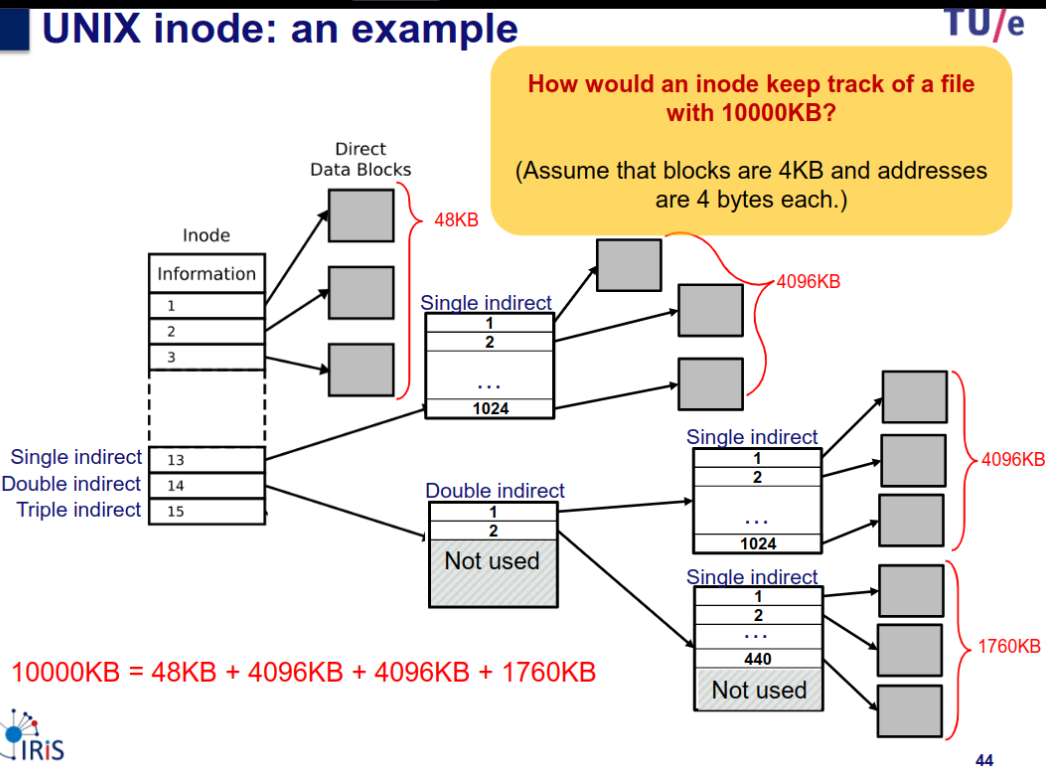
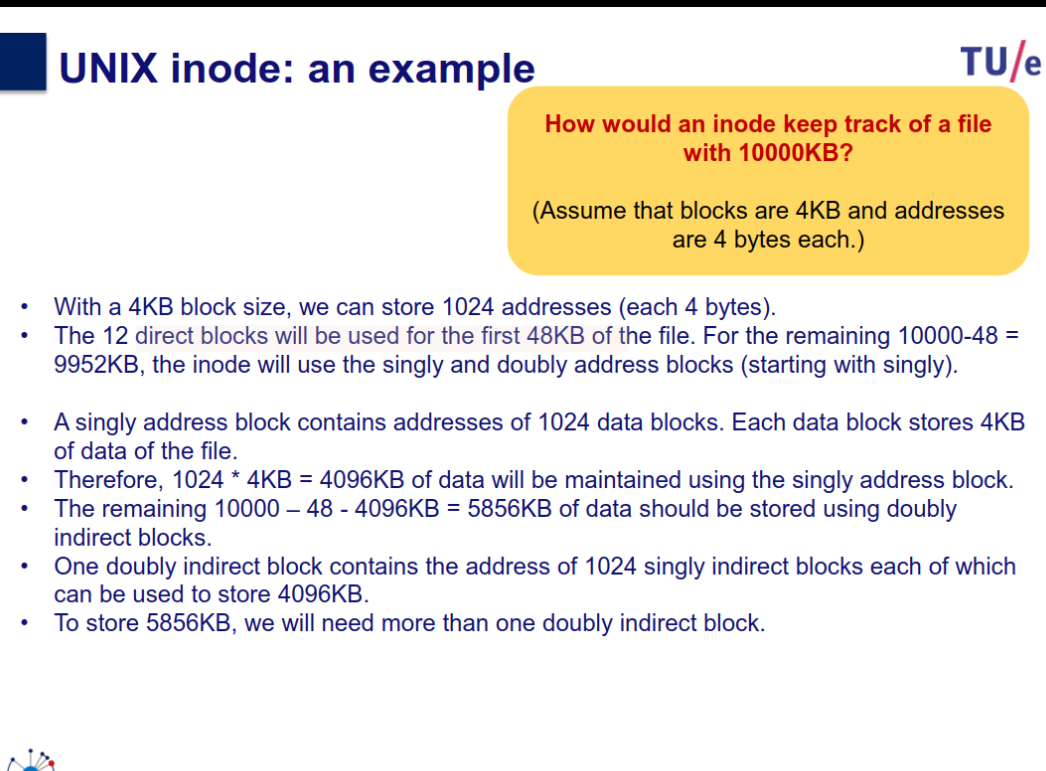
Indexed allocation
Other
Questions
Having many small files lead to internal fragmentation in file systems, two ways of solving?
- add the file context in the file descriptor
- use contiguous allocation for small files
- use blocks of variable size
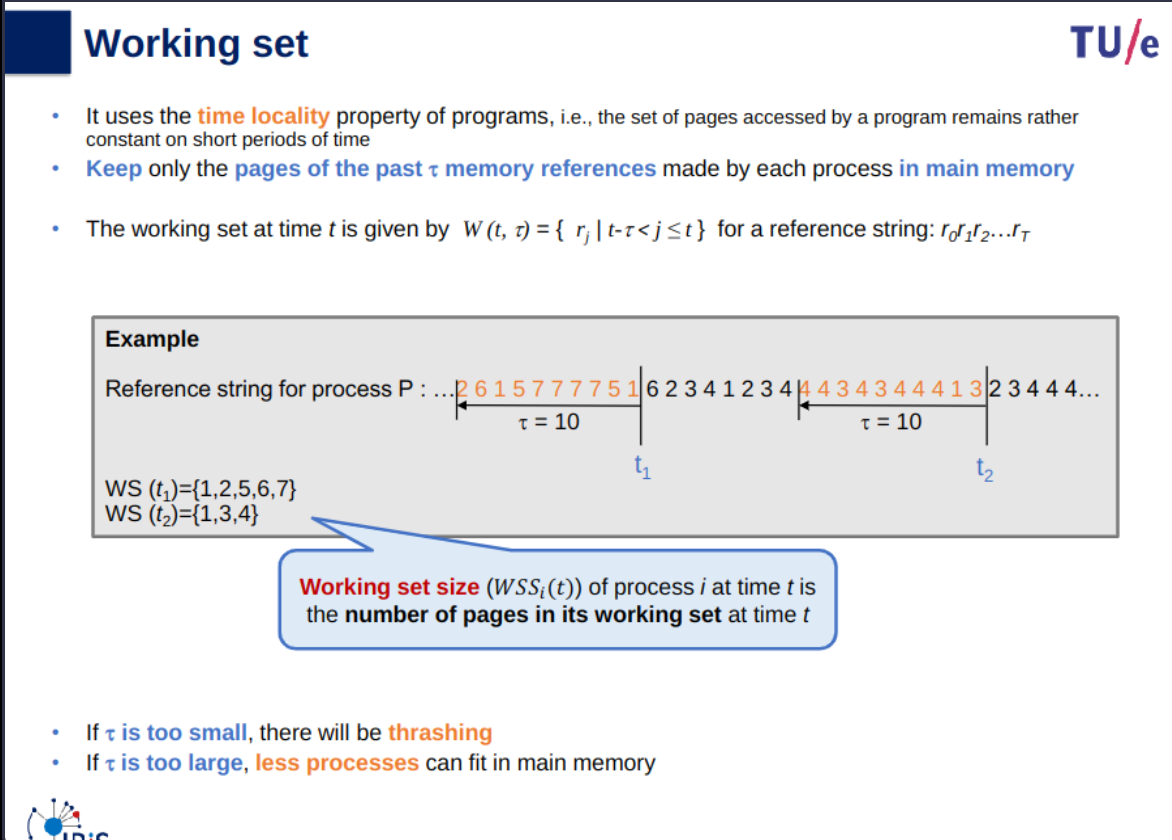
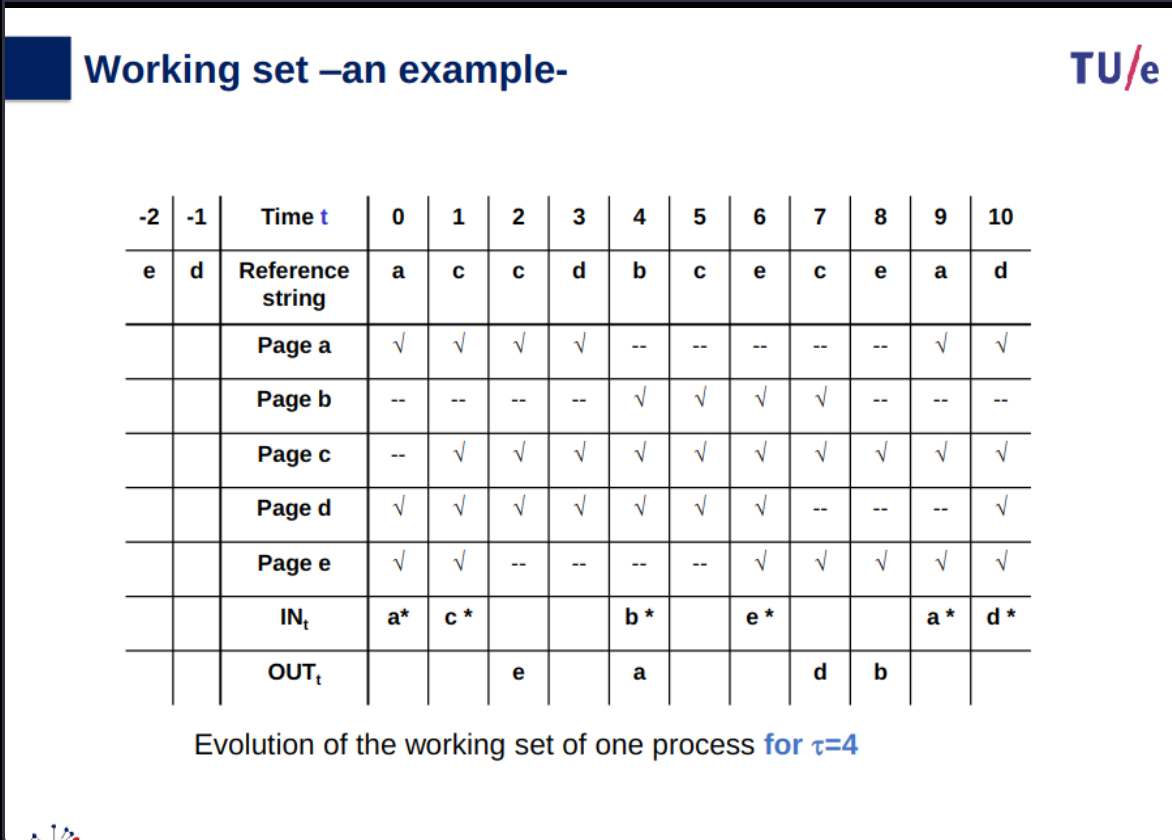
What is the working set, and what determines the lower and upper limits to its size?
- working set is the set of physical memory pages currently dedicated to a running process. It includes the current top of stack, areas of the heap being accessed, the current area of code segment being executed, and any shared libraries recently used.
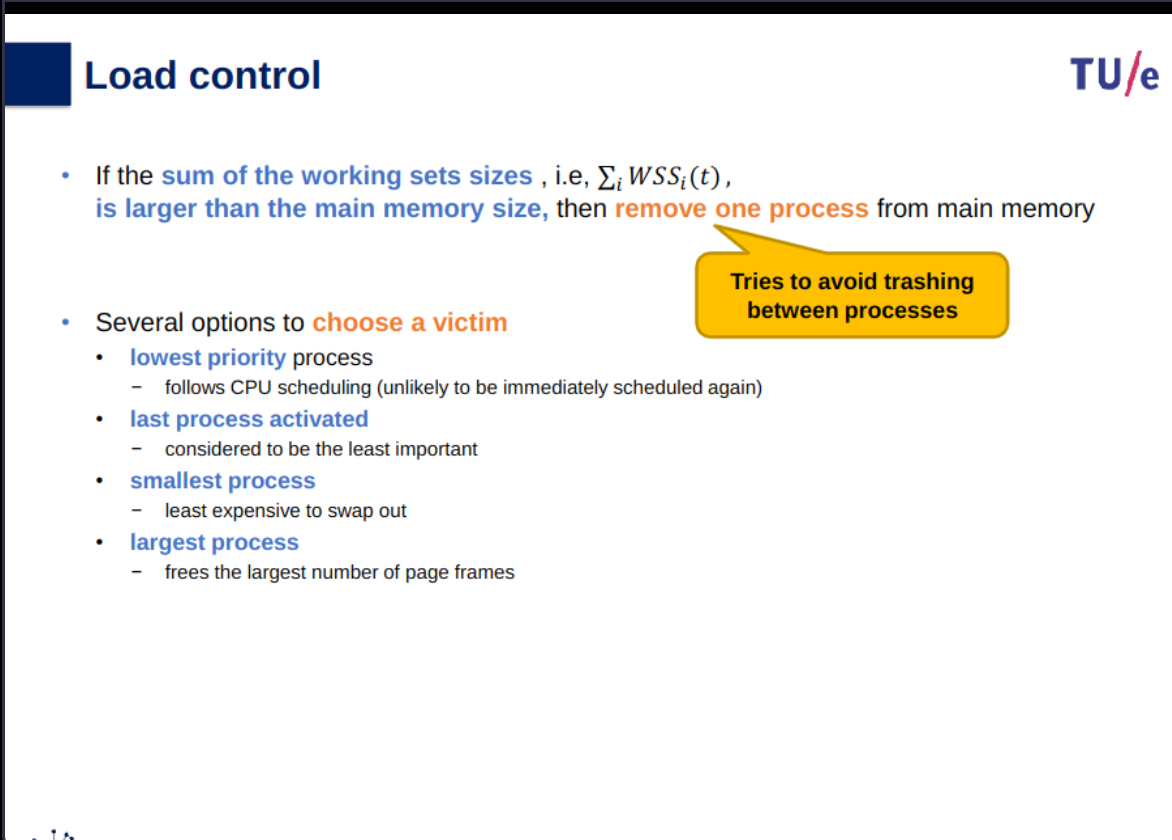
- upper limit to its size: degree of multiprogramming
- lower limit: avoiding occurrence of page faults
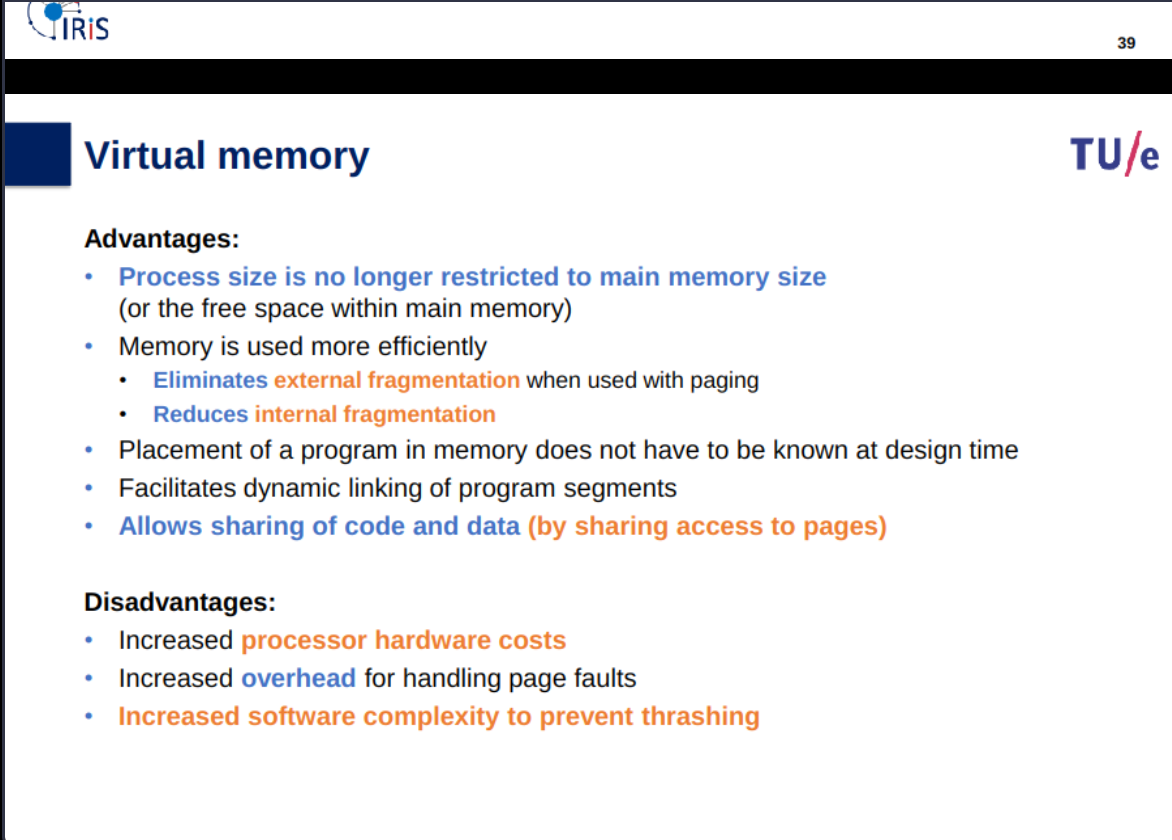
Which (possible conflicting) requirements determine the choice of the page-size in a virtual memory system?
- it has to be a power of 2
- it has to be a big value so the page-table tasks up a small amount of the memory
- it has to be a low value to decrease the amount of internal fragmentation
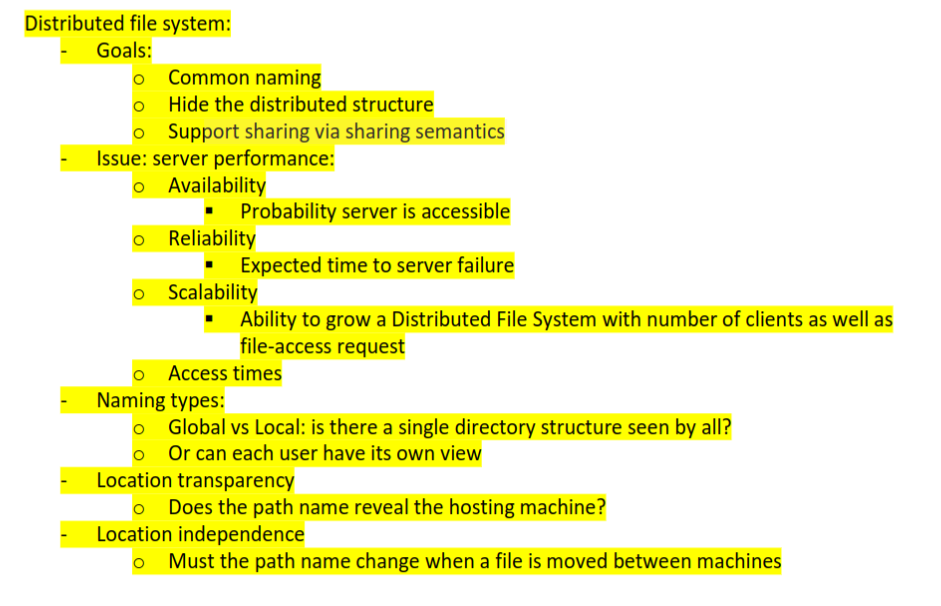
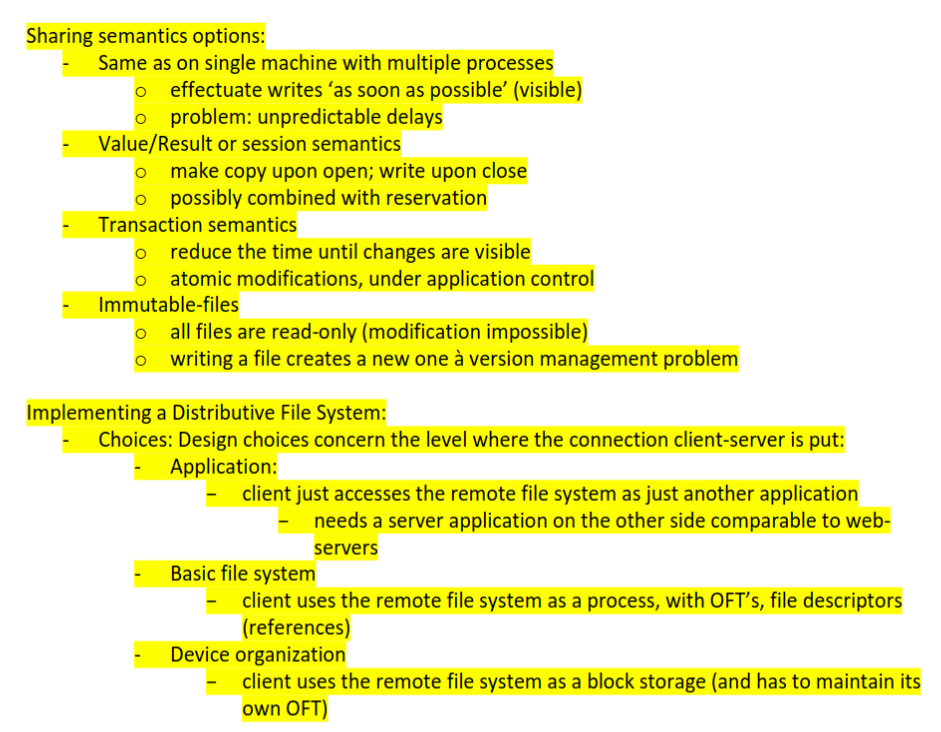
Explain the difference between mounting and symbolic linking
- symbolic link: name in new name system + closure are the contents of a file
- mounting: closure and prefixing are (transparently added to the resolution algorithm - joining two name spaces)

Memory Management
Topic: Caches and Memory Hierarchy
Slides
OS-07-virtual_memory-part1.pdf
OS-07-virtual_memory-part2.pdf
Info
Slides and Book
9.1
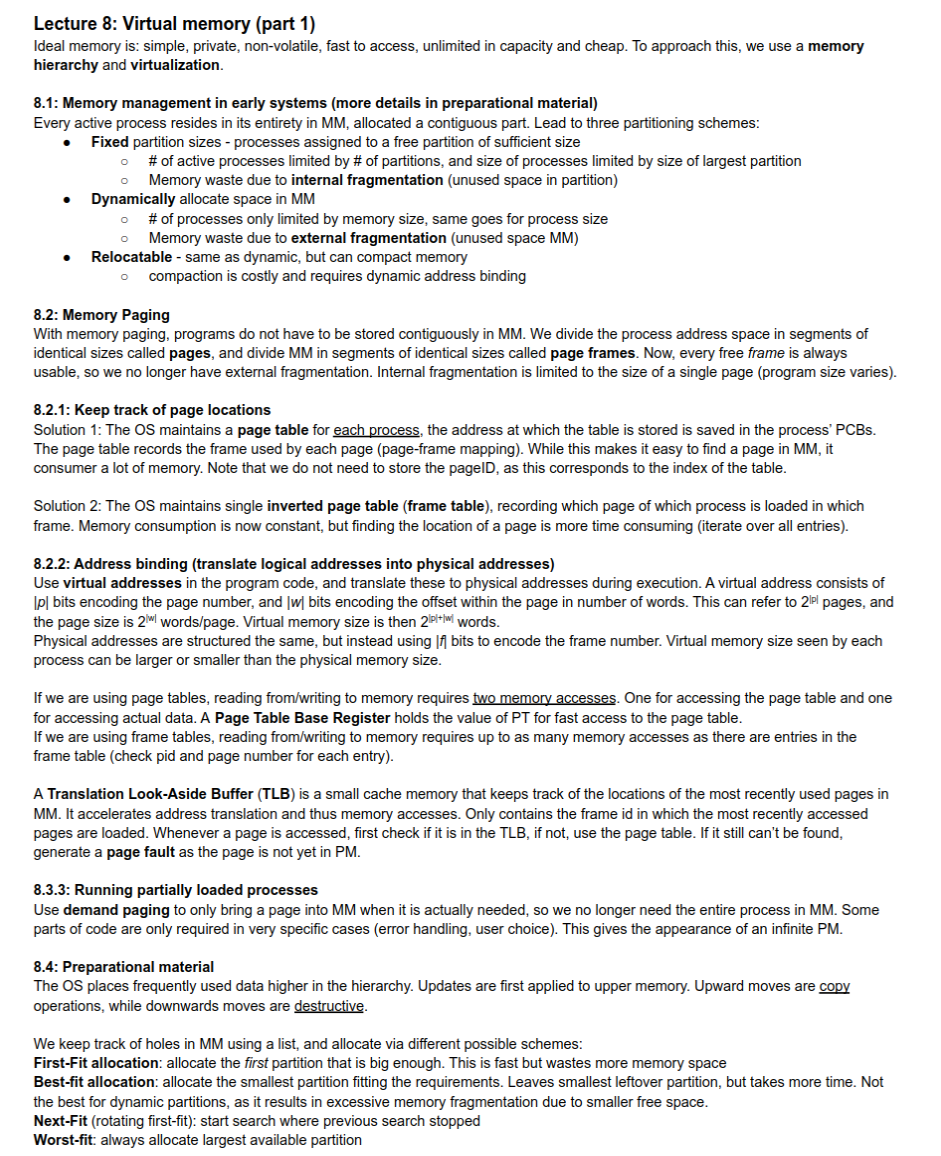
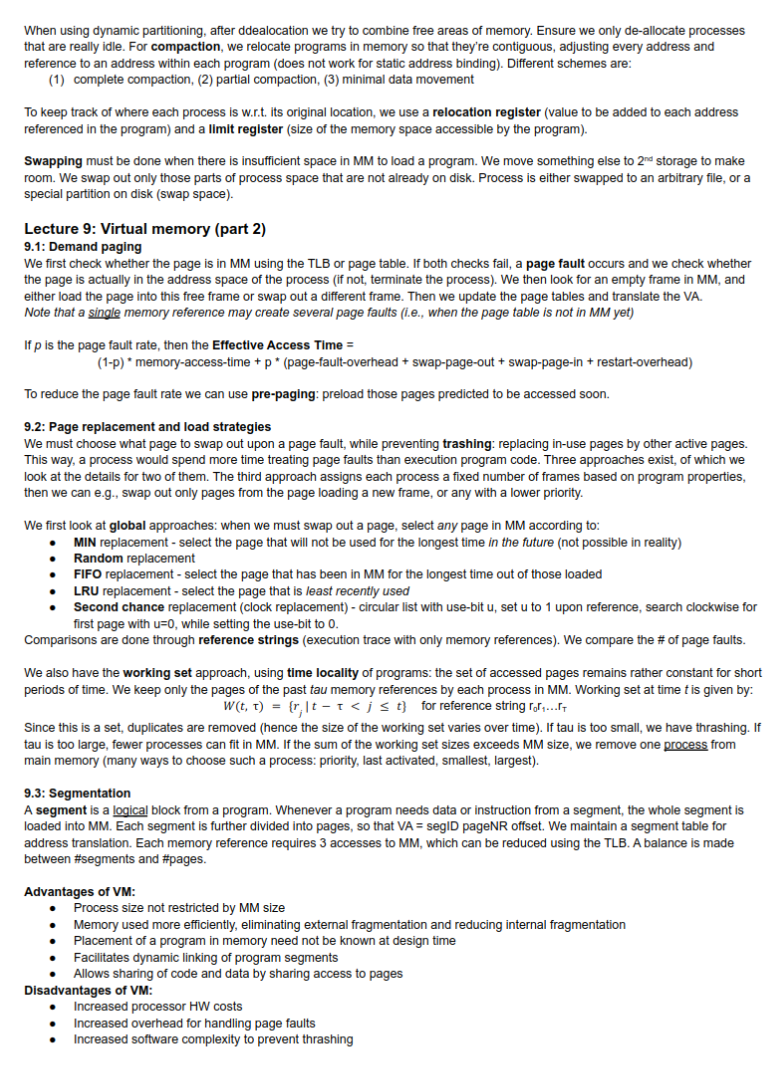
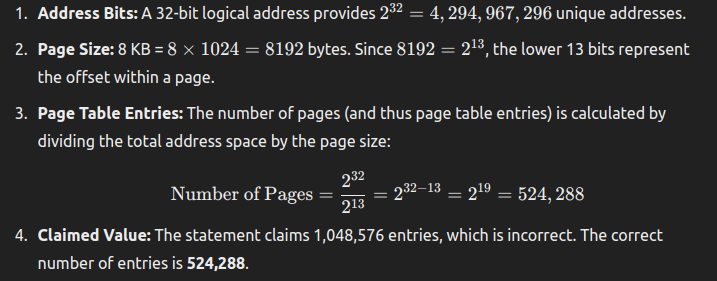
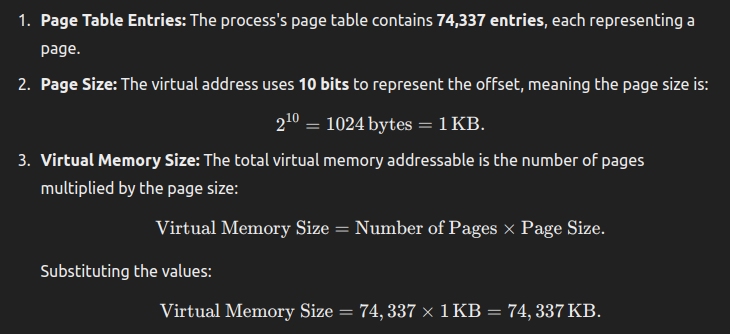
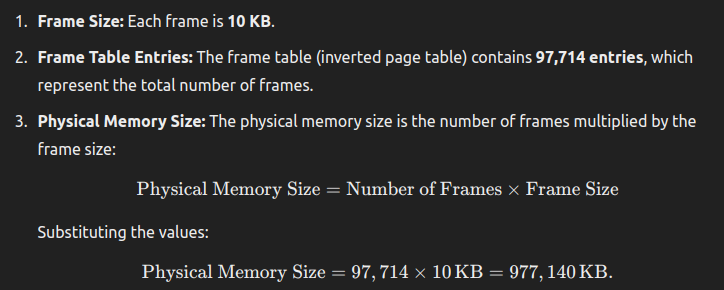
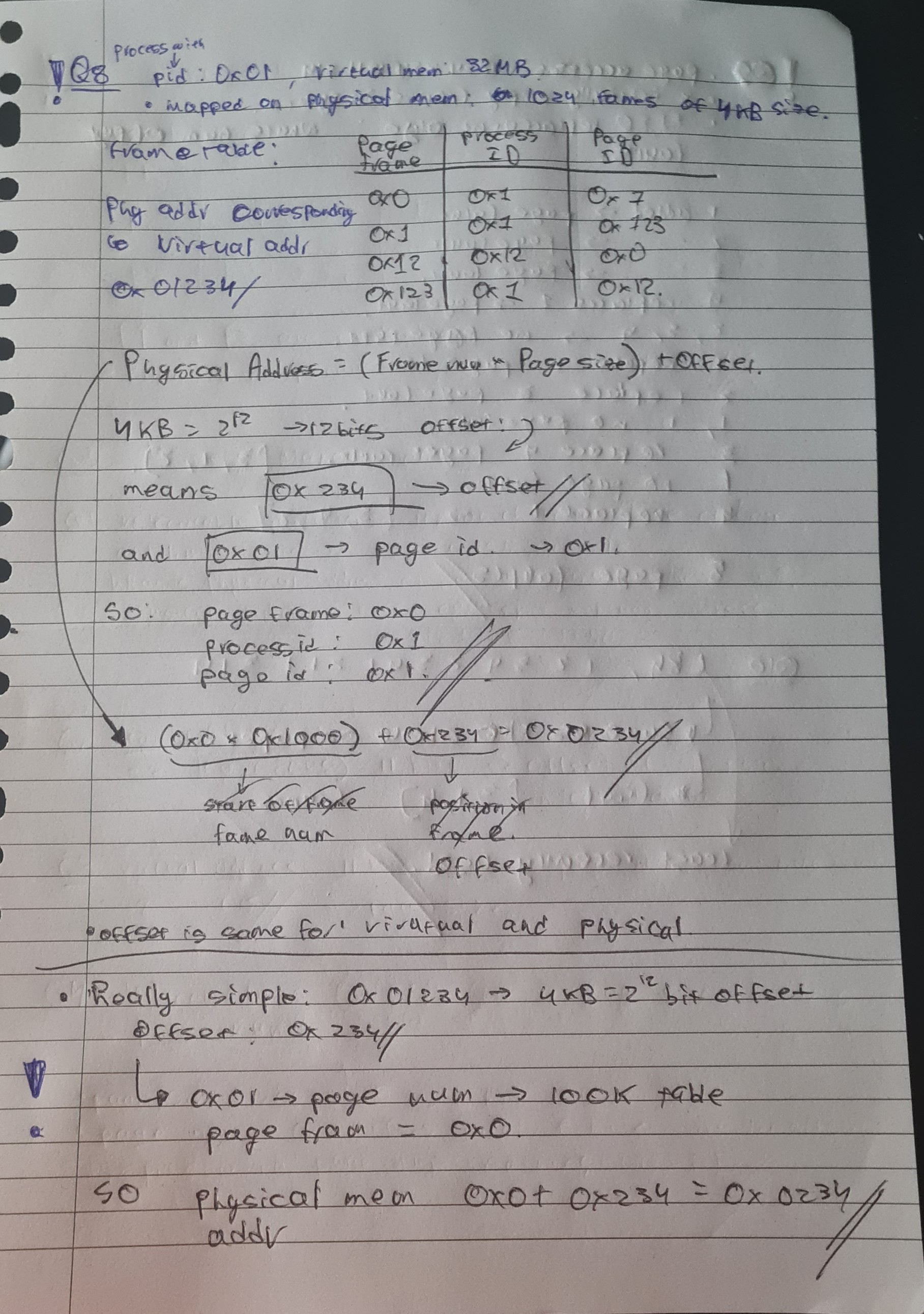
Memory management
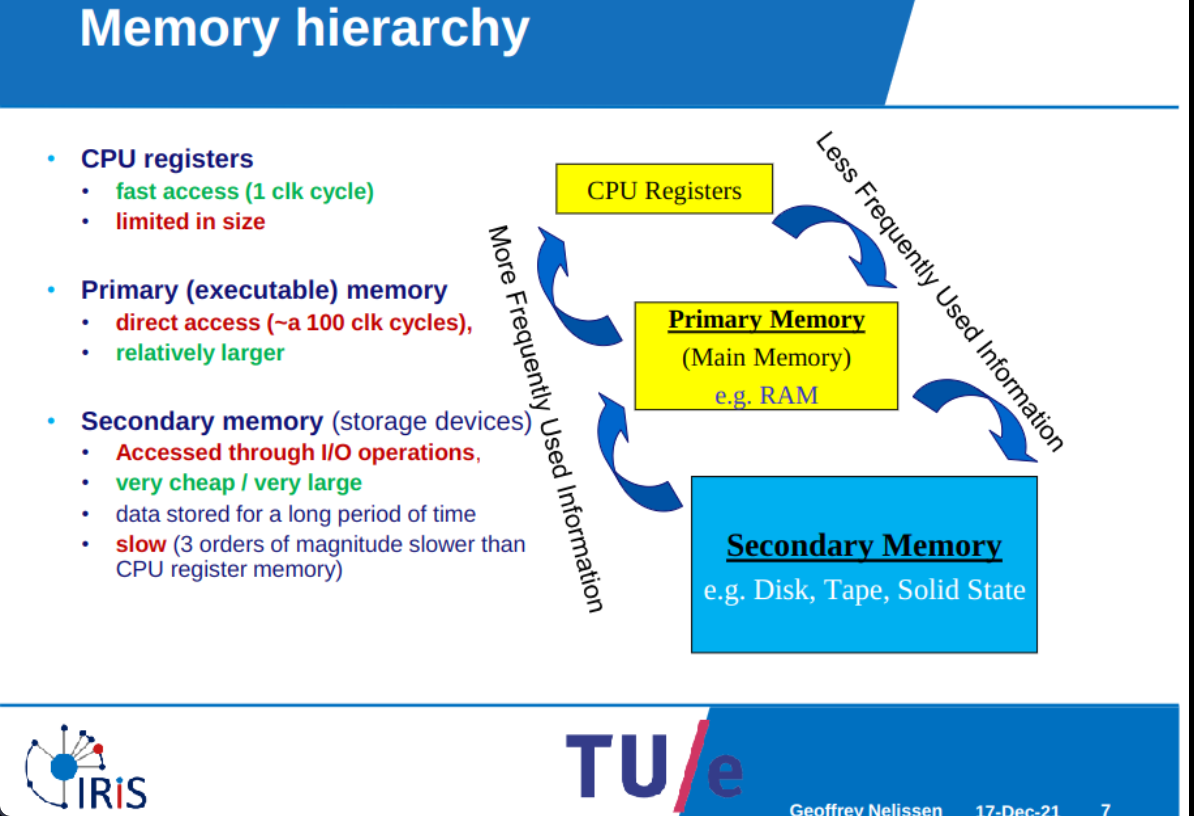
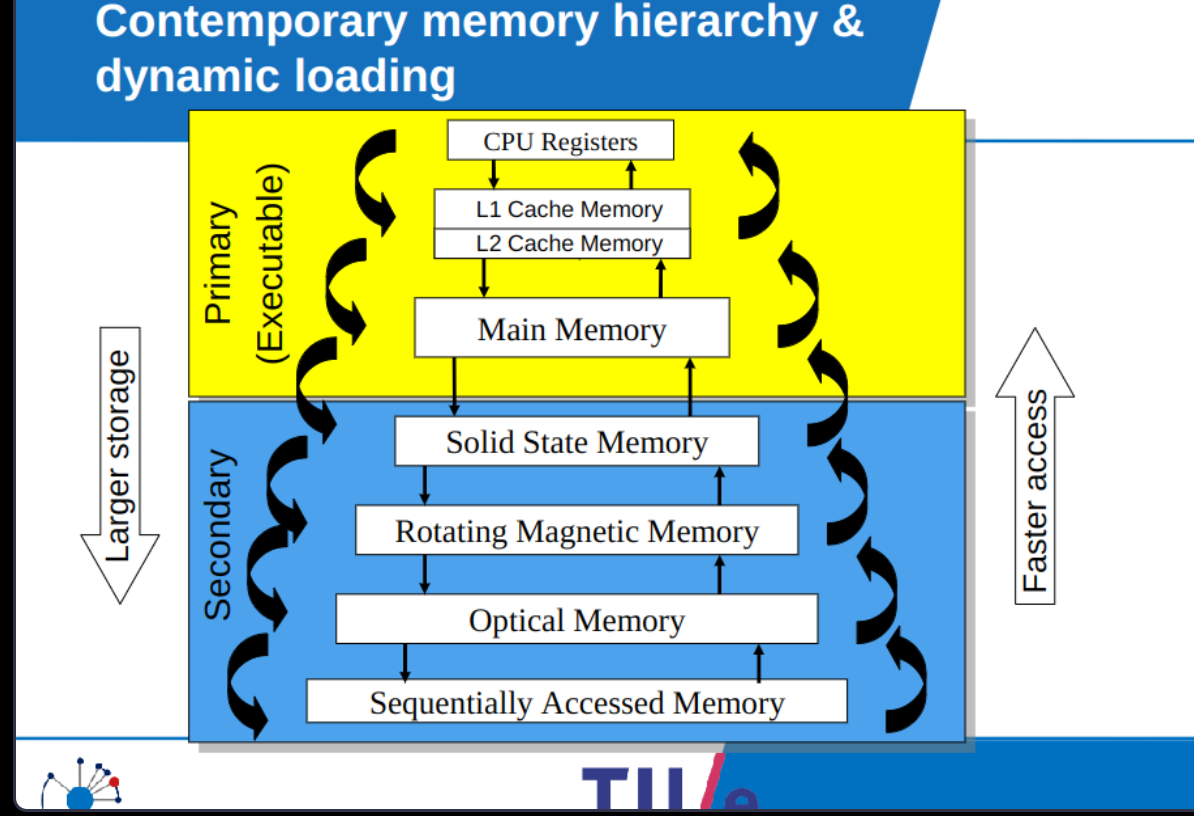
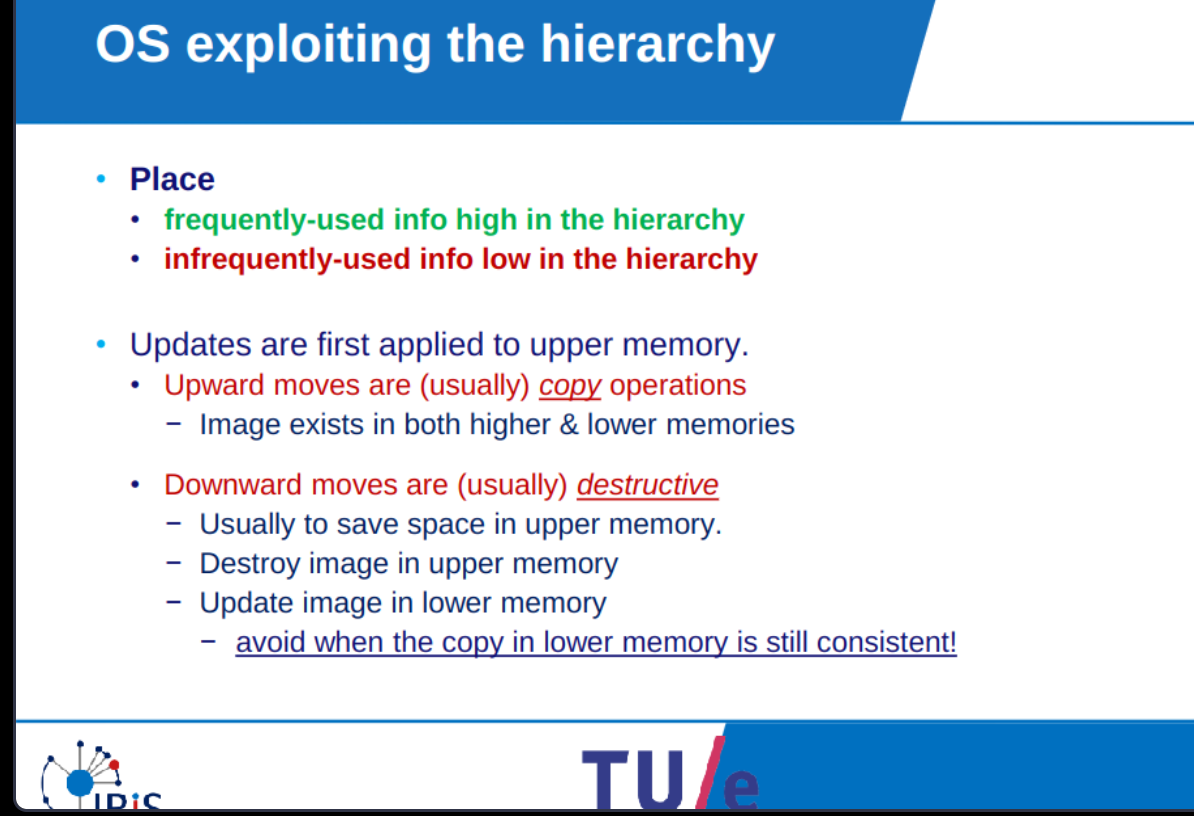
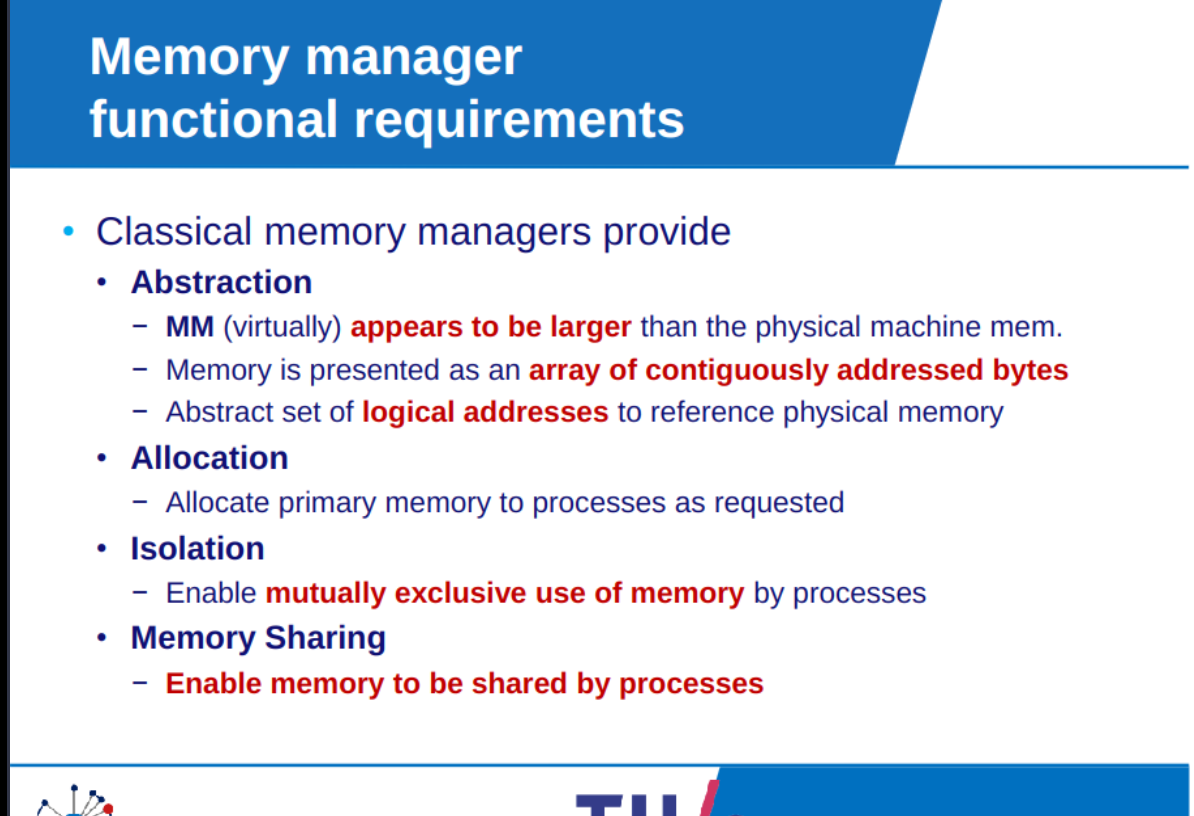
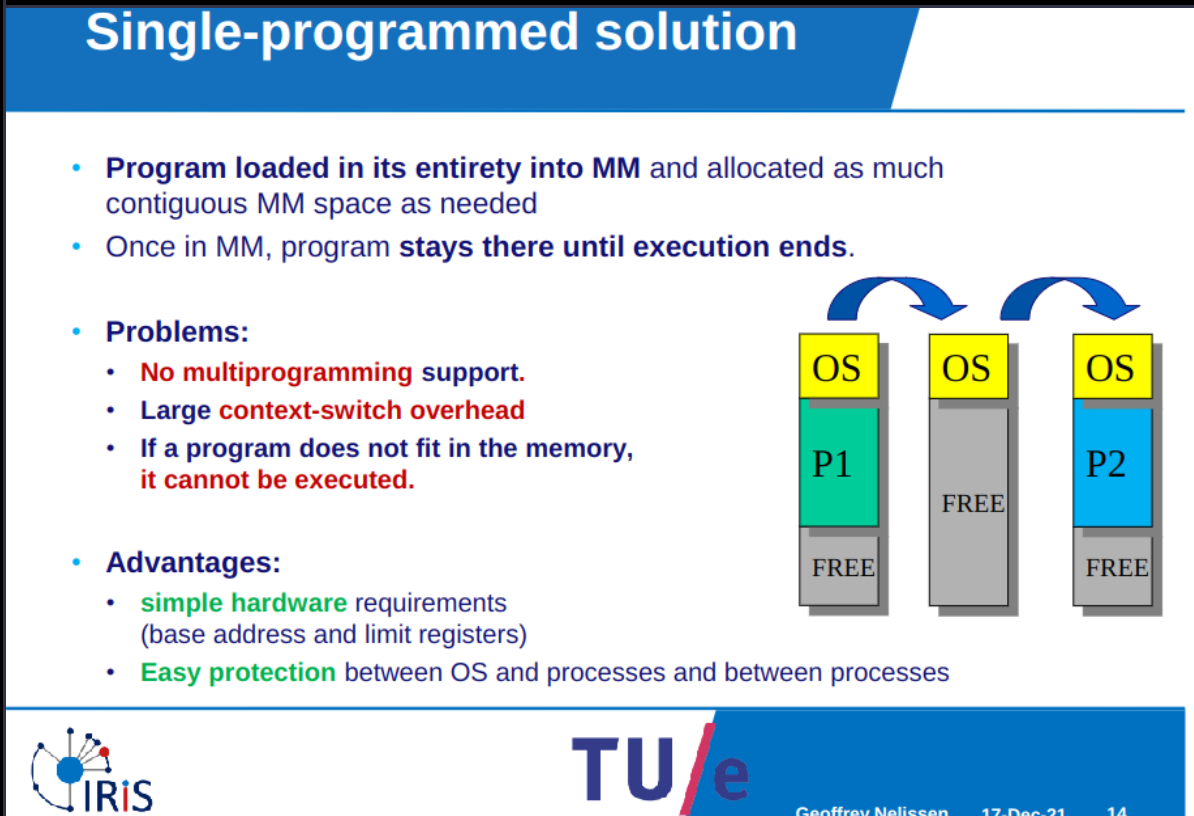
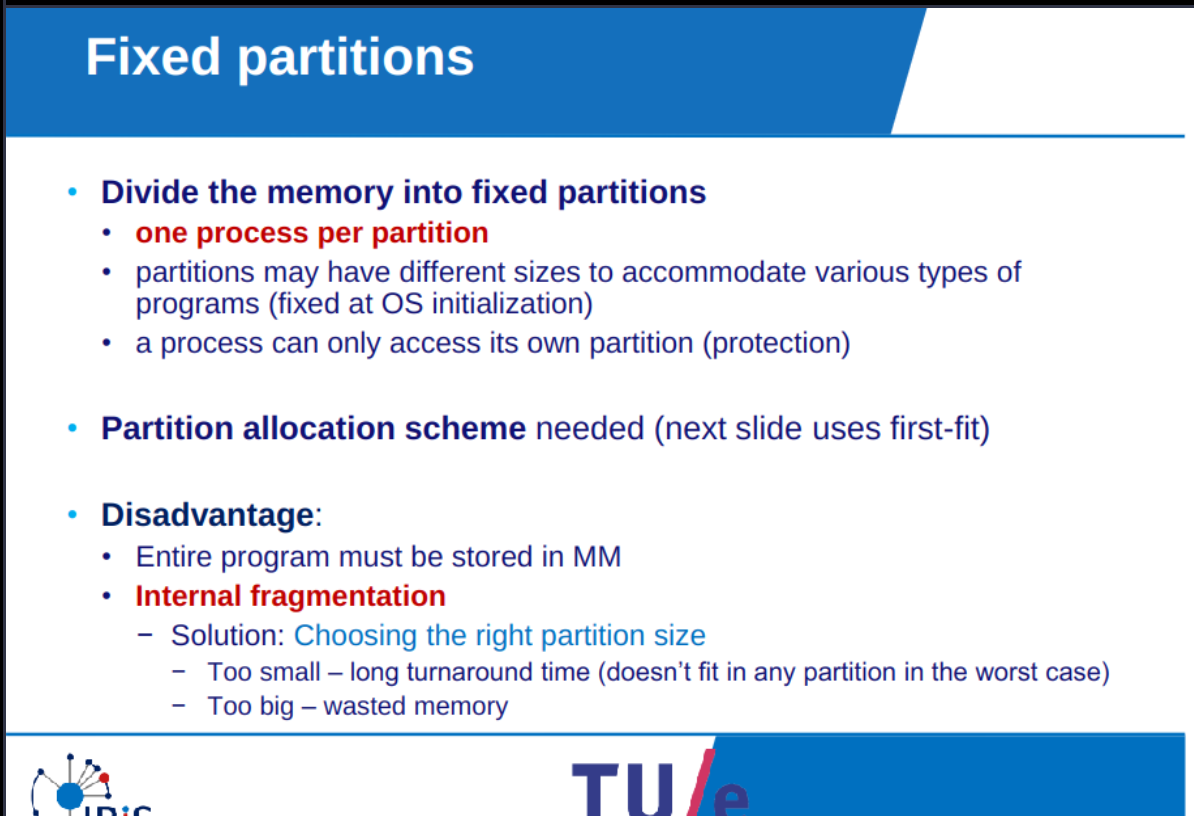
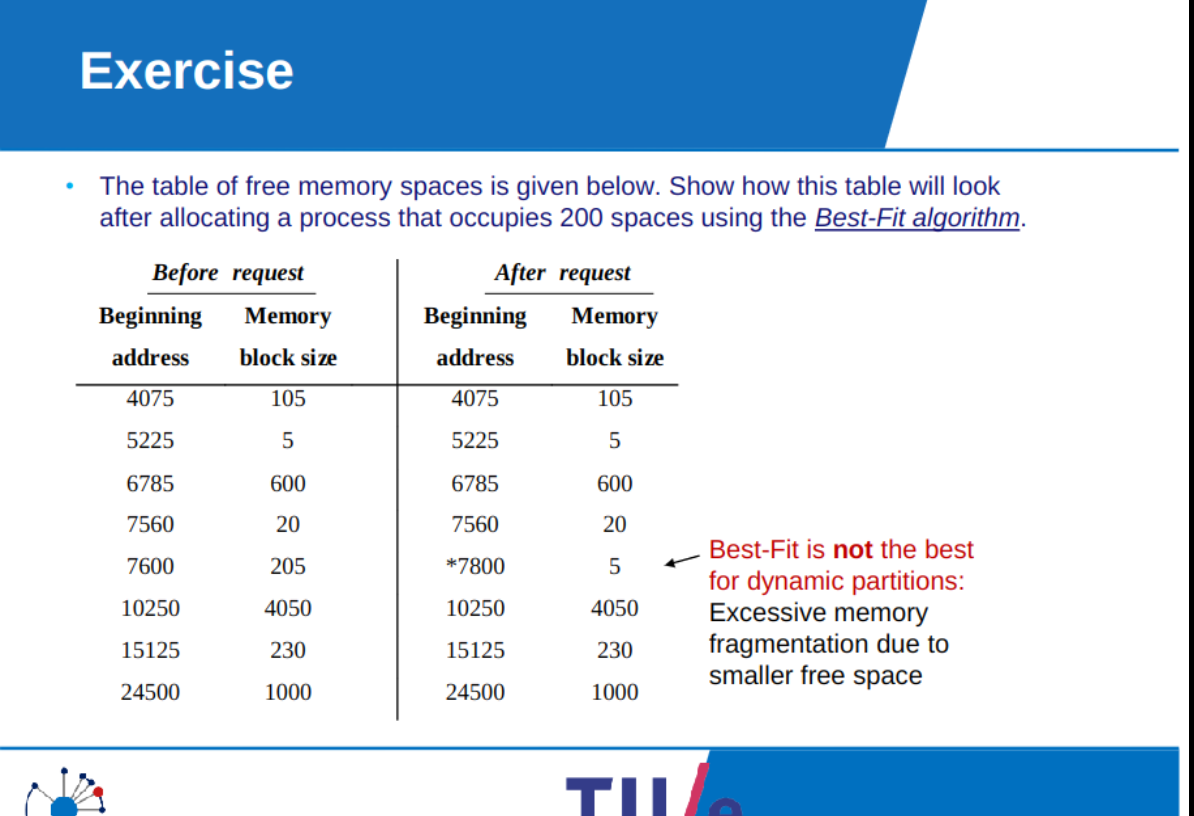
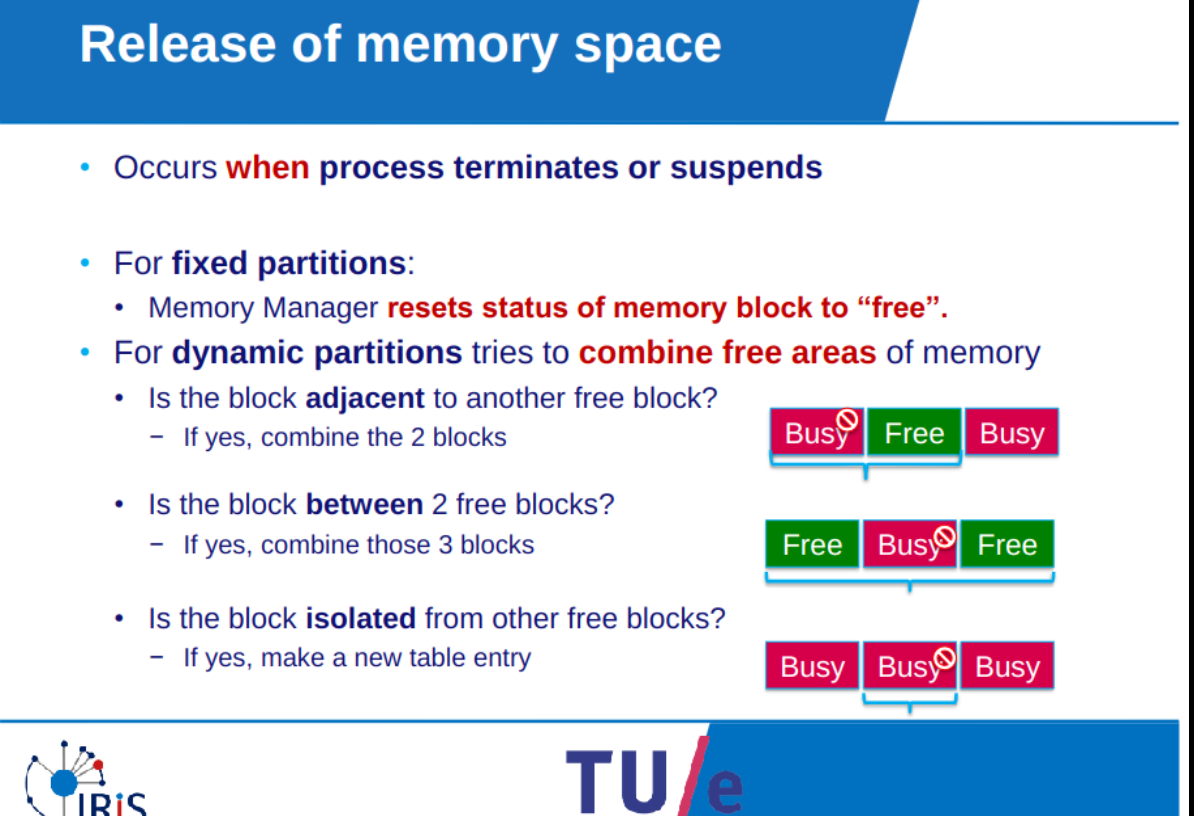
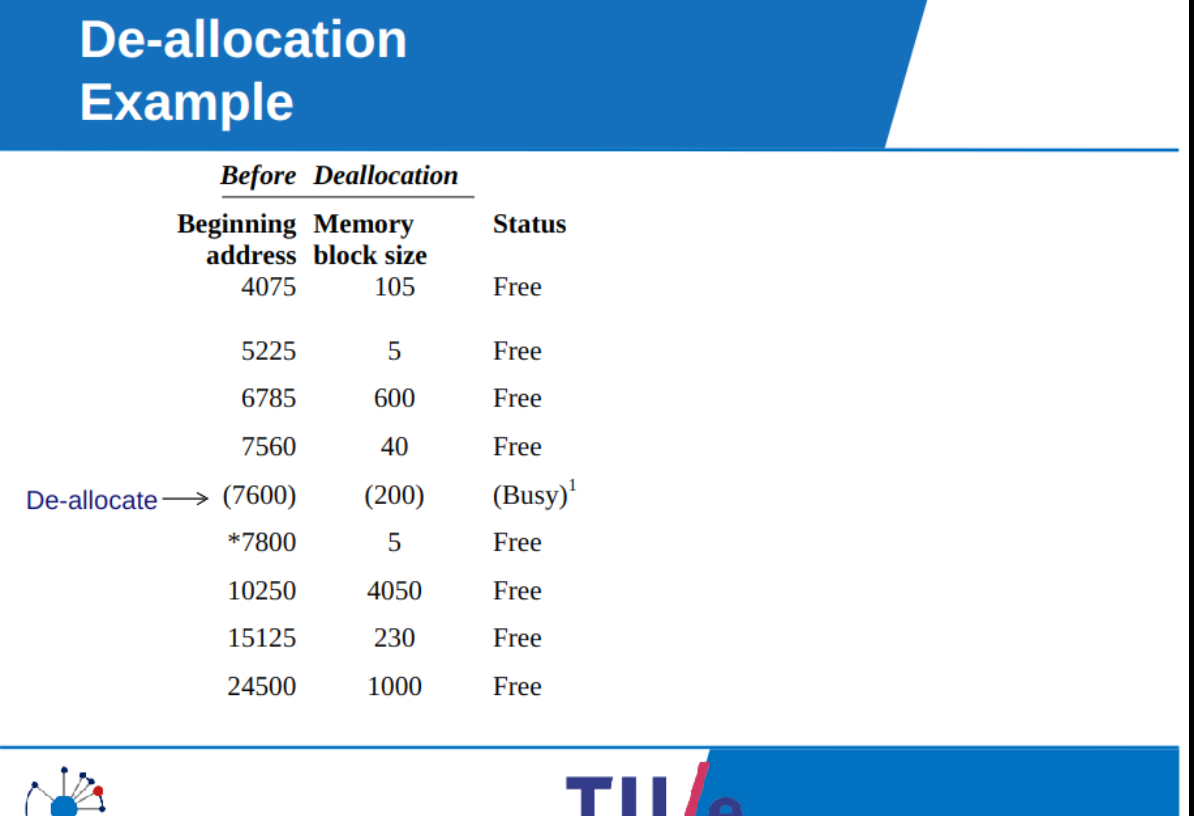
Memory management using partitions
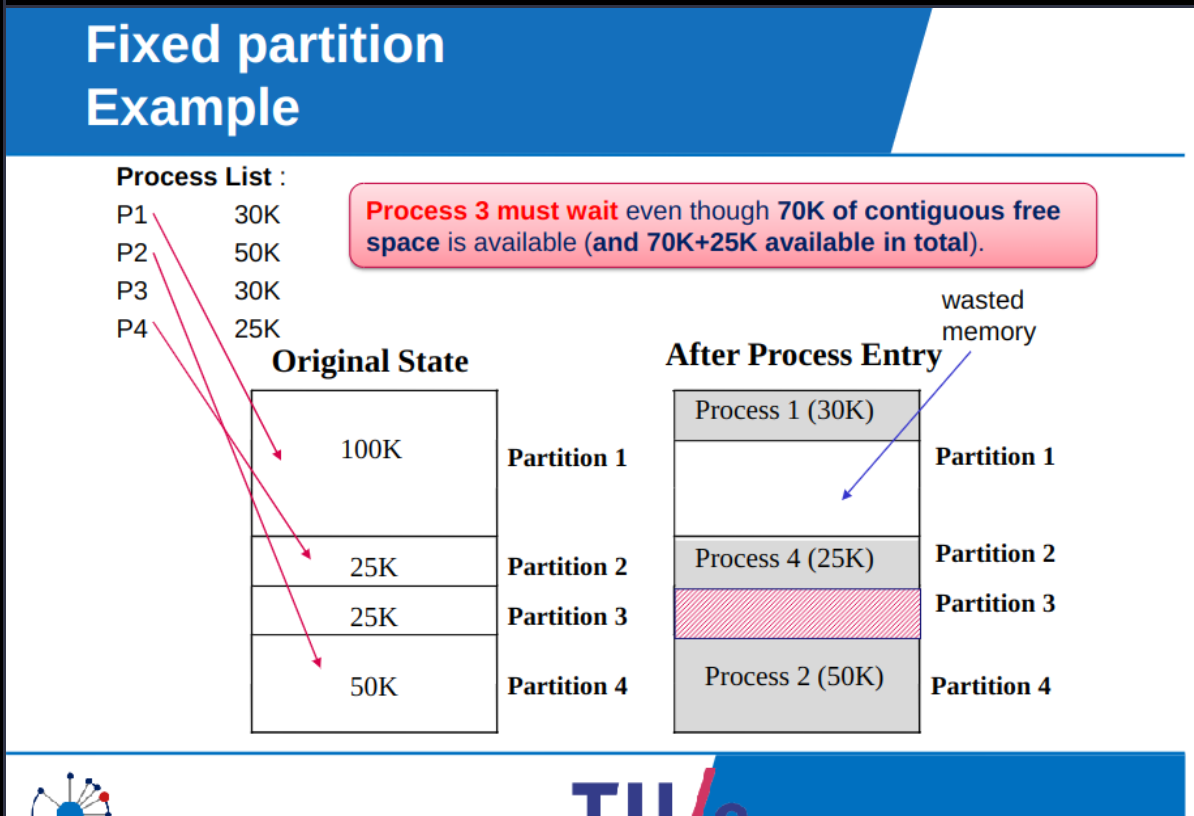
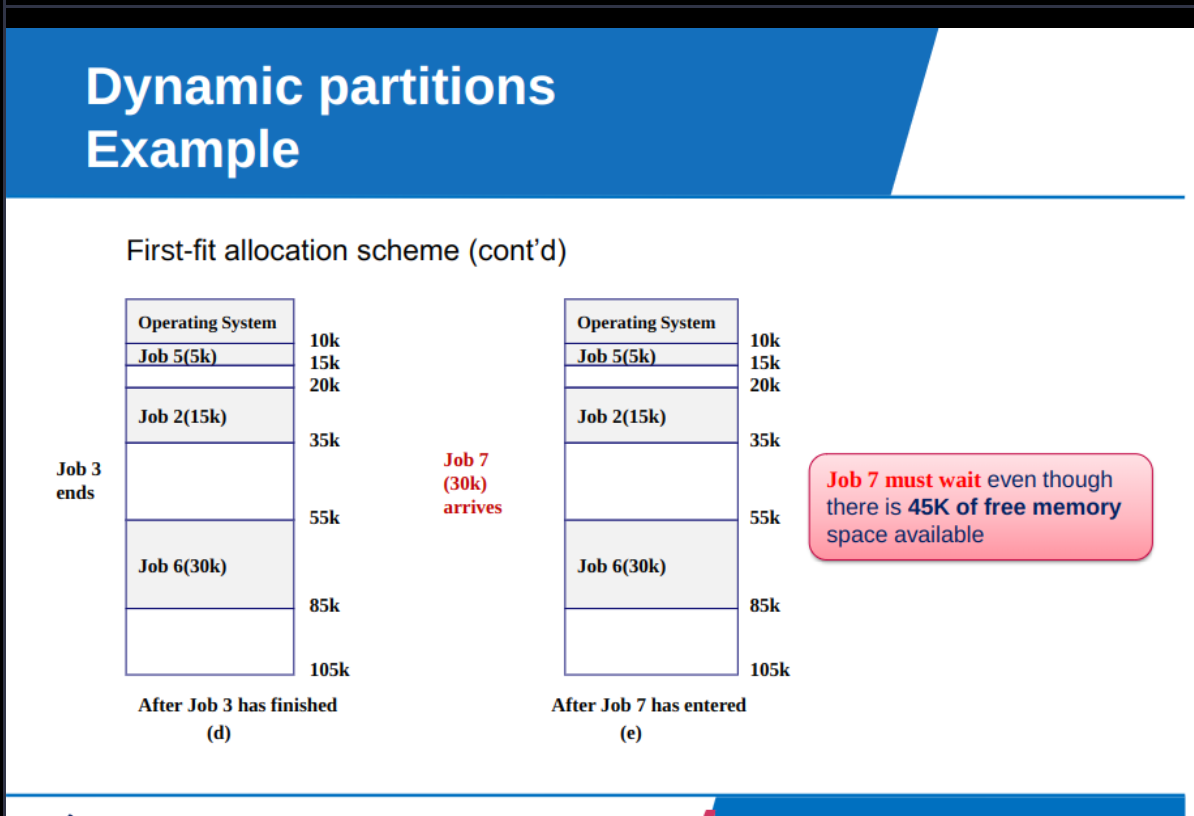
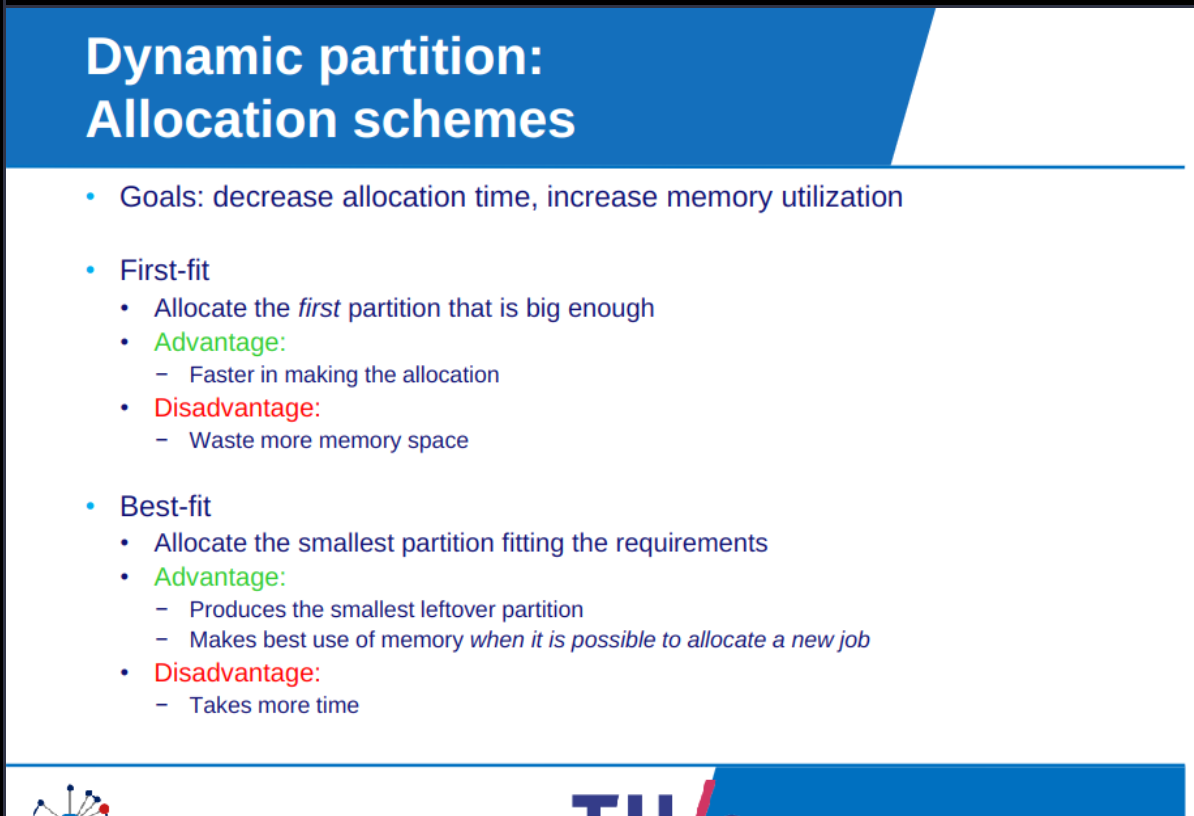
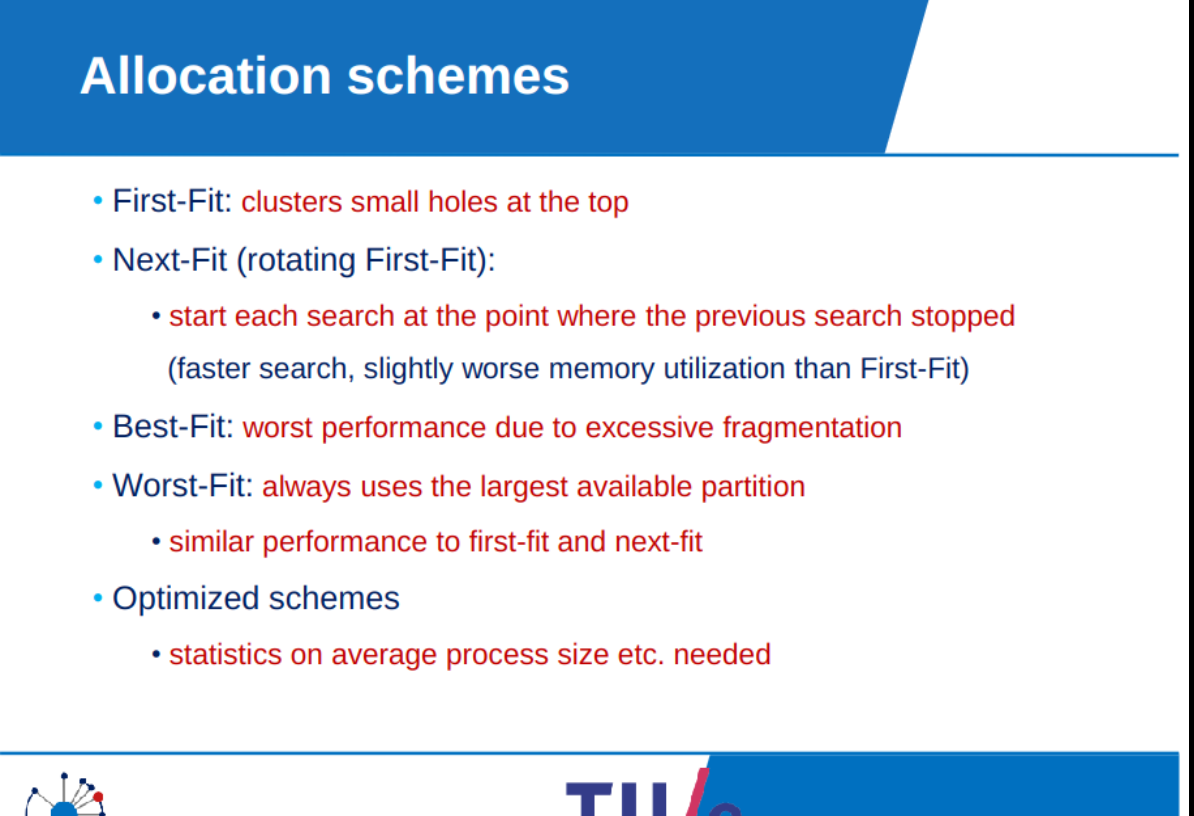
for first-fit order the list by memory location
for best-fit order the list by block sizes
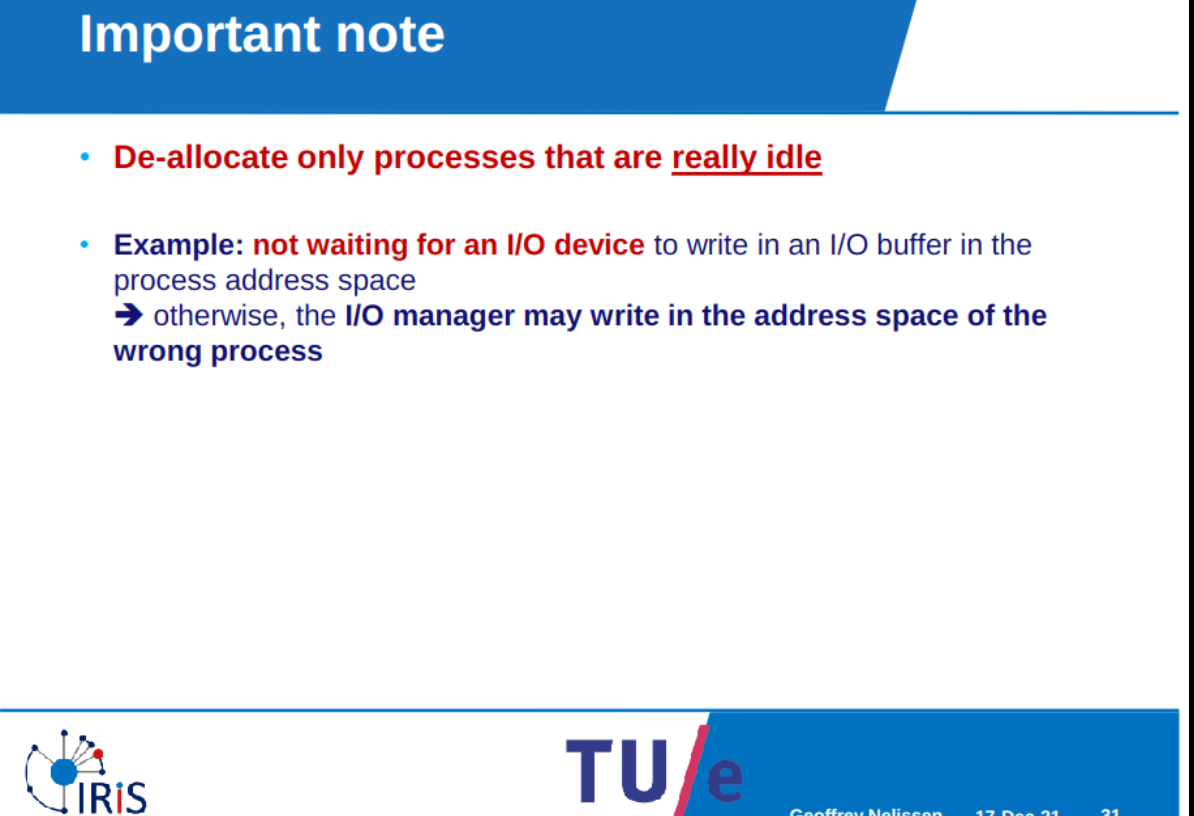
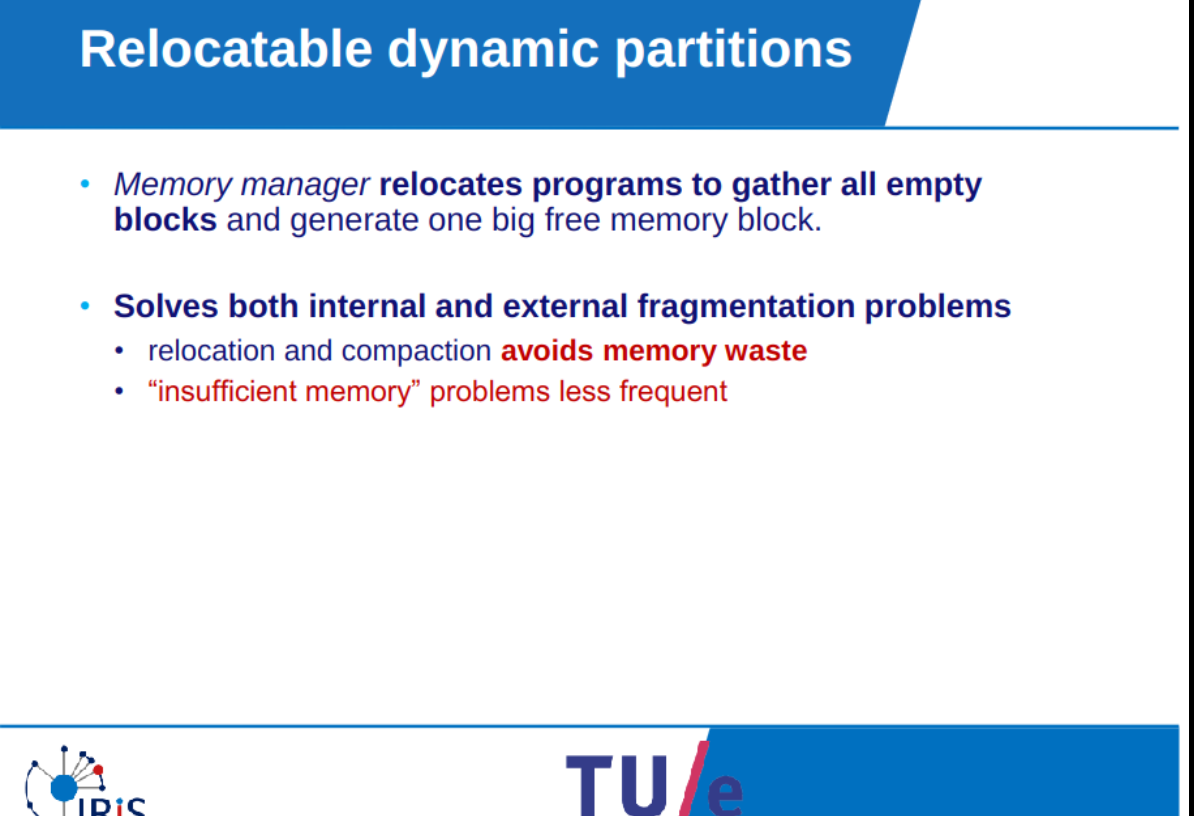
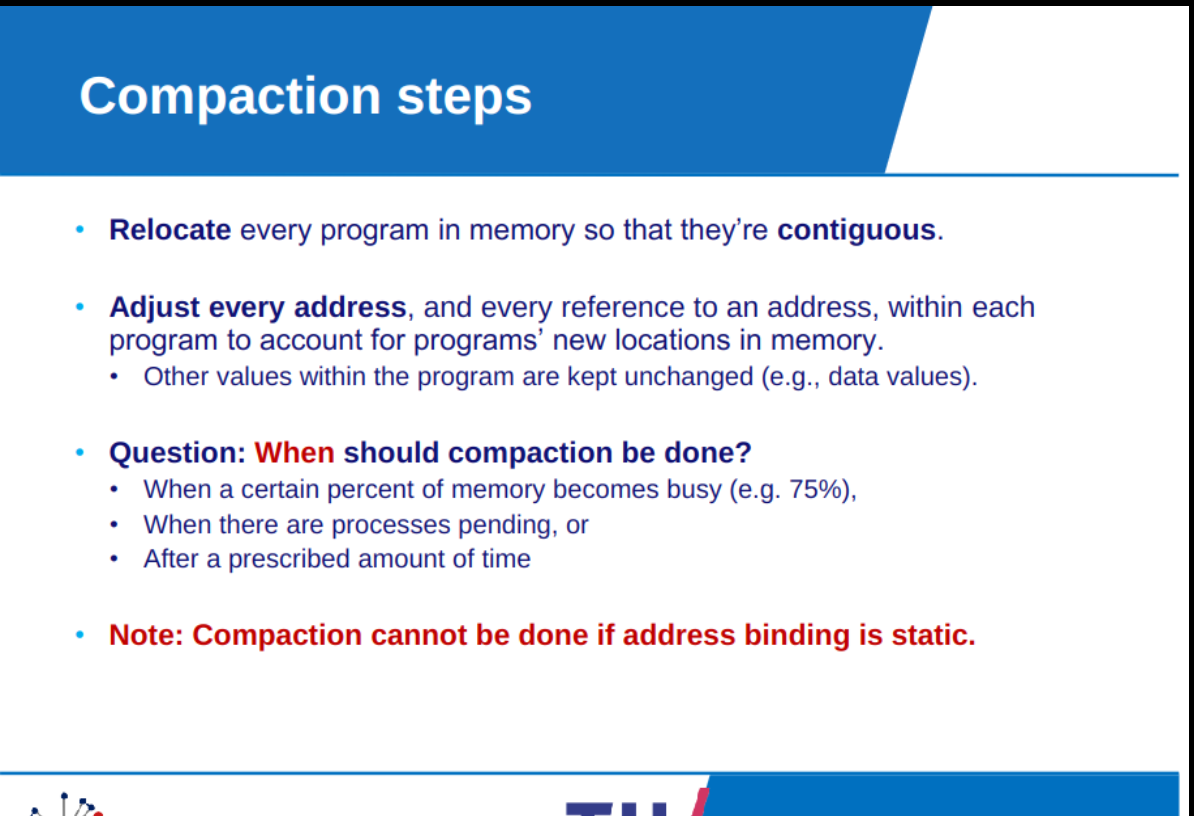
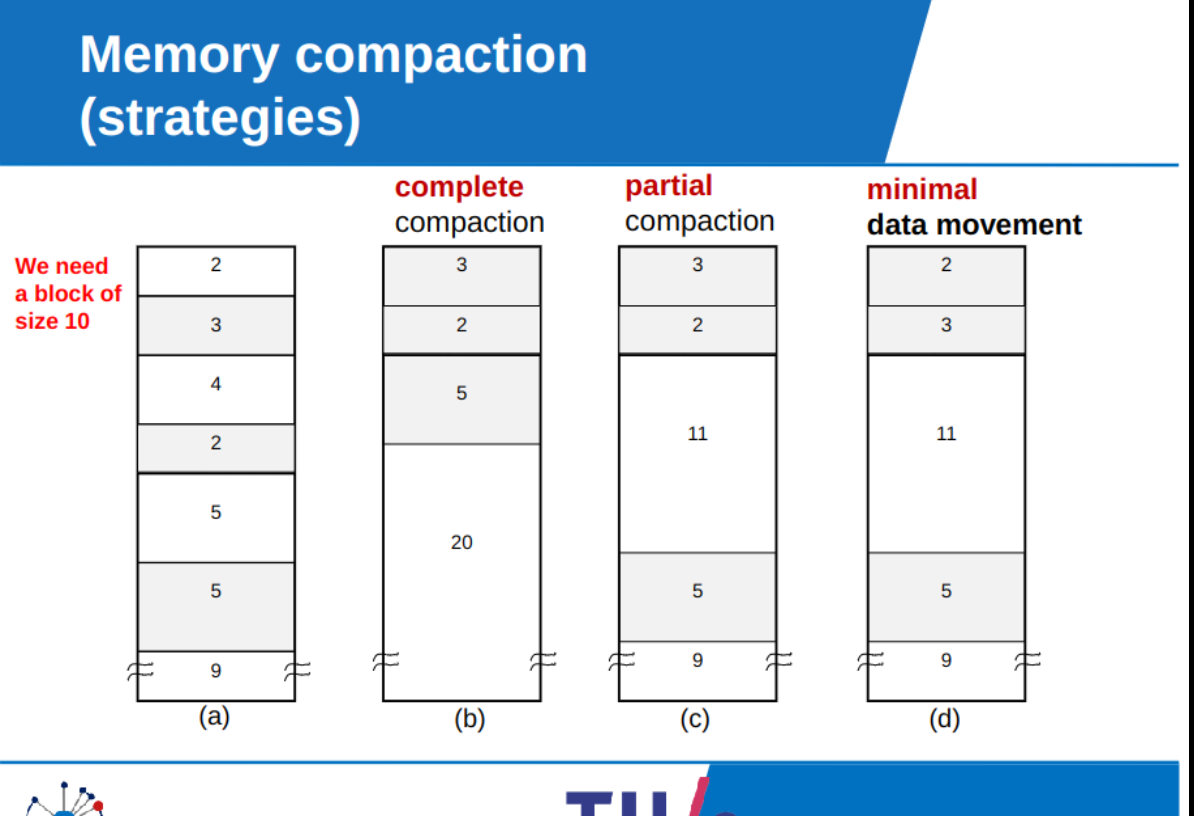
Relocatable partitions
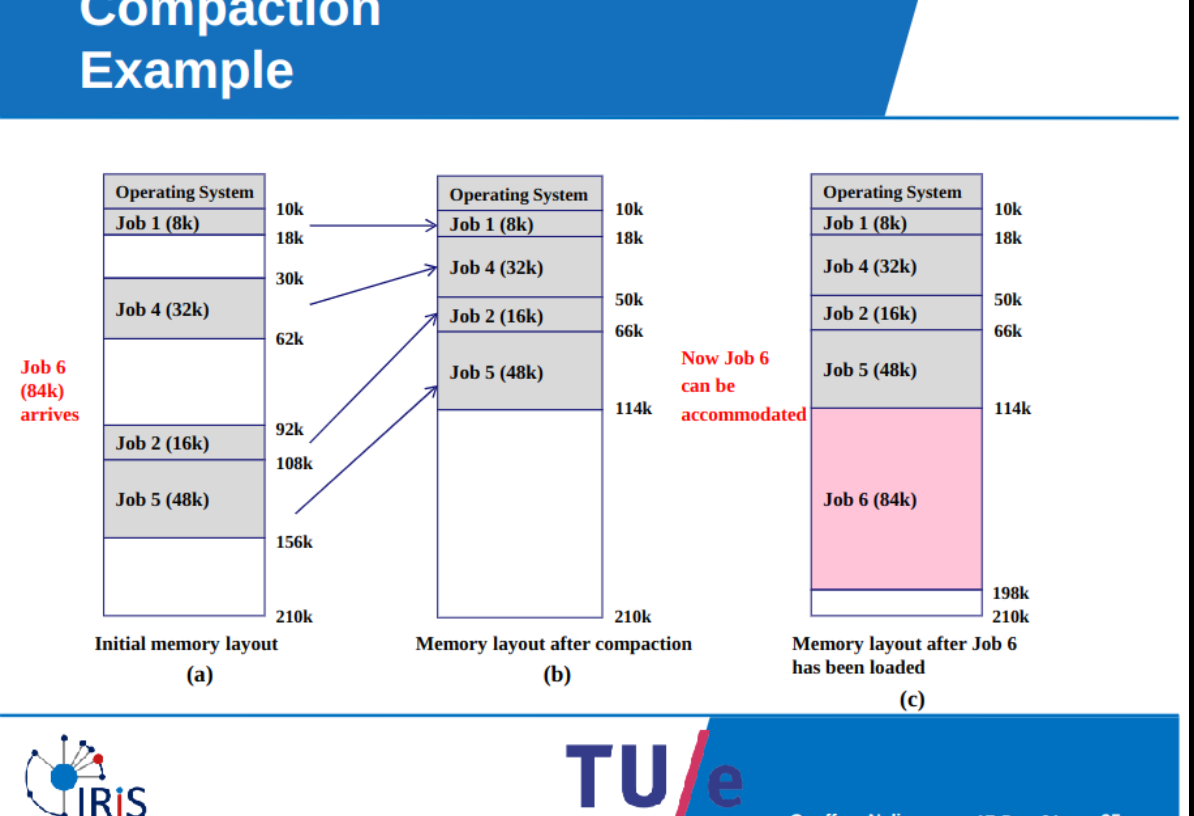
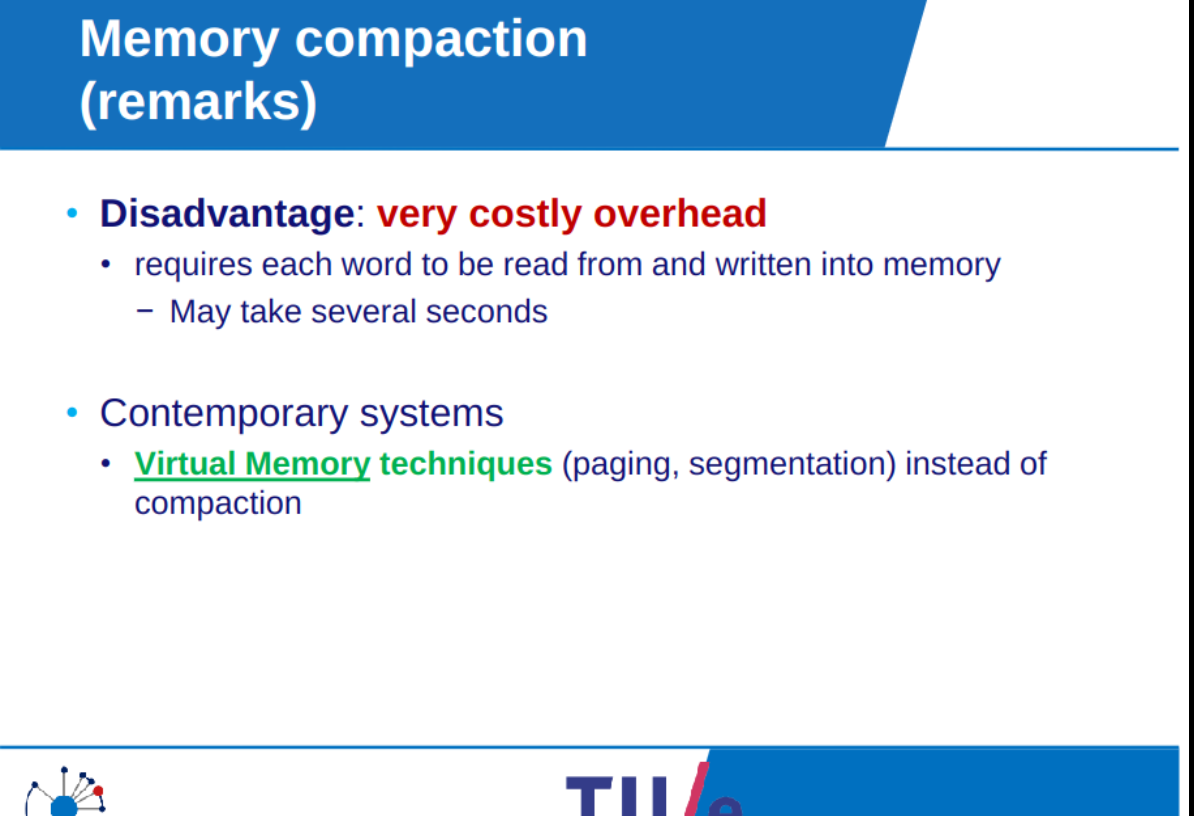
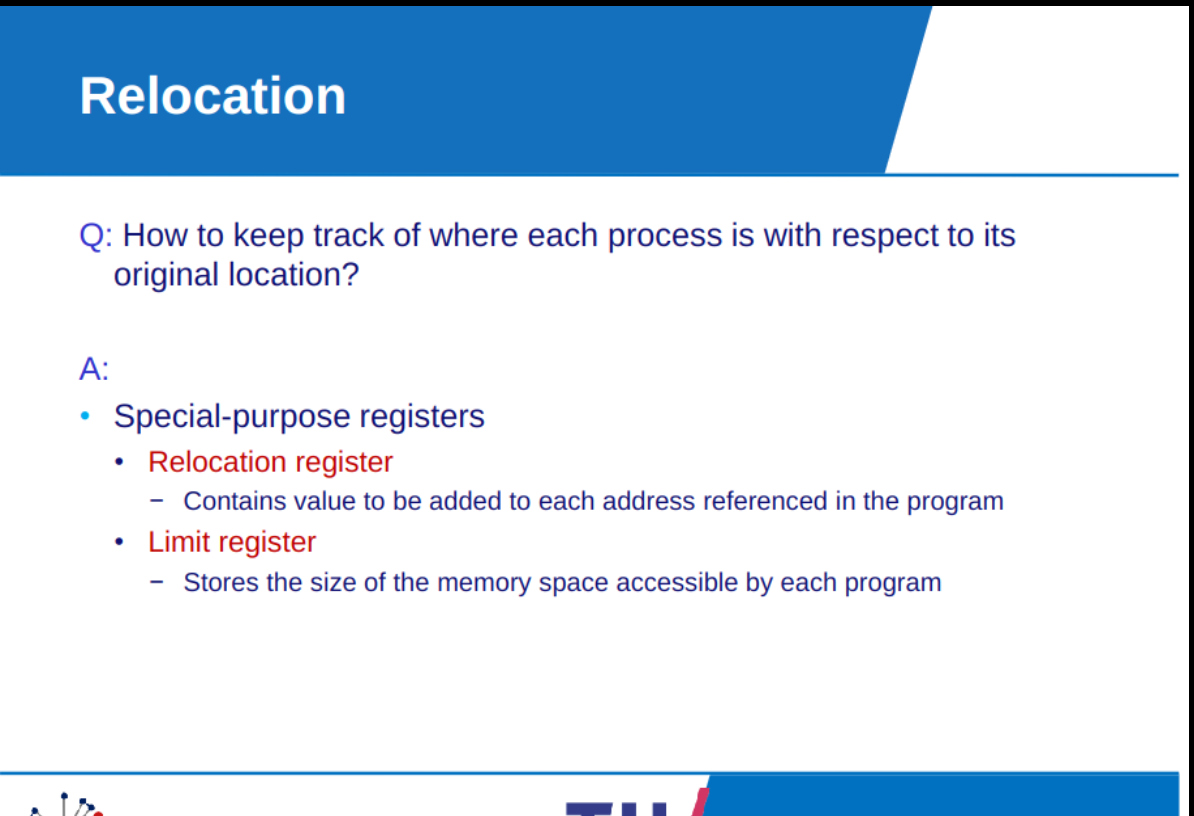
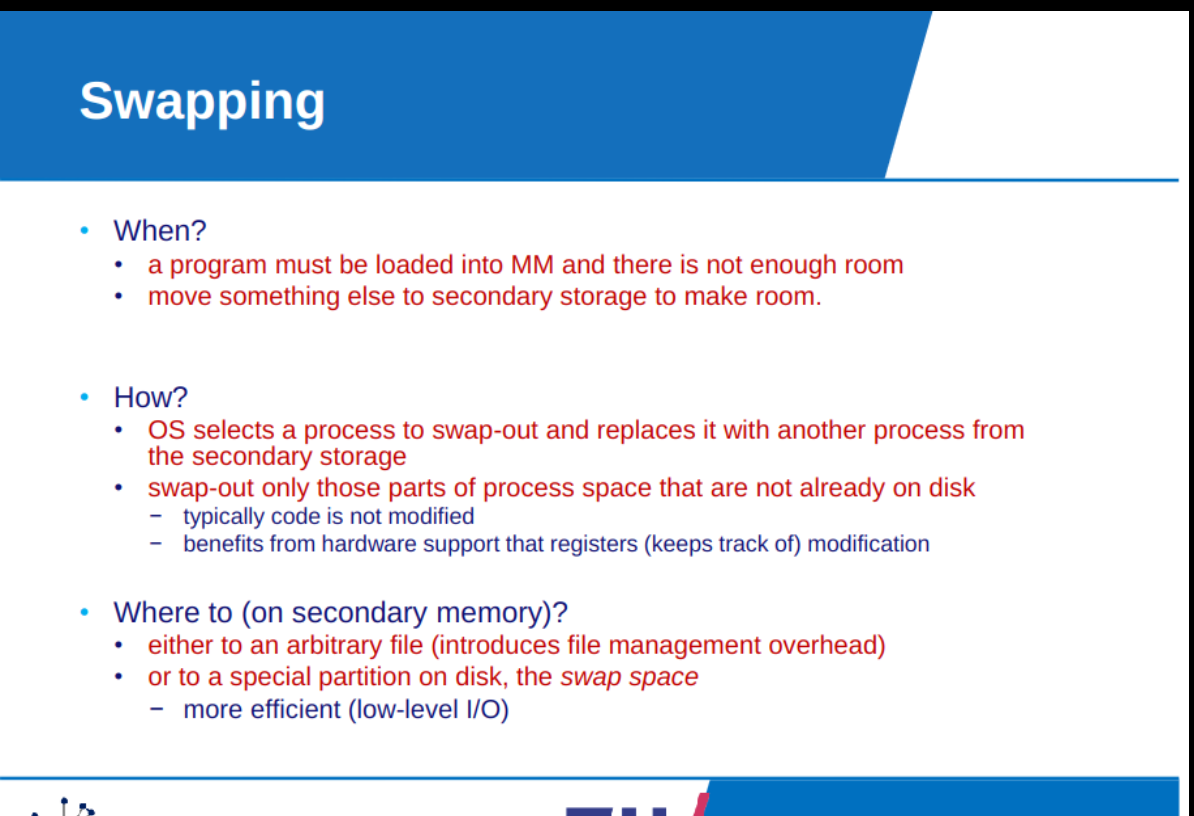
Virtual memory
importance of memory management
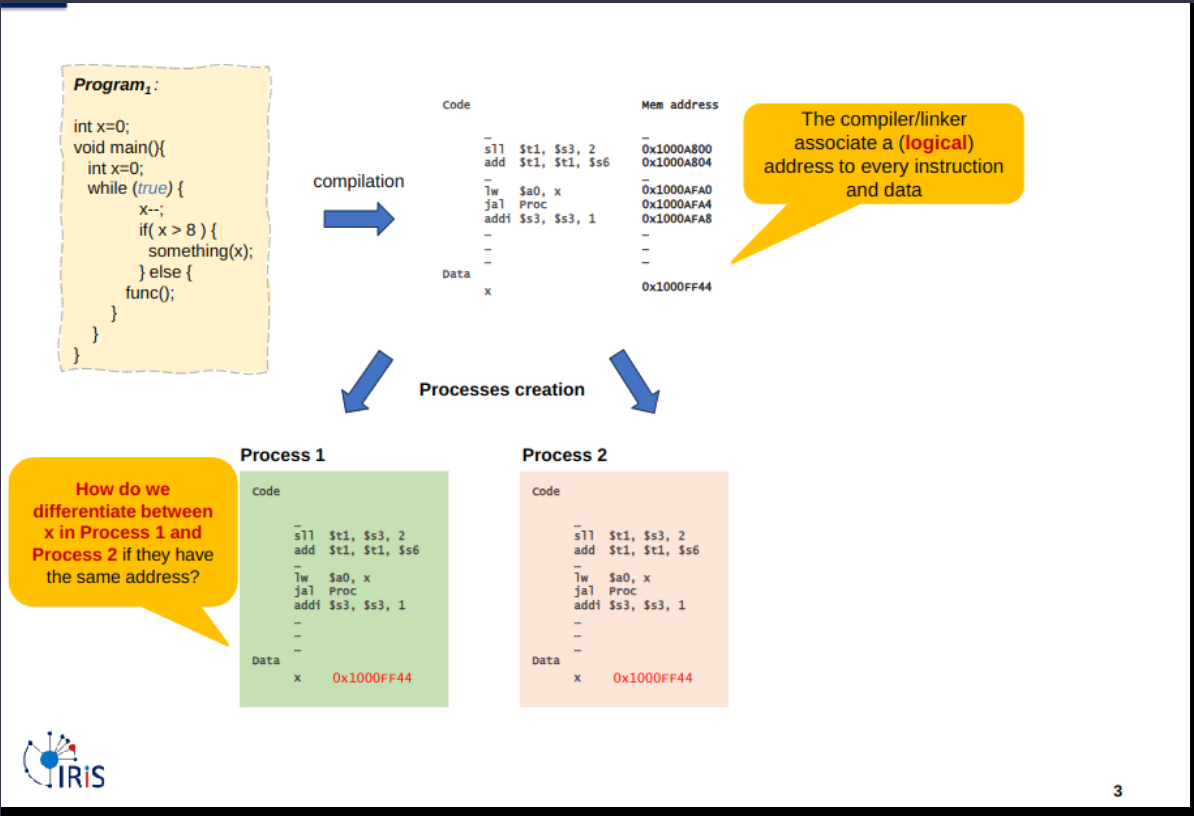
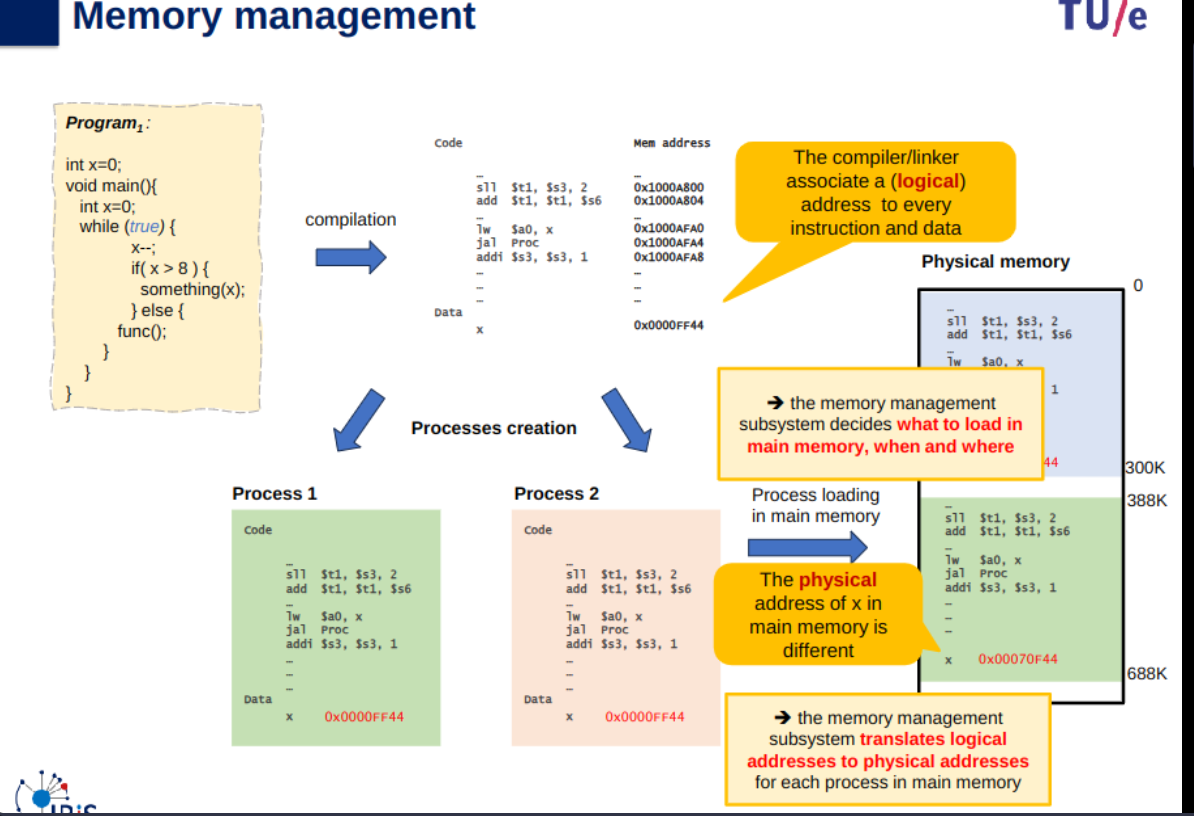
Basics of memory
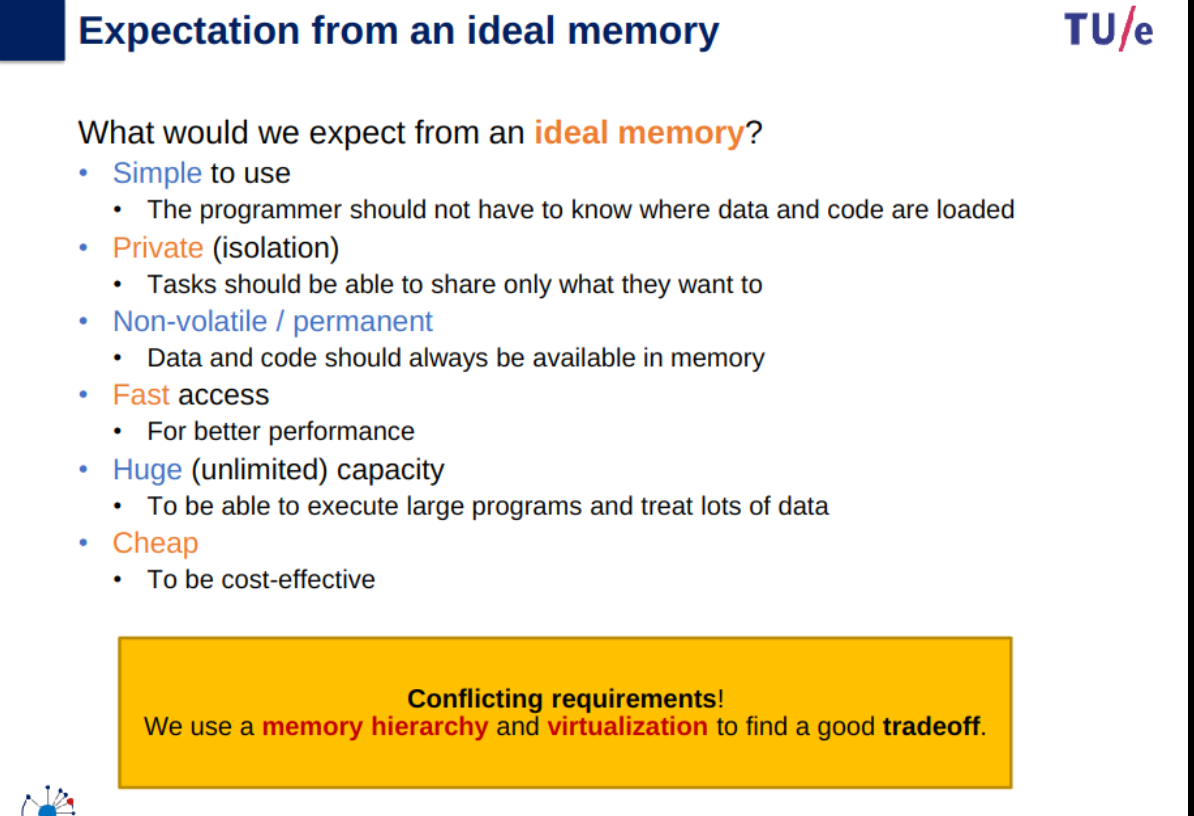
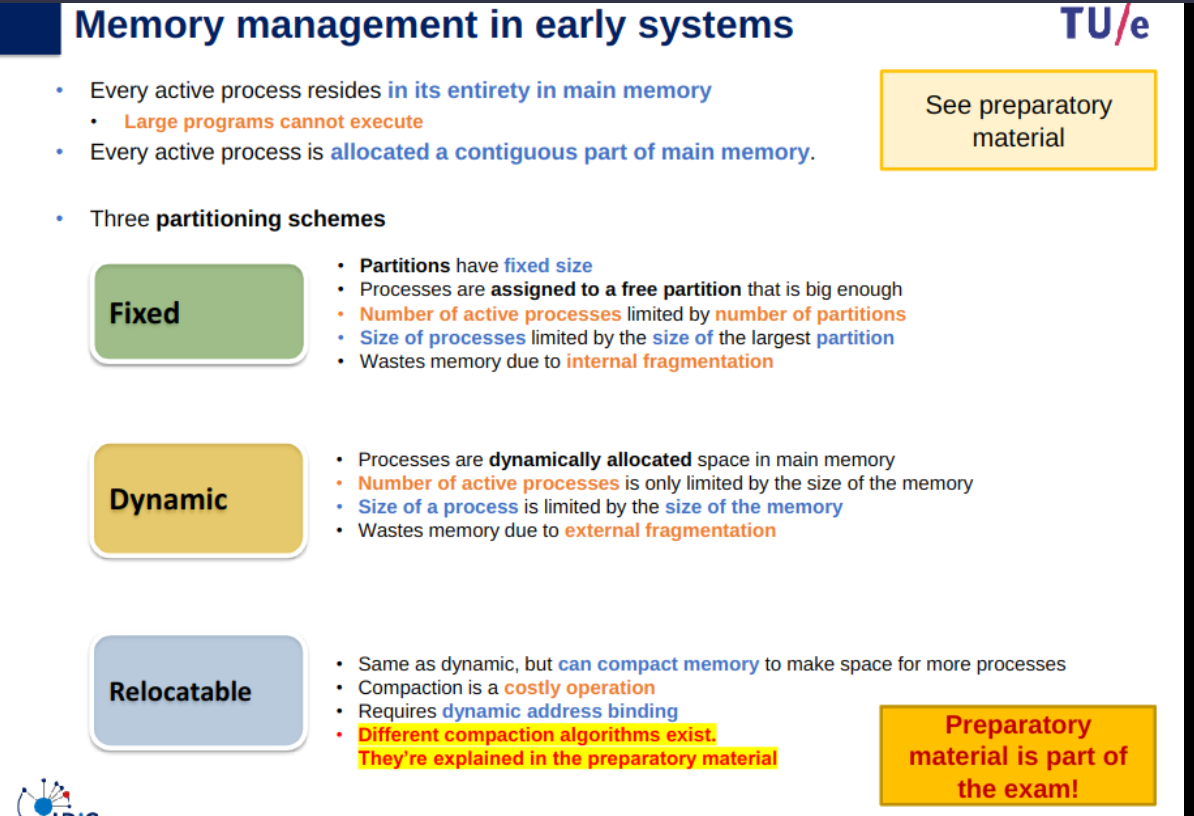
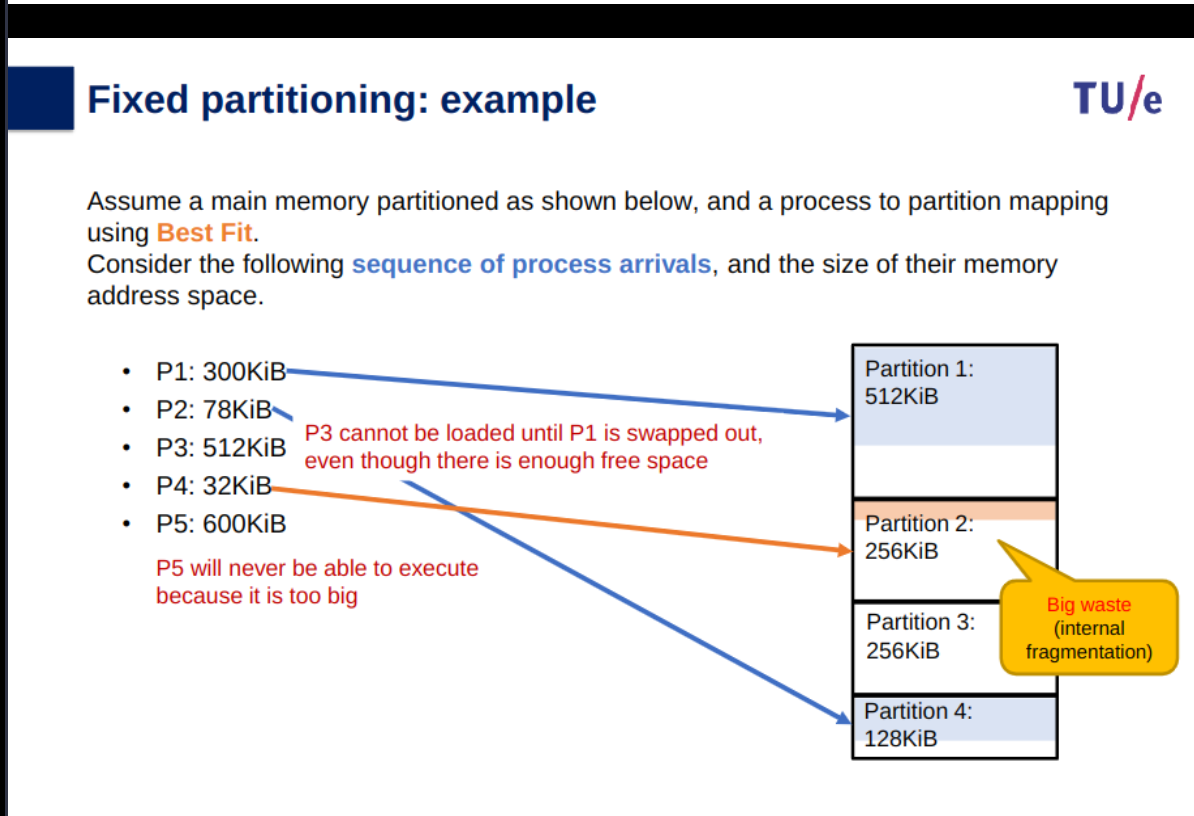
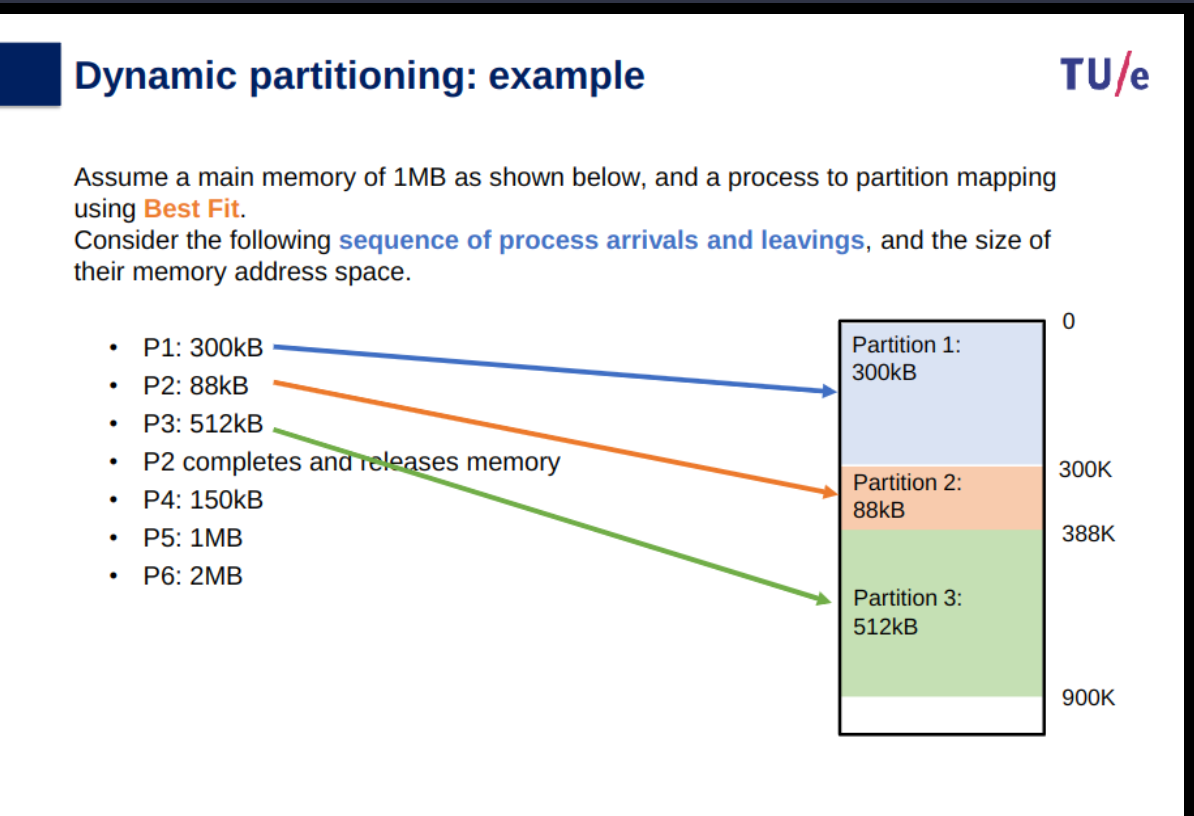
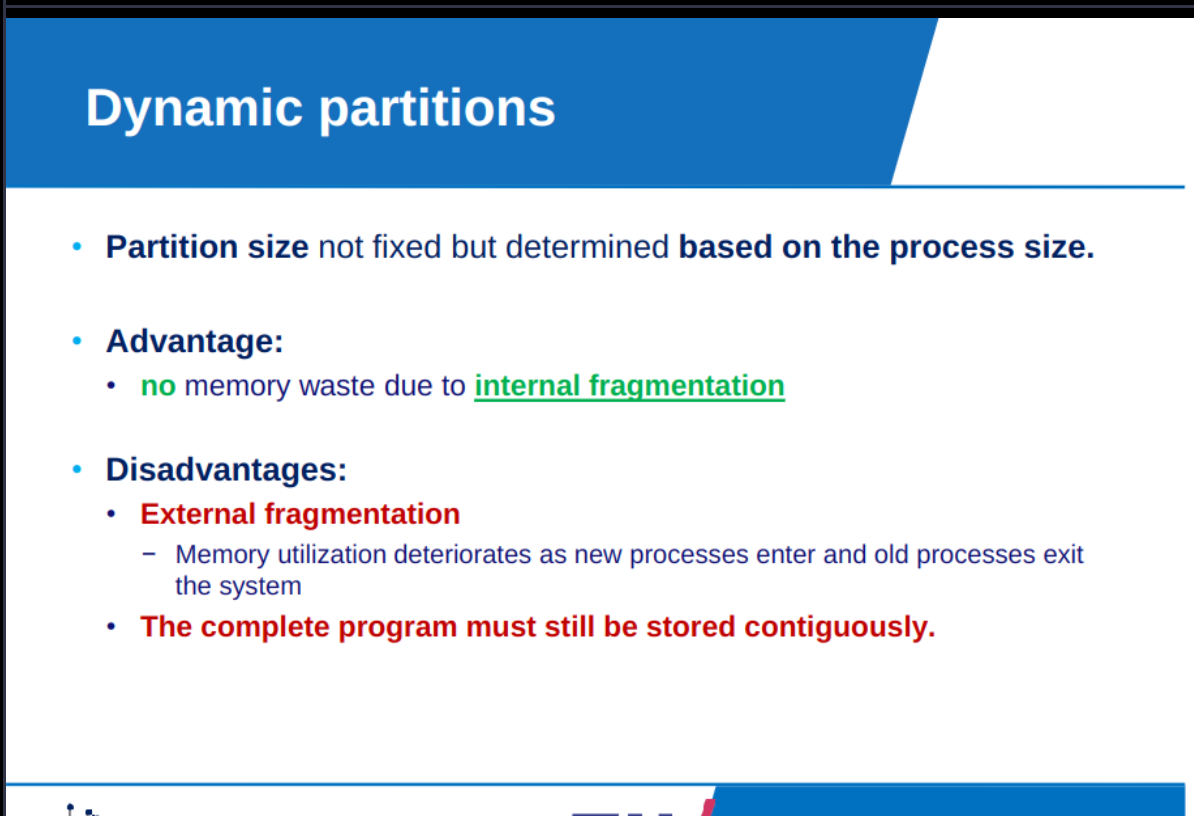
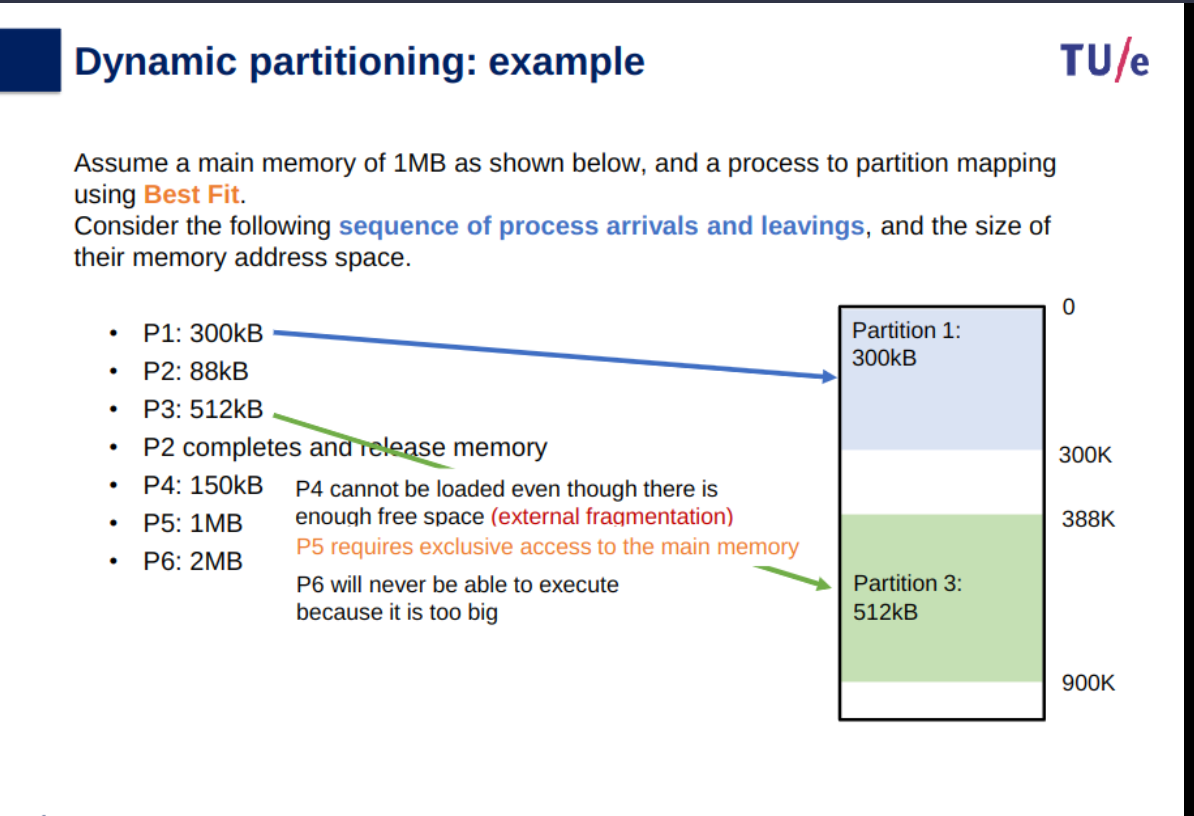
Dynamic partitioning: the partition size is made based on the size of the process rather than pre-made. Causes external memory fragmentation rather than internal fragmentation that is caused by left over memory in a partition like in a fixed partitioning example.
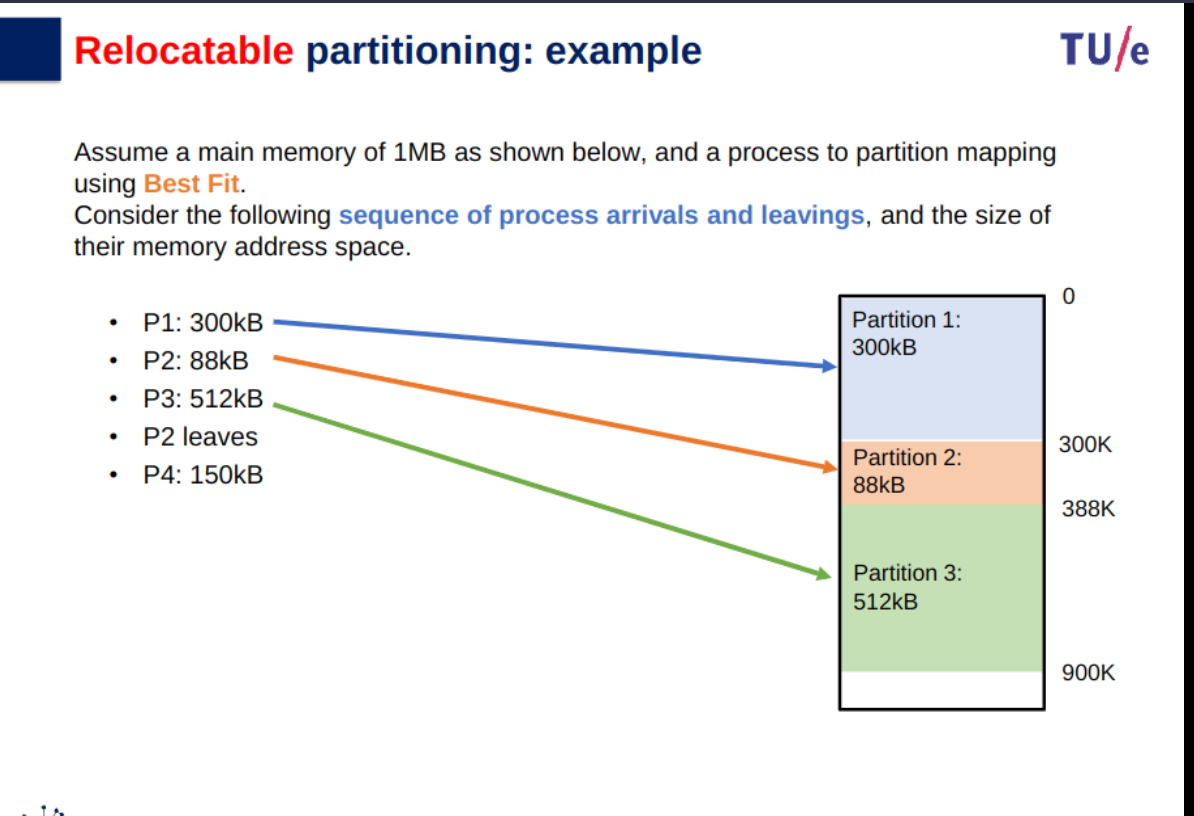
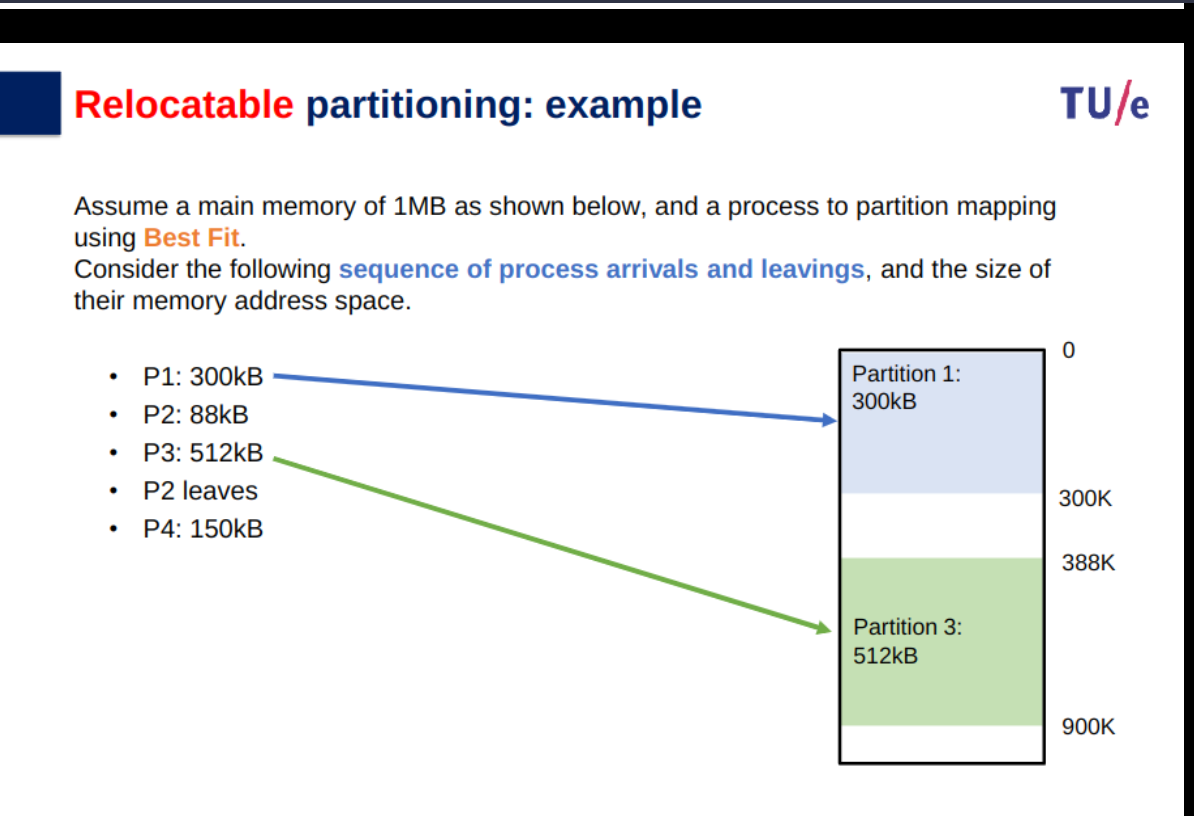
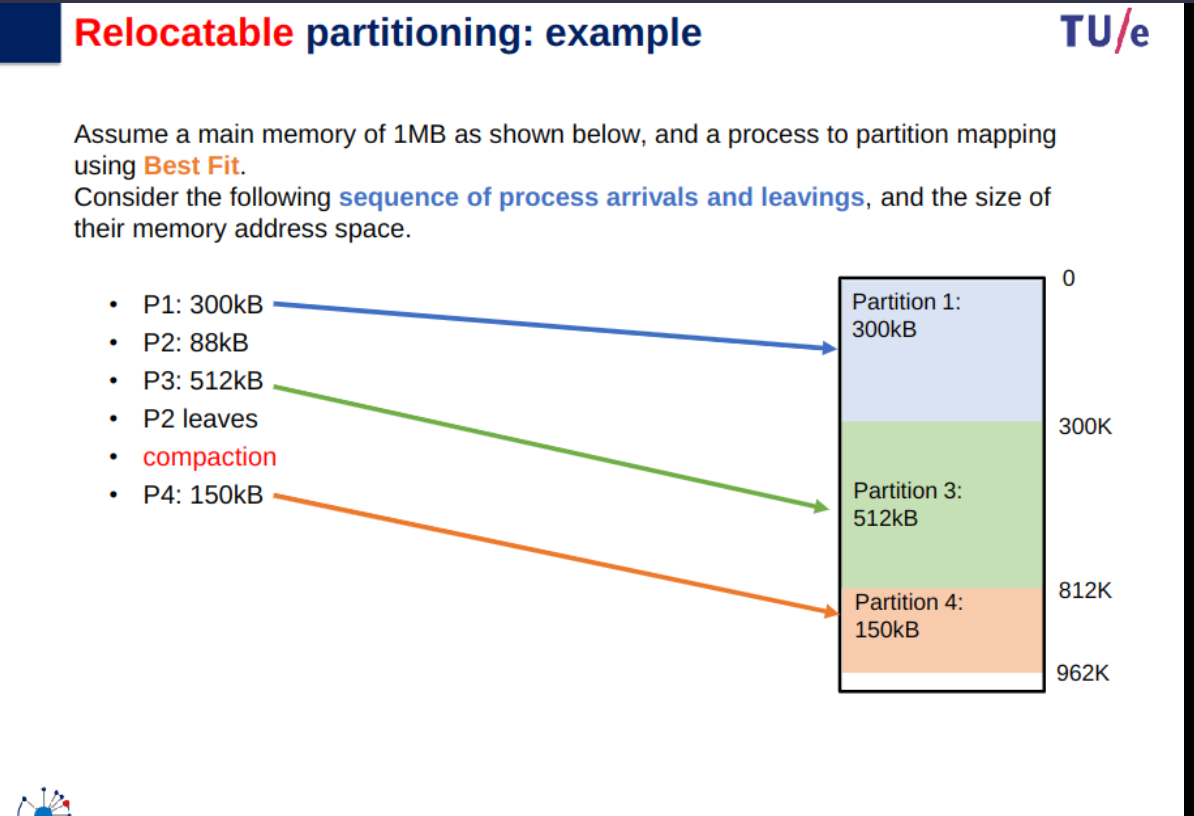
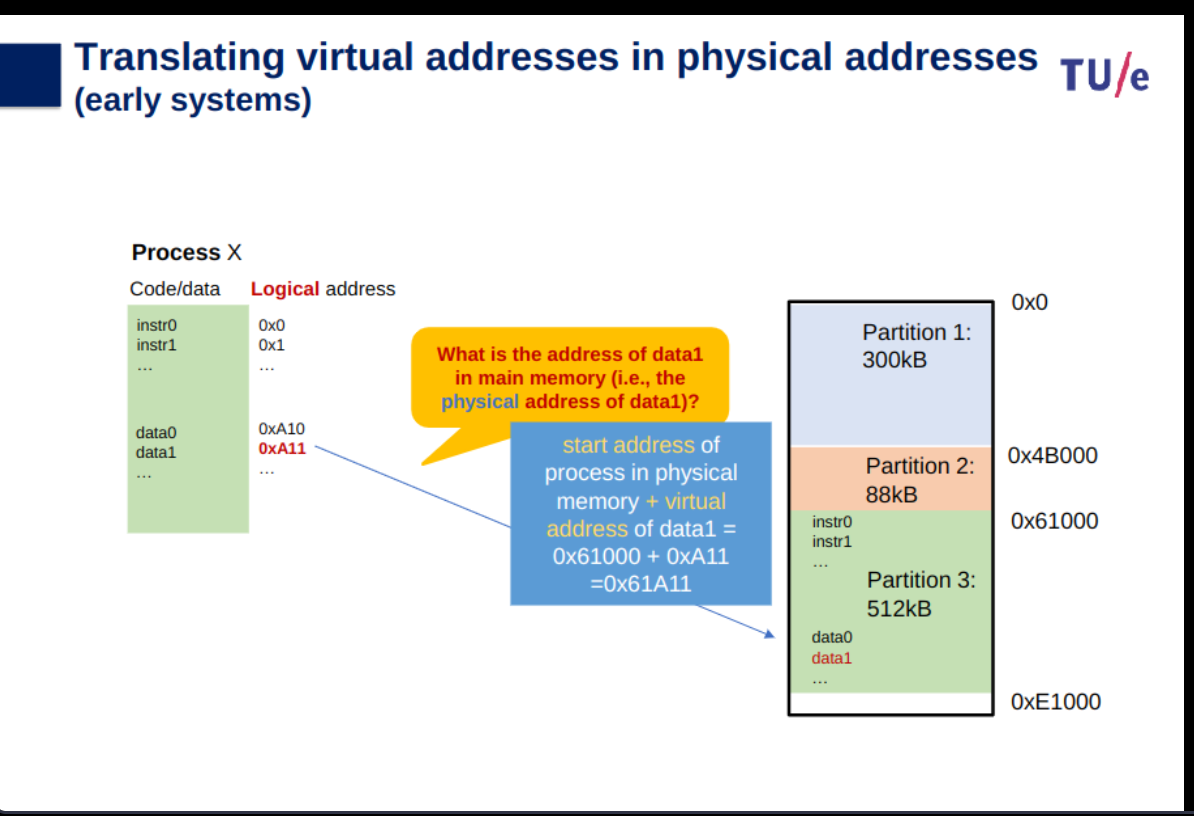
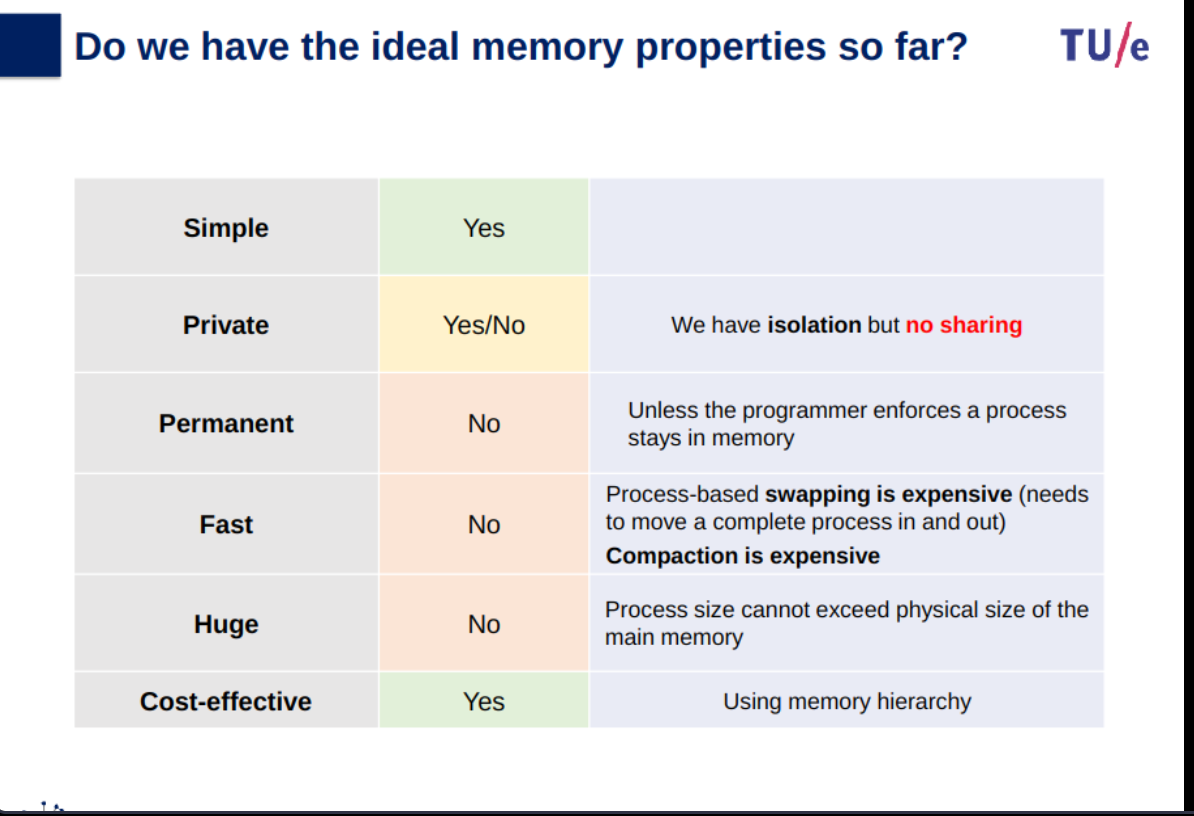
Logical and Physical Address in Operating System - GeeksforGeeks
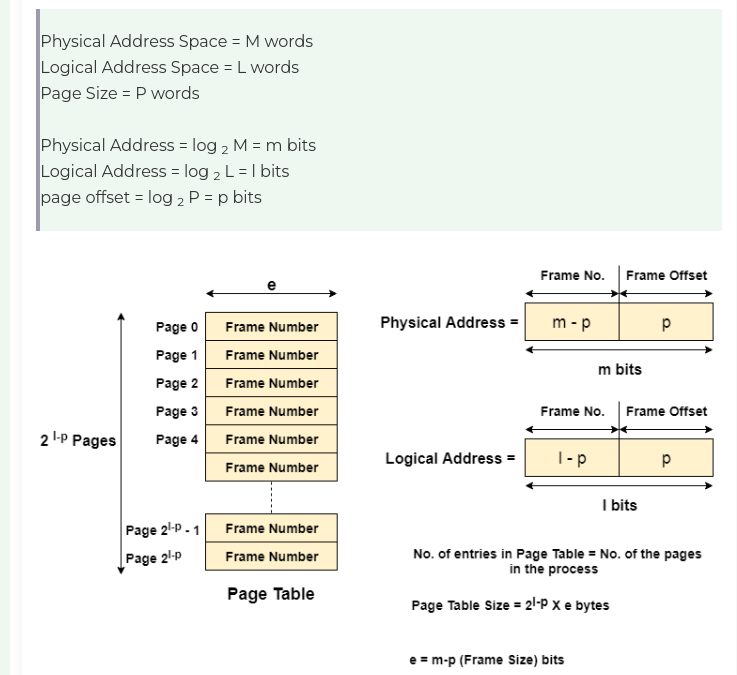
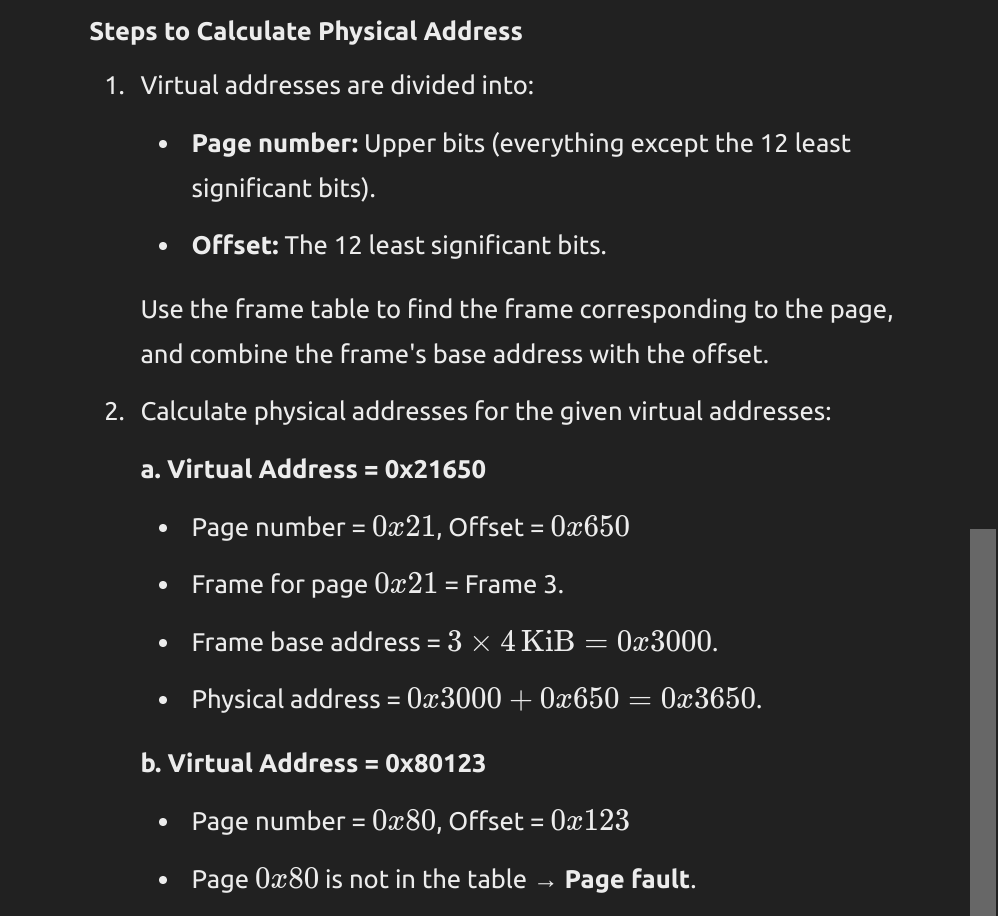
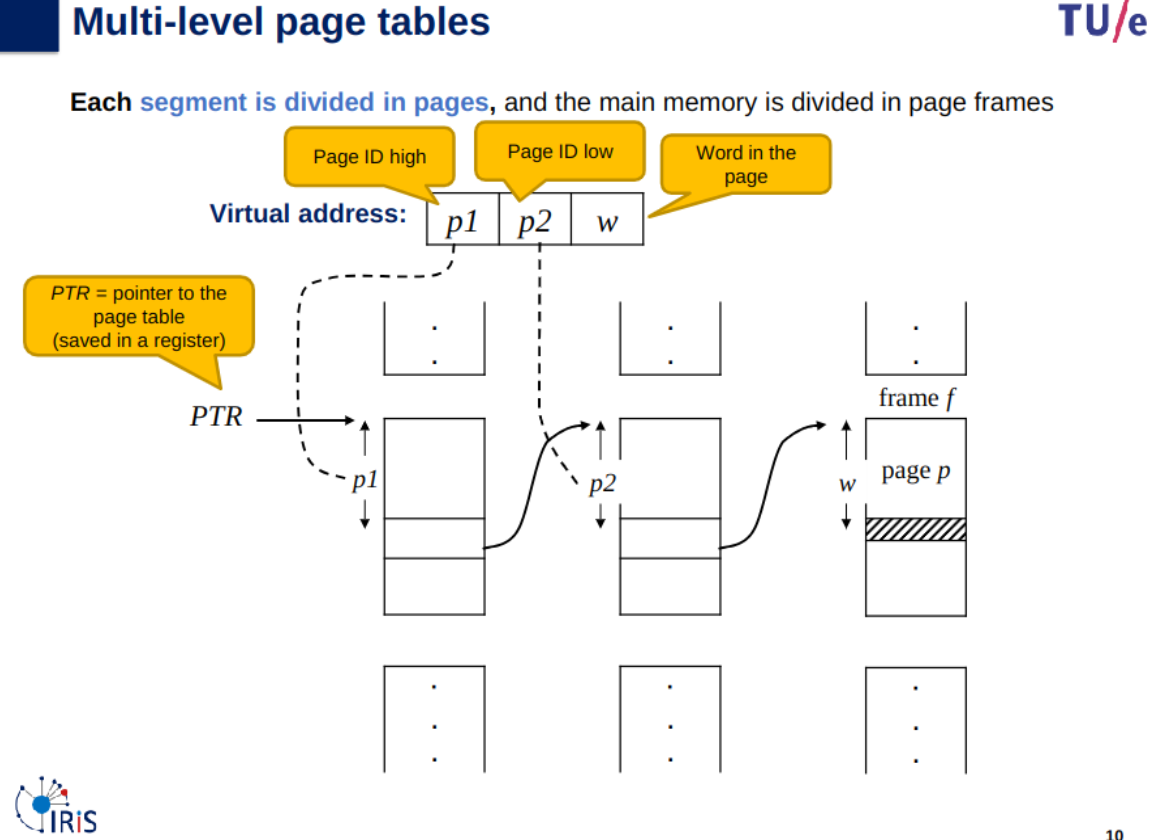
Memory paging
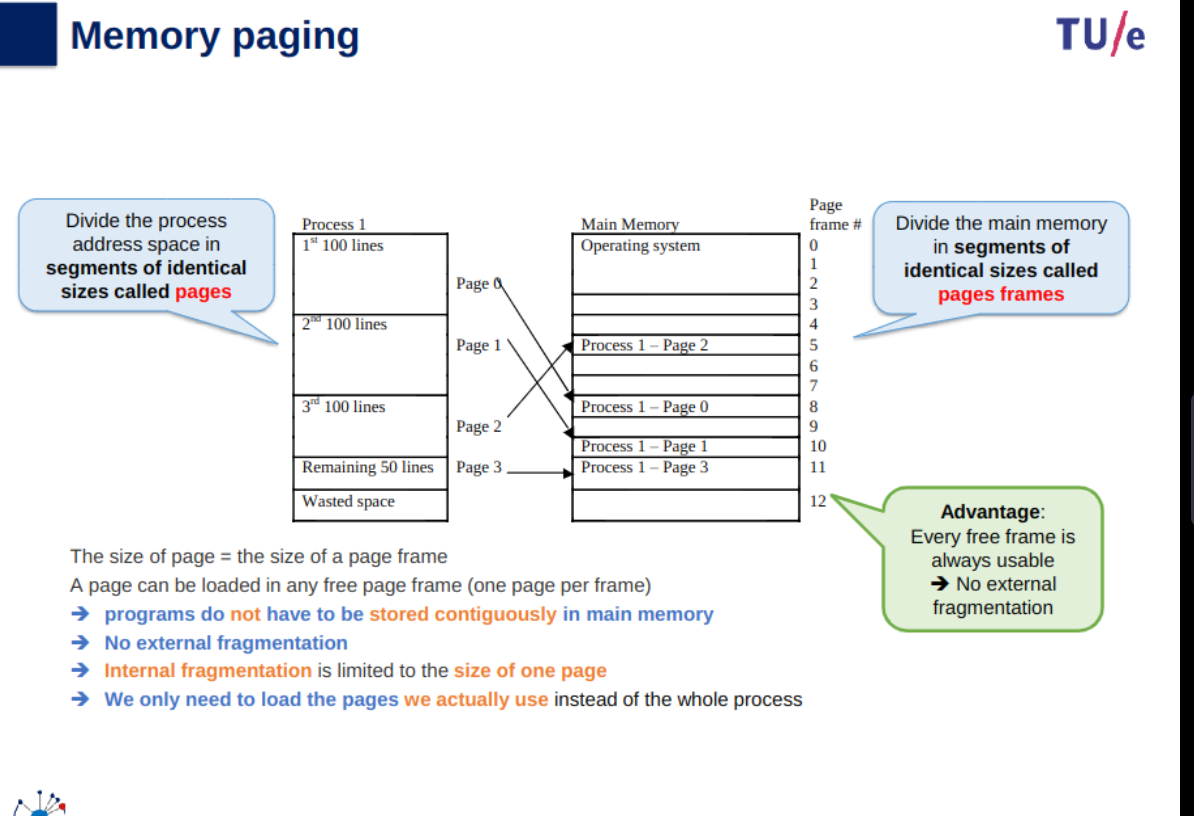
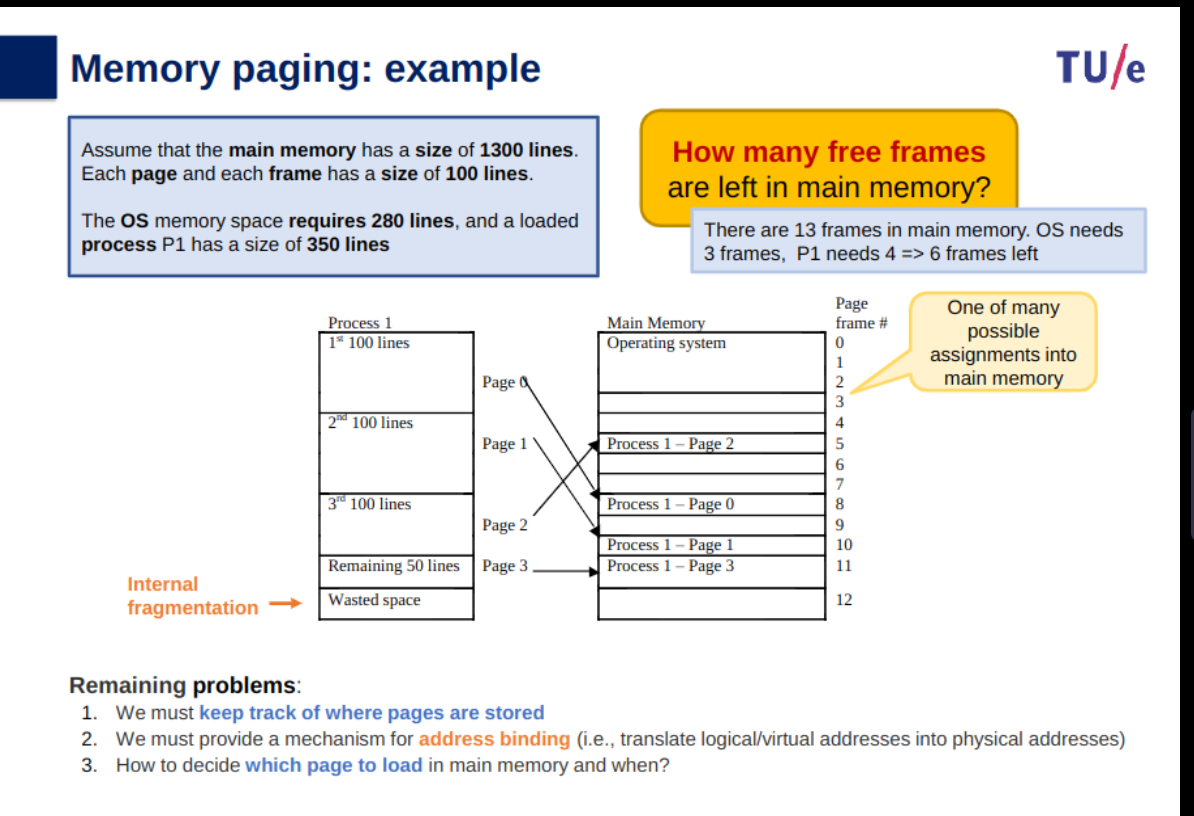
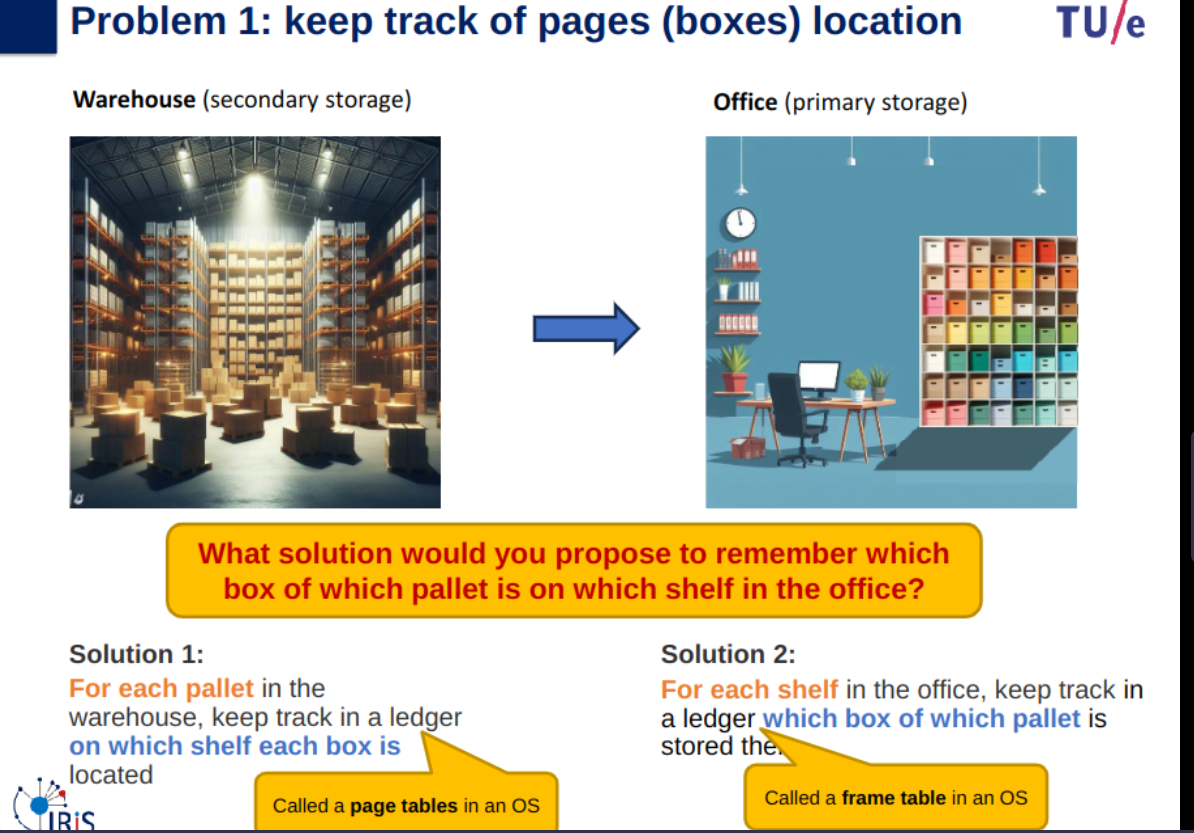
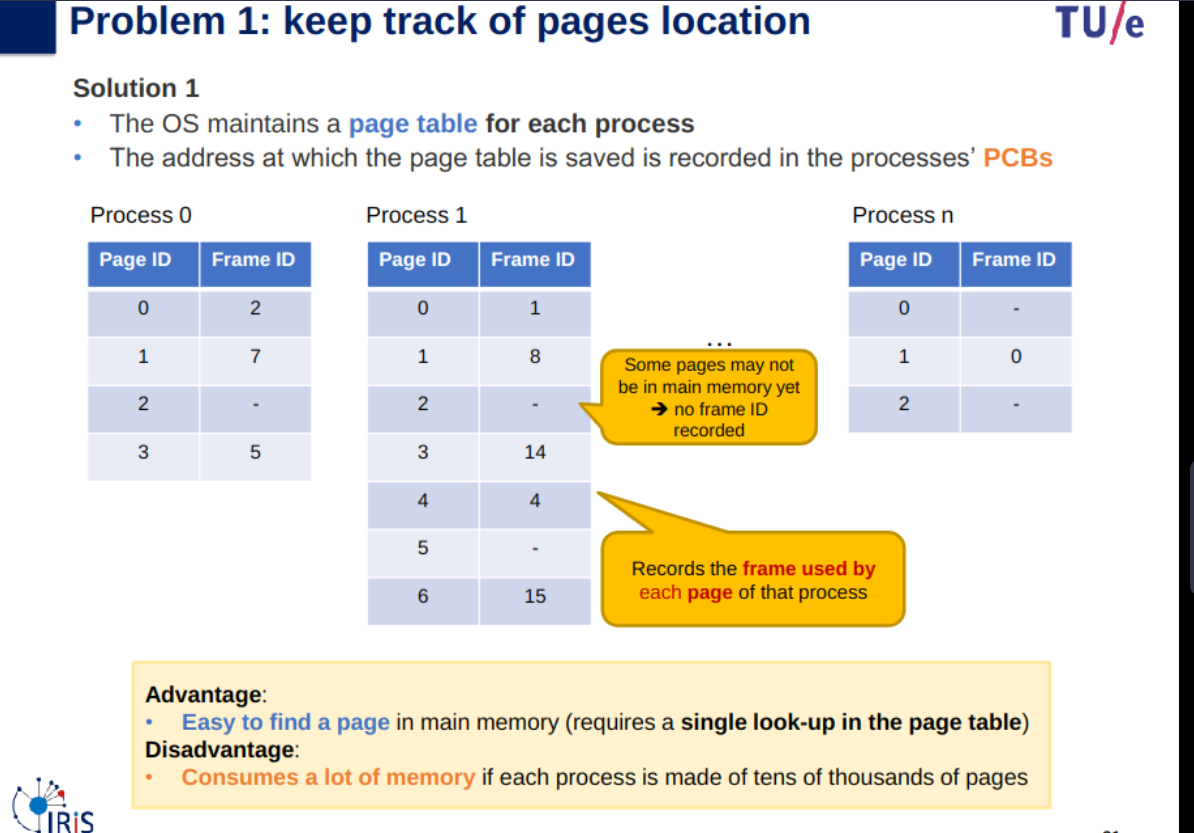
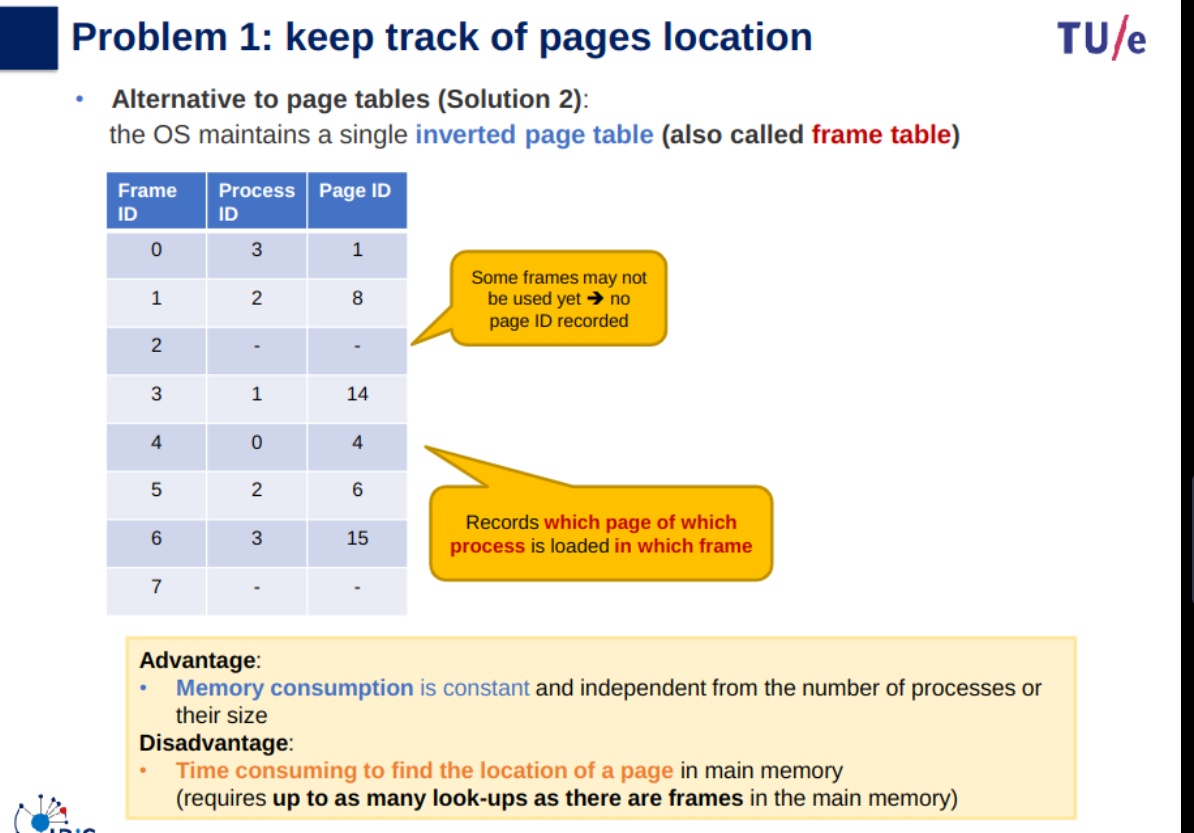
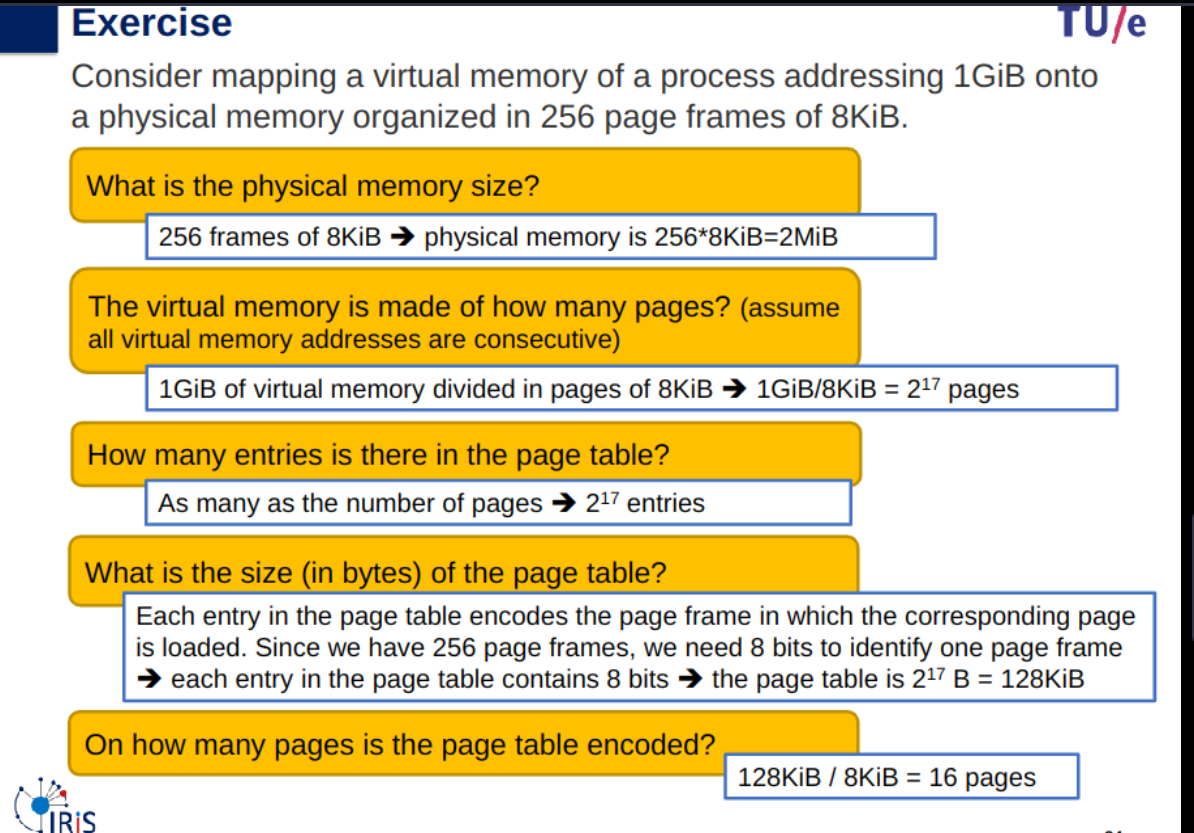
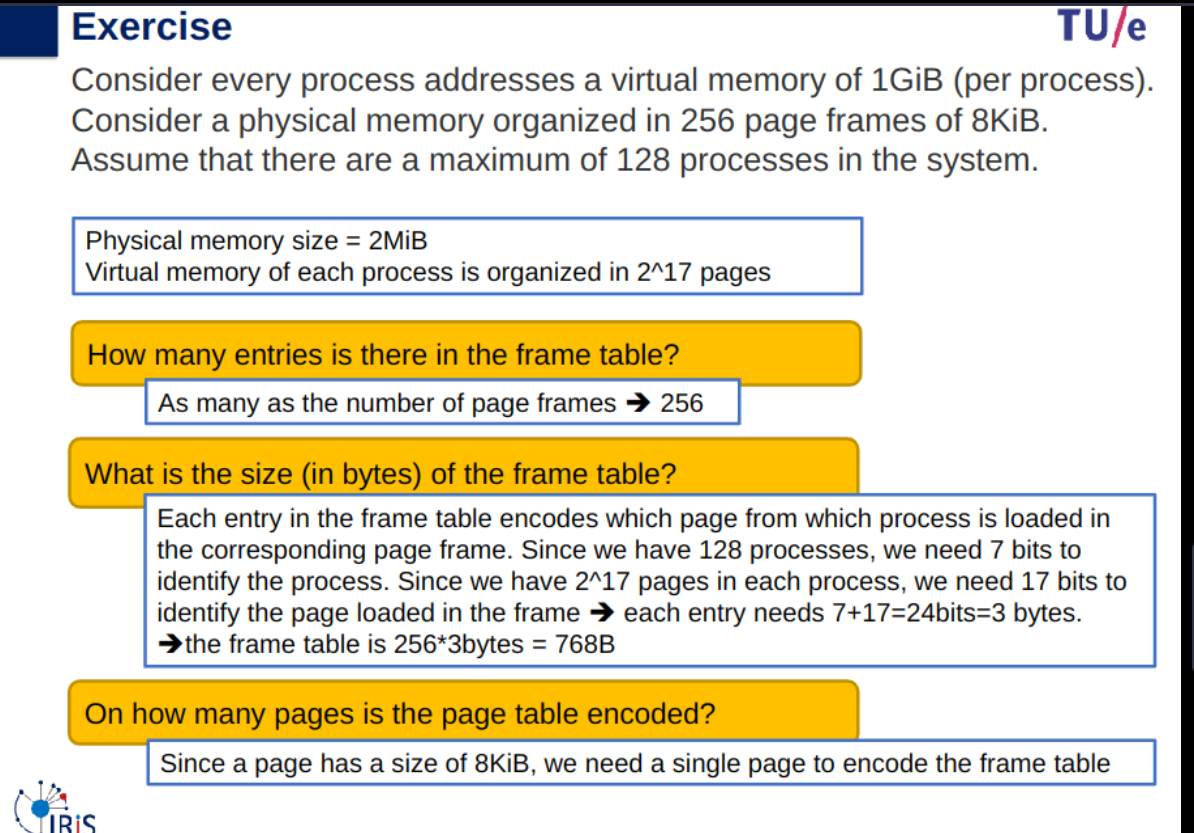
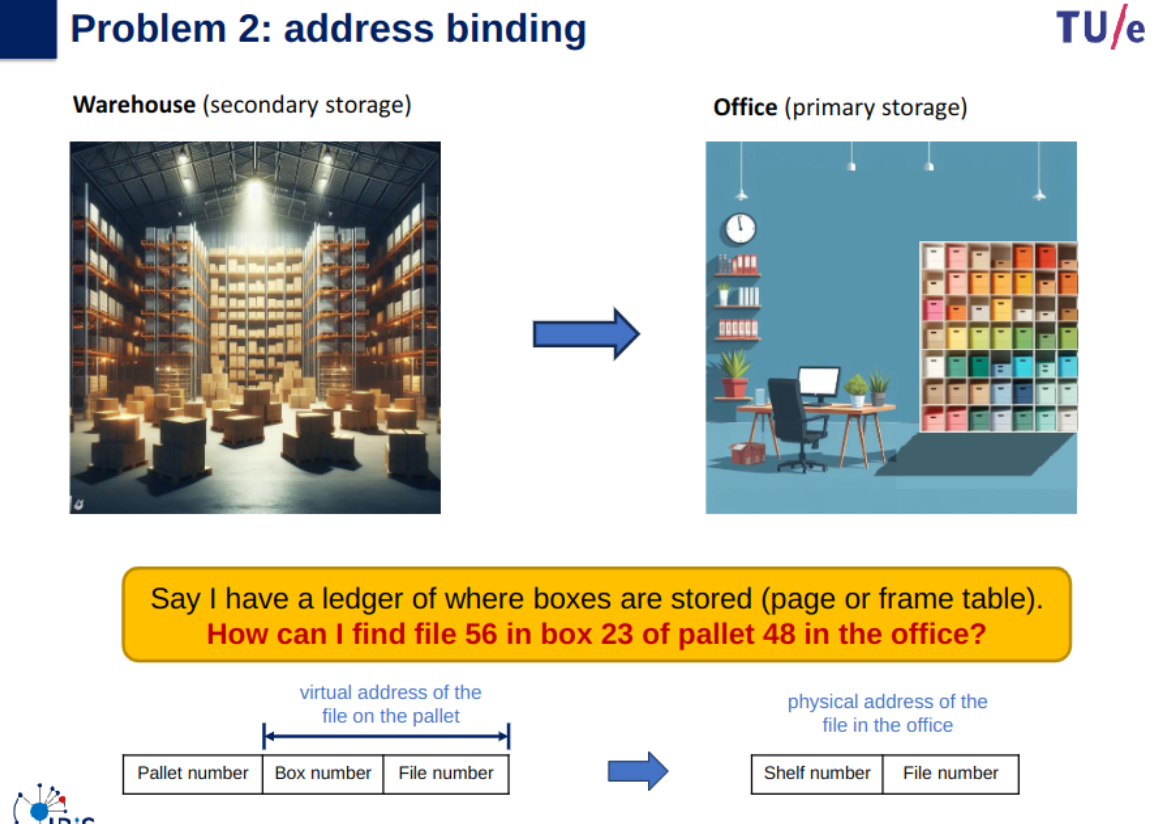
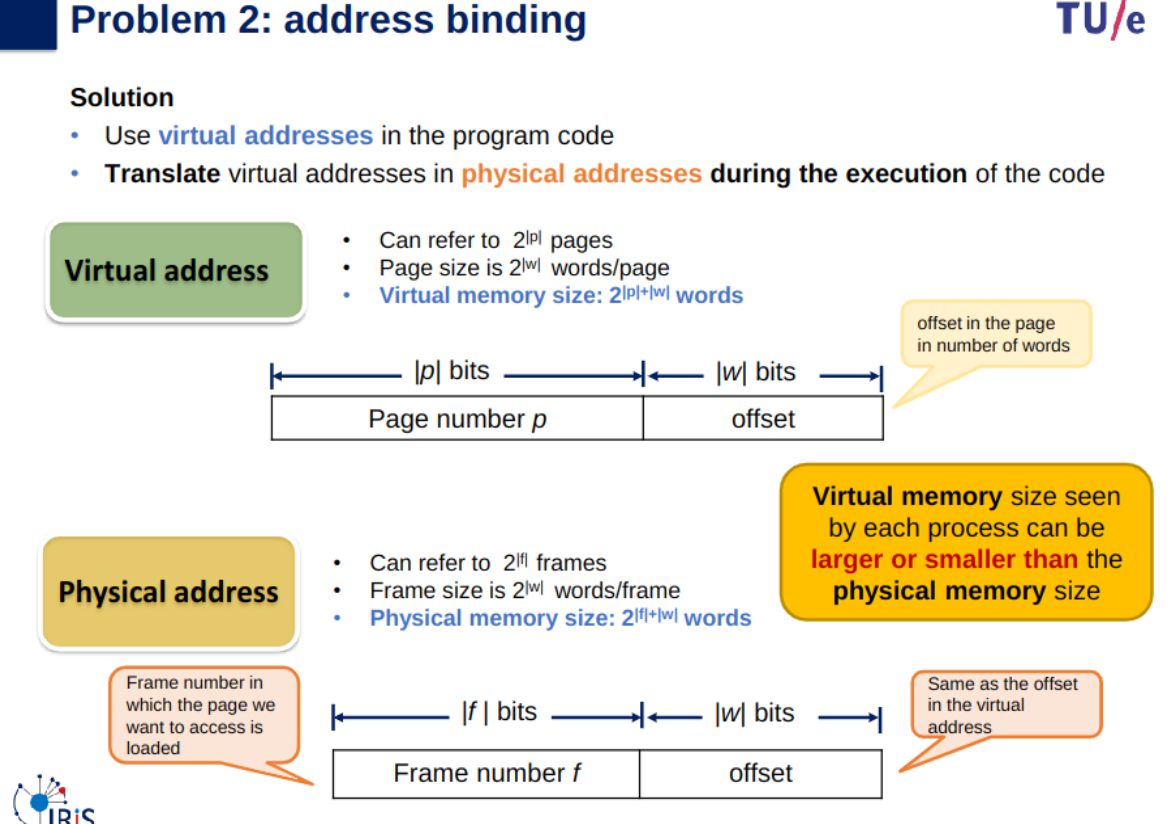
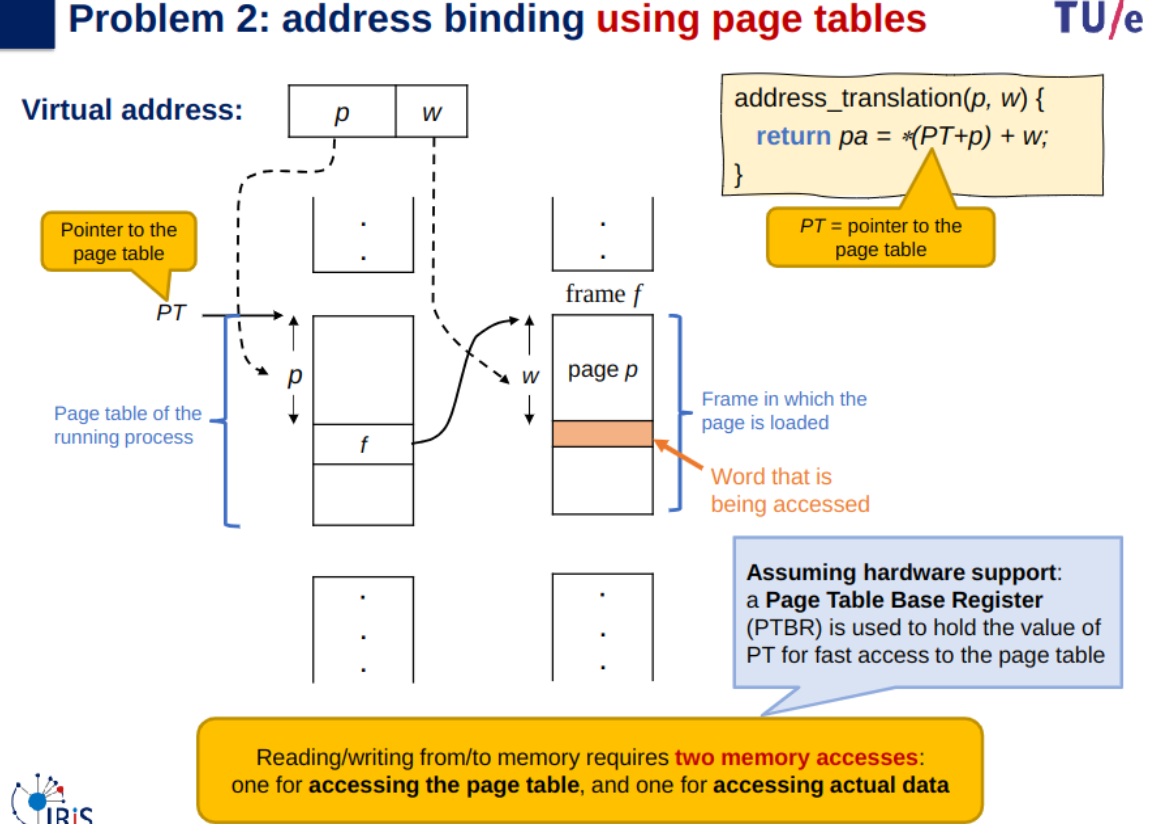
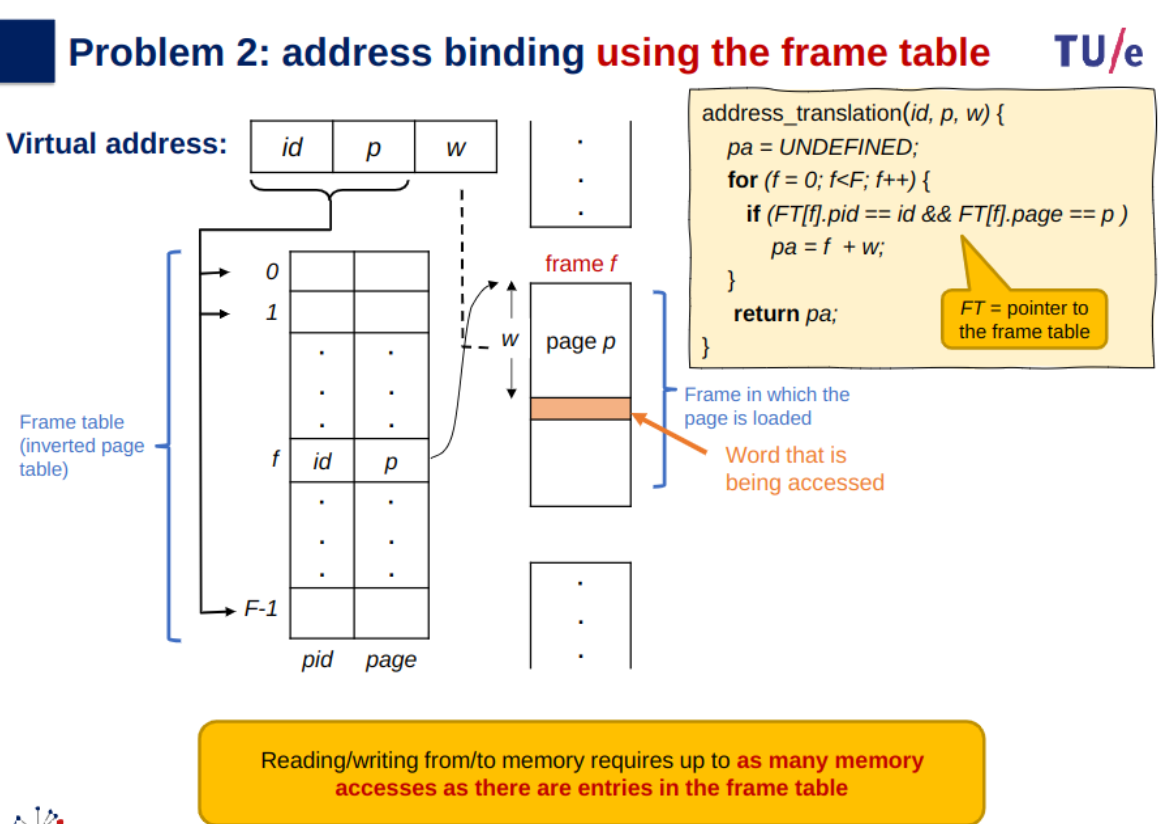
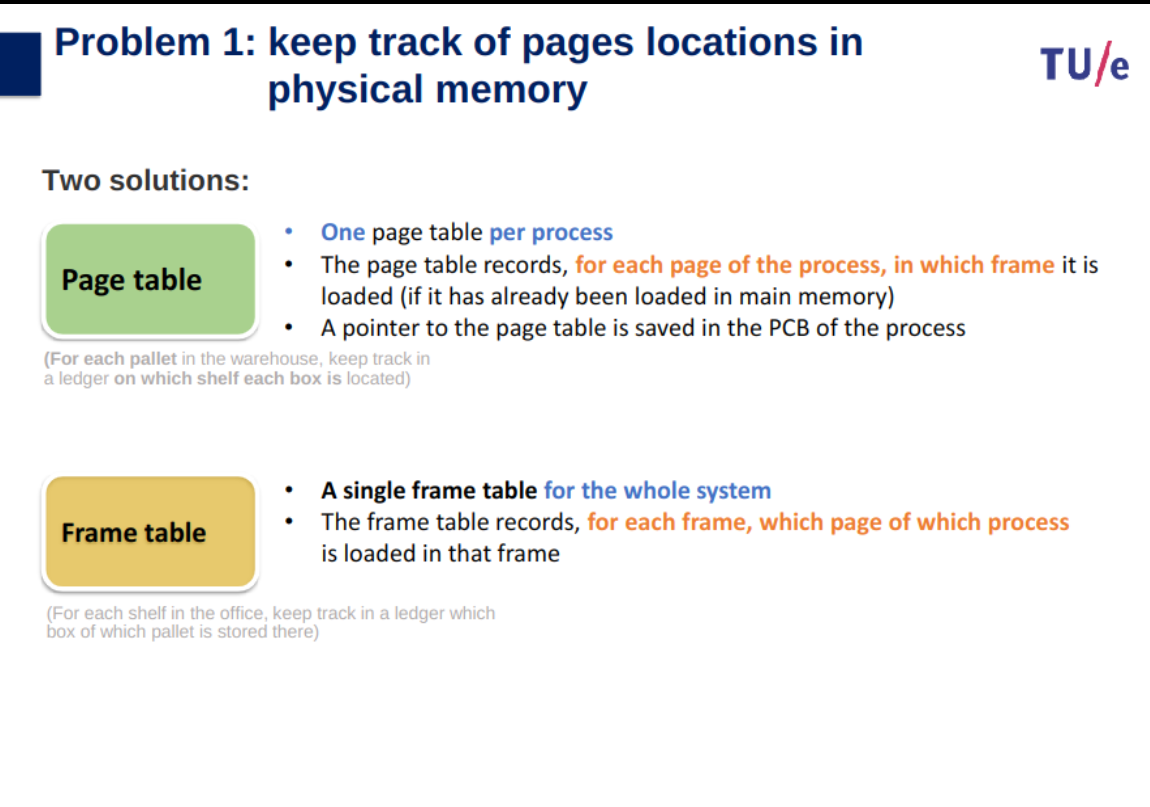
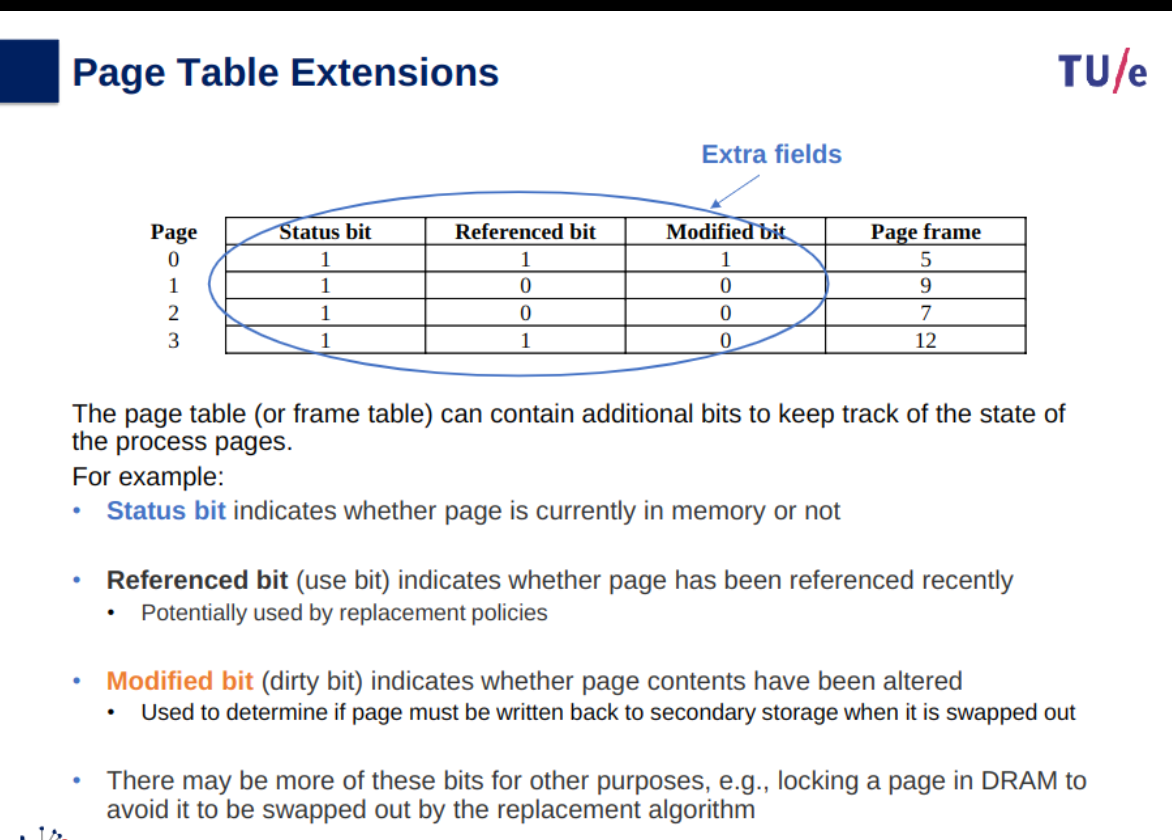
Page table: records the page frame used by each page of the process
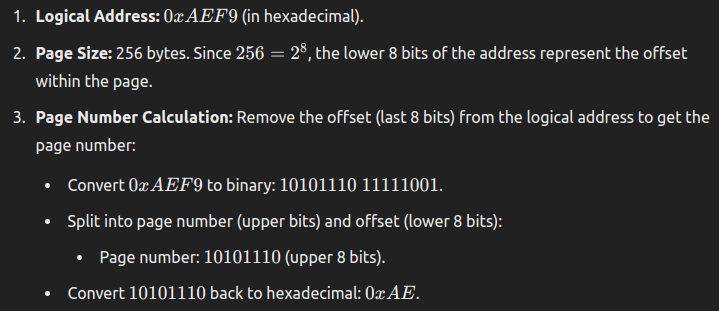
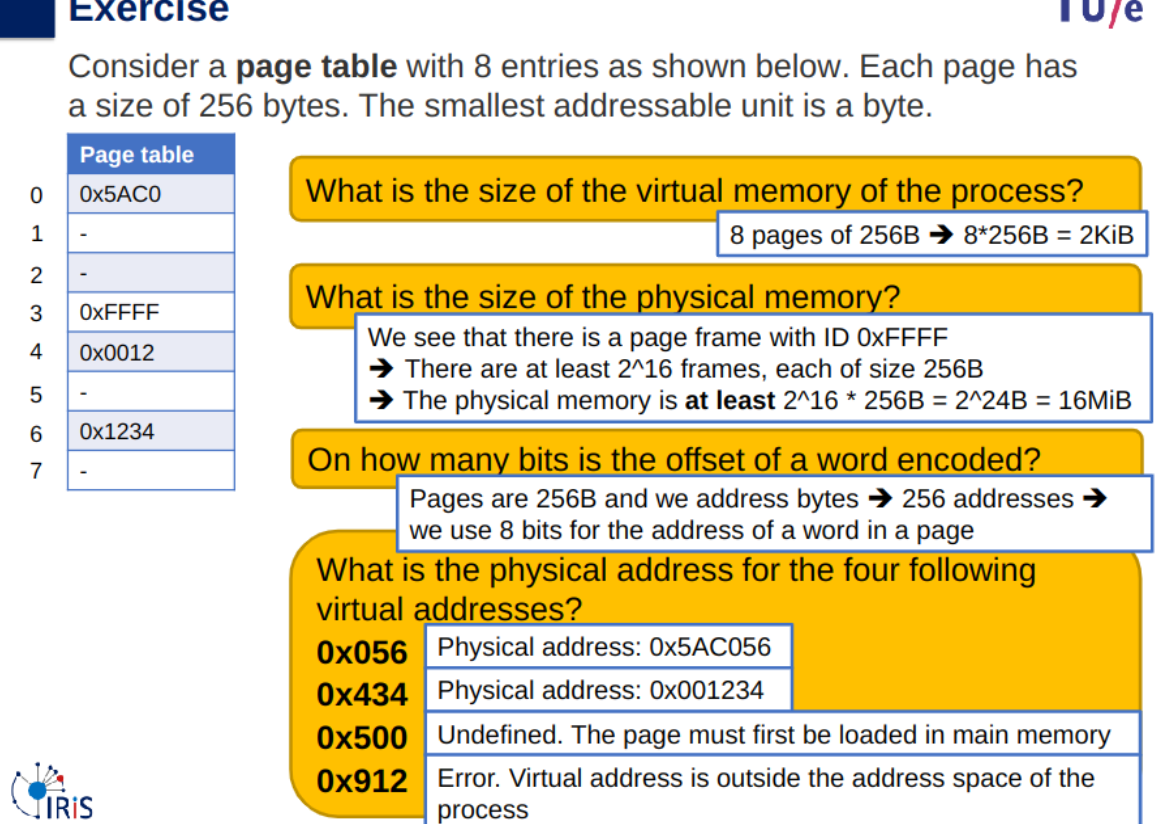
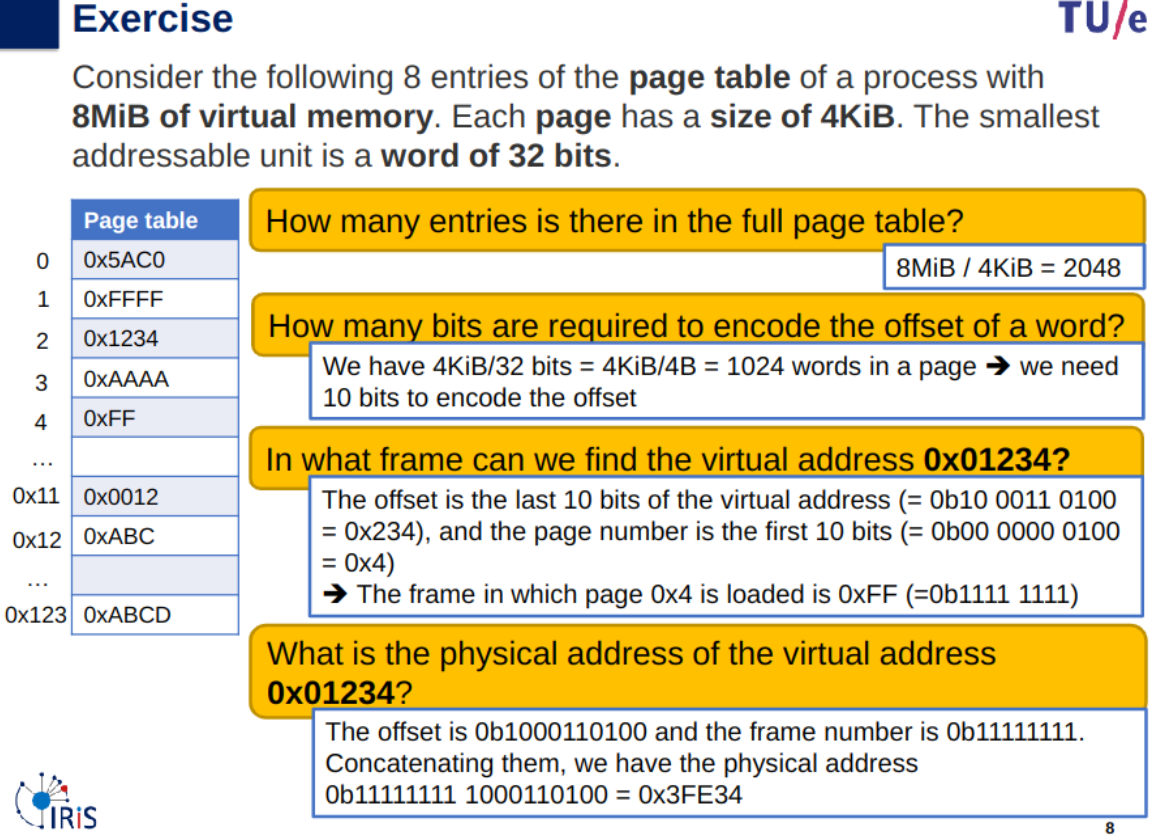
Calculating Page Table Example
virtual address:
page number:
offset:
page table entry (page frame):
physical address:the reason why
is errored is because in decimal its 2322 and since 256*9 means its page 9 and since there is no page 9.
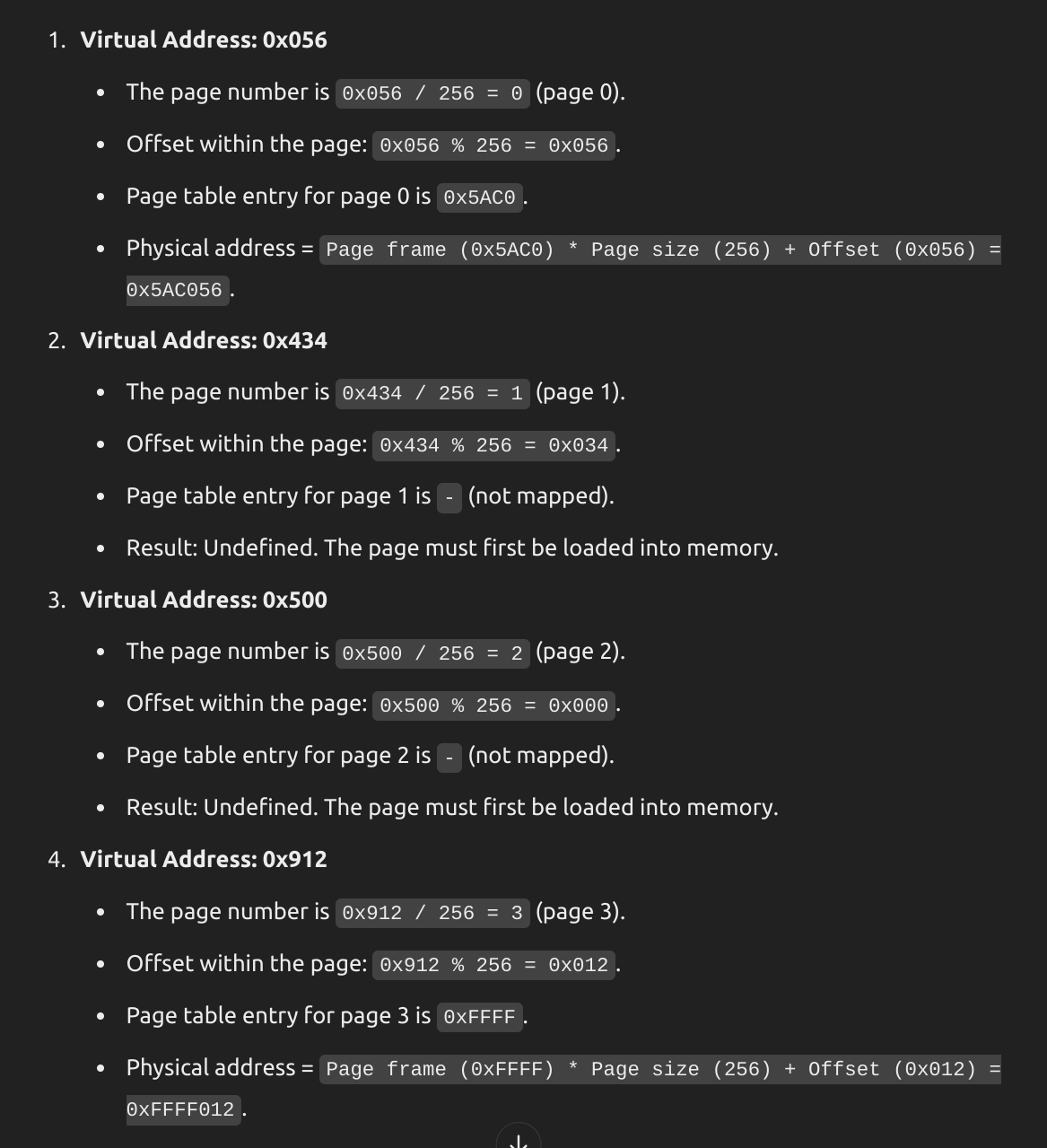
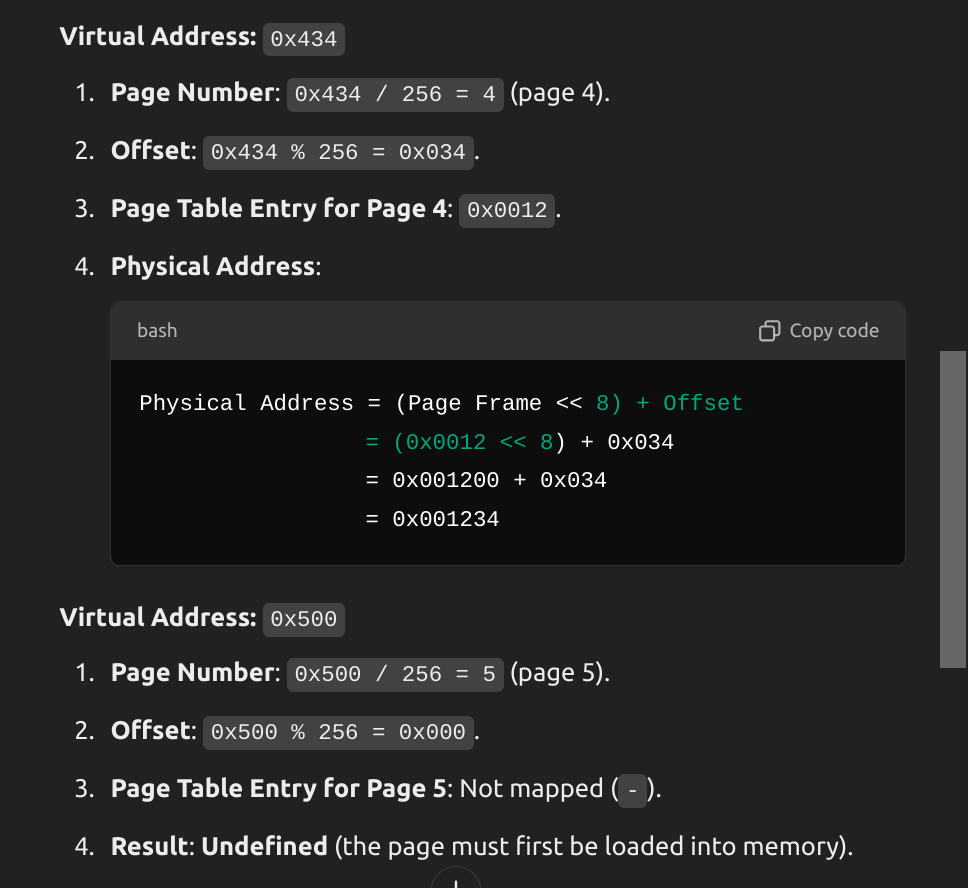
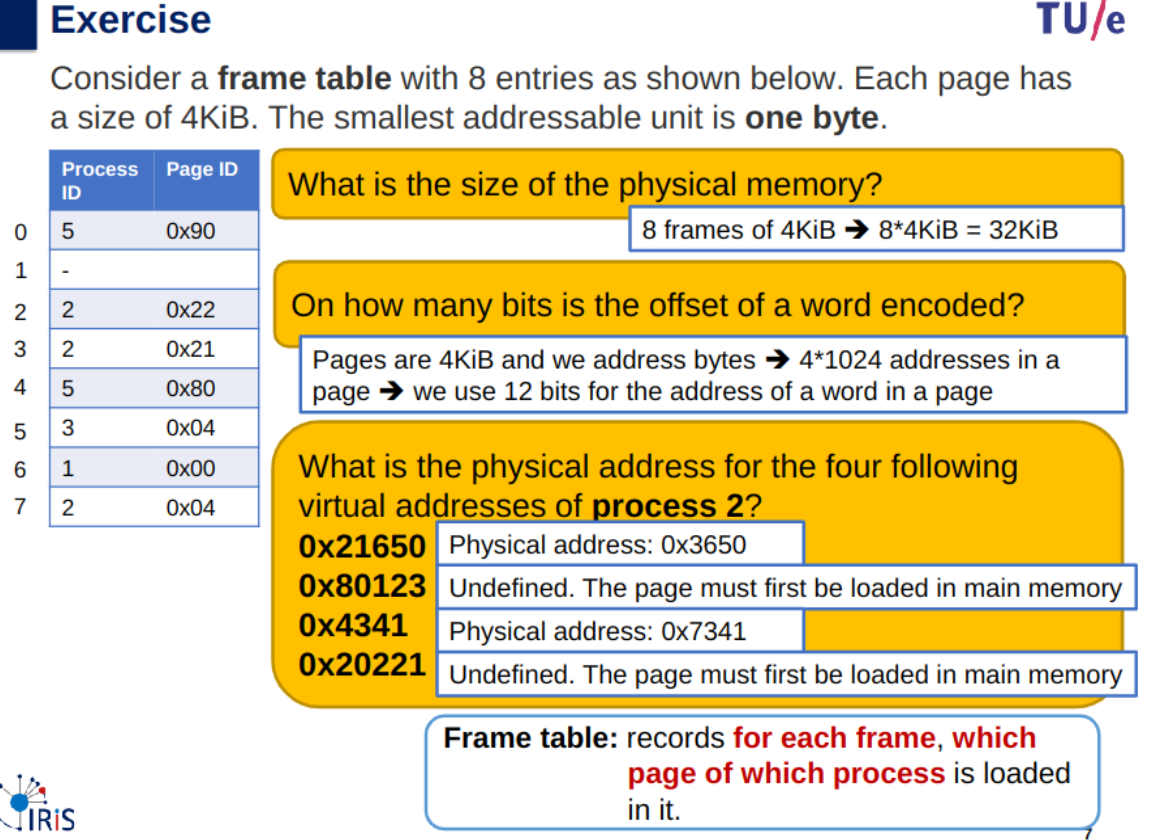
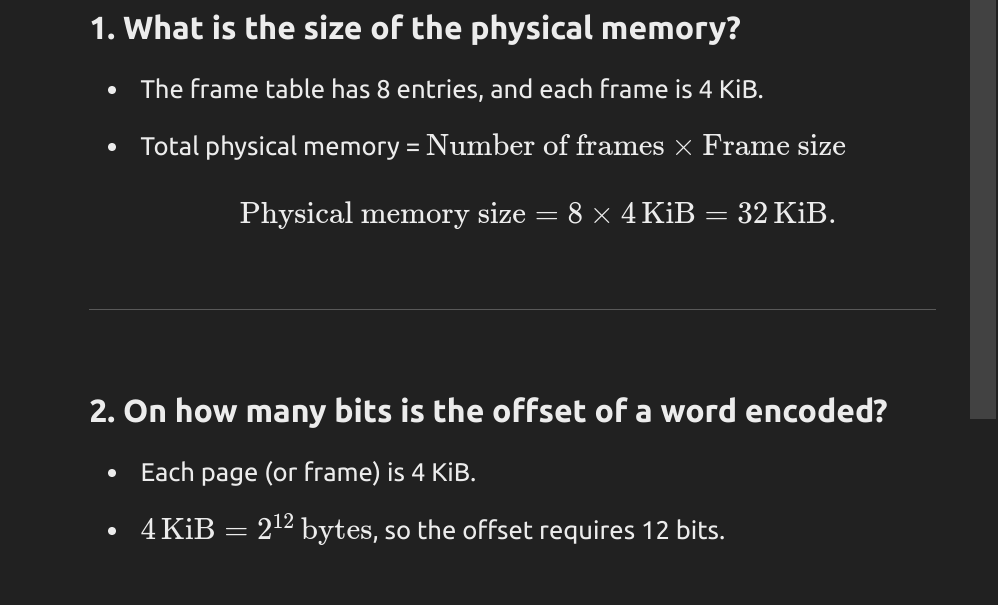
Translation lookaside buffer - Wikipedia
Summary
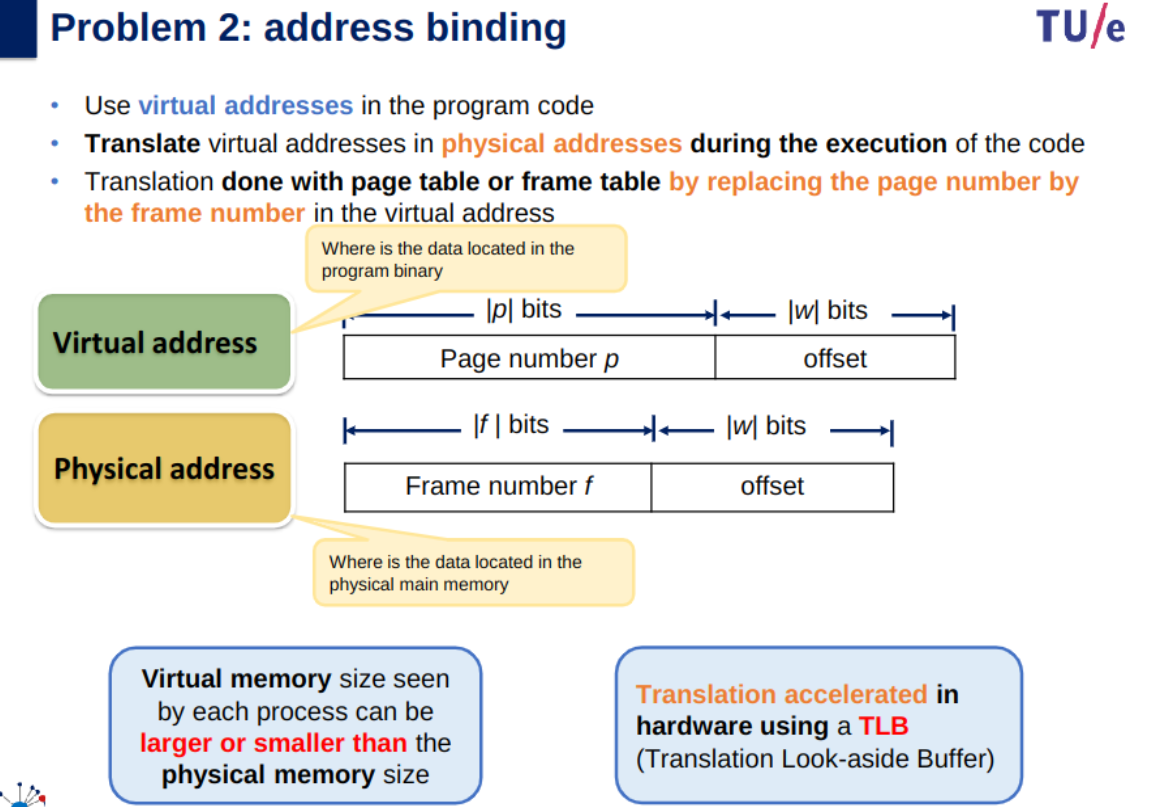
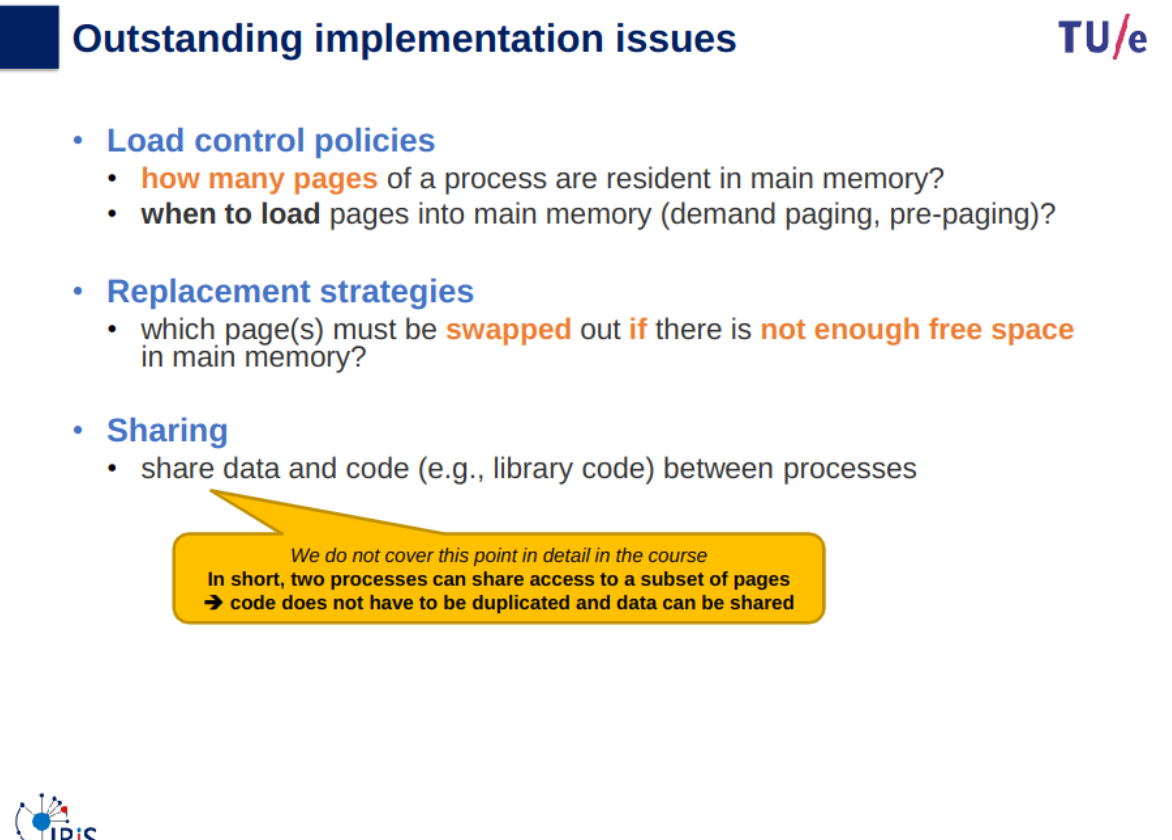
Remaining problems after memory paging was introduced:
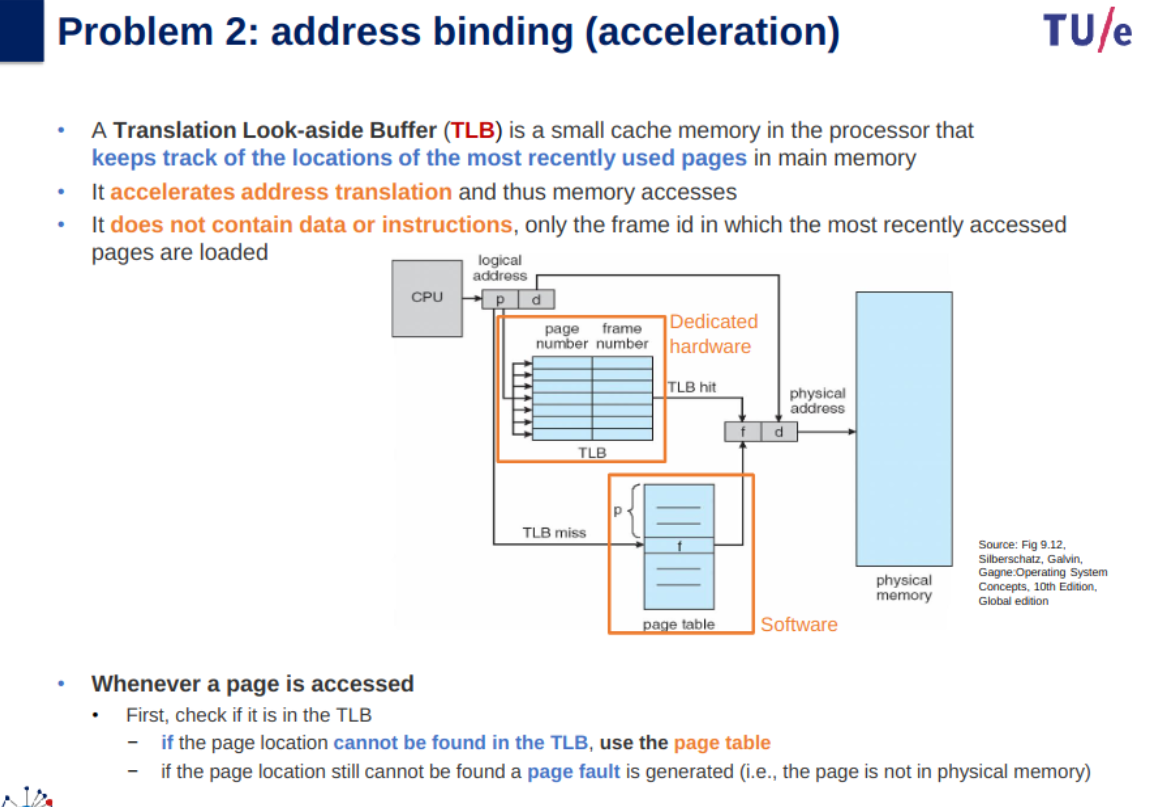
- we must keep track of where pages are stored
- we must provide a mechanism for address binding (i.e. translate logical addresses into physical addresses)
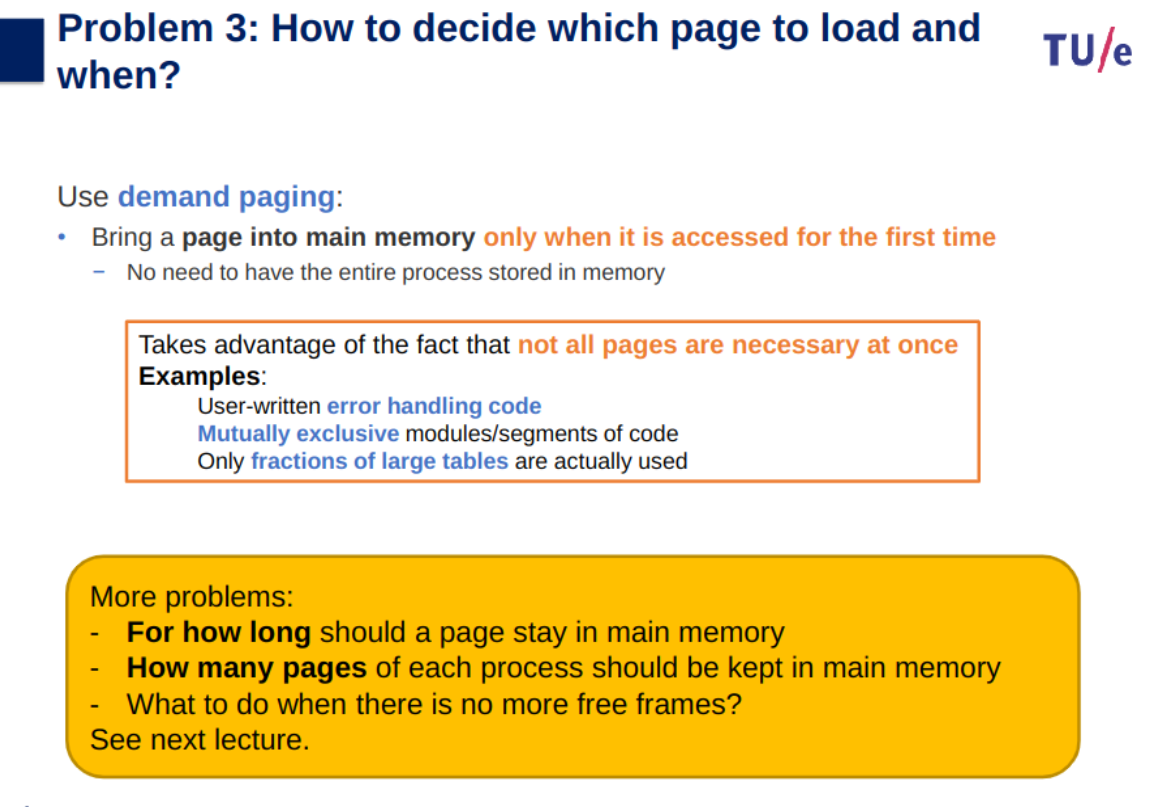
- we must decide which pages of process to load and when
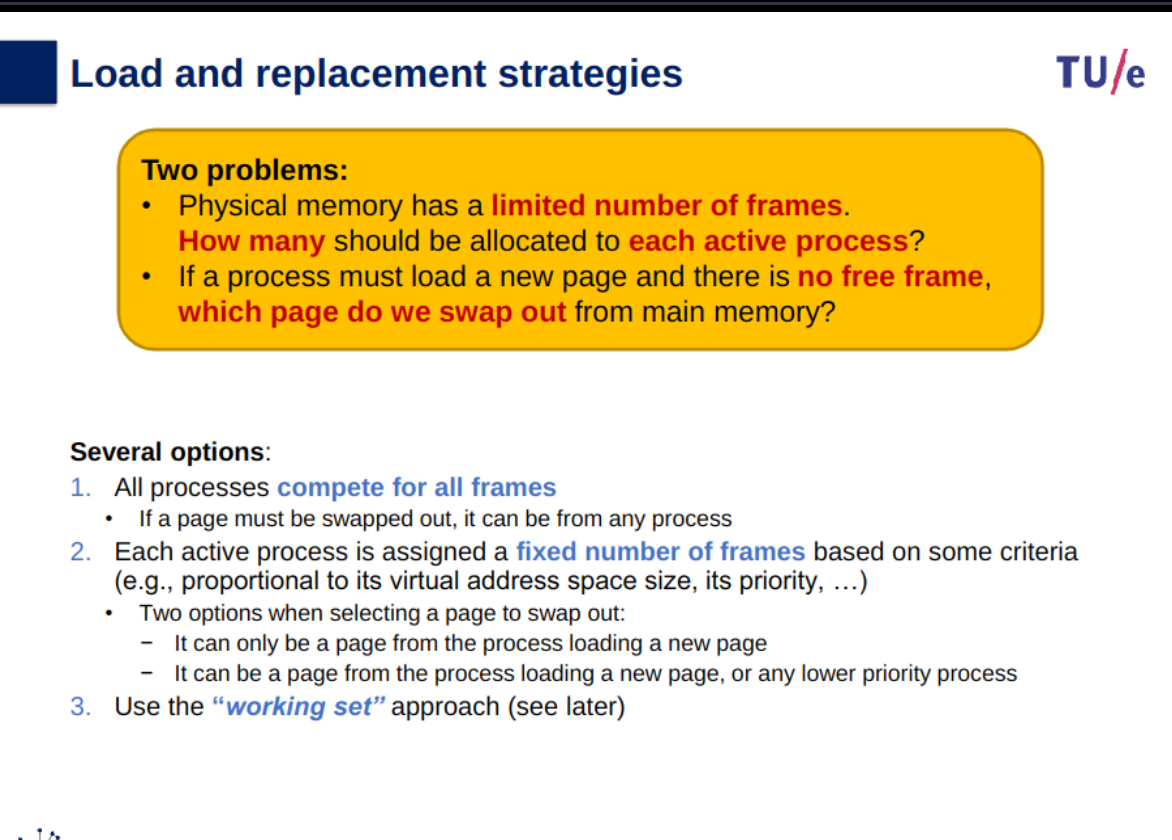
Load and replacement strategies
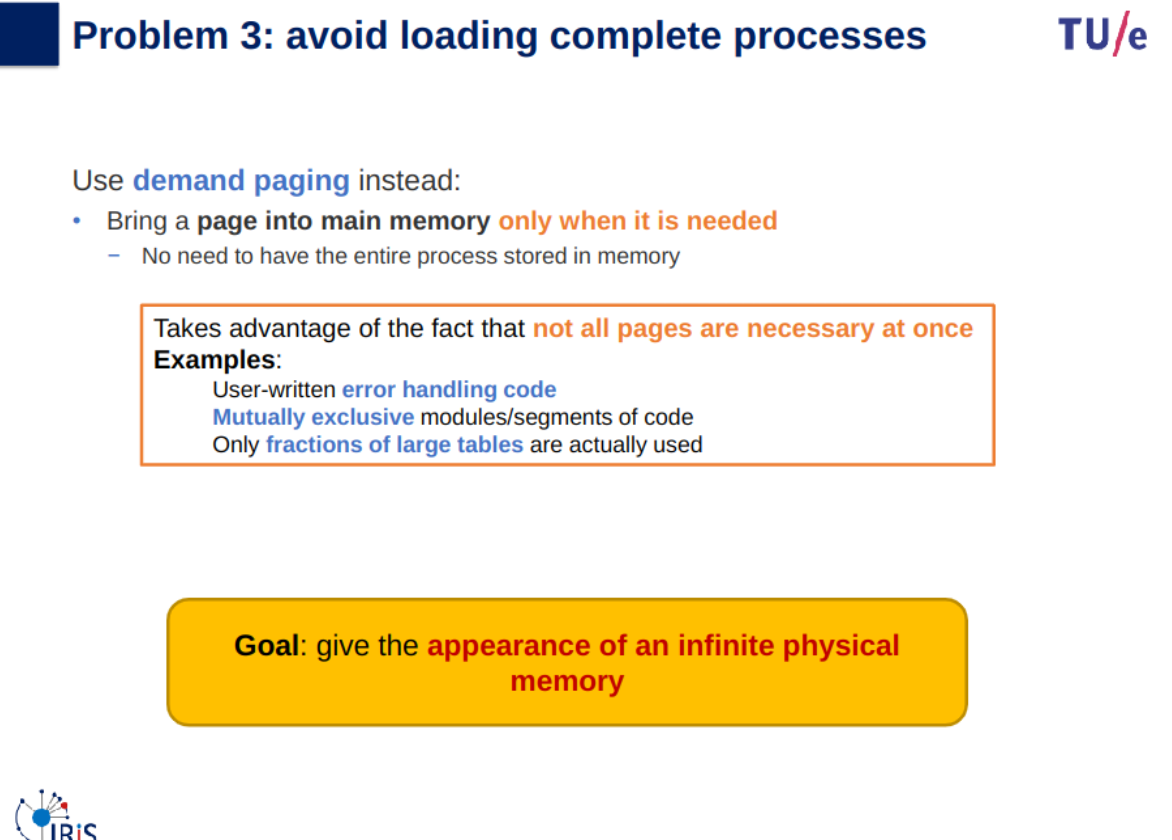
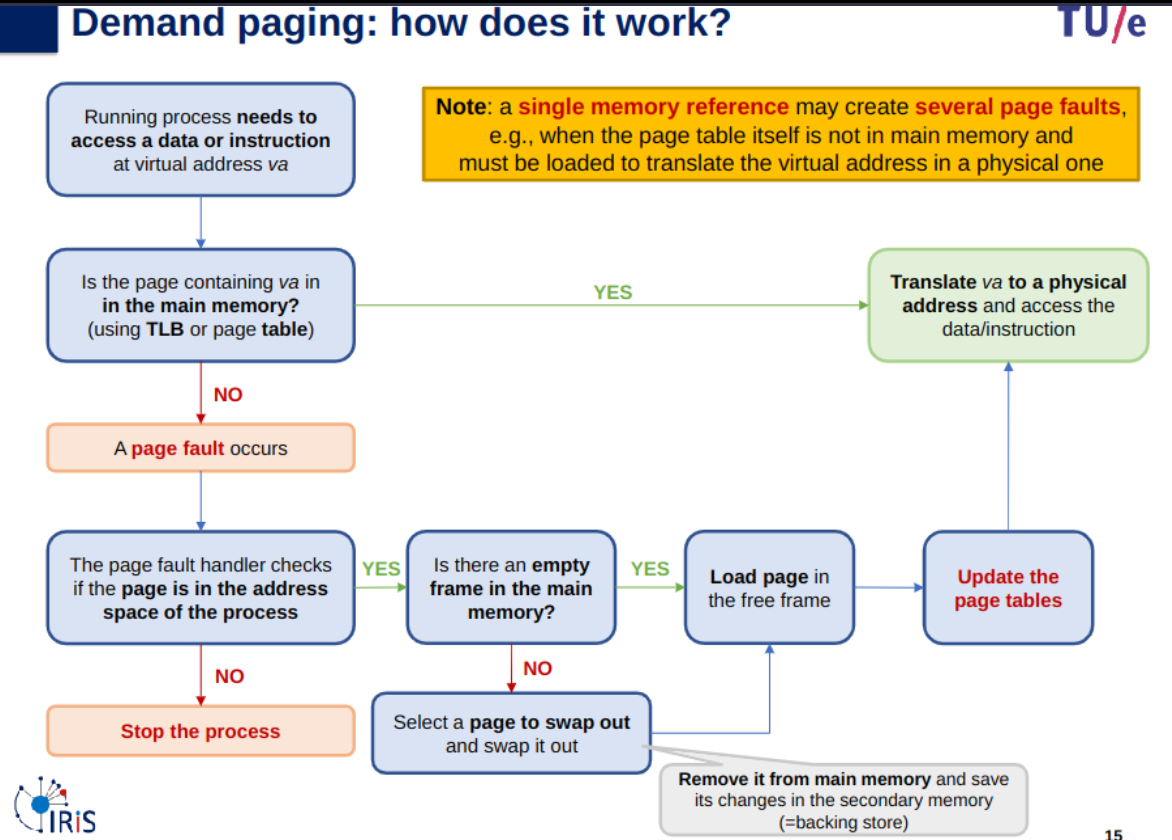
Demand paging
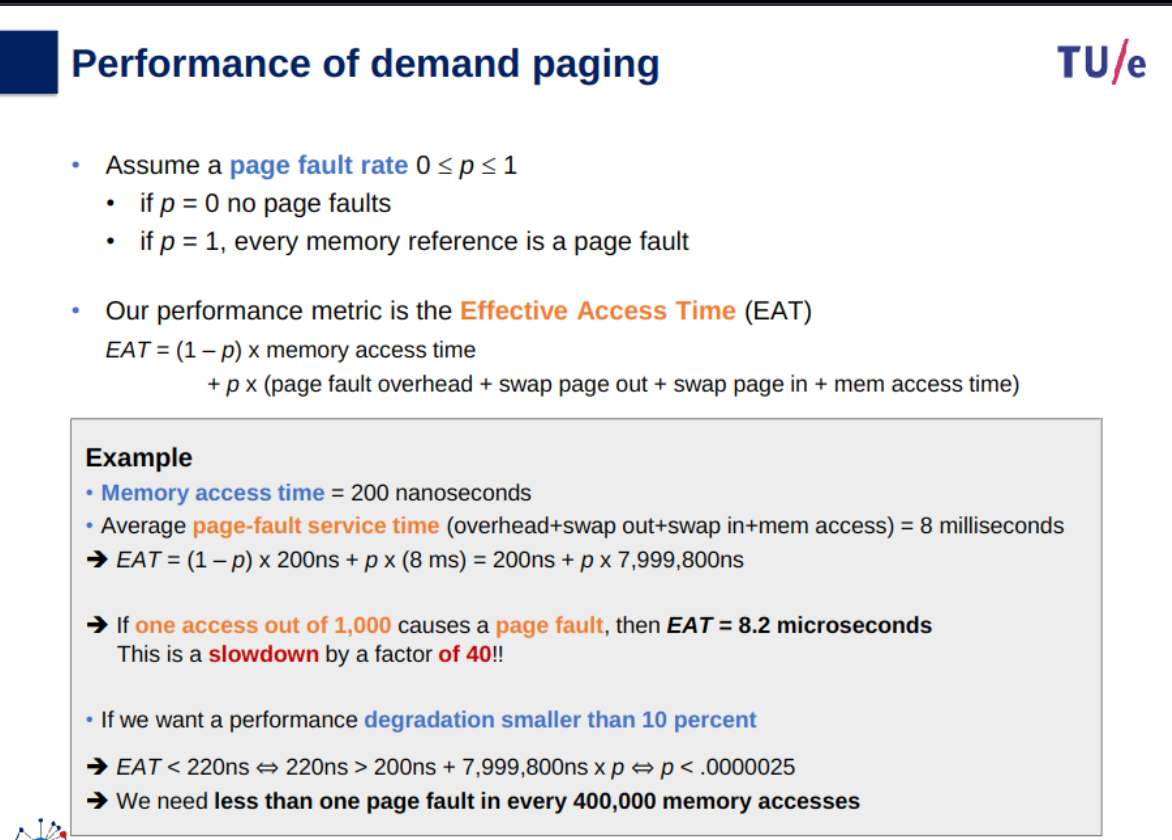
Effective access time (EAT):
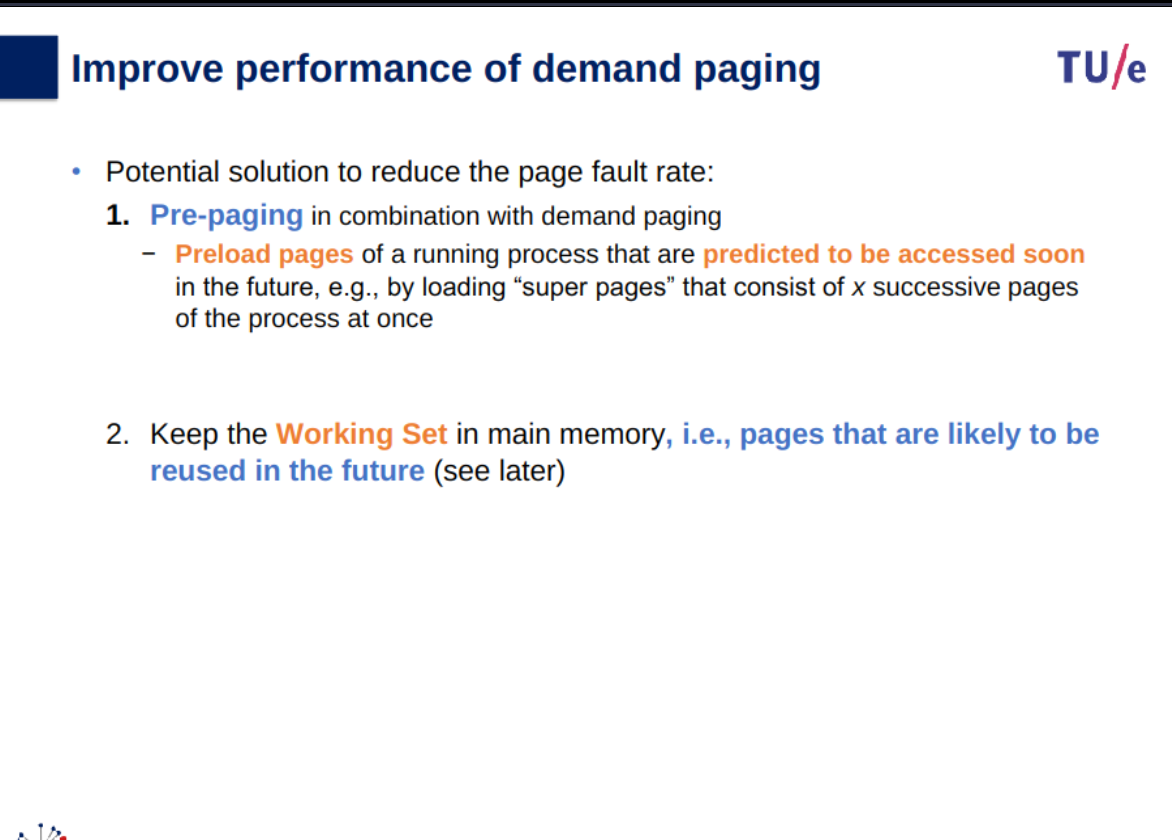
Page replacement and load strategies
global
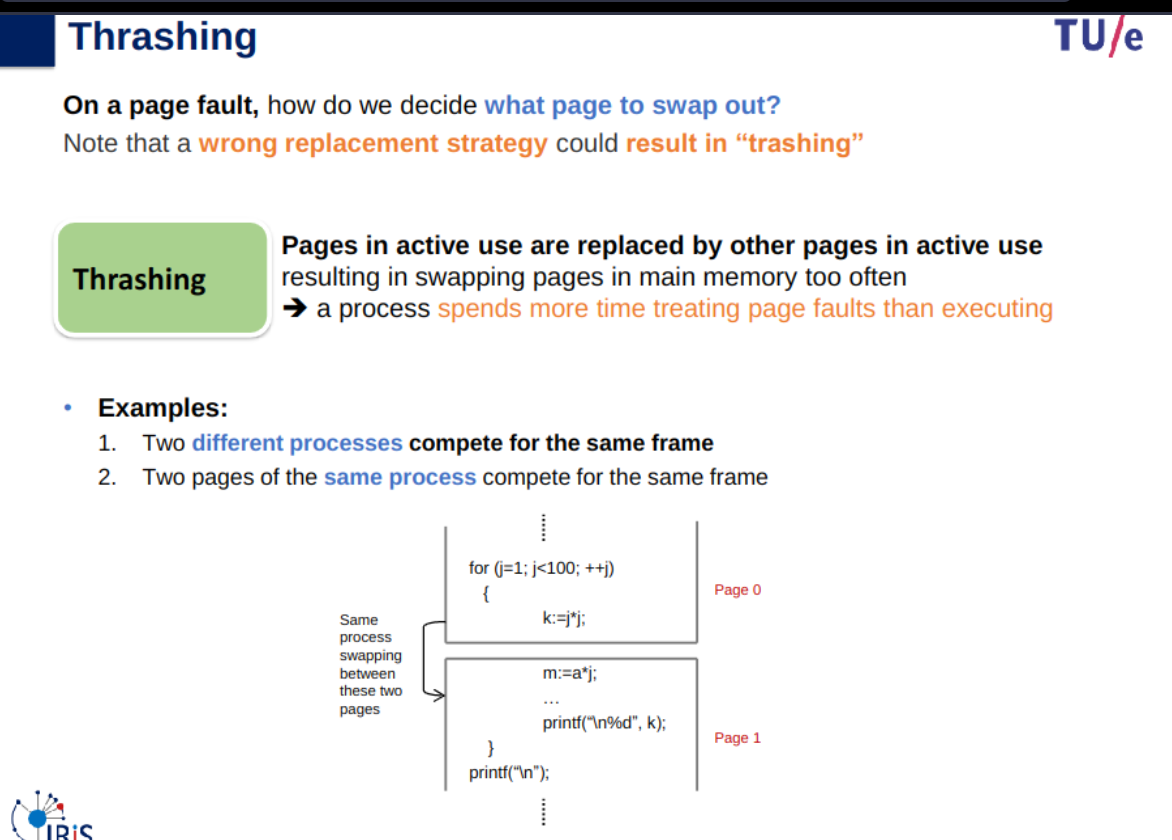
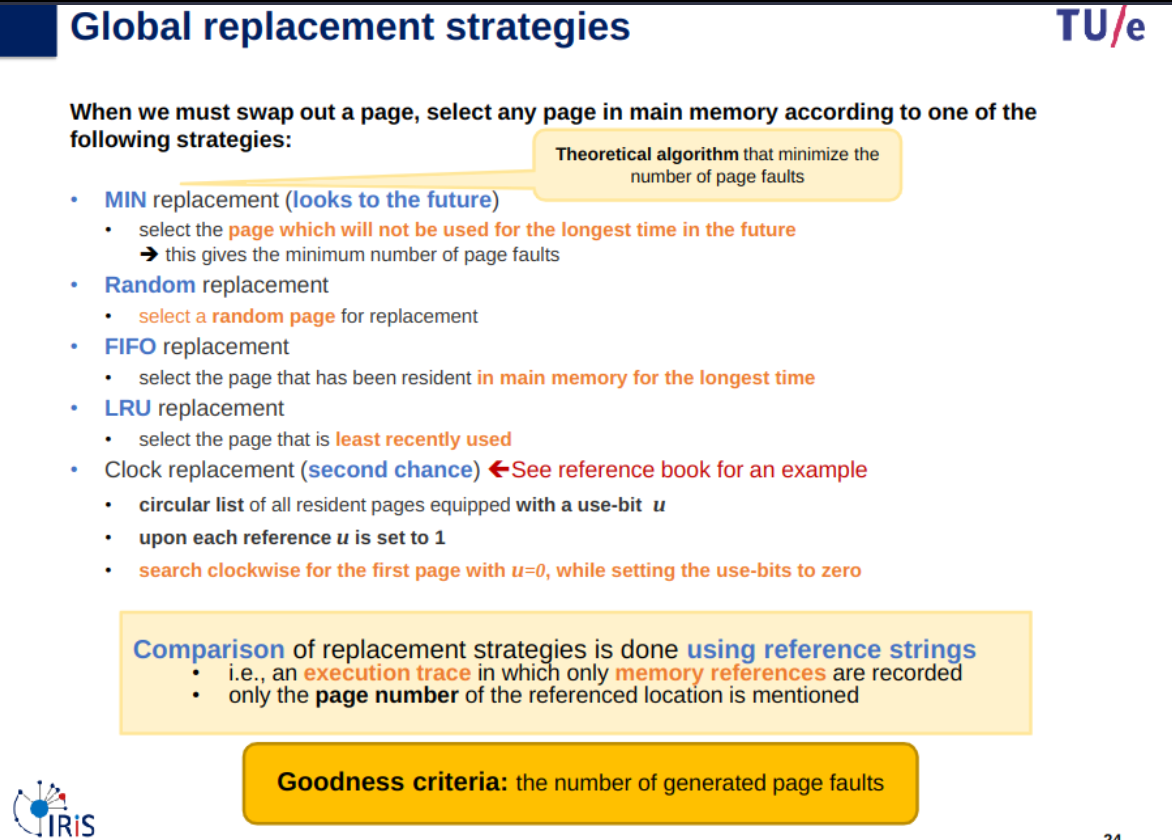
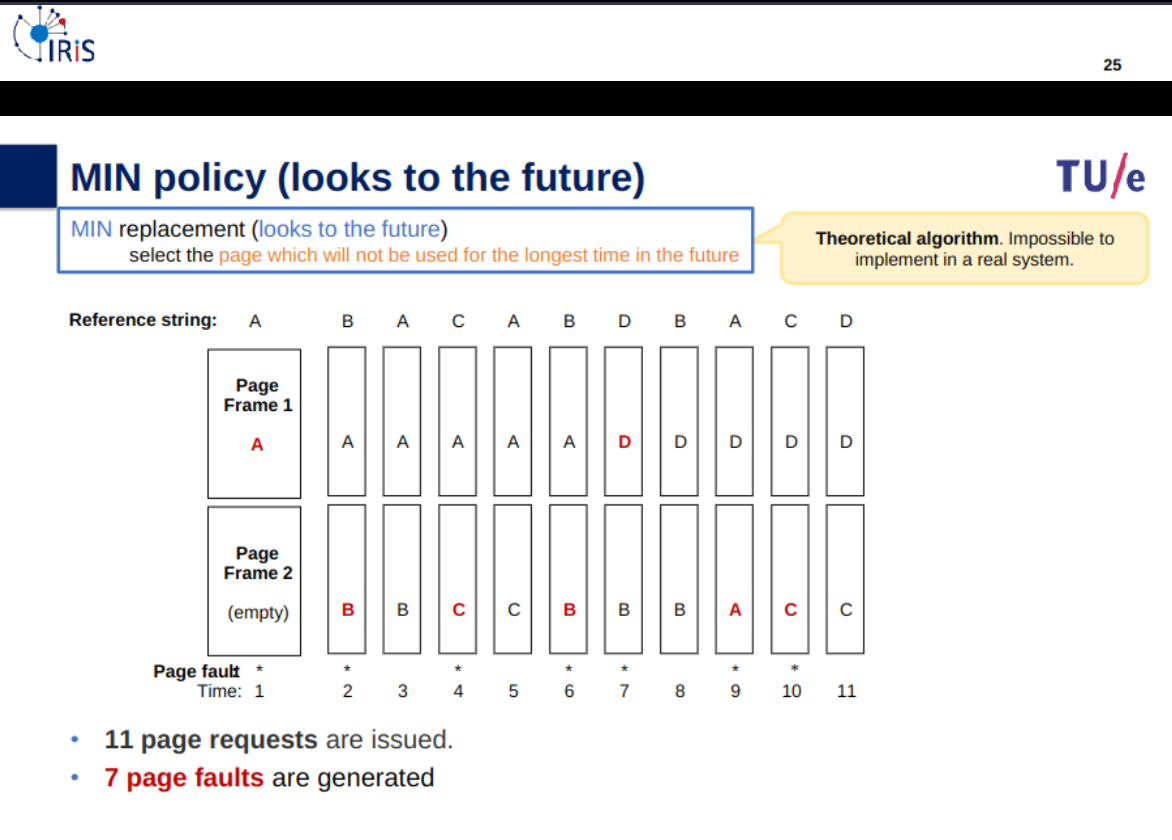
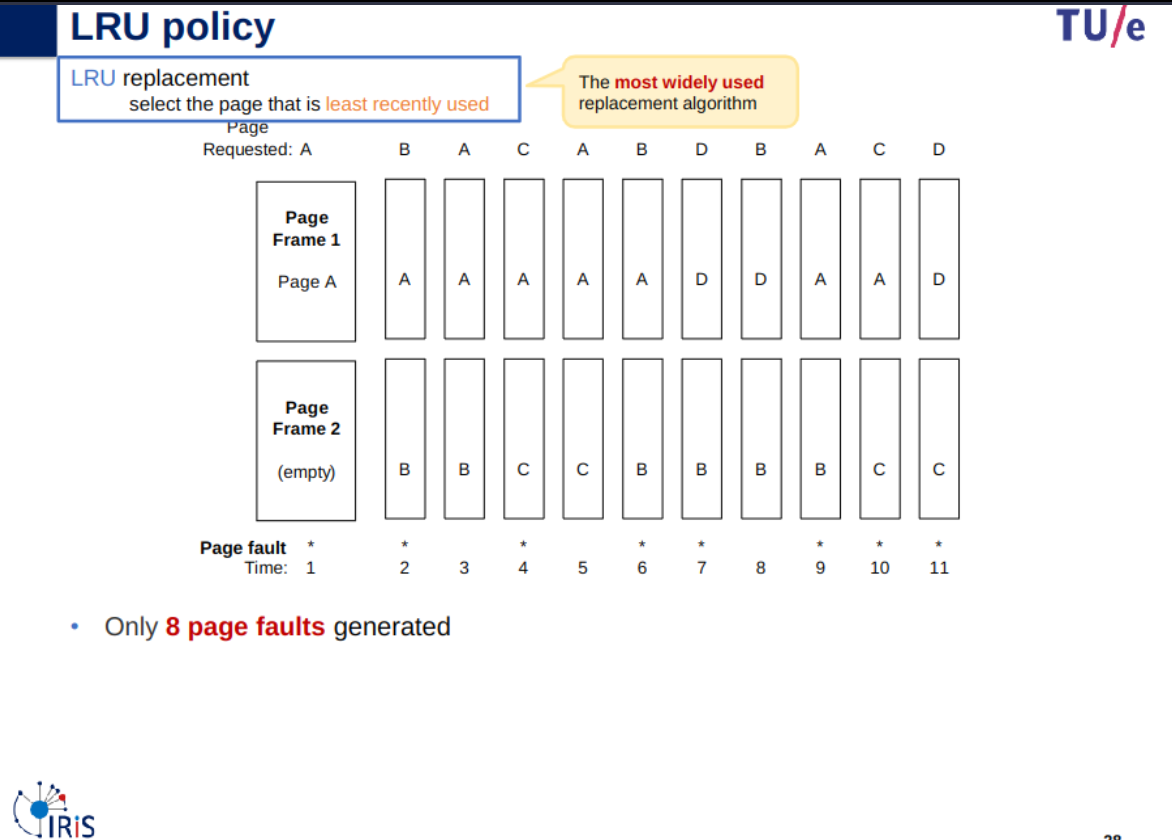
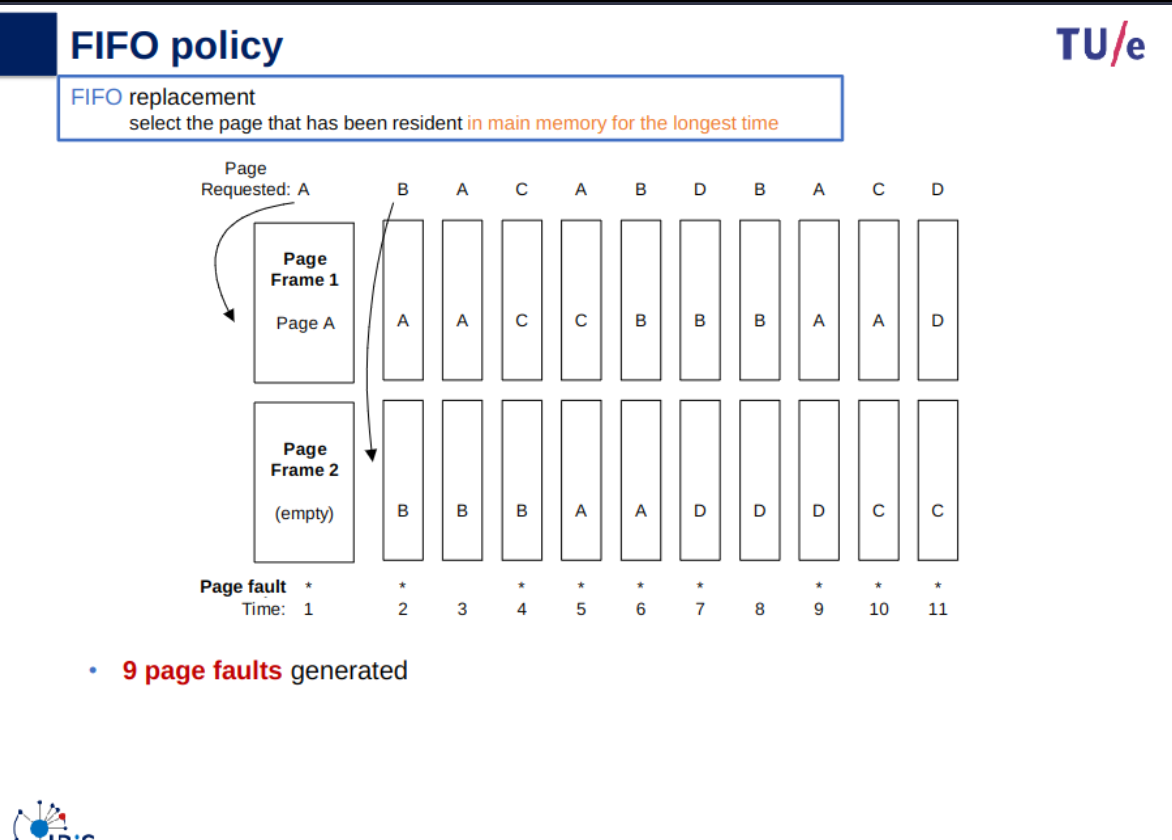
working set
What is the working set at time t1 and t2 assuming a window length
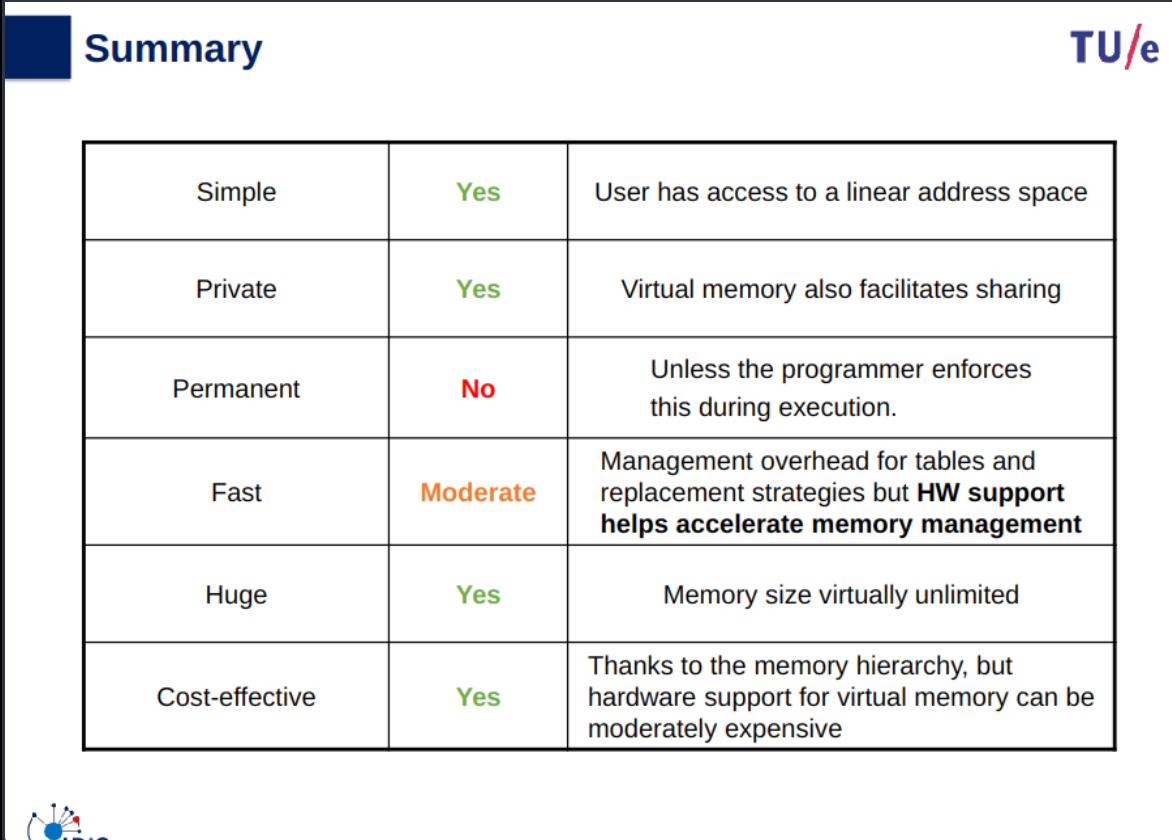
Summary
I/O Management
Slides
Info
Slides & Book
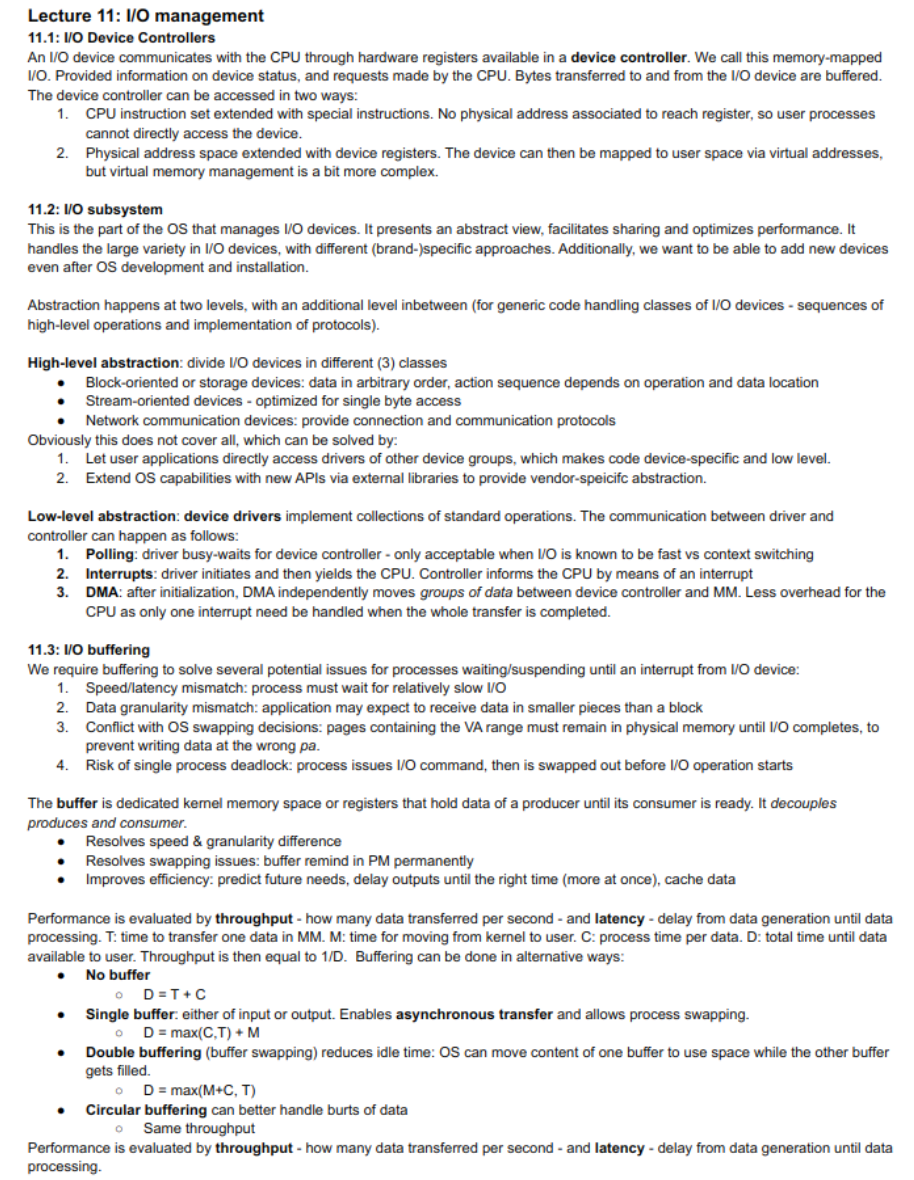
I/O device controllers
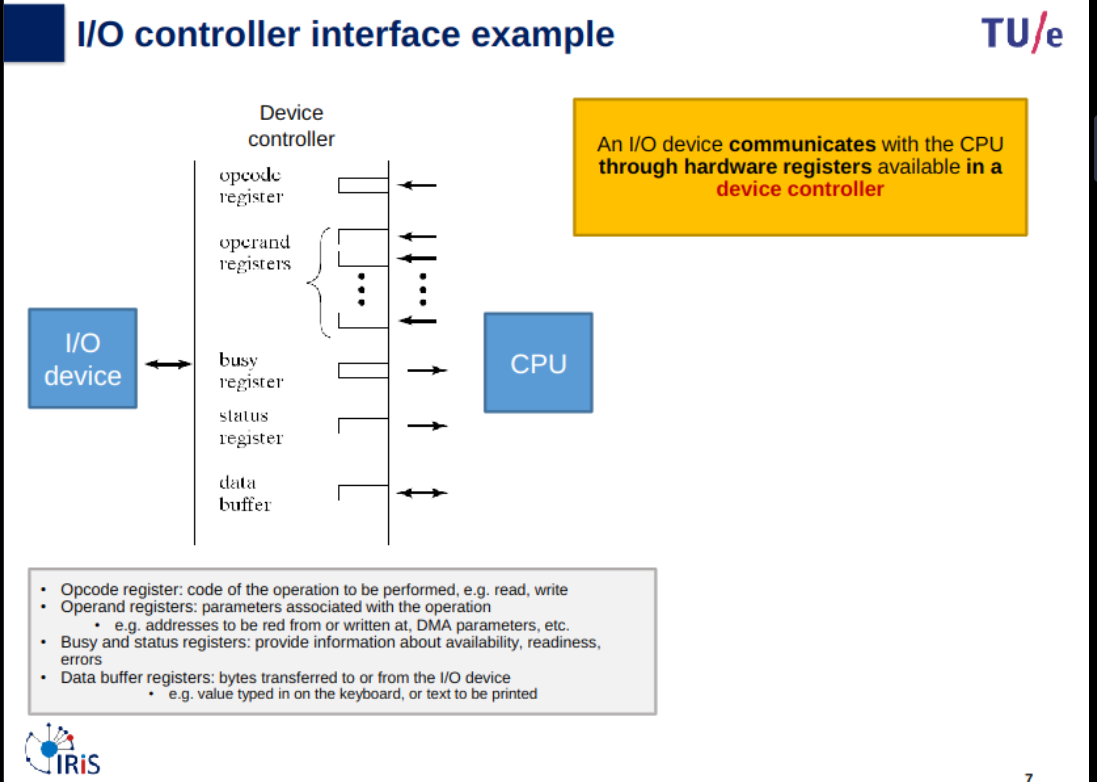
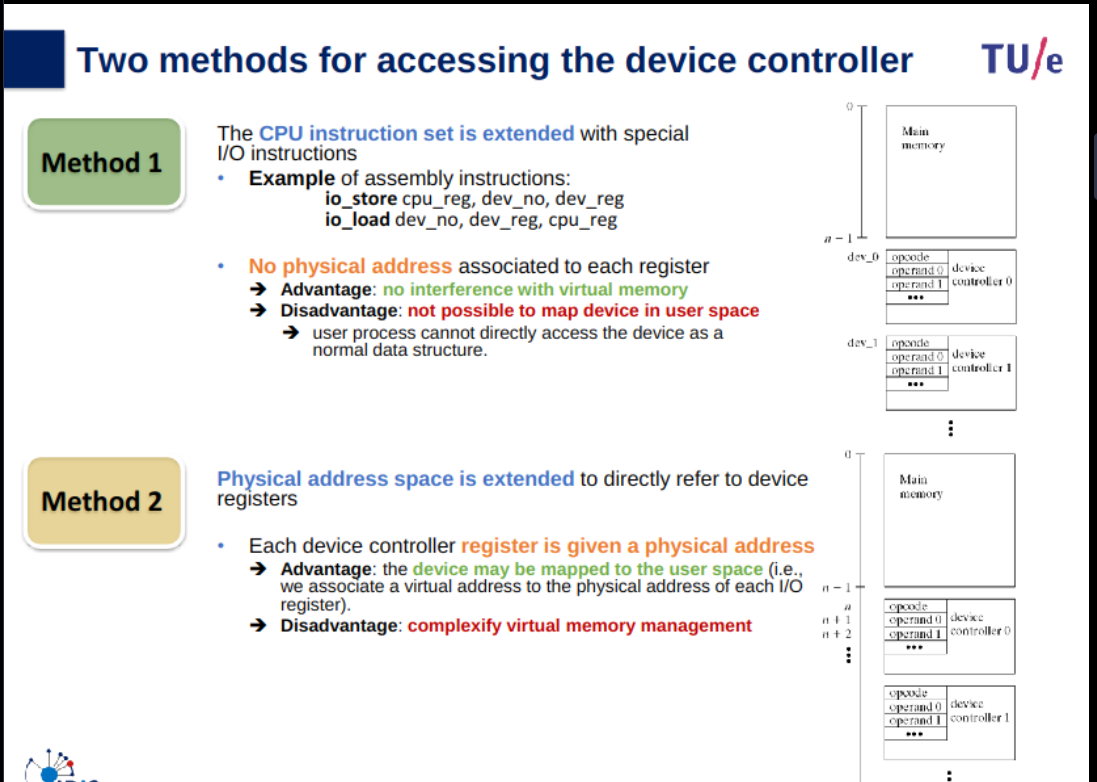
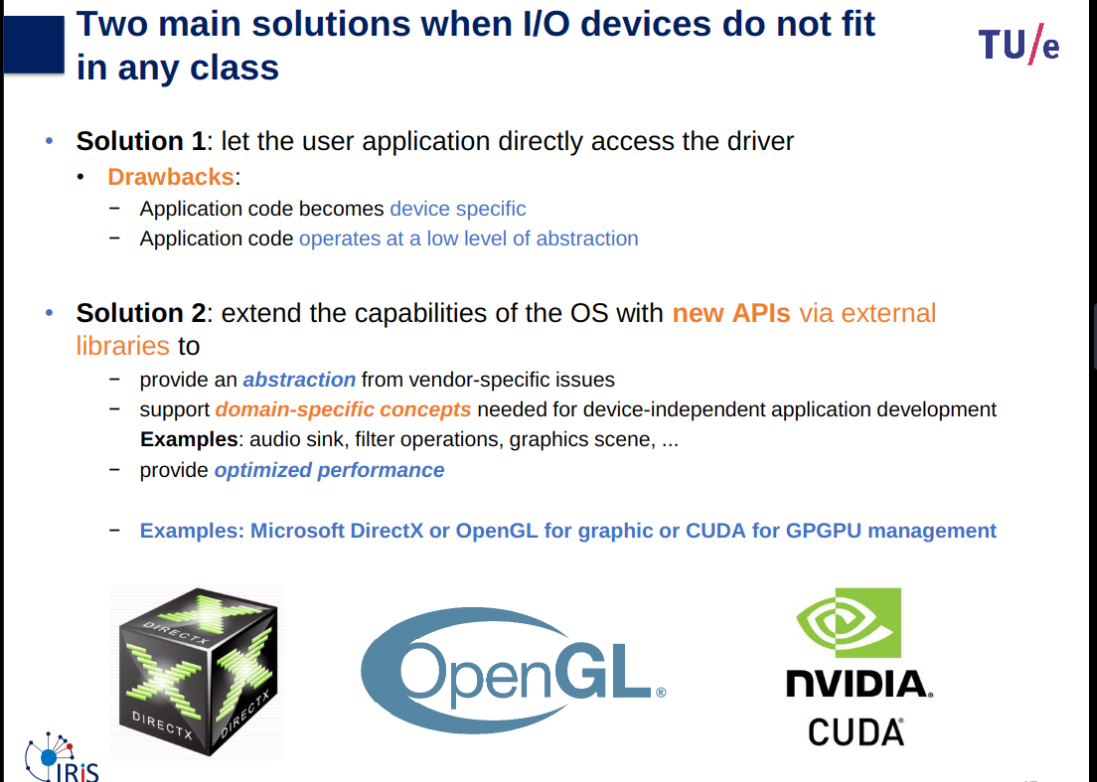
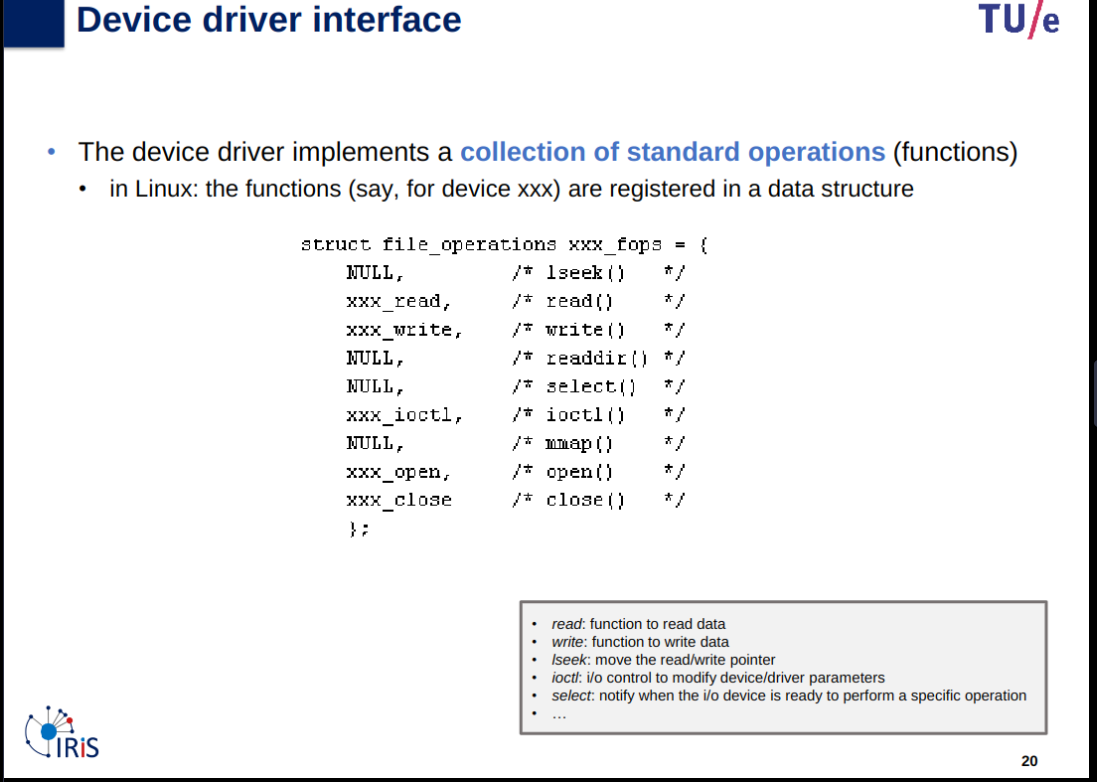
Issue
Each I/O device controller may have a different set of registers/opcodes/operands
- Code is written for a specific I/O controller and must be re-written if we change the type or brand of I/O device (e.g: move from HDD to SSD, change brand of SSD etc…)
- Limits portability
- Increases work, risk of bugs etc…
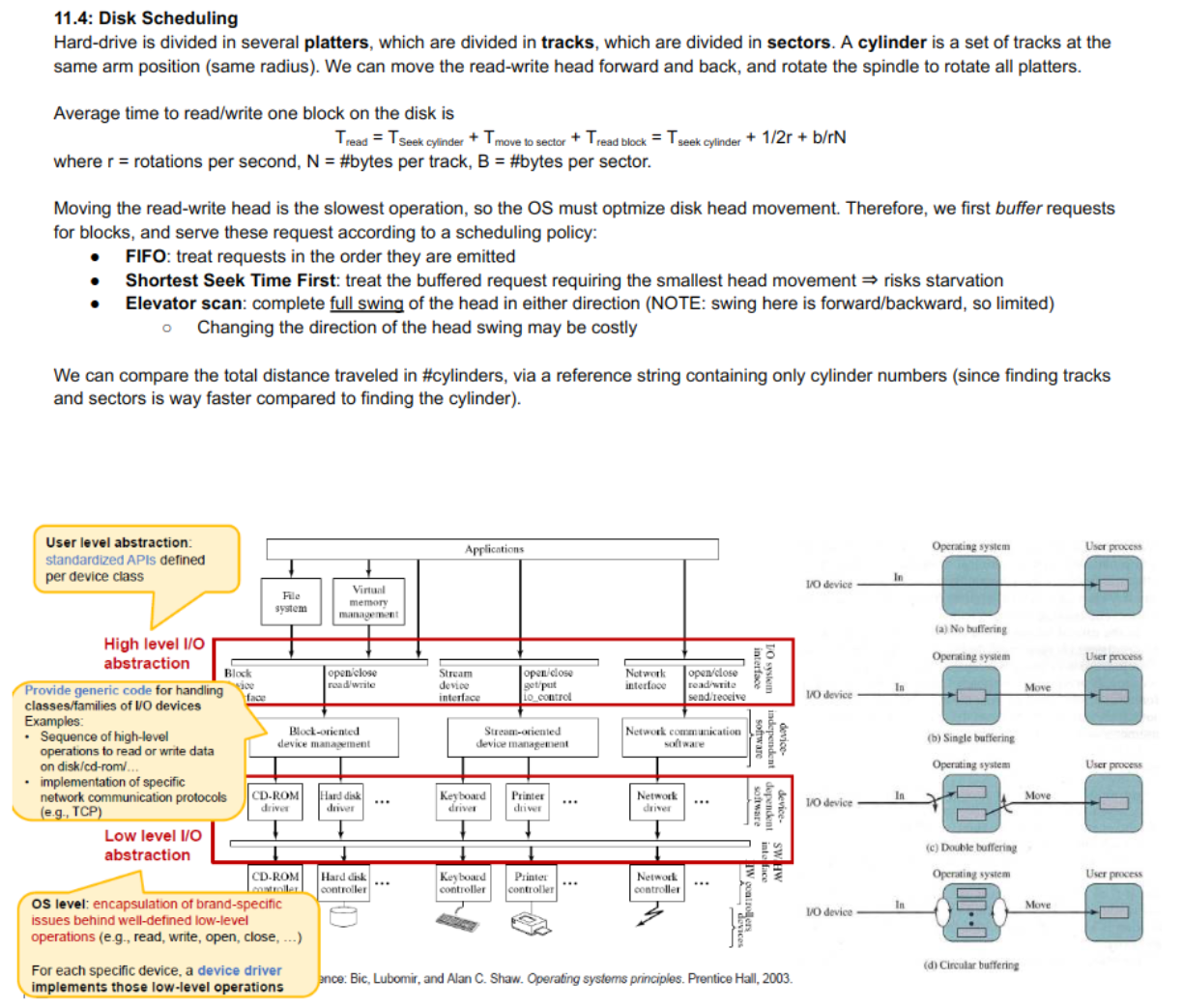
I/O subsystem
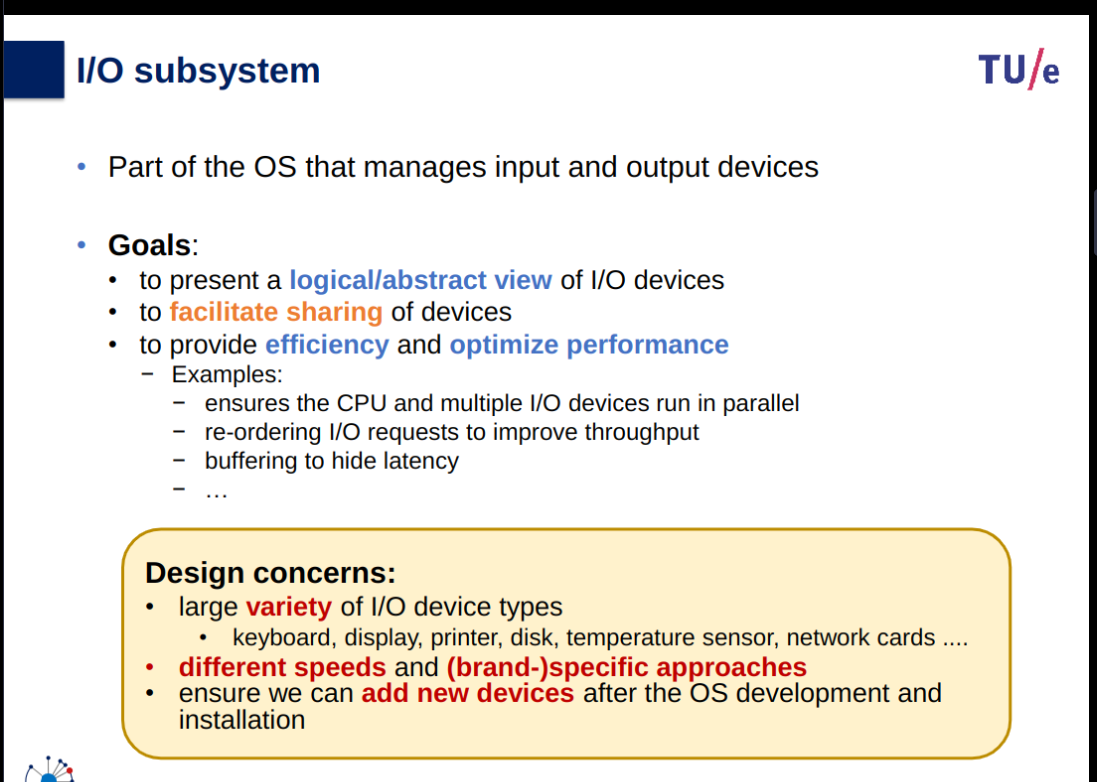
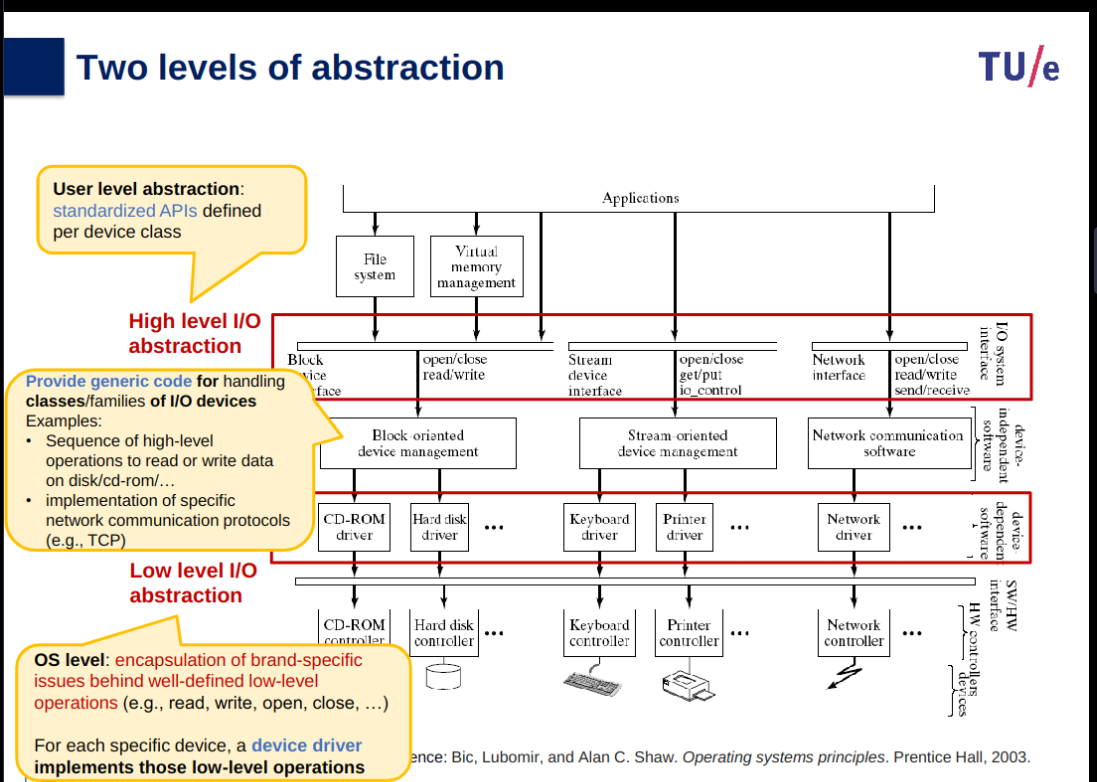
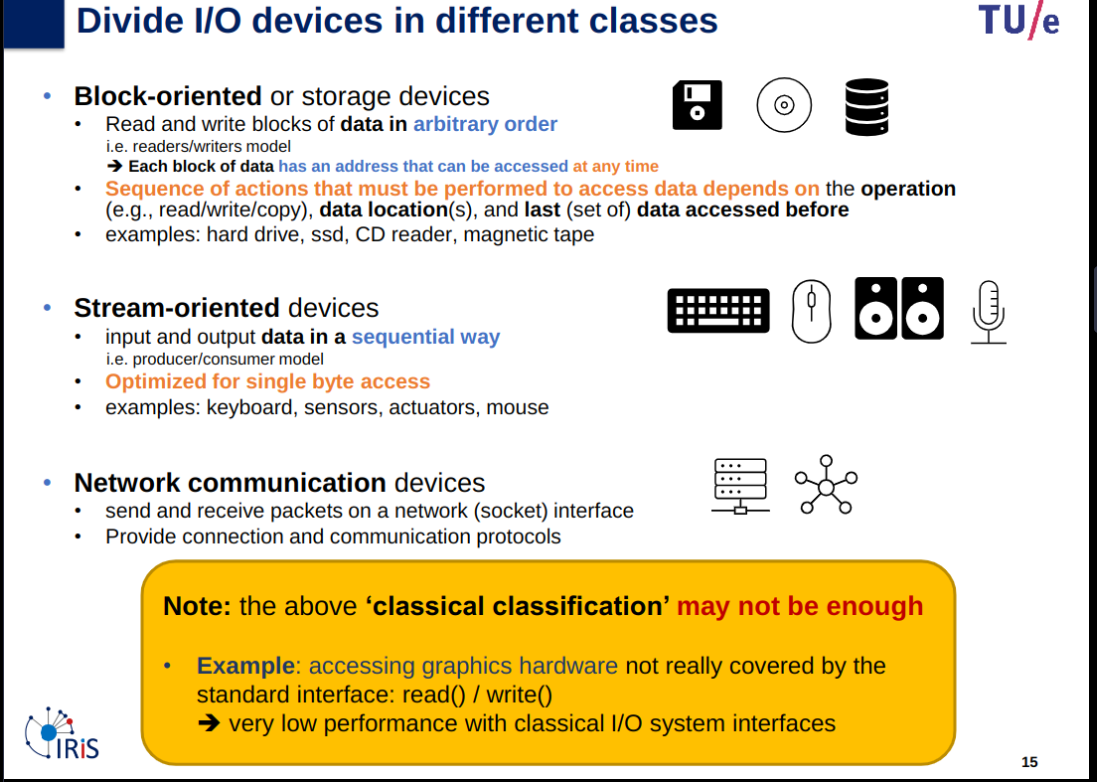
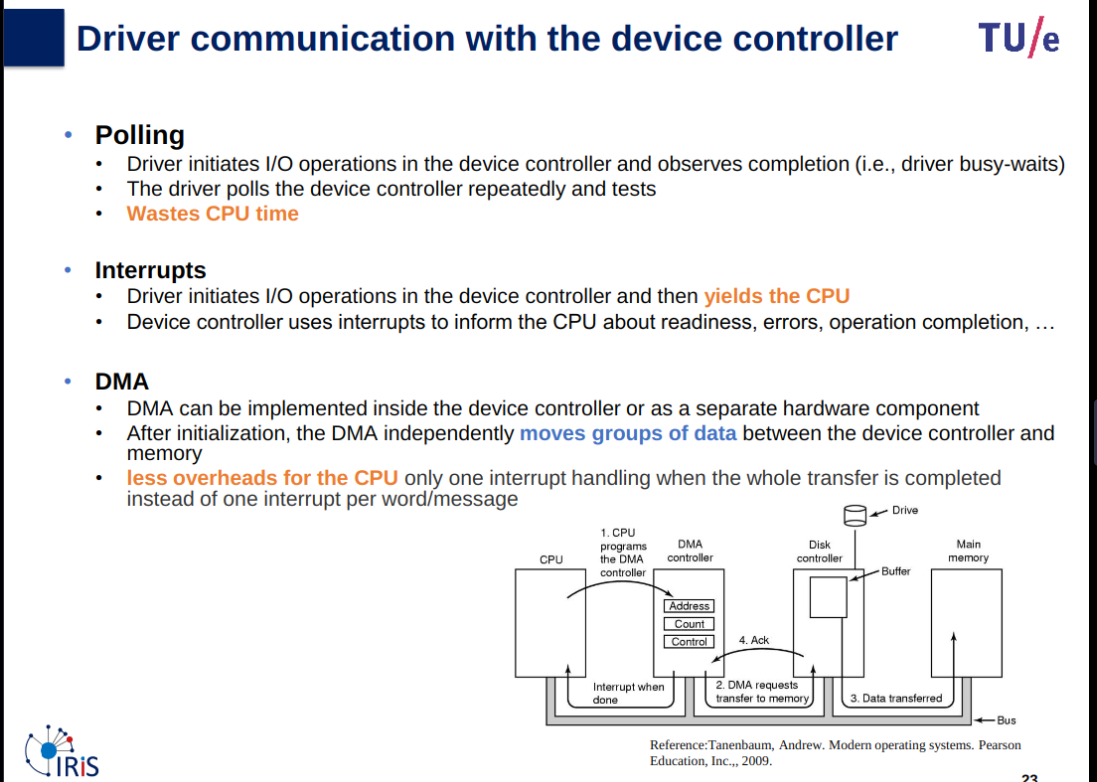
When is it acceptable to busy-wait?: only when I/O operations are known to be fast in comparison to the overhead of context switches.
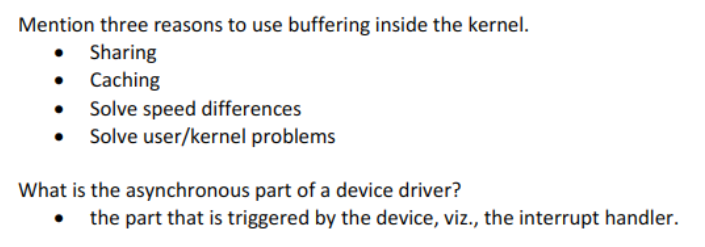
I/O buffering
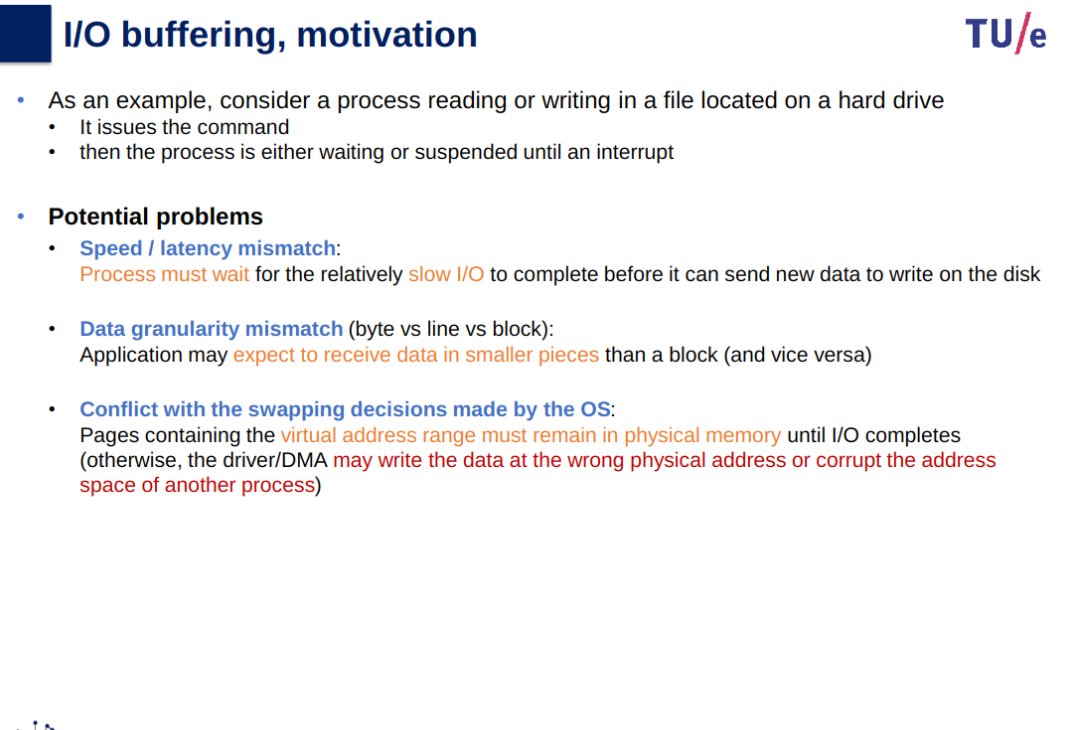
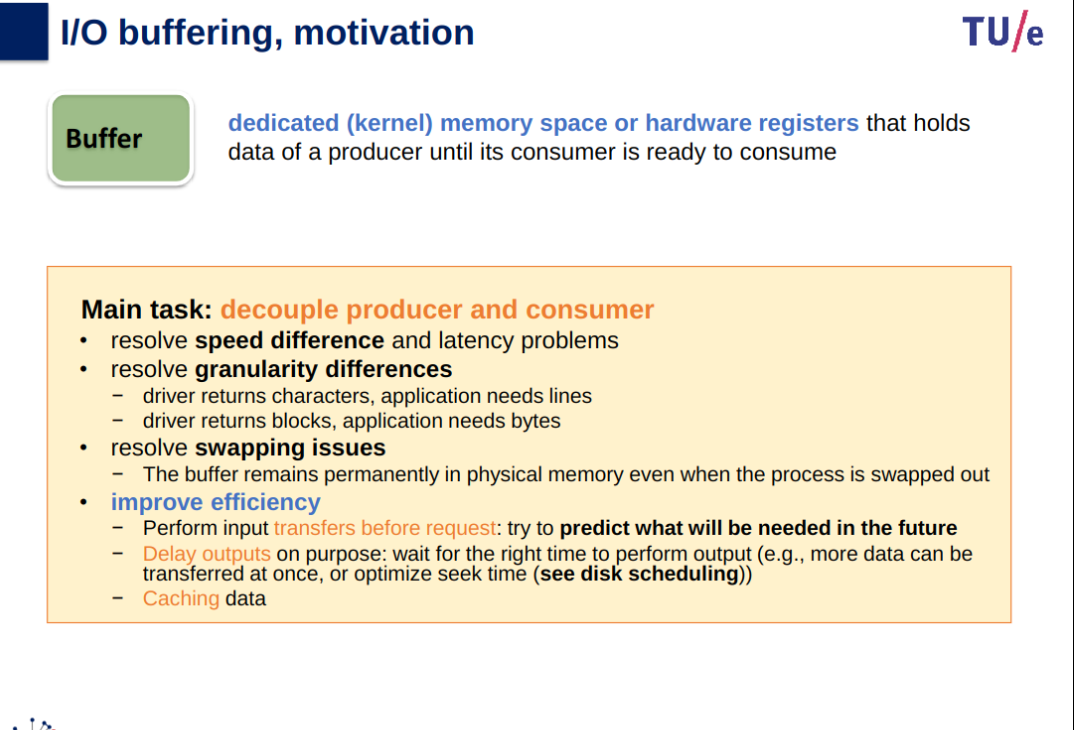
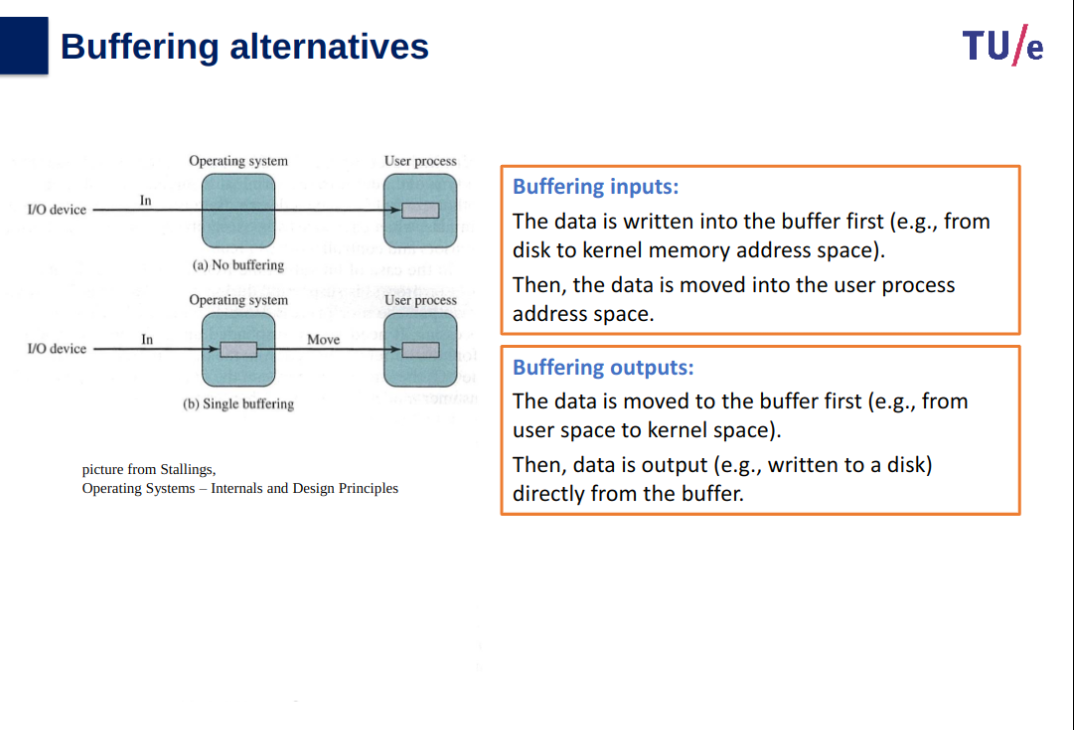
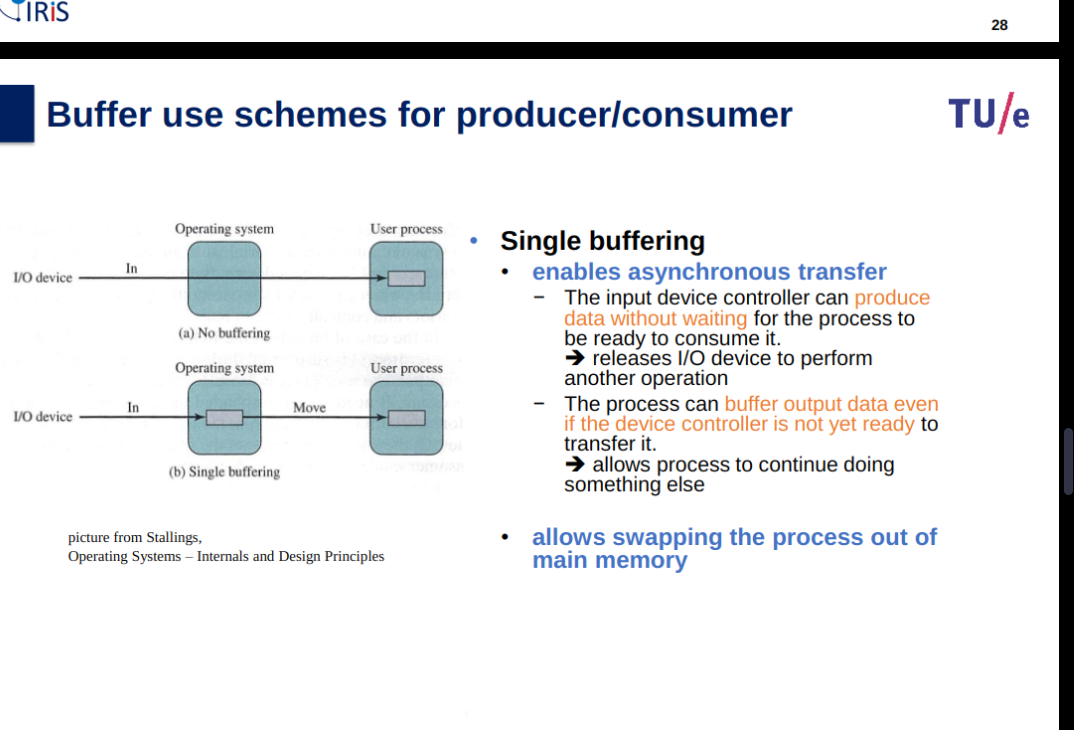
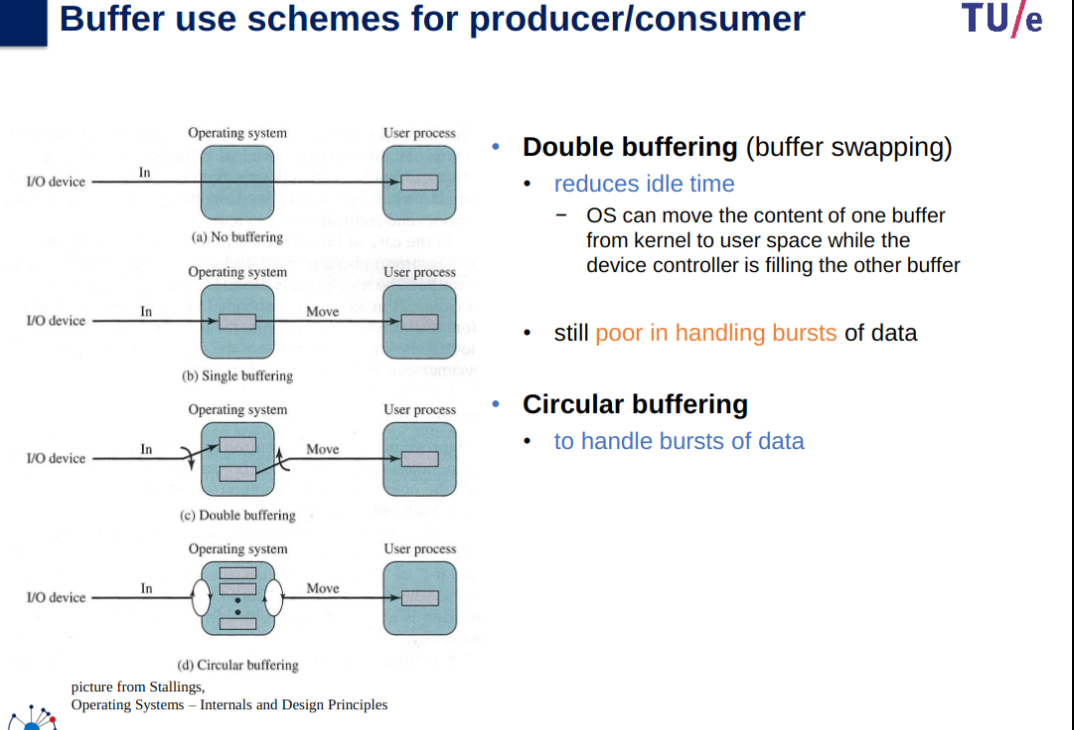
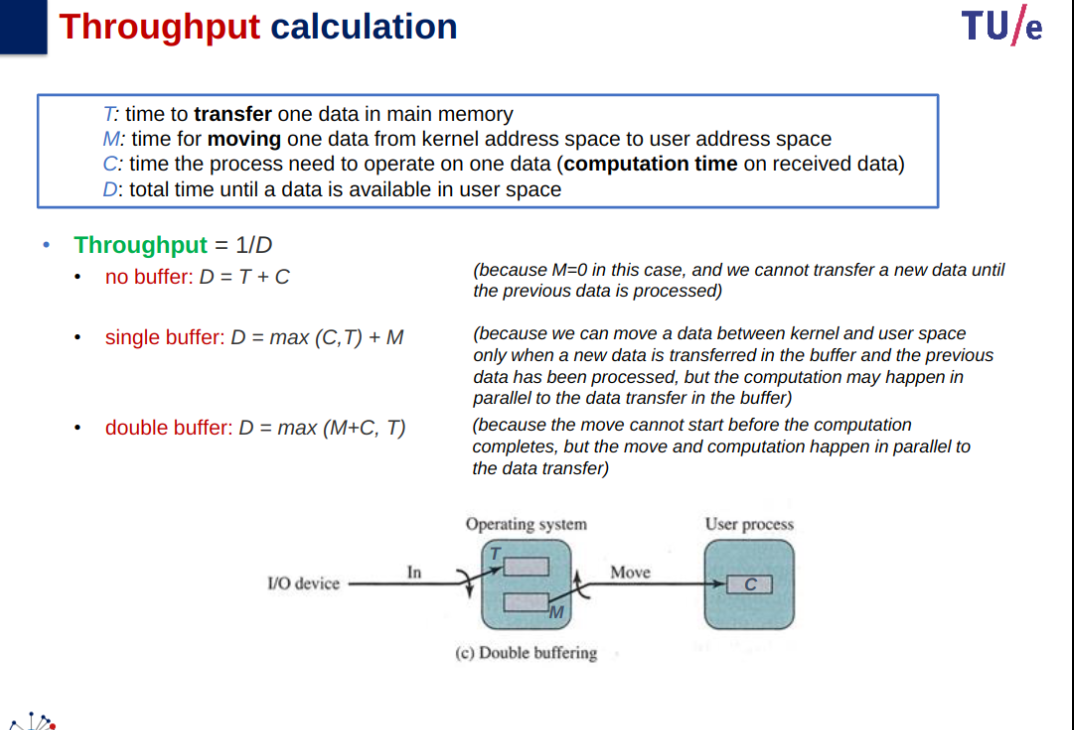
Throughput: How many data can be transferred per second? (we limit ourselves to analyzing the input scenario).
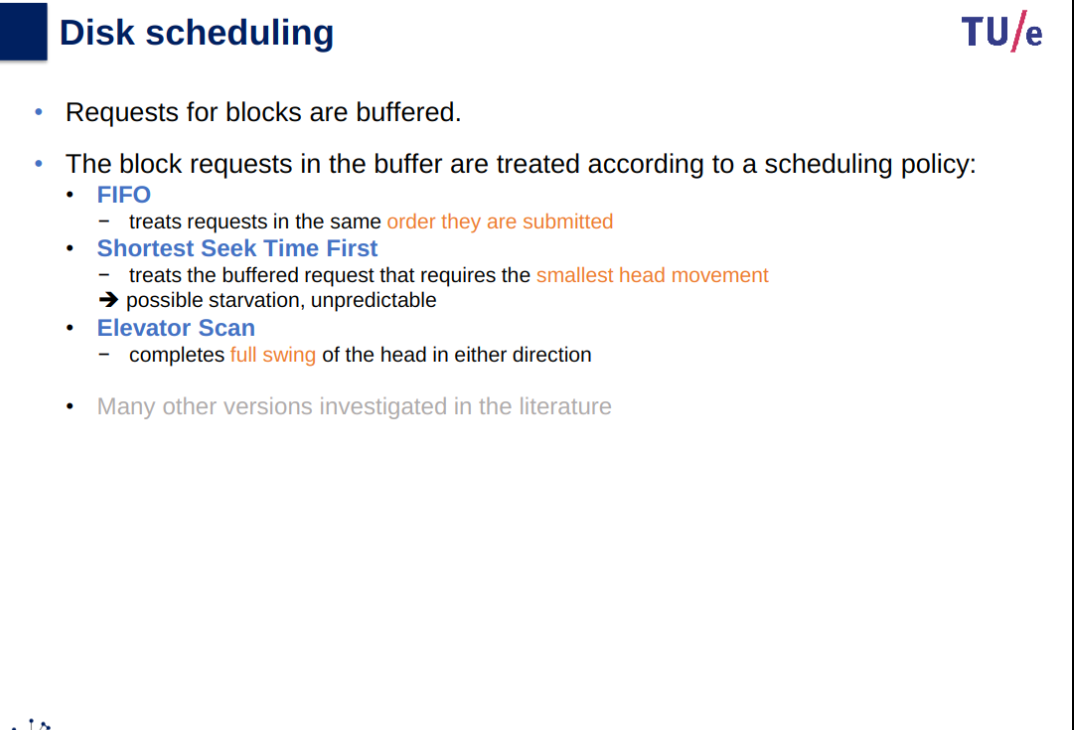
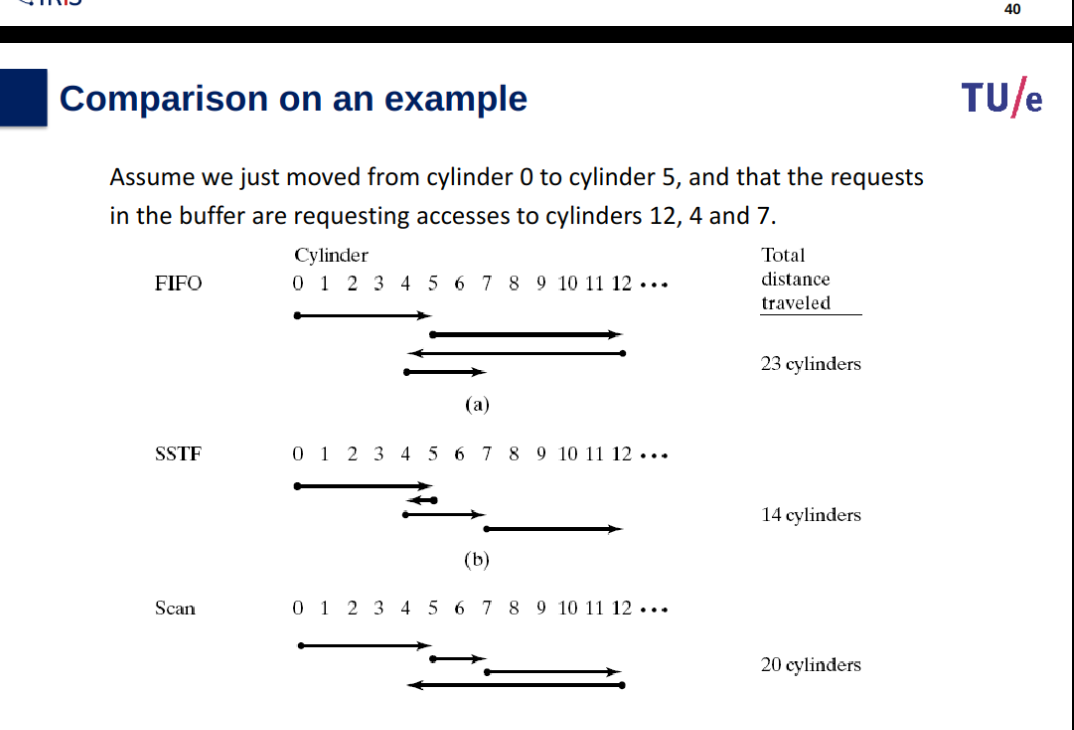
Disk scheduling
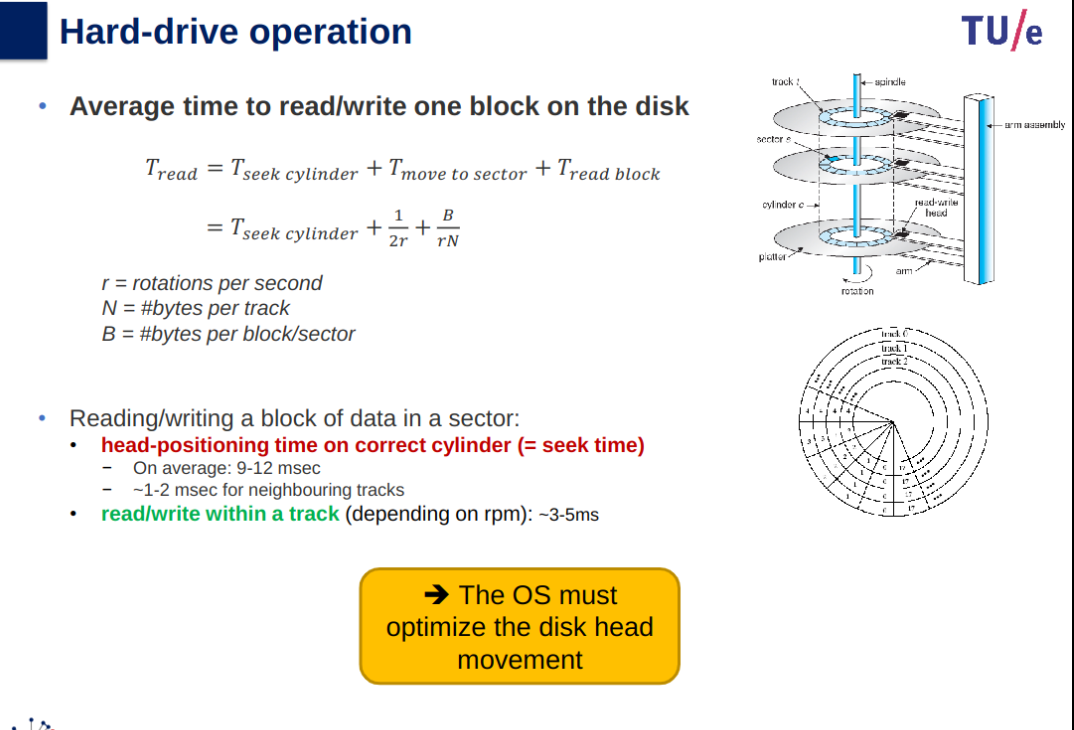
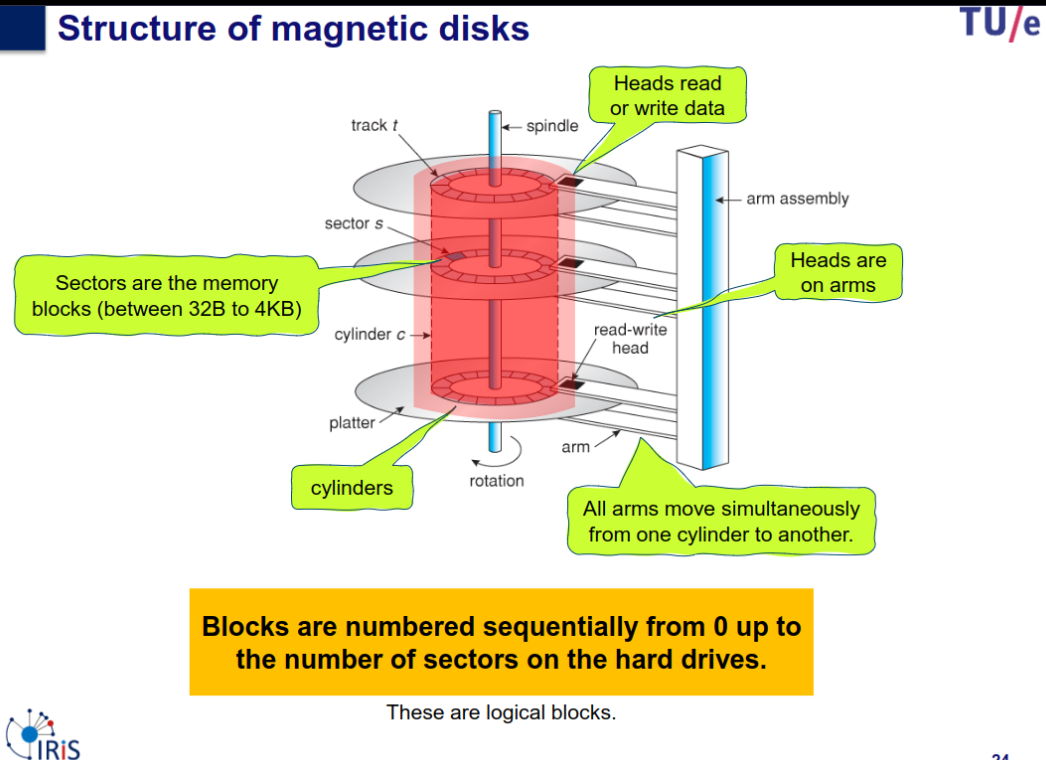
Several platters, divided in tracks, divided in sectors.
Cylinder: set of tracks that are at the same arm position (same radius).